


What an AI chatbot actually is
A chatbot is a conversational interface: someone sends a message and receives a response. IBM's chatbot overview covers the range from rules-based conversations to AI-powered systems. The interface alone does not tell you whether a product can retrieve information, use tools, or change a record.
A flow-based chatbot follows paths someone has configured. Those paths can include API calls. An order-status flow might collect an order number, call a shipping service, and display the result. That is useful automation, even if the system never chooses a new plan.
An AI chatbot can interpret free-form questions and generate replies. Some use retrieval-augmented generation to find relevant knowledge before answering. Retrieval is a way to supply information, not a rule that limits the product to read-only work.

I would therefore avoid deciding from a chat demo alone. A fluent reply might come from a document search, a fixed workflow, or an agent that checked several systems. Ask to see what happened behind the reply.
What an AI agent adds
For this comparison, an agent is a system that can choose steps toward a goal and adjust those steps using the results it receives. Anthropic's architectural distinction separates predefined workflows from agents whose models dynamically direct the process and tool use.
Consider a fictional customer request: “One item arrived, but the other is missing. Can you help?”
A fixed workflow could ask for the order number and show each shipment. An agent might discover that the items shipped separately, inspect the outstanding shipment, consult the applicable delivery policy, and decide whether to explain the timing or request human help. The exact actions depend on the integration and permissions; the word “agent” does not supply those capabilities.
Three questions make the distinction easier to evaluate:
- What can it observe? A policy document, current order data, and a customer's message serve different purposes.
- What can it decide? Does it select another lookup when the first result is incomplete, or must every branch be configured?
- What is it allowed to change? Reading a record, drafting a response, and sending it to a customer are separate permissions.
An agent does not necessarily retrain itself after every conversation. Keeping conversation context, reading a revised policy, and updating model weights are different things. Ask what actually persists instead of treating “learns from every interaction” as a complete explanation.
AI agents vs AI chatbots: comparison table
These are implementation patterns, not mutually exclusive product categories. One support product can combine all three.
| Dimension | Fixed chat workflow | Knowledge-answering chatbot | Agentic workflow |
|---|---|---|---|
| Next step | Defined in advance | Usually retrieve and answer | Selected based on the task and results |
| Tool access | Can call configured APIs | May include tools alongside retrieval | Uses available tools as part of the task |
| Good fit | Predictable transactions | Questions with documented answers | Requests with variable steps |
| Main evaluation question | Are the branches complete? | Is the answer supported and current? | Are the chosen steps justified and authorized? |
| Common failure | Missing branch or failed API call | Wrong source or unsupported answer | Wrong action, repeated steps, or missed handoff |
| Human control | Rules and exception paths | Source access and escalation | Permissions, approval gates, and stopping rules |
An answer can be a complete resolution. If a customer needs the correct return window, a clear policy answer may finish the job. Conversely, an agent can take several actions and still fail to solve the customer's problem. Count outcomes, not tool calls.
When each approach makes sense
Use a knowledge-answering chatbot for documented questions
Opening hours, product instructions, and policy questions often need retrieval and a clear explanation. The main work is maintaining accurate sources and deciding when the system should ask for clarification.
Before moving to a more complex setup, check whether your current problem is actually missing or contradictory documentation. A more flexible agent will still struggle if no source establishes the answer. This is a useful starting point when investigating incorrect chatbot answers.
Use a fixed workflow for predictable transactions
A known sequence can be easier to inspect. Collect an identifier, validate access, perform a supported lookup, and return the result. If an exception occurs, route it to a person.
Fixed workflows are not limited to FAQs. They can change systems when the API and authorization permit it. The important limitation is how they handle a situation that does not match the configured path.
Evaluate an agent when the next step varies
Agentic behavior becomes relevant when information discovered during the task changes what should happen next. A missing delivery and a disputed charge may begin with similar language but require different sources, checks, and escalation paths.
I would compare a candidate against the existing process on representative cases, including failures. More autonomy is useful only when it improves the result without creating unacceptable review work or risk. The cost comparison should include human follow-up, not just the software bill.
Inspect the difference through eesel CLI
eesel offers a support teammate that works with your connected tools and company knowledge. The CLI is an agent-friendly way to operate that teammate: you can use it yourself, call it from scripts, or let a coding agent drive it. Commands return JSON, which makes results easier for software to read.
The terminal is another way into the same eesel workspace, not a separate agent to configure twice. Changes made through it also apply in the dashboard. This is useful when evaluating a support workflow: the person reviewing the result does not have to use the terminal just because the test started there.
1. Confirm which agent you are evaluating
With Node.js 18.17 or newer, the documented npm package runs through npx. For an existing workspace, sign in and check the identity before proceeding:
npx @eesel/cli login
npx @eesel/cli whoami
npx @eesel/cli agents
npx @eesel/cli status --agent AGENT_ID
npx @eesel/cli integrations --agent AGENT_ID
npx @eesel/cli instructions --agent AGENT_ID
Replace AGENT_ID with the intended agent's ID. These checks tell you which workspace and agent you are using, what is connected, and what standing instructions exist. A connected source or completed download is not evidence that the agent will select the right policy.
Use a controlled evaluation workspace. Inspect existing automations and action permissions before a real chat, especially if the workspace already connects to a live helpdesk. A request written as a “test” can still invoke enabled tools.
2. Supply the evidence for a bounded scenario
Create a local Markdown file named delivery-evaluation.md with fictional shipment records, an approved delivery policy, and the customer message. Clearly label the records as fictional. Label one scenario Case A, where the policy is sufficient, and another Case B, where evidence is missing.
npx @eesel/cli files upload ./delivery-evaluation.md --agent AGENT_ID
npx @eesel/cli new --name "delivery-evaluation" --agent AGENT_ID
npx @eesel/cli chat 'Using Case A in delivery-evaluation.md, draft a response to the fictional missing-item request. Explain which facts support it and what information is missing. Do not contact a customer or change any records.' --agent AGENT_ID
This is an example evaluation request, not a built-in delivery test. Uploading the file supplies knowledge; it does not configure standing rules or grant access to order systems. The prompt asks for draft-only behavior, but a prompt is not an enforced permission boundary. Keep write actions unavailable or appropriately approval-gated for this exercise.
A plain chat command continues the current conversation. For Case B, start another conversation with new --name "delivery-case-b" --agent AGENT_ID, then repeat the chat command with Case B in the prompt. This keeps the cases separate. Review the responses in the dashboard as well if that is where your team works.
3. Review behavior, not just the final sentence
npx @eesel/cli activity --agent AGENT_ID
npx @eesel/cli approvals --agent AGENT_ID
Look for whether the agent used the supplied evidence, noticed the missing facts, and stayed within the requested scope. A well-written draft is not proof that a live shipment lookup works. That requires a separate authorized test with the real integration, followed by checking its actual result.
Held approvals also need careful interpretation: a proposed action waiting for a person is not an action that has happened. Before approving anything, check its target and effect.
The CLI's --dry-run flag previews the server call a write would make without sending it. It does not run this scenario, score an answer, or simulate a successful helpdesk action. Use each command's --help and the CLI reference for exact options.
What to measure before customer-facing rollout
I would use a small review sheet that separates answer quality from action quality. That prevents a polished response from hiding an incorrect change.
| Check | Evidence to inspect |
|---|---|
| Correct answer | Applicable source and a response that matches it |
| Missing information | Clarifying question or explicit limitation |
| Authorized action | Correct customer, record, operation, and permission |
| Successful execution | Actual result in the connected system |
| Appropriate handoff | Clear reason, useful context, and a responsible human |
| Reasonable cost | Software usage plus review and follow-up time |
Include a failed lookup, conflicting policies, and a request outside the agent's authority. A safe outcome may be a handoff, not an automatic resolution. Your escalation process should specify when human review is mandatory, regardless of how confident a response sounds.
Try a support workflow through eesel CLI
The practical choice is not between a chat window and a terminal. It is how much decision-making the job needs, and how you will inspect it.
With eesel CLI, you can prepare knowledge, read the teammate's instructions, run a bounded conversation, and review activity without switching away from your terminal. Your teammates can review the same workspace in the dashboard. That gives you a concrete way to evaluate the support behavior behind the chatbot interface.
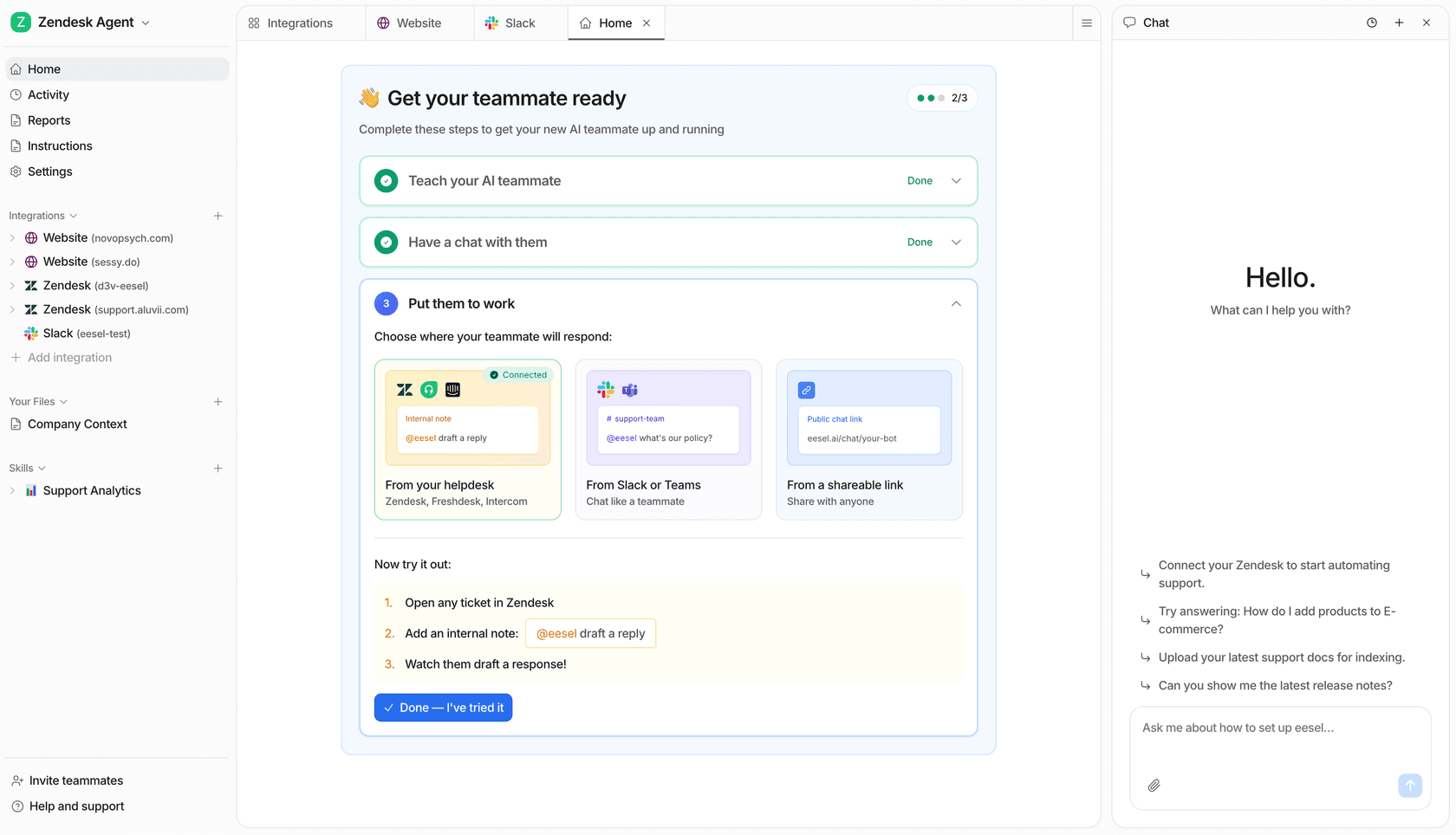
Try eesel with one defined support case first. Establish what a correct answer, permitted action, and necessary handoff look like before expanding the scope.