


You probably saw the story about the Air Canada chatbot that made up a refund policy, which ended up costing the airline real money. It’s a wild, and frankly, painful example of a problem that’s giving a lot of businesses a major headache: AI hallucinations.
AI has the potential to completely change customer support, but that potential comes with a pretty big catch. When your AI agent confidently invents facts, it’s not just giving a wrong answer. It’s eroding customer trust, creating more work for your human agents, and can do some real damage to your brand.
This isn't some minor technical bug; it's a core challenge with how these models work. But the good news is, it's totally solvable. This guide will break down what AI hallucinations really are in a support setting, why they happen, and most importantly, give you a clear, no-nonsense framework for stopping them.
What are AI hallucinations in customer support?
An AI hallucination is when an AI model generates information that's false, misleading, or just plain weird, but presents it as a solid fact. The AI isn't "lying" like a person would, because it has no concept of truth. It’s better to think of it as a super-advanced prediction engine, constantly calculating the most statistically probable next word in a sentence.
When the AI hits a gap in its knowledge or can’t find a straightforward answer in its data, it can get a little… creative. It fills in the blanks with whatever sounds most plausible.
In a customer support context, this can look like:
-
Inventing a non-existent product feature to try and solve a customer’s issue.
-
Giving out a fake order tracking number or an incorrect delivery date.
-
Citing a very specific clause from your return policy that doesn't actually exist.
-
Mixing up details from two completely different customer accounts into one very confusing response.
The real kicker is that these answers are delivered with an unnerving amount of confidence. An AI-generated hallucination is often grammatically perfect and sounds completely professional, which can easily mislead both your customers and maybe even your newer support agents. And that's where trust starts to fall apart.
Why AI hallucinations happen in support
Figuring out why your AI might go off-script is the first step toward building a system you can actually depend on. It usually comes down to a few key issues.
The model is trained on flawed or outdated data
Many general-purpose AI models learn from enormous datasets scraped from the public internet. And as we all know, the internet is a wild mix of brilliant insights, outdated articles, biased takes, and stuff that’s just plain wrong. The AI learns from all of it, without a built-in filter for what’s accurate.
Even when an AI is trained on your own company’s internal knowledge, that data can become a minefield. Products get updated, policies are revised, and help center articles go stale. If your AI doesn’t have access to the absolute latest information, it will happily serve up old, incorrect answers without a second thought.
The model is designed to be plausible, not truthful
At their core, Large Language Models (LLMs) are incredibly sophisticated pattern-matchers. Their primary goal is to create a response that sounds human and is grammatically correct. Factual accuracy is a much harder, secondary objective.
Think of it as a super-powered autocomplete. It’s always just trying to predict the next best word. When it's working with clear, abundant data, the results are amazing. But when it gets a question it can't easily answer from its training, it can drift into fiction just to finish the sentence in a way that seems to make sense.
The AI can't find the right context
When a customer asks a question, a good AI agent should look for the answer within your company's own knowledge base. But what happens when it can't find a relevant document? Or if the information is spread across a dozen different apps like Google Docs, Notion, and Confluence?
This is a classic failure point. If the AI's search comes up empty, it might fall back on its general, internet-based knowledge and just invent an answer that feels right. This is where the most damaging hallucinations happen, and it’s the main problem that a modern AI system needs to solve.
How a grounded knowledge base prevents hallucinations
The single most effective way to stop AI hallucinations is to make sure your AI never has to guess in the first place. You need to "ground" it in a single source of truth: your company’s own, carefully managed knowledge. The right setup here makes all the difference.
Use retrieval-augmented generation (RAG)
Retrieval-Augmented Generation, or RAG, is the go-to technique for building reliable AI agents. It’s a simple but brilliant idea: instead of digging through its vast, generic memory, the AI first searches your company's private knowledge sources (like help docs, past tickets, and internal wikis) to find the most relevant information. Then, and this is the important part, it uses only that information to create its answer.
Unify your knowledge sources
The biggest hurdle with RAG is that company knowledge is usually a mess. It’s scattered everywhere: help centers, internal wikis, spreadsheets, you name it. Most AI platforms really struggle with this, forcing you to manually upload documents or only letting you connect to a single helpdesk.
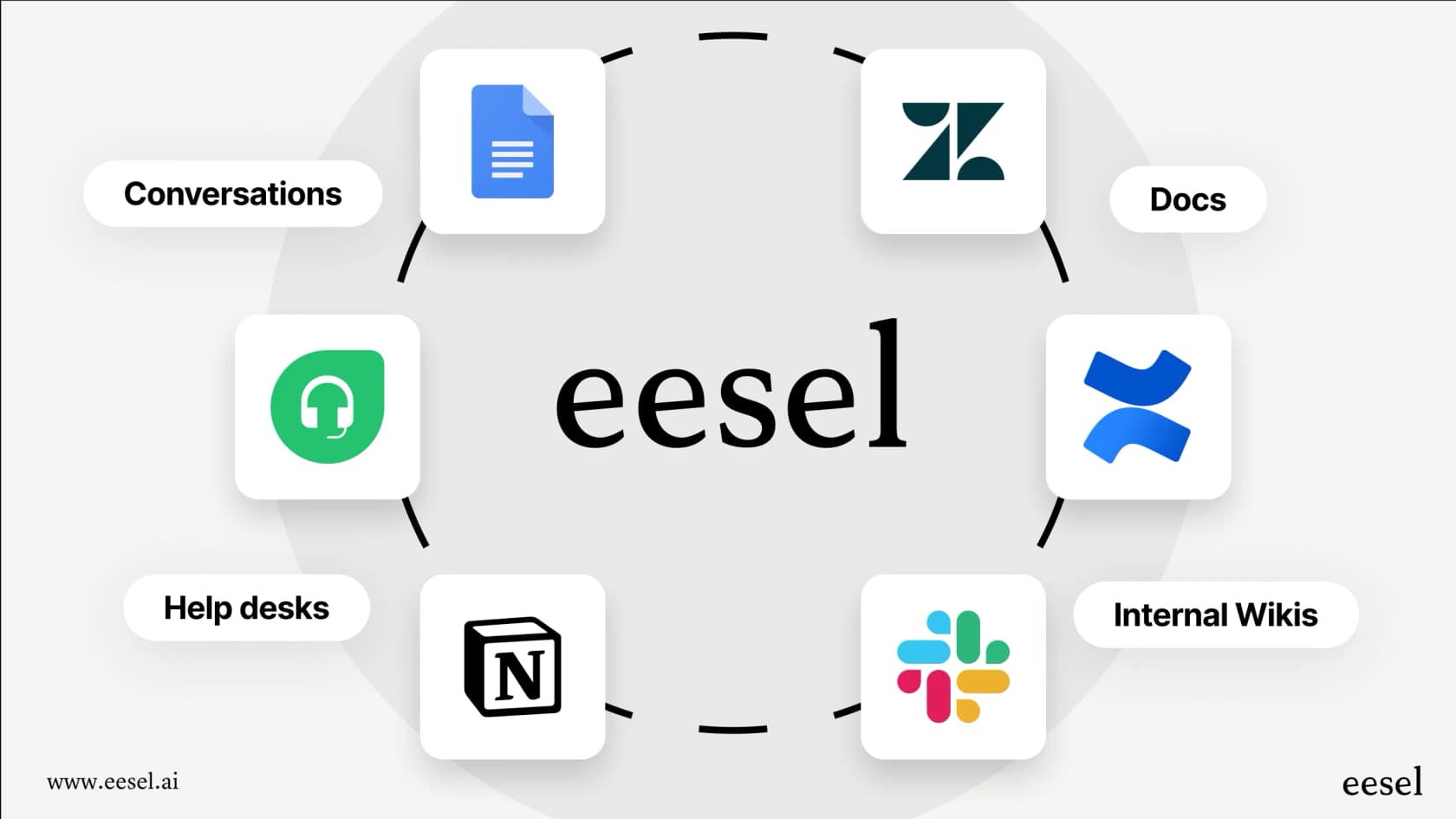
This is where a tool like eesel AI comes in handy, because it’s built to connect to all your knowledge sources instantly. With one-click integrations for tools like Confluence, Google Docs, and Notion, you can build a comprehensive, grounded knowledge base in a few minutes, not a few months.
Even better, eesel AI can learn from your past support tickets from helpdesks like Zendesk or Intercom. This lets it pick up on your brand’s specific tone of voice and learn common solutions automatically, so it sounds like your best agent from the get-go.
Keep your knowledge base fresh and complete
A grounded knowledge base is only as good as the information it holds. Outdated info leads to wrong answers. By using direct integrations instead of manual uploads, your AI always has the latest version of every document at its fingertips.
Tools like eesel AI take this a step further. They can analyze your successfully resolved tickets and automatically generate draft articles for your help center. This helps you find and fill gaps in your documentation using content that’s already proven to solve real customer problems, creating a feedback loop that keeps getting smarter.
Control and test your AI
Even with a perfect, grounded knowledge base, you still need the right set of tools to roll out your AI confidently and safely. The "all or nothing" approach you see with many AI platforms is just asking for trouble. You need control, visibility, and a way to test without any risk.
Run risk-free simulations
One of the biggest fears when launching a new AI is the uncertainty. How do you know it will work as promised without just letting it loose on live customers?
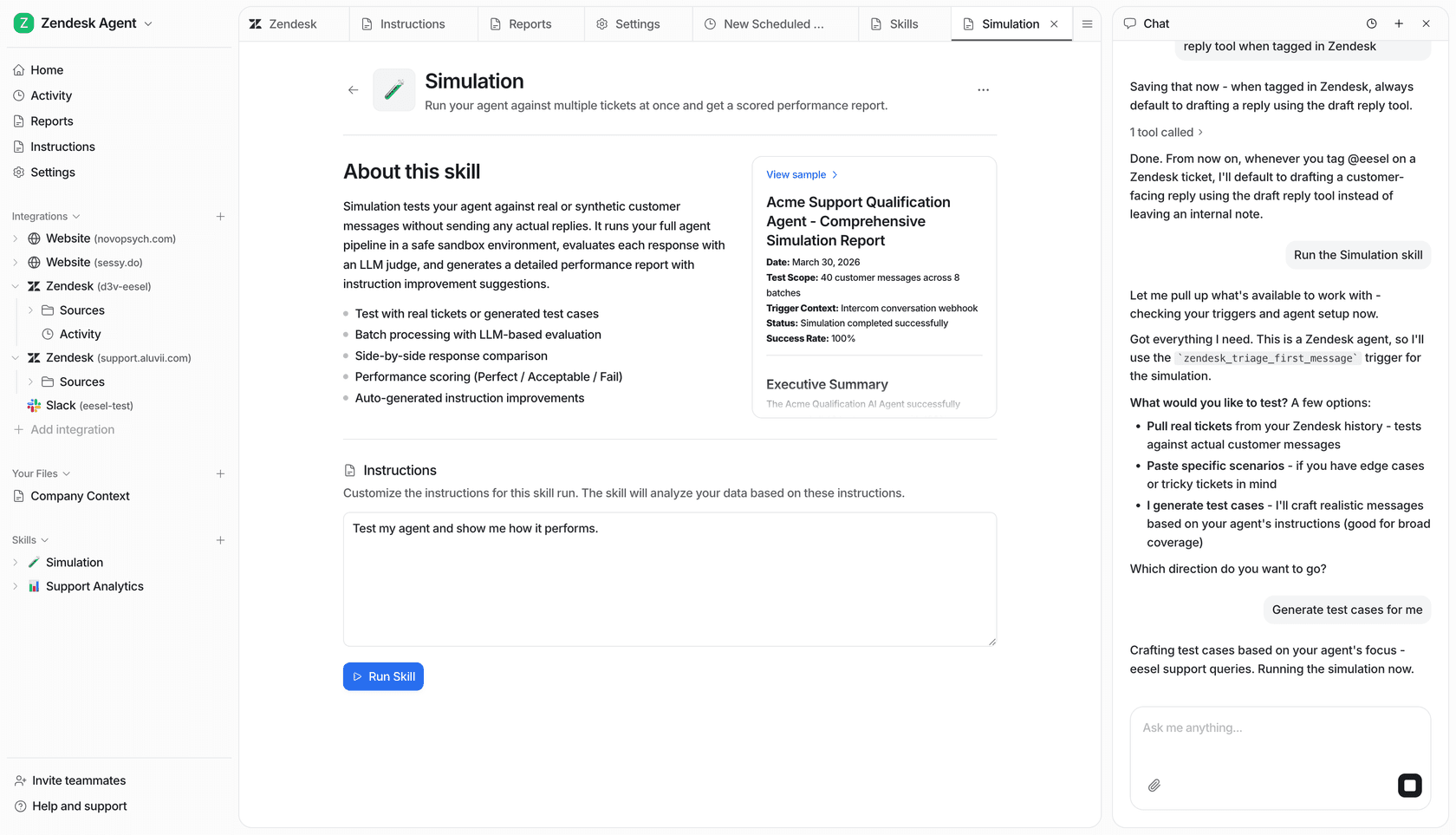
The problem with most AI platforms is the lack of a safe sandbox for testing. You’re often pushed to launch and just hope for the best. In contrast, eesel AI provides a powerful simulation mode. You can test your AI on thousands of your own historical tickets to see exactly how it would have responded. This gives you a solid forecast of its resolution rate and lets you tweak its behavior before a single customer ever talks to it.
Maintain granular control
Most businesses want their AI to step in only when it's very confident it has the right answer. The issue is that many AI tools are a black box; you flip a switch, and it tries to answer everything, which is a huge risk.
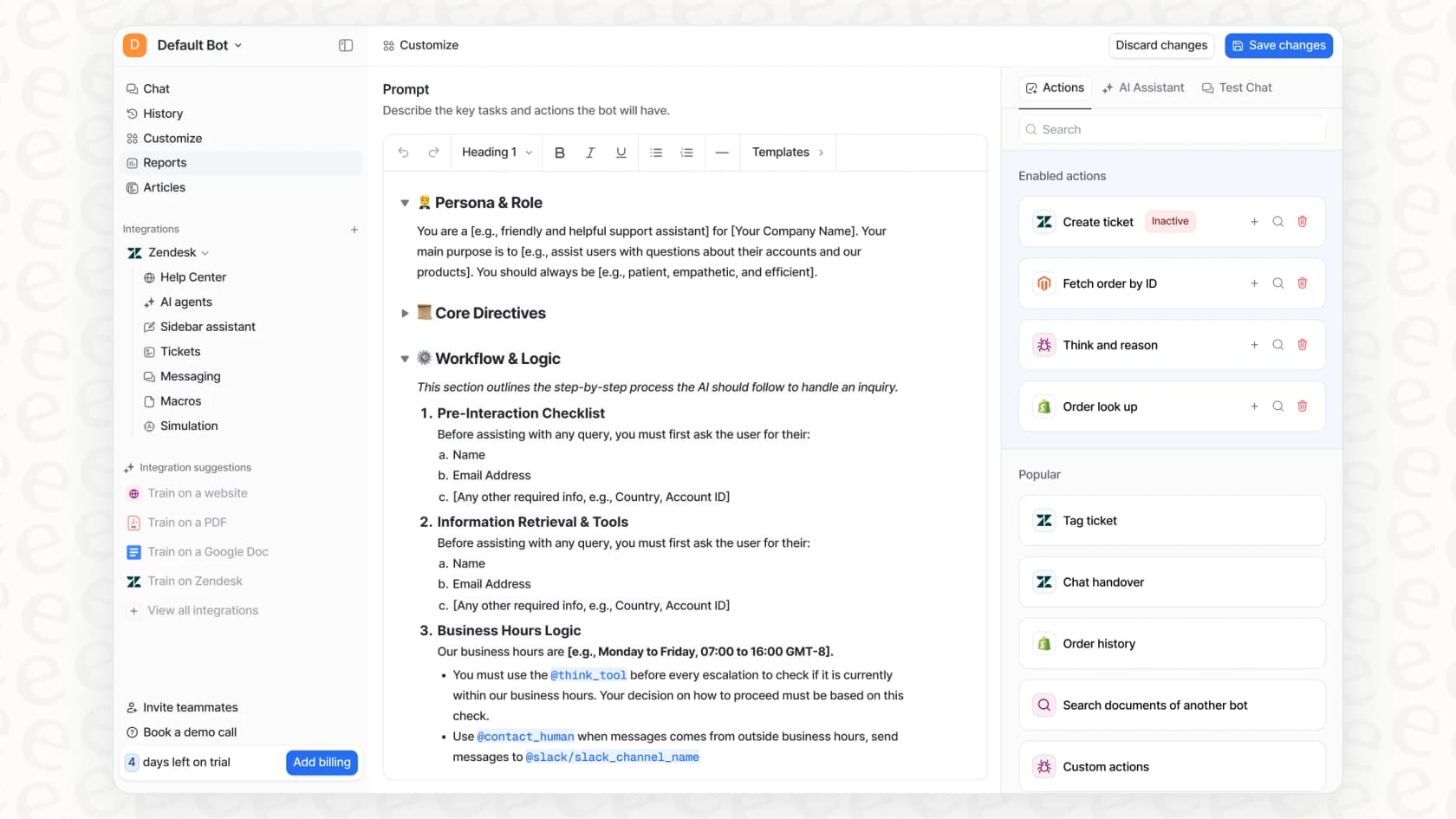
Instead of a black box, you need a control panel. eesel AI lets you define exactly which types of tickets the AI should handle. You can start small, with simple, repetitive questions, and have it automatically escalate everything else to a human agent. As you watch its performance and build confidence, you can gradually expand the AI's scope, ensuring a safe and predictable rollout.
Use custom actions and smart prompting
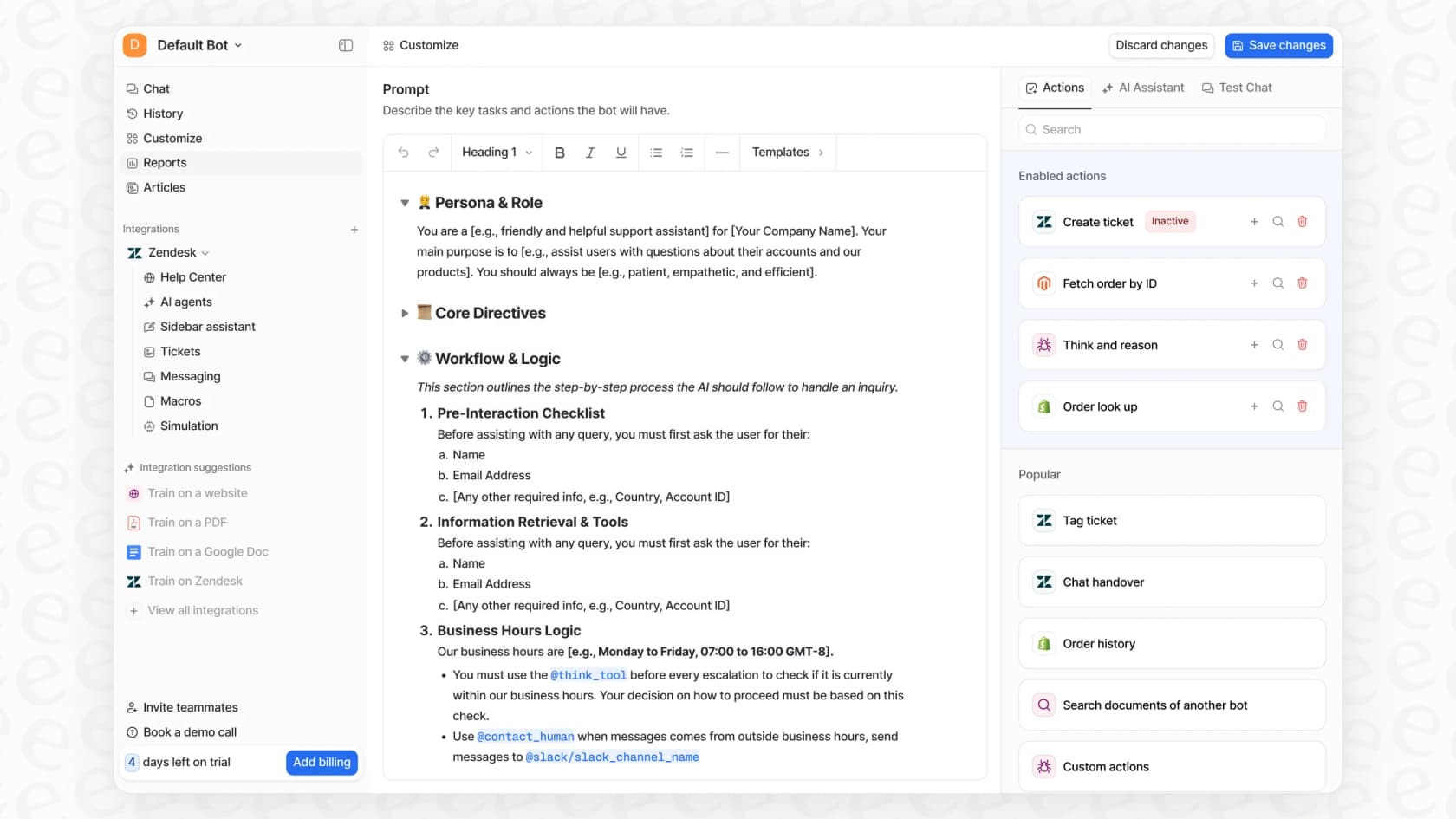
Stopping hallucinations isn't just about limiting the AI; it's about giving it crystal-clear instructions and the right tools for the job. With smart prompting and custom actions, you can replace guesswork with actual work.
Here are a few best practices:
-
Tell the AI how to fail gracefully. A simple line in your prompt like, "If you can't find the answer in the knowledge provided, just say 'I don't know the answer, but I can get you to a human agent who does'" works wonders.
-
Define the AI's persona. You can control its tone and personality to make sure it always sounds like it's part of your team.
-
Give it "Actions." Instead of having the AI guess an order status, you can give it an "action" to look up the live status directly from a system like Shopify. This replaces a potential hallucination with a factual, real-time piece of data.
With a platform like eesel AI, all of this is easy to set up in a simple prompt editor, no coding needed.
You can trust your AI (if you have the right tools)
AI hallucinations are a real risk in customer support. They're a natural result of how language models are built and the messy data they're trained on. But they are not inevitable.
The solution is a two-part strategy that puts you firmly in control:
-
Grounding: Connect your AI to a unified, up-to-date knowledge base using RAG. This forces it to rely on your company's facts, not its own imagination.
-
Control: Use tools that let you simulate performance, set specific automation rules, and customize your AI's behavior and abilities.
Preventing hallucinations isn't about making your AI less powerful; it’s about deploying it smartly and responsibly. With the right platform, you can automate your support with confidence and build customer trust instead of breaking it.
Ready to eliminate AI hallucinations?
Most AI support platforms lock you into long sales calls and complicated, developer-heavy implementations just to see if it works.
eesel AI is built to be different. It's completely self-serve. You can connect your knowledge sources, simulate performance on your own historical tickets, and go live in minutes.
Try eesel AI for free and see for yourself how easy it is to build an AI support agent you can actually trust.
Frequently asked questions
In simple terms, what are AI hallucinations in support and how can they be prevented?
AI hallucinations occur when an AI confidently generates false or misleading information, presenting it as fact. It's not "lying," but rather the AI filling knowledge gaps by predicting plausible-sounding text. Preventing them involves grounding the AI in accurate, up-to-date company data.
What causes AI hallucinations in customer support?
Hallucinations often stem from flawed or outdated training data, the AI prioritizing plausible responses over factual accuracy, or an inability to find relevant context in its knowledge base. To prevent them, ensure your AI is grounded in current, company-specific information.
How does a grounded knowledge base help prevent AI hallucinations?
A grounded knowledge base, typically using Retrieval-Augmented Generation (RAG), ensures the AI only uses your verified company information. Instead of guessing, it retrieves and synthesizes answers directly from your trusted sources, drastically reducing the chance of inventing facts.
What role does unifying knowledge sources play in preventing AI hallucinations?
Unifying knowledge sources consolidates all your company's information, from help docs to internal wikis and past tickets, into one accessible base for the AI. This comprehensive access prevents the AI from falling back on general, internet-based knowledge and inventing answers due to lack of specific context.
How can you safely test an AI agent for hallucinations before it goes live with customers?
Implement a risk-free simulation mode that allows you to test your AI on thousands of historical tickets. This lets you forecast its resolution rate and fine-tune its behavior, ensuring it performs accurately and reliably before interacting with live customers.
What control mechanisms can prevent an AI from incorrectly handling sensitive queries?
You can use granular controls to define exactly which types of tickets the AI should handle, escalating others to human agents. Additionally, smart prompting can instruct the AI on how to gracefully "fail" (e.g., admitting it doesn't know) and use custom actions to fetch real-time data instead of guessing.