AI vs hiring support agents: the real cost breakdown for 2026

Stevia Putri

Katelin Teen
Last edited May 15, 2026
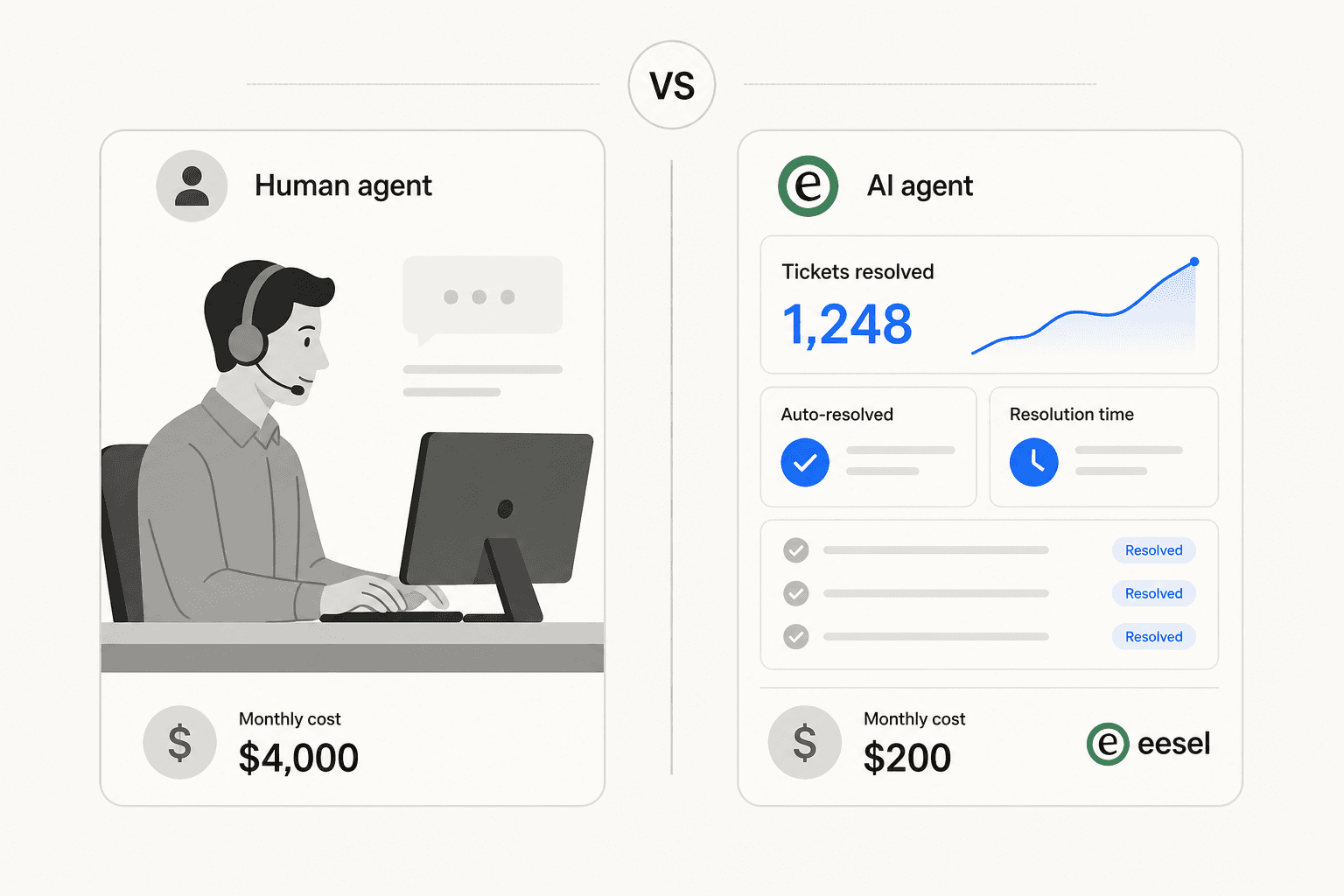
Your ticket volume is climbing. The queue is growing. The obvious answer is to hire another support agent - but before you post the job listing, it's worth running the actual numbers on what that hire will cost you, and whether an AI agent might cover the same ground for less.
This isn't a case for replacing your team. It's a practical comparison: what a human agent really costs (the salary is just the beginning), what an AI agent actually costs, and how to think through which makes more sense for where your operation sits today.
The true cost of hiring a support agent
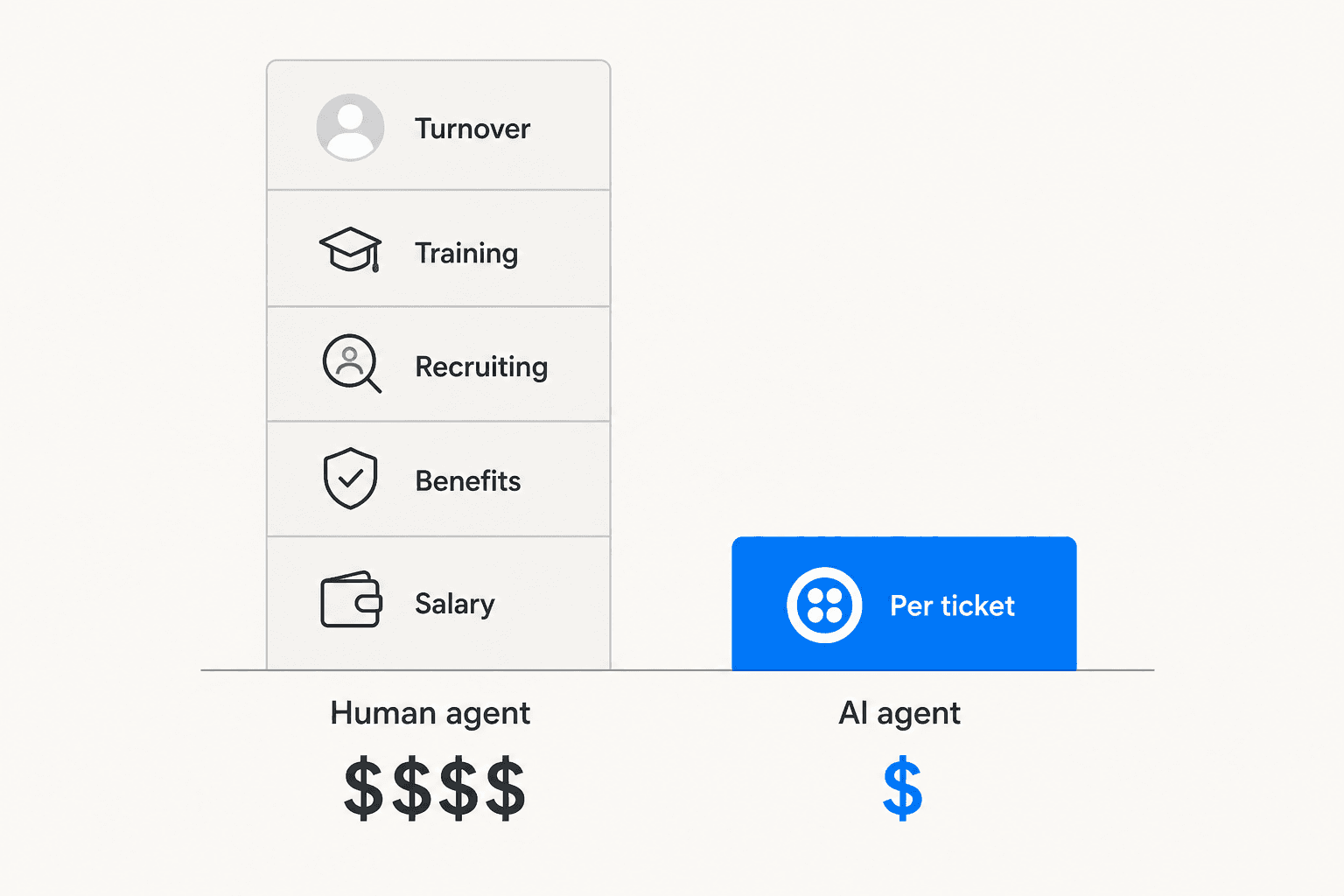
Job boards list salaries. What they don't show is everything else.
The Bureau of Labor Statistics puts the median annual wage for customer service representatives at $42,827, with Salary.com's national median at $44,279. Those numbers are your starting point - not your ending point.
Employers pay 7.65% in payroll taxes (Social Security + Medicare), health insurance (the employer share runs roughly $6,300/year on an individual plan), a 401(k) match, workers' compensation, paid time off, and equipment. Add it together and the true employer cost for a $44,000-salary agent lands at roughly $65,790/year - about 1.5x the base salary. BLS employer cost data for Q4 2025 confirms benefits alone average 29.8% of total compensation in the private sector.
That's year two and beyond. Year one is more expensive:
| Cost component | Low estimate | High estimate |
|---|---|---|
| Base salary (mid-level) | $44,000 | $52,000 |
| Benefits + payroll taxes | $12,760 | $18,200 |
| Office/equipment overhead | $5,000 | $8,000 |
| Recruitment cost | $3,000 | $7,920 |
| Initial training | $1,000 | $2,000 |
| Ramp-up lost productivity | $4,000 | $6,000 |
| Year 1 total | $69,760 | $94,120 |
Sources: BLS, Salary.com, livechatai.com, Plivo
The recruitment cost covers job postings, background checks, and recruiter time. If you use an external agency, add 15–18% of first-year salary - that's $6,600–$7,920 on a $44K hire. And most customer service roles take 34–42 days to fill, meaning six weeks of reduced coverage before your new hire even starts.
Then there's ramp time. New agents hit roughly 25% productivity in their first four weeks, 50% by week eight, and full productivity only after week twelve. For a $44,000-salary agent, that's over $4,000 in wages for work that isn't fully landing.
The turnover problem. Customer support has one of the highest attrition rates of any knowledge-worker role - 30–45% annually, with an average tenure of just 13.7 months. 65–70% of new hires leave within the first year. Every departure costs $12,000–$18,000 in direct replacement cost - and up to $46,000 when you count lost productivity, morale impact, and the knowledge that walks out the door.
For a 10-person team at 36% annual turnover, that's $43,000–$72,000 per year just replacing people who left.
What an AI agent actually costs
AI agent pricing works differently from headcount. You pay per interaction resolved, not per seat. There are no benefits, no recruiting overhead, no ramp-up period, and no attrition cost.
eesel AI prices support tickets at $0.40 each - not per reply, per ticket. A chat session that goes back and forth a dozen times counts as one task.
| Tickets per month | Monthly AI cost (eesel) |
|---|---|
| 100 | $40 |
| 500 | $200 |
| 1,000 | $400 |
| 2,500 | $1,000 |
There's no platform fee and no monthly minimum. The default spending cap is $250/month, adjustable from the dashboard. A $50 free trial covers the first few hundred tickets before any card is needed.
At the per-ticket level, the cost gap with humans is significant. Gartner benchmarks put the cost of a live agent-assisted interaction at $13.50. Other industry benchmarks put fully-loaded US agent cost per ticket at $20–$30 for mid-complexity support. AI runs $1–$3 per resolved ticket in mature deployments.
The comparison isn't one-to-one - AI handles a portion of your volume, not all of it. But in e-commerce and SaaS, a well-configured AI resolves 60–80% of incoming tickets without human involvement. At that deflection rate, the math on ROI moves quickly.
What AI handles well - and what it doesn't
AI and humans are not interchangeable. They're good at different things.
AI consistently performs on high-volume, low-variability tickets where the answer is deterministic:
- Order status and tracking queries
- Password resets and account access
- Return and refund policy questions
- Subscription changes and plan upgrades
- FAQ lookups from a knowledge base
- Appointment or delivery scheduling
Klarna's AI assistant handled 2.3 million conversations in its first month, cutting average resolution time from 11 minutes to under 2 minutes on those ticket types. Bilt processes 70% of their 60,000 monthly support tickets with AI agents. Freshdesk Freddy AI deployed at a retail customer cut first response time from 12 minutes to 12 seconds.
Human agents are still the right call for:
- Billing disputes requiring negotiation - exceptions to policy, goodwill credits, chargebacks
- Complex technical troubleshooting - multi-step debugging across configurations AI wasn't trained on
- Escalated complaints - customers who have already been failed want empathy and accountability, not automation
- VIP and enterprise accounts - high-value relationships where trust is at stake
- Edge cases outside the training data - anything novel or unusual that the AI's knowledge base doesn't cover
95% of consumers say human support is still important for complex or emotional issues. That number hasn't moved much despite better AI - the preference is strong and consistent.
The trouble comes when AI is pushed to cover cases it can't handle well. The Klarna reversal - where the company replaced 700 human agents and then rehired them - is the clearest illustration. The AI handled volume well initially but struggled with multi-step billing disputes, fraud cases, and emotionally complex interactions. CSAT on those cases dropped, and customers got stuck in loops. The company publicly acknowledged "we went too far" and returned to a hybrid model.
| Ticket type | Best handled by |
|---|---|
| FAQ, policy questions | AI |
| Order status, tracking | AI |
| Password reset / account access | AI |
| Return / refund initiation (standard) | AI |
| Billing disputes, exceptions | Human |
| Complex technical troubleshooting | Human |
| Angry or distressed customers | Human |
| VIP / enterprise accounts | Human |
| Novel edge cases | Human |
The hybrid model: where most teams actually land
The question isn't really "AI or humans." It's "which tickets go to which."
The framework that emerges from real deployments: AI handles 60–70% of volume autonomously (tier-1, routine), AI-assisted human agents handle 20–25% (moderately complex, where AI drafts and humans approve), and humans own the remaining 5–15% (escalations, retention conversations, high-value accounts).
That distribution isn't arbitrary - it's what the data shows across deployments at Lightspeed, AssemblyAI, and dozens of teams using platforms like eesel.
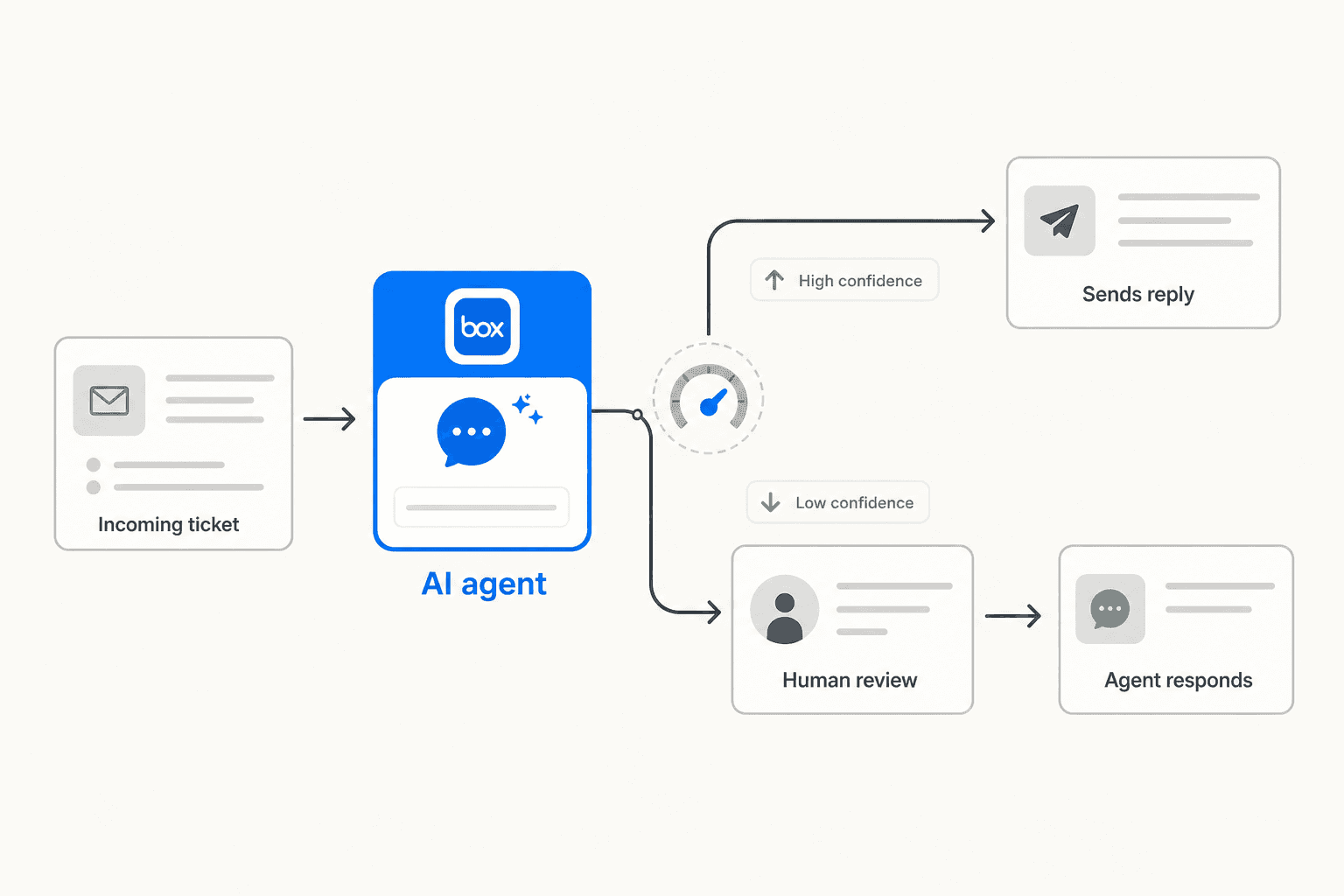
The mechanics that make a hybrid model work:
Confidence-based routing. AI sends responses autonomously when it's confident (typically 90%+ threshold), and queues drafts for human review when confidence is lower. This prevents bad answers from going out without oversight. eesel's agent operates on this principle - low confidence means a draft for your team, not a live reply.
Warm handoffs. When AI escalates to a human, the full conversation history and customer context transfer with it. The customer shouldn't have to repeat themselves. This is the most common failure point in AI deployments that go wrong - customers get asked to re-explain something they already told the bot.
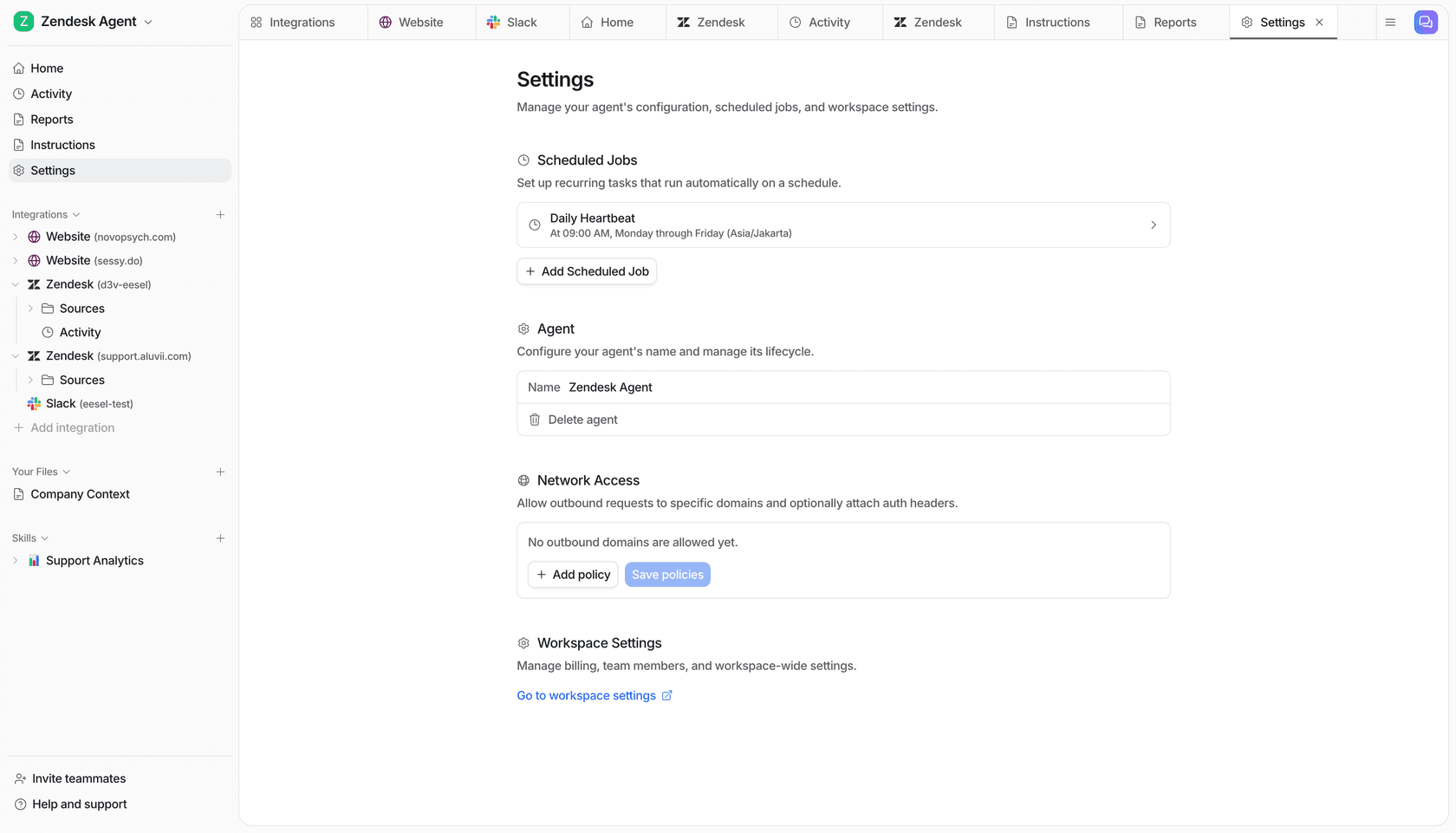
Feedback loops. When human agents resolve escalated tickets, that data should feed back into the AI's knowledge base. eesel learns from how your team modifies or overrides its drafts, improving match over time.
Before going live, eesel's simulation mode lets you run the agent against 50–200 of your real past tickets without touching production. You get coverage scores by ticket theme - something like "Refund policy - 28% coverage, SSO login errors - 35%" - so you can identify knowledge gaps and fill them before any customer sees an AI response.
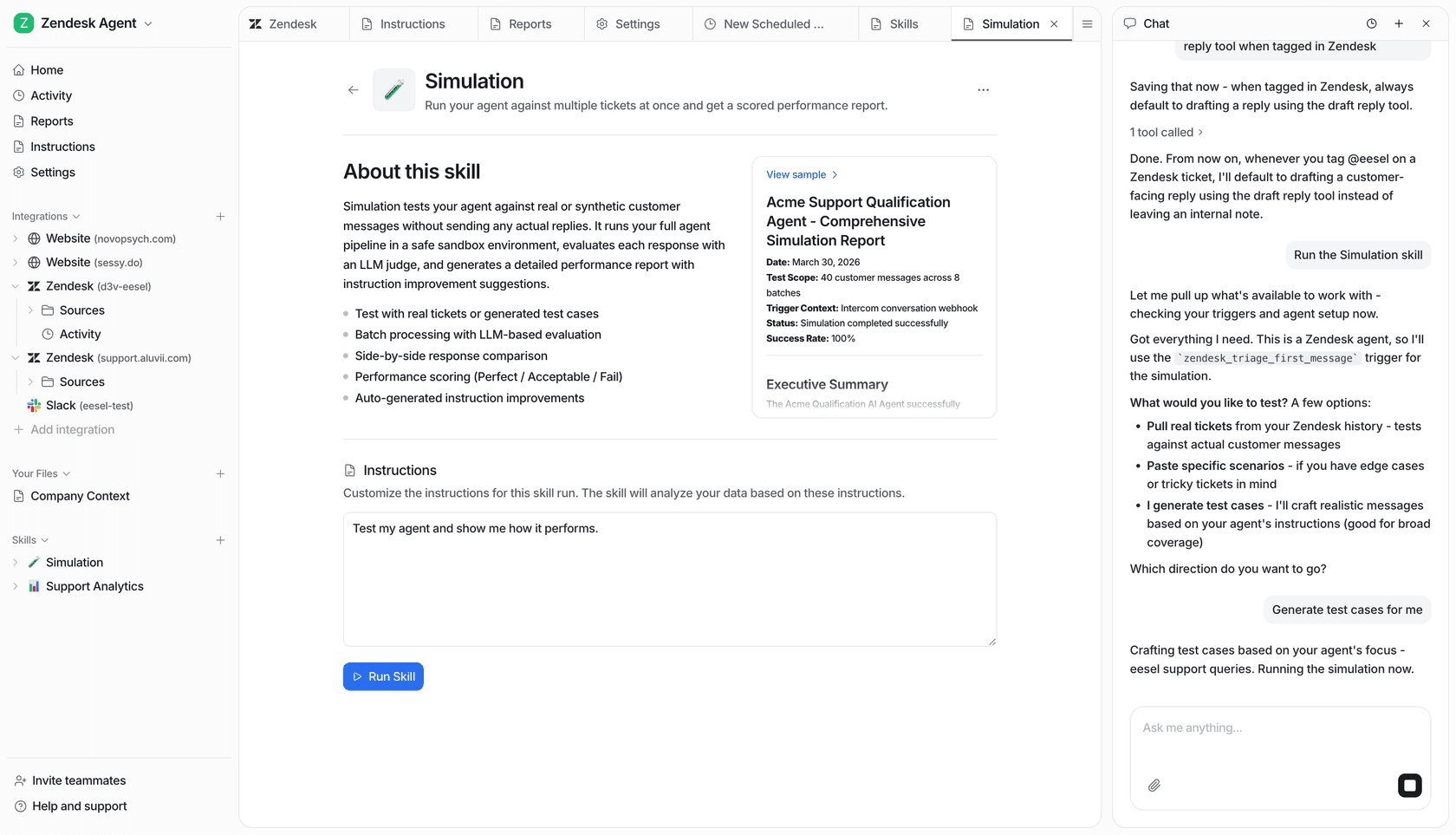
Gridwise ran this simulation during a 7-day trial and came out resolving 73% of tier-1 requests in the first month. Smava runs 100,000+ tickets per month through a fully automated eesel agent on Zendesk - all in German.
Is replacing headcount the right question?
Most teams that deploy AI don't end up with fewer people. They end up handling more volume with the same team.
A December 2025 Gartner survey found only 20% of customer service leaders reported AI-driven headcount reduction. 55% said staffing stayed stable while they handled higher customer volumes - AI absorbed growth rather than eliminating existing roles.
Gartner also predicts that half of companies that did cut support staff due to AI will need to rehire by 2027. The teams that ran hardest on headcount reduction often underestimated the complexity of what human agents were actually doing, and lost institutional knowledge that proved expensive to rebuild.
The better framing: if your team currently spends most of its time on repetitive, answerable tickets, AI frees them to work on things that actually require judgment. That's a more defensible case for deployment than "we want fewer people."
"We chose eesel AI because it offers multi-channel data input options. Customers can get instant responses with real-time pricing info, and tough questions are automatically triaged."
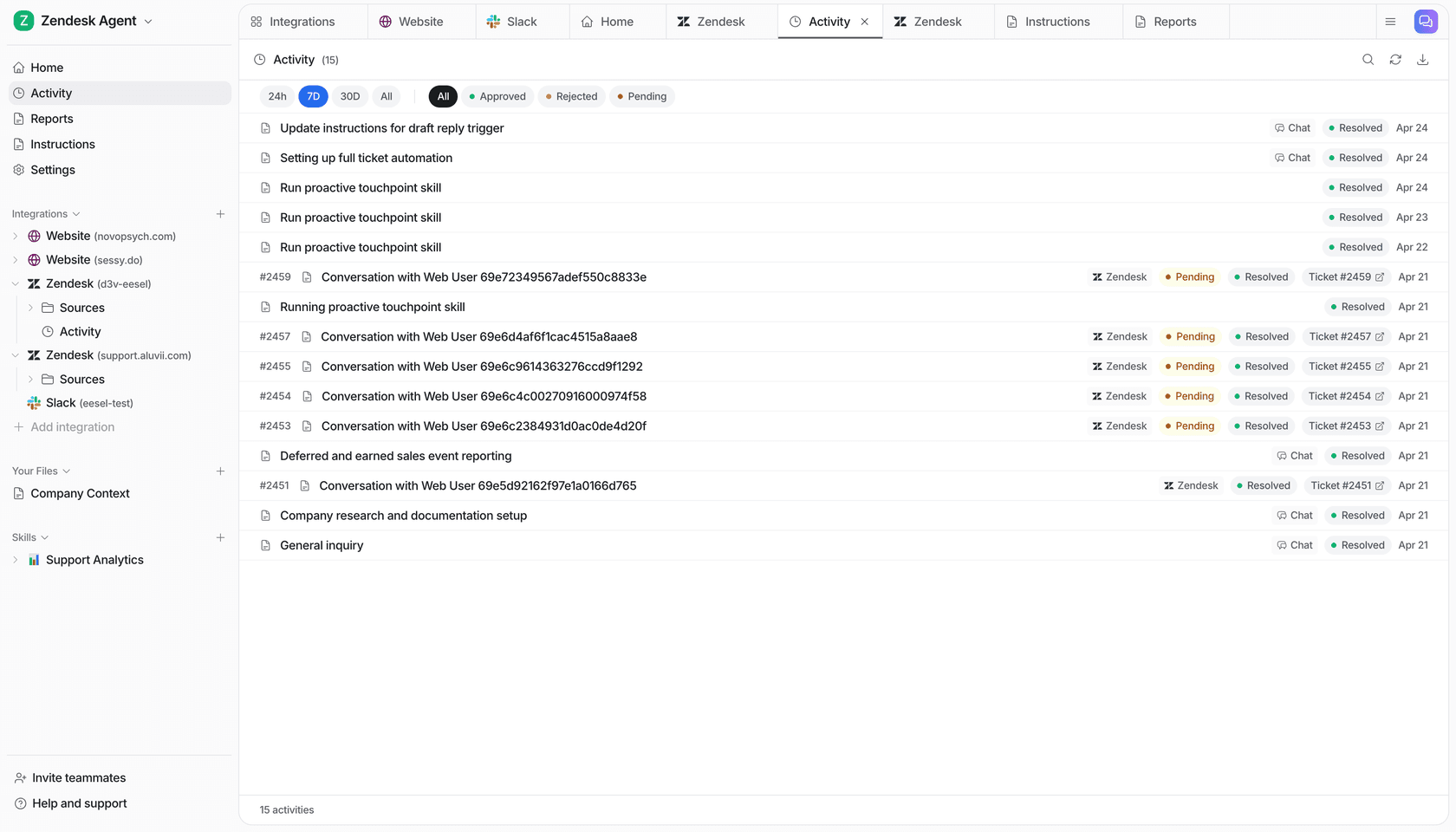
You can track the shift in your team's work in eesel's activity dashboard - tickets AI handled vs. escalated, response times, coverage by theme - which gives you real data on whether the distribution is working.
How to decide: a practical framework
The decision comes down to four questions:
1. What's your ticket volume? At 100 tickets/month, AI costs you $40. For reference, even a quarter of a full-time agent's time at $44,000 salary runs $2,750/month. The math favors AI at almost any volume.
2. What's your ticket mix? If most of your tickets are FAQs, order status, and account questions - that's AI territory. If most are complex technical issues, escalations, or relationship-driven conversations - you need humans, and AI's value is smaller.
3. How good is your knowledge base? AI is only as good as what it's trained on. If your help center hasn't been updated in a year, or your documentation is scattered across five different systems, expect lower deflection rates until that's fixed. Simulation mode surfaces exactly these gaps before you commit.
4. Do you need 24/7 coverage? AI doesn't take sick days or sleep. If you're getting significant volume outside business hours and those tickets are mostly answerable from existing documentation, the case for AI is strong.
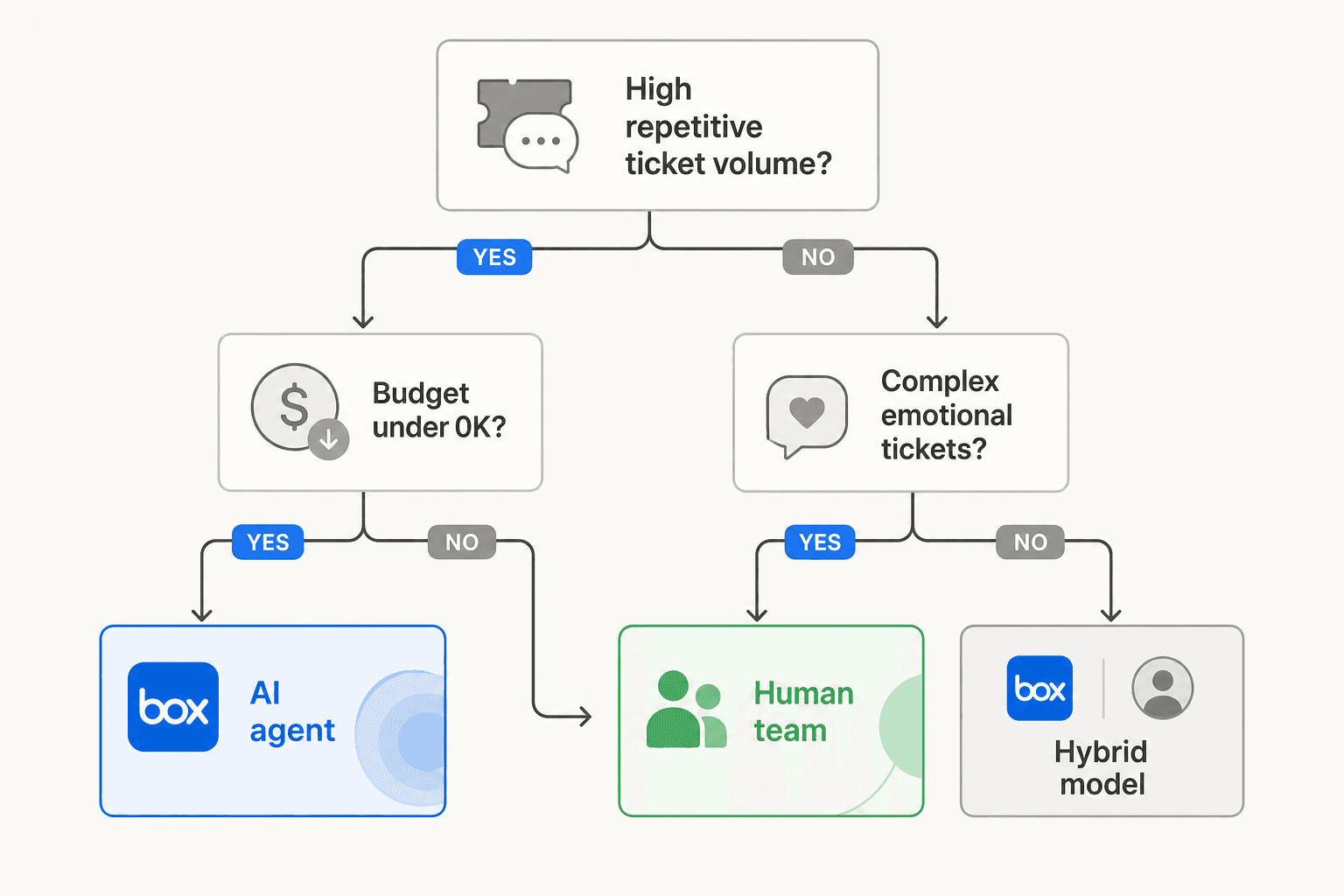
For teams where most of the above points toward AI, the typical path is: connect your knowledge sources, run a simulation, start in draft-review mode, and give the agent more autonomy as you build confidence in its responses. Most teams get to a comfortable hybrid setup within a few weeks.
For teams with very complex, technical, or relationship-heavy tickets, the value of AI is more limited - it can help with agent assist (drafting responses, surfacing relevant docs, summarizing context) but probably shouldn't be handling the customer-facing tier-1 alone.
Try eesel AI
eesel AI is an AI support agent that works inside the helpdesks and knowledge tools your team already uses - Zendesk, Freshdesk, Gorgias, Front, HubSpot, and 100+ others - without any migration. It learns from your past tickets, help center articles, and connected docs, then handles incoming tickets based on confidence: autonomous for high-confidence responses, draft-for-review for everything else.
The simulation mode lets you validate performance against real historical tickets before going live - so you know your coverage rates and can fill knowledge gaps before any customer sees a response.
Pricing is $0.40 per ticket, no platform fee, no minimum, with $50 in free usage to start.
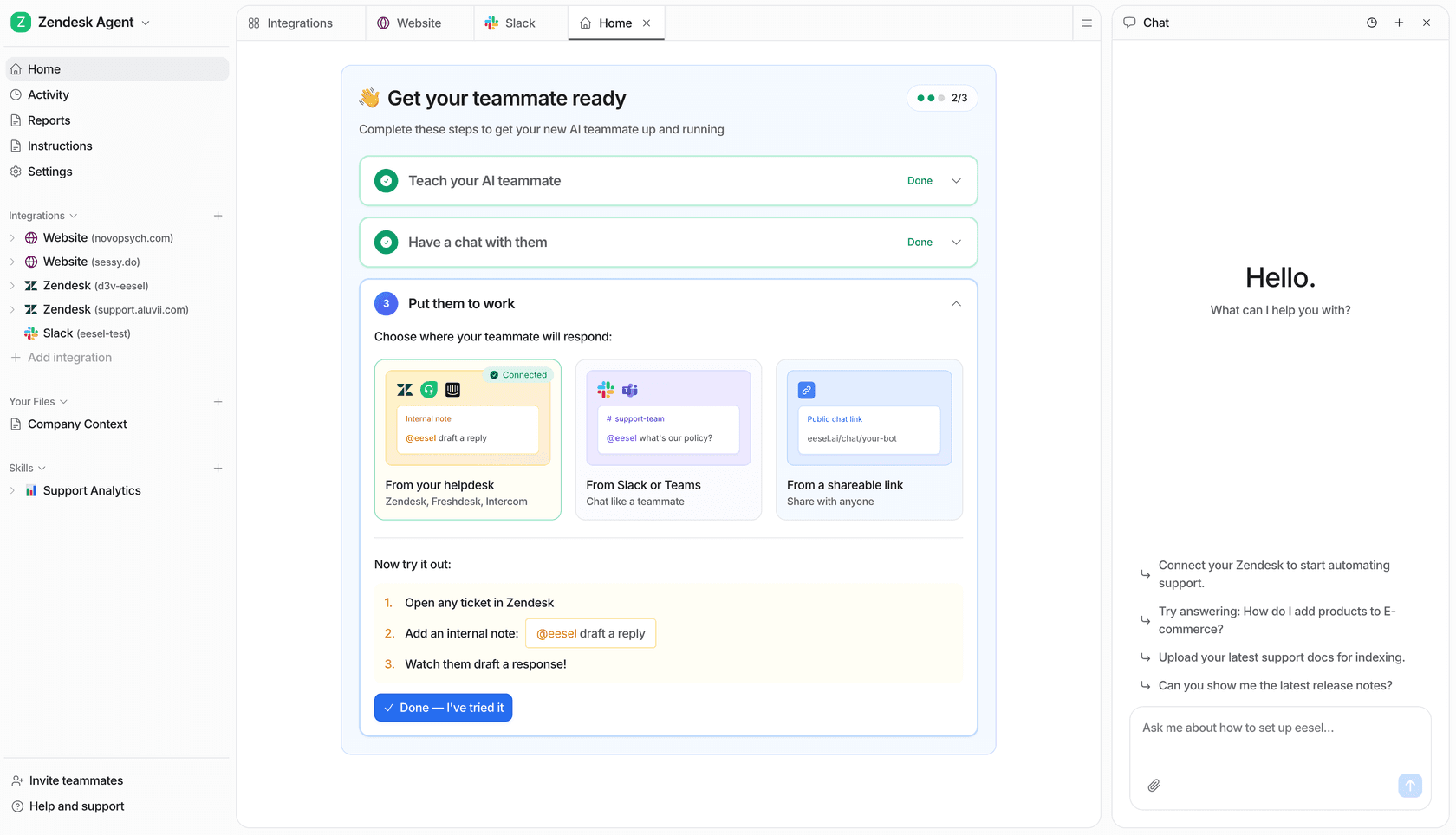
If you want to see what deflection rates look like on your own ticket data, the free trial starts with $50 in usage - no credit card required.

Frequently Asked Questions
Share this article

Article by
Stevia Putri
Stevia Putri is a marketing generalist at eesel AI, where she helps turn powerful AI tools into stories that resonate. She’s driven by curiosity, clarity, and the human side of technology.