

Disclosure: eesel AI integrates with Zendesk and also sells AI support software. This review uses Zendesk's current pricing and help documentation as its source of truth.
If you use Zendesk, you have probably seen its push to build AI directly into the platform. The practical buying question is no longer whether Zendesk has AI. It is which capabilities your plan includes, what usage is metered, and whether the native system fits the sources and workflows your team needs.
As a mature and trusted platform, Zendesk has developed a comprehensive suite of tools. This guide is designed to help you navigate the various options within Zendesk AI, explaining how the features are packaged and how the tiered pricing model works for different team sizes.
This guide gives you a straightforward, independent look at Zendesk AI's features, pricing, setup, and limits, followed by a clear verdict on who should buy it.
How we evaluated Zendesk AI
We checked Zendesk's live pricing page and current help-center documentation for AI agents, Copilot, intelligent triage, ticket summaries, suggested macros, and external knowledge connectors. We separated features included in base plans from features or workflow controls that require Copilot, and we treated Zendesk's product claims as claims rather than measured outcomes. Pricing and packaging were checked on August 13, 2026.
What is Zendesk AI?
Zendesk AI is a powerful, integrated suite of AI tools designed specifically to work seamlessly within the Zendesk platform. It represents a significant investment in modernizing the customer service experience.
The suite spans three core areas:
-
AI Agents: These are sophisticated bots designed to handle customer questions automatically, providing fast resolutions for common inquiries.
-
Copilot: This is a world-class AI assistant that works right alongside your human agents, helping them find information and respond to customers with greater efficiency.
-
AI Admin Tools: This includes advanced features for sorting tickets automatically, ticket labeling, generating detailed reports, and streamlining your knowledge base management.
These tools are built to learn from your established Zendesk data, including help center articles and ticket history, ensuring a high level of consistency in your support.
What can Zendesk AI do?
To get the most out of your investment, it's important to understand the impressive capabilities Zendesk AI offers. Let's break down the core features.
AI agents for automated resolutions
The centerpiece of Zendesk's automation strategy is their AI Agents. These bots are expertly designed to handle the repetitive questions that often fill support queues. By implementing these agents, you can provide reliable 24/7 support and allow your human team to focus on more specialized tasks.
They come pre-trained on vast amounts of customer service data, giving them a robust foundation from the start. When connected to your company's knowledge base, they excel at deflecting high volumes of FAQ-style questions, providing instant value to your customers. You can also configure messaging automation to handle conversations across channels.
The AI copilot for helping your agents
The Zendesk Copilot is a powerful sidekick for your support team. It is built directly into the agent workspace to maximize productivity and help human agents deliver better service, faster.
Here are some of its key functions:
-
Summarizes tickets: For complex tickets with long histories, the Copilot provides a concise summary, allowing agents to get up to speed in seconds.
-
Suggests replies: It helps agents draft professional responses based on your existing macros and help center content, which streamlines the communication process.
-
Refines the tone: Agents can use the Copilot to instantly adjust the tone of a message, ensuring it perfectly matches your brand’s voice, whether it needs to be more formal or friendly.
Essentially, it is a high-performance tool that empowers your agents to excel.
Intelligent triage and workflow automation
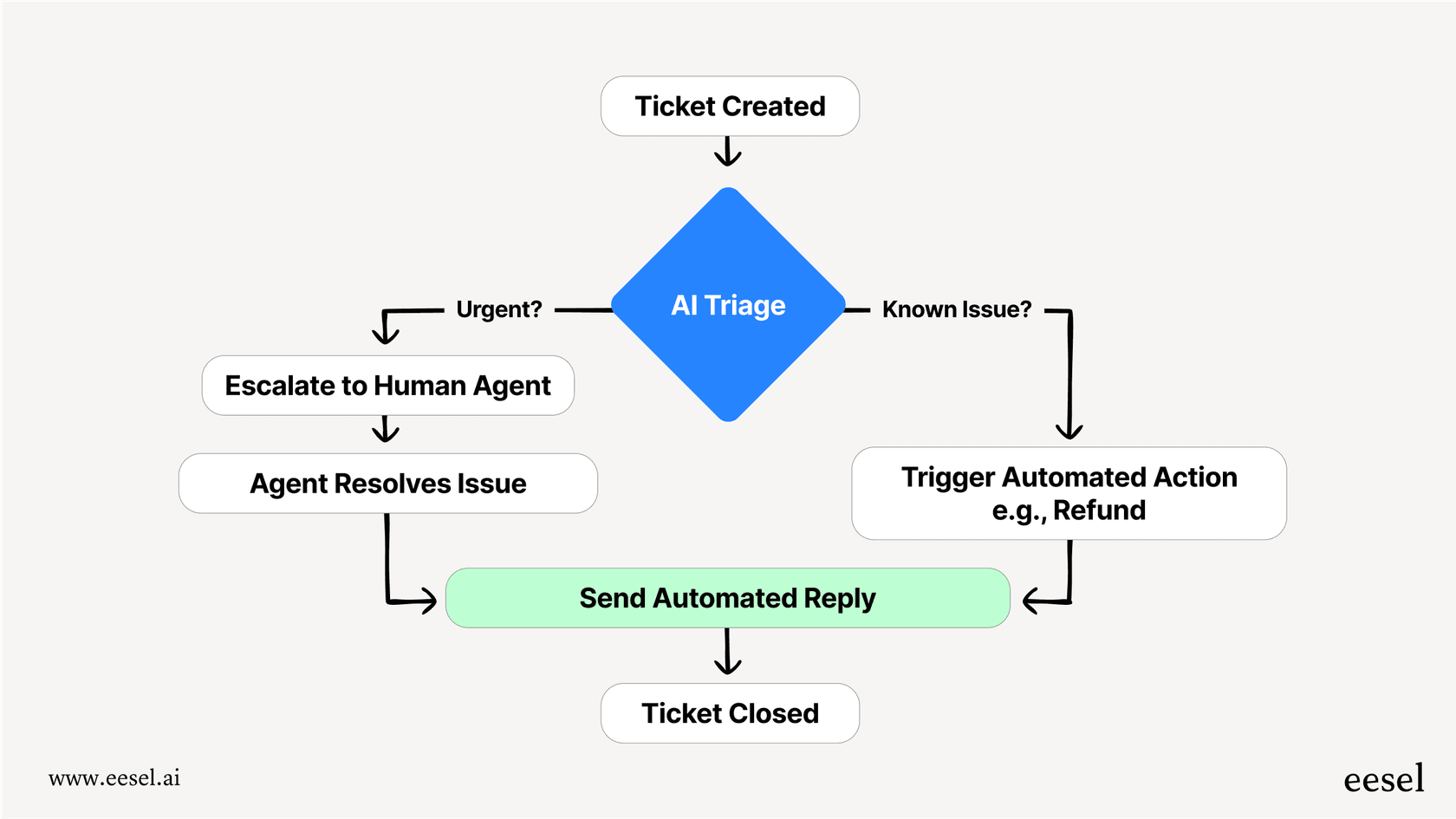
A highly practical feature of Zendesk AI is its ability to automatically sort incoming tickets with precision. It analyzes new tickets to determine intent (like a billing inquiry), customer sentiment, and the language used.
This intelligence allows you to automate your workflows with confidence. For example, you can set up rules to route billing tickets directly to experts or prioritize tickets from customers who need immediate assistance. This significantly reduces manual triage time for your team.
Intelligent triage classifies topic, sentiment, language, and named entities. Those classifications are available on eligible Professional plans and above; using them inside routing and automation workflows requires Copilot. That plan distinction matters because seeing a classification and acting on it automatically are not the same capability.
Knowledge connectors and AI-generated answers
Zendesk can use external knowledge after it is connected or imported. Its current documentation supports up to 50 external sources and lists websites, Confluence, SharePoint, Google Drive, Box, Dropbox, Jira, Freshdesk, CSV, markdown, and federated-search records among the available routes. AI agents do not search the public internet live; they answer from content Zendesk has synchronized or ingested.
Ticket summaries, writing tools, and suggested macros
Zendesk can summarize public ticket comments and, with the relevant Copilot access, include internal notes and store summaries in ticket fields for workflows and reporting. Writing tools can expand or shorten a draft and change its tone. Suggested macros use past macro usage to recommend a response, but they need enough historical macro data before they become useful.
Reporting and action building
Zendesk uses AI classifications and summary fields inside views, reports, triggers, and APIs. Its Action Builder can connect multi-step workflows to third-party systems. These are meaningful capabilities, but their availability and usage allowances vary by plan, so a demo should test the exact workflow rather than a generic AI-agent script.
Breaking down Zendesk AI pricing
Zendesk offers a tiered pricing structure designed to provide value at every level of growth. AI agents are now included in every Suite and Support plan, so the cheapest entry point is Support Team at $19 per agent, per month (billed annually), while teams that want the full omnichannel set start on Suite Team at $55 per agent, per month as of 2026.
This entry point allows teams to begin their AI journey. For those requiring the most advanced capabilities, the full Copilot experience is a specialized add-on at $50 per agent, per month, while the advanced AI agent capabilities that used to sit behind a paid add-on now ship with every Suite and Support plan. This ensures you only pay for the high-level automation tools that your specific team needs.
Flexible options for growing teams
This modular approach allows businesses to scale their AI capabilities as their requirements become more sophisticated. Whether you are a small team or an enterprise on the Suite Enterprise plan, Zendesk provides a path to add the specific AI enhancements that will drive the most efficiency for your workforce.
This structure allows for a clear investment path, where teams can choose to add Copilot features or advanced agent capabilities as they see the direct impact on their performance and customer satisfaction.
| Cost layer | What it covers | What to verify before buying |
|---|---|---|
| Support Team, from $19/agent/month annually | Core ticketing and support tools | Whether you need the omnichannel Suite instead |
| Suite Team, from $55/agent/month annually | Omnichannel support plus AI agents and knowledge tools | Included automated-resolution allowance |
| Copilot, $50/agent/month annually | Advanced agent assistance and workflow features | Which agents need seats and which workflows require Copilot |
| Automated resolutions | AI-agent usage beyond the included allowance | Contracted unit price, annual cap, and overage controls |
The base subscription is therefore not the whole AI cost. Model the number of paid agent seats, Copilot seats, and automated resolutions together.
Considerations for implementing Zendesk AI
While Zendesk provides an industry-leading integrated system, there are certain considerations for teams with unique or highly specialized data needs.
Focus on centralized knowledge
Zendesk AI learns from your centralized Zendesk Help Center and ticket history, and it reaches outside that too: knowledge connectors pull up to 50 external content sources into Zendesk on any Suite plan, including Confluence, Google Drive, Notion, SharePoint, Box, and Jira, without migrating any of it.
The constraints live in the details. The Google Drive connector covers Google Docs and Sheets on shared drives, but skips content in private drives, and PDF ingestion is still an early-access program. Confluence personal spaces can't be connected at all, and Notion is capped at a single connection per account. If your specialized knowledge sits in one of those blind spots, complementary tools can bridge the gap and bring that data into your Zendesk workflow.
A cohesive ecosystem
Zendesk provides a unified and secure environment. You benefit from the stability and deep integrations that come with a platform of this scale.
For very specific or unique workflows-such as connecting to a custom internal database or a specialized Shopify setup-some teams choose to supplement Zendesk's native capabilities with specialized marketplace apps or Jira integrations. This allows you to maintain the reliability of Zendesk while adding custom flexibility where needed.
Proven reliability at scale
Investing in Zendesk AI means partnering with an industry leader. The setup process is designed to ensure enterprise-grade security and reliability. While full implementation involves a committed setup phase, the result is a robust, scalable system that is trusted by thousands of the world's most successful support organizations.
The trade-off is configuration. Knowledge sources must be connected and kept current, routing depends on correctly designed triggers and classifications, and usage-based automated resolutions need monitoring. Teams already standardized on Zendesk may accept that setup in exchange for one ecosystem. Teams that want to keep knowledge and actions spread across several tools should test those boundaries before committing.
eesel: A flexible Zendesk AI complement
For teams looking to further extend the power of their helpdesk, eesel AI offers a flexible option that works alongside Zendesk. Rather than replacing your current setup, eesel acts as a complementary layer that can enhance your existing AI strategy.
Connect external knowledge to your Zendesk workflow
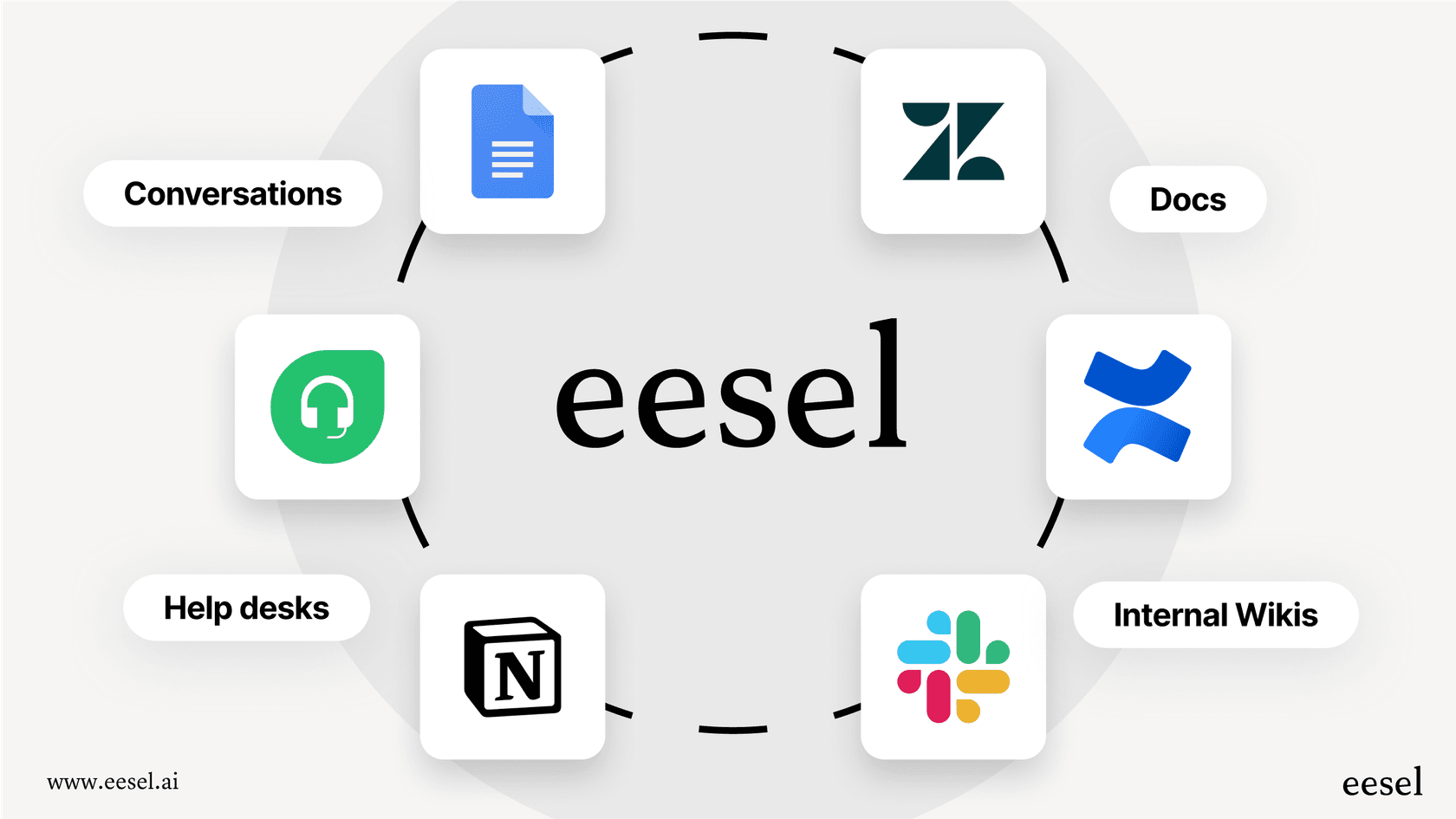
eesel AI helps by connecting additional knowledge sources to your support environment. It can link with over 100 different apps, including Confluence, Google Docs, Notion, and Slack. This ensures your support setup can access a wide range of company information to assist both customers and agents.
Customizable workflows for specific needs
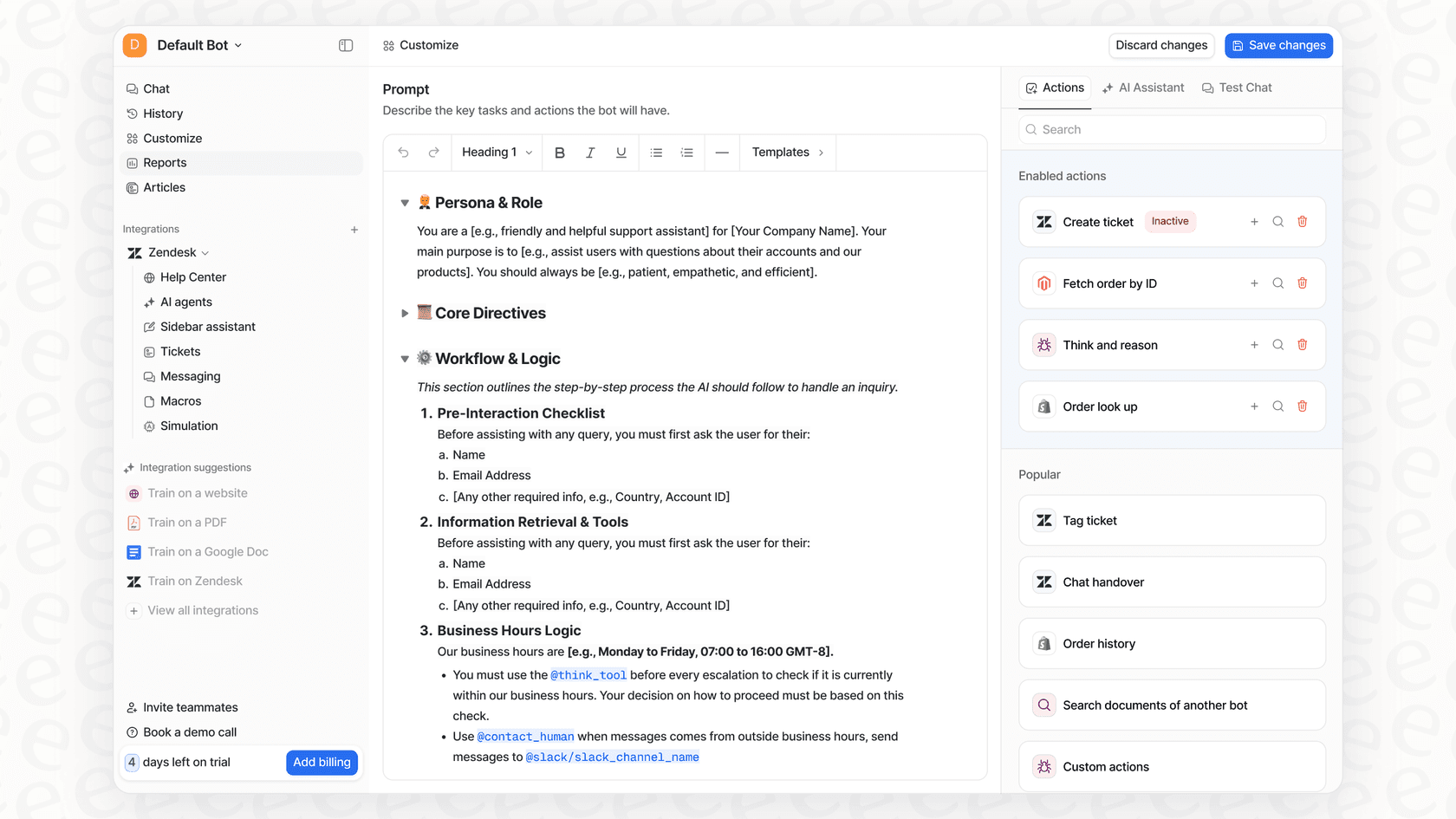
With eesel AI, you can add highly specific custom actions to your Zendesk setup. Using a simple interface, you can enable your support tools to perform tasks like looking up order data from Shopify or creating technical tickets in Jira, providing a helpful bridge between different departments.
Easy testing and implementation
eesel AI is designed for ease of use and integrates with Zendesk quickly. One helpful feature is its simulation mode, which allows you to see how the AI might handle your specific tickets before fully going live. This provides an additional layer of data to help you refine your automation strategy.

Predictable pricing for every team
To complement Zendesk's tiered model, eesel AI's pricing is straightforward: one fixed monthly price from $299/month for 500 credits (1 credit per ticket), with no platform fee and no per-seat fee. This can be a helpful option for teams that want predictable costs for their additional automation layers, with no per-resolution fees.
Macha, AI agents built for you inside Zendesk
Best for: support teams on Zendesk, Freshdesk, Gorgias, Intercom, HubSpot or Front that want AI resolving tickets without changing help desk and without building the agents themselves.
Macha adds AI agents inside the help desk you already run. They read each ticket, look up the order or account, and reply, tag, route or escalate. Actions such as refunds, order changes and subscription updates run through Shopify, Stripe and your own APIs, with a human approving each one in safe mode until you switch autonomy on.
Done for you: The Macha team analyzes your past tickets, builds the knowledge base, builds and tests the first agents, and launches them in safe mode as internal notes until you are happy with the answers. A dedicated success manager handles changes after go-live, on every plan. Live in safe mode within seven days, or the first month is free.
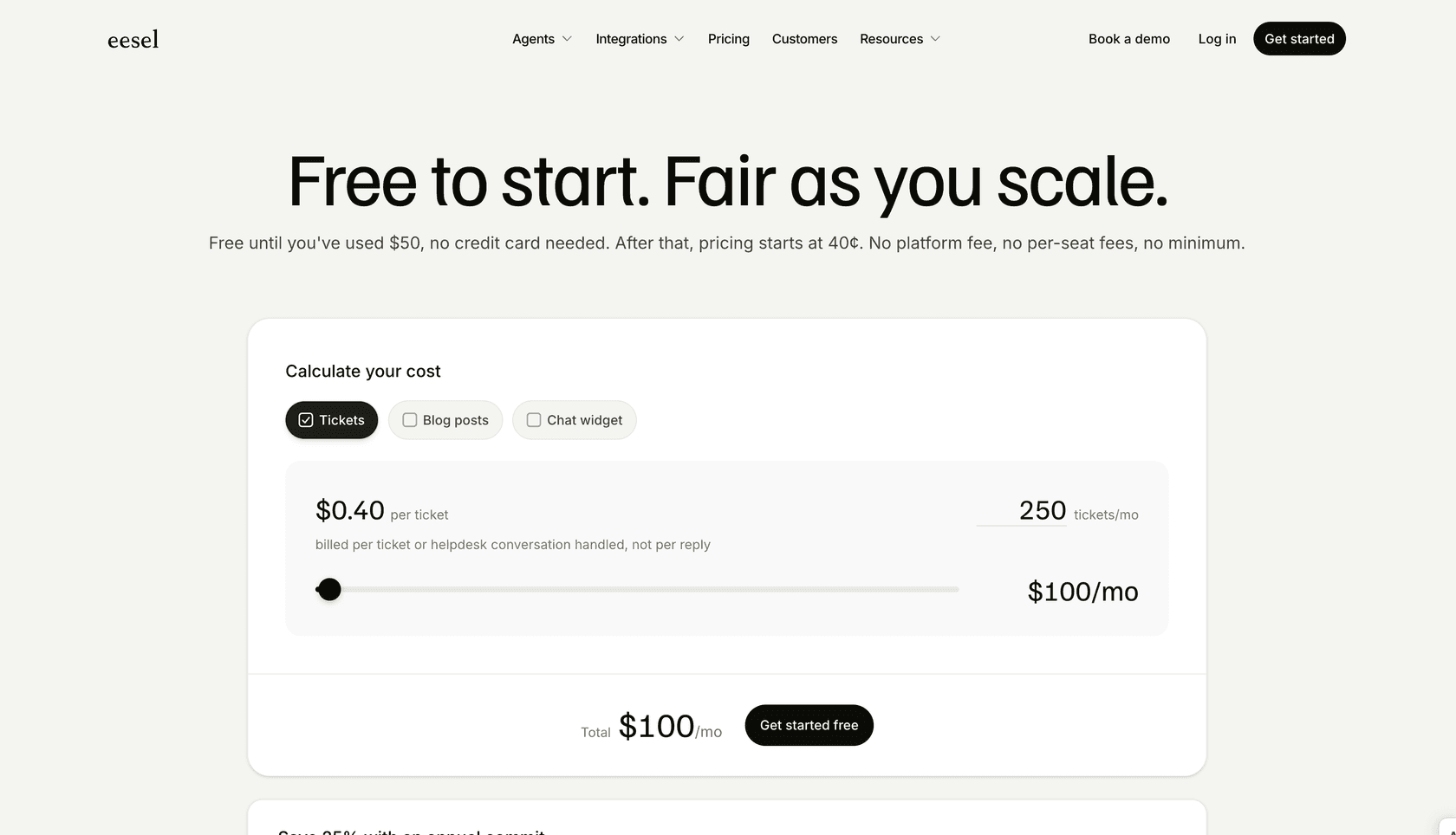
Pricing: About $0.40 a ticket, from $299 a month for 750 tickets. Unlimited seats, no per-agent fees. Setup is included on every plan, the free trial included; no card to start.
The verdict: Who should choose Zendesk AI?
Zendesk AI is the clearest fit for teams already committed to Zendesk that want AI agents, agent assistance, triage, and reporting inside the same administration and billing system. The integration depth is the strength. The plan layers, Copilot seats, automated-resolution usage, and setup work are the costs to model.
If you need to keep Zendesk while connecting a wider mix of knowledge and actions, a complementary tool such as eesel AI is another route. Test both options on past tickets and compare resolution quality, escalation behavior, setup time, and total monthly cost before choosing.
Ready to see how to enhance your Zendesk support experience? Simulate eesel AI on your tickets for free or book a quick demo with our team to see it in action.
Explore more Zendesk AI resources: Zendesk AI alternatives, Zendesk AI agents, Zendesk AI chatbot, Zendesk AI copilot, Zendesk AI pricing, Zendesk chatbot, Zendesk auto-reply, and Zendesk automation.
Frequently asked questions
What exactly is Zendesk AI, and what different components does it include?
Zendesk AI is a robust collection of AI tools built directly into the Zendesk platform. It is a comprehensive suite designed to work together, featuring AI Agents for automated resolutions, Copilot for agent assistance, and AI Admin Tools for tasks like intelligent triage and reporting.
What practical tasks can Zendesk AI perform to help automate customer service?
Zendesk AI can automate common customer queries using industry-leading AI Agents, summarize tickets and suggest professional replies for human agents via Copilot, and perform intelligent triage by automatically sorting and routing incoming tickets based on intent and sentiment.
How is Zendesk AI priced, and what should I know about the structure?
Zendesk AI agents are included in every Suite and Support plan, so the cheapest entry point is Support Team at $19 per agent, per month (billed annually), with Suite Team at $55. Zendesk offers tiered plans to match different team sizes and needs. Copilot is still a separate add-on at $50 per agent, per month, while the advanced AI agent capabilities that were once a paid add-on now ship with every Suite and Support plan.
How does Zendesk AI use my support knowledge?
Zendesk AI learns from your Zendesk Help Center and past tickets, and knowledge connectors let it use up to 50 external sources as well, including Confluence, Google Drive, Notion, and SharePoint, on any Suite plan. The limits are in the fine print: private Google Drive content and Confluence personal spaces are skipped, PDF ingestion is early-access, and Notion allows one connection per account. For teams that need to access knowledge in external platforms beyond those limits, complementary tools can fill the gap.
Can I customize how Zendesk AI interacts with other business tools?
Zendesk AI offers specialized workflow controls within its robust ecosystem. To extend these capabilities further and connect with specialized business tools, teams can leverage Zendesk's vast marketplace or build custom solutions using Zendesk's powerful API.
What is the recommended way to evaluate Zendesk AI for my team?
Zendesk AI is built for reliability at scale. The best way to evaluate it is to work with the Zendesk team to understand how its features align with your specific return on investment goals and implementation strategy.