

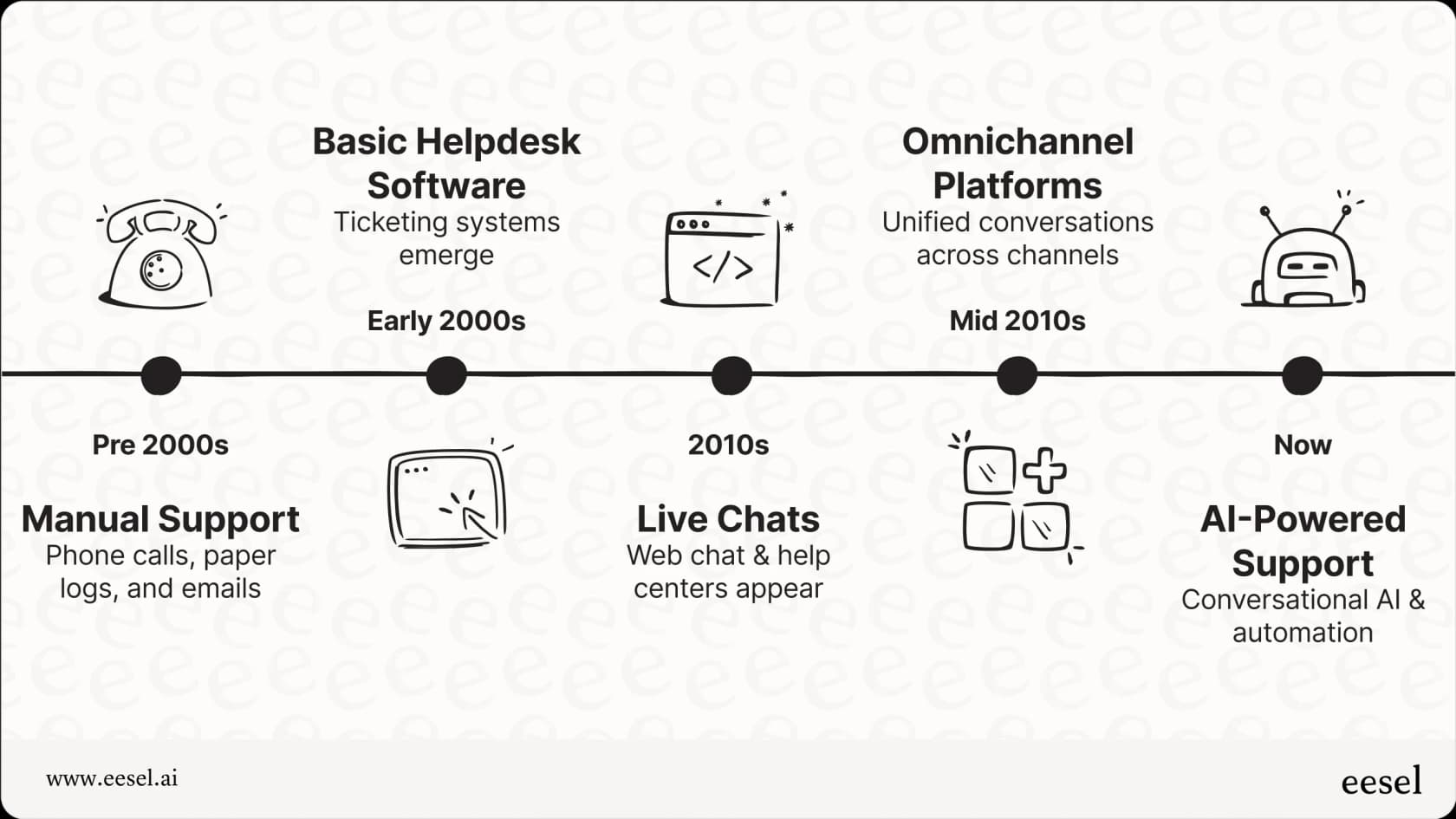
The world of customer service moves fast, doesn't it? These days, customers expect quick answers and service that feels personal. Research backs this up: 81% of customers expect faster service as technology advances. Keeping up with that without burning out your team is hard. That's where the right customer service software helps.
A good platform sorts your tickets, but it should also give your team better tools and make your customers happier. AI is a big part of that now. AI support agents and automation are quickly becoming standard for support teams of every size.
To help you figure out what's out there, we've put together the 11 customer service software platforms that stand out in 2026. For each one, we cover what it does well, where its AI is strongest, what it costs, and where it falls short.
Short answer
The best AI customer service software depends on the helpdesk you already use. Zendesk AI and Salesforce Service Cloud (Agentforce) lead for large teams, Gorgias for ecommerce, Ada for very high-volume enterprises, and Freshdesk (Freddy AI), Help Scout or Zoho Desk (Zia) for smaller budgets. If you don't want to switch helpdesks, eesel AI adds an AI agent on top of Zendesk, Freshdesk, Gorgias and more, from $299/mo with no seat fees.
Which one fits you?
- You already use a helpdesk and want AI on top of it: eesel AI
- You run a large support team on Zendesk: Zendesk AI
- You're an enterprise on the Salesforce CRM: Salesforce Service Cloud (Agentforce)
- You're a small or mid-sized team that wants AI included in the plan: Freshdesk (Freddy AI)
- You sell on Shopify or another ecommerce platform: Gorgias
- You handle huge volumes across chat, email, and voice: Ada
- Your sales and marketing already live in HubSpot: HubSpot Service Hub (Breeze)
- You want the simplest shared inbox with AI built in: Help Scout
- You run high-volume retail support and want one timeline per customer: Kustomer
- Your company already runs on Zoho apps: Zoho Desk (Zia)
- You need support, IT, and back-office teams on one platform: ServiceNow Customer Service Management
Comparing the top customer service software
Here's how the 11 platforms compare on fit, AI, and price. Prices are per month and come from each vendor's own pricing page.
| Tool | Best fit | AI strength | Pricing |
|---|---|---|---|
| eesel AI | Teams that want AI without replacing their helpdesk | AI agent trained on past tickets and docs, drafts or sends replies; simulation on past tickets before launch | Free plan with 100 credits. Paid from $299/mo for 500 credits (1 credit per ticket or chat), no seat fees |
| Zendesk AI | Large support teams already on Zendesk | AI agents, intelligent triage, Copilot for agents | From $19/agent/mo (Support Team, annual). Copilot +$50/agent/mo. AI agents $1.50 to $2.00 per automated resolution after the included allowance |
| Salesforce Service Cloud (Agentforce) | Enterprises on the Salesforce CRM | Agentforce AI agents that use your full CRM data | From $25/user/mo (Starter Suite). Pro Suite $100, Core $195, Advanced $395, Max $550 (annual). Agentforce from $2 per conversation |
| Freshdesk (Freddy AI) | Small and mid-sized teams | Freddy AI Agent answers chats and emails; Freddy AI Copilot drafts and summarizes | From $19/agent/mo (Growth, annual). First 500 AI Agent sessions included, then $49 per 100 |
| Gorgias | Shopify and ecommerce brands | AI Agent that uses live order data from your store | From $10/mo (Starter, 50 tickets). AI Agent $0.85 to $1.00 per automated interaction |
| Ada | Enterprises with very high conversation volume | One AI agent across chat, email, SMS, social, and voice | Custom pricing (contact sales) |
| HubSpot Service Hub (Breeze) | Teams whose sales and marketing run on HubSpot | Breeze Customer Agent with full CRM context | Free for 2 users. Customer Agent needs Professional: $90/seat/mo (annual) plus $0.50 per resolved conversation |
| Help Scout | Small teams that want a simple shared inbox | AI Answers in chat, plus drafting and summaries for agents | Free for up to 5 users. From $25/user/mo (Standard, annual). AI Answers $0.75 per resolution |
| Kustomer | High-volume retail teams | AI agents that act on one timeline of customer data | Custom pricing (contact sales). AI agent $0.60 per engaged conversation |
| Zoho Desk (Zia) | Budget-conscious teams in the Zoho ecosystem | Zia sentiment, tagging, reply suggestions, and custom AI agents | Free for 3 users. From $7/agent/mo (Express, annual). Zia from Professional at $23/agent/mo |
| ServiceNow Customer Service Management | Large enterprises with complex cross-team workflows | Now Assist suggestions and workflows across departments | Custom pricing (contact sales) |
Most of these platforms are helpdesks with AI built in, so using their AI means using their helpdesk. eesel AI is different: it adds AI to your current setup, so you don't have to switch helpdesks or pay per agent seat.
What makes customer service software stand out?
When we looked at the customer service software scene for 2026, we focused on a few things. A place to put tickets wasn't enough. We wanted tools with solid basics, like support across many channels (omnichannel) and a good knowledge base.
Here are the main criteria we used to evaluate platforms for this list:
-
Core functionality: We looked for strong ticketing, omnichannel support, and good knowledge base management.
-
AI and automation: We checked how smart the AI is, including AI agents, routing, and automated workflows. Can the AI take actions, or only answer questions?
-
Ease of use and setup: How quickly can teams get started, and how easy is the platform for agents and admins?
-
Integration capabilities: How well does the platform connect with other business tools, such as Zendesk, Freshdesk, Salesforce, Shopify, Slack, Microsoft Teams, Confluence, Google Docs, SharePoint, Notion, Jira Service Management, Gorgias, BigCommerce, and lots more?
-
Pricing and scalability: Does the pricing make sense for different business sizes, and can the platform grow with you without getting too expensive?
-
User reviews and reputation: What are real users saying, and does the platform have a strong track record?
The 11 best customer service software in 2026
To make our list of the best customer service software in 2026, a platform needed more than the basics. These are the ones leading the way with useful AI, support across channels, and tools that help agents do their best work.
Here are our top picks:
1. eesel AI: best for adding AI to the helpdesk you already use
eesel AI isn't a helpdesk on its own. It adds AI to the customer service software you already use, like Gorgias, Zendesk, or Freshdesk. It helps you automate common, simple tickets (Tier 1), sort incoming requests by priority, and take actions by connecting with tools like Shopify or BigCommerce to look up order details.
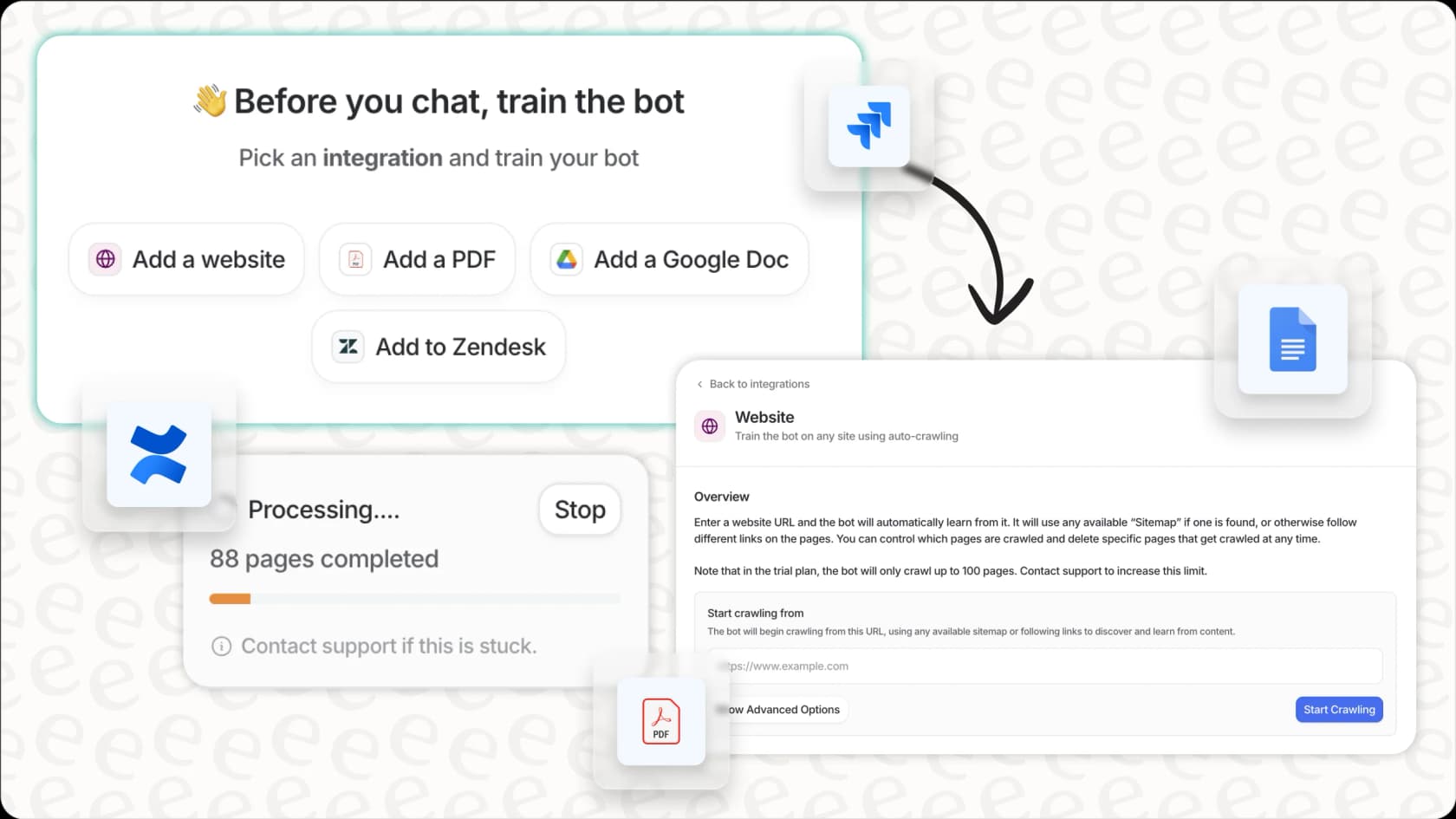
Why we chose it: eesel AI works in two modes. The AI Agent can talk directly to customers, or it can post drafts as internal notes that your human agents review and send. You can set up different bots for different teams or brands and train them on many sources: past tickets, internal documents (Google Docs, Confluence, SharePoint, Notion), and public help centers, across dozens of integrations. Training stays fresh because it syncs automatically. You can also test it on your past tickets before it goes live.
Pricing: eesel AI charges per ticket, with one fixed monthly price sized by credits. 1 credit is 1 ticket or 1 chat, however long. See the eesel AI pricing page for details.
-
Free: 100 credits to try every feature and integration, no card needed.
-
Teammate plan: 500 credits for $299/mo, 1,000 for $499/mo, 1,500 for $699/mo, 2,000 for $849/mo, 2,500 for $999/mo, 3,000 for $1,149/mo, 3,500 for $1,299/mo, 4,000 for $1,449/mo, 4,500 for $1,599/mo, and 5,000 for $1,749/mo. Need more? Talk to the team.
-
No extra fees: no per-seat fee and no platform fee, and EU or US data residency is included. Optional overage with a cap you set, at $0.80 per extra credit. An Enterprise option adds SSO and MFA, HIPAA with a signed BAA, and a named person for your setup.
-
Annual billing: pay for a year upfront and get two months free.
Pros:
-
One fixed monthly price with no per-agent fees, so adding teammates doesn't raise your bill.
-
It learns from your past tickets as well as your docs.
-
You can customize how it sounds and what it does.
-
You can test it on past tickets before it goes live.
-
It works with the helpdesk you already have, so there's nothing to migrate.
Cons:
- It's not a helpdesk itself, so you'll need to connect it to a platform you already use.
2. Zendesk AI: best for large support teams already on Zendesk
Zendesk is one of the best-known names in customer service software. It handles support across email, chat, messaging, voice, and social from one place, with mature ticketing, a large knowledge base tool, and a big marketplace of apps.
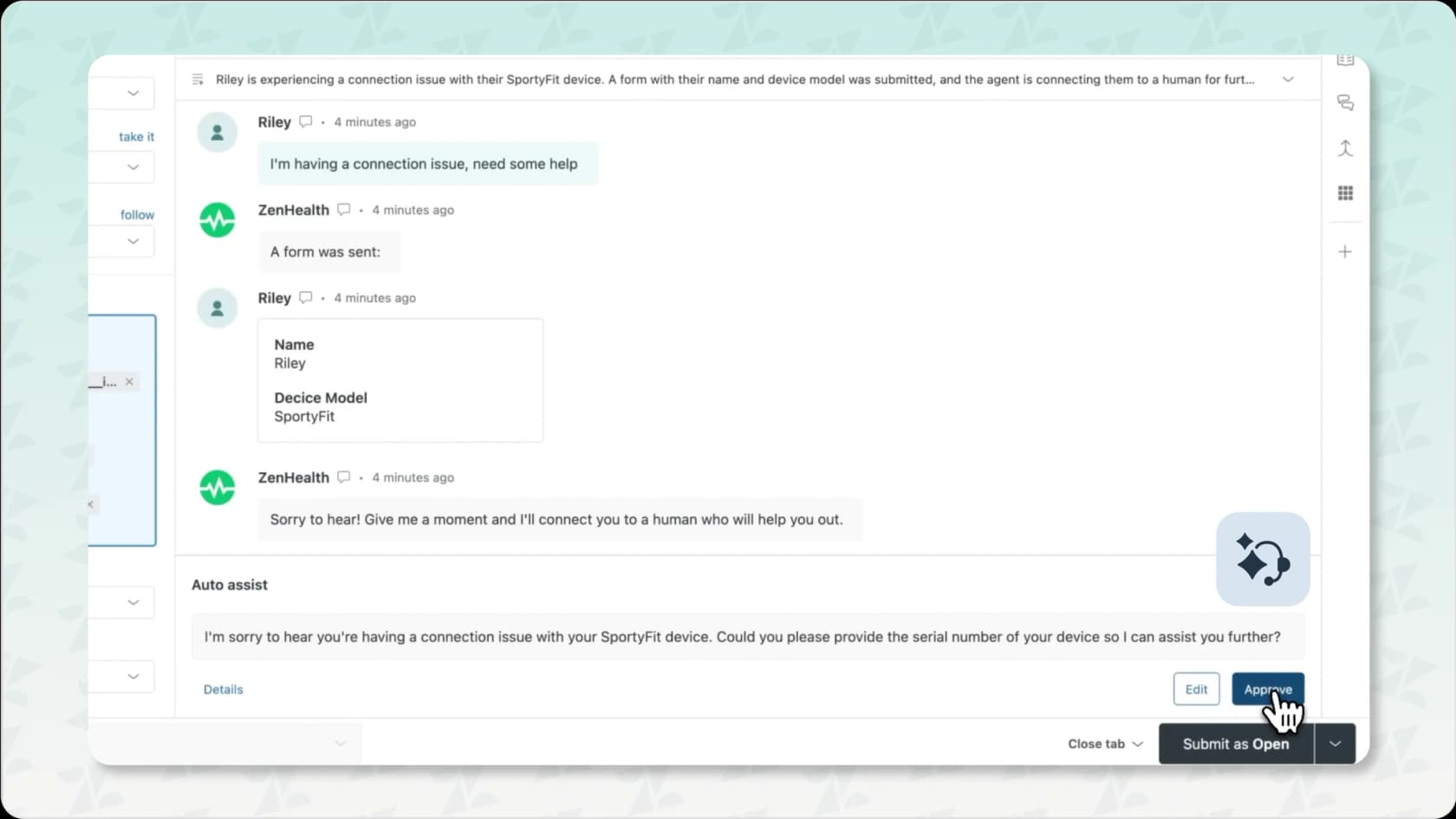
Why we chose it: Zendesk AI is built into the platform. AI agents answer customers on their own, intelligent triage tags and routes tickets by intent and sentiment, and Copilot helps human agents with reply suggestions and summaries. It also works with tools like Slack and Microsoft Teams for team chats. If your team already lives in Zendesk, it's the most direct way to add AI.
Pricing: Zendesk's pricing is per agent, with AI agents billed per automated resolution. For a closer look, see our Zendesk pricing guide.
-
Support Team: $19/agent/month billed annually ($25 monthly).
-
Suite Team: $55/agent/month billed annually ($69 monthly).
-
Suite Professional: $115/agent/month billed annually ($149 monthly).
-
Suite Enterprise + Copilot: talk to sales.
-
Copilot add-on: $50/agent/month, paid yearly.
-
AI agents: each plan includes automated resolutions per agent per month (5 on Support Team and Suite Team, 10 on Suite Professional). Extra resolutions cost $1.50 each on a commitment, or $2.00 each pay as you go.
-
Trial: 14 days on Suite Professional, Copilot included.
Pros:
-
A complete, mature platform that scales to very large teams.
-
A huge marketplace of integrations.
-
AI agents, triage, and agent assist all live inside one tool.
Cons:
-
Costs stack up: seats, the Copilot add-on, and per-resolution fees for AI agents.
-
AI agent costs grow as the AI resolves more tickets.
-
Enterprise pricing isn't public.
3. Salesforce Service Cloud (Agentforce): best for enterprises on the Salesforce CRM
Salesforce Service Cloud is a powerful customer service software platform, and it's most popular with companies already on other Salesforce products. It gives you one place to handle support across channels, with strong case management.
Why we chose it: Agentforce is Salesforce's AI agent platform. Agentforce for Service can answer customers and take actions using the CRM data you already keep in Salesforce. Service Cloud also has 'Swarming' for teams to work together (often in Slack), custom workflows, routing, and reporting.
Pricing: Salesforce lists its editions on the Service Cloud pricing page and its AI on the Agentforce pricing page. We break it down further in our Agentforce pricing guide.
-
Starter Suite: $25/user/month, billed monthly or annually.
-
Pro Suite: $100/user/month, billed annually.
-
Core: $195/user/month, billed annually.
-
Advanced: $395/user/month, billed annually.
-
Max: $550/user/month, billed annually. Includes the full Agentforce for Service suite and a yearly pool of Flex Credits.
-
Agentforce usage: $2 per conversation, or Flex Credits at $500 per 100,000 credits (an Agentforce action uses 20 credits, about $0.10).
-
Agentforce add-on for Service: $125/user/month for unlimited employee use.
Pros:
-
A great fit if your business already runs on Salesforce.
-
AI agents can use the full customer record from your CRM.
-
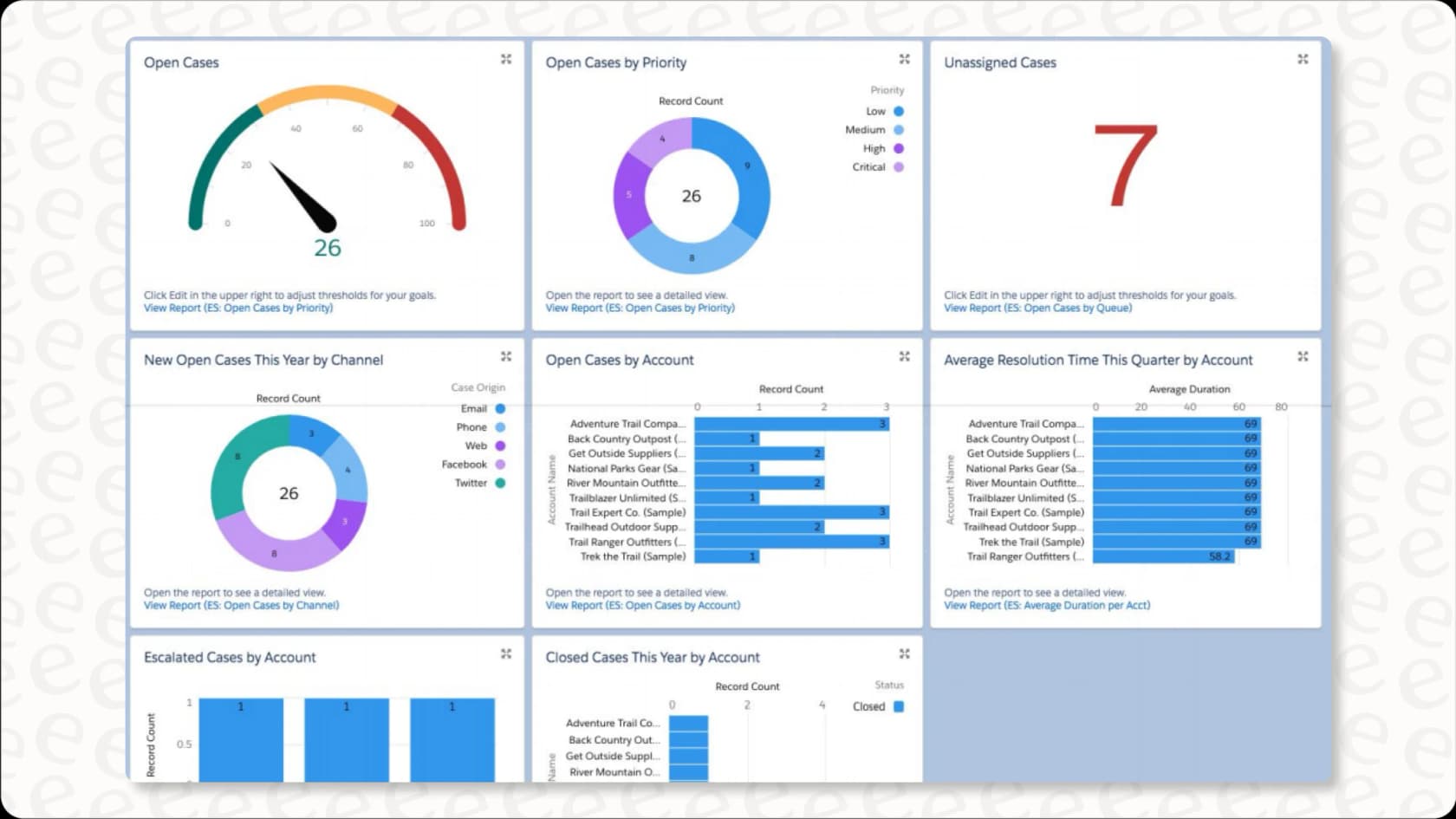
Strong case management, custom reports, and dashboards.
Cons:
-
It can be complicated and take time (or a partner) to set up and learn.
-
The full Agentforce suite is only bundled in the top Max edition. On other editions, AI is an add-on or billed by usage.
-
Overall, it can cost a lot.
4. Freshdesk (Freddy AI): best for small and mid-sized teams that want AI included
Freshdesk is a popular customer service software option for teams of all sizes. It pulls requests from email, chat, phone, and social into one place and turns them into tickets. It's known for being easy to set up and use.
Why we chose it: Freddy AI is built in. Freddy AI Agent answers customers in chat and email, and the first 500 sessions are included on every paid plan. Freddy AI Copilot helps agents draft replies and summarize tickets. You also get canned responses, team collaboration tools, and custom reports.
Pricing: Freshdesk's pricing is per agent, plus AI sessions. Our Freshdesk pricing guide has more detail.
-
Growth: $19/agent/month billed annually ($23 monthly).
-
Pro: $55/agent/month billed annually ($66 monthly).
-
Enterprise: $89/agent/month billed annually ($107 monthly).
-
Freddy AI Agent: first 500 sessions included on all paid plans, then $49 per 100 sessions.
-
Freddy AI Copilot: $29/agent/month billed annually ($35 monthly), on Pro and Enterprise only.
-
Trial and free option: a 14-day trial of the Enterprise plan. Freshdesk also runs a Free Program for up to 2 agents for 6 months.
Pros:
-
Easy to use, with a simple admin area that makes setup quick.
-
AI Agent sessions are included on every paid plan, even Growth.
-
A large marketplace of apps.
Cons:
-
Copilot costs extra and isn't available on Growth.
-
AI session costs grow once you pass the included 500.
-
There's no permanent free plan on the pricing page.
5. Gorgias: best for Shopify and ecommerce brands
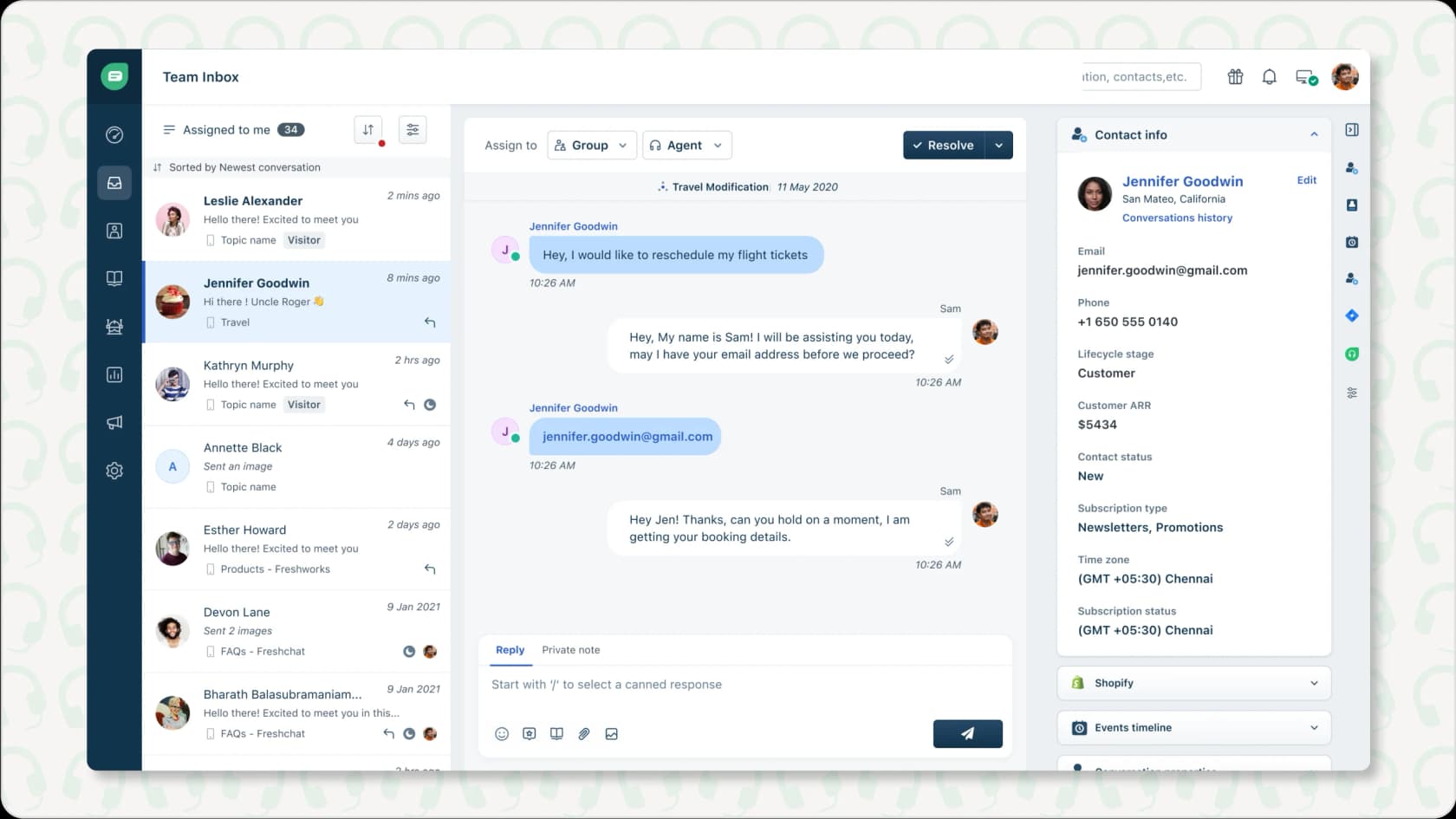
Gorgias is customer service software built for ecommerce stores. It connects closely with platforms like Shopify and BigCommerce, so agents can see order data right next to each ticket.
Why we chose it: Gorgias AI Agent answers common ecommerce questions, like "where is my order?", using live data from your store. Agents can see a customer's purchase history and act on orders without leaving the helpdesk. The unified inbox brings email, chat, and social messages together.
Pricing: Gorgias's pricing is based on monthly ticket volume, with AI Agent billed per automated interaction.
-
Starter: $10/month for 50 tickets (monthly billing only).
-
Basic: $60/month, or $50/month billed annually, for 300 tickets.
-
Pro: $360/month, or $300/month billed annually, for 2,000 tickets.
-
Advanced: $900/month, or $750/month billed annually, for 5,000 tickets.
-
Enterprise: custom pricing for more than 5,000 tickets.
-
AI Agent: $1.00 per automated interaction on Starter, $0.90 on Basic and Pro, and $0.85 on Advanced.
-
Trial: 7 days, no payment info needed.
Pros:
-
Deep integration with Shopify and other ecommerce platforms.
-
Agents can see and act on order data in real time.
-
An easy interface built for busy ecommerce teams.
Cons:
-
It's built for online stores, so it's a weaker fit for other kinds of businesses.
-
Costs rise with both ticket volume and AI interactions.
6. Ada: best for enterprises with very high conversation volume
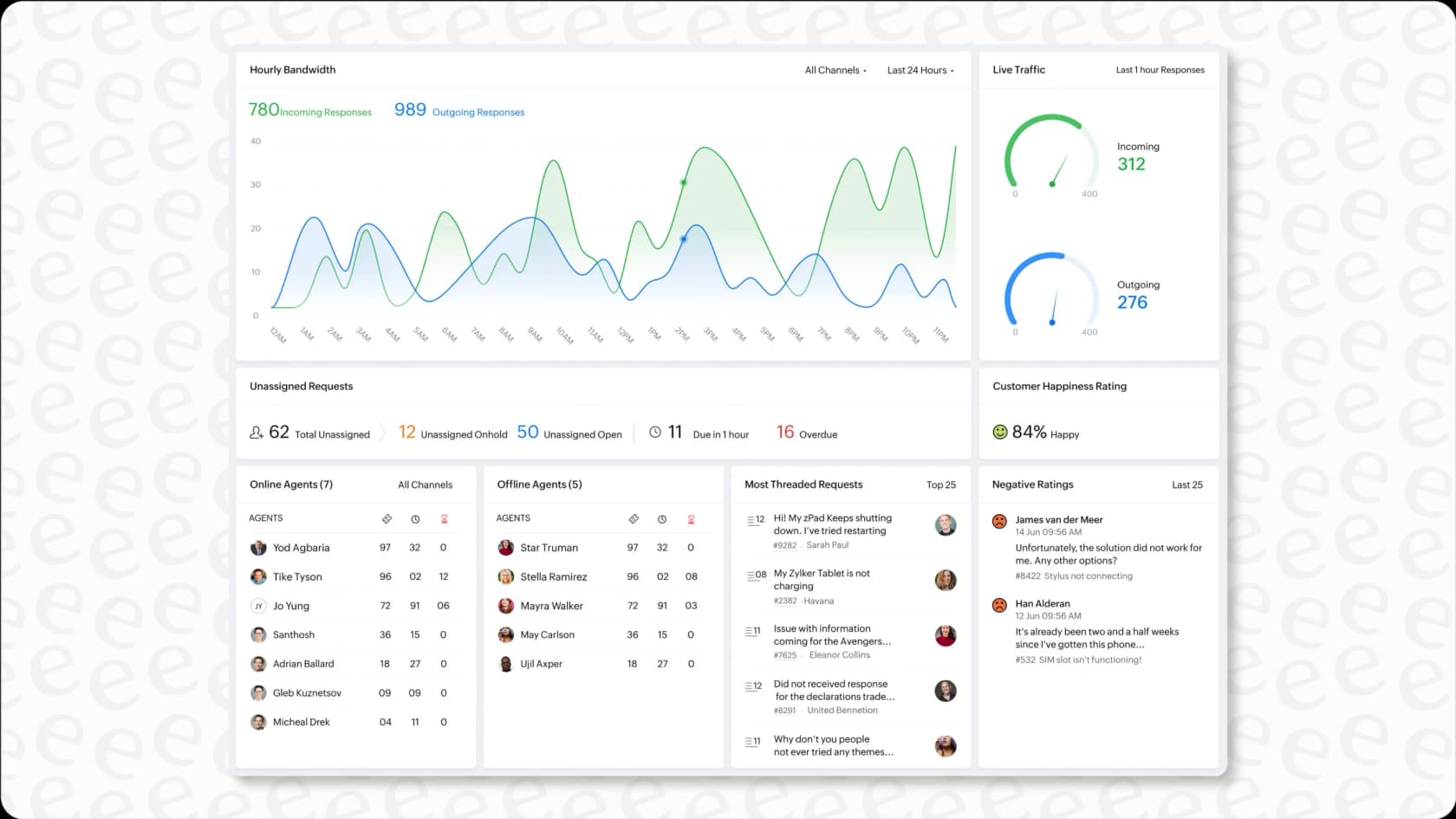
Ada is an AI-first customer service platform built for large companies that handle huge numbers of conversations. Ada is not a helpdesk. It's the AI agent itself, and it sits in front of the helpdesk you already use.
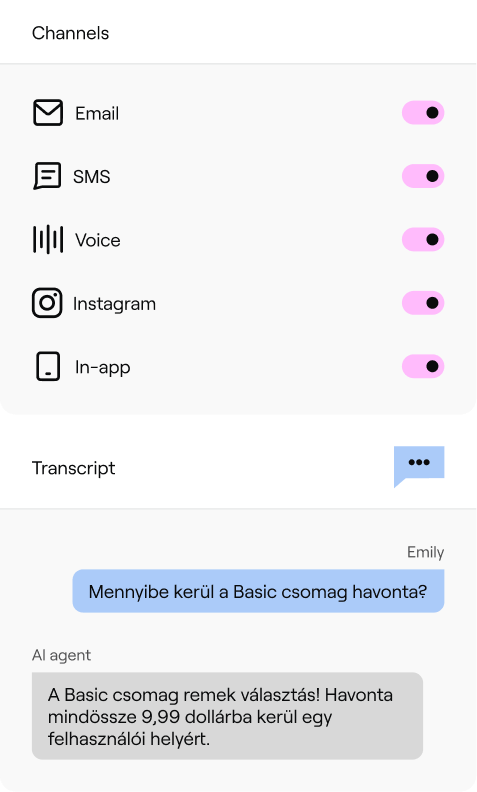
Why we chose it: Ada covers more channels than most tools on this list: chat, email, SMS, social, and voice, all from one agent. Its Playbooks let the AI follow multi-step processes, and its Coaching feature lets managers correct the agent with simple written instructions. You can read more in our Ada review.
Pricing: Ada doesn't publish its prices. Its pricing page leads to a demo form, and every plan is a custom quote from sales. There's no free trial. We cover what is known in our Ada pricing guide.
- All plans: custom pricing (contact sales).
Pros:
-
One AI agent across chat, email, SMS, social, and voice.
-
Built to handle very high volumes for large brands.
-
Playbooks and Coaching give you real control over how the agent behaves.
Cons:
-
No public pricing or free trial, so you can't judge the fit until you're deep in a sales process.
-
Ada says teams go live in days, and the rollout is still sales-led rather than a self-serve switch-on.
-
It's more than most small and mid-sized teams need.
7. HubSpot Service Hub (Breeze): best for teams already running sales and marketing on HubSpot
HubSpot Service Hub is the helpdesk side of HubSpot's customer platform. Its AI, Breeze Customer Agent, answers customers across chat, email, and forms, and hands the conversation to your team when it needs a human.

Why we chose it: If your sales and marketing already run on HubSpot, the AI starts with context most tools don't have. Contact records, deal history, and past conversations sit in the same CRM, so the Breeze Customer Agent can tailor answers without extra setup.
Pricing: HubSpot's Service Hub pricing mixes per-seat plans with HubSpot Credits, which pay for AI usage. Customer Agent is only on Professional and Enterprise.
-
Free: $0 for up to 2 users.
-
Professional: $90/seat/month billed annually ($100 monthly), plus a one-time $1,500 onboarding fee. Includes Customer Agent and 3,000 credits a month.
-
Enterprise: $150/seat/month billed annually, plus a one-time $3,500 onboarding fee. Includes 5,000 credits a month.
-
Customer Agent usage: 50 credits ($0.50) per resolved conversation. Credits cost $0.01 each.
-
Trial: 14 days of unlimited Customer Agent once you buy a Professional or Enterprise seat.
Pros:
-
The AI uses your full CRM data, so answers can reflect a customer's history with sales and marketing.
-
Helpdesk, knowledge base, customer portal, and AI agent all live in one platform.
-
You're only charged for AI usage when the agent resolves a conversation.
Cons:
-
Customer Agent needs Professional or Enterprise seats plus an onboarding fee, so the entry cost is steep for small teams.
-
It works inside HubSpot's own helpdesk. Teams on Zendesk or Freshdesk would need to move their support over.
-
A busier month means a bigger credit bill.
8. Help Scout: best for small teams that want a simple shared inbox
Help Scout is a simple shared inbox and helpdesk that feels more like email than a ticketing system. Its AI tools are built in and easy to switch on.
Why we chose it: Help Scout is one of the easiest helpdesks to learn. AI Answers responds to customers in chat using your Help Scout Docs and other sources you add. Agent-side tools help your team draft replies and summarize long threads.
Pricing: Help Scout's pricing is per user, with customer-facing AI charged per resolution. See our Help Scout pricing guide for more.
-
Free: $0 for up to 5 users, 1 inbox, and 1 Docs site.
-
Standard: $25/user/month billed annually ($30 monthly).
-
Plus: $45/user/month billed annually ($54 monthly).
-
Pro: $75/user/month billed annually ($90 monthly), minimum 10 users.
-
AI Answers: $0.75 per resolution, billed monthly, with a 3-month free trial.
Pros:
-
Very easy to set up and use, even for non-technical teams.
-
A free plan for up to 5 users.
-
Simple, published pricing.
Cons:
-
The AI only works inside Help Scout, so you'd need to use it as your helpdesk.
-
Per-resolution pricing means your AI bill goes up as the AI handles more.
-
It has fewer advanced workflow tools than enterprise platforms.
9. Kustomer: best for high-volume retail teams that want one timeline per customer
Kustomer is a CRM-style helpdesk built around the customer rather than the ticket. Every conversation, order, and past interaction sits on one timeline, which its AI agents use to answer and take action.
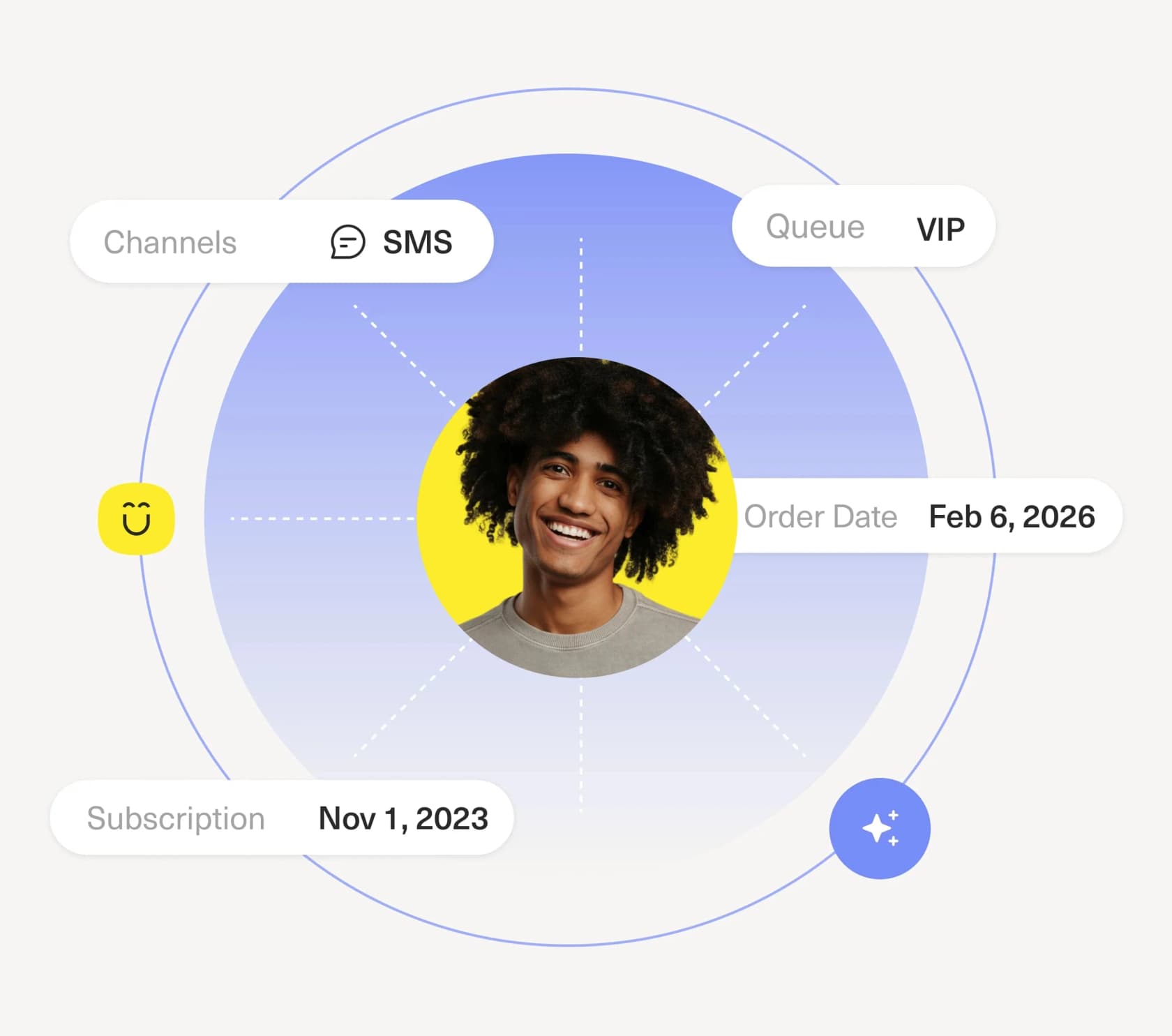
Why we chose it: Kustomer is a strong pick for high-volume online retail teams. Its customer-facing AI agent works across email, chat, SMS, WhatsApp, and Messenger, and can take actions using your customer data. A separate AI tool helps reps reply faster.
Pricing: Kustomer doesn't publish its plan prices. The pricing page sends you to sales, but its pricing details page lists the AI rates. Our Kustomer pricing guide covers it in more depth.
-
Platform plans (Enterprise and Ultimate): custom pricing (contact sales).
-
AI Agents for Customers: $0.60 per engaged conversation.
-
AI Agents for Reps: $40/user/month.
Pros:
-
One timeline per customer gives the AI rich context.
-
Works across many messaging channels.
-
AI pricing is published, even though plan pricing isn't.
Cons:
-
No public plan prices, so you need a sales conversation to get the full cost.
-
The AI runs on the Kustomer platform, so you'd be moving your helpdesk to use it.
-
Built for larger teams, so it's more than a small team needs.
10. Zoho Desk (Zia): best for budget-conscious teams in the Zoho ecosystem
Zoho Desk is customer service software focused on automation and managing support across channels. It's one of the cheapest full helpdesks around, and it's a good fit if you already use other Zoho products.
Why we chose it: You can handle support from many channels in one dashboard, manage tickets, offer self-service, and track your service level agreements (SLAs). Zia, the built-in AI, can detect how a customer feels, route tickets, tag conversations, and suggest replies. With Zia Agents you can also build your own AI agents.
Pricing: Zoho Desk's pricing is per agent. Our Zoho Desk pricing guide has the full breakdown.
-
Free: $0 for up to 3 users.
-
Express: $7/agent/month billed annually ($9 monthly).
-
Standard: $14/agent/month billed annually ($20 monthly).
-
Professional: $23/agent/month billed annually ($35 monthly). Zia is included from this plan up.
-
Enterprise: $40/agent/month billed annually ($50 monthly).
-
Zia Agents: the agents are free. Zoho-hosted AI models are free up to a monthly token limit, then $1 or $3 per million tokens.
-
Trial: 15 days, no credit card.
Pros:
-
Zia is useful for reading customer mood and routing tickets.
-
Low seat prices and a free plan.
-
It works smoothly if you're already in the Zoho world.
Cons:
-
Zia is only included on Professional and Enterprise.
-
Some users find advanced customizations hard to set up, and reporting isn't always as detailed as other options.
-
There can be a learning curve.
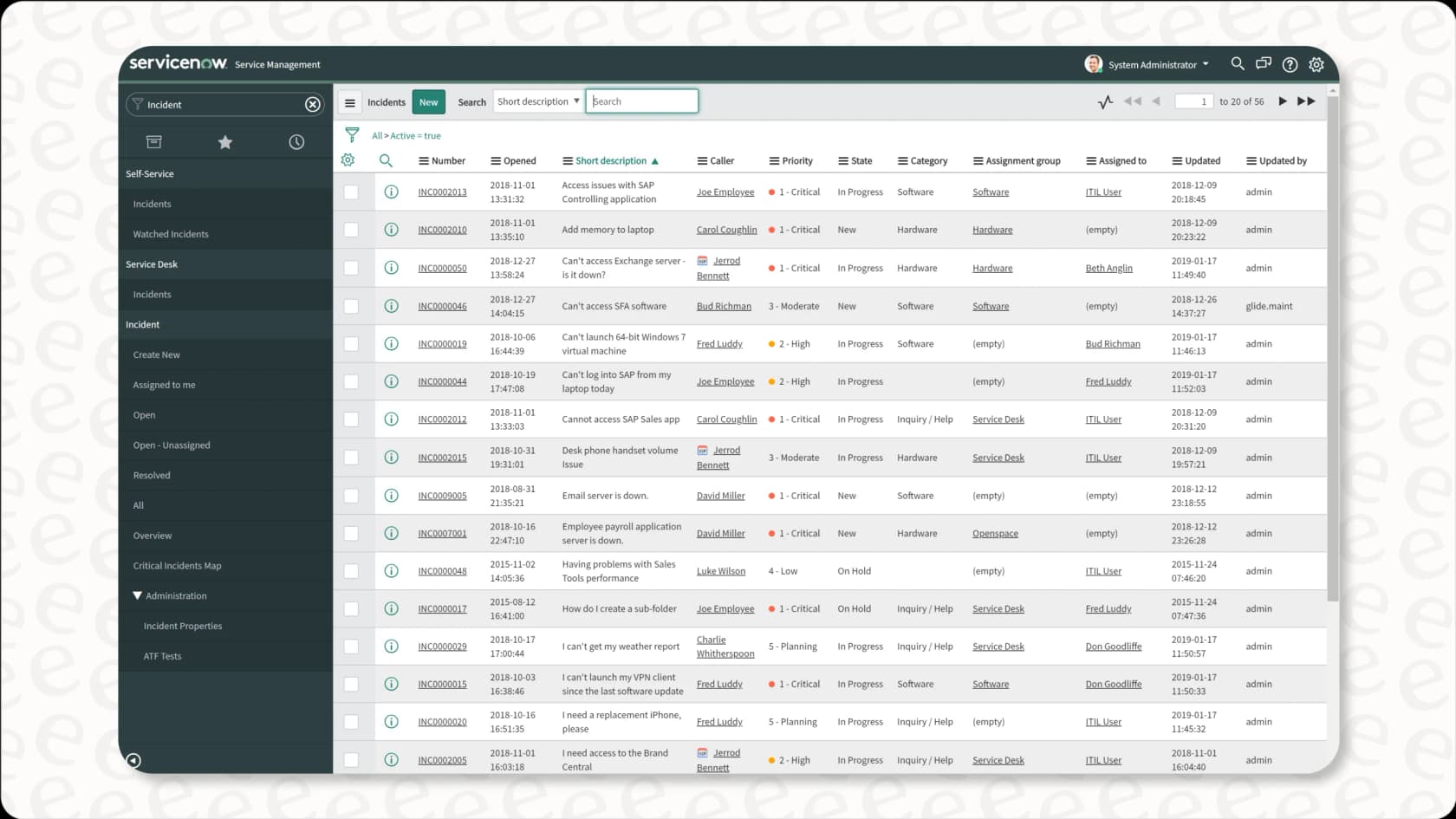
11. ServiceNow Customer Service Management: best for large enterprises with complex cross-team workflows
ServiceNow is a large, cloud-based customer service software platform, often used by bigger companies with complex IT needs. It's designed to bring front-line, middle-office, and back-office teams onto one platform.
Why we chose it: It includes a self-service portal, community forums, and automated workflows that cross departments. Its generative AI, Now Assist, gives agents suggestions and helps them figure out next steps.
Pricing: ServiceNow's CSM pricing page lists two packages, CSM Advanced and CSM Prime, with no published prices.
- All packages: custom pricing (contact sales). No free trial is listed.
Pros:
-
Strong generative AI and workflow automation across the company.
-
Lots of customization options.
-
Connects well with other big enterprise systems.
Cons:
-
Setup and upkeep often need someone with developer skills.
-
Some users find it overwhelming, and a few report it can be slow at enterprise scale.
-
No public pricing.
Key considerations when choosing customer service software
Picking the right customer service software isn't one size fits all. It depends on what your team needs, how you work, and where your business is going. A few points can help you land on the best option.
-
Business size and needs: A small startup needs different features and has a different budget than a large enterprise. Consider your ticket volume, how complex your questions are, and any industry needs.
-
Depth of AI capabilities: Does the AI only suggest articles, or can it understand intent, take actions (like looking up order details), and learn from your own data, including past tickets?
-
Pricing model clarity: Work out the total cost, including seats, add-ons, and AI fees. Check how AI is billed: per seat, per resolution, per conversation, or a fixed monthly plan. Then check how each one grows as your team and volume grow.
-
Integration ecosystem: How well does the platform connect with your existing tools? Can it automate workflows across them?
-
Setup and support: How easy is the first setup? What help do you get afterwards? Look for good onboarding and responsive support.
Pro Tip: Don't only compare feature lists. Work out the total cost over a year, including extra fees and how the price changes as you grow. Also think about how easily the software can change as your business changes.
Trends shaping customer service software in 2026
The world of customer service software keeps changing. New tech and customer expectations drive it. For 2026, a few big trends stand out.
-
Agentic AI: AI agents that go past simple chatbots, handling multi-step tasks and taking actions in other systems.
-
Unified omnichannel experience: Customers expect to move between chat, email, and social without repeating themselves. Platforms are giving agents a single view of each customer.
-
Data-driven personalization: Using customer history, behavior, and sentiment to tailor each conversation.
-
Proactive support: Using data to spot and fix issues before customers report them.
-
Integration and workflow automation: Connecting tools and automating end-to-end processes to cut manual work.
The platforms on our list, especially those with strong AI and integrations like eesel AI, are leading the way on these trends.
Find the right fit for your team
The best customer service software for your team in 2026 comes down to your needs, your budget, and your goals. Each platform on this list has its strong points. AI is fast becoming a must if you want to stay competitive and keep customers happy. The right software should manage tickets and also help your agents do better work.
If you want to add AI agents and assistants to your current helpdesk without per-agent fees or switching everything, eesel AI is worth a look. It works inside your existing workflows, learns from your company data (including your old tickets), and has one fixed monthly price.
Ready to see how AI could help your support team? You can start free with eesel AI today with 100 credits and no credit card, or book a demo to see how it could fit into your team's daily work. Head over to the eesel AI website to learn more.