
ChatGPT vs Rytr at a glance
| Question | ChatGPT | Rytr |
|---|---|---|
| Starting point | A conversation, files, and instructions | A writing use case and inputs |
| Best fit | Exploration, revision, and varied tasks | Repeated short marketing copy |
| Brand control | Context and instructions you provide | Tones and Tone of Voice Match on paid plans |
| Key risk | An underspecified prompt sounds confident | A template can make an unverified claim sound polished |
| Editorial ownership | Still with the team | Still with the team |
What each tool is for
ChatGPT: develop the brief before the copy
ChatGPT is a general-purpose conversational assistant. It is useful when a marketer needs to find the shape of the work: turn a product note into possible angles, identify unanswered objections, compare two outlines, or rewrite a section for a defined reader. Projects keep chats, instructions, and files together; availability and limits depend on the plan.
The useful prompt is not “write a great ad.” It says who the reader is, which source is authoritative, what claim needs a link, and what the draft must avoid. That is how a team gets a reviewable starting point instead of a generic answer.
Rytr: guided copy tasks and tone settings
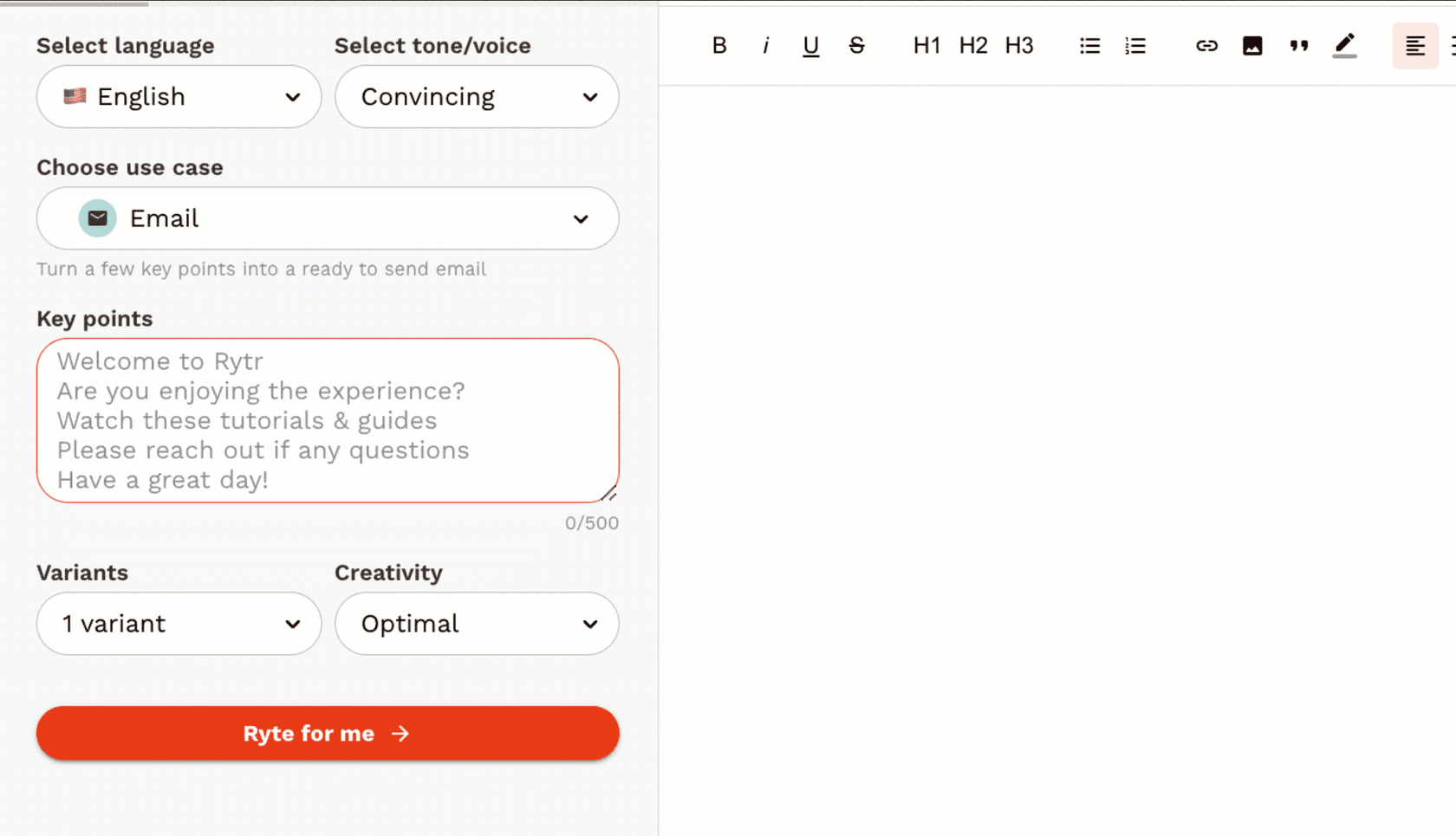
This frame from Rytr's official product demonstration shows how a writer supplies the format and key points. It is not a test result or a guarantee about the generated copy.
Rytr positions its product around AI content generation, pre-programmed tones, custom use cases, and its Chrome extension. Its pricing page lists a Free plan, Unlimited, and Premium, with Tone of Voice Match on the paid plans.
That format can be practical for small, repeatable tasks. Give it a checked product description and ask for five subject-line options, for example. It is less useful when the task is really a research problem in disguise. A template cannot settle whether a feature is available, whether a price includes a billing condition, or whether a customer story is approved for public use.
The work is different, not just the interface
Exploring a message versus producing variants
ChatGPT is often the faster place to work through why a message matters. A product marketer can ask it to find gaps between an approved launch brief and a first draft, then choose a position before writing variants.
Rytr can be a faster place to create variants once that decision exists. A writer might use an approved benefit and constraint to generate several short descriptions, then select and edit one. The template is a starting format, not a source of truth.
Brand voice is still a review job
Rytr's Tone of Voice Match may help a team begin closer to a chosen style. ChatGPT can also follow detailed instructions and examples. Neither removes the need to review voice alongside facts. A sentence may sound like the company while still overstating a limit or implying a guarantee.
For a campaign, keep a one-page source sheet: approved product wording, prohibited claims, price and billing period if relevant, required links, and an owner. Reuse that sheet across tools. It makes the editor's changes visible rather than relying on a vague feeling that the copy is “on brand.”
Long-form content needs evidence, structure, and a final check
Both products can help with an outline or a paragraph. A useful long-form article also needs a defensible answer to the reader’s question, current sources, information architecture, internal links, appropriate media, and someone to inspect the live preview. Treat a generated article as a draft until those jobs are complete.
Current pricing: read the term beside the price
ChatGPT Plus is $20 per month. ChatGPT Business Standard costs $25 per user/month on monthly billing or $20 per user/month annually, with a two-seat minimum. API use is separately billed.
Rytr's official pricing lists Free at $0, Unlimited at $9/month or $7.50/month billed annually, and Premium at $29/month or $24.16/month billed annually. The annual option is a 12-month commitment. Check Rytr's pricing page at purchase time, since plans and limits can change.
Do not compare the numbers without comparing the job. Test the same approved brief in each tool and count the minutes from first output to editor-approved copy.
A campaign-copy review with eesel CLI
Here is a narrower workflow than “generate a blog.” A product marketer is preparing a launch email and needs to distinguish a $20 monthly subscription from a $20 annual-equivalent seat price. The source owner saves the approved product page and billing note in launch-copy-evidence.md, along with wording that the email must not use. The workspace owner agrees on access, a non-production test, and who may approve paid chat before anyone runs it.
A human, script, Claude Code, Codex, or Cursor can use eesel CLI with the same workspace teammate as the dashboard. Sign into the existing workspace with npx @eesel/cli login and inspect npx @eesel/cli agents. Replace Campaign review below with the intended non-production teammate's actual name or ID, and have its owner verify that consequential actions are disabled or absent. The CLI needs Node.js 18.17+ and returns JSON. Inspect the signed-in workspace, existing files, and instructions before any approved change:
npx @eesel/cli whoami
npx @eesel/cli files ls --agent "Campaign review"
npx @eesel/cli instructions --agent "Campaign review"
With the workspace owner's approval, upload the evidence and confirm it is listed. chat is billed work, so check billing and obtain a separate approval before the paid request:
npx @eesel/cli files upload ./launch-copy-evidence.md --agent "Campaign review"
npx @eesel/cli files ls --agent "Campaign review"
npx @eesel/cli billing
npx @eesel/cli chat "Read the uploaded launch-copy-evidence.md. Draft three email subject lines and a 70-word body. Keep per-seat units and annual billing conditions explicit wherever a price appears. List each factual claim with its supporting excerpt. Do not send an email, change a campaign, or fill a form." --agent "Campaign review"
Naming launch-copy-evidence.md in that chat is a natural-language request, not an undocumented attachment selector. The normal check is that an editor reads the JSON, verifies the source excerpts, and chooses a version. The boundary case is a request to see whether the copy performed in an ad platform: CLI output cannot prove delivery, targeting, spend, or results. Check that platform separately with the person who owns it.
An upload is a workspace change. Do not assume that a command creates permission or approval, and do not run this against a production teammate with actions enabled.
Sources
- Projects in ChatGPT
- What is ChatGPT Plus?
- ChatGPT Business billing and seats
- Rytr pricing
- eesel CLI documentation
Use eesel CLI to make source-backed campaign copy reviewable
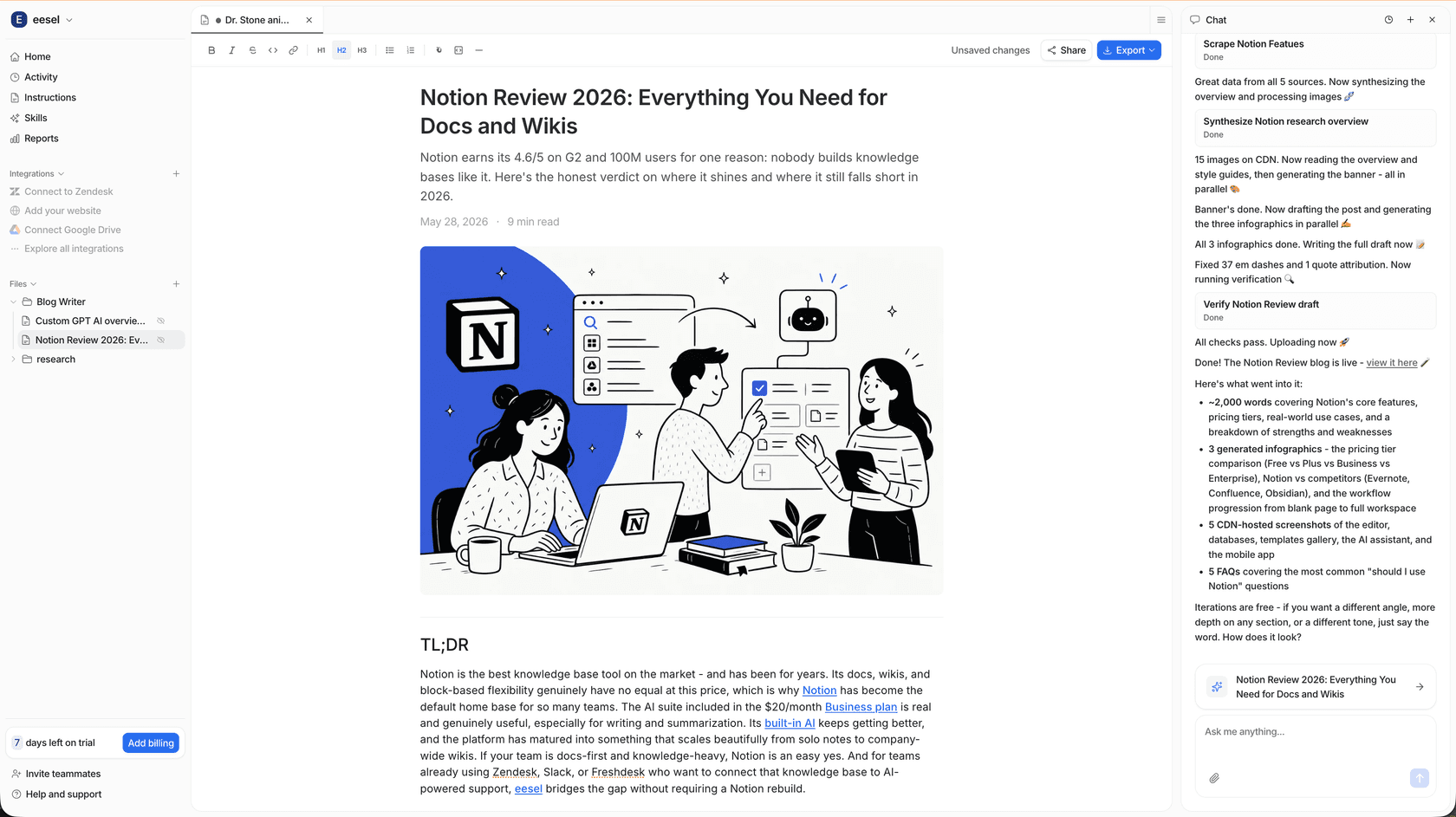
eesel's AI blog writer is for teams that need a teammate for the editorial workflow, not just another text box. Use the dashboard for the visual workspace or eesel CLI when an approved brief needs a structured review. In both paths, a person owns the source, approvals, and the final CMS check.
To test that workflow with your own evidence, Try eesel.
Frequently asked questions
What is the main difference between ChatGPT and Rytr?
ChatGPT is a broad conversational assistant for varied questions and drafts. Rytr organizes writing help around use cases, tones, and shorter-form copy. The better fit depends on whether your work is open-ended or a repeatable copy task.
Is Rytr easier to use than ChatGPT?
Rytr’s use cases can give a beginner a clearer starting format. ChatGPT can begin with a simple question but needs a good brief when the output has to match a brand, product facts, and a specific audience.
How much do ChatGPT and Rytr cost?
ChatGPT Plus costs $20 per month. ChatGPT Business Standard is $25 per user/month on monthly billing or $20 per user/month billed annually, with a two-seat minimum. Rytr lists Free at $0, Unlimited at $9/month or $7.50/month billed annually, and Premium at $29/month or $24.16/month billed annually. Its annual option is a 12-month commitment. Verify current prices before buying.
Can Rytr create a brand voice?
Rytr’s pricing page lists Tone of Voice Match: one on Unlimited and multiple on Premium. A tone match can guide wording, but it is not proof that every product, legal, or pricing statement is accurate.
Can ChatGPT or Rytr publish a blog without review?
They can help create draft text, but publishing still needs a source check, editorial decision, and CMS preview. A fluent answer is not a completed content workflow.
Which is better for short marketing copy?
Rytr is worth testing when a team wants a guided format for a short copy task. ChatGPT is useful when the work needs broader exploration or iteration. Run the same approved brief through both and measure editor changes, not just first output.
How can eesel CLI help with campaign copy?
A human, script, or coding agent can use eesel CLI with the same teammate as the dashboard to inspect approved campaign evidence and request a copy-and-claim review. Use an existing non-production teammate whose consequential actions are disabled or absent, and have the workspace owner approve the paid chat. CLI output does not prove a live ad, email send, or CMS publication.