

Claude Code is a coding agent that can read a project, change files, and run tools—not just suggest the next line. Use it for a defined change, give it the relevant context, and inspect both the diff and the working result. Its permission settings matter as much as the prompt.
The same coding workflow can include support operations. Through eesel CLI, Claude Code, Codex, Cursor, a script, or a person can inspect and configure the same eesel teammate and workspace as the dashboard. That is useful when a code investigation changes what the support team should tell customers. The code finding, approved guidance, and support test remain separate evidence.
What Claude Code does
Anthropic's Claude Code overview describes a tool that reads code, edits files, runs commands, and connects to development tools. It can follow a request across multiple files: trace a failing upload from the UI to server validation, propose a correction, and run the relevant tests.
That does not mean it has complete knowledge of every repository detail. Ask it to identify the files and tests supporting its conclusion. A plausible explanation is not proof that it found the active code path or the deployed version.
You can work in a terminal, VS Code or JetBrains integration, the desktop app, or the web. Pick the surface that makes review practical. A terminal suits command output; an editor makes diffs and nearby code easy to inspect. It is not accurate to describe Claude Code as having no visual interface.

This official documentation image illustrates the editor surface; it is not evidence of testing performed for this article.
Start with a bounded repository task
Follow the installation guide for your operating system. Native installers and package-manager routes are documented separately. For example, the Windows WinGet route is:
winget install Anthropic.ClaudeCode
The native Code installation does not require Node.js; the eesel CLI example below does. After installing, open the intended repository and start claude. Confirm the account or provider being used. A configured API key can select API billing instead of the subscription login you expected.
For a first investigation, make the requested outcome concrete:
Trace why the upload form shows the same message for an unsupported file type and a network timeout. Identify the code paths and existing tests. Propose the smallest change and its test cases. Do not edit, commit, push, or deploy yet.
Use an appropriate review mode as well as that prompt. Review the proposed plan, then authorize the intended edits and tests. Check the resulting diff for unrelated changes, run the relevant tests, and inspect the actual error states in the app. A successful test command does not establish that every affected user flow works.
Give the agent useful context without treating it as access control
CLAUDE.md holds durable project instructions: architecture facts, test commands, conventions, and rules a contributor would otherwise need explained again. Keep it short enough to be useful. Auto memory is a separate mechanism for notes Claude writes from corrections and preferences.
Move a repeated procedure into a skill, such as a checklist for reviewing a bug fix. Skills use a SKILL.md file and can include supporting material. Existing .claude/commands/ files still work; custom commands have been merged into the skills system. Neither a skill nor CLAUDE.md grants or revokes tool access.
For enforcement, inspect permissions. Allow, Ask, and Deny rules and the active mode determine which tool calls may run. Manual mode supports human review; it still has configured and built-in exceptions. Other modes can accept edits or approve operations differently. The VS Code documentation currently lists Auto as the built-in starting mode for Pro, Max, and Team, so do not assume every fresh session asks before each edit.
Keep production credentials out of an exploratory task when they are unnecessary. A request to “draft only” cannot compensate for an overly broad account or connector.
Pricing and practical limits
Claude Code is included in paid Claude plans. Current US Claude pricing lists Pro at $20 monthly or $200 billed annually, displayed as about $17 per month; Max starts at $100 monthly. Team Standard seats are $25 monthly or $20 per month billed annually, while Premium is $125 or $100 respectively. Both seat types include Code. Taxes and usage limits apply.
Supported surfaces can also use an Anthropic Console account or supported cloud provider. Those routes have their own billing. Check the authentication path and usage allowance rather than assuming a subscription covers every API call.
Quality needs a separate check from cost. Claude Code can choose an inappropriate abstraction, miss a dependency, or make a test pass without covering the reported failure. Ask for the evidence behind the fix, review the diff, and verify the behavior. Commit, push, merge, and deployment are separate actions to authorize—not implied rewards for a green test suite.
Use eesel CLI to turn a code finding into reviewed support guidance
Return to the upload example. The developer has verified two different causes, but the support teammate may still tell every customer to retry. A coding agent can inspect that teammate through the eesel CLI, compare the existing instructions and knowledge with an approved troubleshooting note, and propose the gap for the support owner.
Use Node.js 18.17 or newer. These shell commands authenticate and inspect an existing teammate; replace the placeholder with an actual owner-approved nonproduction agent from the list:
npx @eesel/cli login
npx @eesel/cli whoami
npx @eesel/cli agents
SUPPORT_TEST_AGENT="REPLACE_WITH_APPROVED_NONPRODUCTION_AGENT"
npx @eesel/cli instructions --agent "$SUPPORT_TEST_AGENT"
npx @eesel/cli integrations --agent "$SUPPORT_TEST_AGENT"
npx @eesel/cli integrations download list --agent "$SUPPORT_TEST_AGENT"
npx @eesel/cli billing --agent "$SUPPORT_TEST_AGENT"
Login stores credentials. The subsequent commands return current state as JSON, which a coding agent or script can read. The support owner can inspect the same agent in the dashboard. Check the relevant source content as well as its download state; instructions are not the whole knowledge base.
Suppose the owner approves this fictional guidance: “This upload accepts PNG and JPEG. For an unsupported type, ask for one of those formats. For a timeout, ask the customer to retry once and report whether it recurs. Do not promise that a software fix is deployed.” Supply that note explicitly—the repository and Claude conversation do not automatically become eesel knowledge.
Before a response test, approve the chat spend and set consequential actions to Disabled in the actual Actions settings. Then use a fresh named conversation and include the note in the test message:
npx @eesel/cli new --name "Upload guidance review" --agent "$SUPPORT_TEST_AGENT"
npx @eesel/cli chat "Fictional approved guidance: this upload accepts PNG and JPEG. Unsupported type: ask for PNG or JPEG. Timeout: retry once and report recurrence. Do not promise a deployed fix. A customer tried a TIFF file. Draft the support reply from this note only; do not send or change anything." --agent "$SUPPORT_TEST_AGENT"
Check that the TIFF answer asks for a supported format, not repeated retries. In separate fresh conversations, supply the same note and test a timeout and a successful PNG upload. The timeout answer should follow the bounded retry guidance; the success case should not invent a problem or claim a fix shipped. These are proposed checks, not results from a test we ran.
eesel setup and observation are free; chat is billed, separately from the coding agent's usage. A prompt or new conversation is not the action boundary. If the owner approves a standing-instruction or knowledge change, review the exact write, read it back, and test again. --dry-run only previews a write request. Any production pilot needs its own action settings and a check of the real result.
Keep code review and support review connected with eesel CLI
Claude Code can help explain a failure and prepare a repair. eesel CLI lets the same developer or coding agent check whether the support teammate's guidance matches the approved finding. That joins the two workflows without assuming a merged change updates customer knowledge or authorizes a reply.
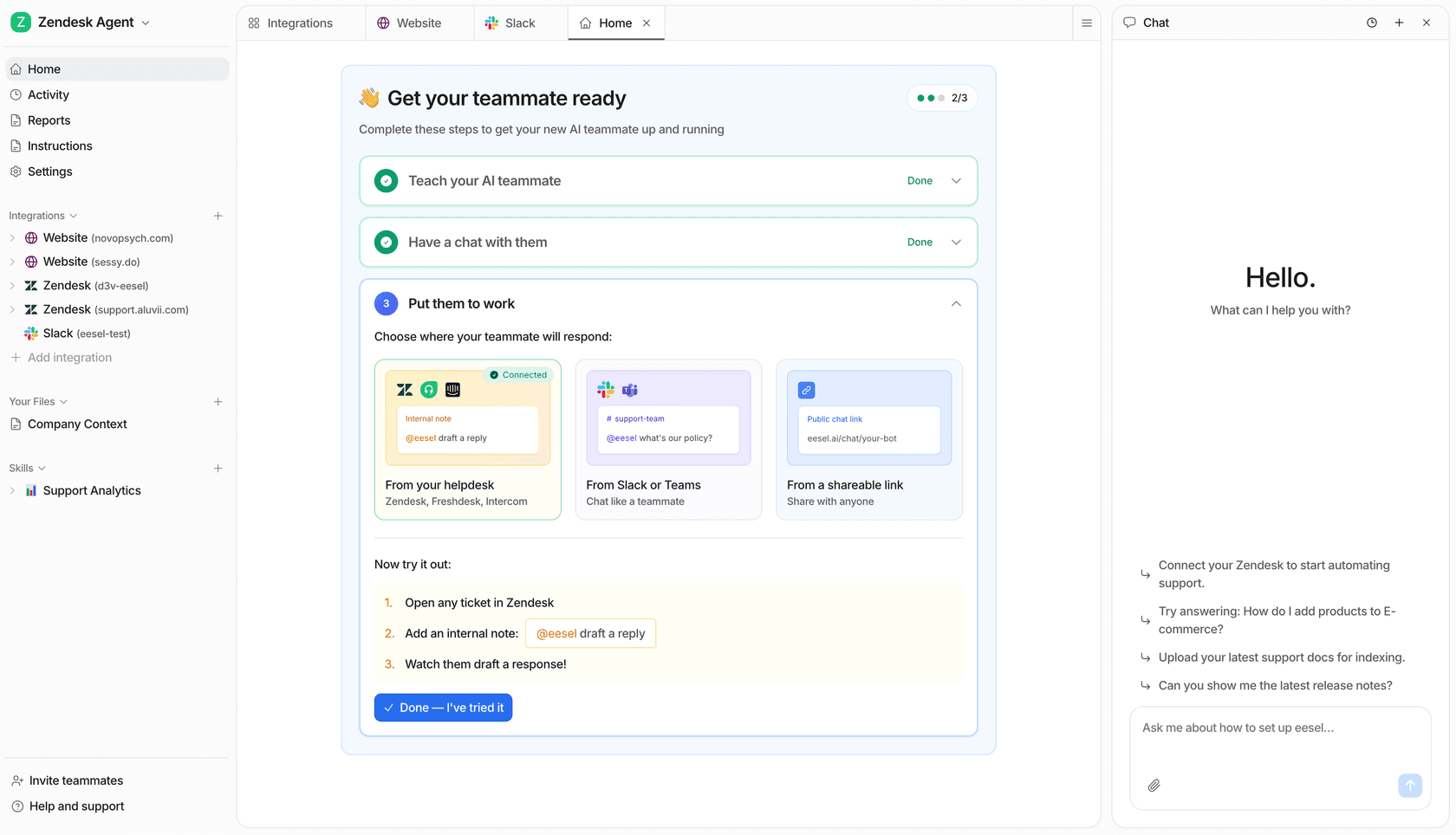
This example workspace is not a record of the upload tests above.
Try eesel with one approved support job. Inspect it from the dashboard or CLI, test the guidance, and let the owner decide when it is ready for customers.
Frequently asked questions
What is Claude Code?
Claude Code is Anthropic's coding agent. It can inspect a project, edit files, run commands, and work with development tools. It is available through a terminal, editor integrations, a desktop app, and the web.
Does Claude Code always ask before changing a file?
No. Behavior depends on the active permission mode and rules. Manual mode supports reviewing edits and commands, subject to configured exceptions; Auto and other modes behave differently. Inspect the actual settings with /permissions.
Does CLAUDE.md enforce security restrictions?
No. It supplies project context and instructions. Use actual permission rules, scoped credentials, and appropriate environment controls to enforce access. A written request not to deploy is not a technical deployment restriction.
Do I need a separate Claude Code subscription?
Claude Code is included in paid Claude plans, and supported surfaces can also use an Anthropic Console account or supported third-party provider. API billing and subscription usage are different paths; check how your session is authenticated.
Can Claude Code operate an eesel teammate?
Yes. It can run documented eesel CLI commands and read their JSON output. The CLI works on the same teammate and workspace as the eesel dashboard, so a support owner and coding agent can inspect the same setup.