
Claude Code multiple agent systems: Complete 2026 guide

Alicia Kirana Utomo
Written by

Alicia Kirana Utomo

Katelin Teen
Reviewed by

Katelin Teen

Last edited June 23, 2026

Expert Verified
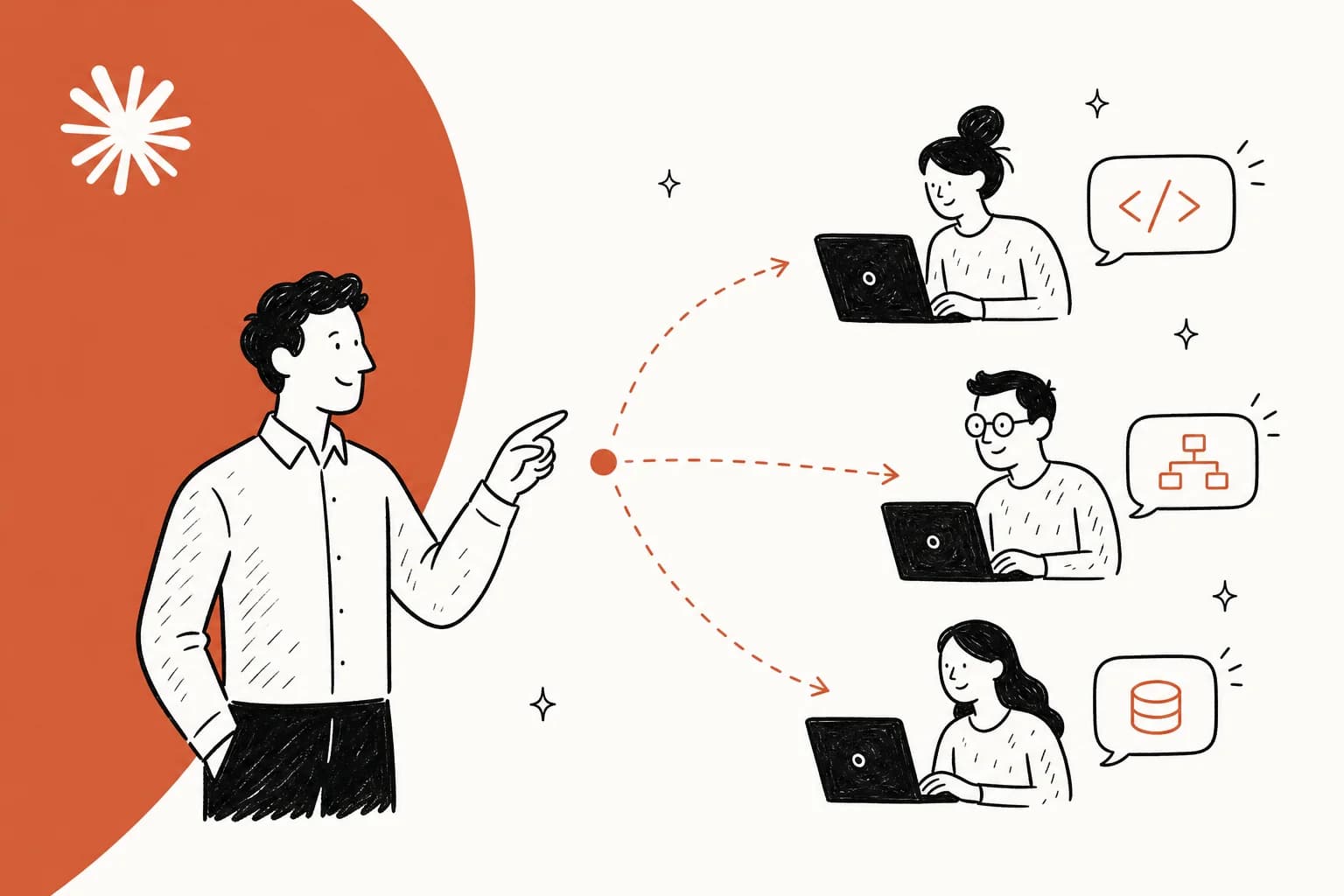
Hero illustration: a team-lead agent delegating coding tasks to specialist Claude Code subagents working in parallel

Claude Code started as a single AI coding assistant. By 2026, it has grown into something more interesting: a platform where multiple specialized AI agents work together on complex development tasks. If you're new to the tool itself, the Claude Code overview is a good starting point before you wire up a team of agents.

This shift mirrors a broader trend in software development. The industry moved from monolithic applications to microservices. Now, AI coding tools are following a similar pattern, moving from one generalist agent to coordinated teams of specialists.

You have three distinct approaches available: official subagents from Anthropic, the feature first leaked as "Swarms" and now officially documented as agent teams, and third-party frameworks that orchestrate multiple agents. Each serves different purposes, and knowing when to use which approach can save you significant time and cost.

What are Claude Code multi-agent systems?

Traditional Claude Code works like a single expert trying to handle everything. You ask it to build a feature, it writes the code, runs tests, fixes bugs, and writes documentation. All in one continuous conversation with one increasingly bloated context window.

Multi-agent systems take a different approach. Instead of one AI handling all tasks, you get specialized AI instances working together. Each agent runs in its own context window with its own expertise and tools.

The benefits stack up quickly. Context isolation prevents the cross-contamination that happens when debugging output mixes with feature planning, which also keeps the Claude Code context window from filling up with noise. Specialization means each agent has tailored prompts and knowledge for its domain. Token efficiency improves because verbose test output stays in the test agent's context, not your main conversation. Parallel execution lets multiple agents work simultaneously instead of sequentially.

Single-agent vs multi-agent architecture: one overstuffed context window on the left versus four specialized agents, each in its own context window, coordinated on the right

Think of it like a software team. You wouldn't have one person write all the code, review it, deploy it, and write the documentation. You have specialists. Multi-agent systems apply the same principle to AI.

Official Claude Code subagents

Subagents are Anthropic's official solution for specialized AI tasks. They're production-ready, stable, and built into Claude Code itself.

A subagent is a Claude instance with a custom system prompt and configuration. You define what it knows, when to invoke it, and what tools it can access. Each runs in its own context window, isolated from your main conversation. If you want a deeper reference, we have a full guide on the Claude Code sub-agent and a companion piece on subagents in Claude Code.

Anatomy of a Claude Code subagent: a Markdown and YAML config file with name, description, model, tools, and system prompt feeding into its own isolated context window

How to create subagents

The process is straightforward. First, make sure you're on a current build (the /agents command has been stable since v1.0.60). Run claude --version to check, and npm update -g @anthropic-ai/claude-code to upgrade if needed; our install Claude Code guide covers the setup paths.

Start a Claude Code session and run the /agents command. Claude will ask whether you want to create a project-level subagent (specific to the current codebase) or a user-level one (available across all your projects). Project-level makes sense for specialized tasks like "knows our deployment process" while user-level works for generic skills like "code reviewer."

You can let Claude generate the subagent based on your description, or write it manually. A sensible pattern is to let Claude do the initial generation, then tweak the resulting Markdown file to your needs. It also helps to read up on command vs sub-agent so you don't reach for a subagent when a slash command would do.

Configuration options

Subagents are defined in Markdown files with YAML frontmatter. The format looks like this:

--- name: debugger description: Use this agent when you need to methodically troubleshoot issues model: sonnet color: red tools: [read, grep, bash] --- You are an expert debugging specialist...

The name identifies the agent in your workflow. The description tells Claude Code when to suggest invoking this agent. The model can be Sonnet (balanced, currently Claude Sonnet 4.6), Opus (most capable, currently Claude Opus 4.8), or Haiku (fast and cheap). If you're not sure which to pick, our guide to Claude Code model selection breaks down the trade-offs. The color just helps you visually distinguish agents in the UI. The tools list restricts which Claude Code tools this agent can access (leave empty to allow all).

The content section (after the frontmatter) contains the system prompt. This is where you define the agent's expertise, workflows, and rules. A counterintuitive but reliable trick: including the agent's weaknesses in this prompt actually improves results, because it stops you from handing the agent work it's bad at. (If you're weighing whether a reusable skill would fit better than a dedicated agent, see Claude Skills vs Subagent.)

Common subagent personas

Developers have converged on a few highly useful archetypes:

System Architect handles big-picture design decisions. It knows your tech stack and advises on patterns, architectures, and trade-offs. Use it when planning large features or refactoring systems. It's well-versed in frameworks, scaling challenges, and anti-patterns to avoid.

Code Reviewer acts as a thorough second pair of eyes. It checks for security holes, performance issues, style consistency, and algorithmic improvements. It understands that good code is elegant, not complicated. Developers who run one often say the best moments are when their review agent rejects an implementation, treating it as a built-in safety check rather than an annoyance.

Debugger takes a methodical approach to troubleshooting. It analyzes logs, traces execution paths, and asks clarifying questions like "when did this last work?" and "what changed recently?" It's patient and systematic, not prone to jumping to conclusions. If this is your main pain point, our guide to debugging with Claude Code pairs well with a dedicated debugger agent.

DevOps Engineer knows your deployment pipeline inside out. It understands Docker, Kubernetes, and your CI/CD framework. It can review configuration files, cross-reference with logs when deployments fail, and suggest optimizations. It also pairs naturally with git workflows in Claude Code so the agent can branch, commit, and open PRs on its own.

Test specialists like the Playwright suite (planner, generator, and healer) work together to create comprehensive test coverage. One plans the test strategy, another generates the actual tests, and the third fixes broken tests when the codebase changes.

Best practices for subagents

A few patterns reliably improve subagent effectiveness, and they line up with the broader Claude Code best practices we've collected from real projects.

Make your agents critical and honest. Many LLM system prompts default to an agreeable demeanor. Override this explicitly. Tell your agents to "be realistic" and "be critical." Encourage them to ask follow-up questions: "why do you want this change?" or "how do you know this is the root problem?"

List the agent's weaknesses in its system prompt. If your test agent struggles with visual regression tests, say so. This prevents you from asking it to do things it's bad at.

Only assign tasks within the agent's wheelhouse. Don't ask your debugger to write new features or your system architect to fix typos.

Limit yourself to three or four subagents maximum. More than that and you'll spend too much time deciding which agent to invoke. Your own productivity drops. For most work, stick with stock Claude Code and reserve subagents for senior-level tasks like architecture reviews, security audits, or complex debugging sessions. If you want to go further on orchestration, the subagent orchestration guide covers chaining and hand-offs in more depth.

Swarms mode: now officially "agent teams"

On January 24, 2026, developer Mike Kelly discovered something unusual: Anthropic had built a powerful multi-agent orchestration feature called Swarms, then hidden it behind feature flags. No announcement, no documentation, no official release. Kelly created a tool called claude-sneakpeek to unlock it, and the discovery touched off a 200-plus-comment developer debate about whether this was the future of development or a step too far.

That story has a sequel. The hidden feature is no longer hidden: Anthropic now ships it as a documented capability called agent teams. It's still experimental and disabled by default, so the workaround tools are mostly history. You enable it by setting CLAUDE_CODE_EXPERIMENTAL_AGENT_TEAMS in your Claude Code settings.json (or as an environment variable), and from there a team lead can spawn and coordinate teammates.

Agent teams coordination diagram: a team-lead agent delegating to frontend, backend, tests, and docs teammates, who share a task list and exchange mailbox messages

How agent teams work

The paradigm shift is substantial. Traditional Claude Code writes code when you ask. Agent teams don't work that way. One session acts as the team lead, coordinating work, assigning tasks, and synthesizing results, while teammates do the hands-on work.

When the lead spawns teammates, each one runs as a full, independent Claude Code session with its own context window. One might handle frontend work, another tackles backend, a third writes tests, and a fourth manages documentation. Each loads the same project context (your CLAUDE.md, MCP servers, and skills) but doesn't inherit the lead's conversation history.

They share a task list that tracks dependencies. If the frontend teammate needs an API endpoint first, the task stays blocked until the dependency completes, and task claiming uses file locking so two teammates never grab the same work. Crucially, and unlike subagents, teammates message each other directly through a shared mailbox rather than only reporting back to the lead. You can also open any teammate's session and talk to it yourself.

Fresh context windows per teammate prevent the token bloat that cripples single-agent approaches at scale. A teammate handling test execution might see 50,000 characters of test output. In a single-agent system, all that output clutters the main conversation. With agent teams, it stays contained in that teammate's context. Anthropic recommends starting with 3 to 5 teammates for most workflows, since coordination overhead and token cost both climb with team size. You can also wire up Claude Code hooks so a teammate can't mark a task done until it clears your checks.

The community debate

The Hacker News thread reveals a development community split three ways.

Optimists report building complete projects in three days, with swarms handling 50,000+ line codebases that choke single agents. The specialization creates natural quality checks. One developer appreciates when the review agent rejects implementations, calling it a valuable safety mechanism.

However, skeptics raise harder questions. "When Claude generates copious amounts of code, it makes it way harder to review than small snippets," one commenter noted. Human code review becomes nearly impossible at swarm scale. The code quality concerns extend beyond review difficulty. Agents make fundamentally wrong decisions, like trying to reimplement the Istanbul testing library instead of running npm install. The reliability just isn't there yet.

The liability problem complicates things further. "If a human is not a decision maker in the production of the code, where does responsibility for errors propagate to?" This isn't theoretical. Legislators are drafting laws requiring documented human accountability for AI-generated code. Knowledge loss is another real concern. One engineer put it bluntly: "About 50% of my understanding comes from building code." Bulk AI generation reduces learning.

The pragmatists have probably found the right middle ground. Use agent teams for scaffolding, research, and review, but keep humans in the loop for production code. Good for parallel exploration, not ready to ship mission-critical systems unattended.

Why it stayed experimental

Feature-flagging usually means one of three things: testing with power users before general release, waiting for competitive timing, or the feature isn't ready for production. Now that the docs are public, Anthropic's own framing answers the question: agent teams are explicitly labelled experimental, with a list of known limitations that explain the caution.

Those limitations are worth reading before you lean on the feature. In-process teammates don't survive a /resume or /rewind, so after restarting a session the lead may try to message teammates that no longer exist. Task status can lag, leaving dependent tasks blocked until you nudge it manually. Shutdown can be slow, there's exactly one team per session, and teammates can't spawn their own teammates. None of that is fatal, but it's the difference between "documented and improving" and "ready to run your release pipeline."

Should you use agent teams?

If you're building production systems, treat it as a power tool, not a default. Agent teams are experimental for good reasons, and the code-review-at-scale problem alone should give you pause for anything that ships unreviewed.

Where they shine is parallel research and review: spawning three teammates to review a PR through security, performance, and test-coverage lenses, or five teammates each chasing a different bug hypothesis and arguing each other out of the wrong ones. Start there, on non-critical work, before you trust a team to write production code. For lighter-weight delegation that doesn't need teammates talking to each other, subagents are still the better tool.

Third-party multi-agent frameworks

Even with agent teams now official, the open-source community has kept building its own multi-agent orchestration frameworks, and several have grown far faster than the built-in feature. These layer on top of Claude Code (and its MCP tools) rather than replacing it.

Ruflo (formerly Claude Flow)

Ruflo is the comprehensive solution, with around 61k GitHub stars and 7k forks. It was renamed from Claude Flow in early 2026 (for trademark reasons) and positions itself as the leading agent orchestration platform for Claude.

The scale is substantial. Ruflo deploys 60+ agents in coordinated swarms. It includes a self-learning system that improves agent performance over time, and integrates 170+ MCP tools to give agents extensive capabilities. The project's own benchmarks claim 84.8% on the SWE-Bench evaluation with significant cost savings compared to single-agent approaches.

The architecture is enterprise-grade, with distributed swarm intelligence and RAG integration for knowledge retrieval. Ruflo is best for organizations that want production-grade multi-agent orchestration at scale with comprehensive tooling, the kind of thing you'd otherwise expect from enterprise Claude Code deployments.

oh-my-claudecode

oh-my-claudecode takes a different approach with around 37k GitHub stars and 3k forks, and has leaned into a teams-first model of its own. Instead of one orchestration pattern, it offers five distinct execution modes.

Autopilot provides autonomous execution where you describe a task and agents handle it end-to-end. Ultrapilot runs 3-5 parallel workers for significantly faster completion on tasks that can be decomposed. Swarm mode coordinates agents with explicit dependencies and messaging. Pipeline chains agents sequentially when outputs feed directly into the next step. Ecomode optimizes for token efficiency, useful when you're watching costs closely.

The framework includes 31+ skills and 32 specialized agents with zero learning curve. According to its documentation, you can start using it immediately without learning a new workflow or configuration syntax.

Best for developers who want flexible execution modes with minimal setup overhead. The multiple modes let you match the orchestration pattern to the specific task.

Claude Squad

Claude Squad solves a different problem with around 7.9k GitHub stars and 560 forks. It's not just about Claude Code. It's a terminal application that manages multiple AI coding agents simultaneously.

You can run Claude Code, Aider, Codex, OpenCode, and Amp in separate workspaces within one interface. Each agent gets its own Git worktree isolation, preventing conflicts when multiple agents modify the codebase. You can work on multiple tasks at once across different AI coding tools. If you're still deciding which assistants belong in that lineup, our roundup of the best AI coding assistant tools is a good map.

Best for developers who use multiple AI coding tools and want unified management. Instead of switching between terminals and contexts, you manage everything from one place.

ccswarm

ccswarm brings Rust-native performance to multi-agent coordination. The architecture uses zero-cost abstractions, type-state patterns, and channel-based communication.

Performance matters here. ccswarm coordinates specialized AI agents using Git worktree isolation for concurrent development. The Rust foundation means minimal overhead compared to JavaScript or Python orchestration layers.

Best for performance-critical multi-agent workflows where orchestration overhead needs to be minimized. If you're coordinating many agents on large codebases, the performance gains become noticeable.

Comparison of four third-party Claude Code multi-agent frameworks: Ruflo (61k stars, enterprise orchestration, 60+ agents), oh-my-claudecode (37k stars, five execution modes), Claude Squad (7.9k stars, manage many AI coding tools), and ccswarm (Rust-native, performance-critical workflows)

Subagents vs Swarms vs frameworks: Which should you use?

The decision comes down to your specific needs and risk tolerance.

Use official subagents when you want production-ready stability. They're officially supported, well-documented, and battle-tested. Choose subagents when you need specialized expertise for specific tasks like code review, security scanning, or debugging. You want manual control over agent invocation, deciding exactly when to hand off tasks. Token efficiency matters because you're isolating verbose output from test runs or log analysis. Your use cases align with discrete, specialized tasks rather than full autonomous project work.

Use agent teams when you're doing parallel research or review, not shipping production code unattended. You want teammates that can investigate different angles and challenge each other, like a parallel code review or a multi-hypothesis debug. You're comfortable with experimental features and understand the reliability risks. You accept that agents might make fundamentally wrong decisions and you'll need to review everything carefully. You need to scaffold large projects quickly and iteration speed matters more than polish.

Use third-party frameworks when you need enterprise-grade orchestration that official features don't provide yet. Ruflo delivers this at scale. You want flexible execution modes for different types of work, which oh-my-claudecode excels at. You manage multiple AI coding tools beyond just Claude Code, making Claude Squad the right choice. You need performance optimization and Rust-native efficiency, pointing to ccswarm. Official subagents meet most of your needs but you have specific orchestration requirements they don't address.

Decision tree: "Is this for production?" branches to Yes (subagents, or Ruflo at scale) and No (experimental OK?), which branches further to agent teams, Claude Squad for managing many tools, and ccswarm for raw speed

The pragmatic middle ground for most developers: start with official subagents for production work, experiment with agent teams on parallel research and review, and evaluate third-party frameworks only when you hit specific limitations.

The multi-agent shift isn't isolated to Claude Code. It's happening across the entire AI coding tools landscape.

If 2025 was the year of single AI agents, 2026 is shaping up as the year of multi-agent systems. Enterprise interest has climbed sharply, and analysts increasingly expect task-specific AI agents to land inside a large share of enterprise applications over the next couple of years, up from a small slice in 2025. The adoption curve is steep.

All major AI coding tools are adding multi-agent features. GitHub Copilot has pushed hard into orchestration and multi-model support (and there's no shortage of Copilot alternatives racing the same direction). Cursor dominates large projects with its agentic mode and multi-file awareness, still charging $20/month for the Pro tier per its Cursor pricing. Windsurf Cascade pitches autonomous agentic workflows. Claude Code was known for architectural reasoning; now it's racing to add multi-agent orchestration with subagents and agent teams.

The industry pattern is clear: single powerful agent to orchestrated teams of specialists, a shift you can see playing out across the top AI agents more broadly. It mirrors the monolithic applications to microservices shift from a decade ago. The benefits are similar too: better specialization, clearer responsibilities, independent scaling, and fault isolation.

Developer priorities are shifting alongside the technology. The conversation in 2025 was "which tool is smartest?" In 2026, developers ask "which tool won't torch my credits?" Cost per token matters. Context management efficiency determines real-world usability. Fewer retries means less waste. Stronger first passes reduce iteration cycles.

There's no single "best" AI coding agent, and roundups like our best AI coding assistant tools bear that out. Developers evaluate based on where they want leverage. Speed and flow in the editor? Cursor. Control and reliability on large codebases? Claude Code with subagents. Greater autonomy higher up the stack? Experimental features like agent teams or frameworks like Ruflo.

Challenges and limitations of multi-agent systems

The technology is impressive, but real problems remain.

Code review at scale becomes nearly impossible. Copious amounts of code are harder to review than small snippets, as developers pointed out throughout the launch debate. When a team generates thousands of lines across dozens of files, human oversight breaks down. You can't meaningfully review that volume, and the quality assurance that makes code review valuable disappears.

Reliability concerns are well-documented. Agents make fundamentally wrong decisions. The example of trying to reimplement the Istanbul testing library instead of running npm install illustrates the problem. Agents lack pragmatic judgment about when to reuse existing solutions versus building from scratch. They choose inefficient approaches, miss obvious shortcuts, and occasionally produce architecturally wrong code that technically works but creates maintenance nightmares.

Responsibility and liability remain legally murky. "If human is not decision maker, where does responsibility propagate to?" This question doesn't have good answers yet. When AI-generated code causes a security breach or system failure, who's liable? The developer who approved the PR without fully reviewing it? The company that deployed the tool? The AI company that built it? Legal frameworks are emerging that require human accountability and documentation trails, but they're not keeping pace with the technology.

Knowledge loss concerns are particularly acute for junior developers. "About 50% of understanding comes from building code," one engineer observed. When AI generates bulk code, developers learn less. They become managers of AI output rather than builders of systems. This might be fine for experienced developers who already have deep knowledge, but it creates a skill development gap for those still learning.

Getting started with Claude Code multi-agent development

If you want to explore multi-agent systems practically, here's a sensible adoption path.

Start with subagents

Make sure you're on a current Claude Code build, then create your first project-level subagent. Start with either Code Reviewer or Debugger, whichever addresses your biggest pain point. Use it consistently for two to three weeks. Learn when to invoke it, when to stick with stock Claude Code, and where it adds the most value. It also helps to read through the common Claude Code workflows so you know what the tool already does well on its own.

After you're comfortable with one subagent, add a second. System Architect or DevOps are good choices. Find the natural division of labor. Max out at three or four specialized agents. More than that decreases productivity rather than increasing it.

Learn orchestration skills

The required skills are shifting. Writing code used to be the primary skill. Now you need to excel at delegating tasks effectively, reviewing AI-generated code thoroughly, knowing when to trust versus question AI output, managing context across multiple agents, and coordinating parallel workflows.

This is a skill shift, not a skill replacement. From writing code to orchestrating AI teams. The best developers in 2026 aren't necessarily the fastest coders. They're the ones who know exactly when to trust AI, when to question it, and when to ignore it completely, and who keep up with the wider set of Claude AI developer tools as the stack evolves.

Experiment cautiously

For exploration, enable agent teams with the CLAUDE_CODE_EXPERIMENTAL_AGENT_TEAMS setting on non-critical projects, and point them at research or review work first. Test third-party frameworks in sandboxed environments. Learn what works for your specific workflow. Everyone's different. What works for web development might not work for systems programming.

For production, stick with official subagents. Keep humans in the loop for all critical decisions. Document all AI-assisted decisions so you have an audit trail. Maintain rigorous code review processes regardless of how much AI helped with the initial draft, and lean on the wider set of Claude Code best practices as your team scales this up.

The technology is powerful but immature. Treat it like you'd treat any immature technology: experiment aggressively in safe environments, deploy conservatively in production.

What multi-agent AI looks like in production

Here's the part the launch threads tend to skip. Orchestrating agents is the easy half; the hard half is trusting their output when something real depends on it. I help build eesel, an AI teammate platform, and the lesson from running multi-agent AI on live customer queues for the last few years is blunt: the orchestration is rarely what breaks. What breaks is a confident agent quietly doing the wrong thing at scale, which is exactly the "harder to review than small snippets" problem developers keep flagging with Claude Code teams.

The guardrail that actually moved the needle for us was boring: before any eesel agent answers a real customer, we simulate the rollout against thousands of historical tickets, so you see what it would have done before it does it for real. That's the same instinct a good Claude Code setup needs, a dry run and a human checkpoint, not just more parallel agents.

If you're drawn to multi-agent systems because you want AI doing real work end to end, it's worth seeing one that already ships in production rather than one you have to assemble. eesel plugs into your help desk and knowledge sources, runs as a team of specialized skills, and is free to try. Try eesel.

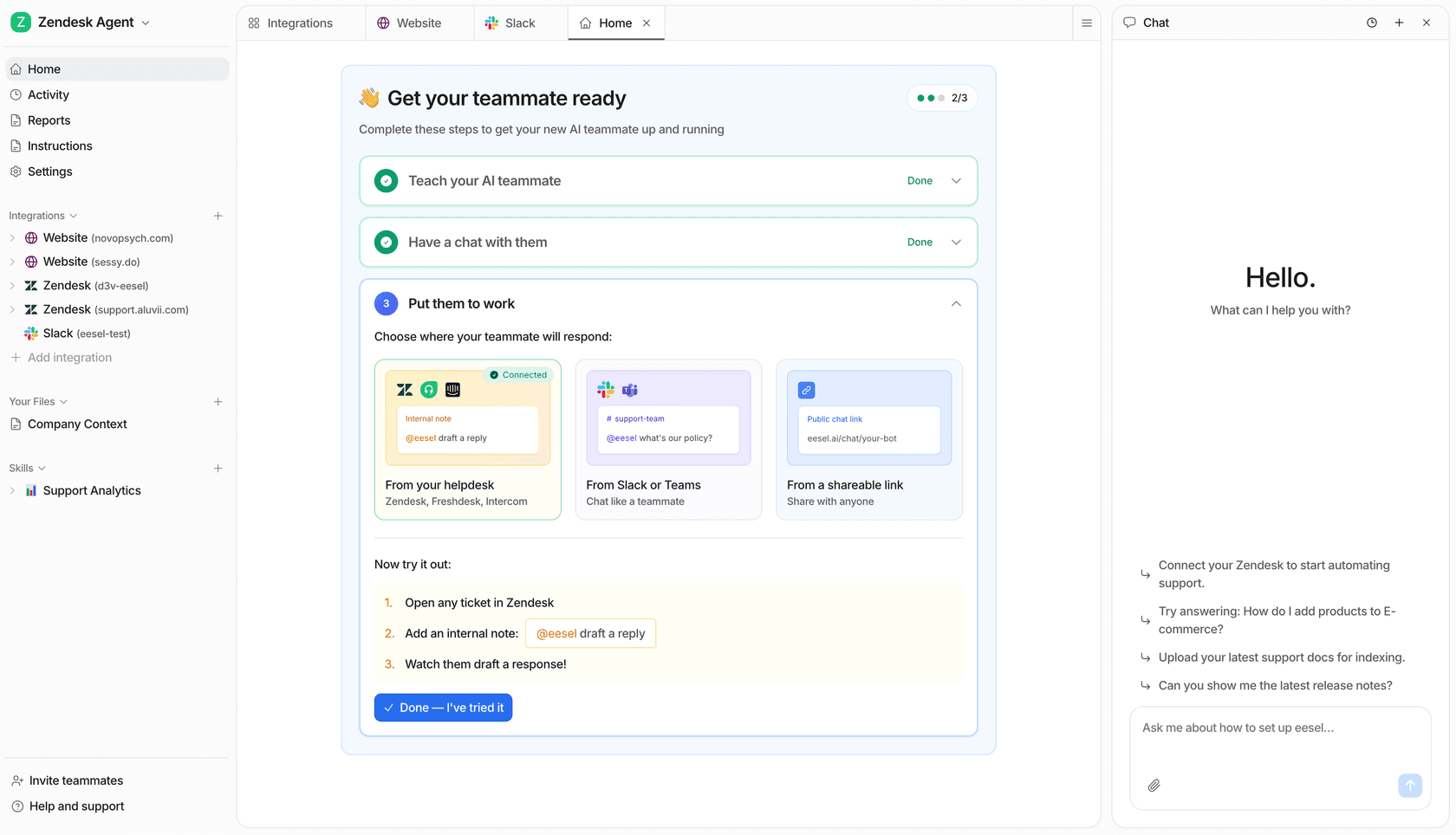
The eesel AI skill execution view, where specialized skills run as part of an AI teammate

Frequently Asked Questions

What are Claude Code multiple agent systems?
Multi-agent systems allow multiple specialized AI instances to work together on development tasks. Instead of one generalist agent handling everything, you get specialized agents for tasks like code review, debugging, architecture, and testing. Each runs in its own context window with tailored expertise.
How do I create Claude Code subagents?
Run the `/agents` command in a recent Claude Code session (the command has been stable since v1.0.60). Choose project-level or user-level scope. Let Claude generate the subagent or write it manually. Configure the name, description, model, tools, and system prompt in a Markdown file with YAML frontmatter.
What is Claude Code Swarms mode?
What developers first called 'Swarms' (discovered behind feature flags in January 2026) is now officially documented by Anthropic as agent teams. A team-lead session plans and delegates to teammate agents that each run in their own context window, share a task list, and message each other directly. It's still experimental and disabled by default, enabled with the `CLAUDE_CODE_EXPERIMENTAL_AGENT_TEAMS` setting.
Should I use Claude Code subagents or agent teams?
Use official subagents for production work. They're stable, documented, and production-ready. Reach for agent teams when teammates genuinely need to share findings and coordinate, like a parallel code review or a multi-hypothesis debug, and you accept the experimental status and higher token cost.
What are the best third-party Claude Code multi-agent frameworks?
Ruflo (formerly Claude Flow, 61k stars) provides enterprise-grade orchestration with 60+ agents. oh-my-claudecode (37k stars) offers five execution modes from Autopilot to Ecomode. Claude Squad (7.9k stars) manages multiple AI coding tools in one interface. ccswarm delivers Rust-native performance for high-throughput workflows.
How many Claude Code subagents should I use?
Limit yourself to three or four subagents maximum. More than that decreases productivity as you spend too much time deciding which agent to invoke. Start with one or two specialized agents (Code Reviewer or Debugger) and add others only when you have clear use cases.
Are Claude Code multi-agent systems ready for production use?
Official subagents are production-ready and widely used. Agent teams are officially documented now but still flagged experimental, so they're best for research and review rather than shipping production code unattended. Third-party frameworks like Ruflo claim production-readiness but require careful evaluation. The general guidance: subagents yes, agent teams with care, frameworks case-by-case.

Share this article

Alicia Kirana Utomo

Article by

Alicia Kirana Utomo

Kira is a writer at eesel AI with a Computer Science background and over a year of hands-on experience evaluating AI-powered customer service tools. She focuses on breaking down how helpdesk platforms and AI agents actually work so that support teams can make better buying decisions.

Related Posts

All posts →
Banner image for Claude Managed Agents in 2026: The complete developer's guide
Blog Writer AI

Claude Managed Agents in 2026: The complete developer's guide

Claude Managed Agents provides the infrastructure layer for running AI agents at scale. Discover how this decoupled architecture simplifies deployment and boosts performance.

Rama Adi NugrahaRama Adi NugrahaApr 21, 2026
Neuroflash Review: Features, Pricing, and Alternatives
Blog Writer AI

Neuroflash Review: Features, Pricing, and Alternatives

Thinking about using neuroflash? Read our comprehensive neuroflash review to see if its AI text and image generation tools are worth the investment for your team.

Kenneth PanganKenneth PanganJan 4, 2026
Claude Code CLI reference 2026 guide - hero banner with Anthropic branding
AI coding

A developer's Claude Code CLI reference (2026 guide)

The complete Claude Code CLI reference for 2026: installation methods, session commands, CLAUDE.md, hooks, MCP servers, skills, multi-agent orchestration, and which plan to actually buy.

Rama Adi NugrahaRama Adi NugrahaJun 5, 2026
Claude Code terminal workflow with Anthropic logo on warm off-white editorial background
AI Tools

Claude Code review (2026): Anthropic's agentic coding tool, tested

We tested Claude Code across every surface and plan. Here's what the $17/mo Pro plan actually delivers, when the $100/mo Max plan makes sense, and our honest take on the rate limits.

Stevia PutriStevia PutriJun 4, 2026
Banner image for What is AgentMail? Complete guide to email for AI agents in 2026
Blog Writer AI

What is AgentMail? Complete guide to email for AI agents in 2026

Discover AgentMail, the Y Combinator-backed platform giving AI agents their own email inboxes. Learn how this API-first solution enables autonomous email communication.

Stevia PutriStevia PutriMar 12, 2026
Banner image for Nano Banana 2 explained: Google's fastest AI image generator in 2026
Blog Writer AI

Nano Banana 2 explained: Google's fastest AI image generator in 2026

Nano Banana 2 brings together the best of Google's AI image generation: Pro-level quality at Flash speed. Here's everything you need to know about features, access, and use cases.

Stevia PutriStevia PutriFeb 27, 2026
Image alt text
Blog Writer AI

The 5 best GPT 5.3 Codex alternatives for developers in 2026

OpenAI's GPT 5.3 Codex is a powerful tool, but it's not the only option. Discover the best GPT 5.3 Codex alternatives for developers in 2026, from enterprise-grade solutions to open-source assistants.

Alicia Kirana UtomoAlicia Kirana UtomoFeb 6, 2026
What is Anyword? A complete overview for marketers in 2026
Trending

A complete guide to Claude Code for Desktop

Discover Claude Code for Desktop, the new graphical user interface for Anthropic's AI coding agent. This guide covers its main features, setup, pricing, and key differences from the command-line version.

Kurnia Kharisma Agung SamiadjieKurnia Kharisma Agung SamiadjieJan 9, 2026
Image alt text
Trending

A complete overview of the Claude Code plugin ecosystem

This guide will walk you through the whole Claude Code plugin ecosystem. We’ll get into what a Claude Code plugin is, break down its core parts, see how teams are using them in the wild, and cover some key limitations you should be aware of.

Stevia PutriStevia PutriJan 9, 2026

Ready to hire your AI teammate?

Set up in minutes. No credit card required.

Get started free