
Anthropic has released Claude Cowork, a tool designed to bring AI agent capabilities to a broader audience. As a counterpart to their developer tool, Claude Code, Cowork aims to move powerful AI from the coding sphere to general desktop use. It has been described as "Claude Code for the rest of your work."
This represents a shift in the industry from conversational AI to AI "agents" that can perform actions on a user's computer. It's a significant development in how users can interact with AI.
This review provides a look at its capabilities, real-world performance, cost, and some of the limitations to consider, particularly for business applications.
What is Claude Cowork?
At its heart, Claude Cowork is an AI agent made to automate tasks for people who don't write code. It uses the same powerful engine as Claude Code but wraps it in a graphical interface that anyone can use.
Here’s the main difference between Cowork and something like ChatGPT: a chatbot talks, but Cowork acts. You give it access to a specific folder on your computer, and it can read, edit, and create files on its own to get a job done.
The process is pretty simple. You give it a high-level goal, like "turn these messy receipt photos into an organized expense spreadsheet." Cowork then figures out a plan, lists the commands it's going to run, and gets to work. It handles the steps by itself and saves the final result right back into that folder. This gives it a sense of memory and context that you don't get in a typical chat session. It's a whole different way of working with AI.
Key features of Claude Cowork
Cowork comes with some genuinely impressive abilities. Let's break down what it can actually do, using examples from early testers to see how it holds up.
Autonomous file and folder management
This is probably Cowork’s main selling point. You point it to a folder on your computer, and it can go to town organizing, converting, or creating files.
A reviewer for WIRED tested this by asking Cowork to clean up a chaotic desktop folder full of screenshots. It successfully sorted all of them into new, neatly labeled folders by month. It's the kind of task many users put off, and Cowork completed it.
Early users have also had success with other practical jobs. Imagine converting a bunch of JPEGs into a single PDF for a presentation, or taking a folder full of receipt photos and turning them into a clean expense report. It’s a handy tool for tackling digital clutter and repetitive file tasks.
Web browsing and email organization
Cowork's skills aren't just for your local files. If you give it permission, it can also take control of a web browser to do things online.
In another WIRED test, the user asked Cowork to organize their Gmail inbox by finding and deleting thousands of unread promotional emails. It was also able to find movie tickets in the inbox and automatically add the event to their Google Calendar. This shows it can manage multi-step tasks across different apps, which is a big step for AI agents.
A multi-layered, secure sandbox
Giving an AI control over your files and browser requires careful security considerations, which Anthropic has addressed. They have built a security model to keep it contained. Cowork doesn't just get free reign over your computer; it operates inside a secure, isolated space.
Tech-savvy users quickly found that Cowork uses Apple's VZVirtualMachine framework to boot up a temporary, lightweight Linux virtual machine for every task. A deep dive on Reddit confirmed that it downloads a roughly 2GB Linux filesystem and only accesses the specific folders you approve.
This means there are multiple layers of security. From the virtual machine's isolation down to sandboxing tools like "bubblewrap" and "seccomp" filters, the whole setup is designed to stop the AI from snooping around or touching sensitive files outside the folder you gave it.
Artifact generation and process visibility
A key feature is "Artifacts." As Cowork works, it can create and show you files like code, documents, or even interactive web pages right in its own interface.
AI expert Simon Willison shared a great example where he asked Cowork to make an animated HTML page with an encouraging message to motivate him to publish his blog drafts. Cowork quickly wrote the code and displayed the working webpage right inside its window.
For transparency, you can see a real-time log of the commands Cowork is running. This gives you a clear window into its plan, which is helpful for troubleshooting or understanding how it's approaching your request.
Real-world performance: Bugs and risks
While the features sound promising, Cowork is still new, and using it comes with some considerations. It’s important to look at the issues people have found.
Bugs and instability
Anthropic has released Cowork as a "research preview," indicating that users might encounter bugs, and some early users have reported issues.
the ecosystem of anthropic is the most interesting. But since 6 months, for me, the reliability following rules and complete a task to a spec in a complex project has diminished. I use all three side by side. In smaller projects and tasks it is still the most creative, but not exact. And when the context gets reused, it strays. Agents and swarms inform of success, while the implementation is incomplete or the scope not worked according to the spec.

Some have reported the app becoming completely unresponsive after about 30 minutes of heavy use, requiring a full restart. Others hit technical glitches where the app would get stuck on "Sending request...". It turned out to be a port conflict with a common developer tool, but the app didn't provide a helpful error message, which could be challenging for a non-technical person to diagnose.
The threat of prompt injection
A significant consideration is prompt injection, an attack where malicious instructions hidden in a webpage or document can trick an AI into performing unintended actions. For an agent like Cowork that can take action, this presents a security risk.
The company advises users to "monitor Claude for suspicious actions." As Simon Willison points out, this approach requires users to be vigilant, which can be challenging since most people are not security experts.
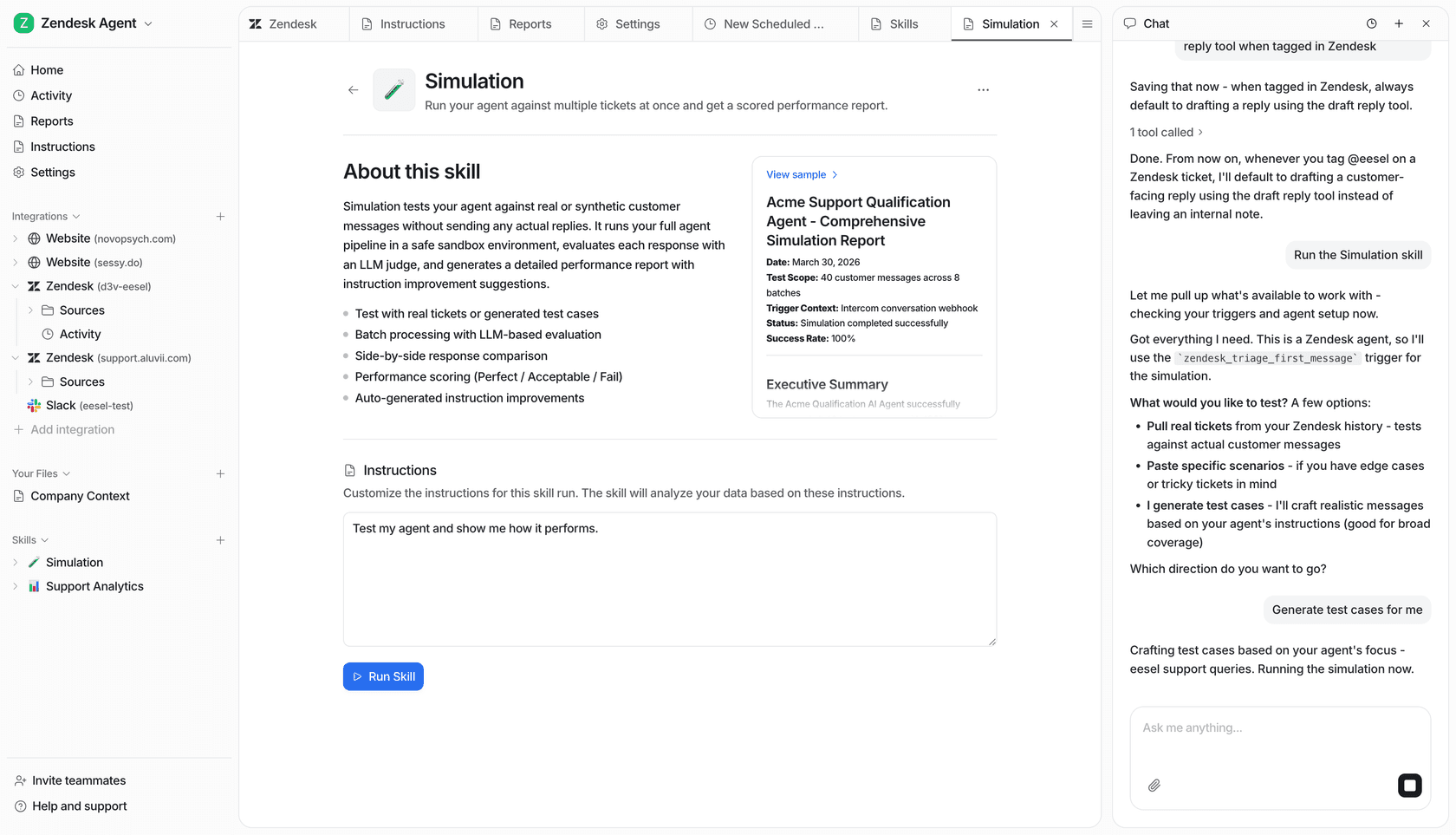
For business workflows involving sensitive data, this risk requires careful consideration. This is where platforms designed for business environments can be an alternative. For instance, an AI teammate like eesel AI is designed for enterprise use and includes safety features, such as the ability to run simulations on past tickets. This allows teams to see how the AI would behave before it interacts with a customer, helping to ensure its actions are predictable and align with business rules.
Suitability for non-technical users
While Cowork’s interface avoids the command line, that doesn't mean it's perfectly simple. Getting it to do complex tasks well often means you have to think like a programmer and break down your request into clear steps.
I can only speak for myself and many times when I come on the sub, I feel like the dumbest one here… but using Claude code and learning all of the nuances is without question my biggest energy expenditure. If I had been an engineer in my former career and could read everything I saw Claude right in terminal maybe I wouldn’t feel this way. I’ve had more losses than wins with building things in Claude to be honest and partly because the ideas I want to build our above my pay grade.
One Reddit user, who described himself as a non-engineer, had great success building a simple app with Cowork. But he also said he had experience from studying design thinking at Stanford, which gave him a structured way of framing his prompts.
Even the successful test in WIRED mentioned that the AI "tripped up" at first and needed some back-and-forth to get the instructions right. It’s a powerful tool, but it's not quite the seamless, one-and-done solution that a non-technical user might be hoping for.
Claude Cowork pricing and availability
Getting your hands on Claude Cowork is a bit limited for now. It’s in a research preview and is only available for macOS users through the official Claude Desktop app.
You’ll also need a paid subscription. It was initially only for the high-end Max plan, but Anthropic extended access to Pro plan subscribers on January 16, 2026.
Here’s a breakdown of the plans that include Cowork:
| Plan | Billed Monthly | Billed Annually | Key Access Details |
|---|---|---|---|
| Claude Pro | $20/month | $200/year ($17/month equivalent) | Includes access to Claude Cowork |
| Claude Max | From $100/month | N/A | Includes access, plus 5–20x more usage and priority access to new features |
To see Claude Cowork in action, check out this detailed video review that walks through its core features and provides a hands-on look at its performance on real tasks.
Final thoughts
Claude Cowork is an ambitious tool that brings powerful AI agent features to a wider audience. The ability to automate tedious local tasks is a huge plus, the sandboxed security model is well-designed, and the interface is much friendlier than a command line.
However, its "research preview" status means that performance can be inconsistent, the security risk from prompt injection is a significant consideration for sensitive work, and there can be a learning curve to achieve desired results.
For critical business tasks, its current status suggests that it should be evaluated carefully before full implementation.
Alternatives for automating business workflows
Cowork is built for individual tasks on a personal computer. When it comes to automating core business processes, tools designed for safety, control, and teamwork are often required.
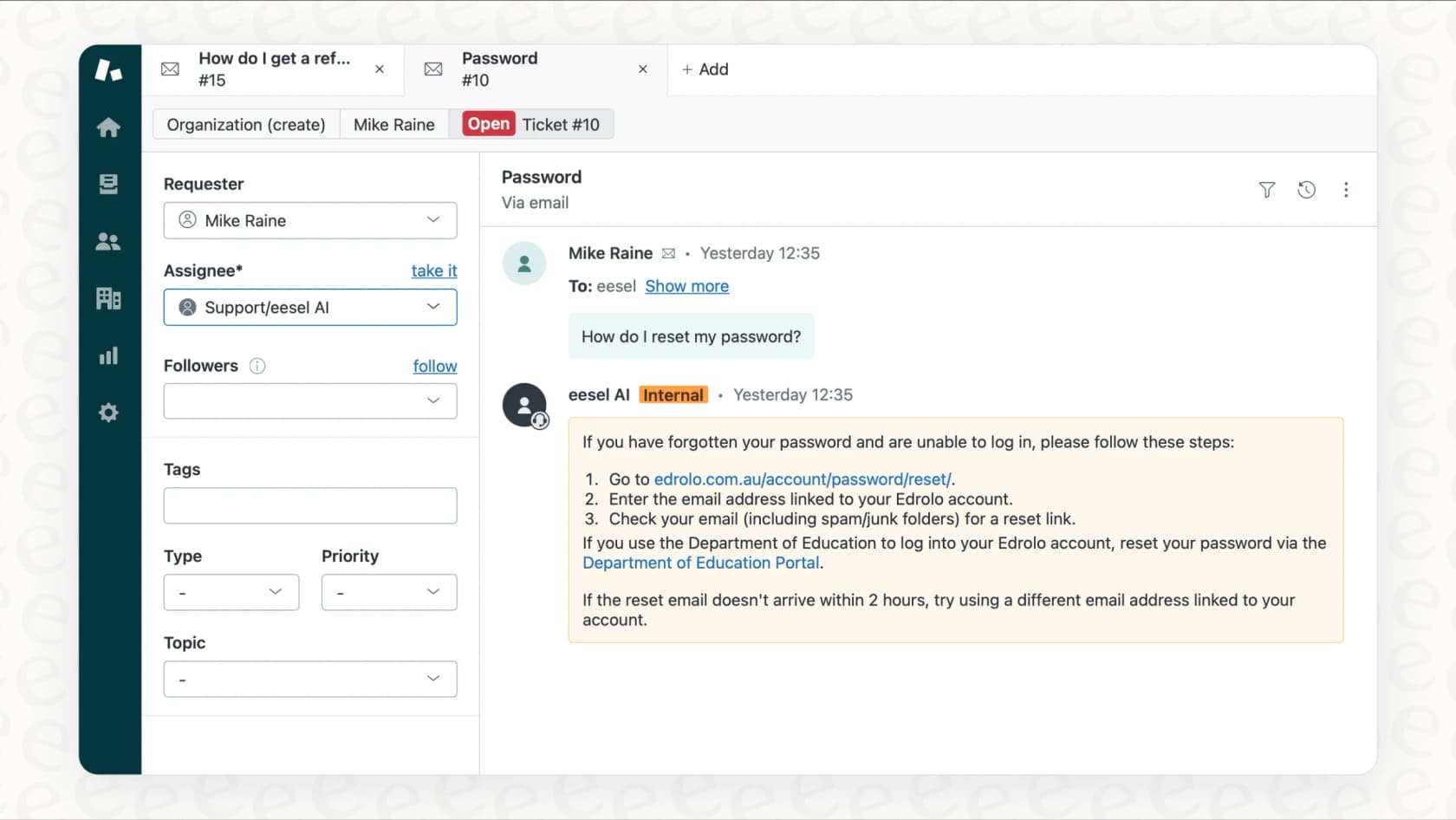
This is where an AI teammate like eesel AI offers an alternative approach. Instead of giving an AI access to a local folder on your Mac, you invite eesel to your team’s existing tools like Zendesk, Freshdesk, and Confluence. It learns from your company's knowledge and past conversations to work as a member of your team.
The biggest difference is the focus on control and safety. With eesel, you don't have to jump straight to full automation. You can start with an AI Copilot that just drafts replies for your human agents to review. Once you trust its quality, you can "level it up" to a fully autonomous AI Agent that handles tickets on its own. This controlled rollout is crucial for any important workflow.
Ready for an AI teammate built for business safety and reliability? See how eesel AI automates workflows.