


Confluence AI is Rovo, Atlassian's AI layer, and it is included in every paid Confluence Cloud plan (Standard, Premium and Enterprise, not Free). It drafts and edits pages, summarizes pages and changes, answers questions with cited sources, and builds automations. Use is metered in Rovo credits: 25 per user per month on Standard, 70 on Premium, 150 on Enterprise. Extra usage costs $0.01 per credit and is billed from 3 December 2026.
If you want AI that writes inside Confluence, use Rovo. If you want an agent that answers people from your Confluence pages in Slack, Teams, Jira Service Management tickets or your helpdesk, and takes actions in Jira, eesel AI does that for one fixed monthly price. It reads Confluence; it doesn't edit pages.
What is Confluence AI?
Confluence AI is the set of AI features Atlassian has been adding into the mix of Confluence. It’s not a single tool you can buy off the shelf. Think of it as a set of AI features woven directly into the Confluence experience. These features started out under the Atlassian Intelligence name and now sit under Rovo, the AI engine that Atlassian is plugging into all its products.
The main goal here is to help you work faster without ever leaving the Atlassian ecosystem. It uses powerful large language models (similar to the tech behind ChatGPT) and points them at your company's private data living in your Confluence pages and spaces. The idea is to serve up context-aware answers, help you draft documents from scratch, and summarize long, dense pages in seconds. If you're wondering "does Confluence have an AI tool," the answer is yes — and it's becoming more capable every year.
These features are available to teams on Confluence Cloud Standard, Premium and Enterprise plans. The Free plan gets none. If you're not sure where to start, our guide on how to enable Confluence AI walks you through the setup process.
What can native Confluence AI do?
Confluence AI can write, summarize, answer questions and build automations. Rovo brings some powerful capabilities to the table. These are features that can definitely help streamline some of your day-to-day tasks right inside your Confluence pages.
Generate and transform content with Confluence AI
We’ve all been there: staring at a blank page with a blinking cursor mocking us. Confluence AI can help break through that writer's block. You can give it a simple prompt, like "/ai draft a marketing plan for the new product launch", and it will generate a structured outline for you to start editing and building upon. It’s a great way to get the ball rolling.
It's also a pretty handy writing assistant. Once you have some text down, you can highlight it and ask the AI to work its magic. Common tasks include:
-
Improving the writing: It can clean up your phrasing and fix spelling and grammar mistakes.
-
Changing the tone: You can instantly switch your text from a casual, brainstorming style to something more formal and professional for an official announcement.
-
Adjusting the length: Ask it to make your text shorter for a quick summary or even expand on a point to add more detail.
Summarize pages, comments, and changes with Confluence AI
Ever come back from a vacation and felt like you needed to read a novel just to catch up on a single project? Confluence AI tries to solve this headache with its summarization features. You can get a quick, scannable summary of a long project document, a detailed technical specification, or even a messy, sprawling comment thread where everyone has an opinion.
There's also a feature called "Summarize changes" which is a real lifesaver. It shows you a summary of what’s changed on a page since the last time you viewed it. For teams that collaborate heavily on documents, this means you can stay in sync without having to manually compare versions or ask "so, what did I miss?"
Search with Confluence AI using natural language Q&A
Traditional keyword searching can feel like a guessing game. You have to figure out the exact term someone might have used in a document from three years ago. Confluence AI lets you skip that. You can just ask a question in plain English, like, "What's our policy for expensing home office equipment?"
The AI will then scan your relevant Confluence spaces and give you a direct answer, pulling information from the most likely pages. A really nice touch is that it also cites its sources, linking back to the original pages it used to construct the answer. This lets you quickly verify the information or dive deeper if the summary isn't quite enough. For teams looking to extend this capability, you can learn how to use AI to search Confluence or Notion across your entire knowledge ecosystem.
Create automations with Confluence AI
If you’re a fan of automating repetitive tasks, you can use natural language to set up simple rules within Confluence. For instance, you could tell it to "archive any pages in the '2023 Projects' space that haven't been updated in 6 months and notify the original author." The AI will then build that automation rule for you. It's a useful way to keep your Confluence instance from getting cluttered with outdated content without needing to be a workflow wizard.
What are the limits of Confluence AI?
The main limits are who can use it (people with an Atlassian account on a Rovo-enabled Cloud site), the credit meter, and a few file types it can't read. While the native features are a solid start, there are some considerations for teams who need their AI to work across multiple different platforms.
Ecosystem focus: Understanding the Atlassian focus
Confluence AI works best with data that lives inside Confluence and other Atlassian products, and Rovo can also pull in third-party apps through Rovo connectors (Google Drive, SharePoint, Microsoft Teams, Zendesk, GitHub, Figma and more). It also has Slack and Microsoft Teams apps. The boundary is the person asking: each user needs an Atlassian account on a Rovo-enabled site, and Rovo needs a Cloud plan (Data Center teams need a Cloud subscription plus Rovo's Data Center connectors).
Many teams also use a variety of other apps. For example, your project brief might be in Confluence, while customer feedback sits in a Slack channel, financial models are in Google Sheets, and design mockups are in Google Docs. And the people asking about it are often customers or colleagues without a Confluence seat. That is where a complementary tool can help.
Searching within attachments
Rovo can read most attachments now. Atlassian says it can reference most text, document, spreadsheet and programming files, including .doc, .pdf, .csv and .ppt (Prompt Rovo Chat). It can't reference images, video, audio, archive files like .zip, or Apple Pages, Keynote and Numbers files.
So much of a company's valuable knowledge is found in files like contracts, research reports, and technical manuals. If yours are scanned images or slide decks saved from Keynote, convert them before you rely on AI answers from them.
Confluence AI plan and access details
Atlassian includes its AI features in the Confluence Cloud Standard, Premium and Enterprise plans. Rovo is added to eligible sites automatically, and an org admin can turn AI off per product.
On top of the tier-based pricing, Atlassian's AI engine, Rovo, uses a credit-based system for usage. Confluence adds 25 credits per user per month on Standard, 70 on Premium and 150 on Enterprise to a shared org pool that resets monthly. Search, summaries and definitions are free; a quick Rovo Chat answer costs 10 credits; Think Deeper, advanced agents and Confluence slides cost more (Rovo usage limits). Past the pool, extra usage is on by default at $0.01 per credit, billed from 3 December 2026, unless an admin sets a spending cap or turns it off. If the meter is the problem, I compare Rovo alternatives separately.
When should you add eesel AI alongside Confluence AI?
Add eesel AI when the questions arrive outside Confluence: in Slack or Teams, in Jira Service Management tickets, or in your helpdesk. Rovo is the better fit for writing and editing inside Confluence. eesel is an AI agent that answers from your Confluence pages wherever people ask, and takes actions in Jira.
Unify all your knowledge sources alongside Confluence
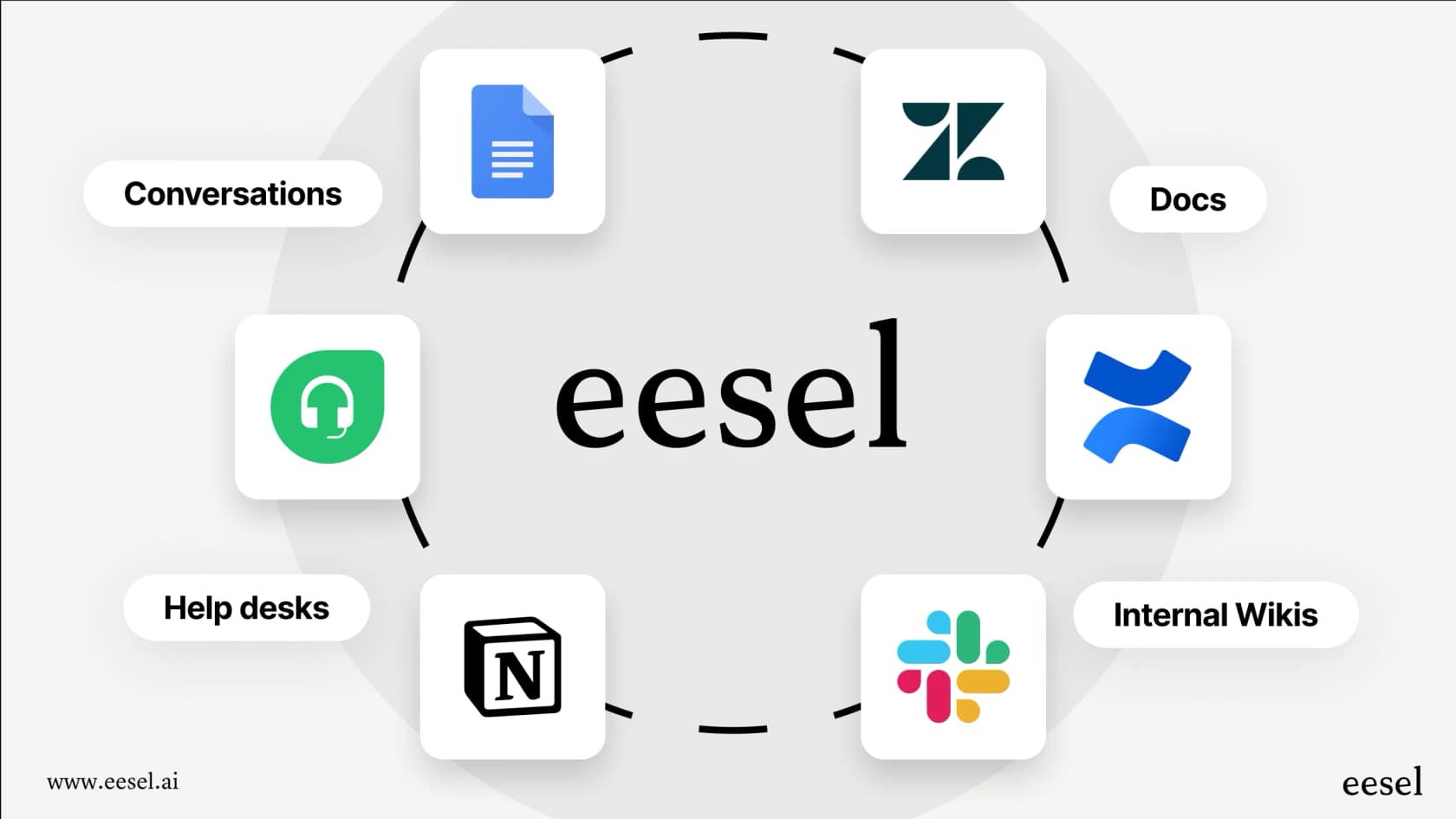
A tool like eesel AI is built to connect all the different apps your team uses every day. As an AI agent for Confluence, it reads your Confluence Cloud pages live while it answers and links the page it used. Nothing is copied into eesel, so answers come from the current version of each page. It also connects to Google Docs, Notion, Slack, Zendesk, and over 100 other platforms where your team's work resides.
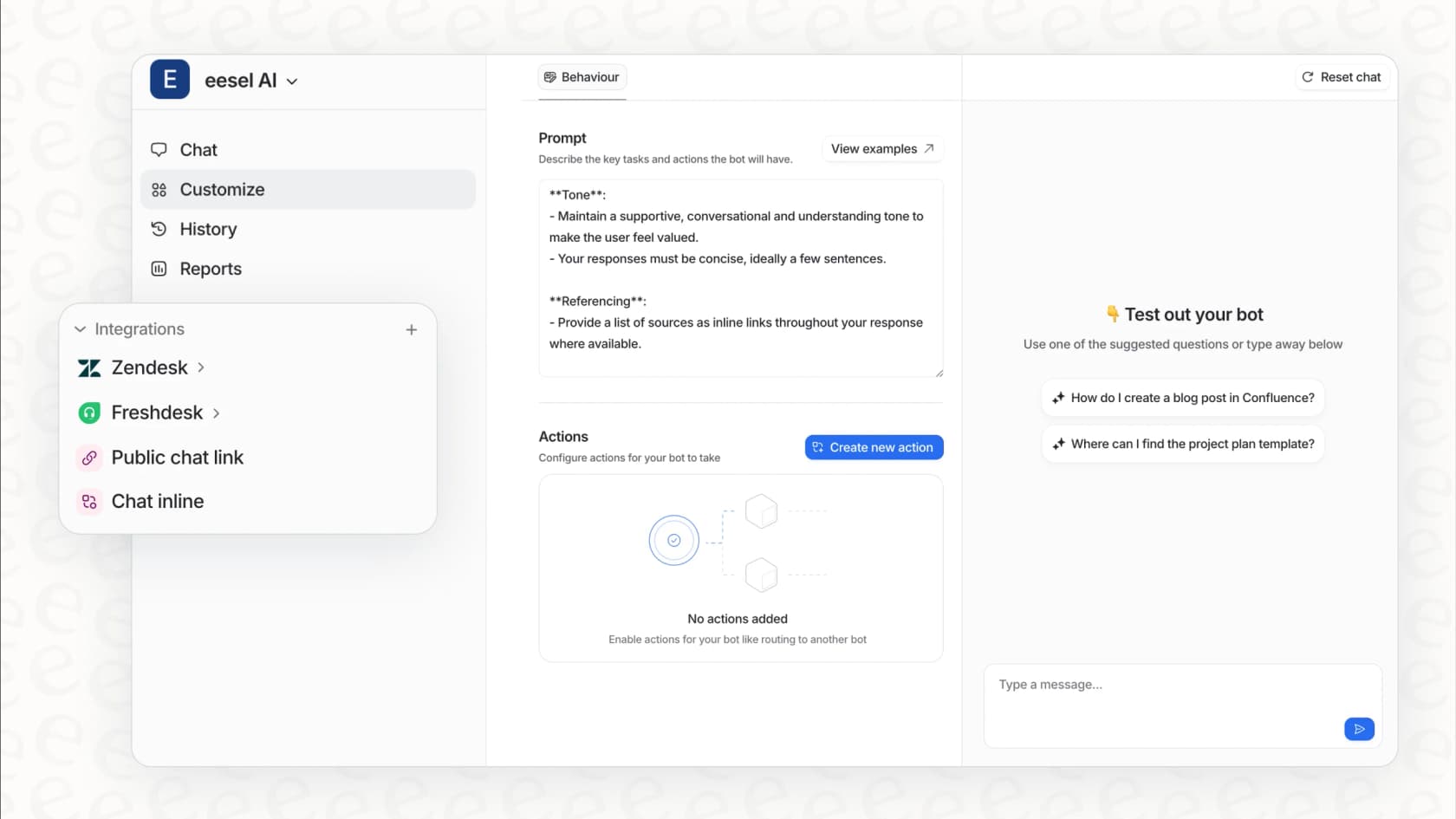
It answers in Slack, Microsoft Teams, Jira Service Management ticket replies, helpdesks like Zendesk or Freshdesk, a chat bubble or email, and the people asking don't need a Confluence seat. As an AI agent for Jira it can also file, assign, label, transition and update issues, including when someone asks it to in Slack. Two honest limits: it is read-only in Confluence, so it never creates or edits pages, and it sees only what the one connected Atlassian account can open.
Get granular control with a customizable workflow engine
Good AI isn't just about answering questions; it's about behaving in a way that fits your team's culture and workflow. With eesel you set it up by chatting with the agent in the dashboard: you tell it in plain English how your AI assistant should sound and when to hand a question to a person.
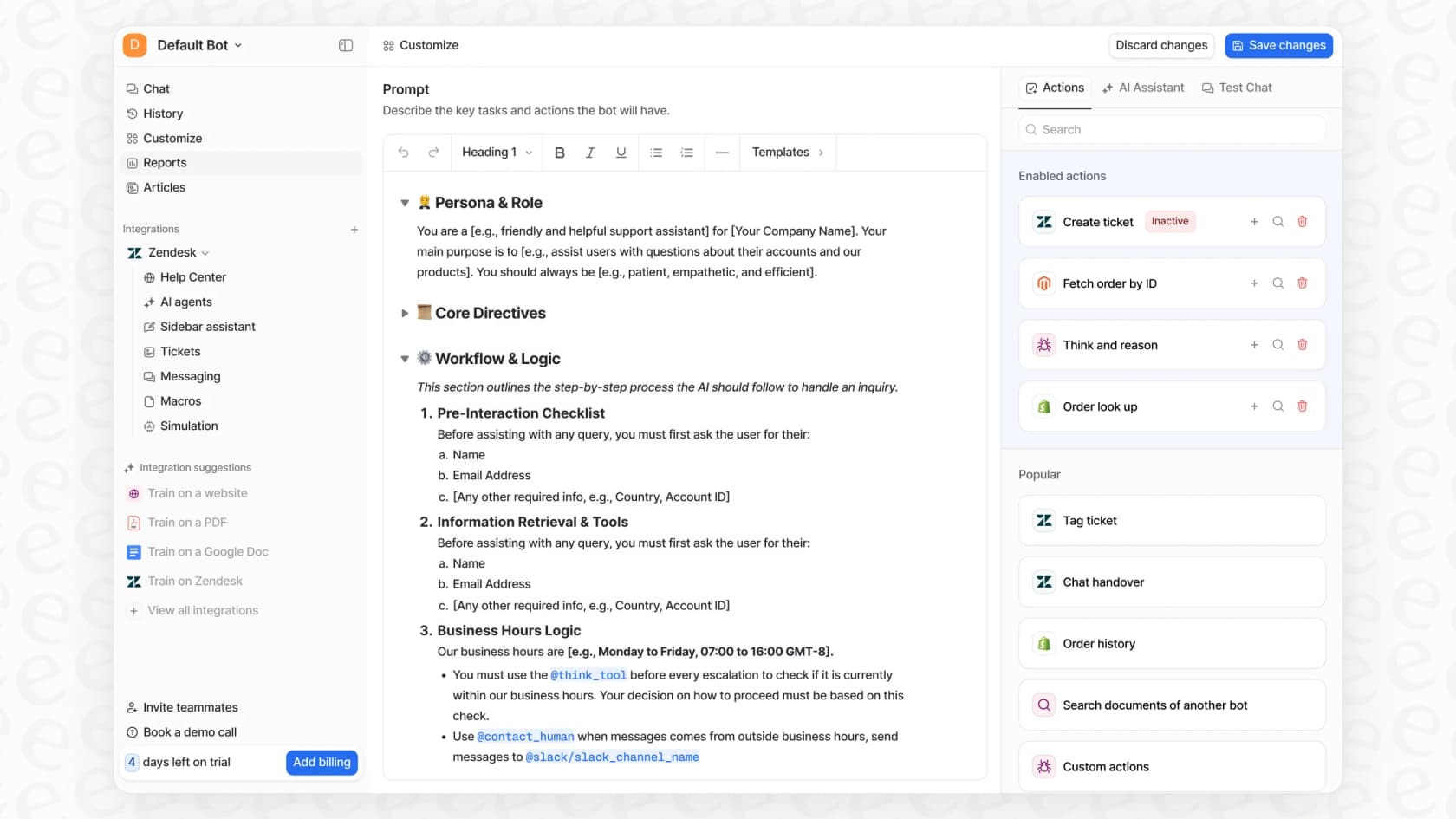
Actions like updating a Jira issue wait for approval until you trust them. This level of control builds trust and makes an AI assistant a reliable part of your team's daily operations.
Go live in minutes with a self-serve setup
eesel AI is designed to be self-serve, meaning you can connect your knowledge sources and launch your first AI assistant in just a few minutes. It's a quick way to add more power to your existing Confluence setup.
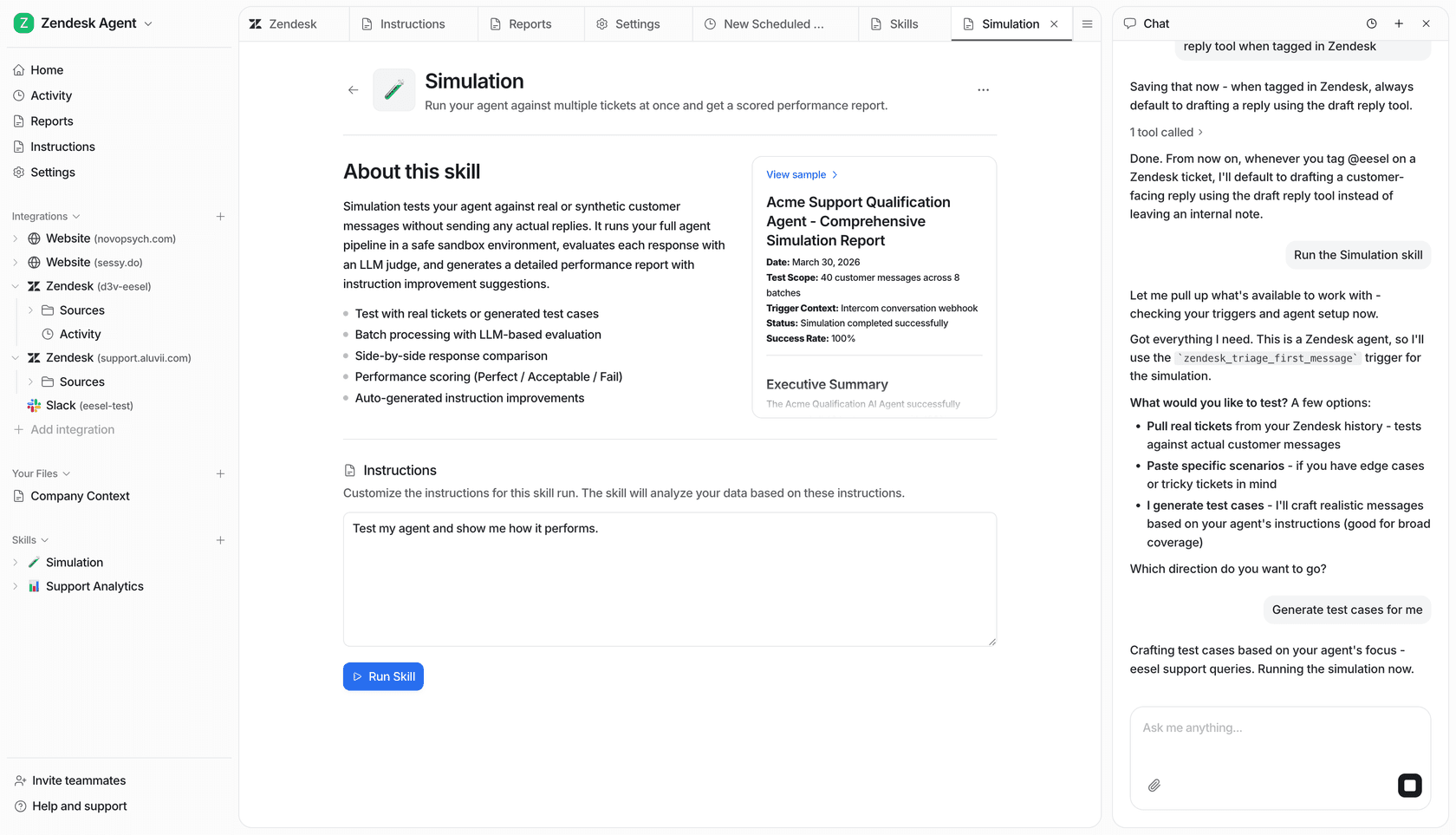
You can test it on real questions before it goes live, so you see how it answers before your team relies on it. The free plan includes 100 credits with no card, so you can try it free with 100 credits.
How much does Confluence AI cost?
Confluence AI costs nothing extra on a paid plan until your team uses up its Rovo credits. Here’s a simple breakdown of Confluence’s pricing and where the native AI features come into play.
Friendly heads-up: Confluence is priced per user, and Rovo uses a credit system for AI actions on top. In contrast, eesel AI offers transparent pricing: one fixed monthly price, from $299/mo for 500 credits (1 credit = 1 ticket or chat), with no per-seat fee.
| Plan | Price (per user/month, monthly list price, up to 100 users) | Native AI Features |
|---|---|---|
| Free | $0 (up to 10 users) | ❌ No |
| Standard | $7.15 | ✅ Yes, 25 Rovo credits per user per month |
| Premium | $14.10 | ✅ Yes, 70 Rovo credits per user per month |
| Enterprise | Contact Sales | ✅ Yes, 150 Rovo credits per user per month |
Prices from Atlassian's Confluence licensing page; credits from Rovo usage limits.
Should you use Confluence AI or another tool?
Use Confluence AI if you already pay for Confluence Cloud and want help writing, summarizing and searching inside it. Confluence is an excellent platform for creating and organizing your team’s knowledge, and its native AI features are an impressive step toward making that knowledge easier to access.
Pair it with a tool like eesel when the people asking are in tickets, Slack or Teams without Atlassian seats, or when you want the answer to come with a Jira action. An AI that can see across Confluence, Google Docs, Slack, and all your other tools is the one that can provide the complete, accurate answers your team needs to move faster and make better decisions.
Ready to give your team instant answers from your entire knowledge ecosystem? Try eesel AI for free and build a truly unified knowledge base in minutes.
Learn more about Confluence AI: Confluence AI alternatives, Confluence AI pricing, Confluence AI chatbot, Confluence AI assistant, and Confluence AI copilot.
Frequently asked questions
What are the primary functions of Confluence AI within the platform?
Confluence AI offers features to help generate and transform content, summarize pages and comments, and enable natural language Q&A for searching. It can also assist with creating simple automations.
Can Confluence AI access information from all our company's tools, or is it limited to Confluence content?
Native Confluence AI runs on Rovo, which searches Confluence and other Atlassian products and can also connect third-party apps such as Google Drive, SharePoint, Microsoft Teams and Zendesk through Rovo connectors. For tools without a Rovo connector, teams often use complementary integrations.
Does Confluence AI have the ability to read and summarize content within attached documents like PDFs or Word files?
Yes, for most document types. Atlassian says Rovo can reference most text, document, spreadsheet and programming files, including .doc, .pdf, .csv and .ppt. It cannot reference images, video, audio, archive files like .zip, or Apple Pages, Keynote and Numbers files.
Which Confluence Cloud plans offer access to Confluence AI features?
Confluence AI features, delivered through Rovo, are included in the Confluence Cloud Standard, Premium and Enterprise plans. The Free plan gets no AI. Higher plans come with more Rovo credits per user.
How does Confluence AI assist with information retrieval using natural language?
Confluence AI allows users to ask questions in plain English, much like they would ask a colleague. It then scans relevant Confluence spaces to provide a direct answer, complete with citations linking back to the source pages.
What potential cost considerations should we be aware of when using Confluence AI?
Rovo needs a paid Cloud plan and uses a credit-based system for AI actions. Confluence includes 25 credits per user per month on Standard, 70 on Premium and 150 on Enterprise, pooled across your org. Extra usage is on by default at $0.01 per credit and is billed from 3 December 2026 unless an admin sets a cap or turns it off.
Can eesel AI answer questions from Confluence in Slack or Jira Service Management?
Yes. eesel AI reads your Confluence Cloud pages live and answers in Slack, Microsoft Teams, Jira Service Management tickets and other helpdesks, linking the page it used. It can also file and update Jira issues. It reads Confluence only; it does not create or edit pages.