
Choosing between Confluence and Zendesk Guide feels like comparing apples to oranges. Both are knowledge management platforms, but they solve fundamentally different problems. One is built for internal team collaboration. The other is designed for customer-facing support.
The confusion is understandable. Both let you create and organize documentation. Both have AI features now. And both get mentioned in the same breath when teams start looking for a knowledge solution.
But here's the short version: if you need a wiki for your engineering and product teams, Confluence is the obvious choice. If you need a help center that deflects support tickets, Zendesk Guide is what you're after. The 10x price difference between them reflects this distinction.
Let's break down what each platform actually does, how they compare on pricing and features, and when to choose which one.
What is Confluence?
Confluence is Atlassian's enterprise wiki and team collaboration platform. Think of it as a digital workspace where teams create, organize, and share internal documentation.
The core purpose is internal knowledge management. Engineering teams use it for technical specs and architecture decisions. Product teams document requirements and roadmaps. Marketing teams store campaign plans and brand guidelines. It serves as the single source of truth for organizations that need to capture and preserve institutional knowledge.
Confluence works best when you're already in the Atlassian ecosystem. The integration with Jira is deep and seamless. You can link Confluence pages to Jira issues, embed issue lists in documentation, and trace requirements from specs to implementation. According to Atlassian, 76% of customers who use both tools ship projects faster.
Key features include real-time collaborative editing, page templates for common document types, version history with change tracking, and Spaces for organizing content by team or project. The addition of Rovo AI brings generative capabilities: drafting content from notes, summarizing long pages, and searching across connected apps.
Confluence is best for teams that need to collaborate on internal documentation, especially those already using Jira or other Atlassian tools. It's not designed for customer-facing content, though you can technically make pages public. The focus is squarely on helping teams work together on shared knowledge.
We integrate with Confluence through our Confluence AI integration, which lets you deploy an AI teammate that learns from your Confluence pages to answer questions and assist with internal support. If you're exploring other options, check out our guide to Confluence alternatives.
What is Zendesk Guide?
Zendesk Guide is the knowledge base component of Zendesk's complete customer service platform. Unlike Confluence, it's built specifically for customer-facing help centers and self-service support.
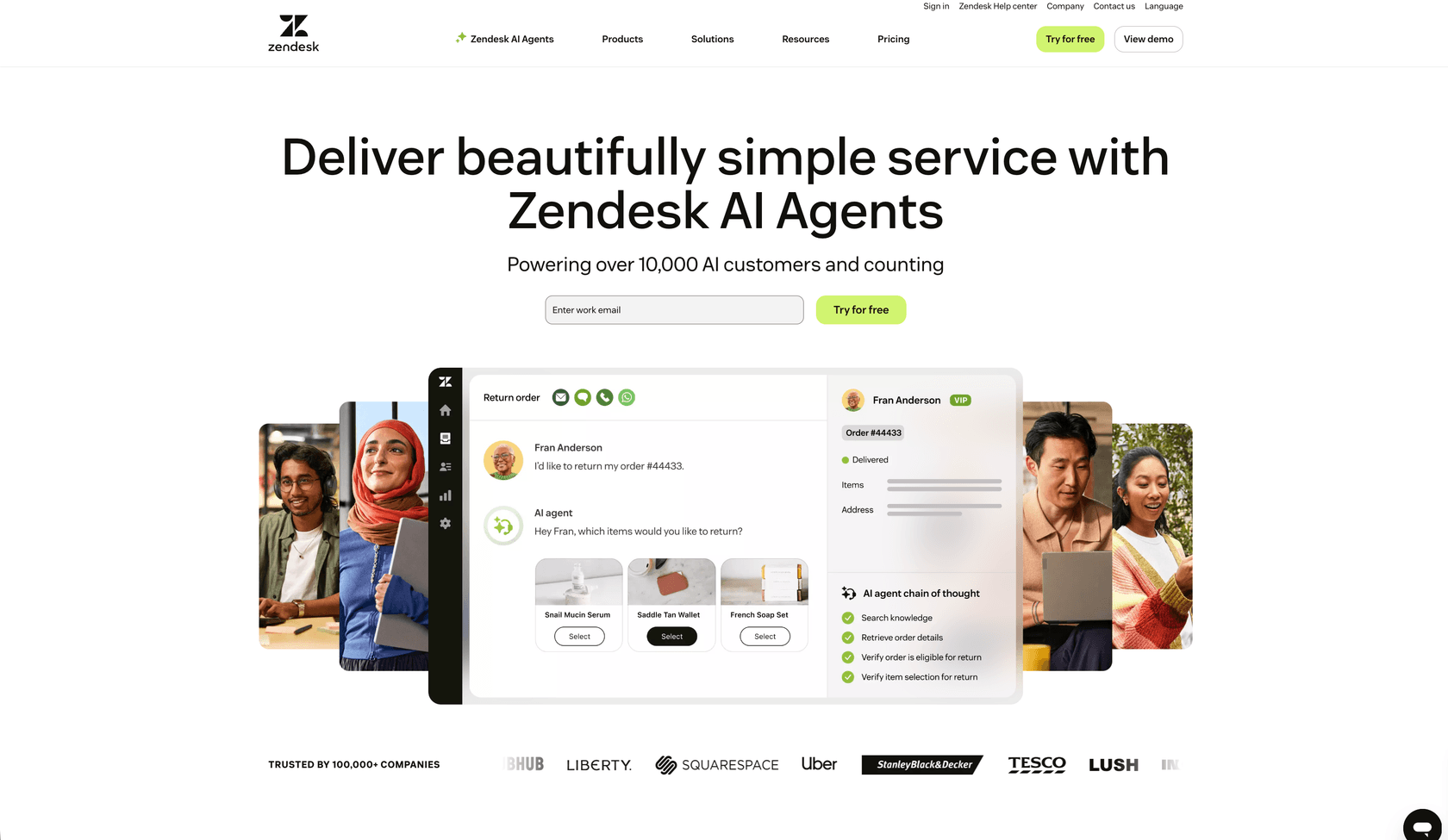
The core purpose is ticket deflection. When customers have questions, Zendesk Guide surfaces relevant articles before they submit a support request. This reduces agent workload and improves resolution times. It's part of a broader support ecosystem that includes ticketing, live chat, messaging, and voice.
Here's the important part: Zendesk Guide cannot be purchased standalone. It comes bundled with Zendesk Suite, which starts at $55 per agent per month. You're not just buying a knowledge base; you're buying a complete customer service platform.
Key features include multi-brand help centers (up to 300 on Enterprise plans), AI-powered article recommendations, generative search that understands natural language queries, and built-in community forums. The Knowledge Builder feature uses AI to turn historical support tickets into help center articles automatically.
Zendesk Guide is best for support teams that need to scale self-service. The customer success metrics speak for themselves: Qualia saw a 30% decrease in daily ticket volume. Squarespace achieved a 95% self-service success rate. Tesco grew their self-service percentage from 30% to 73% over three years.
We also integrate with Zendesk through our Zendesk AI integration, which enhances your Zendesk setup with AI-powered ticket handling and knowledge base assistance. Learn more in our detailed Zendesk AI review.
Pricing comparison
The pricing models reveal how differently these platforms position themselves.
Confluence pricing
| Plan | Monthly Price | Annual Price | Key Limits |
|---|---|---|---|
| Free | $0 | $0 | Up to 10 users, 2GB storage |
| Standard | $6.05 | $5.42/user/month | 250GB storage, business hours support |
| Premium | $11.65 | $10.44/user/month | Unlimited storage, 24/7 support, 99.9% SLA |
| Enterprise | Custom | Custom | Up to 150 sites, 99.95% SLA |
Confluence uses per-user pricing. A 50-person team on Premium pays about $522 per month annually. There's a generous free tier for small teams, and pricing scales linearly as you grow.
Zendesk Suite pricing (includes Guide)
| Plan | Monthly Price | Annual Price | Help Center Features |
|---|---|---|---|
| Support Team | $25 | $19/agent/month | No help center included |
| Suite Team | $69 | $55/agent/month | 1 help center, basic AI |
| Suite Professional | $149 | $115/agent/month | Up to 5 help centers, Copilot |
| Suite Enterprise | $219 | $169/agent/month | Up to 300 help centers, sandbox |
Zendesk uses per-agent pricing, and you need at least the Suite Team plan to get a help center. That same 50-person team would pay $2,750 per month at the entry level, or $5,750 for Professional. The pricing reflects that you're buying a complete support platform, not just documentation.
Total cost of ownership
For internal documentation only, Confluence is more affordable. For customer support with a knowledge base, Zendesk's pricing includes ticketing, chat, and phone support, which you'd otherwise need to purchase separately.
Hidden costs to consider:
- Confluence: Rovo AI credits are limited by plan (25-150 per user). Exceed them and you'll need to purchase more. Some enterprise features like Atlassian Guard require Enterprise plans.
- Zendesk: Add-ons like Advanced AI Agents, Copilot ($50/agent/month), and Quality Assurance ($35/agent/month) can quickly increase costs. Phone support and local numbers are add-ons on lower tiers.
Feature comparison
| Feature | Confluence | Zendesk Guide |
|---|---|---|
| Primary use case | Internal wiki and team collaboration | Customer help center and self-service |
| AI capabilities | Rovo AI for content creation and search | Zendesk AI for deflection and agent assistance |
| Editor | Rich text with real-time collaboration | Article editor with content blocks |
| Search | AI-powered search across connected apps | Generative search with deflection analytics |
| Integrations | Deep Atlassian suite, 400+ apps | Native Zendesk suite, 1,000+ marketplace apps |
| Multi-language | Via third-party plugins | Built-in support for 40+ languages |
| Custom branding | Limited public page options | Full theming with custom CSS |
| Analytics | Page insights and engagement | Article performance, deflection tracking |
| Multi-brand | Spaces for internal organization | Multiple help centers (up to 300) |
Both platforms have evolved significantly with AI. Confluence's Rovo focuses on internal productivity: drafting documents, summarizing content, and finding information across your tech stack. Zendesk's AI focuses on customer outcomes: resolving tickets automatically, suggesting articles, and assisting human agents.
The integration ecosystems differ in character. Confluence connects deeply with development tools like GitHub, Figma, and Azure DevOps. Zendesk connects with CRMs, social channels, and support tools. Both offer extensive marketplaces, though the integrations reflect their core purposes.
AI capabilities compared
AI is now central to both platforms, but the implementations serve different users.
Confluence Rovo AI
Rovo is Atlassian's AI layer across their cloud products. In Confluence, it helps with:
- Content creation: Turn bullet points into polished documents, expand brief notes, or change tone
- Knowledge discovery: Search across Confluence, Jira, Google Drive, and 20+ other connected apps
- Documentation agents: Specialized AI agents that automate documentation tasks
- Chat assistance: Brainstorm ideas and get help with complex tasks using natural language
Rovo credits vary by plan: 25 per user on Standard, 70 on Premium, 150 on Enterprise. Each credit represents an AI interaction. Heavy AI users may need to purchase additional credits.
Zendesk AI
Zendesk AI is trained on 18 billion customer service interactions. It powers:
- AI agents: Autonomous agents that resolve customer issues without human intervention
- Generative replies: AI-drafted responses based on knowledge base content
- Knowledge Builder: Automatically creates help center articles from resolved tickets
- Copilot: Real-time writing assistance and suggestions for human agents
- Intelligent triage: Automatically categorizes and routes incoming requests
Zendesk includes "Essential" AI agents on all Suite plans. Advanced AI Agents with reasoning capabilities and custom actions are available as an add-on.
Which AI fits which use case
Choose Confluence's Rovo AI if your priority is helping employees create and find internal documentation faster. The cross-app search is particularly valuable for teams using multiple tools.
Choose Zendesk AI if your priority is deflecting customer tickets and assisting support agents. The training on actual support interactions shows in the quality of customer-facing responses.
When to choose which platform
The decision ultimately comes down to who you're creating documentation for and what your existing tech stack looks like.
Choose Confluence if:
- You need internal documentation for engineering, product, or operational teams
- You're already using Jira, Trello, or other Atlassian tools
- You want affordable per-user pricing that scales with your team
- Your focus is team collaboration and knowledge capture, not customer support
- You need deep integrations with development tools like GitHub and Figma
Choose Zendesk Guide if:
- You need a customer-facing help center for self-service support
- You're building or already have a complete support operation with ticketing and chat
- Ticket deflection ROI justifies the premium pricing (typically 50+ support tickets daily)
- You manage multiple brands or products requiring separate help centers
- You want AI trained specifically on customer service interactions
What if you need both?
Many organizations end up using both platforms: Confluence for internal documentation and technical specs, Zendesk Guide for customer-facing help content. They serve different audiences and purposes.
If you're looking for a unified approach, modern AI alternatives can bridge the gap. Our AI agent integrates with both Confluence and Zendesk, learning from your existing documentation to provide AI-powered assistance across internal and external channels. You might also want to explore our guide to the best AI helpdesk tools for more options.
eesel AI: A modern alternative for knowledge management
While Confluence and Zendesk Guide represent established approaches to knowledge management, there's a third option worth considering: AI teammates that work alongside your existing tools rather than replacing them.
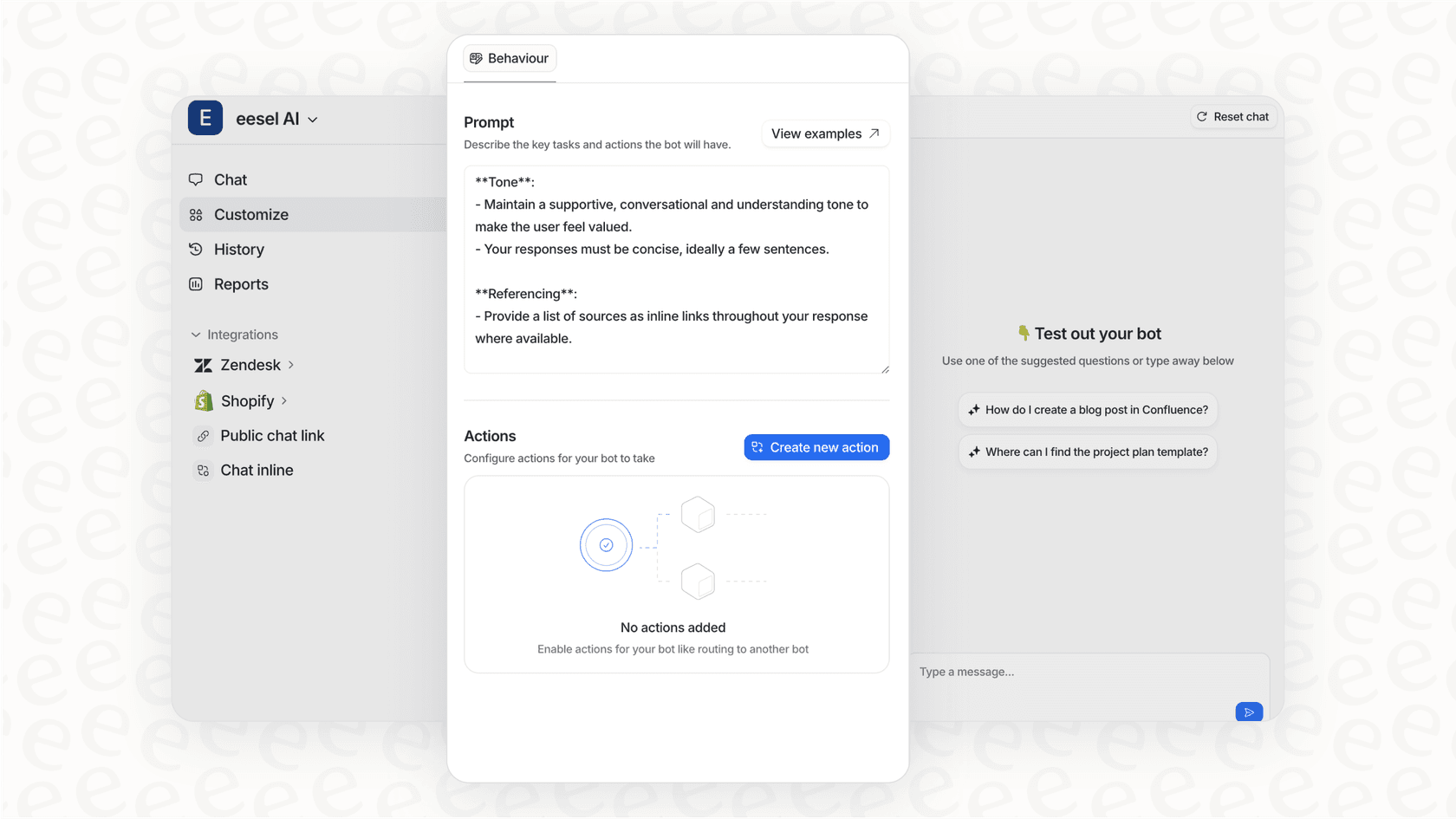
We built eesel AI to address a gap we kept seeing. Teams invest heavily in documentation, whether in Confluence, Zendesk, or other platforms. But finding and using that knowledge remains difficult. Employees search multiple systems. Customers can't find answers in help centers. Support agents hunt for information while customers wait.
Our approach is different. Instead of asking you to migrate content to yet another platform, eesel AI learns from your existing documentation wherever it lives. Connect us to your Confluence spaces, Zendesk help center, Google Docs, or other sources. We read and understand your content, then make it accessible through AI-powered conversations.
Key capabilities include:
- Progressive rollout: Start with AI drafting replies for review, then expand to autonomous responses as confidence grows
- Plain-English control: Define escalation rules and behavior in natural language, not complex configurations
- Multi-platform: Work across Slack, Microsoft Teams, email, and embedded chat widgets
- Continuous learning: The AI improves from corrections and feedback without retraining cycles
For teams using Confluence, our Confluence AI integration turns your documentation into an interactive knowledge base. For Zendesk users, our Zendesk AI integration enhances your existing help center with more intelligent deflection and agent assistance.
Pricing starts at $299 per month for up to 1,000 AI interactions, with no per-seat fees. This can be more cost-effective than adding seats to Zendesk or purchasing additional Confluence licenses for occasional users. You can also explore our AI tools for business to see how AI can streamline your operations.
Making your decision
Let's bring this together.
Confluence and Zendesk Guide serve different masters. Confluence is for teams creating internal documentation together. Zendesk Guide is for support teams deflecting customer tickets through self-service. The 10x price gap reflects this fundamental difference.
Your decision framework:
- Audience: Internal team members or external customers?
- Budget: $5-10 per user or $55+ per agent?
- Ecosystem: Already using Atlassian tools or Zendesk for support?
- Scope: Documentation only or full support platform?
If you're building internal documentation and use Jira, Confluence is the natural choice. If you're scaling customer support and need ticket deflection, Zendesk Guide delivers the ROI. And if you want AI that works across both platforms, we're here to help.
Before committing to either platform, run a trial. Both offer free trials or free tiers. Test with real content and actual users. The best knowledge platform is the one your team actually uses.

Frequently Asked Questions
Share this article

Article by
Stevia Putri
Stevia Putri is a marketing generalist at eesel AI, where she helps turn powerful AI tools into stories that resonate. She’s driven by curiosity, clarity, and the human side of technology.
