


AI coding assistants are popping up everywhere, from terminal-based tools to full editors, and a tool called Cursor is definitely one of the names you hear a lot. It’s an AI-native code editor that’s designed from the ground up to make developers more productive. But lately, the buzz around Cursor hasn't just been about its cool features; it’s been about the price tag.
If you’ve spent any time on Reddit recently, you’ve probably stumbled upon the threads. Developers are feeling blindsided by sudden pricing changes, trying to make sense of confusing credit systems, and getting hit with bills they didn't see coming. It’s a classic story: a great product causing a lot of headaches with a confusing pricing model.
Cursor’s “Pro” plan shenanigans: they changed the rules mid-game and still pretend nothing happened.
imavlastimov on Reddit
That’s exactly why we’re here. I’m going to sort through the confusion and give you a clear, no-nonsense guide to the current Cursor pricing model. We'll break down each plan, explain why they switched to usage-based billing, and help you decide if it’s the right tool for you or your team.
What is Cursor and what drives Cursor pricing?
Cursor isn’t just another plugin you add to your existing editor. It’s a complete, AI-first code editor that aims to be a genuine partner in your coding process, not just a fancy autocomplete tool. If you want the full picture before the price talk, my Cursor review walks through 30 days of daily use.
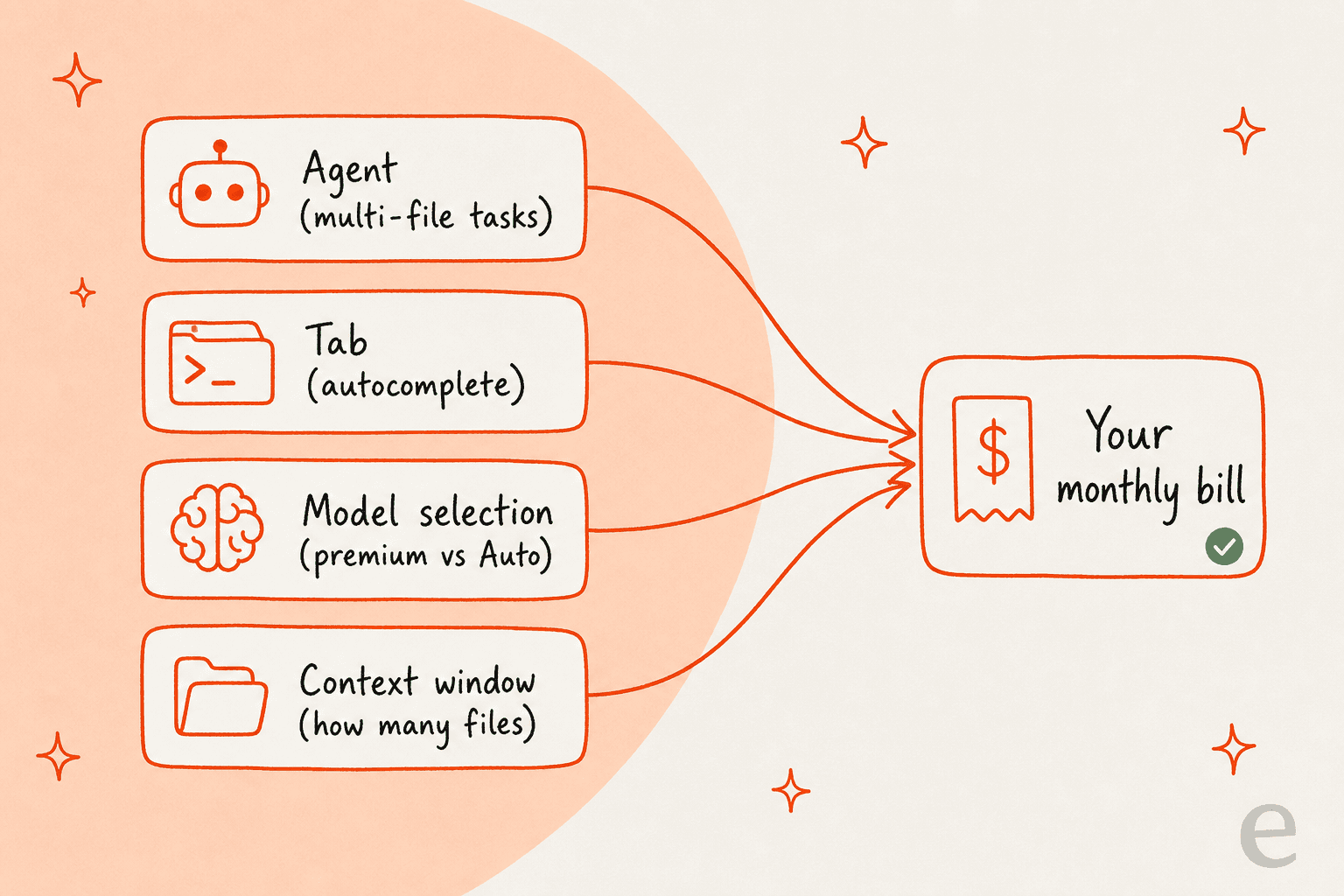
But that kind of deep integration has a cost, and it’s mainly driven by the powerful (and expensive) large language models (LLMs) it relies on from companies like OpenAI, Anthropic, and Google. Every time you ask Cursor to write, refactor, or explain code, it’s making an API call to one of these models, and that costs money. The features that have the biggest impact on your bill are:
-
Agent: This is Cursor's big-ticket feature. It’s what you use for complex, multi-file tasks. When you ask it to refactor a huge chunk of your application, it's using a serious amount of computing power.
-
Tab: This is the "magically accurate autocomplete" that’s always running in the background, trying to guess what you’re going to type next.
-
Model Selection: Cursor lets you choose which AI model you want to use, but they’re not all created equal when it comes to price. High-end models like GPT-5.2 or Claude Opus 4.8 cost a lot more per use than the standard options.
-
Context Window: This is how much code and information the AI can look at a single time. Giving the AI more context (like pointing it to several large files) makes its suggestions smarter, but it also makes the request more expensive to process.
The big Cursor pricing shift: From predictable requests to usage-based credits
The real reason for all the recent chatter was Cursor's decision to ditch its simple, predictable pricing for a much more complicated, usage-based model. Let's look at what actually changed.
The old Cursor pricing model (pre-June 2025)
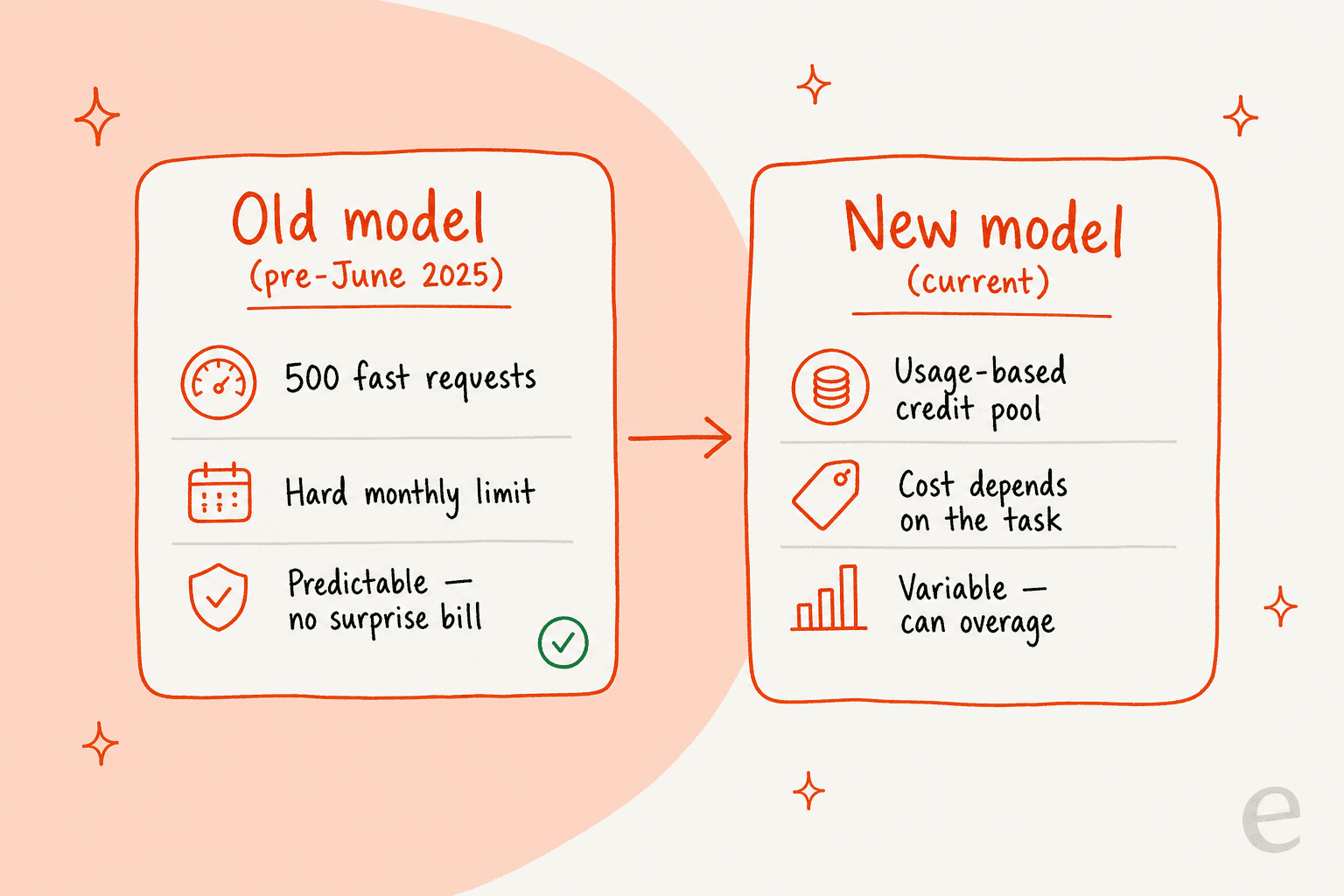
Before the change, Cursor’s Pro plan was beautifully simple: $20 a month got you 500 "fast requests." Some of the more advanced models might have cost two requests instead of one, but you always knew where you stood. You had a hard limit. Once you hit it, your requests would get slower, but you would never, ever get a surprise bill. It was predictable, which is something every developer and business relies on for budgeting.
The new Cursor pricing model (post-June 2025)
The new model threw that out the window and brought in a usage-credit system. Now, that same $20 Pro plan gives you a $20 "pool" of credits. Every time you use a premium AI model, the cost is subtracted from that pool, based on the model's actual API price.
According to a blog post from Cursor, they made this change to better match the price with the actual cost of running the AI. A simple one-line completion is cheap, while a complex refactoring job across multiple files is way more expensive. That logic makes sense from a business standpoint, but it basically shifted all the financial risk and guesswork over to the user.
Here’s a simple comparison of the two models:
| Feature | Old Pro Plan (Pre-June 2025) | New Pro Plan (Current) |
|---|---|---|
| Billing Basis | Request-based limit | Usage-based credit pool |
| Monthly Limit | 500 "fast requests" | $20 worth of model usage |
| Predictability | High (you knew your max cost) | Low (usage depends on task complexity) |
| "Unlimited" Usage | "Slow requests" after the limit | Unlimited use of the "Auto" model only |
| Risk of Overages | None (the service just got slower) | High (if you enable overages) |
A complete breakdown of Cursor pricing plans in 2026
To make the right call, you need to see all the options on the table. Here’s a full rundown of every Cursor pricing plan, based on their official pricing page.
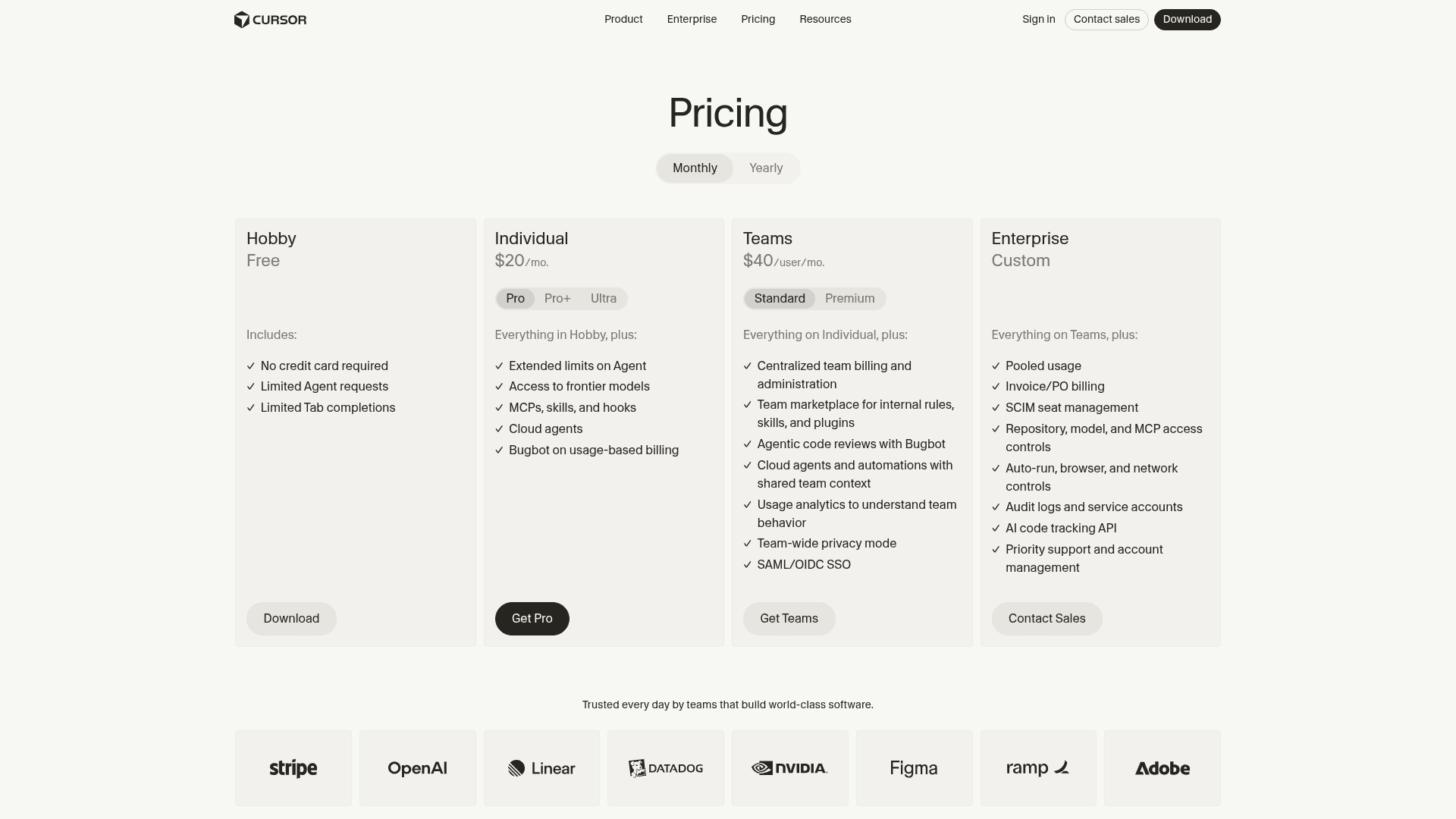
Individual Cursor pricing plans
-
Hobby: This one's free, with no credit card required. It gives you a limited number of Agent requests and Tab completions. It's a great way to kick the tires and see if you like the editor before pulling out your wallet.
-
Pro: At $20 per month, this is their main offering. It includes unlimited Tab completions, extended Agent limits, access to frontier models, and that $20 monthly credit pool for premium usage.
-
Pro+: For $60 per month, this plan is aimed at power users. You get everything in the Pro plan, but with roughly three times the usage credits.
-
Ultra: This is the top tier for individuals, at $200 per month. It's for the heaviest of users, offering around 20 times the usage of the Pro plan and priority access to new features.
Business Cursor pricing plans
-
Teams: This plan costs $40 per user, per month. It comes with all the Pro features, plus the stuff teams need: centralized billing, a team marketplace for shared rules and skills, agentic code reviews, usage analytics, team-wide privacy mode, and SAML/OIDC SSO.
-
Enterprise: You'll need to contact them for custom pricing here. This includes everything in the Teams plan, but adds pooled usage for your whole organization, invoice billing, SCIM seat management, and dedicated support.
Key Cursor pricing factors that drain your usage credits faster
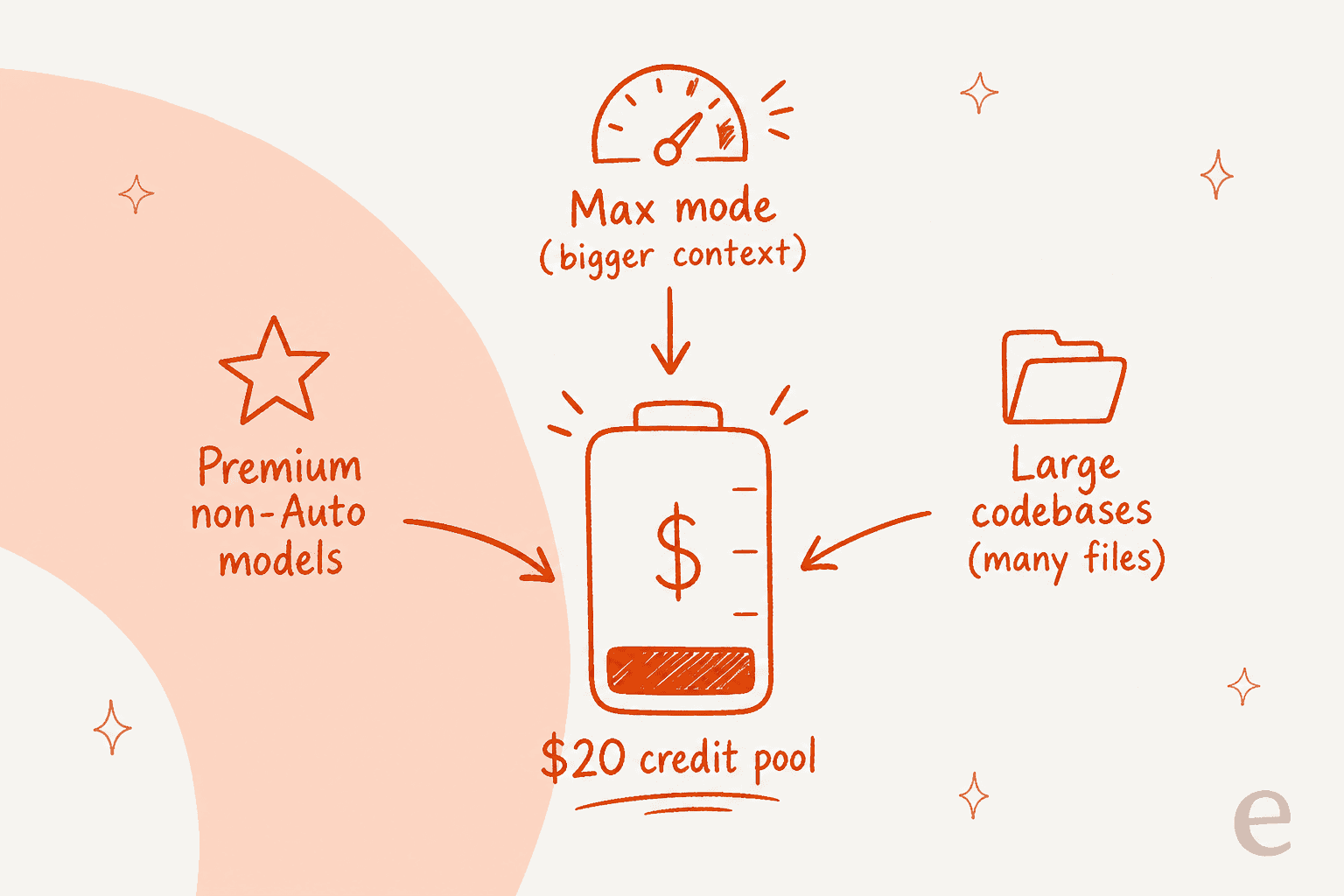
With this new credit system, you have to remember that not all actions are priced the same. Certain workflows can burn through that $20 credit pool a lot faster than you’d think.
-
Using non-auto models: If you decide to manually pick a premium model like Claude Opus 4.8 for your tasks, your usage is billed directly against its public API rate. These models are incredibly smart, but they come with a premium price tag.
-
Turning on "max mode": This feature gives the AI a much bigger context window, which allows it to reason through more complex problems. It’s super helpful for tricky bugs, but it's also a lot more expensive. Just a handful of queries in Max Mode could potentially wipe out your entire monthly credit allowance.
-
Working in large codebases: The more context you feed the AI, the more it costs. When you use the "@" symbol to pull multiple large files into your prompt, you're increasing the amount of data being processed, which drives up the cost of that single query.
The hidden costs: Why unpredictable pricing is a problem
The pushback against Cursor’s pricing change wasn't just about the cost itself, it was about the sudden loss of predictability. For professional developers and the teams that pay for them, knowing what your software expenses will be each month is essential. A tool that feels like a slot machine, where costs can unexpectedly balloon, is a tough pill to swallow. This model basically turns a developer tool into another piece of cloud infrastructure, like an AWS line item, that you have to constantly monitor to avoid a nasty bill at the end of the month. It’s the same anxiety you’ll find in threads about Copilot pricing, GitHub pricing, or GitLab pricing once usage-based tiers enter the picture.
Predictability is a solvable problem, though, and it’s worth seeing what it looks like when a tool gets it right. I work on eesel AI, which is built for support teams rather than coders, but we made the opposite pricing bet on purpose. You pay one fixed monthly price, from $299 for 500 credits, where 1 credit is one ticket or chat no matter how many replies it takes, with no per-seat fees and no extra charge for the back-and-forth inside a conversation. If you run out, agents pause, or you can turn on overage with a monthly cap you set, so the bill can’t run away from you the way a credit pool can.
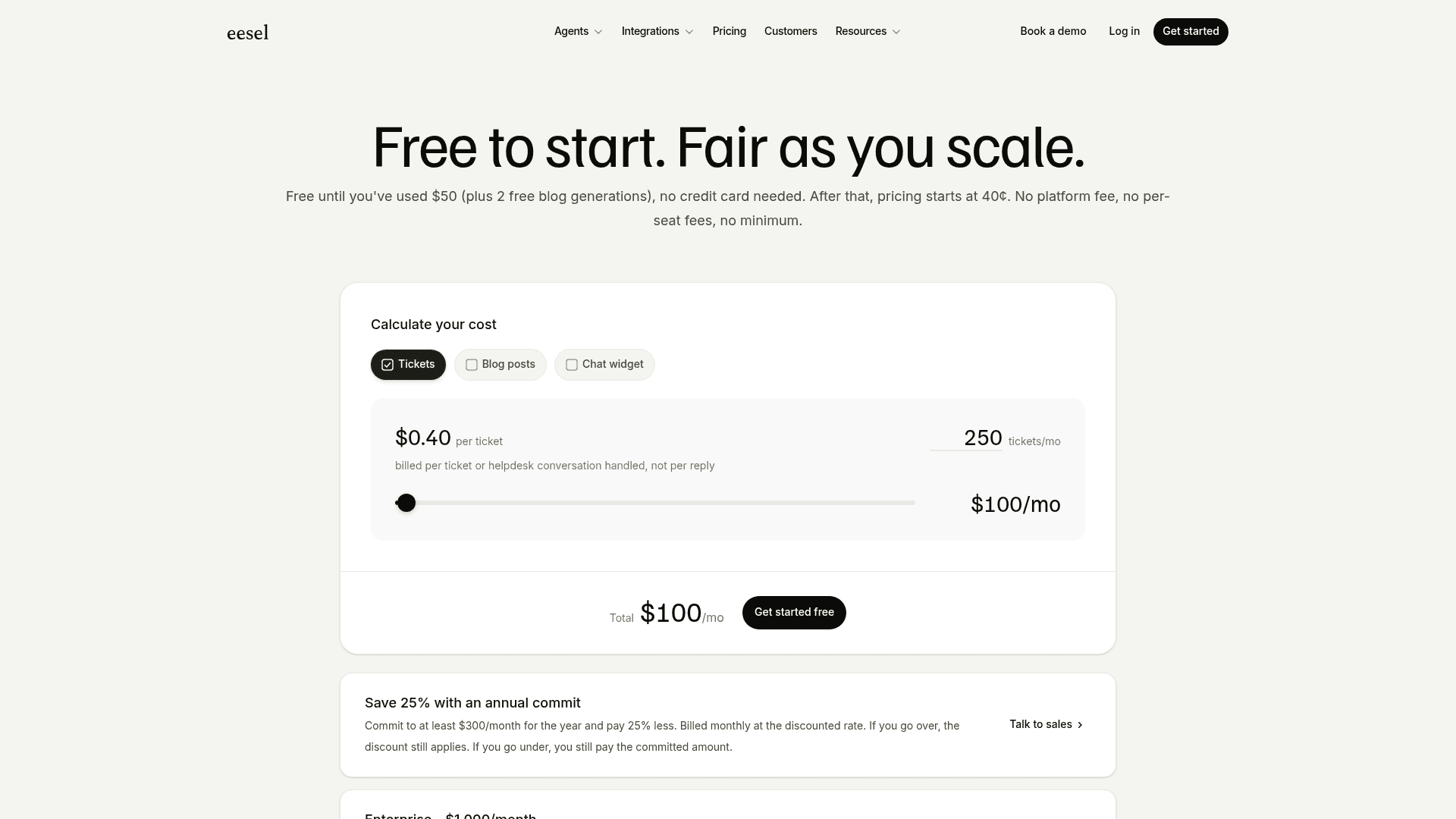
The reason that matters is the same reason Cursor’s change stung: people will walk over pricing anxiety alone, before they ever doubt the product. The cleaner the unit and the firmer the price, the easier it is to say yes, whether you’re buying an AI coding assistant or an AI support agent. With predictable AI pricing, you can scale your operations with confidence, and getting started takes minutes, not months, with no sales call required.
Cursor pricing: Balancing power with predictability
There’s no doubt that Cursor is a powerful, slick AI code editor that can give a developer’s productivity a real boost. However, its pricing model has become complex and, for many people, unpredictable. If the trade-off doesn’t sit right, it’s worth weighing the Cursor alternatives or a head-to-head like Cursor vs Windsurf.
For a solo developer, the Pro plan can still be a great deal, especially if you’re careful about your usage and stick mostly to the unlimited "Auto" model. It holds up well even against terminal-first options like Claude Code.
But for teams and businesses, the variable costs are a major budgeting headache. The real cost of the tool is no longer the flat monthly fee, but the total monthly usage, which is almost impossible to forecast accurately. The best AI tools aren’t just about having the most advanced features; they're about being a reliable partner you can count on. And a transparent, predictable pricing model is a huge part of building that trust.
Your next move: Choose predictable AI power
If you're looking for powerful AI automation without the billing anxiety, check out eesel AI's transparent pricing. See how our all-in-one platform can improve your customer support with costs you can actually predict, on a fixed monthly price from $299 for 500 credits (1 credit per ticket or chat), with optional overage capped at a limit you set.
Try eesel and see for yourself how easy it is to get going.
Frequently asked questions
Why did Cursor change its pricing model from predictable requests to usage-based credits?
Cursor switched to a usage-based credit system to better align the cost of its service with the actual expense of running the underlying large language models (LLMs). This means simple actions are cheaper, while complex AI tasks using powerful models incur higher costs. The trade-off is that your monthly Cursor pricing is now harder to forecast.
How can I manage my Cursor pricing to avoid unexpected high bills with the new credit system?
To manage your Cursor pricing effectively, it's crucial to be mindful of your AI usage. Prioritize the "Auto" model, avoid "max mode" unless absolutely necessary, and be cautious when providing extensive context (e.g., multiple large files) to the AI, as these actions consume credits faster.
What's included in the free Hobby plan for Cursor pricing, and is it sufficient for basic use?
The free Hobby plan for Cursor pricing provides a limited number of Agent requests and Tab completions, with no credit card required. It's primarily designed to let users explore the editor's basic AI capabilities and assess its fit for their workflow before considering a paid subscription.
What are the main factors that can quickly consume my usage credits under the current Cursor pricing model?
Your Cursor pricing credits can deplete quickly by opting for non-"Auto" premium AI models (like Claude Opus 4.8), enabling "max mode" for an expanded context window, and working within large codebases that require feeding many files into AI prompts.
Which Cursor pricing plan is most suitable for a solo developer versus a small team?
For solo developers, the Pro plan (at $20/month) is often sufficient if AI usage is managed carefully. For small teams, the Teams plan ($40 per user/month) is generally more suitable, as it includes essential features like centralized billing, SSO, and administrative controls for user management.
Is Cursor pricing worth it in 2026?
For most active developers, the $20 Pro plan still delivers strong value if you lean on the "Auto" model. The catch with Cursor pricing is predictability rather than the headline price, so it's worth reading a hands-on Cursor review and comparing it against the best AI coding assistants before you commit a whole team.
What are the best Cursor alternatives if the pricing doesn't work for me?
If the usage-based Cursor pricing doesn't fit your budget, there are strong options. Our roundup of Cursor alternatives covers the closest swaps, and the Cursor vs Windsurf comparison is a good place to start if you want a like-for-like AI editor.