


When Descript first came out with its "edit video by editing text" feature, it felt like actual magic. But if you’re reading this, I’m guessing the magic has started to wear off. You’re probably tired of the weekly updates that seem to break your workflow, the random bugs, and the feeling that a simple, elegant tool is now bloated and clunky.
You just want something that works consistently.
I've been there. After spending way too many hours wrestling with edits for podcasts and support videos, I decided to see what else was out there. I rolled up my sleeves and put the most popular Descript alternatives to the test. Here’s a straightforward, no-fluff look at the 7 best options for 2026, so you can make the switch and get back to actually creating stuff.
What is text-based video editing?
Before we jump into the tools, let's do a quick refresher on what makes this whole editing style so great. Text-based video editing works by automatically transcribing your audio and video files into a text document.
So, instead of hunting through a timeline to find that spot where you stumbled over a word, you just read the transcript. See an "um" you want to cut or a sentence that didn't quite land? Just highlight the text and press delete. The video and audio for that section disappear. It’s a much more natural way to work, especially for anything with a lot of talking, like interviews, tutorials, or podcasts.
Why are people looking for Descript alternatives?
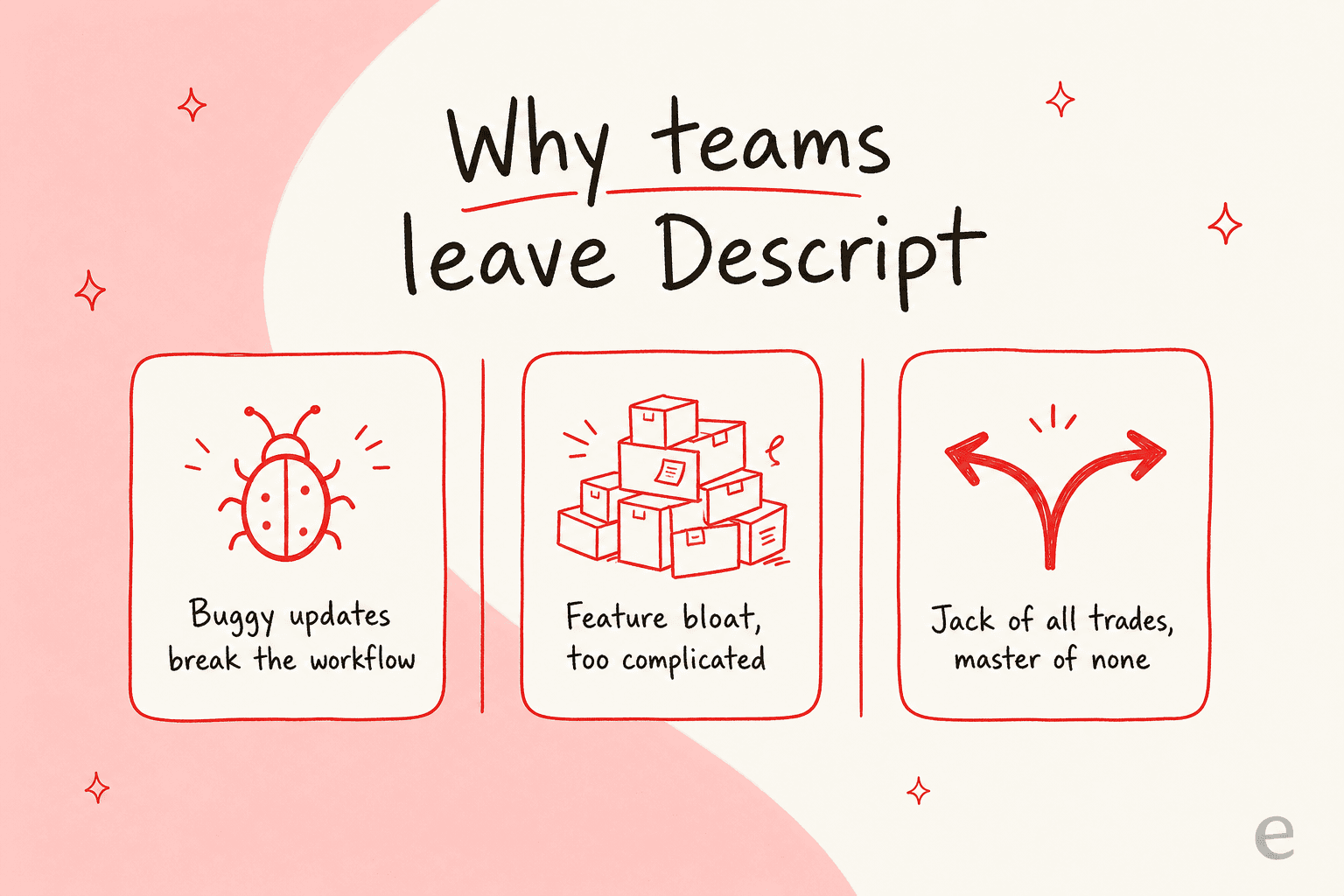
Descript still has some impressive features like Overdub and Studio Sound, but it’s not all smooth sailing. After talking with other creators and digging through community forums, it seems the reasons for leaving usually boil down to three main issues:
-
It’s just buggy. This is the biggest complaint by far. The constant updates often create new problems. For anyone working on a deadline, wasting time troubleshooting your editing tool is beyond frustrating.
This is the biggest complaint by far. The constant updates often create new problems.
 Reddit
 -
It’s getting complicated. Descript started out simple, but now it's packed with features. While that sounds good on paper, it has made the app feel cluttered for people who just want the core text-editing function without all the extras.
-
It tries to be for everyone. By trying to be an all-in-one solution, Descript doesn't perfectly serve any single group. Podcasters might want better recording tools, support teams need a faster way to create help docs, and pro editors need more control. Sometimes, a specialized tool is just better for the job.
A quick comparison of the best Descript alternatives
Here’s a bird's-eye view of the tools I’m about to cover. I’ve laid them out by what they’re best for, their standout feature, and what they’ll cost you.
| Tool | Best For | Standout Feature | Starting Price |
|---|---|---|---|
| Riverside.fm | Podcasters & Interviewers | Studio-quality remote recording | $24/month (Pro) |
| Reduct.video | Researchers & Documentary Makers | Handling large volumes of video | $12/editor/month |
| Alitu | Beginner Podcasters | All-in-one podcast creation | $38/month ($32 annual) |
| DaVinci Resolve | Professional Video Editors | Hollywood-grade color & audio tools | Free |
| VEED.io | Social Media Marketers | Quick, template-based video creation | $12/month (Creator) |
| eesel AI | Customer Support Teams | Automating knowledge from content | From $299/mo (500 credits) |
| Audapolis | Hobbyists & Budget-conscious creators | Free & open-source editing | Free |
The 7 best Descript alternatives I tested in 2026
Alright, let's get into the details. Here’s what I liked, what I didn’t, and who I think each tool is actually for.
1. Riverside.fm
Riverside began as a platform for remote recording, and it quickly became the go-to for anyone who cares about audio and video quality. It works by recording each person’s audio and video locally on their own computer, so a spotty internet connection won't ruin your interview.
They’ve recently added their own text-based editor, which makes it a really compelling alternative. You can record, edit, and create short clips for social media, all in one platform. The editing feels intuitive, and I especially like how you can easily switch between speaker and gallery views in the final video.
-
What’s good:
- The recording quality is top-notch (up to 4K video).
- Local recordings are a lifesaver for interviews with laggy guests.
- The built-in clipping tool is great for making social media content.
-
What’s not so good:
- The editor isn't as mature as Descript's. Making really precise cuts on the timeline can feel a little clumsy.
- It's built for recording first, so its features for editing existing files aren't as strong.
-
Pricing: Riverside has a few different plans. The free plan gives you a one-time shot at 2 hours of recording with separate tracks. The Pro plan is $24/month (billed annually, or $29 month-to-month) and is where it gets serious, with 15 hours of recording per month and 4K quality.
2. Reduct.video
If your job involves digging through hours of footage, like user research calls, legal depositions, or documentary interviews, Reduct was made for you. It's less of a creative tool and more of a "video search engine." Its real strength is making massive video libraries searchable.
You can upload everything you’ve got, and Reduct transcribes it all with impressive accuracy. From there, you can highlight key quotes across dozens of different videos and automatically stitch them into a single highlight reel. The collaboration features are also great, letting your team tag and comment on transcripts to find the perfect soundbites together.
-
What’s good:
- Amazing for organizing and searching huge archives of video.
- The team collaboration tools are well-designed.
- In my tests, its transcription was often more accurate than Descript's.
-
What’s not so good:
- It's not built for stylistic editing (like adding music, B-roll, or cool effects).
- It's on the pricier side if all you need is simple editing.
-
Pricing: Reduct.video prices per editor. The Personal plan is $12/editor/month and gives you 120 hours of transcription a year. The Professional plan at $40/editor/month bumps that up to 300 hours and adds useful features like video redaction. Enterprise seat-based plans start at $75/editor/month.
3. Alitu
Alitu’s whole reason for being is to make podcasting as painless as possible. It’s a true all-in-one platform that helps you with recording, editing, and even hosting your show. It automatically cleans up your audio by reducing background noise and leveling volumes, so your episodes sound professional without you having to touch a bunch of complicated settings.
The text-based editor is clean and simple. You can easily snip out mistakes from the transcript, and it all feeds into an "Episode Builder" where you can drag and drop your intro, ads, and other segments into place. It’s a fantastic choice for podcasters who want one tool to do it all.
-
What’s good:
- It includes podcast hosting, which no other tool on this list does.
- The automatic audio cleanup is a huge time-saver.
- The interface is incredibly straightforward and easy to learn.
-
What’s not so good:
- It doesn't have advanced multitrack editing features.
- There are no video editing capabilities at all.
-
Pricing: Alitu keeps it simple with one plan: $38/month, or $32/month if you pay for a year upfront. This gets you unlimited recording and editing, plus hosting.
4. DaVinci Resolve
Okay, this one is the big gun. DaVinci Resolve is a professional editing suite used on Hollywood films, famous for its world-class color grading and audio tools. While it's a traditional timeline editor, a recent update added an AI-powered text editing feature.
You can generate a transcript and use it to find and add clips to your timeline. It's a huge boost for pro editors who want the speed of text-based discovery with the fine-tuned control of a proper non-linear editor (NLE). And here’s the kicker: the standard version of DaVinci Resolve, which includes this feature, is completely free.
-
What’s good:
- You get an unbelievably powerful, professional suite of tools.
- The free version is more capable than most paid editors.
- It gives you the best of both worlds: text-based search and timeline precision.
-
What’s not so good:
- It has a very steep learning curve for newcomers.
- You'll need a reasonably powerful computer to run it without pulling your hair out.
-
Pricing: DaVinci Resolve’s pricing is simple. The free version is more than enough for most people. If you're a professional who needs advanced AI features and support for resolutions above 4K, the Studio version is a one-time payment of $295.
5. VEED.io
VEED is a browser-based video editor made for speed, which makes it perfect for marketers and social media managers. It’s loaded with templates, stock footage, and handy tools like auto-subtitling and progress bars that are pretty much essential for platforms like Instagram and TikTok.
While text-based editing isn't the main event here, it is available. But VEED’s real magic is how fast you can turn a raw clip into a polished video with your brand colors, captions, and effects, ready to post in minutes.
-
What’s good:
- Has a massive library of templates and tools built specifically for social media.
- It’s all online, so there’s no software to download.
- Super easy for non-editors to pick up and use right away.
-
What’s not so good:
- It’s not great for long-form content like full podcast episodes.
- The free version puts a watermark on your videos.
-
Pricing: VEED.io has a few plans. The Creator plan at $12/month gets rid of the watermark and unlocks the AI tools. The Pro plan at $24/month adds brand kits, translations, and a much bigger pool of AI credits.
6. eesel AI
Now for something a little different. A lot of teams use Descript to edit things like webinars and tutorials into help center articles. The process works, but editing that content is still a major time sink.
Here's where I can speak from experience: I work on eesel, and I've spent years putting AI agents on live support queues across thousands of real tickets. The pattern I see over and over is that the bottleneck isn't making content — it's keeping knowledge answerable. eesel AI takes a totally different approach. Instead of editing content after the fact, you connect it to all your existing knowledge sources, like your help center, Google Docs, Confluence, and even past support conversations. It learns from all of it in minutes.

Once it's set up, you can:
-
Launch an AI Agent in your help desk (Zendesk, Freshdesk, you name it) that can answer customer questions on its own.
-
Automate help article creation. eesel AI can spot patterns in your support tickets and automatically draft new articles to fill gaps in your knowledge base.
-
Give your team an internal assistant. You can set up an AI assistant in Slack or Microsoft Teams that pulls instant, accurate answers from your internal knowledge base.
If your main goal with creating content is to scale your support and answer more questions, eesel AI lets you skip the editing process entirely and automate the whole workflow. And because every rollout is simulated against your historical tickets before it goes live, you can see exactly how it would have answered real customers first. You can get it up and running yourself in minutes.
-
What’s good:
- It moves past manual editing to automating how knowledge gets delivered.
- It unifies knowledge from all your different apps without a complicated migration.
- It goes live fast with simple, one-click help desk integrations.
-
What’s not so good:
- It's not a video or audio editor. It's a knowledge automation platform.
- It’s built for support and internal knowledge use cases.
-
Pricing: eesel AI's pricing is one fixed monthly price, from $299/month for 500 credits (1 credit per ticket or chat), with no per-seat fees and everything included. There's a free plan with 100 credits to start, and paying a year upfront gets you two months free.
7. Audapolis
For anyone who loves open-source software and hates subscriptions, Audapolis is a really interesting project. Its goal is to make editing spoken-word audio easier for everyone. It’s a downloadable app that gives you a clean, simple way to edit audio from a transcript.
It's still in active development, so it doesn't have all the fancy AI features of the paid tools, but the core function is solid. You get an accurate transcript synced to your audio, and you can edit by changing the text. Because it's open-source and privacy-friendly, all the work happens on your computer, so your data stays with you.
-
What’s good:
- It’s completely free, forever.
- It’s private, since all the processing is done locally.
- The interface is simple and clutter-free.
-
What’s not so good:
- It's missing advanced features like automatic filler word removal.
- It's a newer project, so the community and support are smaller.
-
Pricing: It's free.
How to choose the right Descript alternatives for you
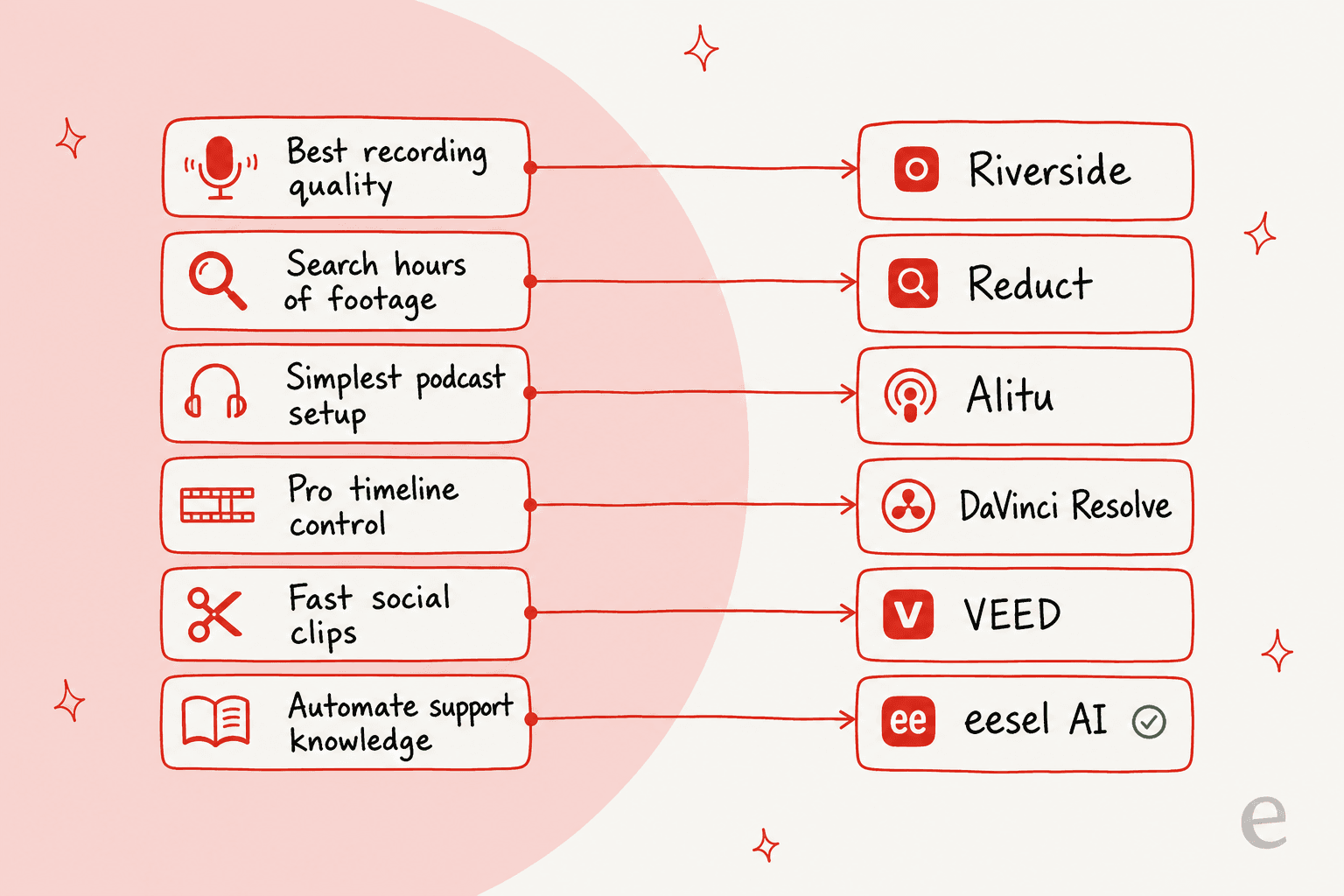
Feeling a bit stuck? Don't sweat it. The best tool for you really comes down to one question: What's the main job you need this tool to do?
-
If you’re a podcaster who needs the best possible recording quality, start with Riverside.fm.
-
If you’re a researcher drowning in hours of footage, Reduct.video is what you need.
-
If you want the absolute simplest way to produce a podcast, go with Alitu.
-
If you’re a pro who needs deep control (and you don't mind learning), download the free version of DaVinci Resolve.
-
If you’re making quick, punchy videos for social media, check out VEED.io.
-
If your goal is to scale customer support and automate your knowledge base, then eesel AI is the smart move.
Move beyond the frustration with Descript alternatives
Descript was a pioneer, but the world of text-based editing has grown up. You don't have to put up with buggy software or a confusing interface anymore. The best Descript alternatives today are more focused, more reliable, and built for specific kinds of work.
Whether you need a powerhouse free editor like DaVinci Resolve or a smarter way to handle customer support with eesel AI, there's a tool out there that will let you get back to focusing on what’s important: creating great stuff and helping your audience.
Ready to stop manually turning videos into help articles? Try eesel and see how it learns your knowledge in minutes — free to start, no credit card needed.
Frequently asked questions
How do I determine which of these Descript alternatives is best suited for my specific workflow?
The best way to choose is to identify your primary need. This guide categorizes each tool by its "best for" use case, whether that's podcasting, professional editing, social media, or knowledge automation. Focus on what job you need the tool to accomplish most frequently, then match it to the tool, the same way you'd scope any AI agent to a single job before scaling it.
Are there any free Descript alternatives that still provide text-based editing capabilities?
Yes, DaVinci Resolve offers a powerful free version that includes an AI-powered text editing feature for finding and adding clips. Audapolis is another completely free, open-source option focused on simple text-based audio editing.
Do all the listed Descript alternatives support text-based editing for video or audio?
Most of the listed tools offer some form of text-based editing, either as a primary feature (like Riverside, Reduct, Alitu, Audapolis) or as an integrated search/discovery function (like DaVinci Resolve). VEED.io has it, but it's not its main focus. eesel AI is a knowledge automation platform, not an editor.
If my main concern is high-quality remote recording, which of these Descript alternatives should I consider first?
For top-notch remote recording quality, Riverside.fm is highly recommended. It records each participant locally, ensuring high-resolution audio and video even with unreliable internet connections.
Which of these Descript alternatives would be easiest to pick up for a beginner who wants to create podcasts?
Alitu is an excellent choice for beginner podcasters. It's designed as an all-in-one platform with automatic audio cleanup and a very straightforward text-based editor, making the entire podcast creation process simple.
What if my goal is to automate knowledge and support, rather than just edit videos; are there any Descript alternatives for that?
Yes, eesel AI is specifically designed for knowledge automation. It integrates with your existing knowledge sources to automate help article creation and power AI agents for customer support, moving beyond manual content editing.