

Trying to find straightforward pricing for knowledge base software can feel like a bit of a scavenger hunt. You click through feature pages, skim a few case studies, and just when you think you’ll see the price, you hit the dreaded "Contact Sales" button. It’s an old trick, and it leaves you wondering what the real investment actually is.
That’s why we’re going to pull back the curtain on Document360 pricing. In this post, we’ll give you a clear, no-fluff breakdown of its pricing structure based on all the public info we could find. We'll dig into how the quote is built, what the older named plans included, and more importantly, the hidden costs tied to setup, maintenance, and feature limits that you won't see on the sticker price.
What is Document360?
Document360 is an AI-powered platform for building and managing knowledge bases, both for your customers and your own team. Companies use it to create public help centers, software documentation, internal SOPs, and user manuals. The main idea is to build a single source of truth that helps cut down on support tickets and makes company knowledge easier to find.
At its core, Document360 is a dedicated space where your team has to manually write, edit, and publish every single article. It gives you editors (like Markdown and WYSIWYG) to help structure the content, and it has some AI features to help with the writing process. But the knowledge base itself is still written and maintained by your team. Keep that in mind, because it shapes the entire conversation around how much time and effort it takes to get value from the platform.
A full guide to Document360 pricing plans
Document360 used to lay out its plans in tiers named Professional, Business and Enterprise. Today the pricing page shows no named plans and no dollar figures at all. It opens a three-step quote form instead, and Document360 says a flat tier would overcharge small teams or undercharge enterprises.
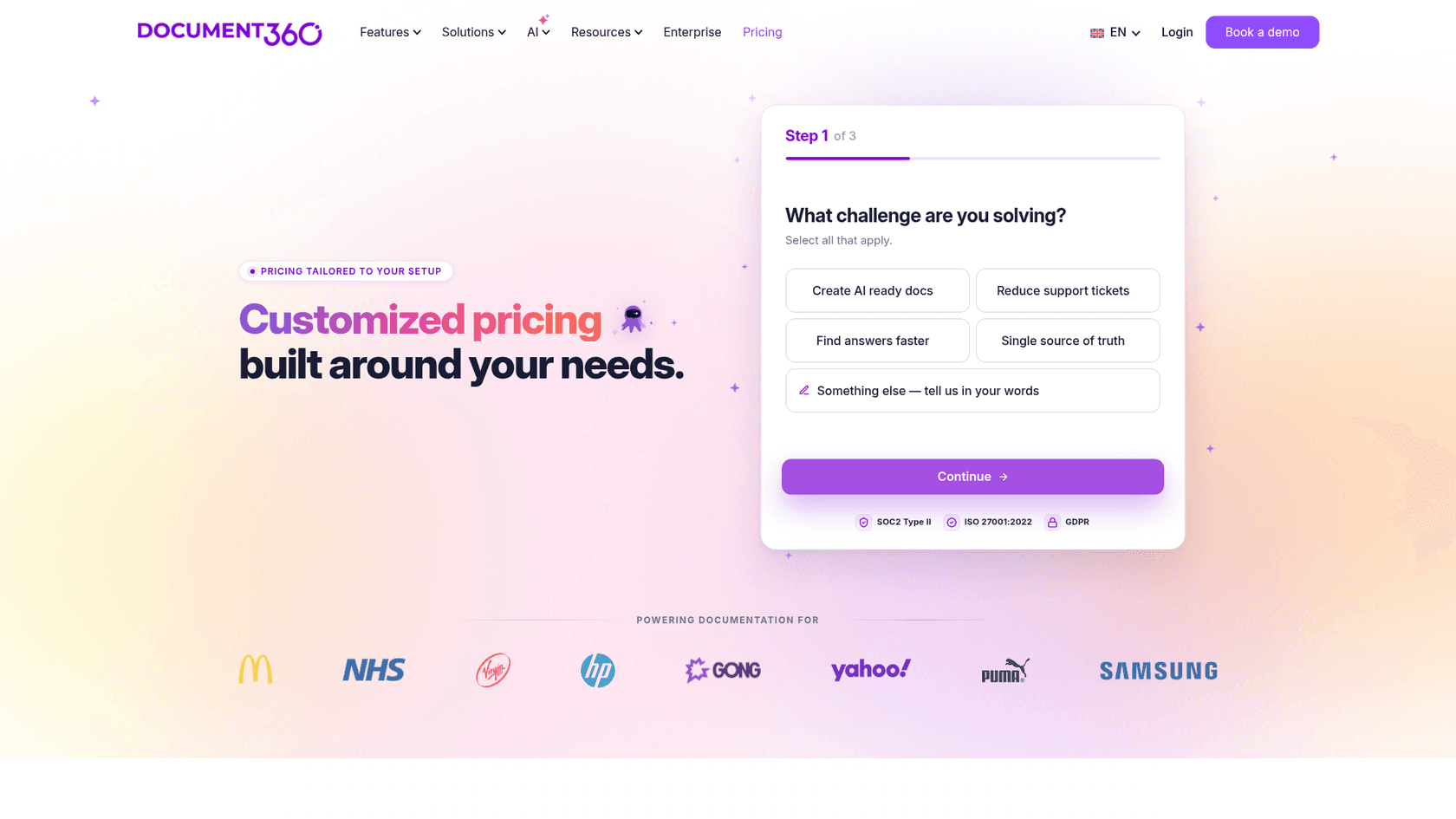
The quote is set by six inputs that Document360 lists on that page. Here is what each one means for your bill.
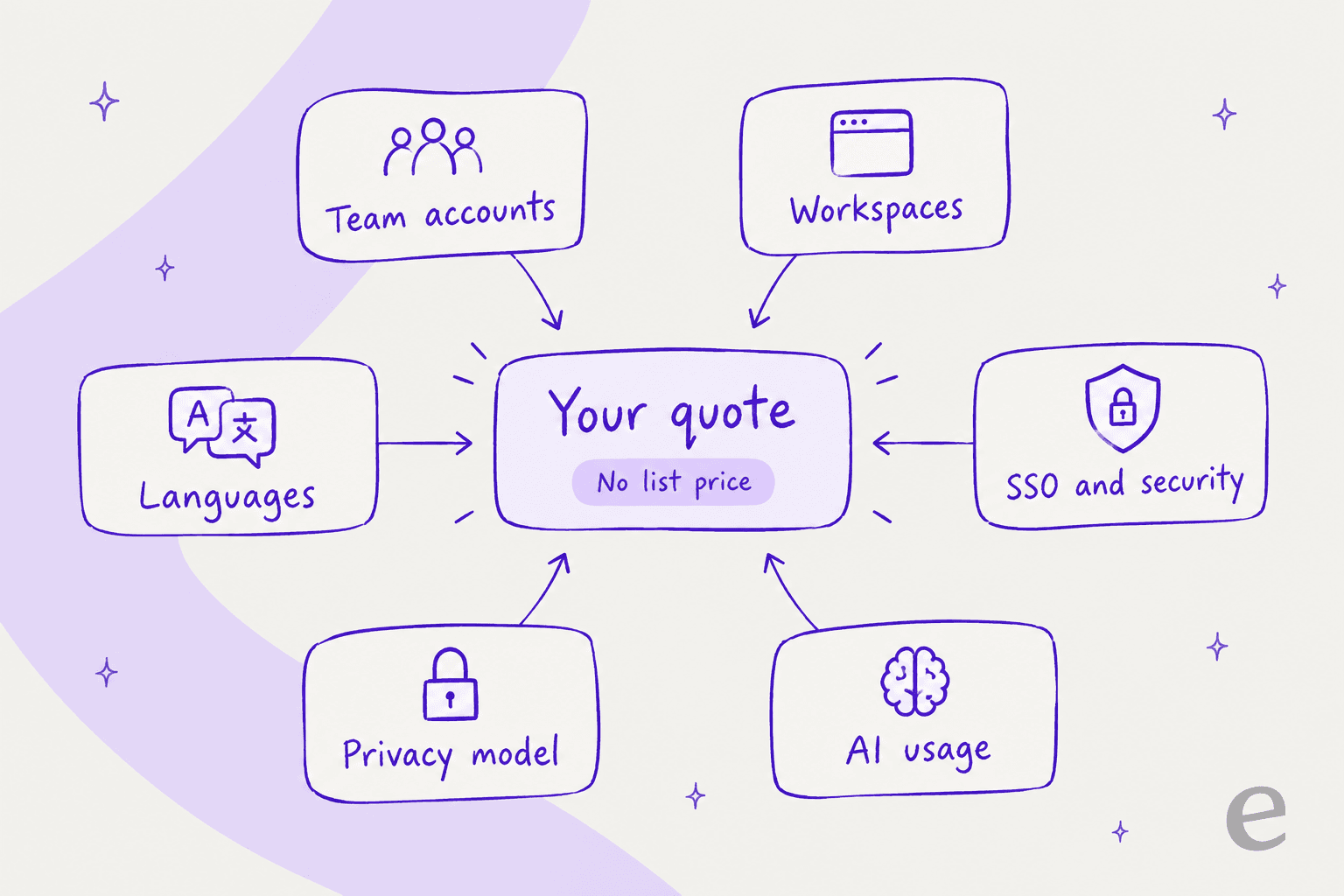
Document360 pricing table
| Quote input | What it means |
|---|---|
| Team accounts | Editors and reviewers who write and approve articles |
| Workspaces | Each project is a complete knowledge base, public or private, with its own users, domain and branding |
| Languages | Each extra language is a separate price driver |
| SSO and security | SSO, IP restriction and similar controls; every plan is SOC 2 Type II compliant |
| Privacy model | Public, private or mixed knowledge bases |
| AI usage | Eddy AI usage, plus the AI Chatbot and AI Premium Suite add-ons |
One quirk worth knowing: reader accounts, meaning anyone you give login access to a private knowledge base, are a separate billable account type. Readers of a public knowledge base cost nothing extra.
The old Professional tier
The Professional tier was Document360’s entry-level package. It gave you the basic tools for building a knowledge base, like editors for writing, category management for organizing articles, SEO customization and the AI Writing Agent.
In that older grid, workflow automation, ticket deflection features, the analytics dashboard and 30+ integrations started one tier up, at Business. Those named tiers no longer appear on the pricing page, so treat that split as history rather than a current price list.
The old Business tier
The Business tier was where Document360 started to feel like an integrated part of your support system. G2’s pricing profile still describes it as unlocking workflow automation, embedded help centers, 30+ integrations and AI search. Today the pricing page lists integrations with Zendesk, Freshdesk, Slack, Crowdin, Zapier and Salesforce, without saying which quote includes which. The older Business column also listed Microsoft Teams, which the current page does not mention.
If you need to connect your documentation to the tools your team uses every day, ask for those integrations by name in your quote.
The old Enterprise tiers
Just like the name says, Enterprise was for larger companies with stricter security and compliance rules. This is where the older grid placed features like Single Sign-On (SSO), multiple sign-on models, a security audit trail and priority support. Today SSO and security needs are one of the six quote inputs rather than a named tier.
Security posture is stated plainly on the pricing page: SOC 2 Type II, ISO 27001:2022 and GDPR ready, with a datacenter location you choose.
The hidden costs beyond the Document360 pricing sticker
That monthly subscription fee is just the beginning. The total cost of a tool like Document360 also includes the time, people, and resources your team has to pour into it to make it useful. Let’s break down the hidden costs you need to think about.
The cost of a slow setup and steep learning curve
If you scroll through user reviews, a common theme pops up: Document360 has a complex interface and takes a while to learn. And that's not just a small headache, it's a real cost. Every hour your team spends in mandatory demos, long onboarding sessions, and just trying to figure out the platform is an hour they’re not helping customers.
Compare that to a more modern, self-serve tool. An AI agent like eesel AI plugs directly into your existing help desk, whether it’s Zendesk, Intercom, or something else, with simple, one-click integrations. You can be live in minutes, not months, without ever having to get on a sales call.
The cost of manual knowledge creation and maintenance
Document360 starts as an empty knowledge base. The AI Writing Agent can draft articles and FAQs, and migration from Google Docs, Confluence or SharePoint is included in most quotes, but your team still owns the content. That's an ongoing time commitment that never fully ends. Knowledge gets outdated, new questions pop up, and your documentation needs constant babysitting to stay relevant.
But what if you didn't have to start from zero? Instead of manually building a knowledge base, a tool like eesel AI instantly learns from where your knowledge already lives. It connects to your past support tickets, internal wikis like Confluence or Notion, and even your scattered Google Docs. It can even analyze successfully resolved tickets and automatically draft new articles, saving your team hundreds of hours and making sure your knowledge is built on what actually works.
The cost of feature-gating and integration limits
With Document360, the features you need for real automation are priced inside the quote. The AI Chatbot and the AI Premium Suite are labelled add-ons, and a G2 reviewer writes that "a lot of new features need a separate license". Because you can't see a rate card, the practical move is to list every integration, language and add-on you need before you ask for a price.
Modern AI tools should work with your setup, not against it. eesel AI publishes its prices: plans start at $299 a month for 500 credits, a ticket or chat is 1 credit however many replies it takes, and every plan includes every integration. There is also a free plan with 100 credits.
The cost of uncertainty
How can you be sure that pouring all this time and money into a new knowledge base will actually pay off? A 14-day free trial is barely enough time to write a handful of articles, let alone measure how it affects your ticket volume. It also can't test AI volume: Document360's docs say Eddy AI credits cannot be purchased during a trial, and when a monthly credit limit is hit the feature stops until renewal or a top-up through support.
This is where eesel AI’s powerful simulation mode offers a risk-free way forward. Before your AI agent even talks to a single customer, you can test its answers against hundreds of your past tickets. Each answer is scored and the agent suggests instruction changes, so you see where it would have gone wrong before it goes live.
Is Document360 pricing worth it? A modern alternative to consider
Look, Document360 is a capable tool if your team is ready to dedicate a lot of resources to building a traditional, article-based knowledge base from the ground up. If you have the people and time to write, manage, and constantly update content by hand, it can work as a solid central library for your information.
But for teams that want to use their existing knowledge right away and automate support without all the heavy lifting, eesel AI offers a smarter path. It's built for businesses that want to get value from AI today, without switching tools or spending months on setup.
Feature Comparison: Document360 pricing vs. eesel AI
| Feature | Document360 | eesel AI |
|---|---|---|
| Pricing Model | Custom quote, based on six inputs | Published credit plans from $299/month for 500 credits; 1 credit per ticket or chat |
| Setup Time | Days to weeks | Minutes |
| Primary Knowledge Source | Knowledge base articles (chatbot add-on also takes websites, files, tickets) | Existing tickets, docs, wikis (Confluence, Notion, etc.) |
| AI Implementation | Eddy AI writes, searches and answers; chatbot is an add-on | AI agent autonomously resolves tickets & assists agents |
| Testing & Rollout | 14-day free trial | Free plan (100 credits) + simulation on past tickets |
| Core Value | A platform to create documentation | A platform to unify and automate existing knowledge |
Choose pricing that scales with confidence
When you look at Document360 pricing, it’s pretty clear the subscription fee is just the tip of the iceberg. The total cost of getting it set up, creating all the content, and keeping it fresh can add up fast, turning a supposedly affordable tool into a major drain on your resources.
Most support teams today need tools that are quick, transparently priced, and work with their existing setups. Instead of locking you into a long-term project of manual documentation, the right platform should let you automate support using the knowledge you already have. For teams that want powerful, risk-free AI automation without the overhead of old-school knowledge bases, eesel AI is the smart choice.
Ready for an AI support agent that offers transparent pricing and works with the tools you already love? Set up eesel AI for free and see it in action in minutes.
Frequently asked questions
Besides the monthly fee, what other factors affect the total Document360 pricing?
The subscription fee is just the start; the real cost includes the time your team must dedicate to writing, reviewing and maintaining articles, even with the AI Writing Agent drafting for you. You also need to factor in the hours spent on training and onboarding due to the platform's learning curve.
Why is it so hard to find a specific number for Document360 pricing online?
Like many enterprise software providers, they use a "Contact Sales" model to provide custom quotes based on your company's size, needs, and desired features. This allows them to tailor the package and price for each customer instead of offering a one-size-fits-all solution.
For a growing team, is the entry-level Document360 pricing plan sufficient?
There are no named plans to pick from any more. Under the older tier grid, integrations, API support and AI search started at Business, so a scaling team should confirm in its quote that integrations and AI search are included, and connect its knowledge base with other critical support tools.
How does feature-gating impact the actual Document360 pricing we might pay?
Document360 no longer publishes plan tiers, so gating shows up inside the quote instead. SSO and security needs, AI usage and add-ons like the AI Chatbot all move the price, so list the features you need before you ask for a number.