


Configure the AI agent for Zendesk QA review
Zendesk's AI evaluation guide describes automatic detection of Zendesk AI agents on messaging channels. In Quality assurance, open your profile menu, then Users, bots, and workspaces > Bots. Check that the intended bot has Reviewable set to Yes.
Set up the scorecard categories you want to evaluate. In Conversations, filter for the bot, select a conversation, then choose the bot in Reviewee and the appropriate Scorecard. Grade it, add useful comments and submit. Autoscoring can also review included bots when enabled.
Before interpreting a score, open a few records and confirm that the right participant is being graded. A human who rewrote an AI draft is not the same review subject as the AI's original response.
Verify third-party bot eligibility separately
Do not assume a third-party agent appears correctly in QA just because it works in Zendesk. The manual identification guide currently restricts support to Marketplace-installed bots and describes unique-email and user-role requirements. Admins and workspace managers can mark eligible users as bots; admin-role users cannot be marked this way.
For an eesel deployment, verify the installation and identity requirements against your actual setup, then confirm that a known test conversation appears under the intended reviewee. This article does not establish compatibility for every eesel connection method.
Also avoid changing a real person's account to a bot just to make a filter work. Zendesk warns that doing so prevents that person from logging in until the classification is reversed.
Read BotQA metrics without overstating them
In Quality assurance, select Dashboards > BotQA. The BotQA documentation describes filters for date, bot and conversation outcome.
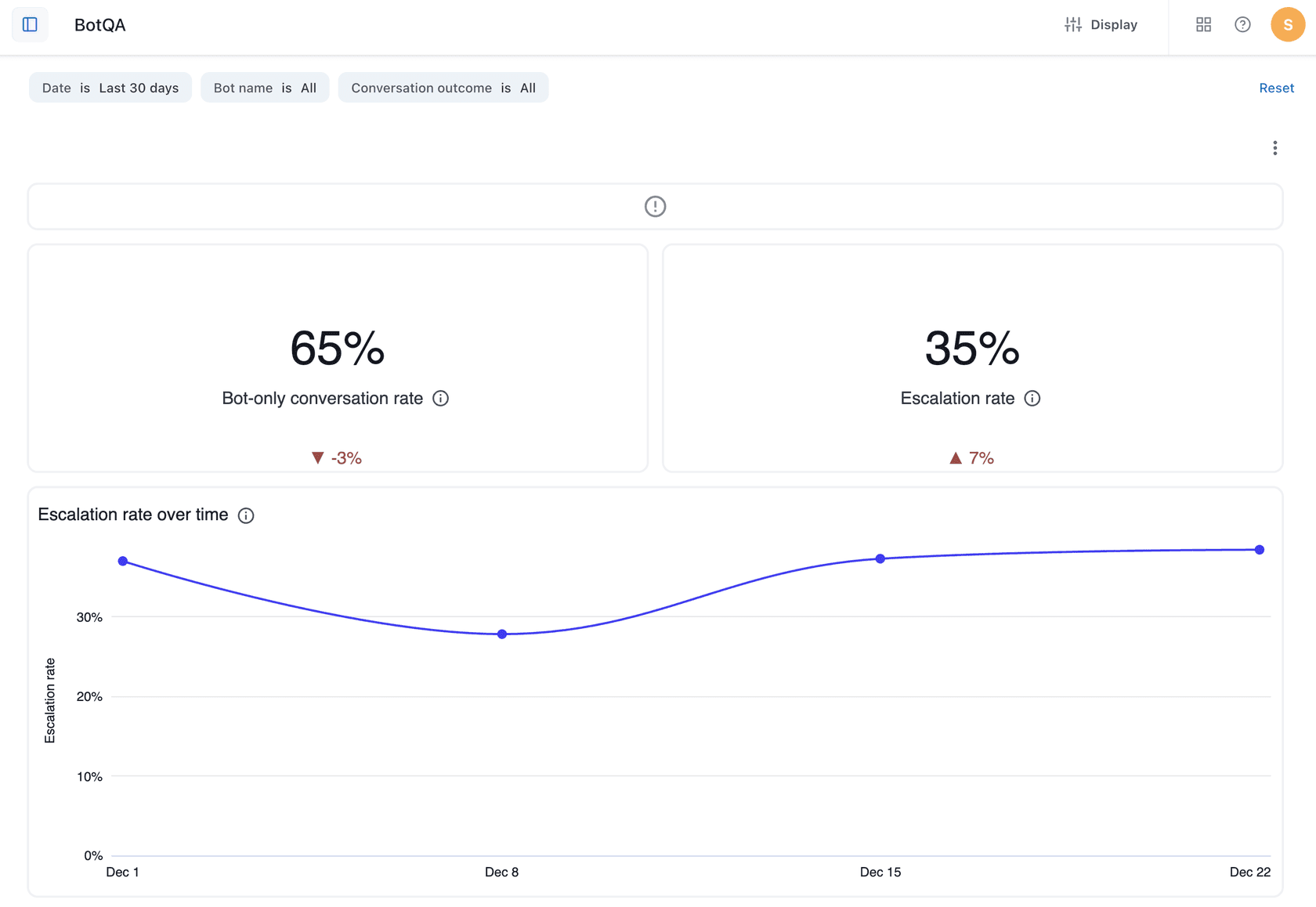
The BotQA interface from Zendesk's documentation. The displayed percentages are example dashboard data, not a benchmark for your agent.
| Metric | What Zendesk measures | What to investigate |
|---|---|---|
| Bot-only conversation rate | Conversations without human involvement | Did the customer receive a correct answer? |
| Escalation rate | Conversations where the customer asked for a human | Was the request appropriate, or caused by an unhelpful answer? |
| Bot repetition rate | Conversations where the bot repeated the same answer | Was it ignoring new information? |
| Low communication efficiency | Conversations handled at least 20% less efficiently than an average human agent | Were the extra turns necessary? |
I would use those signals to choose conversations for review, not as substitutes for reading them. A necessary escalation can be a good outcome. Conversely, a customer who gives up may leave a conversation with no human involvement.
Keep the date range and population consistent when comparing periods. If one week contains mostly password questions and the next contains billing disputes, a change in the aggregate score may reflect the contact mix rather than an improvement or regression.
Build a scorecard that checks the actual support job
A polite answer can still give the wrong procedure. A correct procedure can still be unsafe for the person asking. Your quality assurance criteria should make those differences visible.
Here is a proposed review structure, not a description of preset Zendesk categories:
| Criterion | A passing response | A failure worth recording |
|---|---|---|
| Evidence | Uses the current approved source | Invents a rule or cites irrelevant material |
| Completeness | Addresses the customer's request | Answers only the easiest part |
| Clarification | Asks for missing information that matters | Guesses, or repeats a question already answered |
| Action accuracy | Describes only actions that completed | Claims a change happened without evidence |
| Boundaries | Respects permissions and escalation rules | Discloses internal details or exceeds its authority |
Write comments that another reviewer can reproduce. “Bad answer” is not enough. “Recommended the old reset process even though the customer said that step failed” points to a specific behavior.
For each failure, retain a de-identified question, the relevant policy version, the expected behavior and the observed response. Keep customer secrets and unrelated personal information out of your test materials.
When reviewers disagree, resolve the policy interpretation before changing the agent. Otherwise you are training toward an unstable standard.
Turn a QA finding into an eesel CLI test
The eesel CLI is an agent-friendly way to operate your eesel teammate. People can run commands directly; scripts and coding agents can process the JSON results. It exposes the same workspace you manage in the dashboard.
That matters when the fix spans more than wording. A repeated answer might come from missing knowledge, stale instructions or an unavailable action. CLI inspection helps you examine the configuration before trying another prompt.
Check the intended agent and its setup
With Node.js 18.17 or newer, sign into your existing workspace:
npx @eesel/cli login
npx @eesel/cli whoami
npx @eesel/cli agents
Create or choose a separate test agent in the dashboard. Replace TEST_AGENT_ID below with its actual ID, and use approved test knowledge. Inspect the configuration before sending a message:
npx @eesel/cli status --agent TEST_AGENT_ID
npx @eesel/cli integrations --agent TEST_AGENT_ID
npx @eesel/cli instructions --agent TEST_AGENT_ID
npx @eesel/cli automations --agent TEST_AGENT_ID
Confirm source availability, standing rules and existing automations. Keep unnecessary actions off. A new conversation does not remove the agent's access to connected tools.
For Zendesk specifically, eesel's integration guide distinguishes public-help-center quick start from a full connection with tickets, macros, triggers and actions. A person completes the required Zendesk authorization. For a particular brand, follow the documented staff sign-in and brand-selection steps; do not assume the default brand is the intended one.
Reproduce one failure without leaking the answer
Suppose QA found a reply that repeated the same troubleshooting step after the customer said it had failed. Use an approved setup guide as the source, then ask a de-identified version of the question:
npx @eesel/cli new --name "QA repeated-step test" --agent TEST_AGENT_ID
npx @eesel/cli chat "Fictional support test: I already followed the reset steps in the setup guide and still cannot sign in. What should I do next? Use the approved guide, identify missing information, and do not access a real account or perform changes." --agent TEST_AGENT_ID
npx @eesel/cli activity --agent TEST_AGENT_ID
npx @eesel/cli approvals --agent TEST_AGENT_ID
npx @eesel/cli billing --agent TEST_AGENT_ID
These are illustrative commands, not results from an executed test. Adapt the question to a guide your selected agent actually has.
The new command starts a conversation, not an agent. That keeps a prior test's answer out of the conversational history. It does not isolate the agent's tools, sources or permissions.
Keep your expected answer and scoring notes outside the teammate's knowledge. Otherwise the test can become an exercise in repeating the supplied answer rather than applying the policy. It is fine to teach the intended behavior through instructions; test it with additional questions the instruction was not written around.
Chat can use tools and incur charges. The instruction not to perform changes is not a permission boundary. Restrict actions before testing and inspect activity afterward. A held approval is not a completed action, and billing is current usage state, not a prediction.
Test an approved change, then test nearby cases
If the source is missing, fix the source. If the source is present but the rule is unclear, propose an instruction change. Do not upload instructions as a knowledge file and assume they now govern behavior.
A coding agent can help with a bounded request:
Use eesel CLI to inspect the selected test agent's sources and instructions. Explain why it might repeat a failed troubleshooting step, and propose a change. Do not change settings, send chat messages or approve actions until I approve the plan.
After approving and applying the change, repeat the original case in a fresh conversation and add nearby cases: missing details, a different error and a policy exception. Passing only the example used to write the fix is weak evidence.
The CLI's --dry-run flag previews the server call a write would make. It does not run an answer-quality evaluation. A manually replayed question also does not become an automatically scored simulation merely because it was sent from a terminal.
Validate the Zendesk workflow after the terminal test
For an eesel teammate, the Zendesk integration supports internal-note drafts as well as customer replies, with actions configurable to run, await approval or remain off. Start with the smallest authorized workflow and confirm the result in Zendesk itself.
| Stage | Evidence to keep | What it does not prove |
|---|---|---|
| Terminal question | Answer and source checked against the rubric | Correct behavior in the helpdesk channel |
| Controlled Zendesk test | The actual note, reply or handoff | Performance across every ticket type |
| QA ingestion check | Conversation appears under the correct reviewee | Accuracy of every automated score |
| Follow-up review | Comparable cases after the change | Guaranteed future resolution rates |
If you want a draft-only test, confirm that the customer-reply action is off and that no existing automation can send it. Read the actual internal note before enabling a broader workflow.
Zendesk QA and eesel activity answer different questions. QA helps you judge supported conversations; activity helps you inspect what your eesel teammate did. Neither automatically changes the other's configuration or imports the other's scores.
Continue reviewing exceptions after launch. Changes to policy, integrations or the incoming contact mix can invalidate an earlier test even if you never edit the prompt.
Budget for QA and agent work separately
Zendesk's current add-on pricing lists Quality Assurance at $35 per agent/month paid yearly. Confirm eligibility, billing seats and your account's package with Zendesk rather than assuming QA is part of a legacy Advanced AI add-on.
eesel has separate usage pricing. Account for the teammate's work and any test usage alongside the cost of human review and your helpdesk subscription. A QA license does not pay for running the agent being evaluated.
Use eesel CLI to act on QA findings
A useful QA program produces specific improvements, not only a dashboard score. If you run an eesel teammate in Zendesk, try eesel CLI to inspect a failure's context and test the proposed fix.
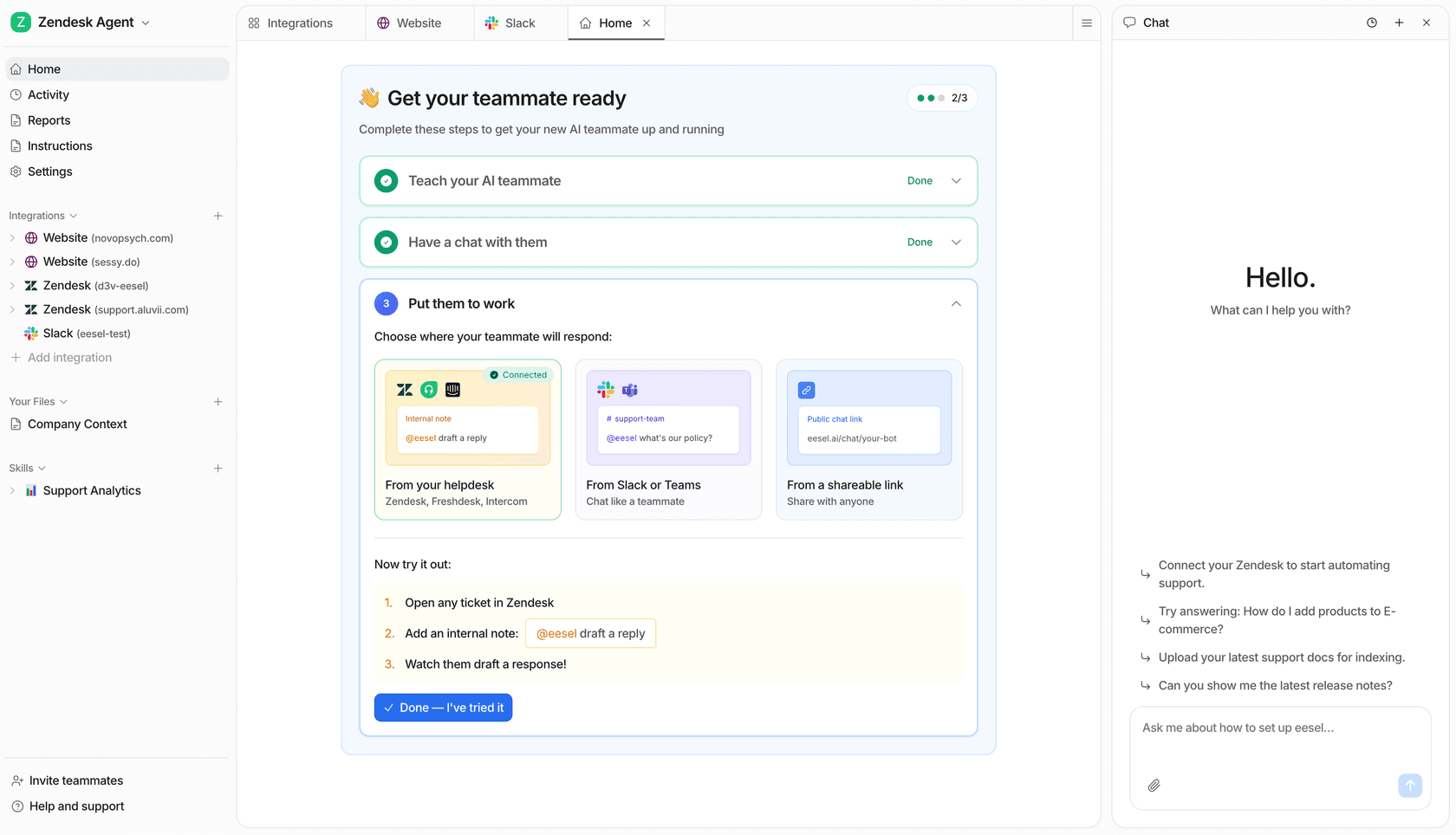
The dashboard and CLI operate the same eesel teammate. CLI checks complement, rather than replace, review of the actual Zendesk conversation.
Start with one recurring failure and a clear passing criterion. Inspect the setup, approve a targeted change, test it, then confirm the real workflow. If you are evaluating the teammate for the first time, try eesel with a limited test setup before expanding access.