

What changed in the 2025 release?
The Spring 2025 announcement introduced Shopping Assistant, including intelligent upsell and dynamic discounts. The launch page labeled those two capabilities beta. It also described reporting dashboards, conditional ticket fields, and richer customer information.
Those historical labels should not be copied into a current feature checklist. Today's AI Agent overview describes one agent performing both support and shopping roles, with a dedicated agent for each connected Shopify store. The current overview lists email, chat, and SMS.
| Area | What the 2025 release emphasized | What to verify now |
|---|---|---|
| Shopping conversations | Product guidance, upsell, and discounts | Enabled shopping skills and the store selected |
| Reporting | Custom dashboards and easier access to metrics | Reports available to your account |
| Customer context | Timeline and customer-field improvements | Which information the agent can actually use |
The important comparison is not "support versus sales." A shopper may ask whether an item fits, then ask about delivery, then request an exception to a promotion. Test whether the agent handles that transition without losing the original constraints.
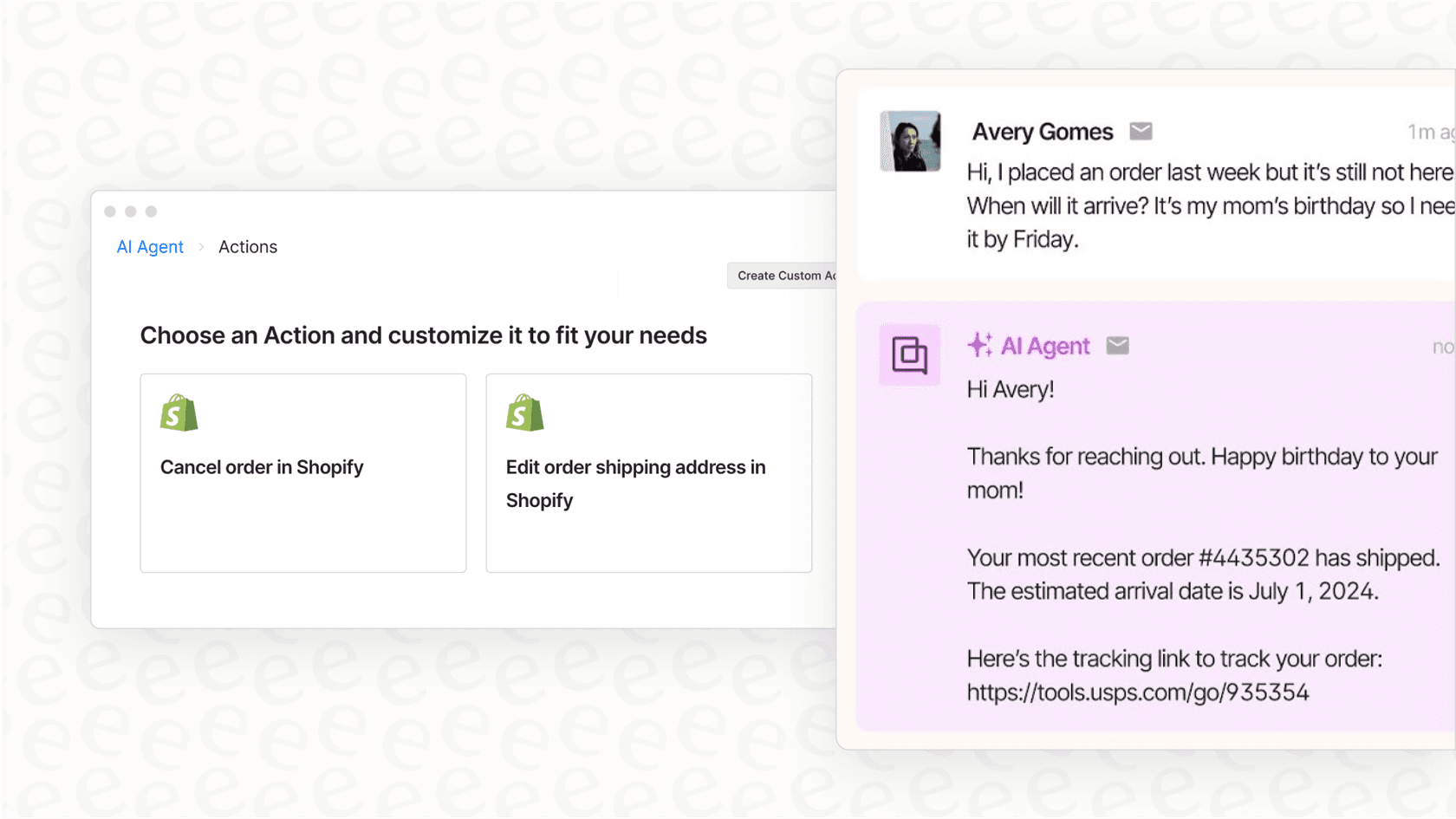
This retained product illustration shows Gorgias's support interface, not the current Shopping Assistant settings. See the Gorgias product overview for current capabilities.
How Shopping Assistant works today
The Shopping Assistant guide describes product answers, recommendations, and discount handling based on the conversation and shopper context. It is not just a fixed sequence of scripted replies.
Product recommendations need boundaries
Gorgias lets you promote or exclude products using individual selections, tags, vendors, or collections. Promotion is not a guarantee: another product may be a better fit. Excluding a product from recommendations does not stop the agent answering a direct question about it. A separate Shopify tag, gorgias_do_not_recommend, blocks it from product knowledge. Recommendation controls
That distinction changes how to test an exclusion. Ask both "What do you recommend?" and "Tell me about this specific item." If a product must never be discussed, an ordinary recommendation exclusion is not the same requirement.
The product information guide lets you inspect what AI Agent obtained from the Shopify app and store website. Check the source values for size, compatibility, availability, and care instructions before judging the quality of the recommendation.
Discounts are configurable, not unlimited
The current discount guide describes four strategies: No discount, Conservative, Strategic, and Generous. The merchant chooses the percentage the agent may offer. Generated codes are single-use and valid for three days.
Automatic Shopify discounts are handled separately. Gorgias says automatic-discount detection supports standard Shopify storefronts, not headless storefronts or customer-segment-targeted automatic discounts. Generated codes cannot combine with automatic discounts; the documentation describes prioritizing an automatic offer before considering a better generated one.
| Test | Why it matters |
|---|---|
| Shopper asks for a discount immediately | Checks the selected strategy rather than assuming every request gets a code |
| An automatic promotion already applies | Checks the explanation of competing offers |
| A shopper asks to combine offers | Checks that the agent does not promise unsupported stacking |
These are suggested tests, not results from an evaluation I ran. Use your store's actual promotion rules and test products.
Proactive messages have different entry points
Gorgias's AI FAQs guide describes suggested product questions embedded on product pages or floating above chat. Embedded questions require a Shopify theme change, using an app block or the supplied code snippet.
That is different from claiming that the agent intervenes on every homepage visit or every keystroke. Verify which engagement feature is enabled and the event that starts a conversation. Include a shopper who ignores the invitation as well as one who replies.
Pricing: separate current and legacy billing
Under the current billing rules, an AI Agent conversation resolved without human handover can count toward both helpdesk tickets and automated interactions. If AI Agent hands over, only the helpdesk ticket fee applies. Internal notes alone do not make a helpdesk ticket billable.
| Outcome under current rules | Helpdesk usage | Automation usage |
|---|---|---|
| Native AI Agent resolves without human handover | Yes | Yes |
| Native AI Agent replies, then hands over | Yes | No |
| Only an internal note is added | Not from that note alone | Not established by the note |
Gorgias uses a 72-hour human-involvement condition when defining an automated interaction. Eligible older accounts may still use legacy billing where a ticket counts toward one category rather than both. Check Billing & usage before comparing quotes.
There is no single price in this guide for every AI Agent interaction. Your tier, included usage, overages, and billing arrangement matter. Use the current pricing page and your account's quote instead of assuming a universal $1 rate.
For an eesel teammate, the pricing guide lists $0.40 per regular support task. A whole support ticket is one task regardless of reply count, and tasks are billed regardless of outcome. The default pay-as-you-go plan has no platform fee or monthly minimum. Your Gorgias subscription remains a separate cost.
Evaluate an alternative Gorgias teammate through eesel CLI
The native Shopping Assistant is one option for handling store conversations. If you want to evaluate an eesel helpdesk teammate in your existing Gorgias queue, the eesel CLI lets you inspect and test that setup from a terminal.
It is the same teammate and workspace you see in the dashboard, not a separate terminal-only agent. A support engineer can run commands directly, a script can process the JSON output, and a coding agent such as Claude Code, Cursor, or Codex can do the setup checks for you. Lists are returned as one JSON object per line.
For this comparison, the useful question is whether the teammate follows your store's policy when a shopper asks for an exception. A plausible answer is not enough: you want the right source, an appropriate follow-up, and no unauthorized discount or customer reply.
Check the agent before connecting anything
With Node.js 18.17 or newer, inspect the account and select an existing test agent:
npx @eesel/cli login
npx @eesel/cli whoami
npx @eesel/cli agents
npx @eesel/cli status --agent TEST_AGENT_ID
npx @eesel/cli instructions --agent TEST_AGENT_ID
npx @eesel/cli automations --agent TEST_AGENT_ID
Replace TEST_AGENT_ID with your selected agent. Review existing automations and action permissions before providing access to a live helpdesk. Connecting a source is different from enabling a new automation, but an existing automation may already be active.
The Gorgias connection guide distinguishes two options. Quick start reads a public help center; it does not include tickets, macros, triggers, or actions. A full connection requires authorization in Gorgias and supports those additional capabilities.
npx @eesel/cli integrations connect gorgias --agent TEST_AGENT_ID
Follow the connection prompts. A person must open the authorization link and approve it in Gorgias. A coding agent can hand you that link; it should not claim the browser approval has happened before you complete it.
After approval, check the connected sources and their readiness:
npx @eesel/cli integrations --agent TEST_AGENT_ID
npx @eesel/cli status --agent TEST_AGENT_ID
Test a discount exception with incomplete information
Prepare an approved, non-sensitive discount-policy.txt containing the actual rules you want the teammate to use. Uploading it changes the selected agent's knowledge.
npx @eesel/cli files upload ./discount-policy.txt --agent TEST_AGENT_ID
npx @eesel/cli files ls --agent TEST_AGENT_ID
npx @eesel/cli status --agent TEST_AGENT_ID
Before chatting, disable customer-facing writes or require approval for them. A prompt saying "do not send" is not a substitute for action permissions. Keep this test small: CLI chat can use tools and incur usage charges.
npx @eesel/cli new --name "discount-exception-review" --agent TEST_AGENT_ID
npx @eesel/cli chat "Fictional test: a shopper says a discount code failed and asks for a better offer. The product and code are unknown. Use the discount policy to draft the next question. Do not send messages or change records." --agent TEST_AGENT_ID
npx @eesel/cli chat "The shopper now says the item is already on sale. What must be checked before promising another discount?" --agent TEST_AGENT_ID
The second chat command continues the same conversation. Starting a new conversation clears conversational context, not permissions or integration access.
Check whether the teammate asks for missing information, follows the supplied policy, and avoids inventing a coupon. This example tests a support answer about discounts. It does not establish that eesel reproduces Gorgias Shopping Assistant's proactive storefront behavior or can issue a discount with your current configuration.
A coding agent can help compare the answer with the source. Give it a bounded task: "Read the selected eesel agent's setup and identify any missing knowledge or customer-facing actions. Ask before changing settings, uploading a file, or running a chat." This keeps the setup review useful without handing it an open-ended rollout.
Verify the result inside Gorgias
A good terminal response is only the first check. For a controlled channel test, open the Gorgias integration's action settings in the eesel dashboard. Enable Leave internal note for the pilot; leave Send ticket reply off and review other write actions before proceeding.
Then ask the teammate through CLI chat: "Create an on-demand Gorgias automation for mentions of @eesel in internal notes. Only work on the test ticket IDs I provide. Draft a policy-based reply as a private internal note, and do not send a public reply." Supply your authorized test ticket IDs. Creating an automation changes the workspace and may enable it immediately, so review its trigger, instructions, scope and action permissions before mentioning the agent. Use npx @eesel/cli automations --agent TEST_AGENT_ID to confirm it exists, and inspect its details in the dashboard.
For that on-demand workflow, mention @eesel in an internal note on an authorized test ticket. If you instead configure a customer-message automation, test both a new customer ticket and a later public customer reply. Those customer events do not substitute for the @eesel mention required by the on-demand workflow.
The integration documentation lists the supported triggers and actions for each workflow.
Open the test ticket in Gorgias and confirm that the draft is private, its content follows the policy, and no second auto-responder sent an unexpected reply. Check the existing Gorgias auto-reply behavior too.
npx @eesel/cli activity --agent TEST_AGENT_ID
npx @eesel/cli approvals --agent TEST_AGENT_ID
npx @eesel/cli billing
An approval waiting for review is not a completed action. Workspace billing is not a forecast of the native Gorgias bill. Keep these checks separate from the reply-quality assessment.
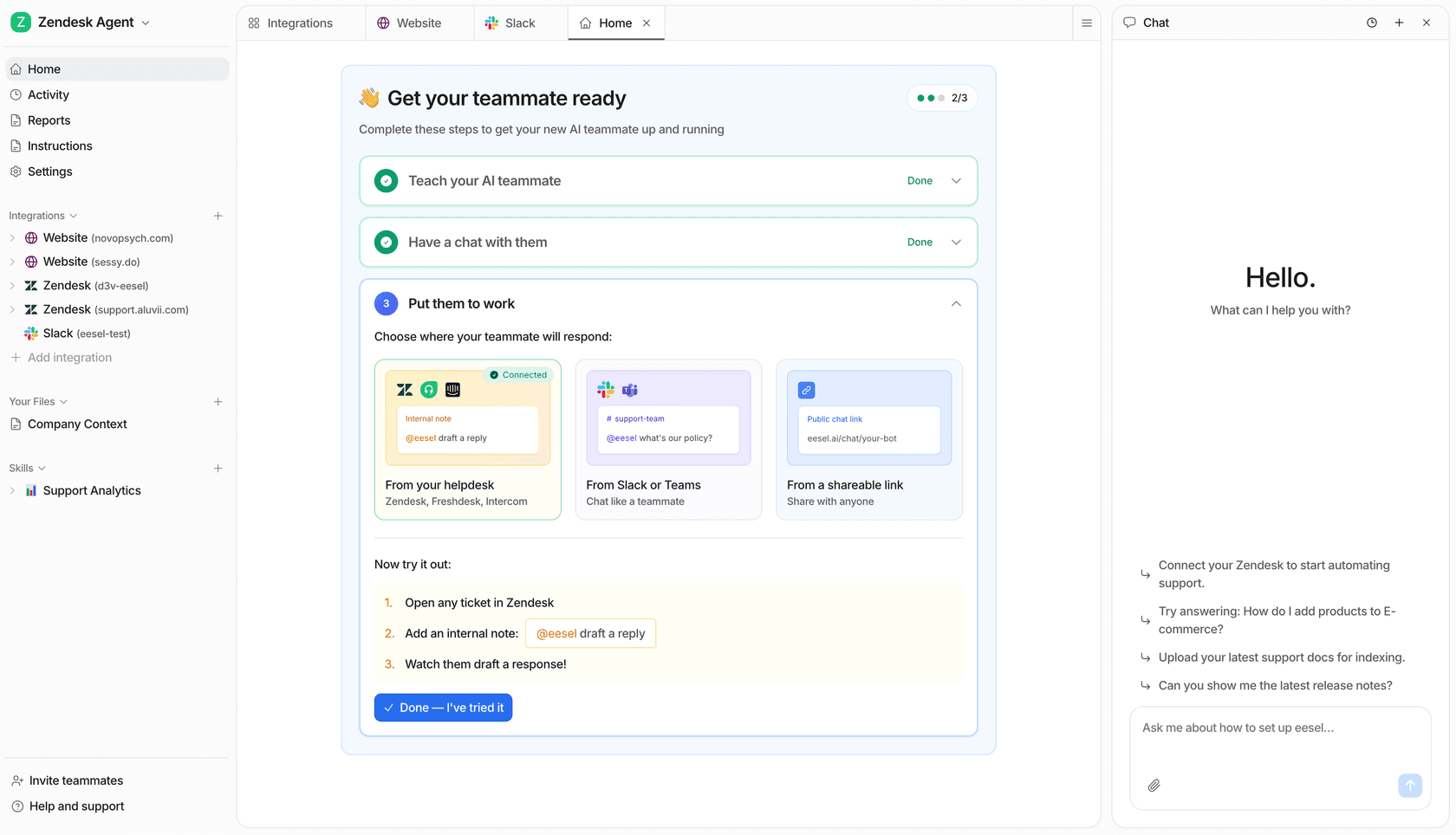
The dashboard illustrates the shared eesel workspace. The Gorgias ticket test described above still needs to be verified in your own authorized setup.
Compare the workflow before expanding it
The 2025 Shopping Assistant release added a pre-purchase sales focus alongside support. Evaluate it against the conversations your customers actually have, including missing information and exceptions to policy.
If you are considering eesel in the same helpdesk, use the CLI to inspect the teammate, test a fictional policy question, and prepare a small internal-note pilot. Confirm the resulting note in Gorgias before enabling broader automation.
Try eesel or read about the Gorgias integration to assess that setup.
Frequently asked questions
What changed with Gorgias AI Agent 2.0 in 2025?
The Spring 2025 release introduced Shopping Assistant, with intelligent upsell and dynamic discounts, alongside reporting and customer-context updates. The release announcement is historical; check current controls separately.
Does Gorgias AI Agent still handle support?
Yes. The current overview describes the same agent performing support and shopping roles. The difference is the type of conversation. See the AI Agent overview.
Can I control Gorgias Shopping Assistant discounts?
Yes. Choose a discount strategy and allowed percentage. Generated codes and automatic Shopify discounts have different rules. Consult the discount controls before testing.
Do Gorgias AI resolutions also count as helpdesk tickets?
Under current billing, native AI Agent resolutions without human handover can count toward both categories. Eligible legacy accounts differ. Check your subscription against the billing rules.
Does excluding a product stop every mention of it?
No. Recommendation exclusions still allow answers to direct questions. Gorgias documents a separate Shopify tag for blocking the product from its knowledge. See the product controls.
What should I test before expanding AI in Gorgias?
Check product-source accuracy, discount exceptions, handover behavior, and what happens on a follow-up message. For an eesel pilot, verify an internal note in the actual ticket rather than treating a terminal answer as proof of delivery.
Can eesel CLI help me evaluate AI in Gorgias?
Yes. It operates the same eesel teammate and workspace as the dashboard. Inspect sources and settings, test a fictional policy question, then verify an approved internal-note workflow in Gorgias. It does not configure Gorgias’s native Shopping Assistant. See the CLI guide.



Article by
Rama Adi Nugraha
Rama is a software engineer at eesel AI with two years of experience writing about B2B SaaS, AI tools, and customer support technology. Based in Bali, Indonesia, he brings a developer's perspective to product comparisons — cutting through marketing copy to what the integrations and APIs actually do.