


Help Scout is a popular customer service platform, especially for small to medium-sized businesses that like to keep things simple. To stay current, they've built their own AI features right into the platform. For teams already using Help Scout, it's a handy addition.
But that convenience has a catch. When your AI is built into a single platform, you're also stuck with its limitations. This guide will walk you through everything Help Scout’s AI offers in 2026. We'll cover its features, what it's good at, and, more importantly, talk about the real-world limits for teams that need more power, control, and flexibility from their automation.
What is Help Scout AI?
First off, "Help Scout AI" isn't a standalone product. It's a bundle of AI-powered tools built directly into the Help Scout customer service platform. The idea is simple: help support teams automate answers to common questions and get more done inside their help desk.
The AI suite has a few main parts:
- AI Answers: This is their customer-facing chatbot that appears in the Beacon help widget. It’s built to give customers instant answers and deflect tickets before they land in an agent's queue.
- AI Assist & Drafts: These are tools for agents working in the shared inbox. They help with things like summarizing long email chains, tweaking the tone of a reply, translating text, and drafting entire responses from scratch.
Just know that you can only get these features if you're a Help Scout customer. You can't tap into their AI without using Help Scout for your help desk. It's a classic walled-garden setup, which works for some teams but is a dealbreaker for many others.
Core features and capabilities of Help Scout AI
Before we jump into the downsides, let's look at what Help Scout AI actually does. The features are practical and clearly designed to ease common support headaches for teams already on the platform.
Automating resolutions with Help Scout AI
The main feature is AI Answers, the chatbot meant to handle self-service support. Help Scout says companies average a 73% resolution rate with AI Answers, which sounds great to any team feeling swamped.
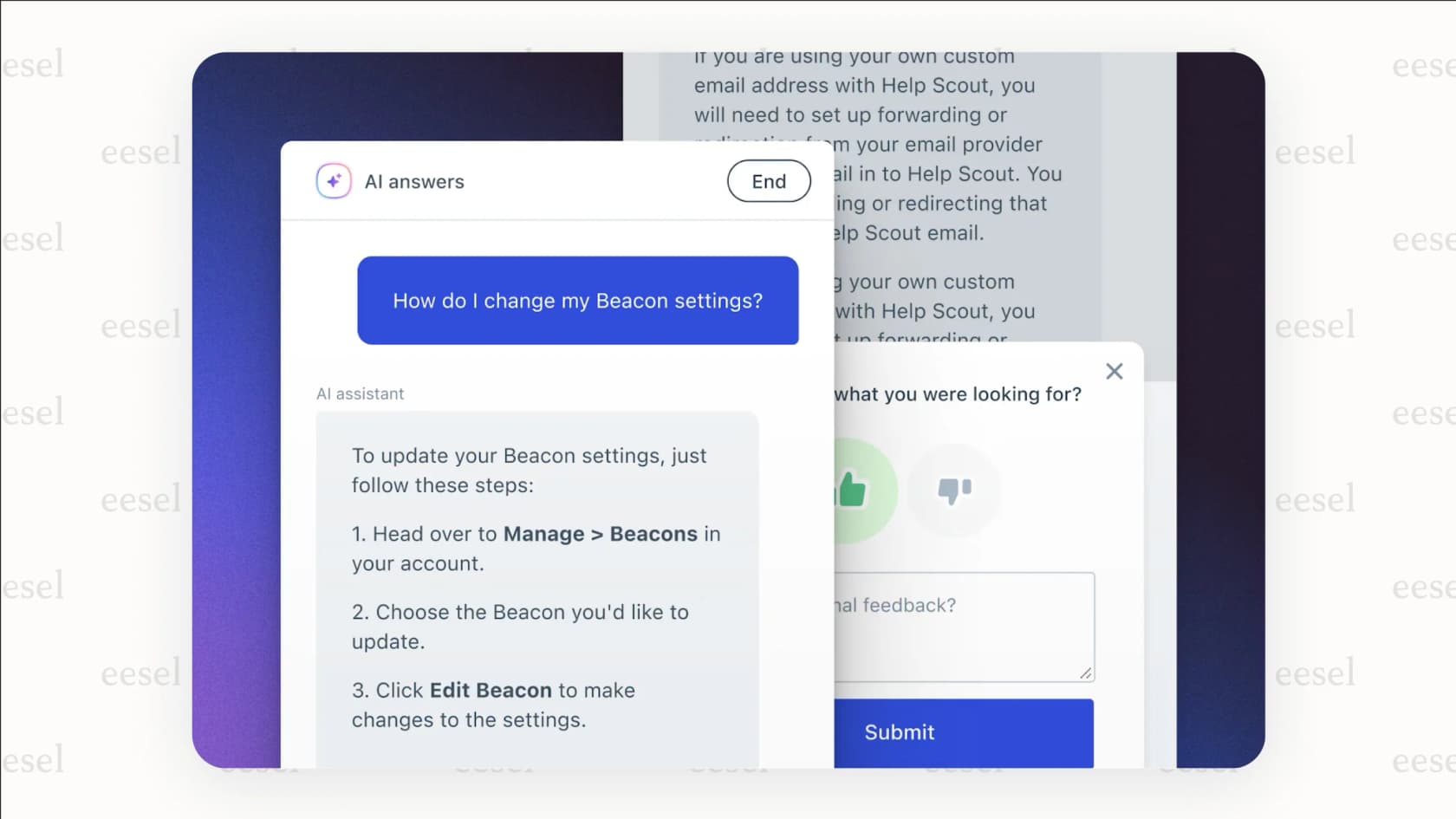
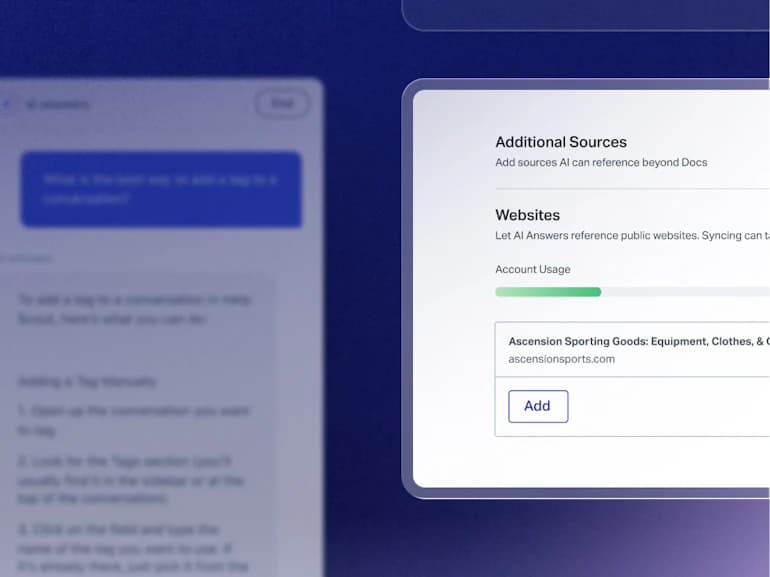
It answers from your Help Scout Docs articles, and you can add other content such as your company blog, website pages, or uploaded PDF, Word and Excel files, to give it more to work with. It also includes some nice extras, like support for over 50 languages and the ability to adjust its conversational tone so it sounds like your brand.
How Help Scout AI helps agents with AI assist and drafts
Inside the shared inbox, Help Scout gives agents a few tools to work faster and more consistently. They aren't revolutionary, but they are solid, everyday tools that help.
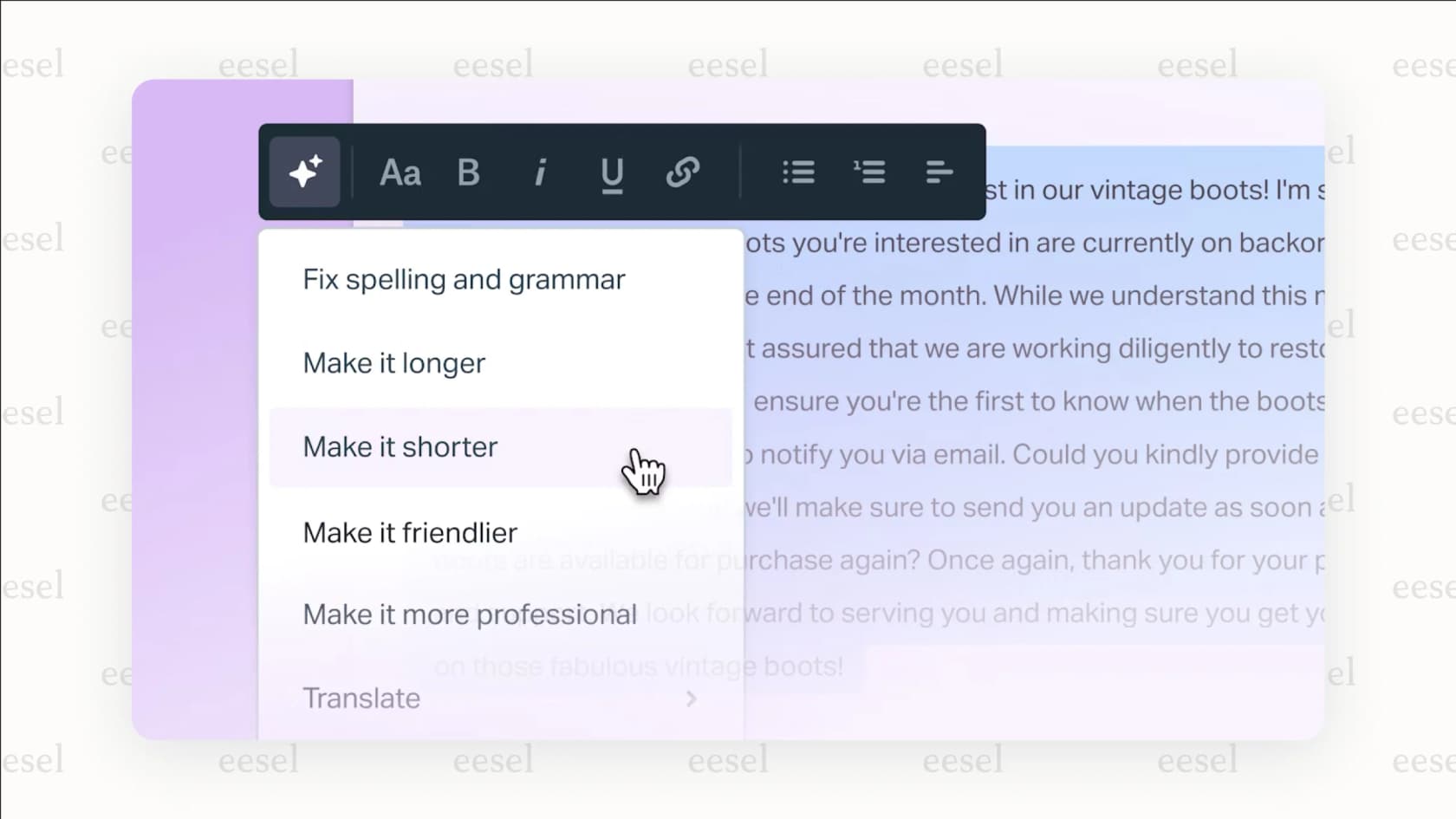
This includes AI Summarize, which can take a long, rambling email thread and shrink it down to a few bullet points. There's also AI Assist, which works like a writing buddy to fix grammar, change the tone from formal to friendly, or translate text. Finally, AI Drafts can write a full reply based on your help content, giving agents a starting point so they aren't staring at a blank screen.
Help Scout AI analytics and performance tracking
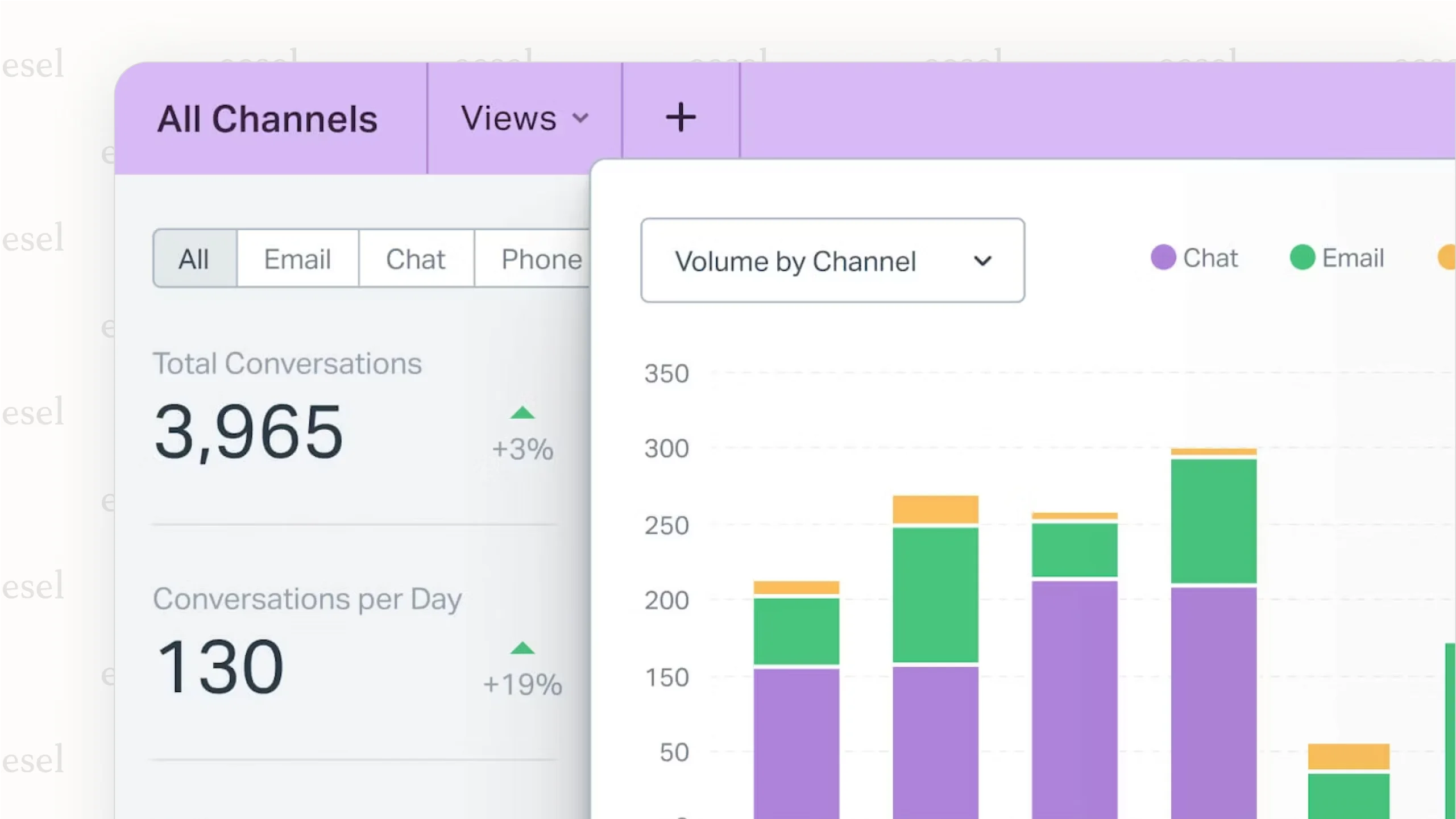
You need to know if your AI is actually helping, and Help Scout provides reports to show you how it's performing.
Managers can look over conversations handled by AI Answers to check quality. You can also track metrics like how many questions it resolves versus how many it passes on to a human. The system even lets you leave internal notes on specific AI responses, which helps train the model to get better over time.
Key limitations of the platform-locked Help Scout AI
While having AI built-in is definitely convenient for Help Scout customers, this tight integration is also its biggest weakness. The "walled garden" creates some serious roadblocks for teams who need more power, want to stick with their current tools, or just can't stomach a full platform switch.
The Help Scout AI migration problem: A closed ecosystem
Here's the bottom line: you can't use Help Scout AI without using the Help Scout help desk. That's it. If your team is already set up and working well in Zendesk, Freshdesk, or Intercom, you're stuck unless you're ready for a huge, expensive, and disruptive migration. Ripping out your main support platform just to get one vendor's AI features is a tough pill to swallow.
In contrast, modern AI solutions like eesel AI are designed to be a flexible layer that works with the tools you already have. This lets you add powerful automation to your current help desk without making your team learn a whole new system or upend its workflows.
Limited knowledge sources for Help Scout AI mean weaker answers
An AI is only as smart as the information it learns from. Help Scout AI answers from the sources you add, mainly your Docs sites, public websites and uploaded files, and its docs don't list past tickets as a source. That suits FAQs well, and questions that aren't covered in an article or file are where you'd want more inputs.
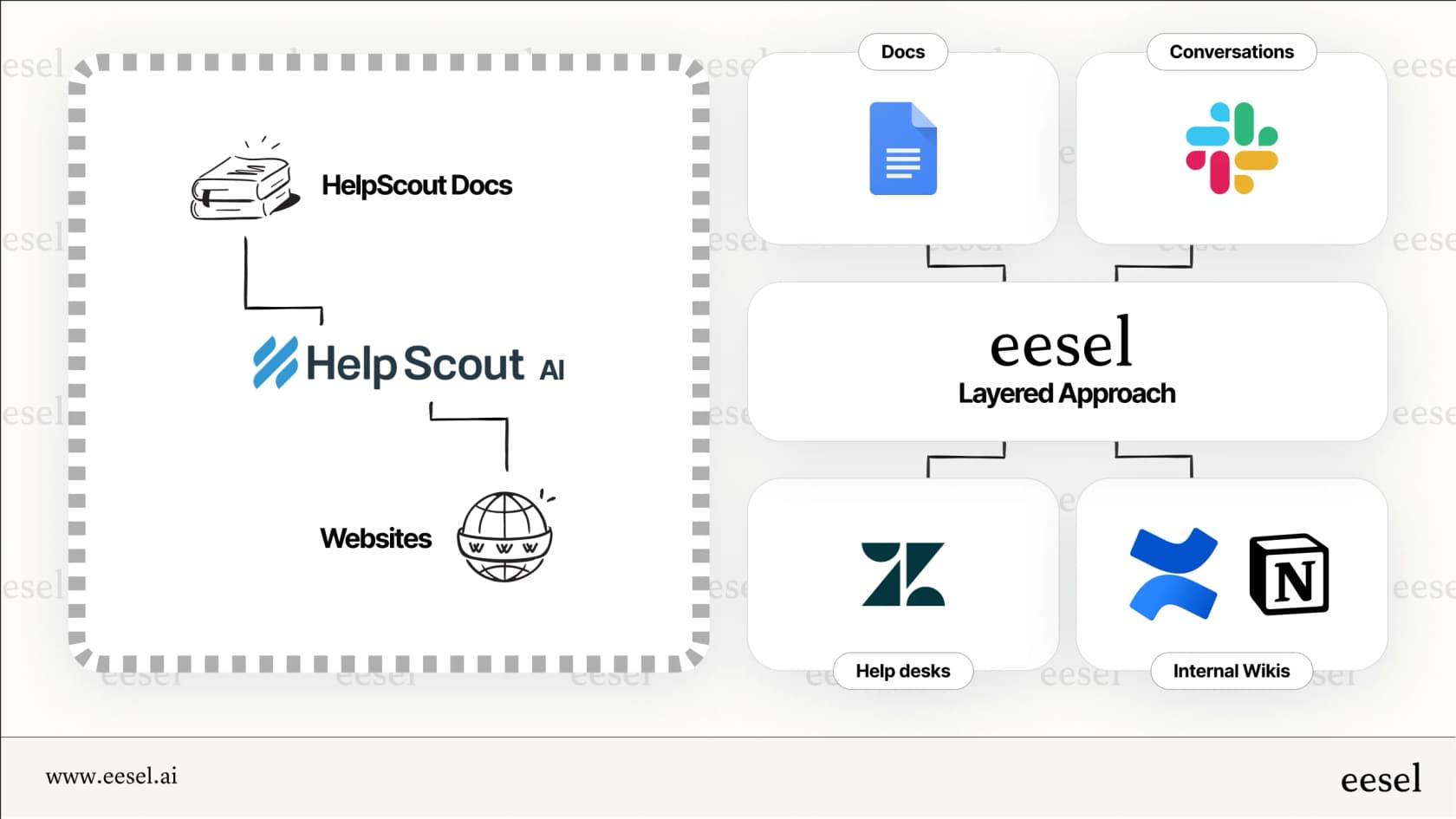
For an AI to tackle those trickier questions, it needs access to your team's entire collective knowledge. This means learning from thousands of past support tickets, detailed guides in Confluence or Google Docs, and even live product data from a source like Shopify. This is the approach eesel AI takes, connecting to your knowledge sources so answers can draw on more of what your team already knows.
A closer look at the Help Scout AI pricing model
Help Scout prices on two meters. Plans are priced per user: Standard is $25, Plus $45 and Pro $75 per user per month billed annually ($30, $54 and $90 monthly), and there is a Free plan for up to 5 users. The customer-facing AI Answers is an add-on at $0.75 per resolution, which Help Scout defines as a conversation resolved without human help where the customer doesn't escalate or ask for more.
That means the bill has a seat part and a volume part. You can set a monthly cap on AI Answers, which turns it off for the rest of the cycle when hit, and new accounts get 3 months of free, unlimited resolutions. AI Drafts and AI Summarize start on Plus, so the AI you get depends on your plan.
| Pricing Factor | Help Scout AI | eesel AI |
|---|---|---|
| How you’re charged | Per user, plus $0.75 per AI Answers resolution | Fixed monthly plan, 1 credit per ticket or chat |
| Starting price for AI | AI Assist from $25/user; AI Answers $0.75 per resolution | Free plan with 100 credits; paid from $299/month for 500 credits |
| Additional platform cost | Must use Help Scout | No, works with Zendesk and other help desks. |
| Cost control | Optional monthly cap on AI Answers | Optional capped overage ($0.80 per extra credit) |
What a flexible AI layer can do for you
For teams who aren't using Help Scout, or for current users who feel a bit boxed in, a platform-agnostic AI layer is a more powerful and scalable way to go. This approach is about adding intelligence to your existing setup, not replacing it. Here’s how that works in practice.
Unify knowledge without migrating tools
The real magic happens when a "layered" AI connects to all your different systems. Instead of being stuck with one platform's brain, a tool like eesel AI acts as a single source of truth. It pulls information from your help desk tickets, your Confluence spaces, your shared Google Drives, and your Shopify product data. It then uses all that combined knowledge to power automation where you need it, whether that’s an AI Agent in Zendesk, an internal Q&A bot in Slack, or a customer-facing AI Chatbot on your site.
Simulate before you go live
One of the biggest worries with AI is not knowing if the answers will be any good. eesel AI has a simulation skill that tests the agent's answers against hundreds of your past tickets before you turn it on for customers. It scores each answer and suggests instruction changes, so you see where it stumbles. Help Scout has a comparable step: its Test tab runs AI Answers through scenarios you write, and test conversations aren't billed. The difference is the input, your own past tickets versus scenarios you author.
Doing more than just answering questions
A modern AI assistant shouldn't just talk; it should do things. Answering a question is just one part of solving a problem. A truly useful AI can take the next step and finish the job.
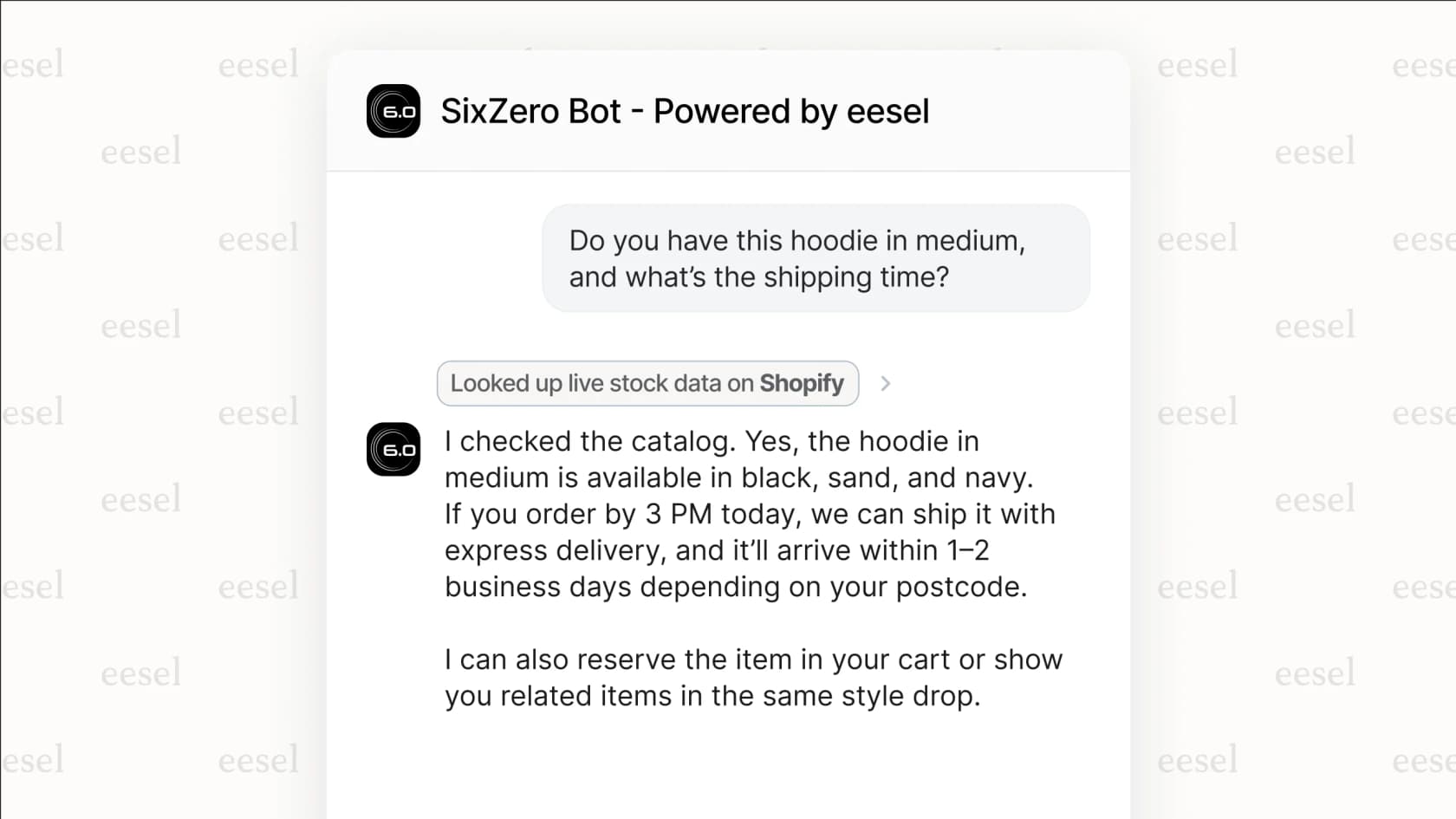
For example, eesel AI can read a new ticket and tag it, route it, update its status, or draft or send the reply, with each action set to run automatically, need approval, or stay off. It can also look up an order status or a customer's subscription details in connected systems. This is automation that actually solves the user's problem, not just points them to a help article.
Should you use Help Scout AI in 2026?
So, what's the verdict? For teams already committed to the Help Scout platform, their native AI is a solid choice. The features are practical, easy to implement, and will certainly help with basic support tasks. If you're all-in on Help Scout, it makes perfect sense.
However, its "walled garden" approach is a major drawback for many. For most teams, those on other platforms, or those with complex needs who want better automation, deeper knowledge integration, and the freedom to use the best tools for the job, a layered, platform-agnostic AI is worth testing. It adds AI to the helpdesk you already run without a migration.
If adding powerful, accurate automation to your current help desk sounds like a good plan, see how eesel AI works.
Book a demo to see how you can build an AI agent trained on your company’s knowledge, or start your free trial and get your first bot up and running in minutes.
Frequently asked questions
Can I use Help Scout AI if my team uses a different help desk like Zendesk?
No, you cannot. The features of Help Scout AI are built directly into the Help Scout platform and are only available to its customers. You must use Help Scout as your primary help desk to access their AI tools.
How much does Help Scout AI cost to use?
The agent-side tools are bundled into per-user plans: Standard is $25, Plus $45 and Pro $75 per user per month billed annually. AI Assist is unlimited on every paid plan, and AI Drafts and AI Summarize start on Plus. The customer-facing AI Answers is a separate add-on at $0.75 per resolution, with a monthly spending cap and a 3-month free trial.
Where does Help Scout AI get its information to answer questions?
Help Scout AI answers from the sources you add: Docs sites, public website links, and uploaded files such as PDFs, Word and Excel documents. Past ticket history isn't one of the listed inputs, so questions that only past tickets or other business apps answer need a different tool.
What are the main limitations I should be aware of with Help Scout AI?
The biggest limitation is that Help Scout AI is locked into its own platform, so you can't use it if your team is happy with another help desk. Its knowledge sources are narrower than tools that connect to your entire company's knowledge base across multiple applications.