


To measure ROI on AI support, put a dollar figure on what the AI recovers each month, then subtract what it costs you. Value recovered = tickets it fully resolves + agent hours it hands back + after-hours coverage you no longer staff. Subtract the AI and setup cost, and what is left is your return.
The trap is measuring the wrong things. Deflection rate alone looks great in a demo and proves almost nothing about money. The metrics that actually move budget are full-resolution rate, cost per resolved ticket, and first response time, with CSAT as the guardrail that keeps the deflection number honest.
And the single biggest reason ROI numbers come out wrong: no baseline. If you did not record your before numbers, your after numbers have nothing to stand against. The fix is to capture the baseline first, then simulate the AI against your own historical tickets so the forecast is grounded in your actual volume, not a vendor's slide.
Start from what ROI actually means here
I have spent the better part of three years watching support teams try to put a number on AI, and the conversation almost always opens in the wrong place. People reach for "how many tickets did it deflect" because it is the number the dashboard shows first. But deflection is an activity metric, not a value metric. Finance does not approve renewals on activity.
The honest version of the question is: for every dollar I spend on this AI, how many dollars come back? That reframes everything. You are not measuring how busy the AI is. You are measuring the gap between the value it recovers and what it costs to run.
Here is the shape of it.
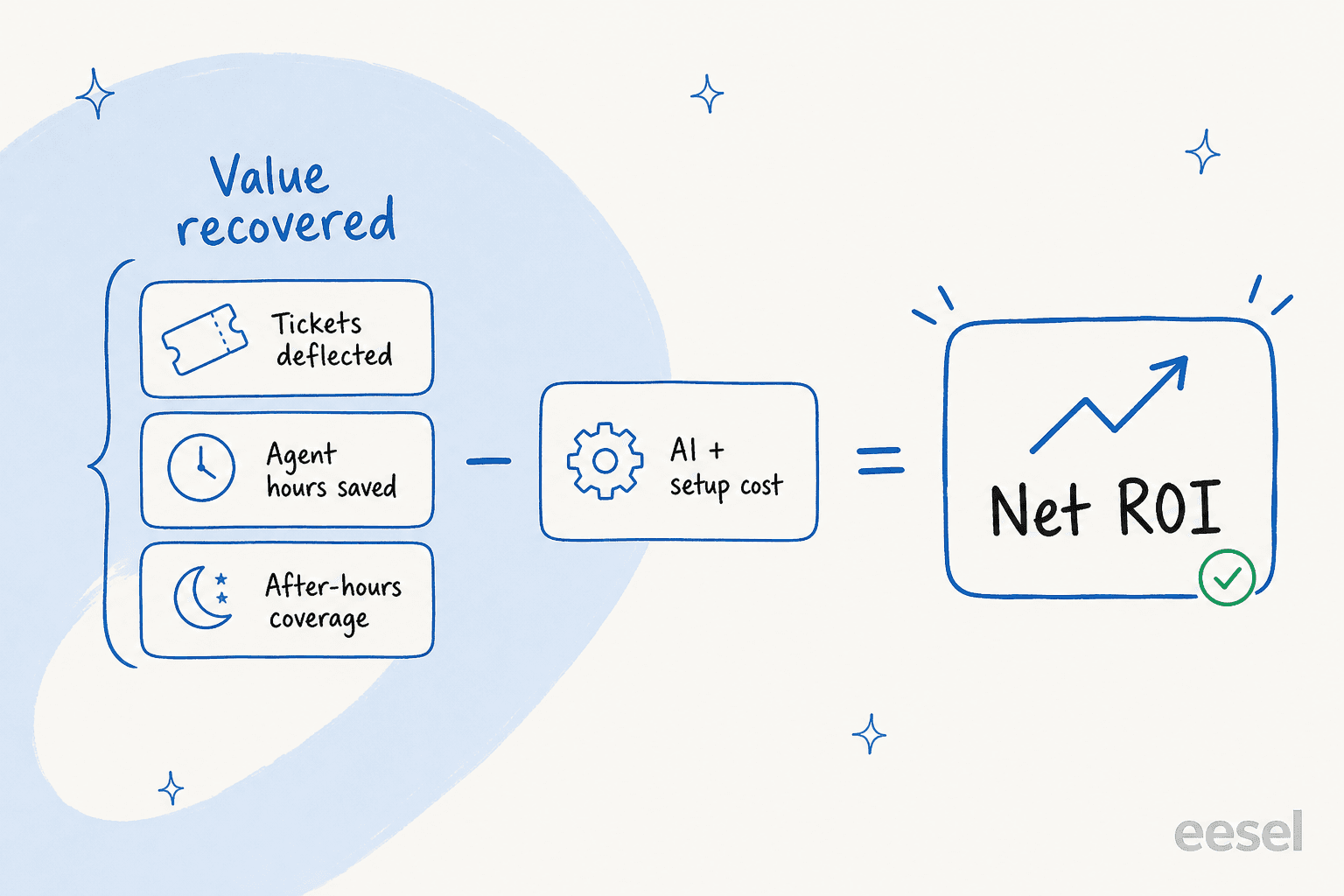
"Value recovered" has three parts, and most teams only count the first one:
- Tickets fully resolved. The AI handled the whole conversation, no human touched it. Multiply those by your fully-loaded cost per ticket.
- Agent hours handed back. Even on tickets a human closes, an AI copilot that drafts the reply or triages the queue saves minutes per ticket. Those minutes are real money across thousands of tickets.
- After-hours and peak coverage. The work the AI absorbs at 2am, or during a Black Friday spike, that you would otherwise pay overtime or temp staff to cover, or simply drop.
Miss the second and third and you will undercount your own ROI by a wide margin. The flip side, which I will come back to, is that it is just as easy to overcount by treating spam auto-closes and "I don't know" responses as wins.
The metrics that actually prove it
If the formula is the destination, metrics are how you get there. You need a small, honest set, not a 40-row dashboard nobody reads. After enough rollouts, this is the shortlist I keep coming back to.
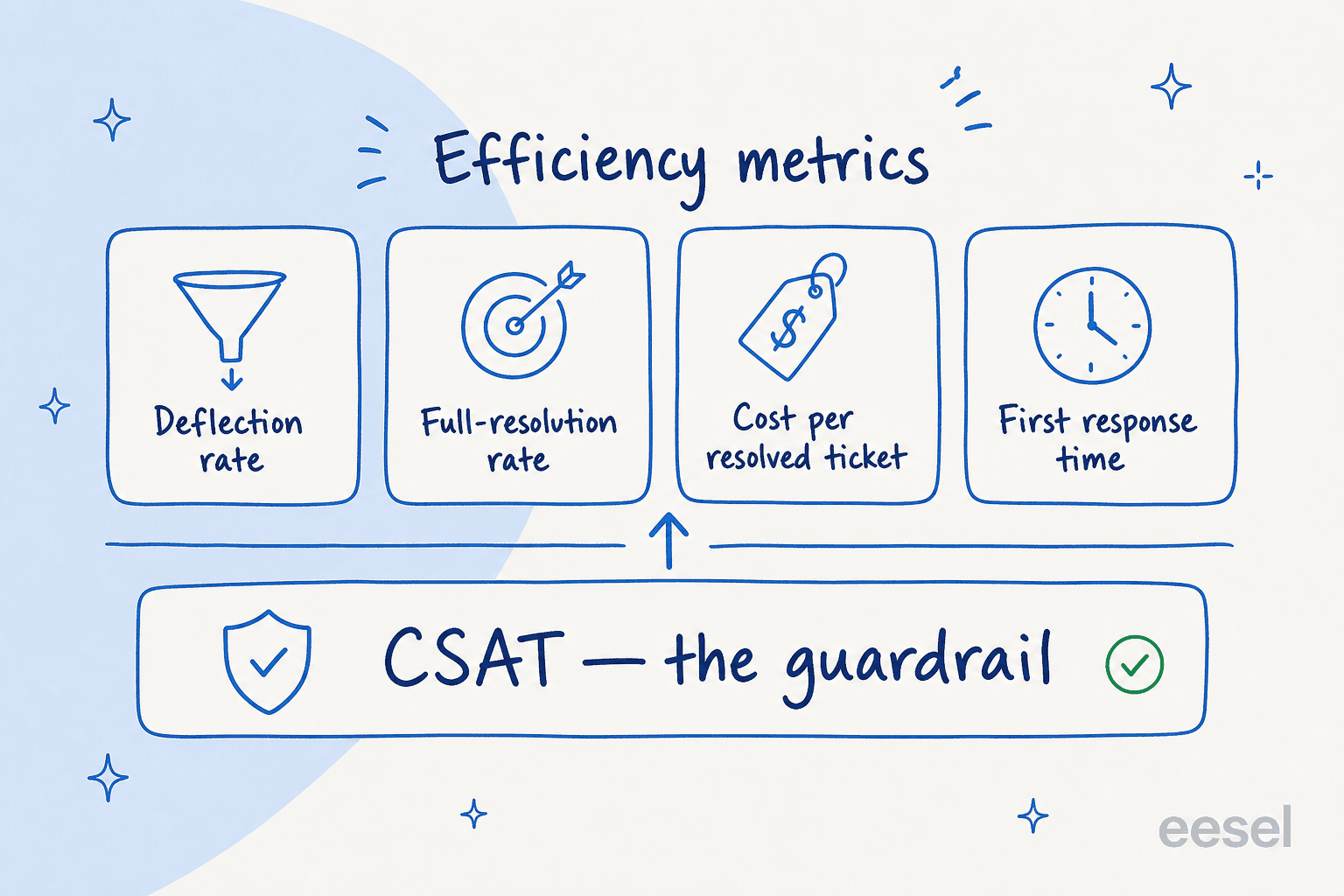
Deflection rate. The share of incoming volume the AI handles without a human. Useful, but the most abused number in the category, because it is trivial to inflate (more on that below). Track it, but never let it travel alone.
Full-resolution rate. The share of tickets the AI actually closed with the customer satisfied, not just replied to. This is the one that maps cleanly to cost saved. The gap between deflection and full resolution is usually where the truth lives.
Cost per resolved ticket. Your total AI spend divided by tickets it fully resolved, set next to your human cost per ticket. This is the line a CFO reads first. Our own AI vs human agent cost comparison digs into the human side of that ratio, and the offshore comparison covers the cheaper-labour alternative most teams weigh it against.
First response time. AI answers in seconds, so this usually drops off a cliff. It is the easiest win to show stakeholders and it ties directly to SLA performance.
Then the guardrail: CSAT. This is the one metric that can veto all the others. A 70% deflection rate with falling CSAT is not 70% deflection, it is a measure of how many customers gave up. One operator put the bar perfectly during a call:
"The AI will never be able to answer 100% of the questions, but if it tries and just answers 'sorry I don't know this,' I cannot go and check all my 7,000 tickets to see if the AI actually made a good answer - then the point is a little bit gone. I need an AI who is only handling the tickets that it's confident to handle and all the other ones, leave them alone."
That is a CX lead at a direct-to-consumer brand doing around 7,000 tickets a month, and he is describing exactly why CSAT and full-resolution sit above raw deflection. An AI that confidently answers everything, including the things it should escalate, will wreck both. If you want the full menu of what to watch, our AI customer service metrics and AI performance metrics guides go deeper than this shortlist.
A worked example you can copy
Abstract ratios do not get budget approved. A worked number does. So let us run a team handling 1,000 tickets a month, which is a common mid-market volume.
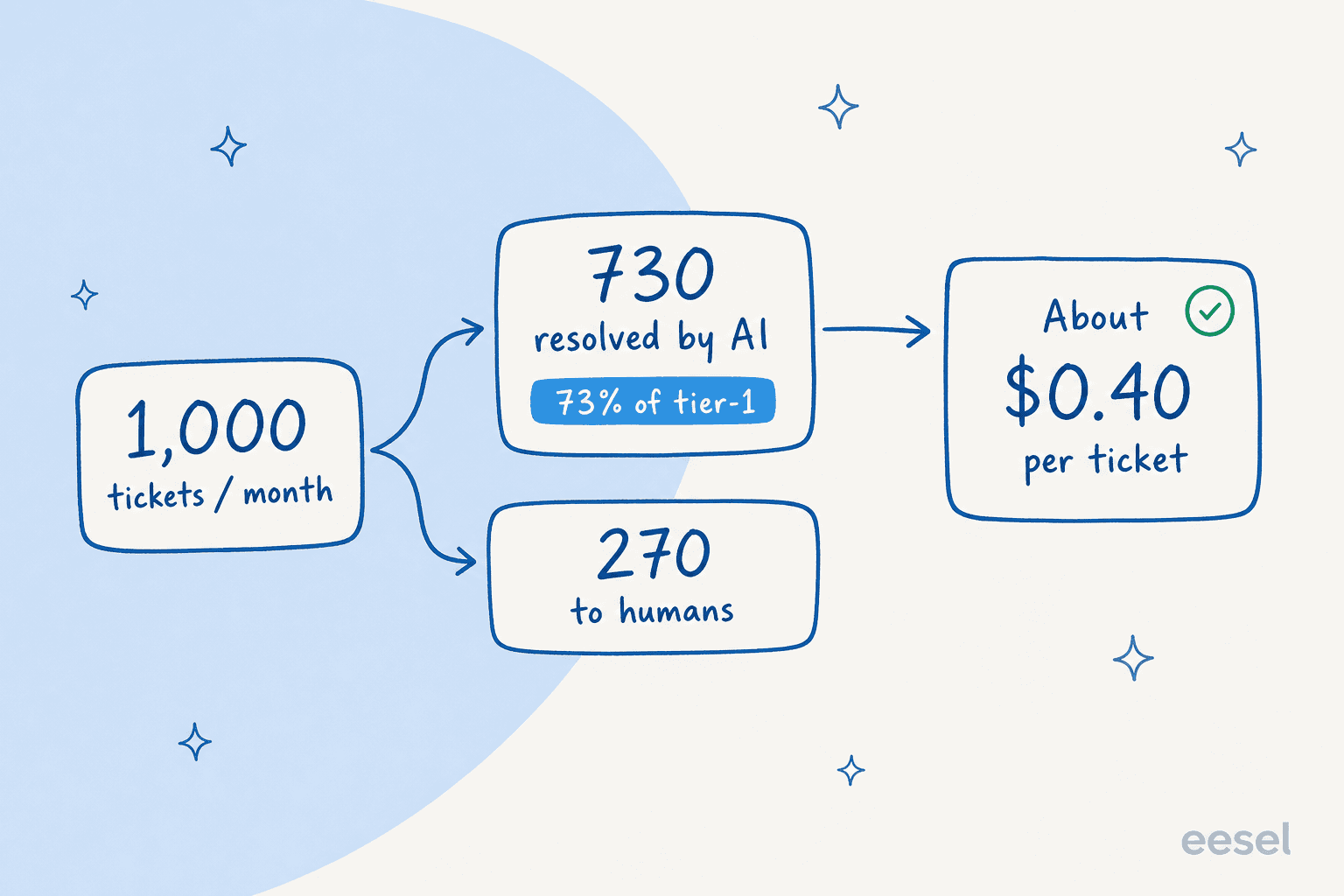
Say the AI fully resolves 73% of tier-1 volume in its first month. That is not a hypothetical ceiling: a gig-economy driver-analytics app running on Zendesk did exactly that within a 7-day trial, then kept it up. So 730 tickets handled end to end, 270 routed to humans.
Now the two sides of the ledger:
| Line | Human-only | With AI |
|---|---|---|
| Tickets / month | 1,000 | 1,000 |
| Resolved by AI | 0 | 730 |
| Handled by humans | 1,000 | 270 |
| Approx. human cost / ticket | $5.00 | $5.00 |
| AI credits used (1 per ticket the AI works on) | - | 1,000 |
| Monthly human handling cost | $5,000 | $1,350 |
| Monthly AI cost (1,000-credit plan) | - | $499 |
| Total monthly cost | $5,000 | ~$1,849 |
That is the deflection side alone, and it already shows a meaningful monthly saving. The AI line matters here: a fixed monthly credit plan keeps this number low and predictable, where per-resolution pricing quietly charges you more in exactly the months the AI performs best, and during seasonal spikes you cannot control. (eesel's pricing is one fixed monthly price with no platform fee, which is what keeps the November bill looking like the March bill.)
Now layer in the parts most teams forget: the 270 human tickets get faster because the AI drafts and triages them, so your agents handle them in less time. And the after-hours volume the AI now covers is volume you are not paying overtime for. Those two lines are usually worth as much again as the raw deflection saving. That is the difference between a defensible ROI case and a thin one.
The baseline trap, and other ways the number lies
Here is the failure mode I see most often, and it has nothing to do with the AI's quality. Teams launch, watch the deflection number climb, feel great, and then cannot answer the one question finance asks: "compared to what?" Nobody wrote down the before numbers.
You cannot compute return without a baseline. Before you switch anything on, record your current cost per ticket, average first response time, resolution rate, and CSAT for at least a representative month. That is your "before." Everything you measure afterward is only meaningful against it. A support ticket analysis of your last few months is the cheapest hour you will spend on the whole project.
A few other ways the number quietly lies:
- Counting spam as deflection. If 20% of your inbox is spam and the AI "deflects" it by auto-closing, that is hygiene, not value. In one real trial, spam was 22% of the inbox. Strip it out before you celebrate the percentage.
- Counting "I don't know" as a resolution. A reply is not a resolution. If the AI responds but the customer still escalates, that ticket cost you more, not less. This is why full-resolution rate beats reply rate.
- Ignoring the escalation path. The tickets the AI hands off should go to the right human quickly. If escalation is messy, you lose the time savings you booked on the resolved side.
- Forgetting knowledge upkeep. ROI decays if the knowledge base goes stale. Budget a little ongoing time to keep answers current, and count it on the cost side.
None of these are reasons to distrust AI support. They are reasons to measure it like an operator instead of a marketer.
How to make ROI measurable from day one
The cleanest way to avoid the baseline trap is to forecast before you launch, then track against that forecast with real reporting. This is the part where I will name what we built, because it is built around exactly this problem.
eesel runs a simulation over your real past tickets before anything goes live. Instead of guessing at a deflection rate from a vendor slide, you get a forecast grounded in your own historical volume: how many tickets it would have resolved, where it would have escalated, and what that translates to in cost. We do this because we have watched confident-sounding bots quietly give wrong answers, and the only honest way to know how an AI will behave on your queue is to run it against your queue.
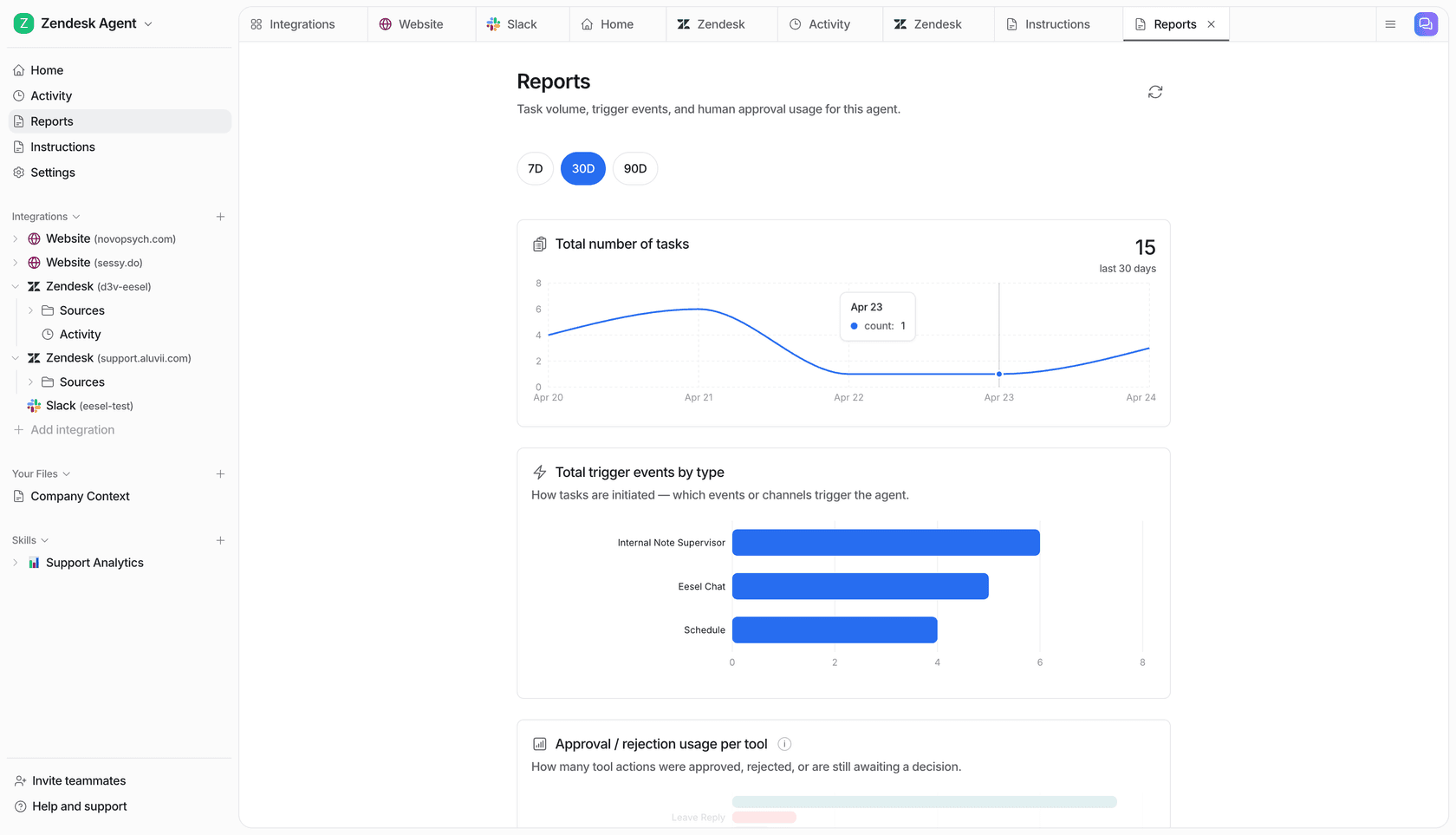
Once it is live, the reporting dashboard tracks the same metrics this post argues for: resolution rate, deflection, and where customers are still escalating, so you can see the ROI accrue instead of inferring it at renewal. It plugs into helpdesks like Zendesk and the rest of your stack in a few minutes, trains on your knowledge base and past tickets, and lets you start in copilot mode (drafting for agents) before you hand it full resolution. That gradual ramp is itself an ROI tactic: you bank the agent-productivity savings while you build trust toward full automation.
Try eesel
If you are trying to measure ROI on AI support, the hardest part is getting an honest number before you spend real money. eesel's simulation gives you that: it runs an AI agent against your own past tickets and shows the deflection and cost forecast up front, so the business case is built on your data, not a generic benchmark. You can train it on your knowledge base in minutes, watch the resolution metrics in the reporting dashboard, and keep the bill predictable with one fixed monthly price. It is free to try with 100 credits, and the simulation alone usually answers the ROI question faster than a spreadsheet would.