How to choose support channels

Stevia Putri

Katelin Teen
Last edited May 15, 2026
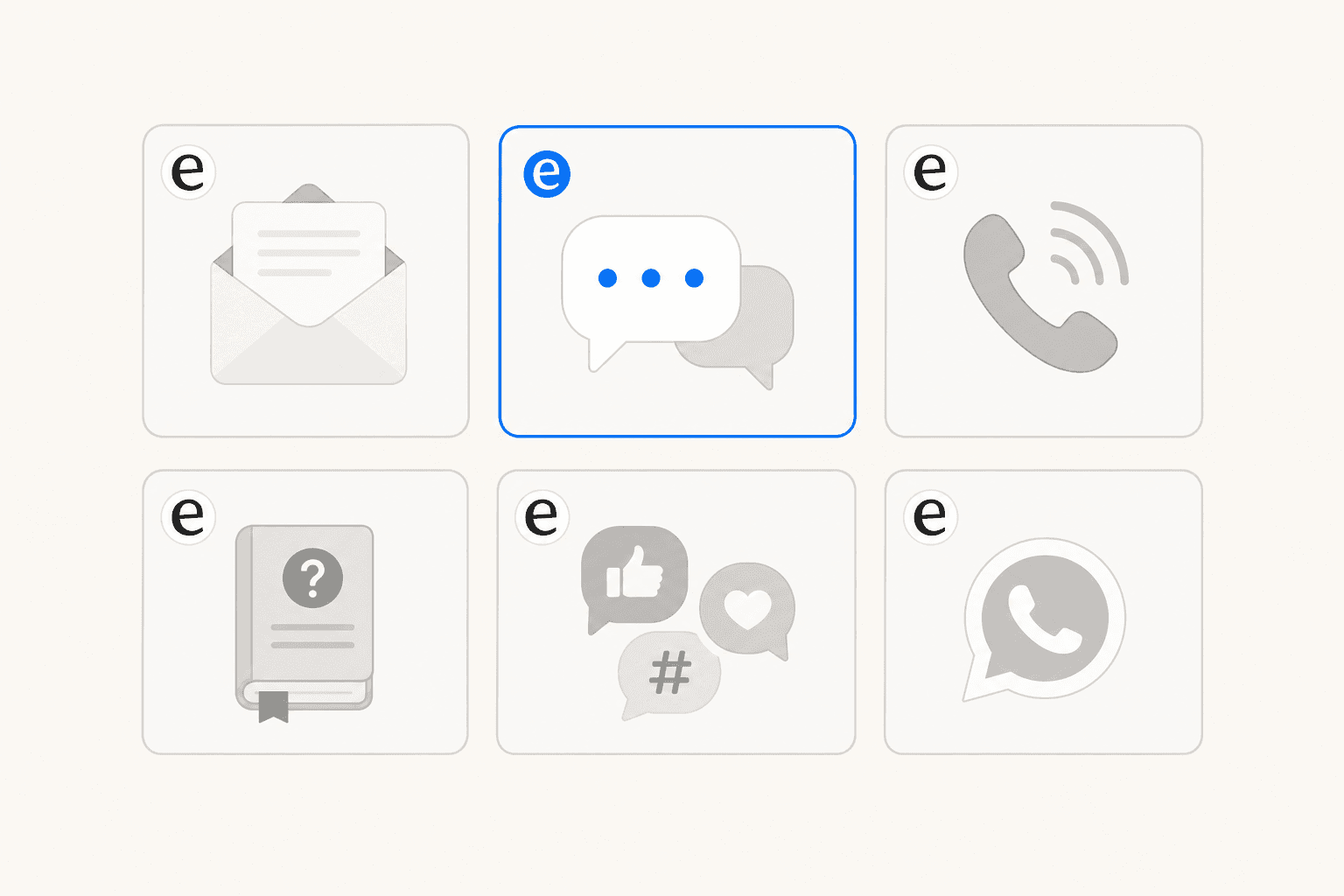
Most support teams don't pick their channels strategically. They start with email, then add live chat because a competitor offers it, then a support manager sets up a social DM queue, then someone suggests WhatsApp "because customers keep asking." Two years later, the team is managing six channels badly instead of two well.
Channel selection is an actual decision, not a gradual accumulation. The channels you offer determine how many people you need to hire, what software you buy, and whether customers come away satisfied or frustrated. Getting it wrong costs in both directions: too few channels leaves customers stranded, too many stretches teams thin.
What follows is a framework for making that decision deliberately. It covers what each channel is genuinely good at, the four questions that should drive your selection, and how AI tools like eesel AI change what's possible for teams that can't afford to staff every channel around the clock.
What each support channel is actually good at
Channels fall into two categories: synchronous (real-time, like phone and live chat) and asynchronous (not real-time, like email and SMS). The right mix depends less on what's trendy and more on what your customers need and what your team can staff.
A quick summary before the detail:
| Channel | Best for | Main limitation |
|---|---|---|
| Complex, non-urgent issues; documentation needs | Slow; frustrating for urgent requests | |
| Live chat | Quick resolution, pre-sale questions | Requires real-time coverage to work |
| Phone | Complex, urgent, high-value customers | One agent per call; high staffing cost |
| Self-service / AI | High-volume simple questions, 24/7 availability | Below 50% first-contact resolution alone |
| Messaging (SMS, WhatsApp) | Mobile-first, order updates, younger customers | Platform fragmentation; fast response expected |
| Social media | Brand accountability, public acknowledgment | Hard to resolve complex issues publicly |
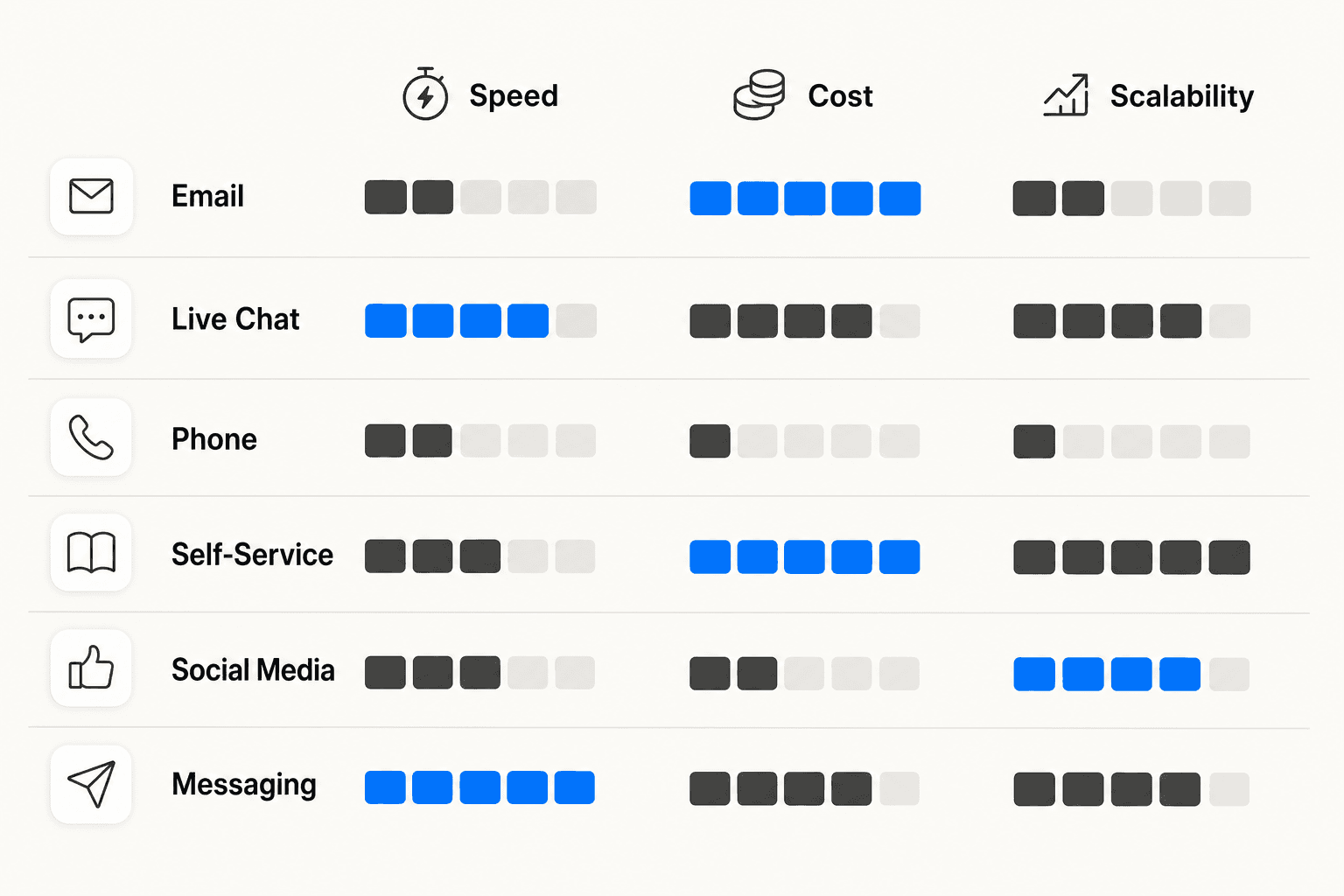
The default channel for most teams, and the easiest to manage at small scale. Asynchronous and manageable solo: one person can run a well-organized email queue. Agents can handle multiple conversations at once and take time to research before responding.
The limitation is speed. 67% of customers expect resolution within 3 hours. Email rarely delivers that for anything complex. It works for detailed explanations, documentation needs, and follow-up communication. For "my account is locked right now," it doesn't.
Live chat
Real-time without the one-to-one overhead of phone. Agents can handle multiple chats simultaneously, and Help Scout found significantly higher customer satisfaction after chat than after email when analyzing 8,000 conversations. Good for pre-sale questions, quick issue resolution, and customers who are already on your website.
The catch: live chat only works if someone is actually available. An unmanned chat widget that shows "online" before timing out generates more frustration than any other channel failure mode.
Phone
Still the most preferred channel for high-urgency issues. Counterintuitively, 71% of Gen Z would reach out via phone for customer support -- even digital-native customers want to hear a voice when something is genuinely wrong. Good for complex issues, escalated complaints, and high-value customers.
The economics are different from other channels: one agent, one call at a time. Adding phone without adequate headcount creates the one outcome customers hate most -- long hold times. Phone makes sense when your issues are complex or sensitive enough that customers won't accept asynchronous alternatives.
Self-service (knowledge base + AI)
67% of customers say they prefer self-service, and it's the second most popular option even for high-urgency queries (ICMI, 2024). The modern version goes well beyond a static FAQ page: AI-powered self-service understands natural language, draws from your actual ticket history and documentation, and can take actions in your systems.
The realistic caveat: only 41% of customers found a resolution on first contact through self-service, per COPC's Global Benchmarking Series. Self-service works, but rarely as a standalone channel. A good internal knowledge base is what makes self-service reliable -- always pair it with a human escalation path.
Messaging apps (SMS, WhatsApp, Messenger)
SMS is consumers' second-most preferred digital channel behind email (Twilio research), and expectations are high: most customers expect a response within 10 minutes. Good for order updates, appointment reminders, and mobile-first customers. Younger demographics lean toward messaging over other channels for most routine support.
The practical challenge is fragmentation: managing SMS, WhatsApp, and Messenger as separate queues requires multiple integrations. A help desk that centralizes messaging into a single interface removes most of this overhead.
Social media
Social matters more for brand perception than issue resolution. Ignoring social media support inquiries is linked to a 15% higher churn rate. But social is not where complex issues get resolved: character limits, public visibility, and identity verification challenges constrain what you can actually do there. Most teams use social for public acknowledgment and then move the actual conversation to a private channel.
Why adding more channels doesn't automatically mean better support
The intuitive logic goes: more channels equals more accessibility equals better support. The data doesn't support it.
COPC's Global Benchmarking research found that 60% of customers who took a multichannel support journey were forced into multiple channels, not by preference. They contacted one channel, got no resolution, and had to try another. That's a service design failure, not a sign of robust coverage. Satisfaction drops more than 20 points when someone needs three or more contacts to resolve a single issue.
65% of customers say they've stopped using a company because of poor customer care. A broken email queue that consistently misses its SLA doesn't improve when you add chat next to it. It becomes a broken email queue plus an understaffed chat widget.
The practical upshot: fix first-contact resolution on the channels you have before adding new ones. Excellent support on two channels wins against mediocre support on six, every time.
Four questions before adding any channel
This framework distills the approach from Help Scout's guidance for support teams at every scale:
1. What channels do your customers actually use?
Survey them before building. Ask open-ended questions about how they prefer to contact companies like yours, what frustrated them in previous support experiences, and what channels they use regularly. Don't anchor the survey to your existing options or you'll get confirmation rather than insight.
66% of customers only use about three support channels. If your customers are concentrated on two, being excellent there matters far more than being present on five.
2. What kinds of issues do you handle?
Channel fit depends heavily on issue type:
- E-commerce and retail: High volume of repetitive requests (order status, returns, shipping questions) -- self-service handles most of it well; one real-time channel handles the exceptions
- Financial services and healthcare: Urgent, sensitive issues -- real-time channels are required, not optional; phone or secure messaging is expected by customers in these categories
- Software companies: Technical issues that benefit from careful research -- email gives agents time to collaborate and check documentation before responding; self-service handles the FAQ tier
- Consumer brands with social presence: Social monitoring is necessary even if you don't use it as a primary channel -- 80% of millennials say they prefer social media for customer support, and public complaints left unanswered become visible problems
3. What does your industry expect?
More than half of consumers will switch to a competitor after just one bad experience. Part of what makes an experience "bad" is the gap between what the customer expected and what they got. If your competitors offer live chat and you don't, that expectation gap costs you.
Look at what competitors and market leaders in your category offer. Support that was considered strong five years ago -- email only, 24-hour SLA -- is mediocre in most categories now.
4. What can your team realistically staff?
This is the question most teams skip.
77% of agents already report increased workloads, per Salesforce's State of Service data. Adding channels without staffing them properly compounds this. Every channel requires real coverage to function:
- Phone requires dedicated agents and queue management that prevents hold times from exceeding a few minutes
- Live chat needs someone available and responsive during covered hours -- a slow response on chat is as damaging as no response
- Social media needs active monitoring so complaints don't sit unanswered in public view for hours
Before adding any new channel, audit what your current channels' CSAT scores look like. If existing channels are underperforming, that's where capacity should go first.
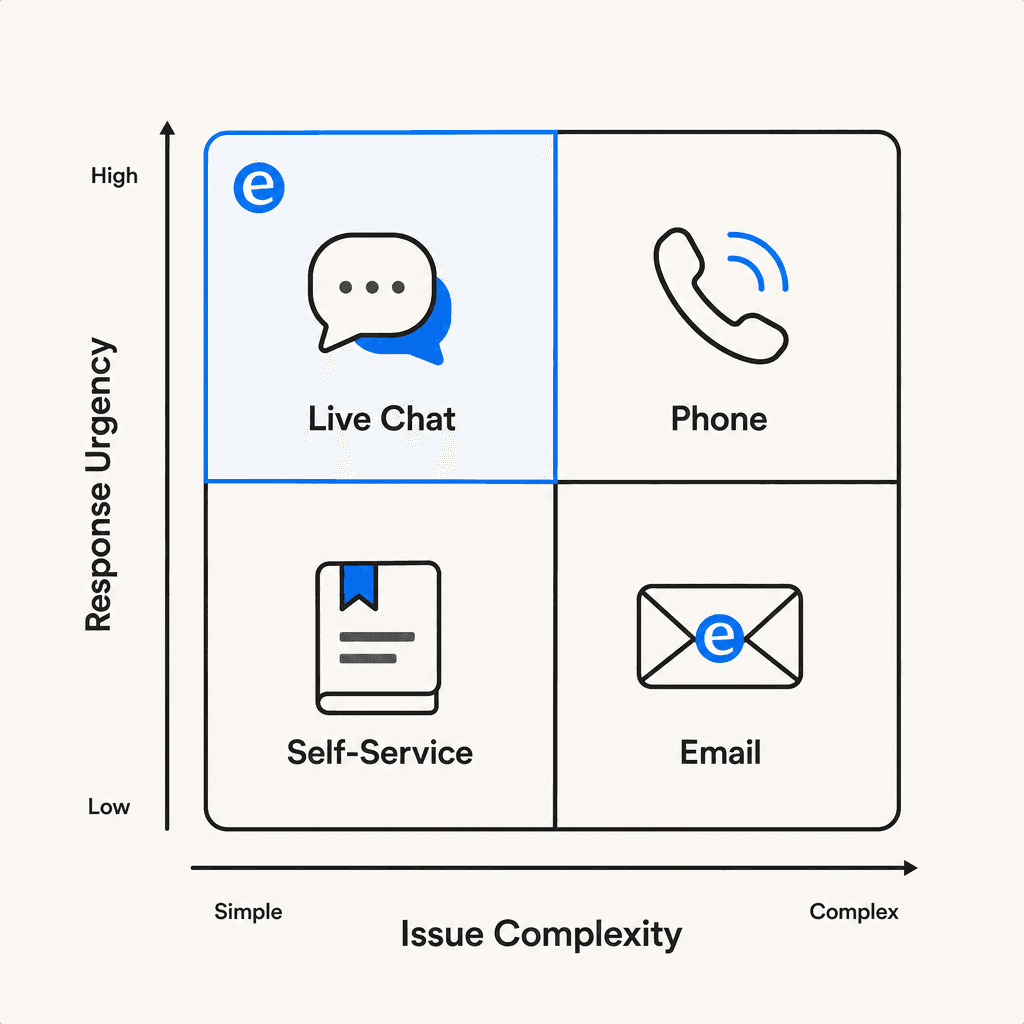
Multi-channel vs omnichannel: the difference that matters
Having multiple channels and having omnichannel support are not the same thing. The distinction: in omnichannel, customers can switch channels mid-interaction without losing context.
A customer calls about a billing issue. The call drops before it's resolved. They send an email as a follow-up. In multi-channel without context sharing, that email arrives as a brand-new ticket. The agent has no record of the prior call. The customer explains the whole situation again.
70% of customers expect anyone they interact with to have full context of their situation. That's only possible when your channels share history. McKinsey research found that over 80% of customers would contact multiple channels if they needed additional help -- context continuity is what determines whether that's a seamless experience or a frustrating one.
The practical guidance from Help Scout: use omnichannel-capable software from the start, even if you're only on two channels today. Retrofitting later means migrating ticket history, retraining agents, and rebuilding workflows. Building toward omnichannel architecture now means scaling to additional channels later is additive rather than disruptive.
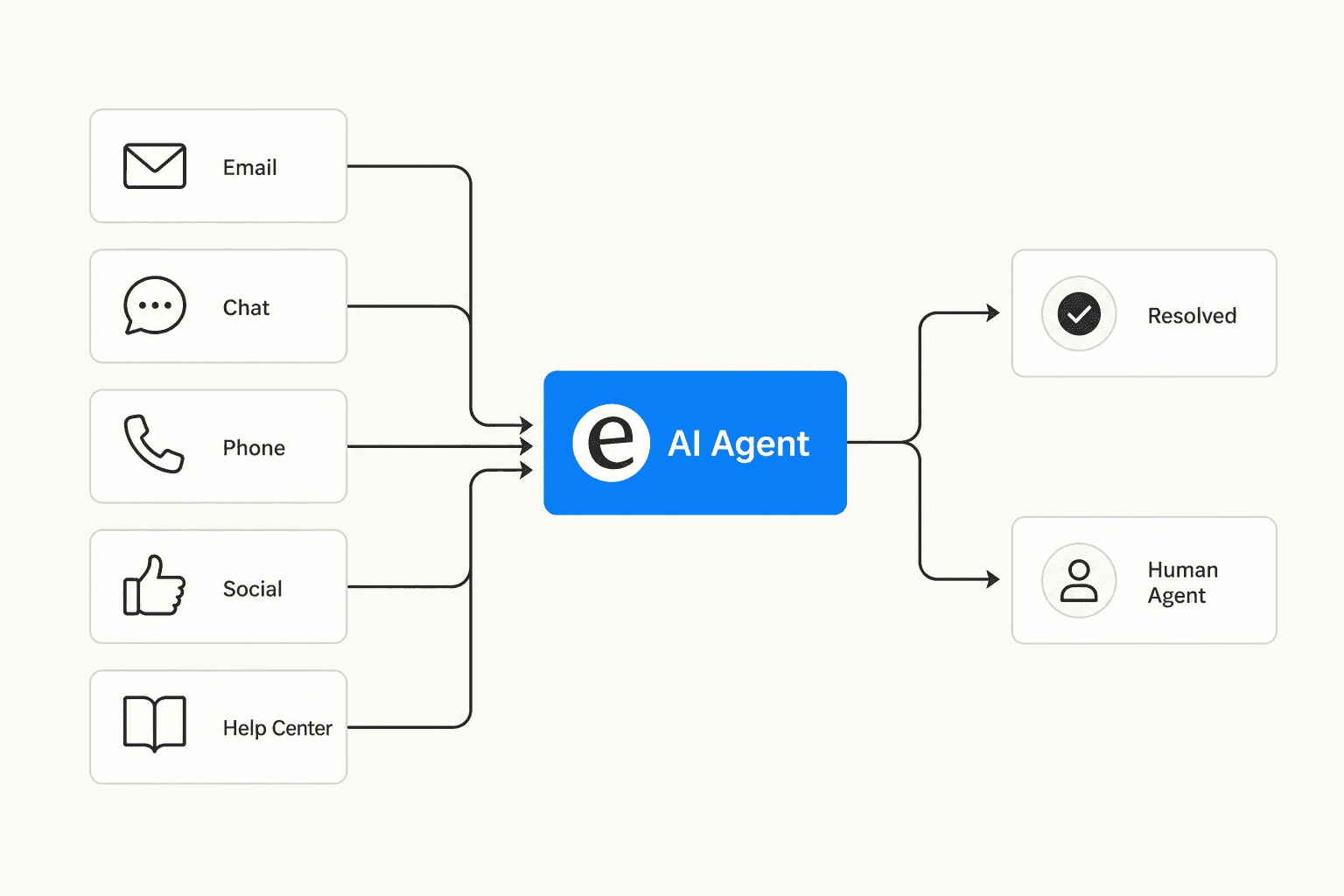
How AI changes the channel calculation
AI doesn't eliminate the channel strategy problem -- it shifts some of the tradeoffs.
Self-service becomes a real channel. A keyword-matching FAQ page isn't self-service in any meaningful sense: it's a Ctrl+F the customer does for you. AI-powered self-service understands natural language, draws on your actual ticket history and documentation, and can resolve issues end-to-end without a human in the loop. 90% of CX leaders expect AI to resolve 8 in 10 issues without human intervention within a few years. That changes the first-contact resolution ceiling well past the current 41%.
AI reduces the staffing cost of real-time channels. Live chat that routes common questions to AI before escalating to humans can cover hours that would otherwise require additional headcount. HubSpot's research puts AI time savings at 2.2+ hours per agent per day. That capacity goes toward the work that genuinely needs a human: complex tickets, sensitive escalations, conversations where tone matters.
But customers still want humans reachable. 48.8% of customers still prefer humans over AI, and 46% say they're more likely to use AI support if they know they can escalate to a person. The hybrid model -- AI handling volume, humans handling complexity -- is what most teams are converging on. The question isn't "AI or humans" but "where does each add most value in this specific queue."
For a closer look at how to measure whether your self-service layer is actually resolving issues, eesel's guide on deflection rate covers the metrics that matter. And for an overview of self-service options, eesel's breakdown of self-service solutions is a practical starting point.
eesel AI for multi-channel support
eesel AI is a helpdesk agent that connects to your existing help desk -- Zendesk, Freshdesk, Gorgias, HubSpot, or others -- and starts handling tickets using your own knowledge. It learns from your past tickets, help center articles, macros, and connected documentation. No separate configuration per channel.
A few things that make it useful for teams working through channel decisions:
Works across channels through the same integration. Whether tickets come in through email, live chat, or messaging, eesel handles them through a single agent. Add a channel and eesel is already there -- no parallel setup.
Graduated autonomy. Start with eesel drafting responses for human review. Expand to autonomous sending as accuracy is confirmed. You set the pace. Mature deployments reach up to 81% autonomous resolution -- meaning most tickets never need a human.
Simulation before go-live. Run eesel against your past tickets before going live on any channel. See how it performs, identify gaps, and adjust before customers interact with it.
For teams adding self-service to their channel mix, eesel's ticket deflection capability addresses the first-contact resolution problem directly. It identifies where your knowledge base has gaps based on conversation patterns and can draft articles to fill them -- without manual content audits.
Pricing is usage-based at $0.40 per support ticket handled, no per-seat fees, no monthly minimums.
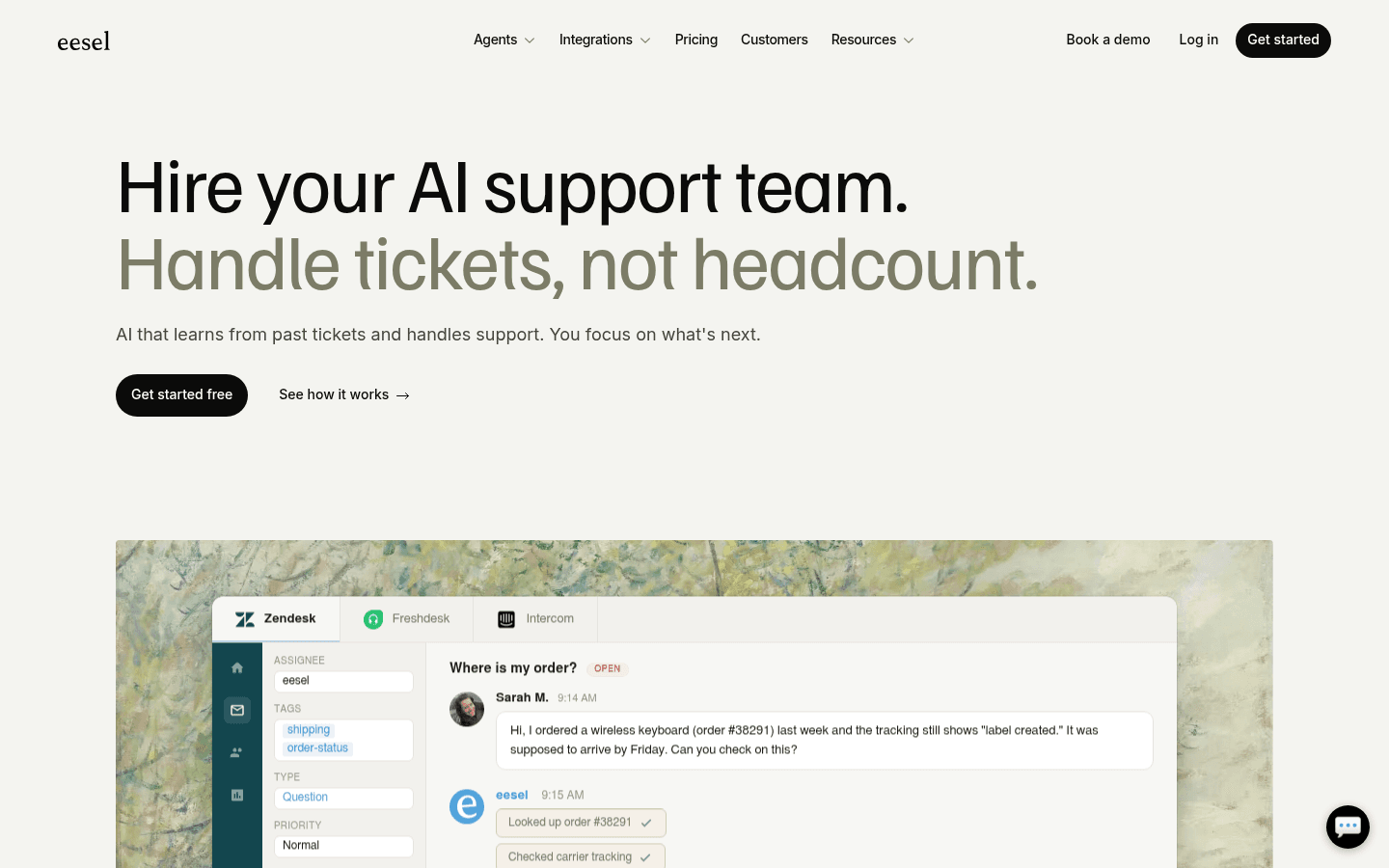
Try eesel free -- $50 in free usage credit, no credit card required.

Frequently Asked Questions
One or two, done well. 66% of customers only use about three support channels total, so being excellent on the two they use most matters more than covering everything. Email paired with a basic knowledge base is the most common starting point. Add live chat only when you can staff it consistently during business hours. eesel AI can help extend coverage across any channel you add without proportional headcount.
It depends on the complexity and urgency of your issues. 71% of Gen Z customers prefer a live phone call for high-urgency support - even digital-native users want to hear a voice when something is genuinely wrong. If your support involves complex troubleshooting, billing disputes, or sensitive account issues, phone is worth the investment. For simple transactional queries, a strong self-service layer and live chat may be sufficient.
Multi-channel means offering more than one channel. Omnichannel means those channels share context - a customer can move from chat to email to phone without repeating themselves to each agent. 70% of customers expect agents to have full context of their situation, which is only possible with omnichannel architecture. The practical recommendation: use omnichannel-capable software from the start, even if you're only on two channels today.
Channel costs vary significantly. Phone is the most expensive: agents handle one call at a time, staffing requirements are higher, and infrastructure costs more. Email and chat are more cost-effective since agents can handle multiple conversations simultaneously. Self-service has an upfront content investment but reduces ongoing cost-per-contact. eesel AI's task-based pricing starts at $0.40 per support ticket handled, with no per-seat fees or monthly minimums - useful for teams managing volume across multiple channels.
You create a worse experience than not offering it at all. An unmanned live chat widget, an unmonitored social inbox, or a phone line with long hold times tells customers their request doesn't matter. COPC research shows satisfaction drops more than 20 points when customers need three or more contacts to resolve an issue - and undercovered channels create exactly this pattern. Only add channels you can staff properly from day one.
Share this article

Article by
Stevia Putri
Stevia Putri is a marketing generalist at eesel AI, where she helps turn powerful AI tools into stories that resonate. She’s driven by curiosity, clarity, and the human side of technology.