
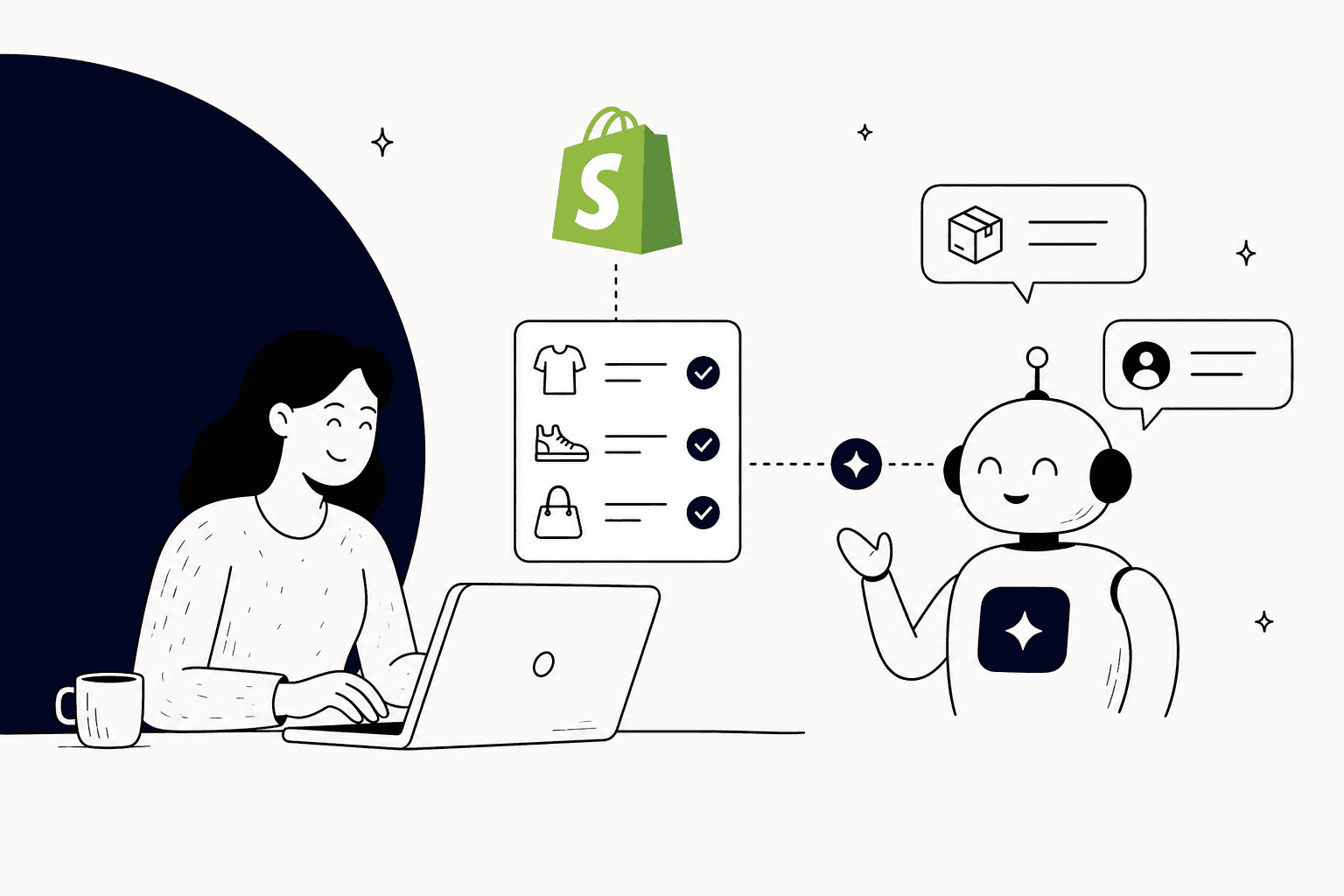
If you run a Shopify store, I'm willing to bet there's one question that takes up half your support team's day: "Where's my order?"
It's relentless. You've probably even tried setting up a standard AI chatbot, hoping it would take some of the pressure off. But then you realize most of them can only parrot back what's on your FAQ page. They can't look up live order details, so your customers get generic answers and your team is still stuck manually digging up order numbers and tracking links.
What if your chatbot could actually handle it? I mean, really handle it, by looking up live order information and giving customers a real answer, instantly.
Good news: it can. And it's not some super-technical, developer-only project anymore. This guide will walk you through exactly how to connect Shopify order data to your AI chatbot, so it can start doing the work for you.
What you'll need to get started
First things first, you don't need to be a coding wizard to get this done. You just need a few key things on hand.
Here’s a quick rundown of what you’ll need:
-
A live Shopify store: You'll need admin access to connect everything.
-
The right kind of AI chatbot platform: This is the most important part. You need a bot that can handle what's called "custom API actions." It's just a technical way of saying the bot can ask Shopify for specific information, like an order's status. A lot of the simpler bots can't do this, which is why they just end up being glorified FAQ pages.
-
Your usual store documents: Grab the links to your FAQs, return policy, shipping info, and any other documents you use to answer customer questions.
5 steps to connect Shopify order data to your AI chatbot
With the right platform, this whole process is surprisingly simple. We'll go from getting the basics in place to connecting the real-time data that makes all the difference.
Step 1: Choose a chatbot that can look up real-time data
Honestly, this is the step that makes or breaks the whole project. To answer "Where's my order?" your chatbot needs to be able to talk directly to Shopify in real-time. Tech folks call these "API calls" or "custom actions," but all it really means is that your bot can ask Shopify for details about a specific order the moment a customer asks.
A lot of the chatbots you'll find on the Shopify App Store just can't do this. They're designed to read from a fixed FAQ page. So, they can tell a customer what your shipping policy is, but they have no idea where that customer's actual package is. That's a huge difference, and it's why so many people get frustrated with chatbots.
You'll need a tool that's built for this kind of automation from the ground up. For example, platforms like eesel AI ship Shopify order lookups as built-in actions, so there is nothing to code to pull Shopify order data. It’s not just a nice-to-have feature; it’s the whole reason this kind of automation works. Plus, you can get it all running yourself in a few minutes without having to book a sales call.
Step 2: Install the chatbot and link it to your Shopify store
Okay, you've got your platform. Now it's time to connect it to your store. This part should be simple, no wrestling with code or API keys. Shopify has also retired access tokens for this kind of connection, so the approval happens in your browser.
With eesel AI's Shopify integration, the steps look like this:
-
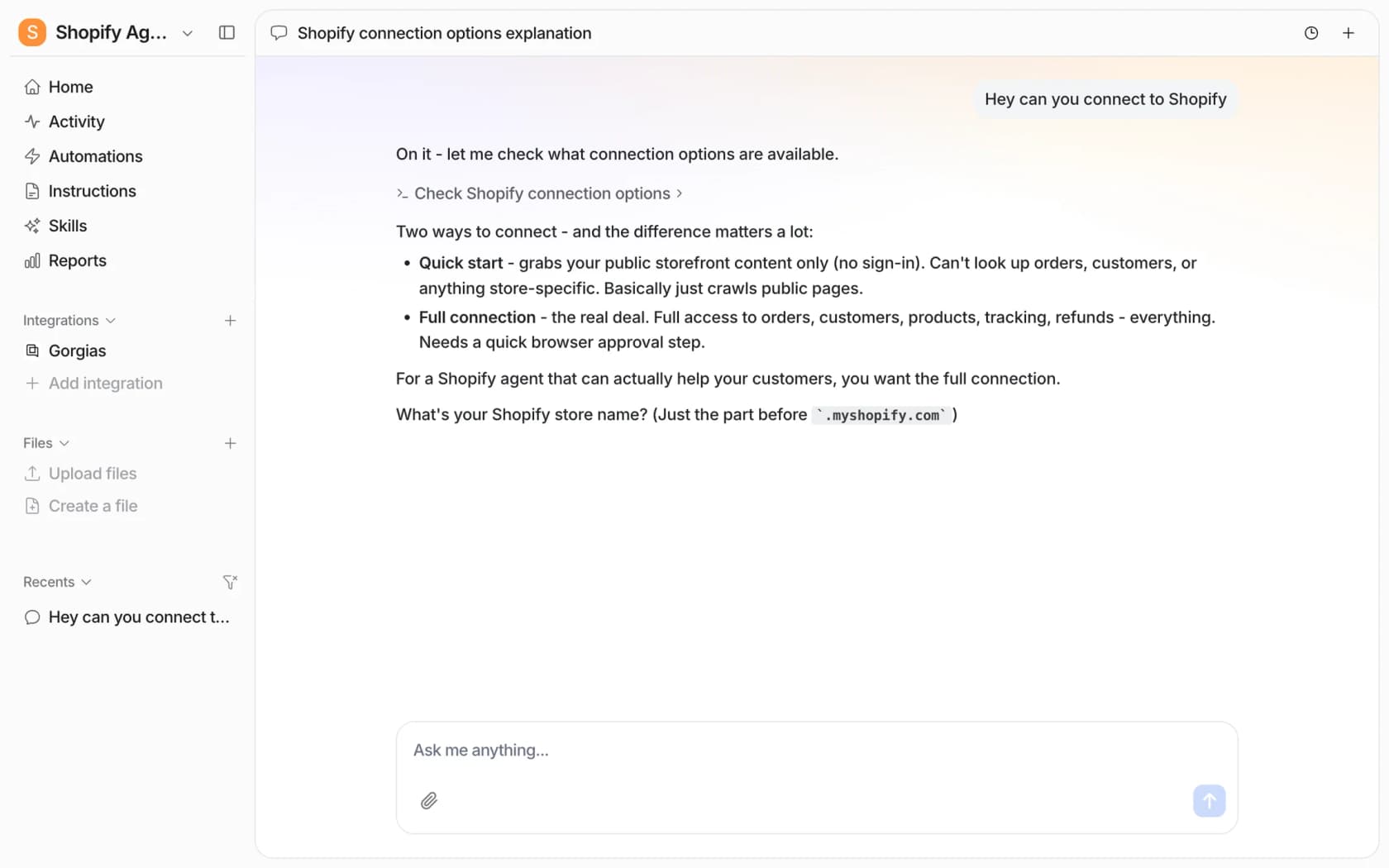
Sign up, open the chat in your dashboard, and ask it to connect Shopify. Give it your store name, which is the part before
.myshopify.com. -
Pick a connection type. Quick start reads your public storefront with no sign-in, but it cannot see orders or customers. For order tracking you need the full connection.
-
Open the connect link the agent posts and approve the eesel app on Shopify's install screen. A store owner, or a staff member with app permissions, has to do this part.
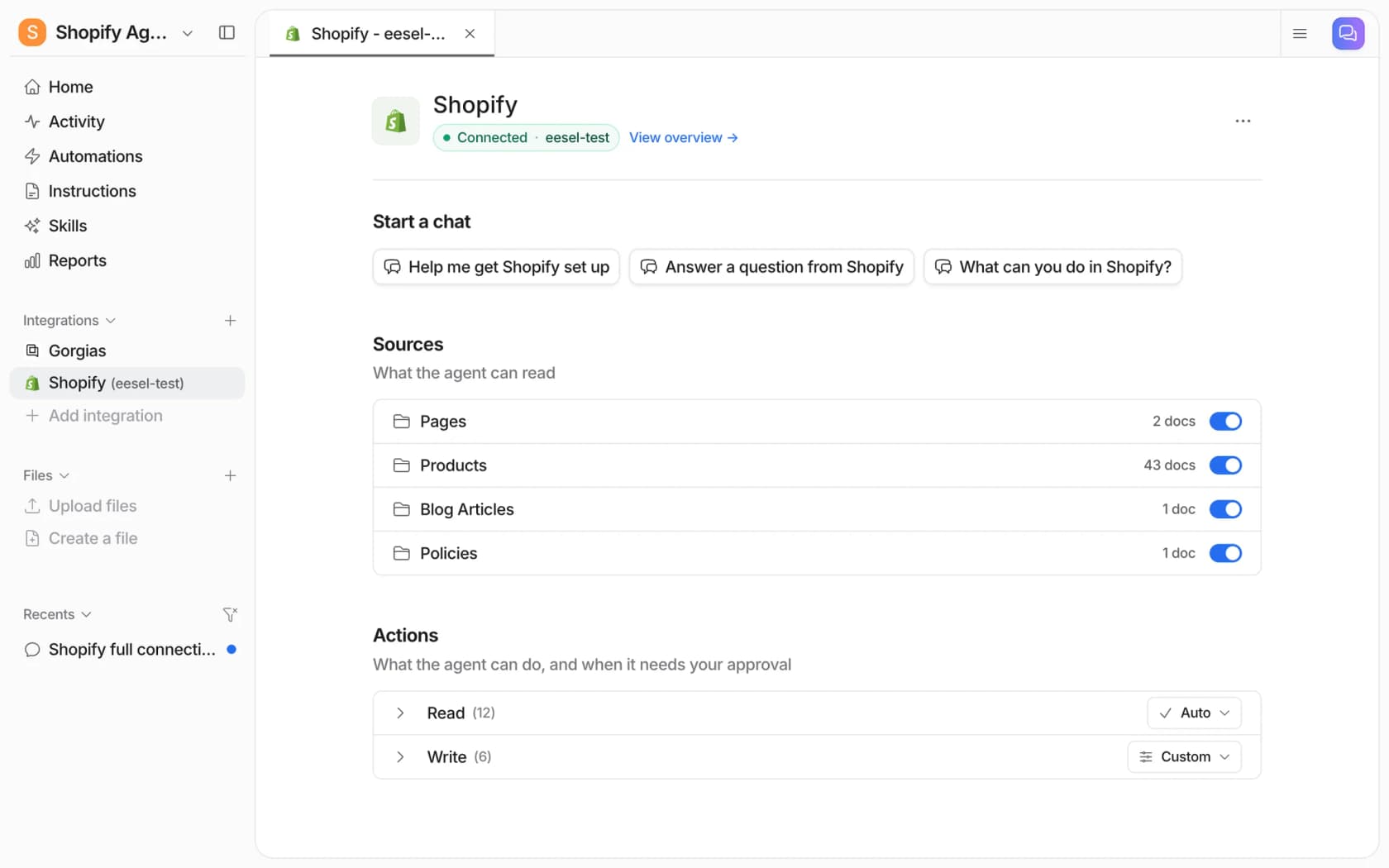
Once approved, the agent confirms the store is live and reads a few recent orders to prove it. Your bot can now see your products, pages, blog articles and policies, and it can look up orders. That covers the basics, so now for the fun part: using that live order data.
Step 3: Train your bot on your basic knowledge
Before we get the bot looking up orders, it needs to learn the basics. You want it to be able to handle a simple question about your return policy without freezing up.
This is where you feed it all of your existing support info. Just give it the links to things like:
-
Your Shopify help center
-
Your public shipping and return policy pages
-
Any other places you have answers, like in Google Docs or Notion
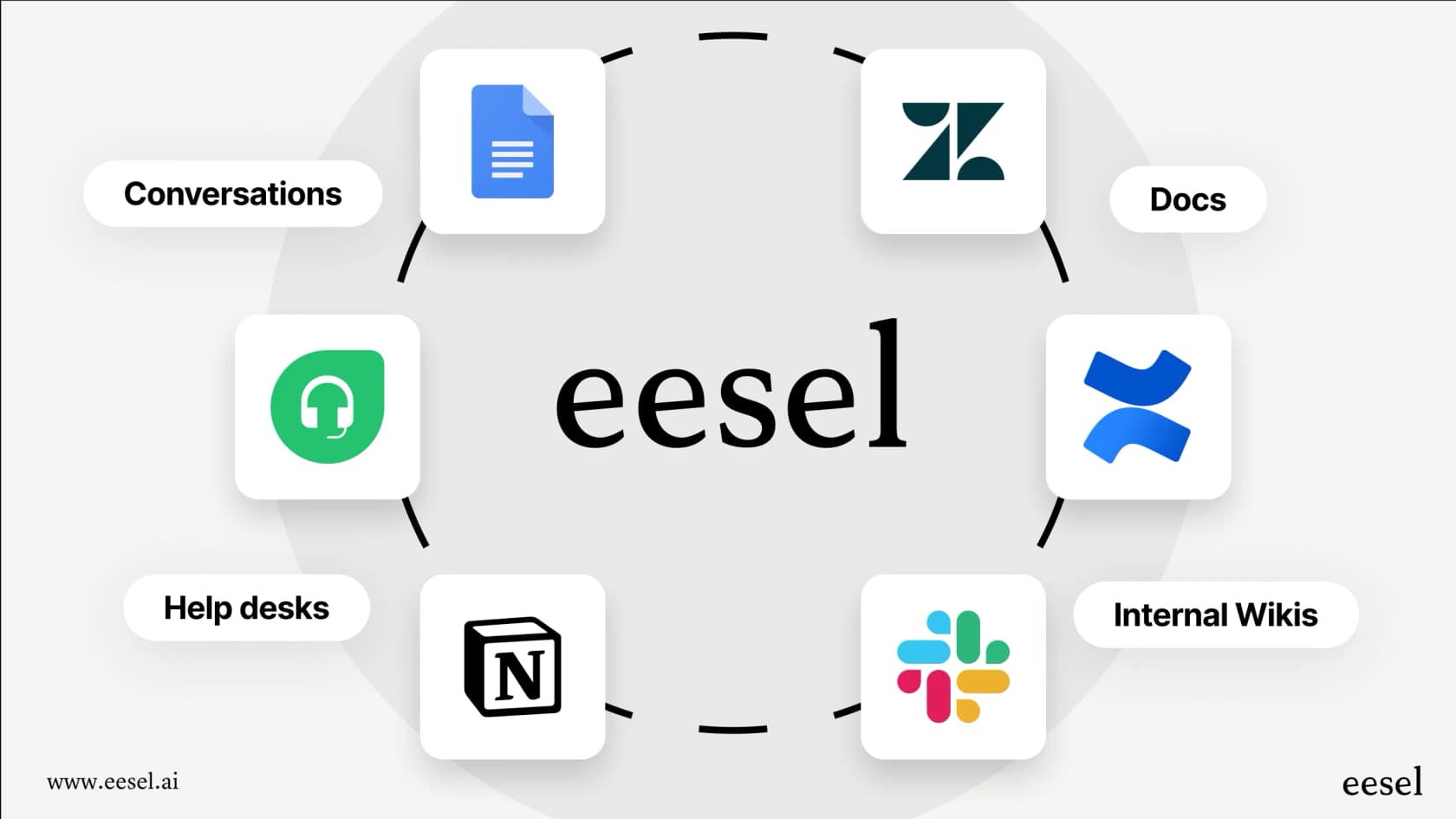
This is another spot where a more flexible tool makes a difference. Some bots can only read what's on your Shopify site, which can be limiting. With a platform like eesel AI, you can pull information from all over the place. The more context you give it, from old support tickets to internal guides, the better it will understand your business and sound like your brand.
Step 4: Set up a custom action to fetch Shopify order data
Alright, this is the part we've been building up to. We're going to tell the bot how to look up live order information. It sounds complicated, but with eesel AI the Shopify order lookups are built-in actions, so you don't have to touch any code.
Here’s the play-by-play:
-
Turn on an automation. Connecting alone does not start the agent, because Shopify has no triggers of its own. Ask in the dashboard chat to turn on the chat bubble on your storefront, or let a helpdesk ticket or a Slack mention start the agent. It then handles "track my order," "package status," or "where's my stuff?" in plain language.
-
Ask for the details. The bot needs an order number or the customer's email to do anything. So, it will ask the customer for that info.
-
Run the action. This is the magic step. The Shopify integration ships read actions such as Get Order by ID, Get Order History and Get Order Fulfillment, and they read Shopify live. You can see the full list under Integrations > Shopify in the dashboard, and choose which ones run automatically.
-
Give the answer. Shopify sends back the latest details, fulfillment status, tracking number, carrier and shipment status. You describe in plain language how the bot should share this with the customer, for example: "Looks like your order #[Order ID] has shipped! Here's the tracking link."
One thing to know: stores connected before eesel asked for Shopify's read-all-orders permission only search the last 60 days of orders until someone reconnects the store. Looking an order up by its number works either way, according to the eesel docs.
Being able to build this kind of custom logic without code is what makes a modern chatbot so much more useful than the old ones. It's the difference between a bot that's just for show and one that actually takes work off your plate.
Step 5: Test it out before going live
Flipping the switch on a new automation can be a little stressful. What if it doesn't work right? You don't want it giving customers weird answers and creating more tickets for your team. You shouldn't have to just launch it and pray.
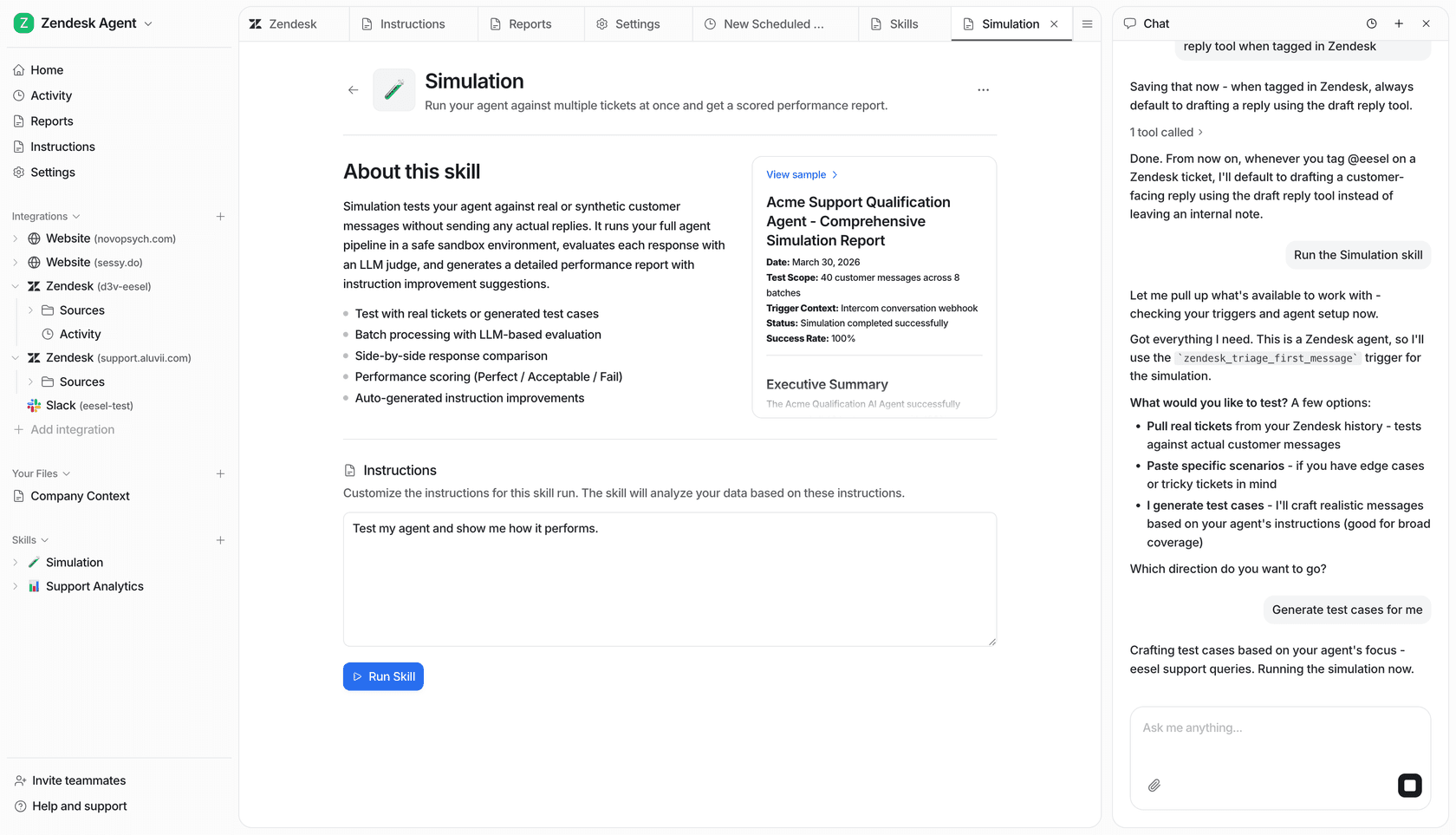
That's why testing is so important. Some platforms, like eesel AI, can run a simulation, a skill that tests your agent's answers against past tickets, so you can check everything safely behind the scenes.
You can run your new order-tracking bot against thousands of your past support conversations. The simulation will show you exactly how it would have replied in each case, how many questions it would have solved automatically, and if there are any spots that need a little tweaking.
This lets you go live knowing your bot is ready, instead of using your real customers as test subjects. It’s a huge relief.
Tips for success
Just getting the tech set up is one thing. To make the experience great for your customers, here are a few things to keep in mind.
-
Give people an out. No bot is perfect, and sometimes people just want to talk to a person. Make it obvious and easy for a customer to ask for a human agent. A smart chatbot should know when to step aside and hand the conversation over to your help desk, whether you use Zendesk, Gorgias, or Freshdesk. And it should pass along the chat history so your agent isn't starting from scratch.
-
Give your bot a personality. Your chatbot is part of your brand, so it should sound like it. Spend a little time defining its tone. If you sell skateboards, it should sound different than if you sell luxury watches. Keep it consistent with your brand voice.
-
Start with one thing and grow. Don't try to automate everything on day one. Start with your biggest headache: the order status questions. Nail that, see the time you save, and then you can start building out new workflows for returns, product questions, or whatever else is filling your inbox.
Stop answering tickets and start growing your business
Connecting your Shopify order data to an AI chatbot isn't some massive, months-long project anymore. With the right kind of tool, it's something you can get up and running yourself in an afternoon.
The payoff is pretty clear: your team gets hours back every week, your customers get instant answers any time of day, and everyone can stop focusing on repetitive questions and start working on things that actually grow the business.
If you're tired of your inbox being flooded with 'Where's my order?' tickets, this is one of the most effective things you can do to fix it.

Ready to give it a try? You can sign up for eesel AI for free and connect your Shopify store in a couple of minutes to see how much time it can save you.
Frequently asked questions
What kind of AI chatbot platform do I need to connect to my Shopify order data?
You need a chatbot platform capable of handling "custom API actions," meaning it can actively request and retrieve real-time data from Shopify. Simpler bots often only parrot FAQ pages and cannot perform this crucial function.
Do I need to be a coding expert to connect Shopify order data to an AI chatbot?
No, you don't need to be a coding wizard. Modern platforms, like eesel AI, connect Shopify with a browser approval and ship built-in order lookups, so the process stays accessible without technical expertise.
What are the primary benefits of connecting Shopify order data to an AI chatbot?
The main benefits include freeing your support team from repetitive "Where's my order?" questions, providing customers with instant, accurate order updates 24/7, and allowing your team to focus on more strategic, growth-oriented tasks. This significantly improves both customer satisfaction and operational efficiency.
How can I ensure the bot is working correctly before it goes live with customers?
Many platforms offer a simulation that lets you test the bot against past support conversations. This allows you to safely verify its responses and performance behind the scenes, ensuring it's ready before going live.
If the chatbot can't resolve a query, what's the recommended fallback?
It's crucial to always provide a clear and easy option for customers to connect with a human agent. A smart chatbot should recognize when to escalate a conversation and seamlessly hand it over to your help desk, passing along the chat history to the agent.
What's the very first step I should take to connect Shopify order data to an AI chatbot?
The most critical first step is choosing an AI chatbot platform specifically designed to integrate with and fetch real-time data via API calls. This capability is fundamental to truly automating order status inquiries, unlike bots that only read static information.
Besides order data, what other information should I use to train the bot?
To make your bot more robust, train it on all your existing support documentation, including your help center, public shipping and return policies, and other relevant documents from sources like Google Docs or Notion. This comprehensive training helps the bot understand your business better and sound like your brand.