


So, you’ve launched an AI support agent. Your dashboard is proudly displaying a sky-high "deflection rate," but when you look over at your support team… they’re just as busy as ever. Sound familiar? It’s a common frustration when you’re tracking the wrong metrics.
The problem is that most platforms want you to fixate on deflection, which is really just the number of tickets that were stopped before they were created. That metric doesn't tell you the whole story. It can't distinguish between a customer who found their answer and a customer who just gave up and walked away.
The real goal isn't just deflection; it's resolution. You need to know if your AI is actually solving problems, and how that compares to your traditional help center articles written by your team.
This guide will walk you through a straightforward process to accurately measure and compare how your AI and human-powered support channels are really doing. You'll finally be able to see the true return on your automation efforts, instead of just staring at a vanity metric.
What you'll need to get started
Before we jump in, let’s get a few things ready. Having these on hand will make everything go a lot smoother.
-
Access to your help desk analytics. This could be from tools like Zendesk, Freshdesk, or Intercom.
-
The analytics dashboard for your AI support platform.
-
A website analytics tool like Google Analytics to keep an eye on your knowledge base traffic.
-
A basic handle on your existing ticket tags and categories.
Honestly, juggling data from all these different places can be a pain. A unified AI platform makes this much simpler. For instance, eesel AI plugs directly into your help desk and knowledge sources, giving you a single dashboard with clear reports on what’s actually getting resolved and where your knowledge gaps are. It saves a lot of time you’d otherwise spend piecing reports together.
How to compare AI and human deflection rates
Alright, let's walk through how to get a real handle on your support performance.
Step 1: Shift your goal to customer resolution
The biggest change you need to make is a mental one. Your main goal isn't just to deflect tickets; it's to resolve customer issues. A deflected ticket could be a win (a happy customer who found their answer) or a loss (a frustrated user who churned). Looking at deflection numbers alone, you have no way of knowing which it is.
-
True Deflection (Resolution): This is what you're aiming for. The customer gets their issue solved through a self-service channel without ever needing to talk to an agent.
-
False Deflection (Abandonment): This is the silent killer. The customer tries self-service, hits a dead end, and leaves without creating a ticket. It looks like a win in your deflection stats, but it’s a failure for your customer experience.
When you focus on the resolution rate, you get a much clearer picture of success. It answers the only question that truly matters: "Did we solve the customer's problem?"
| Metric | What it Measures | Why it's Limited |
|---|---|---|
| Ticket Deflection Rate | The percentage of inquiries that didn't become a ticket. | Doesn't separate solved issues from frustrated customers who gave up. It's a vanity metric. |
| Resolution Rate | The percentage of inquiries successfully solved without human help. | Directly measures customer success and the true value of your self-service tools. It's an actionable metric. |
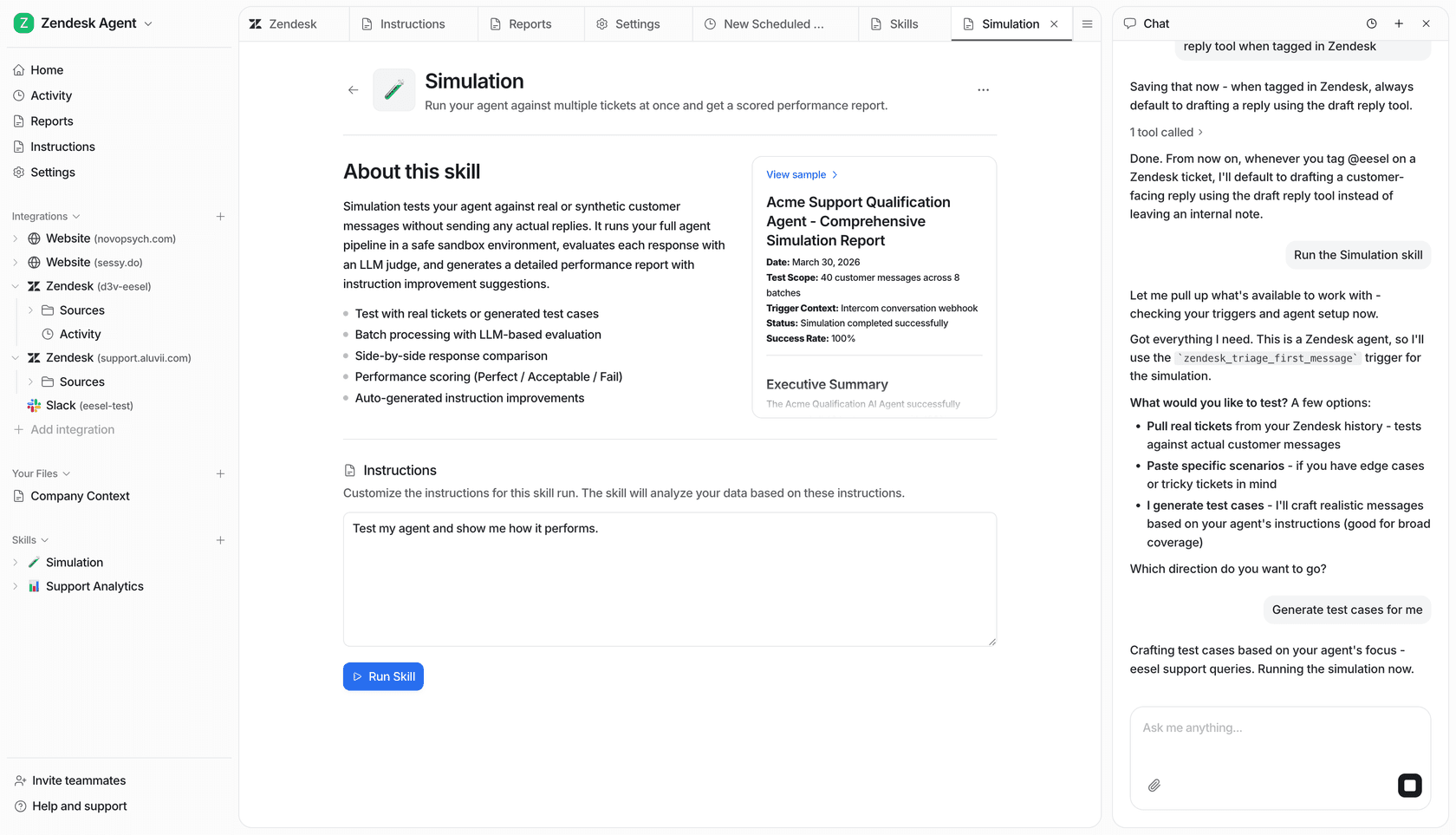
A lot of AI tools will brag about high deflection rates but get suspiciously quiet when you ask about actual resolutions. This is where you need to put your critical thinking hat on. Instead of taking those numbers at face value, a platform like eesel AI offers a simulation mode. It lets you test the AI on thousands of your past tickets, giving you a sharp forecast of your actual resolution rate and cost savings before you even go live. No more guesswork.
Step 2: Get a baseline for your human-powered self-service
Before you can tell how well your AI is doing, you need to know how your current, human-written resources are performing. This means your knowledge base, FAQs, and any community forums.
Here’s how you can measure it:
-
Check your knowledge base traffic: Use a tool like Google Analytics to see which of your help articles are the most popular. If an article on resetting passwords gets thousands of views a month, you can be pretty confident it's solving a good number of simple tickets on its own.
-
Ask for post-article feedback: You’ve seen these everywhere. A simple "Was this article helpful? (Yes/No)" poll at the end of each piece of content can tell you a lot. It’s not a perfect science, but a high percentage of "Yes" votes is a strong sign that your content is hitting the mark.
-
Calculate a self-service score: A quick way to get a benchmark is to divide the total number of unique visitors to your help center by the total number of tickets created over the same time.
- "Self-Service Score = (Total Help Center Users) / (Total Tickets Submitted)"
- A higher score, say 4:1, suggests that for every ticket created, four other people might be finding answers themselves. This gives you a solid number to compare your AI's performance against.
Step 3: Measure your AI's true resolution rate
Now it's time to dig into your AI agent's performance. Vague stats aren't going to help you. You need to look for specific data points in your AI platform's analytics.
Here are the key things to track:
-
AI Conversations Handled: The total number of unique chats your AI agent participated in.
-
Successful Resolutions: The number of conversations the AI fully resolved without needing to hand off to a human. The best way to track this is with a direct confirmation from the user, like a "Did this solve your problem?" prompt at the end of the conversation.
-
Escalations to Agent: The number of times the AI got stuck and had to pass the conversation to a human.
With those numbers, you can calculate the AI resolution rate:
- "AI Resolution Rate = (Successful AI Resolutions / Total AI Conversations Handled) * 100"
A high resolution rate (anything over 50% is great) is a clear signal that your AI is providing real value, not just bouncing frustrated users away.
This is where having the right tool makes a huge difference. Many platforms that lock you into lengthy sales calls and onboarding often hide their performance behind complicated, confusing reports. In contrast, eesel AI is built for clarity. You can get it set up in a few minutes and immediately access reports that focus on what matters: resolutions, not empty deflections.
Step 4: Compare performance and find opportunities
Once you have clear data on both your human-written content and your AI's performance, you can start making smart decisions to improve your entire support strategy.
Pull together a simple report to answer a few key questions:
-
Which topics does the AI resolve better than the knowledge base, and vice versa? This helps you figure out where to point your AI for the biggest wins.
-
What are the top reasons the AI has to escalate to a human? This is pure gold. An escalation isn't a failure; it's a learning opportunity. It shows you exactly where the gaps are in your knowledge base.
You can use this info to create a powerful improvement loop:
-
The AI escalates a question because it doesn't have the answer.
-
Your report flags this as a knowledge gap.
-
You write a new help article or update an old one to cover that topic.
-
The next time that question comes up, your AI can use the new article to solve it automatically.
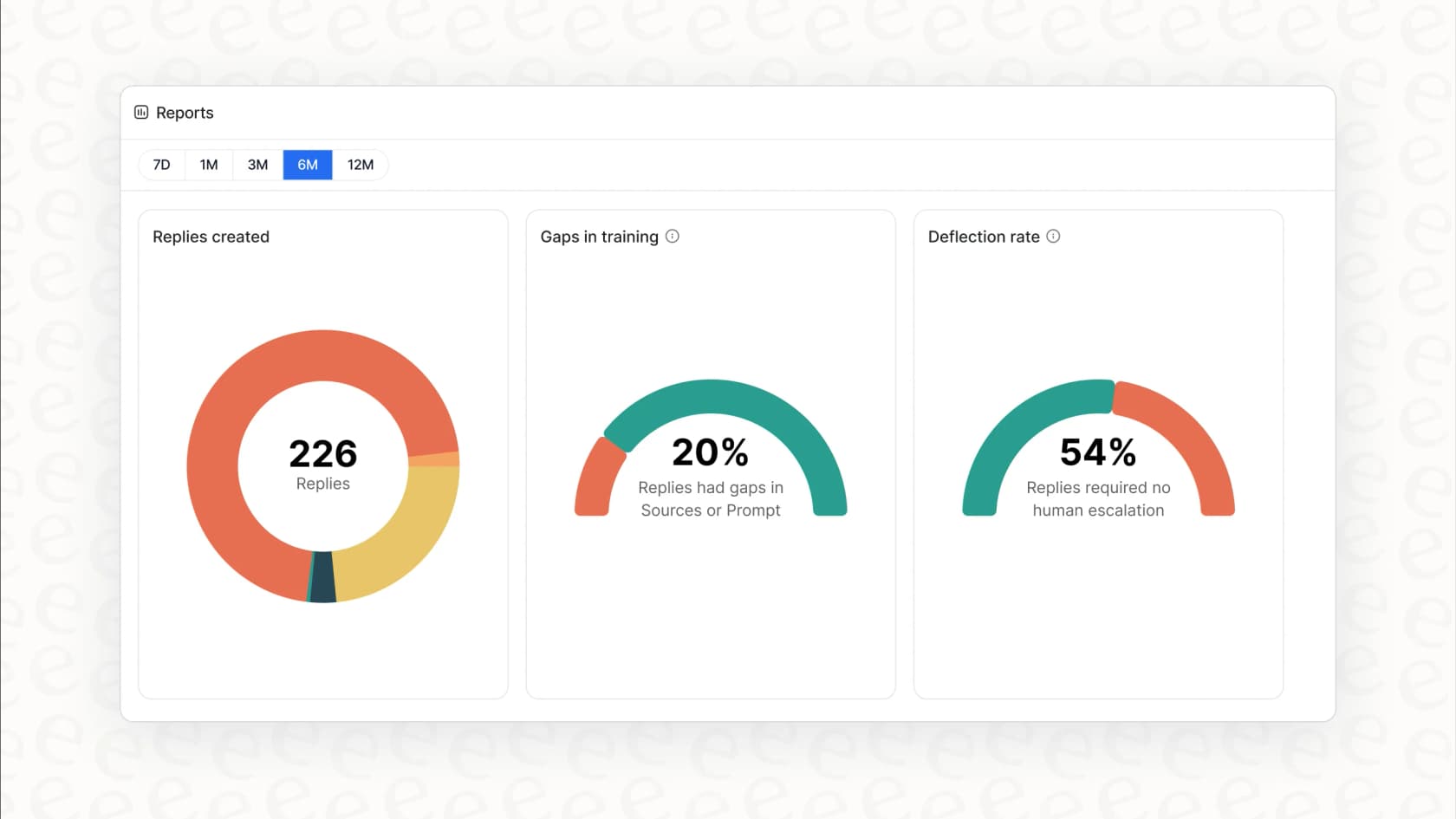
The best AI tools are built to help with this. For example, eesel AI automatically analyzes every conversation to spot trends and points out specific knowledge gaps right in your dashboard. It basically hands you a to-do list for making both your AI and your help center smarter.
Common mistakes to avoid
As you get going, try to steer clear of these common traps.
-
Mistake 1: Lumping all self-service together. A customer solving a tricky billing issue with an AI-guided workflow is way more valuable than someone finding your business hours on an FAQ page. Segment your data to see the real impact.
-
Mistake 2: Hiding the "contact us" button. Making it hard to reach a human just makes people angry and leads to that "false deflection" we talked about. Always give customers an easy and obvious way to talk to a person. It builds trust.
-
Mistake 3: Forgetting about customer satisfaction (CSAT). Always ask for feedback after an automated resolution. A high resolution rate paired with a low CSAT score is a big red flag that something’s off.
Measure what actually matters
Shifting your focus away from a vanity metric like "ticket deflection" is the first real step toward building a support automation strategy that works. By concentrating on resolution rates and clearly separating the performance of your AI and your human-powered help center, you can finally see what’s working and what needs improvement.
This data-driven approach lets you constantly make your customer experience better, frees up your agents to handle more complex work, and proves the real, bottom-line value of your AI investment.
Take control of your support automation
Tired of fuzzy metrics and AI platforms that feel like a black box? eesel AI gives you the tools to measure what matters. With a powerful simulation mode, clear resolution reporting, and a self-serve setup you can launch in minutes, you can finally see the true impact of automation.
Try eesel AI for free or book a quick demo to see how you can start resolving more tickets today.