


Why the unit matters more than the number
I spend a lot of time looking at what people actually type into Google before they buy support software, and "IrisAgent pricing" is a question with a specific shape behind it. Nobody searches that to admire a tier table. They search it because they are three weeks into an evaluation, someone has asked them for a number to put in a budget, and the vendor's page did not give them one.
That gap is worth naming because I hear the same thing from the other side of the table. On one of our sales calls this year, a CX lead at a US healthcare and physical-therapy platform with a few thousand patients told us they had kicked the tires on their helpdesk's native AI and found it "inadequate and overpriced", which is what sent them looking. The word doing the work in that sentence is not "expensive". It is that they could not tell what they were getting for the money until they had already paid.
We have been running AI on live support queues for years now, and the pattern is consistent: teams do not blow their budget on the headline rate. They blow it on a meter they did not understand at signing. So the useful way to read any AI ticketing system price list, IrisAgent's included, is to ask two questions of every line. What is the unit, and who counts it. The real comparison a support lead is running underneath all of this is AI against human cost, and you cannot run it without a unit.
IrisAgent pricing at a glance
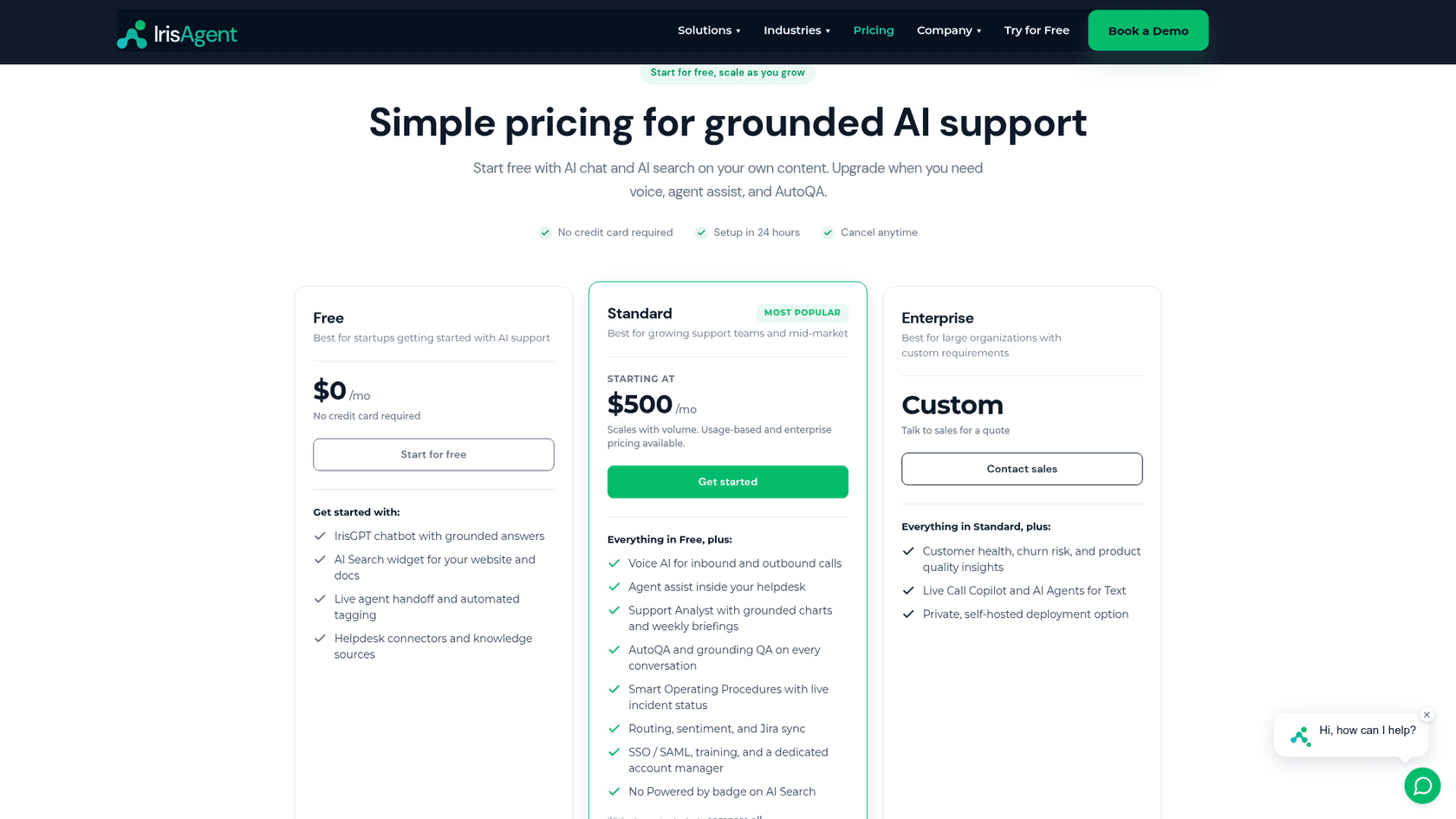
Here is the whole public picture in one place, pulled from IrisAgent's own pages.
| Line item | Published price | Unit | Where it is published |
|---|---|---|---|
| Free | $0 | Not published | Pricing page, 7 features |
| Standard | Starts at $500/mo | Not published | Pricing page, 36 features |
| Enterprise | Contact us | Not published | Pricing page, 40 features |
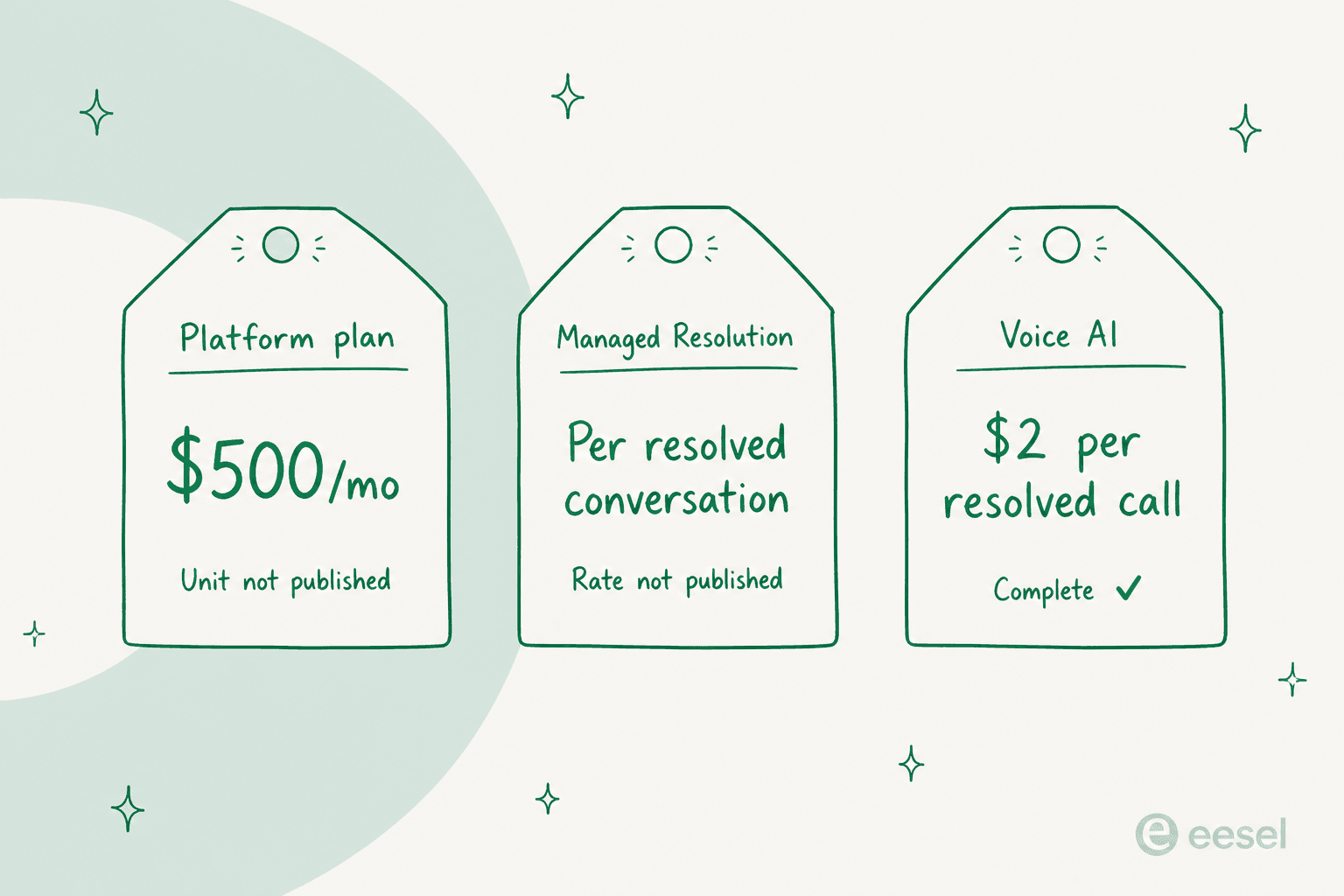
| Managed Resolution | Not published | Resolved conversation | Managed Resolution |
| Voice AI | $2 per fully-resolved call | Resolved call | Voice AI |
| Voice AI add-on | Contact sales | Not published | Pricing page |
| Sales Agent add-on | Contact sales | Not published | Sales Agent |
| Support Analyst add-on | Contact sales | Not published | Support Analyst |
| AutoQA add-on | Contact sales | Not published | AutoQA |
| Customer Health add-on | Contact sales | Not published | Customer Health |
| AI Agents for Text add-on | Contact sales | Not published | AI Agents for Text |
| Helpdesk add-on | Contact sales | Not published | Helpdesk |
| Private, Self-Hosted AI add-on | Contact sales | Not published | Private, Self-Hosted AI |
Three rate cards, one brand, and only one of them is a price you could hand to a finance team without a phone call first.
Worth saying plainly: none of this makes IrisAgent a bad product. It has been shipping since 2019, founded by Palak Dalal Bhatia, it names Dropbox, Zuora and InvoiceCloud as customers, and its changelog carries 87 dated entries between 21 May and 26 September 2026, so it is actively built. Quote-gated pricing is a sales strategy, not a defect. It just means the evaluation work lands on you.
What the $500 Standard plan actually includes
The Standard column is a feature checklist, and it is a generous one. Thirty-six rows against Free's seven, covering the parts of the product most teams are actually shopping for.
| Group | What Standard adds over Free |
|---|---|
| Chatbot and voice | Slack and Teams bot, Voice AI, Smart Operating Procedures with live incident status |
| Triage and agent assist | AutoQA, agent assist inside your helpdesk, early warning engine, real-time ticket summaries, intelligent routing, Jira sync |
| Analytics | Sentiment analysis, Support Analyst with grounded charts and weekly briefings, knowledge gap detection |
| Data and workflows | DevOps and engineering connectors, DevOps alerts, support alerts |
| Service and support | Phone support, SSO / SAML, training, a dedicated account manager |
Free, by contrast, is seven rows: the IrisGPT chatbot with grounded answers, an AI Search widget for your website and docs (with a small "Powered by IrisAgent" badge), live agent handoff, automated tagging, helpdesk connectors and knowledge sources, and email support. On the usual chatbot cost curve that is a lot to give away. IrisAgent's own FAQ describes it as "perfect for startups getting started with AI-powered support", and no volume limit of any kind is published against it. No conversation cap, no seat cap, no message cap.
What Enterprise adds on top of Standard is a shorter list than it used to be: customer health, churn-risk and product quality insights, Live Call Copilot and AI Agents for Text, and a private, self-hosted deployment option. SSO / SAML, training and a dedicated account manager now sit in Standard. I can no longer find an SLA guarantee row in the table, so ask about it on the quote, even though the pricing page displays a "99.9% Uptime" badge without tying it to a tier.
The five features that appear on both sides of the page
This is the part I would flag on a quote before signing.
The pricing page has tidied this since I first read it. The compare table now marks Voice AI, AutoQA and Support Analyst as "Add-on" on Free and includes them from Standard, and marks Customer Health as an add-on on Standard that Enterprise includes. Smart Operating Procedures is no longer sold as an add-on at all. The add-on strip further down still says its products can be bought "on top of any plan" at contact-sales pricing, which is where the quote conversation happens.
| Feature | Free | Standard | Enterprise |
|---|---|---|---|
| Voice AI | Add-on | Included | Included |
| AutoQA | Add-on | Included | Included |
| Support Analyst | Add-on | Included | Included |
| Customer Health | Add-on | Add-on | Included |
That is a clearer structure, but it still leaves the usual quote questions: whether an add-on carries a volume allowance, and whether the "included" rows are inside the Standard price on your quote. Get the named features on the order form rather than assume the checkmark carries.
That matters more than it sounds, because the $500 has no denominator. When a rate card names a unit, you can at least model the shape of your bill as you grow. Here the only thing you know is the direction of travel, and the Standard card now adds that it "Scales with volume. Usage-based and enterprise pricing available" without naming the unit.
The eight add-ons, and why none of them carry a price
IrisAgent now lists eight add-ons, all of them "billed monthly", all of them quote-only.
| Add-on | What it does | Price |
|---|---|---|
| Voice AI | Inbound and outbound phone support with routing and human handoff | Contact sales |
| Sales Agent | Inbound lead qualification and meeting booking, Salesforce and HubSpot | Contact sales |
| Support Analyst | Natural-language search and ad-hoc analytics across ticket data | Contact sales |
| AutoQA | Always-on QA scoring across 100% of conversations, AI and human | Contact sales |
| Customer Health | Health scoring with churn-risk prediction and proactive alerts | Contact sales |
| AI Agents for Text | Opted-in outbound SMS campaigns and inbound SMS, grounded in your knowledge base | Contact sales |
| Helpdesk | One inbox for AI and human agents, standalone or on top of the helpdesk you already run | Contact sales |
| Private, Self-Hosted AI | IrisAgent run on-premise or in your own cloud | Contact sales |
A couple of these are properly differentiated. AutoQA grading every conversation rather than the sampled 2% most teams manage is a real answer to a real problem, and it is a better story than most ticket triage tooling tells. Customer Health scoring is doing adjacent work to a CSAT programme rather than replacing one. Smart Operating Procedures is the piece that makes the agent do things rather than just answer, and it is the one place IrisAgent's marketing mentions "a simulation environment", though nothing in the public docs substantiates that.
The billing mechanics IrisAgent does publish are all structural rather than numeric. Add-ons can be added or removed at any time. Plan upgrades take effect immediately and downgrades at the next billing cycle. Annual billing is "available with additional savings" with no percentage attached. Payment is by card, ACH, or wire on Enterprise. Discounts exist for qualified nonprofits and early-stage startups, amount unstated.
Managed Resolution: the unit is defined, the rate is not
This is a separate product, not a fourth tier, and it is the most interesting thing on the site.
Managed Resolution is a run-for-you service. IrisAgent operates its own product on your Zendesk, Salesforce or Freshdesk, and you pay per resolved conversation. Their words: "No seats, no platform fee, nothing for your team to install." Structurally that is an attractive deal, and it is where the category is heading generally.
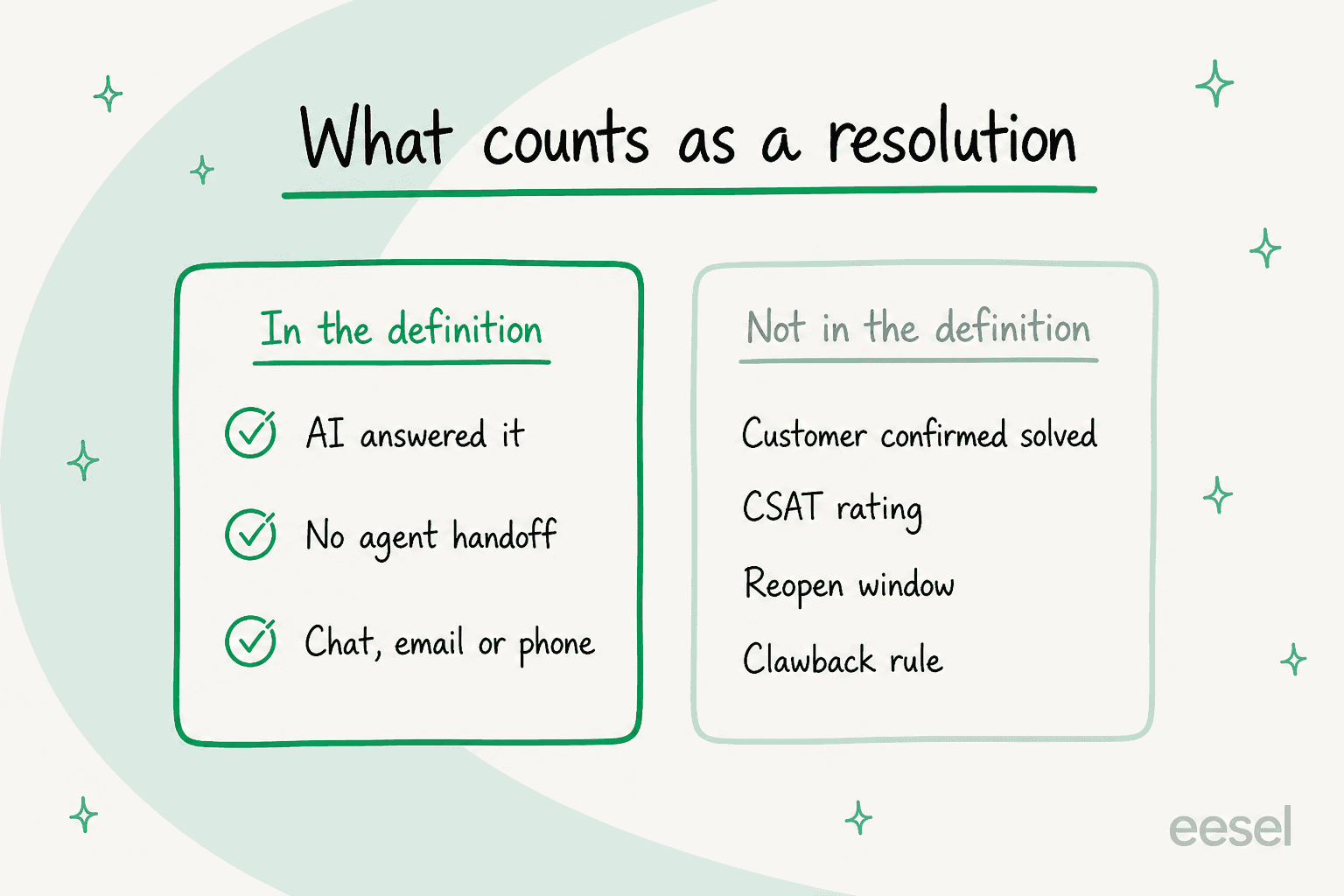
The definition is stated twice, and it is worth reading slowly:
"A support conversation (chat, email, or phone call) is resolved when our AI answers it and no agent handoff is needed. If a human has to step in, it is not a resolution and you are not charged for it."
Not being billed for handoffs is a real customer-friendly term and I would take it. But look at what the test is measuring. It is the absence of a handoff, not the presence of a solved customer. Nothing on the page ties a resolution to a CSAT score, a customer confirmation, a reopen window, or a clawback if the conversation comes back tomorrow.
If that sounds like hair-splitting, it is precisely the thing buyers on outcome contracts end up arguing about. Here is a Zendesk customer on that vendor's automated-resolution meter:
"Complete trash lol, stuff I used to get free now counts as an AR. Most of the ARs are abandoned chats. There's no dispute resolution process. Complete scam. I used to like Zendesk but since trying the new bot and now this I have little good will left"

Two specifics in there travel to any per-resolution contract: abandoned conversations counting as resolutions, and no process for disputing a count. Neither is unique to Zendesk, and neither is addressed on IrisAgent's page. The developer thread on outcome billing lands in the same place from the other direction:
"This is an article written by a company/llm trying to justify huge increases to the pricing structure. Oh! Yknow that thing we were charging you $200 a month for now? We're going to start charging you for the value we provide, and it will now be $5,000 a month. Meanwhile, the metrics for "value" are completely gamed."

The objection in both is the same, and it is not the rate. It is who defines the unit and who audits the count. That is the question to bring to the demo, along with one housekeeping note: the Managed Resolution page advertises a founding-customer offer capped at ten spots, and its deadline has since moved from 30 June to 31 December 2026. Treat those founding terms as something to confirm, not something to plan on.
Voice AI: $2 per resolved call, and the only price you can model
Everything above needs a sales call. This one does not.
Voice AI carries its own self-contained rate card headlined "Pay only for fully-resolved calls", at $2 per fully-resolved call, with no upfront cost, no platform fee, no per-seat fee, and no charge when the AI hands off. Volume discounts are offered "as you scale" with no thresholds published. The unit is defined the same way as Managed Resolution: "A call is resolved when the AI handles it end to end with no agent handoff."
That is a real rate card, and pricing voice per resolution rather than per minute is a defensible bet. The gaps are worth knowing before you build a case on it. Four telephony partners are named (8x8, Ozonetel, GoTo Connect and Genesys), and no Twilio, Five9, NICE or Amazon Connect appears anywhere on the page. No latency figure is published beyond "usually in under a second". No language count is given. And whether the $2 stacks on top of, or replaces, the platform tier is not stated.
Here is the arithmetic on the one number you can actually use. Plug in your own volume and see where the line sits.
The counterintuitive bit is worth stating in prose too, because most ROI calculators bury it. With a flat per-resolution rate, the break-even is set by your cost per call, not by the resolution rate. Push the AI from 40% to 70% and you do not change whether the deal is good; you only change how many times you collect the same per-call margin. Vendors like to lead with the percentage because it is the number that moves. The number that decides is the one on your own payroll.
That said, the percentage is where the disappointment usually lives:
"...CX. They're building faster disappointment. Vendors promise 90%+ automation rates. Production reality? 55–70%. The other 30–45% are the..."

Worth noting IrisAgent's own headline figure is more grounded than the 90% she is describing, and it is also inconsistent with itself. Its pricing page still says it can "Automate up to 60% of tickets" and its About page shows 60%+, while its docs introduction says "over 50%" and the homepage now leads with a customer result of 50% of support chats resolved at Tekion. No methodology or sample size is attached to the headline figures. Take the lower one when you model.
What is not in the pricing table
Short list, all of it checked against the pricing page and the Managed Resolution terms:
- No usage caps or overage rates. Not on any tier.
- No self-serve trial of a paid plan. The pricing FAQ says Standard trials are set up by contacting sales.
- No annual discount percentage, just "additional savings".
- No minimum commitment, floor, or onboarding fee stated anywhere.
- No per-resolution rate for Managed Resolution, and no volume tiers.
- No standard contract terms. "No annual lock-in" is scoped to founding customers only.
- No historical-replay test mode and no confidence threshold in the docs. The documented pre-launch path is a Playground you query one question at a time, then a rollout where the agent posts as a private internal note on live tickets.
That last one is a pricing issue as much as a product one. If you cannot dry-run the agent against your own closed tickets, you cannot forecast a deflection rate, and if you cannot forecast that you cannot forecast an outcome-based bill. The two gaps compound, and the complaint generalises to any vendor billing on outcomes without offering a dry run first.
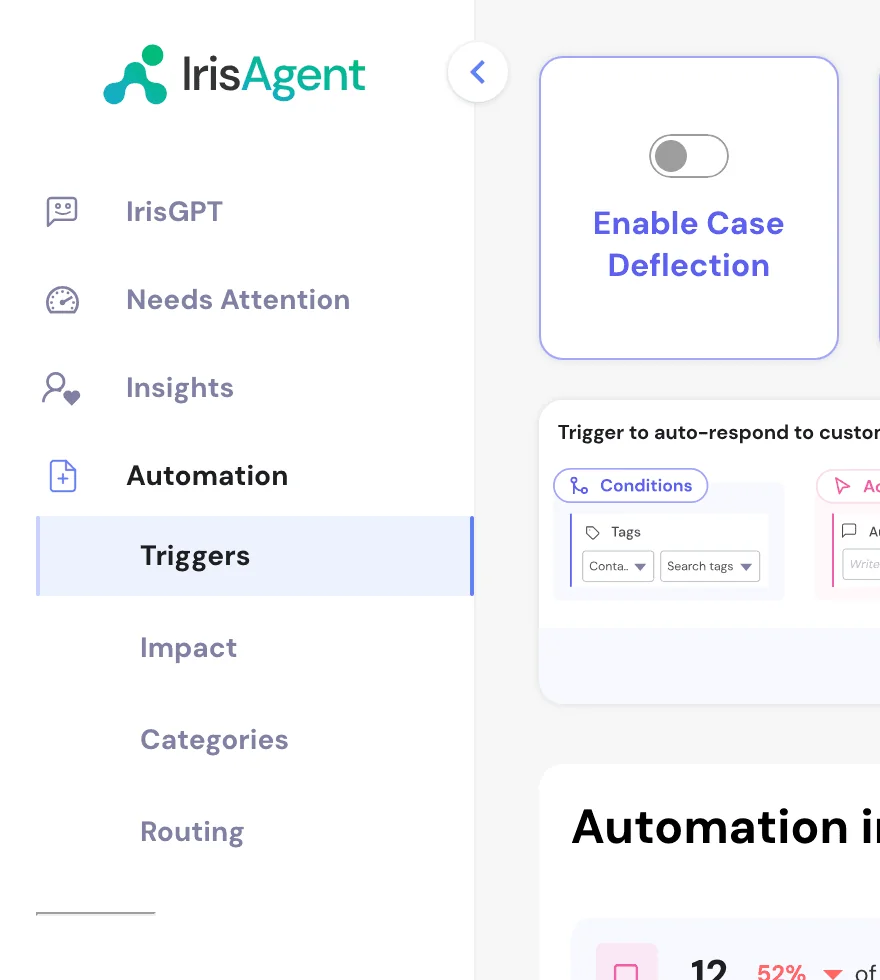
How IrisAgent's pricing compares to tools that publish a rate
Five of the tools a buyer would shortlist alongside IrisAgent publish a per-unit number. The other four do not. Here is the field, with the meter named in each case, because no two of these count the same event.
| Tool | Published rate | What the meter counts | Seats or platform fee | Start without a sales call |
|---|---|---|---|---|
| IrisAgent | $500/mo floor; $2 per resolved call on voice | Not published for the platform | Not published | Free tier only |
| eesel AI | From $299/mo for 500 credits (1 credit per ticket or chat) | A ticket or chat handled, regardless of outcome | None | Yes, 100 free credits, no card |
| Freshdesk + Freddy | $0.49 per session | An AI Agent session | $19/agent/mo Growth | Yes, first 500 sessions bundled |
| Gorgias AI Agent | $0.85 to $1.00 by plan | An automated interaction | $40/mo Starter | Yes, 7-day trial |
| Zendesk AI agents | $1.50 committed, $2.00 PAYG | A resolution with no human escalation | $55/agent/mo Suite Team | Yes, 14-day trial |
| Ada | $30,000/year list start | Resolutions and conversations | Quote only | No |
| Decagon | None published | Quoted on monthly ticket volume | Quote only | No |
| Sierra | None published | Resolutions, tiered by complexity | Quote only | No |
| Netomi | None published | Quoted on interaction volume | Quote only | No |
Read the third column before the second. Zendesk's AI agents documentation is refreshingly precise that you pay "only for customer requests that were successfully resolved by an AI agent, without any escalation to a human agent". eesel's pricing FAQ goes the opposite way and says tasks are billed regardless of outcome, which is worse-sounding and easier to forecast. Both are defensible positions. They are simply not the same column, and a spreadsheet that stacks them will mislead you. My longer piece on cost per resolution works through the conversions.
The person who has actually lived the maths says it better than a table can:
"honest answer from someone who's switched off Intercom: at 1900 tix/month with a 2-person team, Fin's per-resolution pricing only works if you can hold deflection rate north of 60%. below that you're paying for Fin AND your humans on the same ticket, because customers escalate. Zendesk AI has the same shape, slightly worse on integrations with the rest of the Zendesk product than you'd expect."
"Paying for the AI and your humans on the same ticket" is the failure mode every per-resolution contract shares, and it is exactly why the pre-launch replay matters so much. It is also why a free tier you can test on beats a discount, which is the lens I use across my roundup of customer service AI and the wider AI helpdesk software field.
What this costs at three team sizes
IrisAgent's platform tiers cannot be modelled, so these are the shapes rather than the totals.
A startup at roughly 300 tickets a month. Free covers the chatbot, CRM connectors, tagging and email support with no published cap, which is a real free tier and better than most. The moment you want handoff, triage or workflows, the next stop is $500/mo. There is no tier between $0 and $500, so a 300-ticket team crossing that line pays about $1.67 per ticket for the privilege. On eesel, the same volume fits the 500-credit plan at $299/month, which is a fixed price with everything included, and the free plan's 100 credits let you test first.
A mid-market team at 3,000 tickets a month. This is where $500 starts to look reasonable, at roughly 17c a ticket if the plan really does cover the volume. The question is whether it does, since no cap is published, and whether the Standard-included features such as AutoQA and Support Analyst are inside your quote or beside it. Comparable published meters land at $1,349 (eesel, 3,500-credit plan), $1,470 (Freshdesk sessions), $2,700 (Gorgias included rate) or $4,500 (Zendesk committed) at that volume, so a genuinely uncapped $500 would be the cheapest thing in the category by a distance. That is worth pressure-testing rather than assuming.
An enterprise at 20,000+ conversations a month with phone. Here you are in Enterprise plus add-ons plus possibly Managed Resolution, and every number is a quote. The one thing you can price is the voice line: 20,000 calls at a 50% resolution rate is $20,000/mo at the published $2. Bring the ROI calculator conversation to them with your own fully-loaded cost per call already worked out, because that figure, not their resolution rate, decides the deal. My guide to the ROI of AI customer service walks through building that number, and support cost savings covers where the money actually comes back.
Try eesel for the part IrisAgent quotes
If you came here for a number and left with a phone number, that is the gap worth closing.
eesel AI is an AI helpdesk agent that sits on the helpdesk you already run, and the whole rate card fits in a sentence: 1 credit per ticket or chat handled, on one fixed monthly price from $299 for 500 credits, $4 for a blog draft, dashboard questions mostly free, no seats and no platform fee. Overage is optional, with a monthly cap you set yourself so the bill cannot run away, and paying a year upfront gets you two months free. You can start with 100 free credits and no card.
The two things I would actually point an IrisAgent evaluator at, though, are the ones the price list cannot show you. First, the simulation: it replays your own past tickets and scores what the AI would have said against what your team actually sent, so you find out how it handles your refund edge cases before a customer does. Second, the activity log, which lists every conversation the agent touched with its status and the ticket it came from, so "what am I being billed for" is a page you open rather than a question you email.
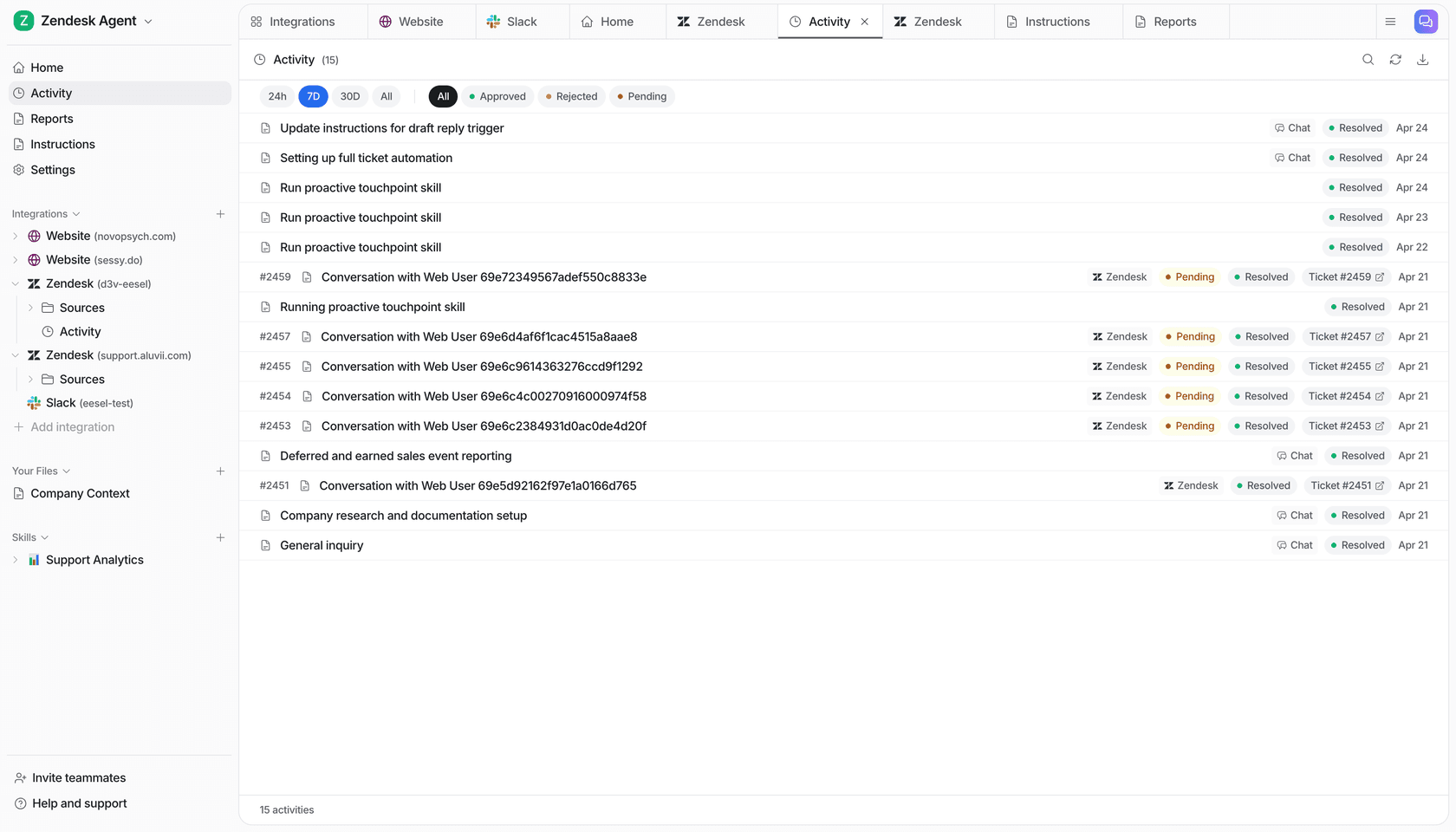
It also covers eight helpdesks including Zendesk, Front, Help Scout and Jira Service Management, which is where IrisAgent's list of seven runs out. If your queue lives in Front or Help Scout, that is the shorter conversation. And if you are still weighing the field, my IrisAgent alternatives roundup ranks nine of them on the same two axes: what the meter counts, and whether you can dry-run it first.
Where IrisAgent may still be the better call: if you want somebody else to run the thing entirely, Managed Resolution is a real managed-service offer and eesel does not sell one. And if phone is your main channel, a published $2 voice rate is more than most of this category will put in writing. Just get the ticket-side unit named on the quote before you sign, because right now the page will not name it for you.
Try eesel and see the meter before you commit to it.