
What is a knowledge base GPT?
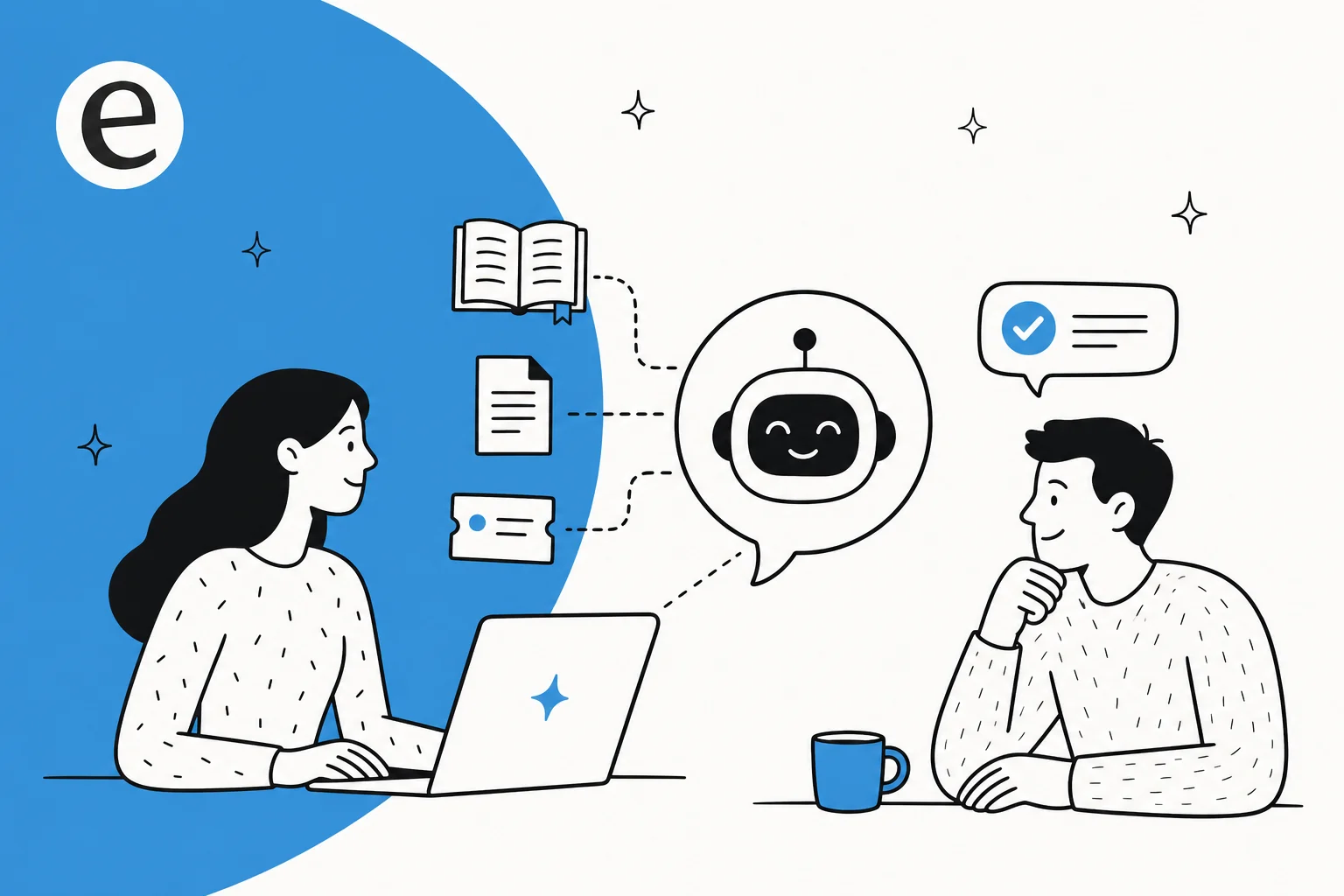
A knowledge base GPT is what you get when you take a large language model (the thing behind ChatGPT) and point it at your own knowledge instead of the open internet. Ask a generic model "what's our refund window for EU orders?" and it will either say it doesn't know or, worse, invent a confident answer. Ask a knowledge base GPT the same thing and it pulls the actual passage from your returns policy and answers from that.
The phrase gets used loosely, so let's pin it down. It's not fine-tuning (retraining the model's weights on your data, which is expensive and rarely necessary for support). It's not a keyword search bar with a chat skin. A knowledge base GPT reads your documents at question time and grounds its reply in what it finds, which is a different and much cheaper technique called retrieval.
The use cases split into two camps, and the build is broadly the same for both:
- Customer-facing: a chatbot on your site or in your helpdesk that deflects "where's my order?" and "how do I reset my password?" before they become tickets.
- Internal-facing: an internal support chatbot that answers your own team's questions from the company handbook, Notion, or Confluence, so people stop pinging the one person who knows how payroll works.
If you've read our guide to building a ChatGPT knowledge base, this is the same idea, looked at from the build side: what's actually happening under the hood, and which path to pick.
How a knowledge base GPT actually answers a question
Almost every credible knowledge base GPT runs on retrieval-augmented generation (RAG), a technique IBM describes as enhancing a model "by integrating information retrieval before the generation process." In plain terms: look it up first, then answer.
Here's the full trip a single question takes, end to end.
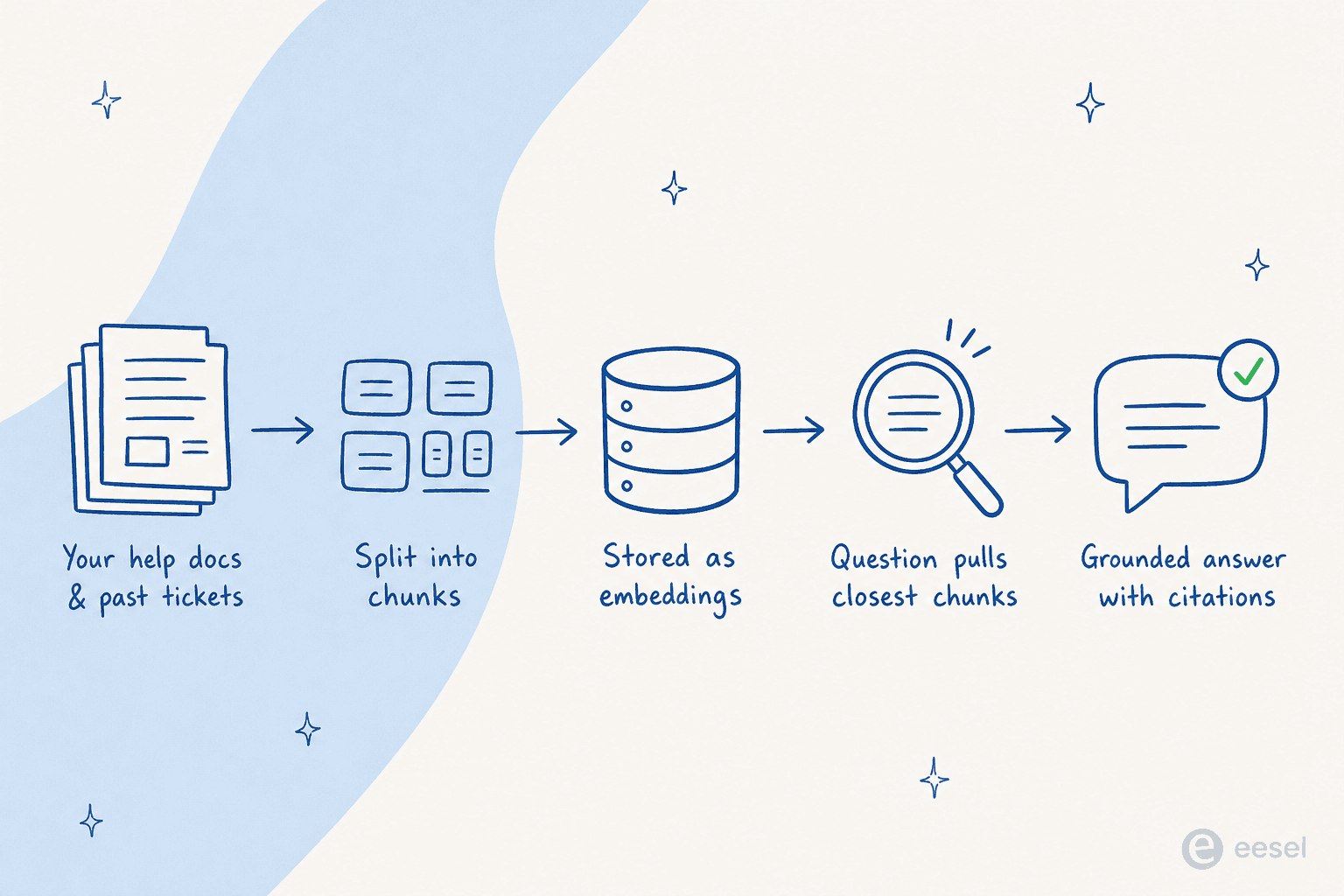
- Ingest the knowledge base. Your docs get uploaded or crawled. OpenAI's hosted retrieval, for example, automatically parses and chunks your documents, creates the embeddings, and uses both vector and keyword search.
- Chunk and embed. Long documents are split into small passages ("chunks"), and each chunk becomes a numeric vector that captures its meaning, so that "mountain" and "hill" land near each other even though the words differ. OpenAI's defaults are concrete: 800-token chunks, 400-token overlap, using
text-embedding-3-largeat 256 dimensions, per its file search docs. - Retrieve the relevant chunks. When a question comes in, the system embeds it, searches for the closest passages, and pulls the top handful. OpenAI's tool rewrites the query, runs keyword and semantic search in parallel, and reranks the results before handing up to 20 chunks to the model.
- Generate a grounded answer with citations. The model writes its reply from those chunks, and a good setup returns a citation for each claim, traceable back to the source file.
The "so what" of all this: hallucination drops sharply when the model is constrained to retrieved material. In one 2025 study on causal-discovery tasks, the average hallucination rate fell from roughly 50% to 13.9% once RAG was applied. That's the entire reason to connect a GPT to your knowledge base rather than just prompting ChatGPT and hoping. If you want the deeper version of this, we wrote up RAG vs a plain LLM and how retrieval, vector search, and hybrid search compare for support.
The four ways to build a knowledge base GPT
There's a spectrum here, and most people don't realize it until they've already built the wrong thing. At one end is a custom GPT you can stand up over lunch. At the other is a support agent that lives in your helpdesk and takes actions. Here's how the realistic options stack up.
| Approach | Best for | Knowledge base size | Lives in your helpdesk | Confidence routing & handover | Built-in analytics | Starting cost |
|---|---|---|---|---|---|---|
| ChatGPT custom GPT | Quick internal experiments | Up to 20 files | No | No | No | Included with ChatGPT Plus ($20/mo) |
| Responses API + file search | Engineering teams, custom apps | Up to 100M files per store | Only if you build it | Only if you build it | Only if you build it | ~$0.10/GB/day storage + $2.50/1k calls + tokens |
| No-code chatbot builder | Website widgets, small sites | Plan-dependent | Rarely | Limited | Basic | ~$15–99/mo |
| Support-AI platform | Real support & IT teams | Auto-synced, unlimited | Yes | Yes | Yes | From $299/mo (500 credits) |
Let's walk each one.
1. A ChatGPT custom GPT
This is the one most people try first, and for good reason: it's easy. You open the GPT builder in ChatGPT, describe what you want in plain English, upload some knowledge files, and you have a working bot in minutes. For an internal "ask the handbook" experiment, it's a fine place to start, and we walk through it in our custom GPT chatbot guide.
The limits show up fast, though. A custom GPT caps knowledge at 20 files, 512 MB each, which most real help centers blow past on day one. It's built and run inside ChatGPT, so you can't embed it on your own website, you can only send people to a chat.openai.com link. And it has no concept of a ticket, no analytics, and no way to escalate a question it can't answer.
There's also a quietly large footgun: sharing. A GPT can be private, shared by link, or published to the public GPT Store, and the store is consumer-oriented (anyone with a $20 plan can list one). More than 3 million custom GPTs were created within two months of the builder launching, which tells you how low the barrier is. A misconfigured share setting on an internal-only GPT is exactly the kind of mistake that leaks company docs.
Our take: great for a proof of concept, not a support channel.
2. The Responses API or your own RAG stack
If you have engineers, you can build the real thing. OpenAI's hosted file search is essentially RAG-as-a-service: a managed tool that retrieves from your files automatically with no retrieval code to write. Vector stores created since November 2025 hold up to 100 million files, so size is no longer the wall it is with custom GPTs. Pricing is metered: $0.10 per GB per day for storage (first GB free) and $2.50 per 1,000 file-search calls, plus normal token costs.
One timeliness note worth flagging: the older Assistants API is deprecated, with a sunset date of August 26, 2026. New builds should target the Responses API. We compared the two paths in GPTs vs the Assistants API, and the broader ecosystem of GPTs, Actions, and plugins if you're weighing how to wire in external tools.
You can also roll the whole pipeline yourself, your own embeddings, a vector database like Pinecone, your own chunking and reranking. Maximum control, maximum maintenance. As one Microsoft engineer put it on a Hacker News thread about production RAG, "so few developers realize that you need more than just vector search." We'll come back to what that costs.
Our take: the right call when you have a one-off workflow and the team to maintain it, and overkill for standard support.
3. A no-code knowledge base chatbot builder
In the middle sit tools like CustomGPT.ai, Chatbase, and SiteGPT. They solve the biggest custom-GPT problem, embedding, by giving you a widget you can drop on your site, plus features like a "no hallucination" mode that restricts answers to your knowledge base. Pricing roughly runs from $15/mo for Chatbase up to $99/mo for CustomGPT.ai, depending on volume and features. We tested a batch of these in our AI knowledge base chatbot roundup.
The ceiling here is that most of them stay website widgets. They'll happily answer questions in a chat bubble, but they don't live inside your helpdesk, they don't take ticket actions, and they often don't auto-sync your knowledge base as it changes. For a marketing site FAQ, that's fine. For a support operation running on Zendesk or Freshdesk, the bot is bolted on beside your workflow rather than part of it.
Our take: a solid step up from a custom GPT if all you need is a smarter site widget.
4. A support-AI platform wired to your helpdesk
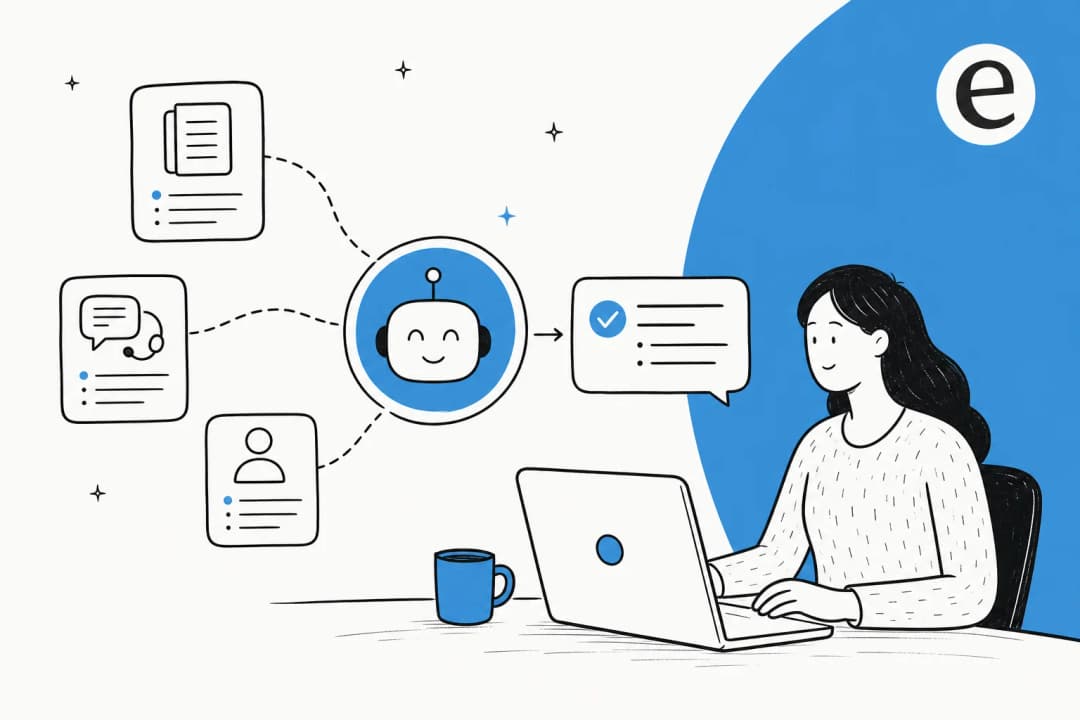
The last category exists specifically to close the gaps the first three leave open. A support-AI platform connects directly to your helpdesk, auto-syncs your knowledge base (docs, past tickets, and connected apps), does confidence-based routing with clean human handover, takes ticket actions, and reports on deflection. This is the tier eesel AI sits in.
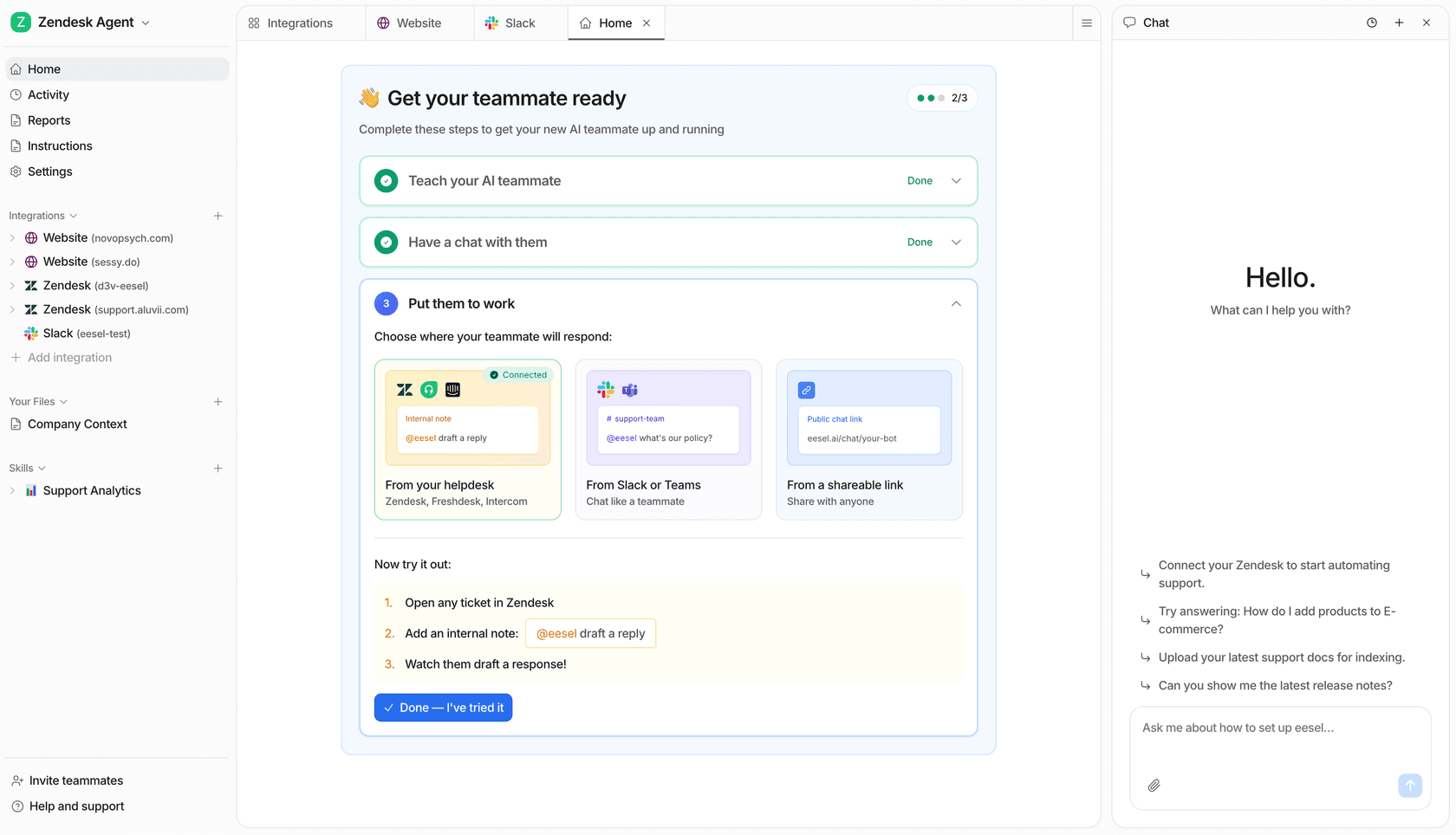
The difference in practice is that the GPT isn't a separate destination, it's part of the support flow. It learns from your solved tickets, not just your help-center articles, and it can draft a reply, triage and tag a ticket, or hand off to a human, all inside the tool your team already uses. We'll dig into accuracy and the build-vs-buy math next, since that's where this choice actually gets decided.
Where DIY knowledge base GPTs fall down for support
A custom GPT or a bare RAG script is a brilliant demo and a rough production system. The honest summary from people who've shipped these is that the last 20% is most of the work. One widely-read Ask HN thread put the demo-to-production gap bluntly:
"Most setups still feel like glorified notebooks stitched together with hope and vector search. Yeah, it 'works' until you actually need it to. Suddenly: irrelevant chunks, hallucinations, shallow query rewriting, no memory loop, and a retrieval stack that breaks if you breathe on it wrong."
TXTOS, Hacker News

The same poster's line about maintenance is the part that bites later: you can make it work "if you're okay duct-taping every component and babysitting the system 24/7." That babysitting is invisible in a demo and very visible six months in. Here's where the gaps land for support specifically:
- No helpdesk integration and no actions. A vanilla GPT can answer, but it can't tag, route, update, or close a ticket. It sits beside your workflow, not in it. This is the difference an AI agent makes versus a rule-based chatbot.
- Stale knowledge. The knowledge base is a frozen file set; refreshing it means re-uploading by hand. Most wrong answers trace back to this, not to a broken model, the renamed button, the moved setting, the pricing page nobody updated.
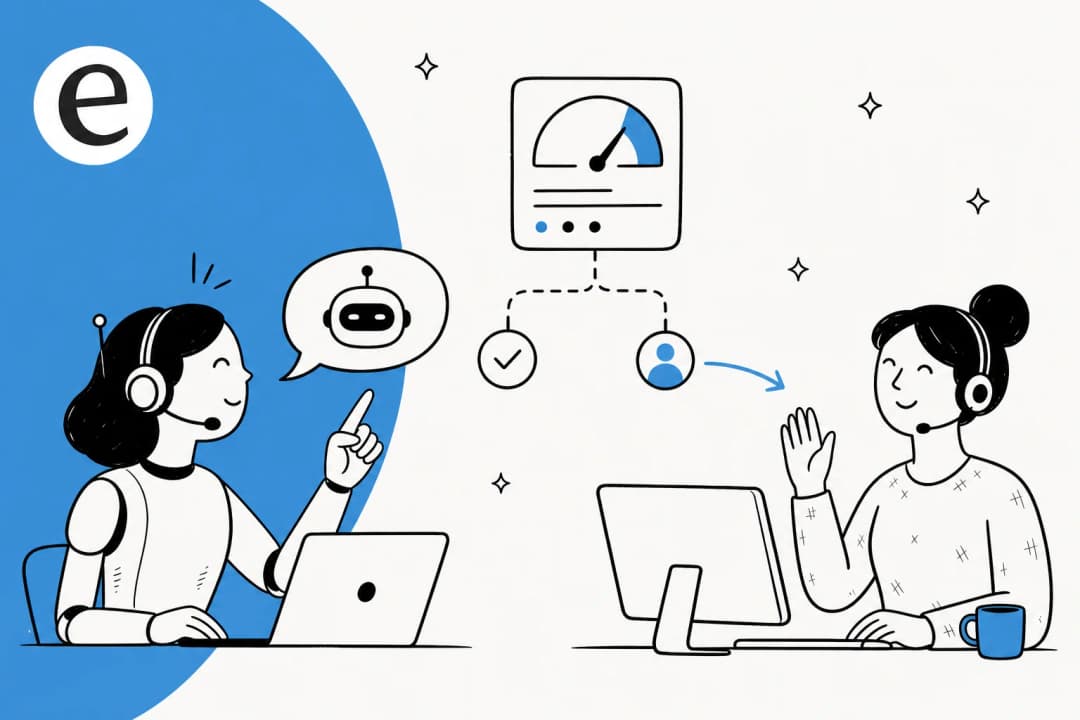
- No confidence routing. Nothing escalates a low-confidence question to a human. The model just produces something, which is exactly the wrong behavior when it doesn't know.
- No analytics. No deflection rate, no list of top unanswered questions, no view of where coverage is thin.
The cost of skipping the confidence-routing piece isn't hypothetical. When the AI coding tool Cursor's support bot invented a non-existent login policy, users acted on it and started cancelling. As one described the thread, "there was no support team, it was an AI." Air Canada was held liable in court after its chatbot made up a bereavement-fare policy, and Klarna walked back its all-AI support push in 2025 after quality complaints. A confident wrong answer in front of a customer is worse than no bot at all, which is why AI chatbots answering incorrectly is the single most-searched problem in this space.
Build vs buy: the real math
This is where the decision actually gets made, and the numbers are lopsided enough to surprise people.
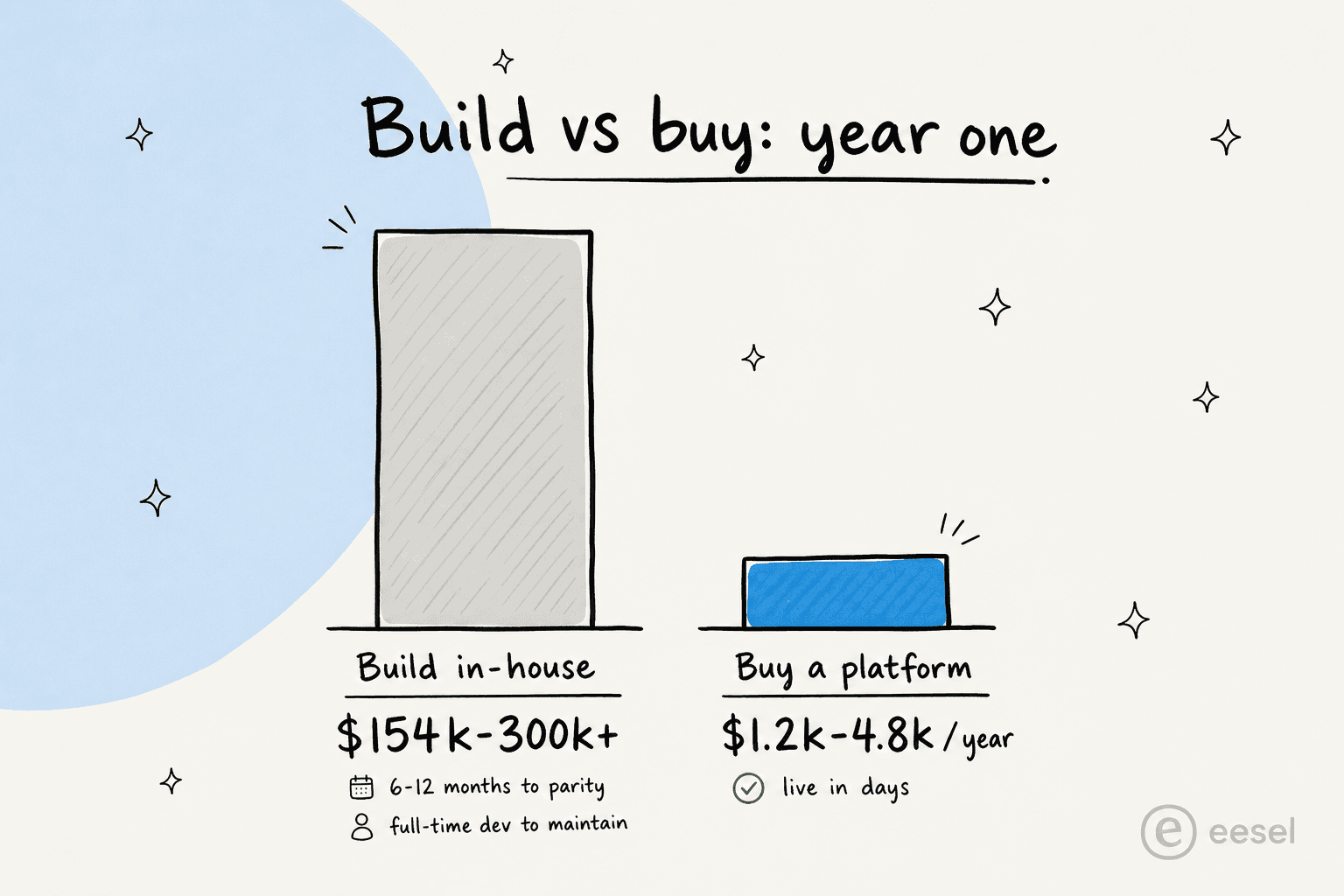
One 2025 build-vs-buy cost analysis pegs an in-house chatbot at $40k–150k to build, three to six months minimum, plus a full-time developer to maintain it and 15–20% of the original cost per year in upkeep, landing real year-one spend around $154k–300k+. Buying a comparable SaaS tool, by the same analysis, runs $99–399/mo with maintenance included and is live in about a week. Even allowing for rough numbers, the gap is an order of magnitude.
The part that doesn't show up in the spreadsheet is attention. As one build-vs-buy framework for 2026 notes, internal teams get pulled back to product work, "leaving AI support to degrade silently within six months." The bot doesn't break loudly; it just quietly gets worse as the docs drift and nobody owns the retrieval stack.
This is the exact reasoning we hear from technical teams who looked at building and chose not to:
"We could try to write our own LLM application but we didn't want to invest our time into that. We wanted something that we would not have to maintain."
Karel, GENERAL BYTES (Bitcoin-ATM hardware, 300+ article knowledge base)
That's not an anti-engineering argument. GENERAL BYTES has plenty of engineers; they just decided the maintenance wasn't where their time should go. Build if the knowledge base GPT is your product or a real competitive edge. Buy if it's support infrastructure you want to work and then stop thinking about. If you're modeling the numbers, our breakdown of AI agent vs human agent cost is a useful companion.
How to keep a knowledge base GPT accurate
However you build it, accuracy comes down to three things, and most teams only get the first one half-right.
Keep the knowledge base fresh. The most common reason a knowledge base GPT gives a wrong answer is that the underlying doc is wrong or outdated, not that the model failed. Renamed buttons, moved navigation, old pricing, features that were removed but never un-documented, two articles that contradict each other, all of it sends the retriever to the wrong place. A GPT that re-reads your live docs beats one fed a manual upload that's three months stale. Our knowledge base management guide goes deeper on keeping sources clean.
Constrain answers to retrieved documents, with citations. This is the guardrail that turns "the model invents something plausible" into "the model answers from your docs or says it doesn't know." Citations aren't decoration; they let a reviewer (and a customer) trace a claim. A legal-tech founder we work with framed it well: "you can't afford to get anything wrong... we can set exact guardrails on sourcing and it always provides transparent citations."
Route by confidence. This is the one DIY setups almost never have, and the one buyers care about most.
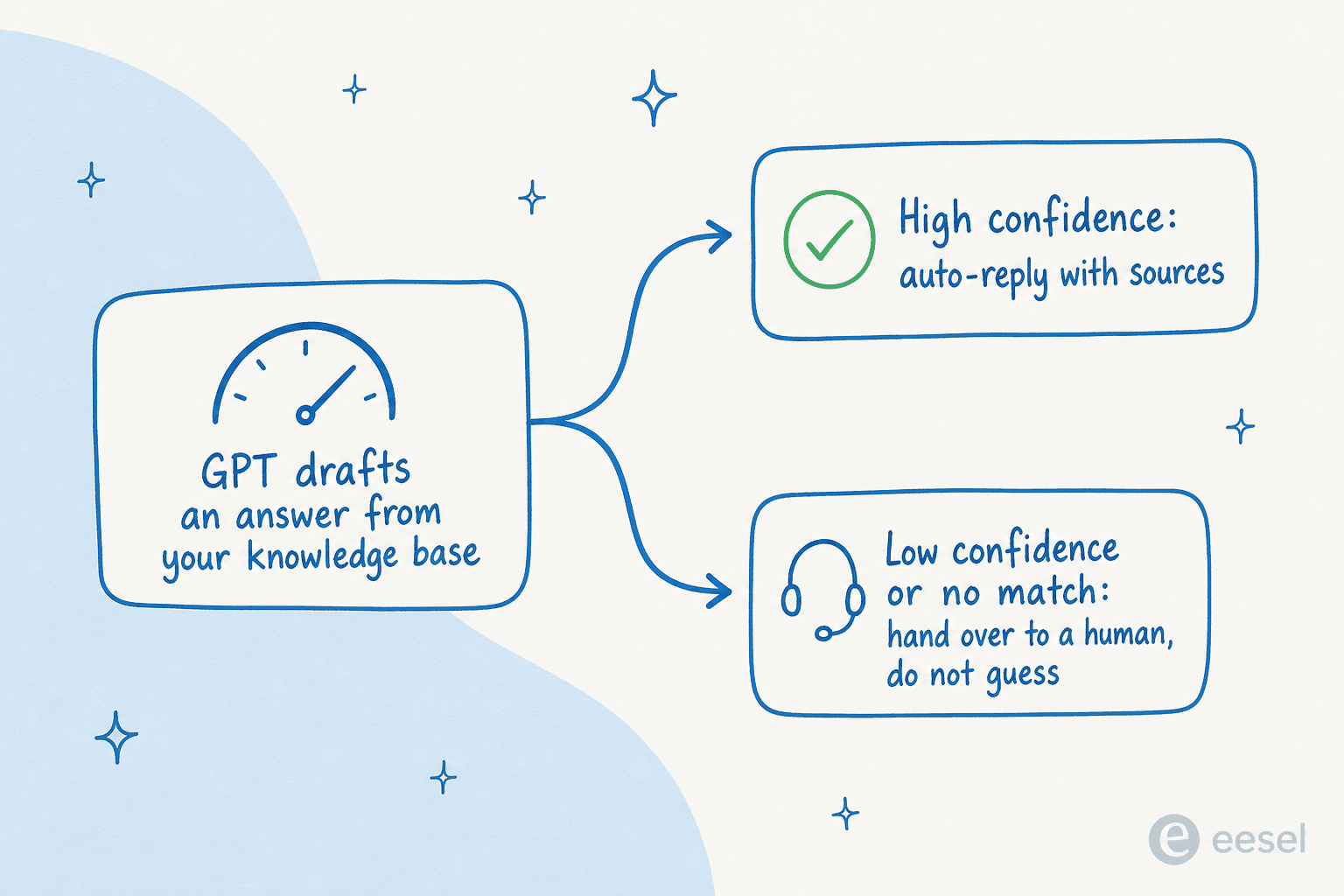
The thesis is hard to argue with. A CX lead at a DTC supplements brand running about 7,000 tickets a month on Gorgias and Shopify put it to us this way: the AI will never answer 100% of questions, so "I need an AI who is only handling the tickets that it's confident to handle, and all the other ones, leave them alone." That's the whole game. A knowledge base GPT that answers everything is dangerous; one that answers what it knows and hands the rest to a human is useful. Get all three right and the bot earns trust, which is what a support lead at an SMS platform meant when they said eesel "answers confidently but not too confidently." Get them wrong and you get the over-confident failure mode a vehicle-telematics team hit early on, where the bot cheerfully confirmed it supported car models that weren't in their database because the docs said "we support all models."
On the upside, when grounding and routing are both in place, the numbers are real: realistic tier-1 deflection lands around 55–65% for best-in-class setups (with a more honest 10–20% in the first year while you tune), and Zendesk projects advanced adopters could see AI agents resolve up to 80% of standard queries by 2027. The deflection rate is the number to watch.
Try eesel
If you'd rather skip the build and get a knowledge base GPT that already does the hard parts, that's what eesel AI is. It learns from your help docs, your connected apps, and your past tickets, then lives inside your existing helpdesk, with confidence-based routing, human handover, and a simulation mode that runs the agent against your historical tickets so you can see coverage before it ever replies to a customer.
It connects to 100+ tools (Zendesk, Freshdesk, Gorgias, Slack, Confluence, Notion, and more), answers in 80+ languages, and is one fixed monthly price from $299/month for 500 credits (1 credit per ticket) with no per-seat fees. Teams see it land fast: Gridwise reported eesel resolving 73% of tier-1 requests in the first month. You can start with 100 free credits, no credit card.

Frequently Asked Questions
What is a knowledge base GPT?
How do I connect a GPT to my knowledge base?
Is a custom GPT enough for customer support?
How much does it cost to build a knowledge base GPT?
How do I stop a knowledge base GPT from hallucinating?
Can a knowledge base GPT work for internal teams, not just customers?
What's the difference between a knowledge base GPT and RAG?


Article by
Kira
Kira is a writer at eesel AI with a Computer Science background and over a year of hands-on experience evaluating AI-powered customer service tools. She focuses on breaking down how helpdesk platforms and AI agents actually work so that support teams can make better buying decisions.