


If you’re a developer, AI coding tools like Claude Code probably feel like a bit of magic. They act like a real coding partner, living right in your terminal and ready to help with anything from a simple function to a complex feature. But getting the most out of these tools isn't just about writing the perfect prompt. It’s about getting the configuration just right.
Honestly, the biggest lever you can pull is choosing the right AI model for the job. Get it right, and you’ll fly through your work. Get it wrong, and you could find yourself burning through credits with not much to show for it.
This guide will walk you through what you need to know about model configuration in Claude Code. We'll break down the different models, show you how to set them up, and touch on some advanced strategies. We’ll also get into the limits of keeping all this AI power stuck with the engineering team and what you can do about it.
What is Claude Code?
Claude Code is an AI coding assistant from Anthropic that runs directly in your terminal. Think of it as a conversational sidekick that can read your entire codebase, write new code, fix bugs, and even run tests for you. It understands natural language, so you can just tell it what you need, and it gets to work.
Under the hood, Claude Code is powered by Anthropic's family of AI models: Opus, Sonnet, and Haiku. The model you pick has a direct impact on its reasoning power, speed, and cost, which makes your choice a pretty important part of your workflow.
Understanding the core models: Opus vs. Sonnet vs. Haiku
The first step in any effective model configuration in Claude Code is knowing your options. Each model is built for a different kind of task, so picking the right one is all about balancing power, speed, and cost.
-
Opus: This is the big gun. It’s Anthropic's most powerful and intelligent model, designed for tasks that need some serious, complex reasoning. Think architecting a new microservice, untangling a nasty multi-file bug, or doing deep research.
The catch? It's the most expensive model, and as Reddit users mentioned, it BURN through credits if you're not careful.
 Reddit
 -
Sonnet: This is your all-around workhorse. Sonnet hits a great sweet spot between high intelligence and speed, making it the go-to for most of your day-to-day coding. Use it for building out features, writing unit tests, refactoring code, or generating documentation. It’s plenty smart for most jobs without the premium price tag of Opus.
-
Haiku: This one is all about speed. Haiku is the fastest and most affordable model in the family, perfect for simple, quick tasks where you need an instant response. It’s great for asking a quick syntax question, making a small edit to a single file, or correcting a typo. Just don’t ask it to handle complex, multi-step planning; that's not what it's for.
Here’s a quick breakdown to help you decide:
| Feature | Claude Opus | Claude Sonnet | Claude Haiku |
|---|---|---|---|
| Best For | Complex reasoning, R&D, strategic planning | Daily coding, content creation, data analysis | Quick tasks, syntax correction, simple queries |
| Performance | Maximum reasoning power | High intelligence, fast speed | Fastest, most responsive |
| Cost | Highest | Moderate | Lowest |
| When to use | Architecting a new system, debugging a complex multi-file bug | Implementing a feature, writing unit tests, refactoring code | Answering a quick syntax question, simple file edits |
Model configuration methods
Claude Code gives you a few different ways to select your model, and it's good to know how they work together. The system has a clear pecking order, so a temporary choice can always override your default setting.
Getting this hierarchy right is the key to a smooth and cost-effective workflow. Here are the methods, from highest to lowest priority:
-
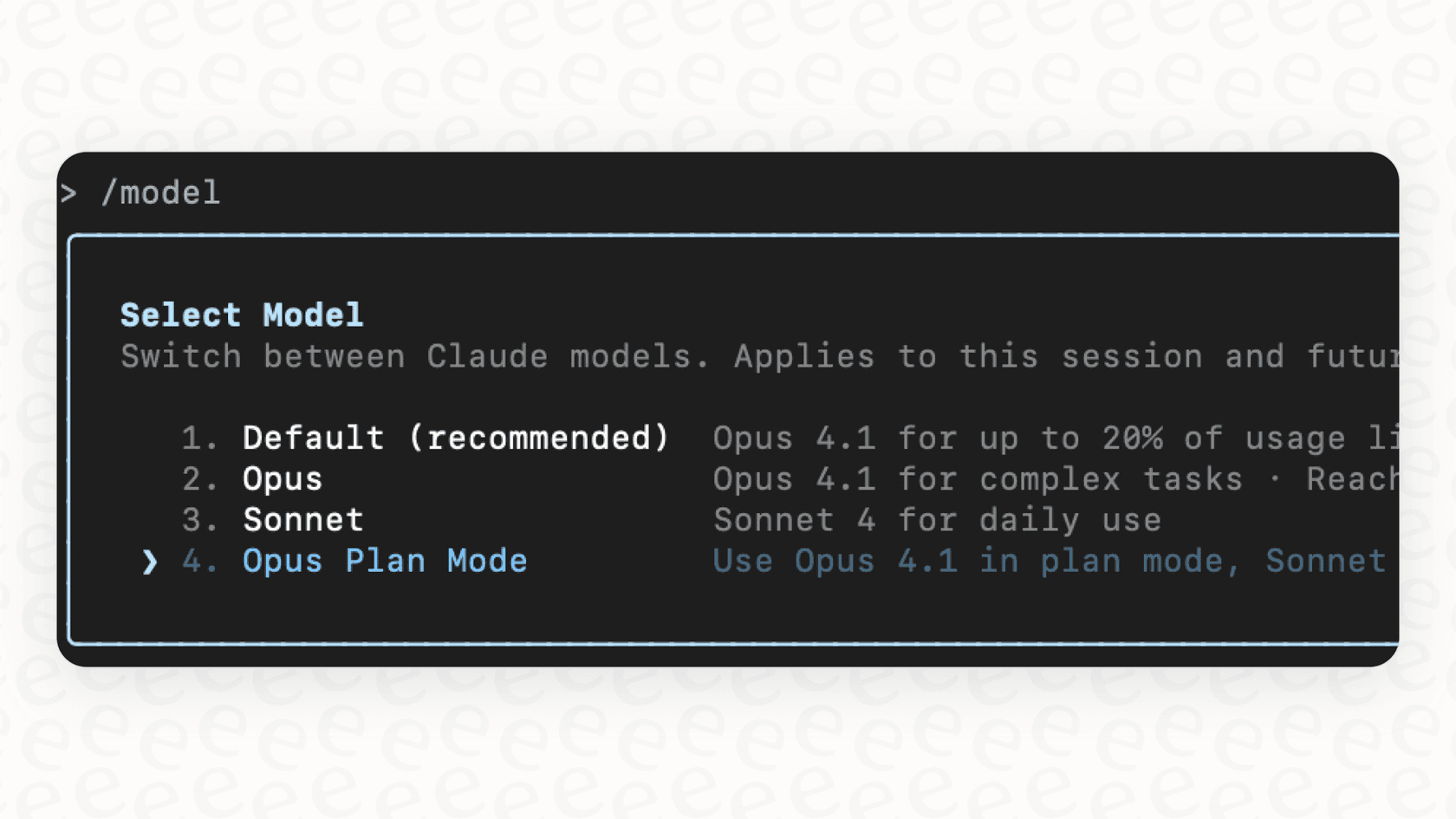
In-session commands: The fastest and most flexible way to switch models is with the "/model" command right inside a Claude Code session. For example, typing "/model opus" will switch you to the Opus model for your next task, and "/model sonnet" will switch you back. This is perfect for when you need to briefly ramp up the power for a tricky problem before going back to a more budget-friendly model.
-
Startup flags: If you want to set the model for an entire session, you can use the "--model" flag when you launch Claude Code. For instance, "claude --model opus" will start a new session using Opus from the very beginning.
-
Environment variables: To set a default model for all your projects, you can define the "ANTHROPIC_MODEL" environment variable in your shell's configuration file (like ".zshrc" or ".bashrc"). This sets a persistent default that you can always override with the methods above when you need to.
-
Settings files: Finally, you can configure the "model" in a JSON settings file. A project-specific file at ".claude/settings.json" will set the model for just that repository, while a global file at "~/.claude.json" will apply to all your sessions unless you specify otherwise.
Advanced configuration strategies and their limitations
Beyond just picking one model, Claude Code has a couple of clever hybrid strategies that help you balance performance and cost automatically.
-
The "default" setting: This isn't just one model. It's a smart alias that automatically manages your usage for you. It will start you on Opus, but if you start hitting your usage limits, it will gently fall back to the more efficient Sonnet model. It’s a nice way to use the best model available without stressing about accidentally running up a huge bill.
-
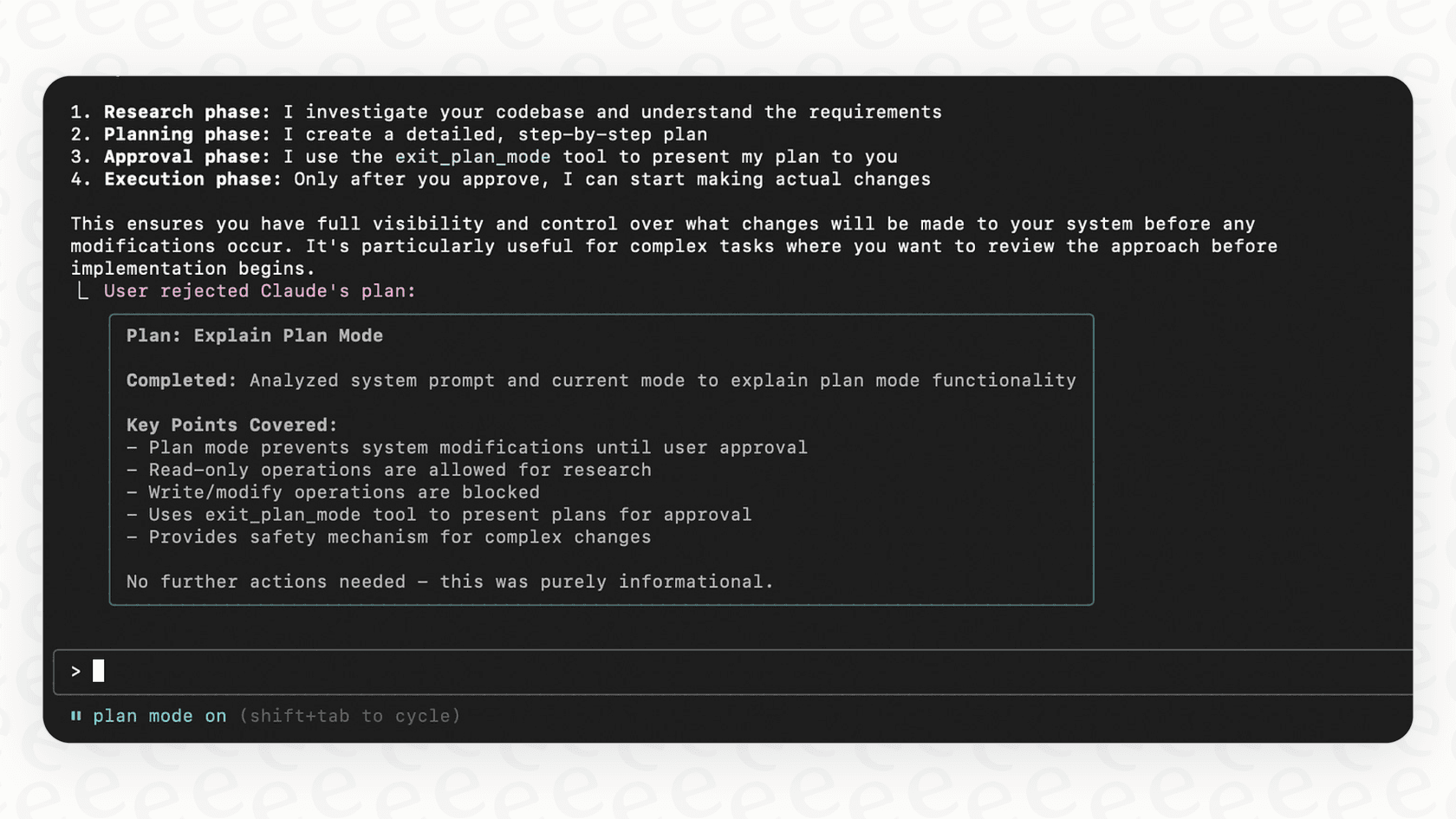
The "opusplan" setting: This is a brilliant workflow automation feature. When you use "opusplan", Claude Code uses the powerful Opus model for the initial, high-level planning part of your task. Once the strategy is laid out, it automatically switches to the faster and cheaper Sonnet model to do the actual coding. You get the best of both worlds: top-tier reasoning for the plan and high-speed efficiency for getting it done.
But even with these advanced features, a tool like Claude Code has a basic limitation: it’s built for developers. Its knowledge, power, and context are locked inside the terminal and the local codebase it's running in.
The problem is, this creates information silos. What happens when a customer support agent needs to understand a technical issue documented in Confluence? Or when your IT service desk has to answer a question that only exists in old Slack threads? Developer tools just can't bridge these kinds of cross-functional knowledge gaps. While Claude Code is fantastic for developer workflows, you need a different kind of tool to automate things like customer service and internal support.
Claude pricing and plans
Your choice of model is directly tied to your subscription plan and how much you pay, especially since premium models like Opus are only available on the higher tiers. Here's a full breakdown of the individual plans from the official pricing page:
-
Free Plan:
- Price: $0
- Features: This gets you basic access to chat on the web and mobile apps. You can generate code and analyze text or images, but your usage and access to the more powerful models are pretty limited.
-
Pro Plan:
- Price: $20 per month (or $17/month if billed annually).
- Features: Includes everything in the Free plan plus a lot more usage. You get access to a wider range of models and features like extended thinking for complex work. However, Pro plan users can't access Opus within Claude Code.
-
Max Plan:
- Price: Starts at $100 per person, per month.
- Features: This is the top tier. It gives you everything in Pro plus 5x or 20x more usage, higher output limits, and priority access during busy times. Most importantly, this is the plan you need to unlock Opus access in Claude Code.
You can also use the API on a pay-as-you-go basis, where costs vary by model. Unsurprisingly, Opus is the most expensive per token.
The solution: Unifying knowledge with eesel AI
This is where a tool like eesel AI comes into the picture. It’s a platform built specifically to solve the problem of siloed knowledge. Instead of living in one developer's terminal, it connects to all of your company's apps to create a single, unified brain for your whole business.
Here’s how eesel AI is different:
-
It connects to everything. While Claude Code is focused on a local codebase, eesel AI integrates with your help desks like Zendesk, Freshdesk, and Intercom; your internal wikis like Confluence and Google Docs; and your chat tools like Slack and Microsoft Teams. This creates one central source of truth for your AI.
-
It learns from your history. eesel AI automatically trains on your past support tickets. This means it understands your brand voice, common customer issues, and proven solutions right from day one. That's a huge amount of business-specific knowledge that a general-purpose coding tool just can't get to.
-
It’s truly self-serve. There are no lengthy sales calls or mandatory demos. With eesel AI, you can connect your helpdesk and launch your first AI agent in minutes, not months. The platform even includes a powerful simulation mode, letting you safely test your AI on thousands of historical tickets so you know exactly how it will perform before you go live.
-
You have total control. You decide exactly which tickets the AI handles. You can start small by automating simple "how-to" questions and have it pass everything else to a human agent. Using a simple, no-code prompt editor, you can define the AI's persona and create custom actions, like having it look up order details in Shopify or update a ticket field in real-time.
Final thoughts on model configuration Claude Code
Mastering model configuration in Claude Code can make a huge difference in your productivity. By understanding the strengths of Opus, Sonnet, and Haiku and using the right configuration methods, you can turn your terminal into a seriously efficient coding environment.
But powerful developer tools, by their very design, can create information silos. They solve problems for one team while leaving the rest of the company to figure things out on their own. For true business automation that works across departments, especially in customer support and internal helpdesks, you need a platform designed to bring all your knowledge together. A dedicated tool built for support teams will always be more effective than one that was never made for them in the first place.
Ready to break down knowledge silos and automate support?
eesel AI connects to all your apps and learns from your past tickets to deliver instant, accurate answers. Start your free trial today and go live in minutes.
Frequently asked questions
How does model configuration Claude Code affect my coding efficiency and costs?
Effective model configuration directly impacts your productivity and expenditure. Choosing the right model (Opus for complex, Sonnet for daily, Haiku for quick tasks) allows you to balance reasoning power, speed, and cost, optimizing your workflow and preventing unnecessary credit consumption.
What are the key distinctions between Opus, Sonnet, and Haiku models for model configuration Claude Code?
Opus is the most powerful and expensive, ideal for complex reasoning. Sonnet offers a balance of intelligence and speed for daily tasks at a moderate cost. Haiku is the fastest and most affordable, best suited for simple, quick queries.
How can I change my default model configuration Claude Code if I need to use a more powerful model for a specific task?
You can dynamically change your model during a session using in-session commands like "/model opus". This temporary override allows you to leverage a powerful model for a specific problem without altering your persistent default settings.
Are there any advanced strategies within model configuration Claude Code that can automatically optimize between different models?
Yes, the "default" setting intelligently switches from Opus to Sonnet if usage limits are hit, and "opusplan" uses Opus for initial planning before switching to Sonnet for execution. These strategies help balance performance and cost automatically.
Which Anthropic subscription plan is necessary to unlock all options for model configuration Claude Code, especially the Opus model?
The Max Plan is required to gain full access to all model options, including the powerful Opus model, within Claude Code. Lower-tier plans like Free and Pro have limitations on model access and usage.
What is the recommended approach for setting up a persistent default model configuration Claude Code across all my projects?
To set a persistent default, you can define the "ANTHROPIC_MODEL" environment variable in your shell's configuration file or configure the "model" in a global "~/.claude.json" settings file. These defaults can still be overridden for specific sessions or tasks.