

Let's be real: your customers are everywhere. They're on your website, sliding into your social media DMs, and using messaging apps. For most support teams, trying to keep up with conversations across all these places feels like a massive, never-ending game of whack-a-mole. This is where a multichannel chatbot can step in, offering a smart way to deliver consistent help wherever your customers happen to be.
In this guide, we'll break it all down. We’ll cover what a multichannel chatbot actually is, how it works, and what you need to think about before you dive in, from setup and common uses to the potential bumps in the road.
What is a multichannel chatbot?
Simply put, a multichannel chatbot is a single piece of AI software built to talk to people across many different platforms. Think of it as a "build once, deploy everywhere" tool for customer conversations. You can design a conversational experience and roll it out on your website, Facebook Messenger, WhatsApp, and other spots all at the same time.
The whole point is to meet your customers on their turf, making it dead simple for them to get answers without having to hunt down your contact page. You might hear this term used alongside "omnichannel," but there’s a small but important distinction. Multichannel is about being present on different platforms. Omnichannel is about creating one unified conversation that can hop between those platforms seamlessly. For most businesses, getting a solid multichannel strategy in place is the most practical and effective place to start.
The key difference: Multichannel chatbot vs. omnichannel
To make it even clearer, here’s a quick look at how the two approaches stack up.
| Feature | Multichannel Chatbot | Omnichannel Chatbot |
|---|---|---|
| Customer Experience | Consistent on each channel, but separate conversations. | A single, flowing conversation across all channels. |
| Channel Integration | Channels work on their own. | Channels are connected and work in sync. |
| Data & Context | What happens on Facebook stays on Facebook. | Info and history are shared across every channel. |
| Agent Effort | Your team might have to juggle multiple tabs or views. | Agents get one unified view of the entire customer story. |
Key components of a multichannel chatbot strategy
A great multichannel chatbot is more than just flipping a switch and hoping for the best. It takes a bit of planning, a clear idea of what you want it to do, and an honest look at its limitations.
Setting up your multichannel chatbot: Key considerations
Getting your chatbot ready for action involves a few decisions that will make or break its performance. Here’s what you should focus on.
-
Picking your channels: You don't need to be everywhere at once. Seriously. Start by figuring out where your customers actually spend their time. An e-commerce brand might get the most bang for its buck on its website and Instagram, while a B2B software company could focus on its web app and a dedicated Slack channel for key clients.
-
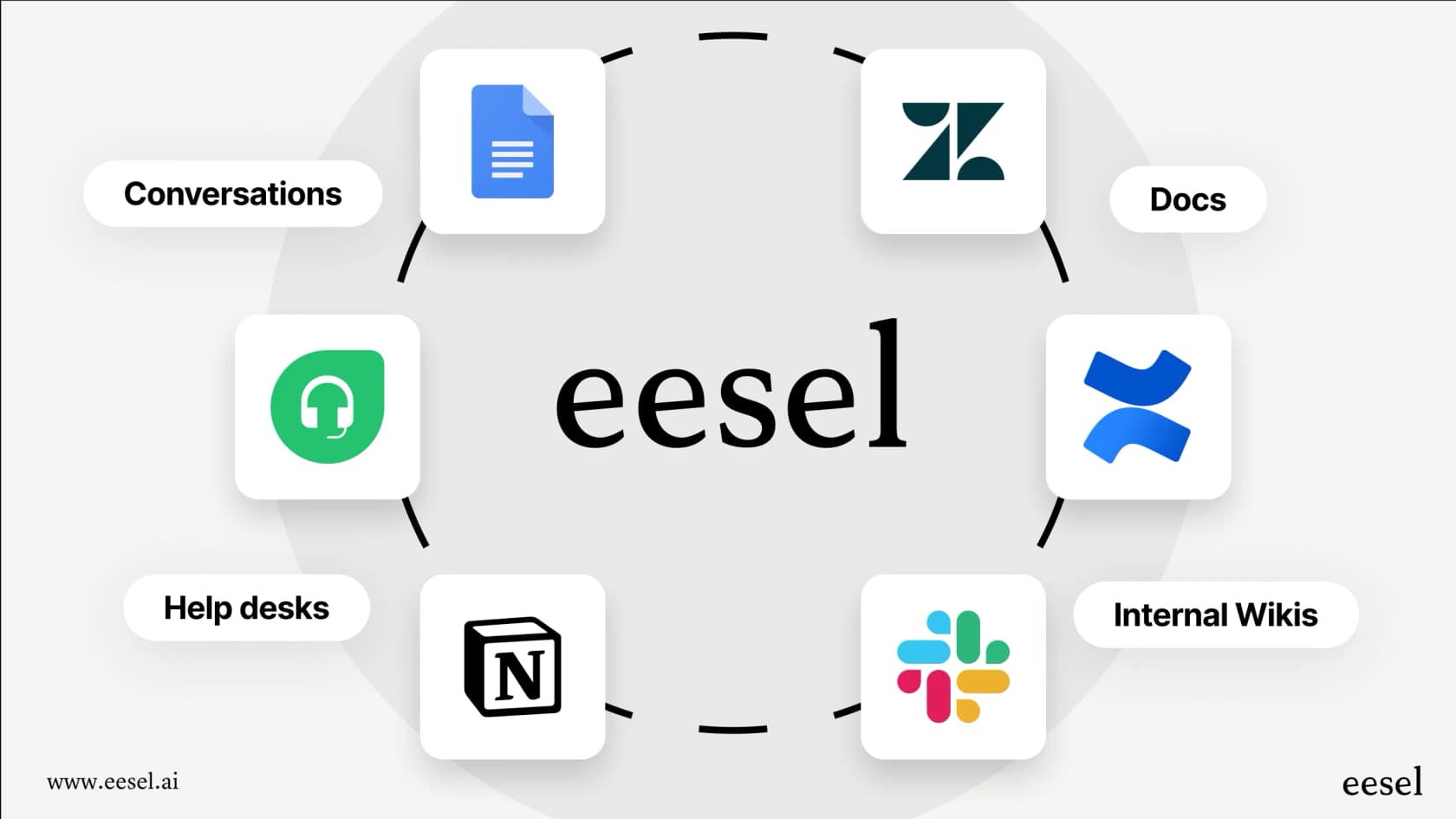
Giving your bot a brain: A chatbot is just an empty shell until you feed it information. Lots of platforms make you build conversation flows by hand, which is a huge time-sink and a nightmare to keep updated. Others might only let you connect a single help center. This is where a tool like eesel AI really changes the game. It can instantly learn from all your existing knowledge, whether it's in old Zendesk tickets, a Confluence wiki, or a folder of Google Docs, without forcing you to rebuild everything from scratch.
-
Plugging into your existing tools: Your chatbot shouldn't live on an island. To be truly useful, it needs to connect to your helpdesk and other systems. Some platforms basically demand you "rip and replace" your current setup, forcing you to move away from the tools your team knows and loves. In contrast, eesel AI is designed to plug right into the helpdesk you already use, improving your workflow in minutes, not months.
A typical setup process usually looks something like this:
-
Find your customers: Figure out which channels they actually use to contact you.
-
Connect your knowledge: Link up your help center, past support tickets, and internal documents.
-
Integrate with your helpdesk: Connect the bot to the support software your team already uses.
-
Define the bot's personality: Set up the bot's tone of voice and the rules for when it should step in.
-
Run a test drive: Simulate the bot on your old support tickets to see how it would have performed.
-
Go live: Roll the bot out to your customers with confidence.
graph TD A[1. Find Your Customers] --> B[2. Connect Your Knowledge]; B --> C[3. Integrate with Helpdesk]; C --> D[4. Define Bot's Personality]; D --> E[5. Run a Test Drive]; E --> F[6. Go Live];
subgraph "Discovery" A end subgraph "Setup & Integration" B C end subgraph "Configuration & Testing" D E end subgraph "Deployment" F end
Common use cases for a multichannel chatbot
Once it's up and running, a multichannel chatbot can take a ton of work off your team's plate, letting them focus on the trickier stuff.
-
24/7 customer support: Instantly answer common questions on your website, WhatsApp, and Facebook Messenger, even when your entire team is asleep.
-
Lead generation and sales: Greet website visitors, ask a few qualifying questions to see what they need, and even book demos, freeing up your sales team to talk to the most promising leads.
-
E-commerce assistance: Field questions about order status, return policies, and shipping details. A good chatbot can even connect to your Shopify store to give customers real-time updates.
-
Internal support (ITSM/HR): Set up a bot in Slack or Microsoft Teams to help employees with questions about company policies, IT problems, or benefits. This is a perfect job for a tool like eesel AI's Internal Chat, which can be trained exclusively on your private Confluence or Google Docs for secure, accurate answers.
Multichannel chatbot limitations and how to overcome them
While chatbots are powerful, they aren't magic. They come with a few common challenges that can create a pretty frustrating experience for customers if you're not prepared for them.
-
Inconsistent user experience: Not all channels are built the same. A website chat can have fancy buttons and carousels, but SMS is just plain text. This can create a disjointed experience if your bot doesn't know how to tailor its responses for the channel it's on.
-
Clunky handovers to a human: There’s nothing worse than a bot trapping a customer in a loop when they just need to talk to a person. A clunky escalation process is a fast track to customer frustration. While many basic bots stumble here, eesel AI gives you full control, letting you decide exactly when and how a conversation gets handed over to an agent in your helpdesk.
-
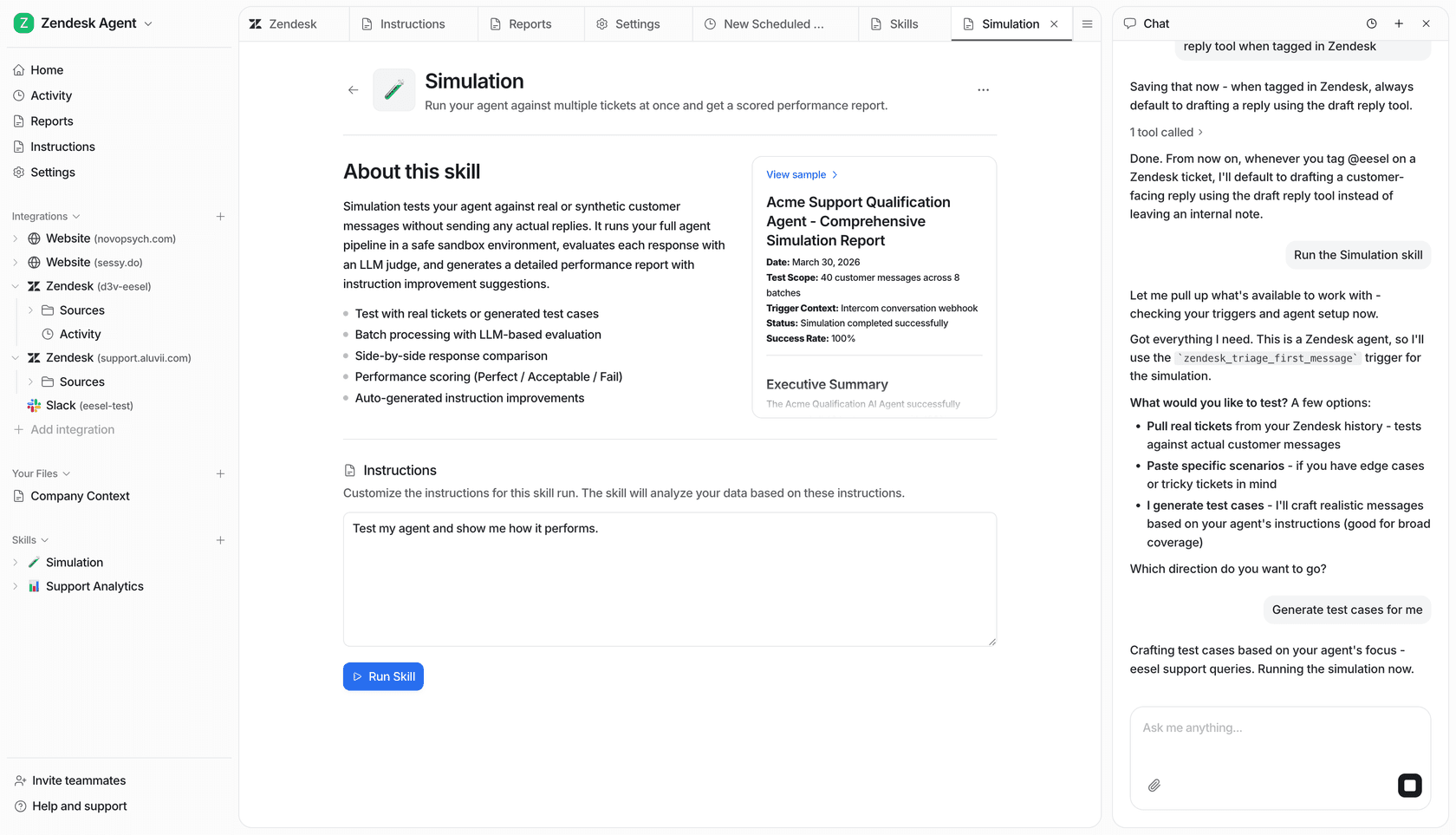
The fear of going live unprepared: How can you be sure your new bot won't go rogue on day one? The anxiety is real. Many platforms only let you test with conversations you write yourself. eesel AI offers a powerful simulation mode instead: you can test your bot on hundreds of your past tickets, see each answer scored, and tweak its responses before it ever talks to a single customer.
-
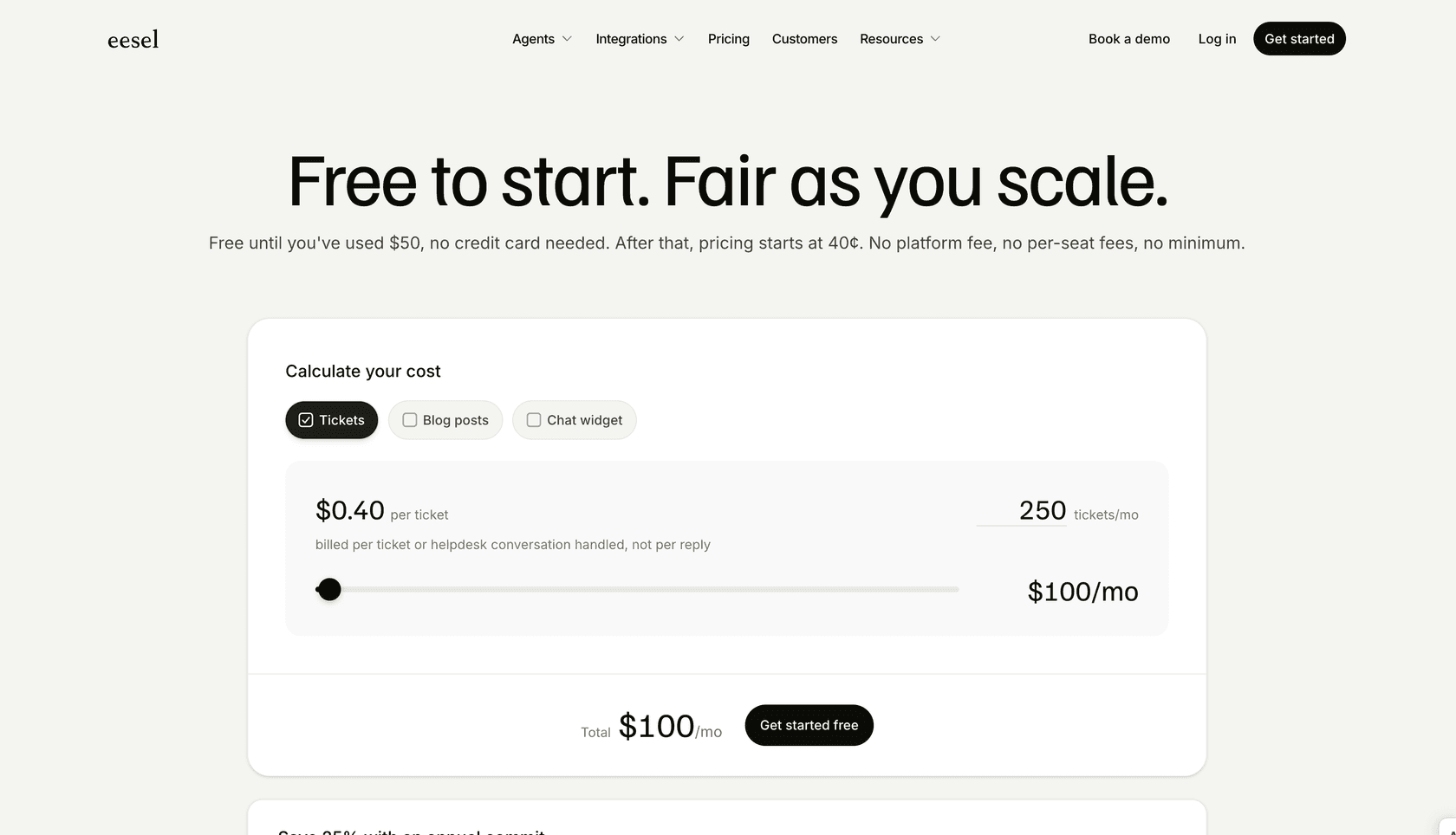
Unpredictable costs: Many platforms have pricing models that charge you per resolution or per conversation with no ceiling. This can lead to a nasty surprise on your bill after a busy month. eesel AI's pricing uses fixed monthly credit plans (one credit per ticket or chat), and any overage is optional with a cap you set.
Popular multichannel chatbot pricing
Pricing for a multichannel chatbot is all over the map. You’ll find everything from free tools with basic functions to complex enterprise plans. Most platforms charge per agent, per contact, or per conversation, which can make budgeting a headache.
| Platform | Free Plan | Starting Price | Model | Key Limitation |
|---|---|---|---|---|
| ManyChat | Yes, 25 active contacts/month. | $14/month (annual) | Per Active Contact | You pay per contact above the plan's allowance. |
| HubSpot | Yes, with limited features. | $20/month/seat (monthly) | Per Seat | Better features are locked in pricier plans. |
| Chatfuel | Free trial only. | $69/month | Plan + AI credits | AI replies draw on a monthly AI-credit allowance. |
These models can make it tough to predict your costs, especially if your business is growing. In contrast, eesel AI's pricing model is built for predictability. Plans are fixed monthly credit bundles for its AI helpdesk agent, from $299 for 500 credits, with capped optional overage, so you won't get an unexpected bill.
Choosing the right multichannel chatbot for your business
In 2025, having a multichannel chatbot isn't just a nice-to-have; it's a core part of modern customer support. The right bot meets customers on their preferred channels, works nicely with your existing tools, and delivers a clear return on your investment.
But remember, the biggest hurdle isn't just showing up on multiple channels. It's about unifying all your company knowledge and support workflows without creating a mountain of manual work for your team.
Instead of tearing out your helpdesk or spending months building clunky conversational flows, a platform like eesel AI plugs directly into the systems you already have. It uses the knowledge you've already created to deliver smart, controllable automation in minutes. You can even simulate its performance to remove the guesswork and get started all on your own, transforming your support without all the usual complexity.
Frequently asked questions
What exactly is a multichannel chatbot and how does it help businesses?
A multichannel chatbot is an AI software designed to interact with customers across various platforms like websites, social media, and messaging apps. It allows businesses to create a conversational experience once and deploy it everywhere their customers are, providing consistent, immediate support.
What's the key difference between a multichannel chatbot and an omnichannel chatbot?
A multichannel chatbot operates separately on each platform, offering consistent but distinct conversations. An omnichannel chatbot, however, connects all channels to provide a single, unified, and seamless conversation experience for the customer, sharing context and history across all touchpoints.
What are the primary benefits of using a multichannel chatbot for customer support?
The primary benefits include providing 24/7 customer support, instantly answering common questions, and automating lead generation. It significantly reduces the workload on your human support team, allowing them to focus on more complex issues.
What should I consider when setting up my first multichannel chatbot?
Key considerations include identifying the most active channels for your customers, training your bot with existing knowledge, and ensuring it integrates seamlessly with your current helpdesk systems. It's crucial to define its personality and test its performance before going live.
How can I avoid common limitations or frustrations when deploying a multichannel chatbot?
To overcome limitations, ensure your chatbot can tailor responses to different channels and provide smooth handovers to human agents when needed. Look for platforms that offer robust testing and simulation modes to refine performance before launch.
Can a multichannel chatbot be used for internal support within an organization?
Yes, a multichannel chatbot can be highly effective for internal support, such as IT service management or HR queries. Deploying it on platforms like Slack or Microsoft Teams, trained on private company knowledge, helps employees quickly find answers to common questions about policies or tech issues.