
Let's be real, AI support agents are popping up everywhere. They promise to be the solution for businesses aiming to provide instant, around-the-clock customer service. One name that comes up is My AskAI, a tool that lets you build and launch an AI chatbot without touching a line of code. The idea is to automate a big chunk of your support tickets so your team can handle the trickier stuff.
But does it deliver on that promise? In this detailed My AskAI review, we’re going to dig into its key features, make sense of its pricing, and see what real users are saying. We’ll also compare it to an alternative that takes a different approach to AI-powered support.
What is My AskAI?
So, what's the deal with My AskAI? In a nutshell, it’s a platform that helps businesses, especially in SaaS and eCommerce, create a custom chatbot trained on their own content. The main goal is to give customers fast, accurate answers by pulling info from your help center articles, website pages, and other documents.
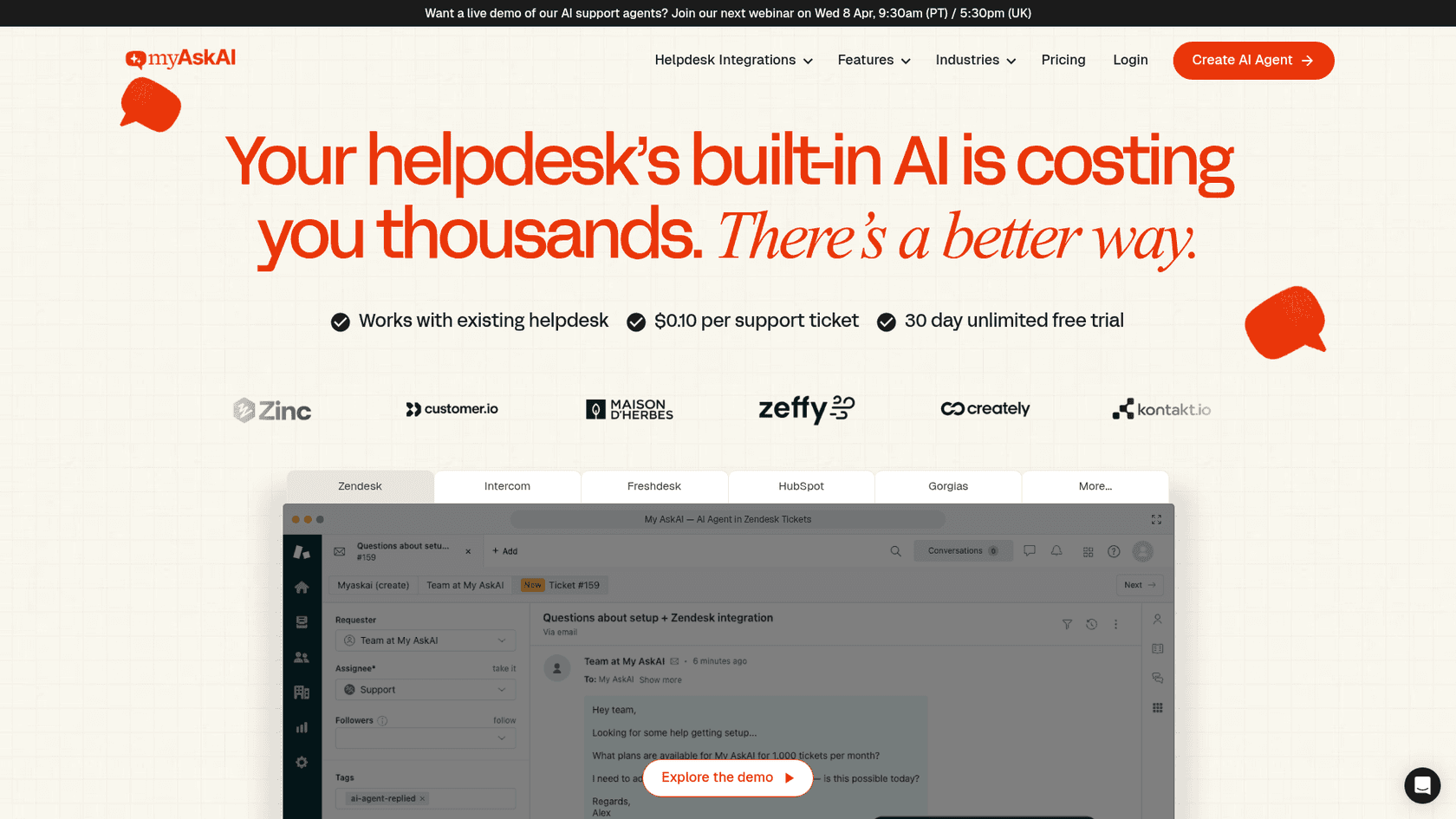
The platform connects with help desks like Zendesk, Intercom, Gorgias, Freshdesk, Freshchat, and HubSpot, and also works through Slack, Microsoft Teams, a Chrome Extension, and Zapier. Its big claim to fame is simplicity and speed, promising to get an AI agent live in minutes to field all those repetitive questions. They say their AI can handle up to 75% of support chats, freeing up your team for more important conversations.
My AskAI's core features
My AskAI's usefulness really comes down to three things: how well it learns your content, how the chatbot actually performs, and the tools it gives you to track everything. Let's take a look at each one.
Knowledge base and integrations
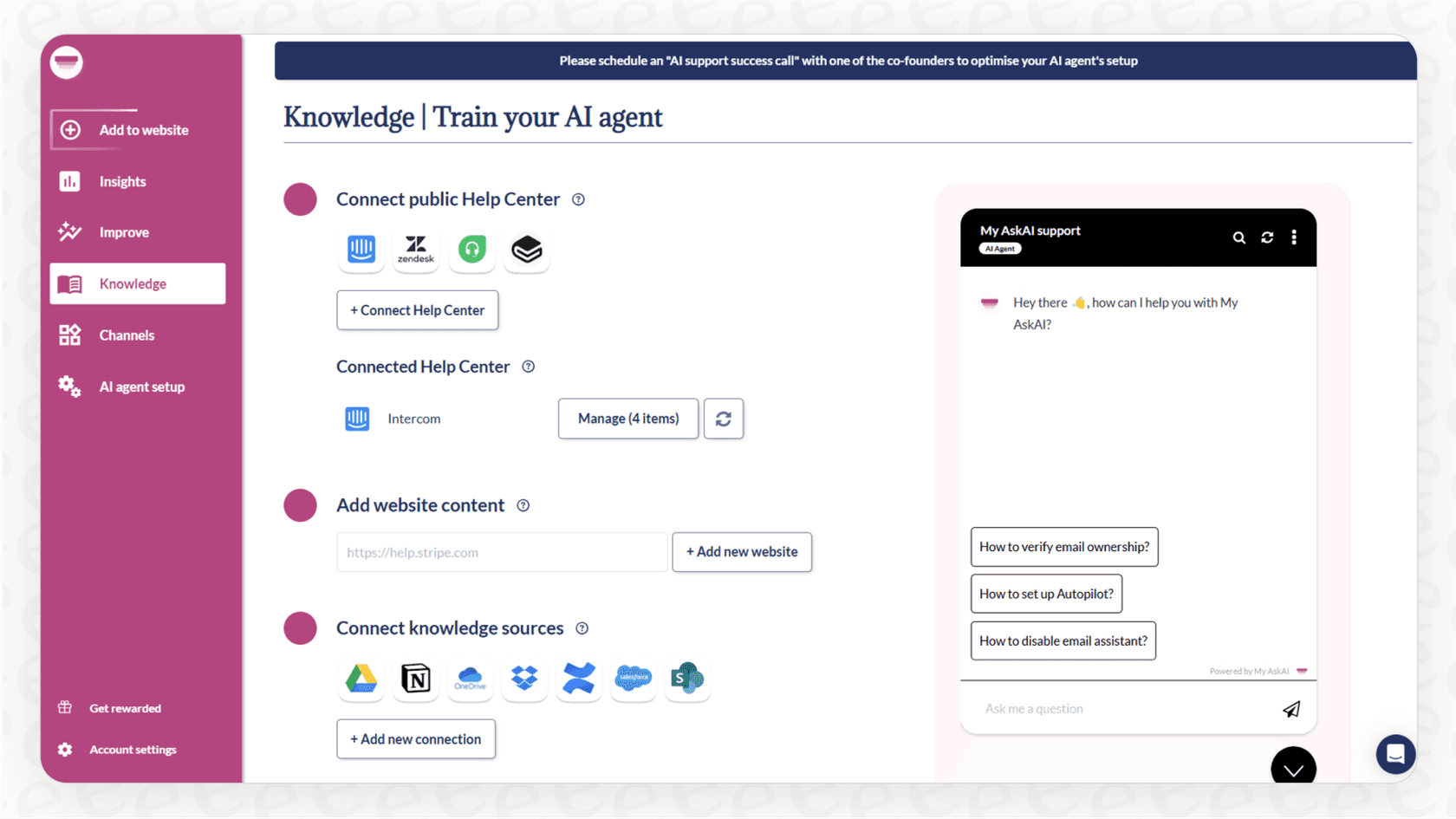
First up, how does My AskAI learn? It plugs into your existing knowledge sources across 11 connections. You can sync your help center articles from Zendesk, Intercom, or Freshdesk, point it to your website pages, connect cloud storage like Google Drive, Notion, OneDrive, Dropbox, or SharePoint, pull from Confluence or Salesforce, and even link your Shopify store for product and order data.
The setup is generally quick, though some users have noted occasional issues. Reviews on Capterra mention that the web crawler can sometimes miss content and that document uploads don't always go smoothly. It's worth testing thoroughly during the trial to make sure your content is being ingested properly.
A more dependable way to train an AI is by using the best source of information you have: your team's past conversations. Instead of just relying on static help docs, platforms like eesel AI dig into thousands of your historical support tickets. This helps the AI understand your brand's voice and learn proven solutions right from the start, making it far more accurate and context-aware.
AI agent and chatbot functionality
The chatbot itself has a couple of modes: it can either draft replies for your human agents to review and send, or it can respond directly to customers. There's also an "intelligent handover" feature to pass a conversation to a person when things get complicated. You can also tweak the AI's personality and give it special instructions.
The real test is the quality of its answers. Some user reviews mention that the AI can sometimes struggle with context and may give answers that are off-topic. It handles straightforward FAQs well, though more complex or nuanced questions may require additional fine-tuning.
This is where having more control over your AI becomes really important. A top-tier AI agent should do more than just answer questions. eesel AI, for example, provides a fully customizable workflow engine. This lets you tell the AI exactly what to do in certain situations, like looking up live order information or automatically sorting tickets based on what the customer is asking. That level of control makes the AI a true, functional part of your support team.
Analytics and improvements
My AskAI gives you a dashboard that shows you which questions users are asking that the AI can't answer. This is handy for spotting gaps in your knowledge base and improving your documentation over time.
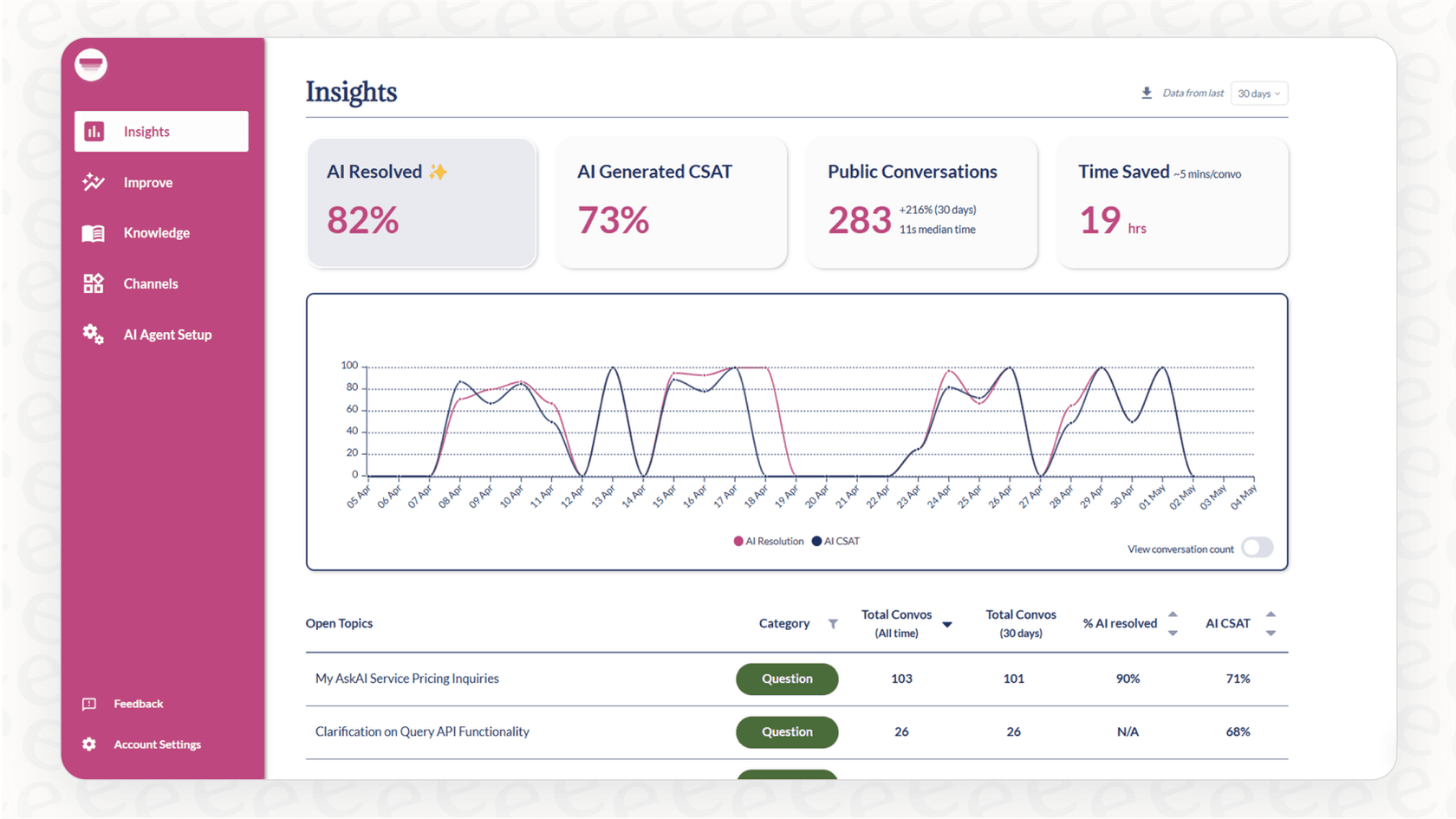
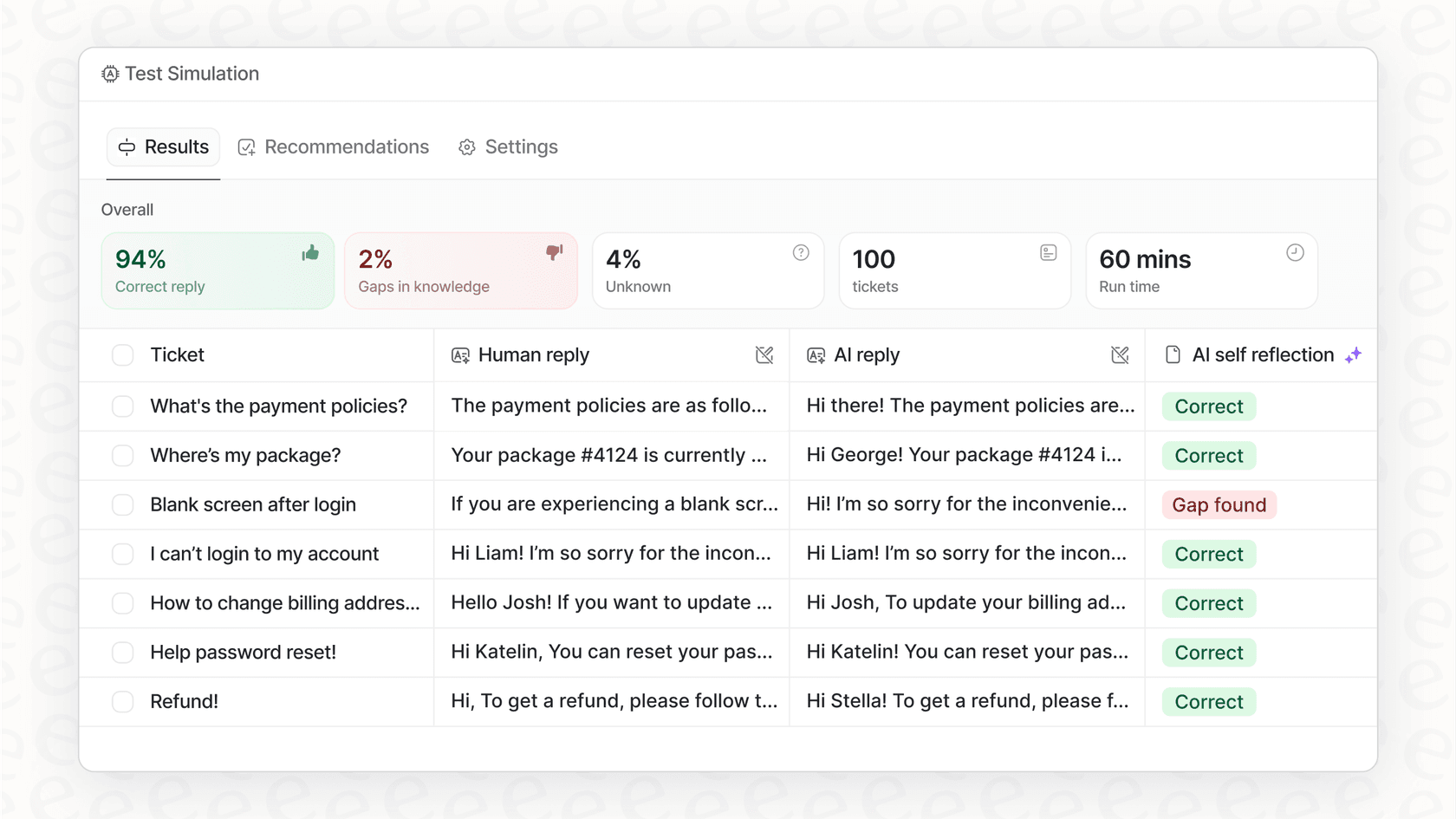
One thing to note is that these analytics are reactive, they surface issues after they've already happened. If your team values proactive testing, eesel AI offers a simulation mode that lets you test your AI setup on thousands of your actual past tickets before it talks to customers. This gives you a forecast of its resolution rate and shows you where it performs well and where it might need adjustment.
My AskAI pricing: A closer look at the costs
At first glance, My AskAI’s pricing seems pretty simple. They offer a 30-day free trial, and their plans scale from Pro to Enterprise.
It’s worth understanding the details. According to their support docs, when you’re using a help desk integration, a single "conversation" is counted for every 2 AI responses. This means a back-and-forth with a customer could count as multiple "conversations," which is important to factor in when estimating your monthly costs.
| Plan | Price (Monthly) | Included Conversations | Overage Cost | Key Features |
|---|---|---|---|---|
| Pro | $199/mo | 1,000/mo | $0.12 each | Helpdesk integrations, 5 team seats, AI Copilot. |
| Scale | $499/mo | 2,000/mo | $0.10 each | Unlimited seats, SOC-2, historic ticket training included. |
| Enterprise | From $999/mo | Custom | Custom | Dedicated success manager, white-label, custom features. |
All plans offer a 33% discount with annual billing. Pricing based on My AskAI’s website as of early 2026.
If budget predictability is important to your team, it's worth comparing this with flat-rate alternatives. eesel AI, for example, offers straightforward pricing with no per-resolution fees. Plans are based on a transparent monthly limit of AI interactions (where one interaction equals one AI reply or action).
User experience: Is My AskAI easy to use?
One thing people seem to agree on is that getting started with My AskAI is pretty quick. For teams without a developer on hand, being able to create and embed a chatbot in a few minutes is a huge plus. The interface is simple enough for the basic stuff.
That said, as your needs grow, some users have noted limitations. Some reviews mention that the interface for more advanced settings could be more intuitive, and as we covered earlier, content ingestion can occasionally have hiccups. There have also been reports of occasional service interruptions, which is something to monitor. The overall takeaway from users seems to be: easy to start, with room for growth in advanced features.
A great self-serve platform should be both easy and reliable. With eesel AI, you can sign up and run a full simulation on your own historical tickets within minutes, no sales call required. This lets you see its performance for yourself and build trust right from the get-go. Plus, the ability to roll it out slowly, maybe just for one ticket queue or to a small percentage of users, means you can implement it without any risk.
Final verdict: Is it the right choice for you?
So, what's the bottom line on My AskAI? It really depends on what you need.
It might be a good fit if:
-
You're a small team that needs a straightforward chatbot for common customer questions.
-
Your main priority is getting up and running quickly with minimal setup.
-
You have manageable ticket volumes and want a cost-effective entry point into AI support.
You should probably look for an alternative if:
-
You're a growing business that needs accuracy, control, and a predictable budget.
-
You need an AI agent that can actually do things, like integrate with your other tools and workflows.
-
You want to prove the AI's performance with your own data before you let it talk to customers.
How eesel AI compares
If you're looking for a different approach, eesel AI is worth considering. It's designed for teams that prioritize pre-launch testing, deeper automation, and predictable pricing.
Here’s a quick side-by-side look:
| Feature | My AskAI | eesel AI |
|---|---|---|
| Onboarding | Quick self-serve setup. | Self-serve with simulation testing in minutes. |
| AI Control | Tone and personality settings. | Customizable workflows and API actions. |
| Testing | Analytics dashboard for post-launch insights. | Simulation mode on historical data before launch. |
| Pricing Model | Per-conversation (usage-based). | Flat-rate subscription plans. |
| Knowledge | 11 connections (help centers, cloud storage, Shopify, Confluence). | Past tickets + 100+ integrations (Confluence, etc.). |
With eesel AI, you can train it on all your company knowledge, define how it should behave, test it on historical data, and roll it out at your own pace, all with predictable costs.
Final thoughts
My AskAI offers an accessible way to get started with AI chatbots, particularly for small teams with straightforward support needs. As your team grows, you may want to evaluate whether its pricing model, testing capabilities, and automation depth still align with your requirements.
If you’re looking for pre-launch simulation, deeper automation controls, and flat-rate pricing, it’s worth exploring other platforms alongside it.
Ready to see how a truly self-serve and powerful AI agent can transform your support? Try eesel AI for free and run your first simulation in minutes.
Frequently asked questions
Based on this My AskAI review, what exactly is My AskAI designed to do for businesses?
My AskAI is a platform for businesses, particularly in SaaS and eCommerce, to create custom AI chatbots. It aims to provide instant customer support by training the AI on your existing content, like help center articles and website pages, to automate responses to common queries.
How reliable are My AskAI's AI responses based on user feedback?
My AskAI handles straightforward FAQs well. Some user reviews note that it can occasionally struggle with complex context, which may lead to off-topic answers. Testing thoroughly during the trial period can help you assess its fit for your specific use case.
The My AskAI review highlights confusing pricing; can you explain how the "per-conversation" model might impact costs?
My AskAI's pricing counts a "conversation" for every 2 AI responses when using help desk integrations. This means a single customer interaction involving a few back-and-forth messages could quickly consume multiple "conversations," making your monthly bill unpredictable and potentially higher than anticipated.
Does this My AskAI review suggest it's truly easy to use for growing teams, or are there limitations for advanced needs?
My AskAI is easy to get started with and you can embed a basic chatbot quickly. For growing teams needing advanced settings or more control over AI behavior, you may want to evaluate whether its feature set meets your needs as you scale.
After reading this My AskAI review, how can I determine if it's the right chatbot solution for my specific business needs?
My AskAI works well for small teams with basic FAQ needs and manageable ticket volumes who value speed of setup. If your business also needs customizable workflows, pre-launch testing, and predictable pricing, it's worth comparing with other platforms to find the best fit.
This My AskAI review suggests alternatives; how does eesel AI address the limitations discussed here?
eesel AI takes a different approach by offering training on historical support tickets, customizable workflows, and a simulation mode to test performance before launch. It also features flat-rate pricing without per-resolution fees, which can help with budget predictability for growing teams.