


Let's be honest, trying to figure out the price of a customer support tool can be a real headache. Tidio is a popular choice for live chat, but its pricing page can feel like a puzzle with all its different limits, add-ons, and caps. If you're not paying close attention, you could easily end up with a bill that's way higher than you planned for.
This guide is here to help you cut through the noise. We'll break down the real Tidio AI pricing, look at every plan, and uncover the extra costs for their Lyro AI and Flows features. By the end, you'll know exactly what you'd be paying and if it’s the right move for your team.
What is Tidio?
What exactly is Tidio? It's a customer service platform built mainly for small and medium-sized businesses, and you'll see it a lot on e-commerce sites. It bundles a few different tools into one dashboard to help you talk to your customers.
The three main pieces you'll work with are:
-
Live Chat: This is the real-time chat widget that pops up on a website, letting you talk directly with visitors.
-
Lyro AI Agent: A conversational AI that handles customer questions on its own. It’s designed to learn from your help docs and knowledge base to come up with answers.
-
Flows: This is a visual builder for creating those rule-based chatbots. You can use it to build automated flows that grab leads, answer basic questions, or send conversations to the right person.
Even though these tools work together, they aren’t priced together. Getting a handle on how each one is billed is the secret to understanding your total monthly spend.
A deep dive into Tidio's pricing plans
Here’s the first thing you need to know about Tidio's pricing: you don't pay per agent. Instead, they charge you based on "billable conversations." Think of it this way: anytime a human agent jumps into a chat and replies, that conversation counts toward your monthly limit. This means your bill goes up as your team gets busier.
On top of that, their AI (Lyro) and automation (Flows) tools are sold separately. It can get a bit tangled, so let's look at the main plans first.
| Plan | Monthly Price (Annual Billing) | Billable Conversations/mo | Key Features | Ideal For |
|---|---|---|---|---|
| Free | $0 | 50 | Live chat, ticketing, 10 seats, social media integrations, 50 Lyro conversations (one-time). | Solo business owners who just want to try out live chat. |
| Starter | $24.17/mo | 100 | Everything in Free, plus basic analytics, live visitors list, operating hours. | Small businesses with a very low, predictable number of chats. |
| Growth | $49.17/mo | 250 - 2,000 | Everything in Starter, plus advanced analytics, permissions, live typing, viewed pages history. | Teams that are starting to grow and need better reporting. |
| Plus | Starts at $300/mo | Custom | Everything in Growth, plus a dedicated success manager, custom branding, multilingual support, OpenAPI. | Mid-sized companies handling a few thousand chats a month. |
| Premium | Custom | Custom | Everything in Plus, plus managed AI services and a guaranteed 50% AI resolution rate. | Large companies that want a fully managed, hands-off solution. |
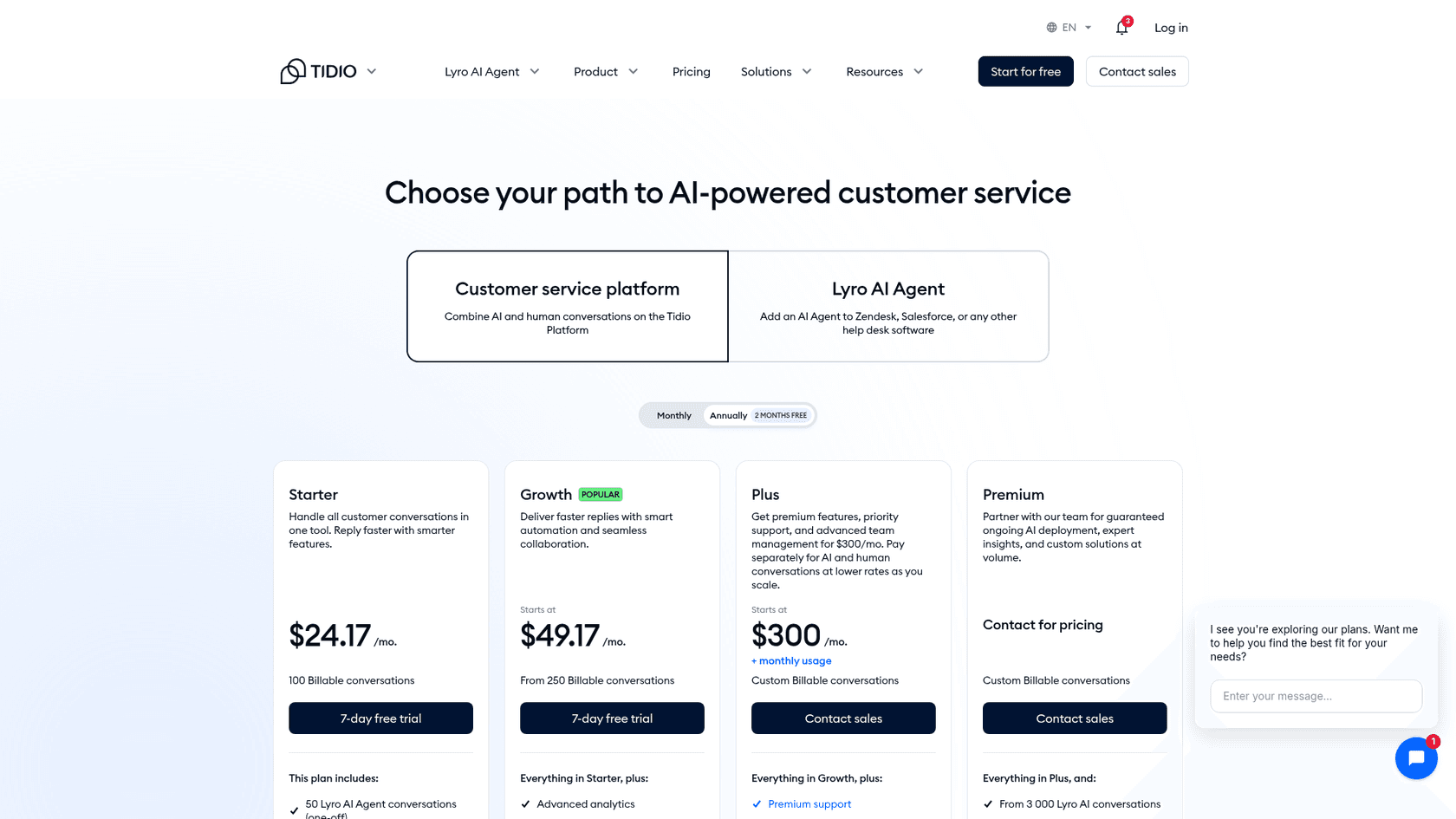
Remember, these plans only really cover the conversations your human agents handle. To truly automate things and get the full value, you’ll need to add on their AI and automation products, which have their own price tags.
Tidio add-ons: Where the costs really add up
This is where things can get tricky. The plan prices you see on their site are really just the beginning. To get the most out of Tidio's automation, you have to buy extra subscriptions for their Lyro AI and Flows tools.
The pricing for Lyro
Lyro is Tidio’s AI agent, and it’s priced based on how many conversations it handles each month. This is a completely separate charge from your main plan.
-
It starts at $32.50 per month, which only gets you 50 AI conversations.
-
The price climbs quickly from there. If you want Lyro to handle 1,000 conversations a month, you're looking at a pretty hefty addition to your bill.
-
One Lyro conversation can hold many replies. I checked Tidio's Lyro FAQ: a conversation counts once however many times Lyro replies, and the allowance refreshes 30 days after payment.
There's also a Lyro-only path: the pricing page offers Lyro as a standalone add-on for Zendesk, Salesforce, or other help desks, and Lyro Connect is limited to Plus and Premium at about $0.50 per Lyro conversation.
This model can easily double what you're paying. If your whole reason for getting a tool like this is to automate support, you'll end up paying for both the human-led "billable conversations" and the AI-led conversations separately.
| What gets counted | Unit | Free allowance |
|---|---|---|
| Core plan | Billable conversation (a human agent replied) | 50 on Free |
| Lyro AI Agent | Lyro conversation (at least one AI reply) | 50, one-time |
| Flows | Visitors reached | 100 |
The pricing for Flows
Flows, the rule-based chatbot builder, is also another subscription. Its price isn't based on conversations but on the number of unique website visitors it interacts with every month.
-
The starting price is $24.17 per month, which lets your flows engage with up to 2,000 visitors.
-
On a site with decent traffic, you can burn through that limit fast, which will push you into a more expensive plan.
With this kind of fragmented billing, you could be juggling three separate subscriptions for one platform, which makes figuring out your return on investment a real chore. It’s a different world from a tool like eesel AI, which bundles its AI Agent, Copilot, and Triage tools into one plan priced by credits (a ticket or a chat is 1 credit), not split up by product.
Limitations of the Tidio pricing model for scaling teams
Tidio can be a decent starting point for small businesses, but as your team grows, its pricing model can start to feel a bit restrictive. Here are a couple of the main issues you might run into.
How Tidio's pricing creates unpredictable costs
Because you're paying based on conversation volume plus those separate add-ons, your monthly bill can be all over the place. A good marketing campaign or just a busy season could tip you over your limits, leading to a much higher bill than you budgeted for. That kind of guesswork makes it tough for support managers to plan ahead.
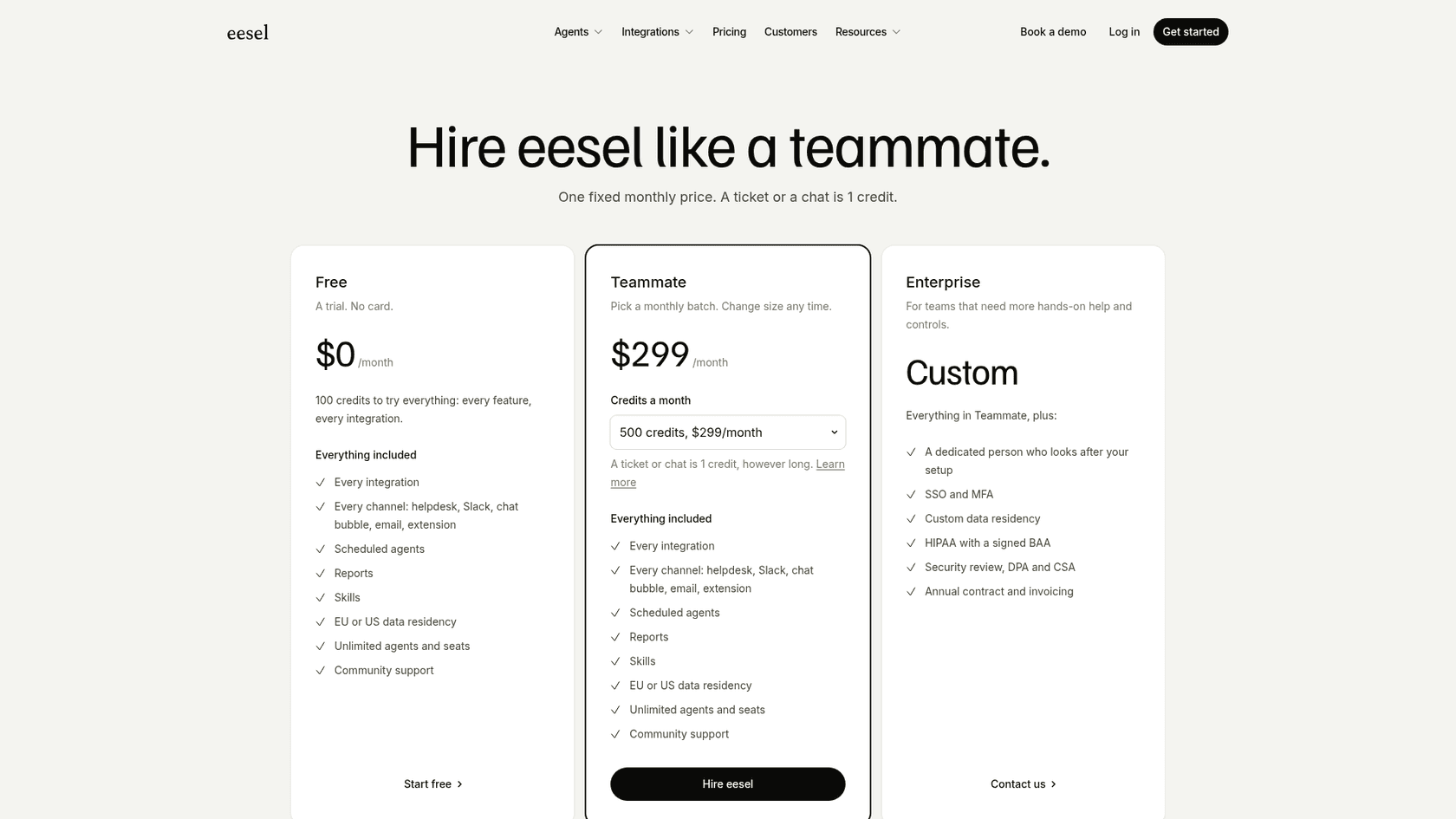
In contrast, platforms with more transparent pricing, like eesel AI, get rid of the guesswork. eesel has one fixed monthly price, starting at $299/month for 500 credits with no per-seat fee, and overage only runs if you switch it on with a cap you set.
A fragmented approach to automation
Having to buy and manage Lyro AI and Flows separately just feels a bit disconnected. You're left trying to figure out which tool is best for which task, all while paying for them separately. It adds a layer of complexity that you probably don't need.
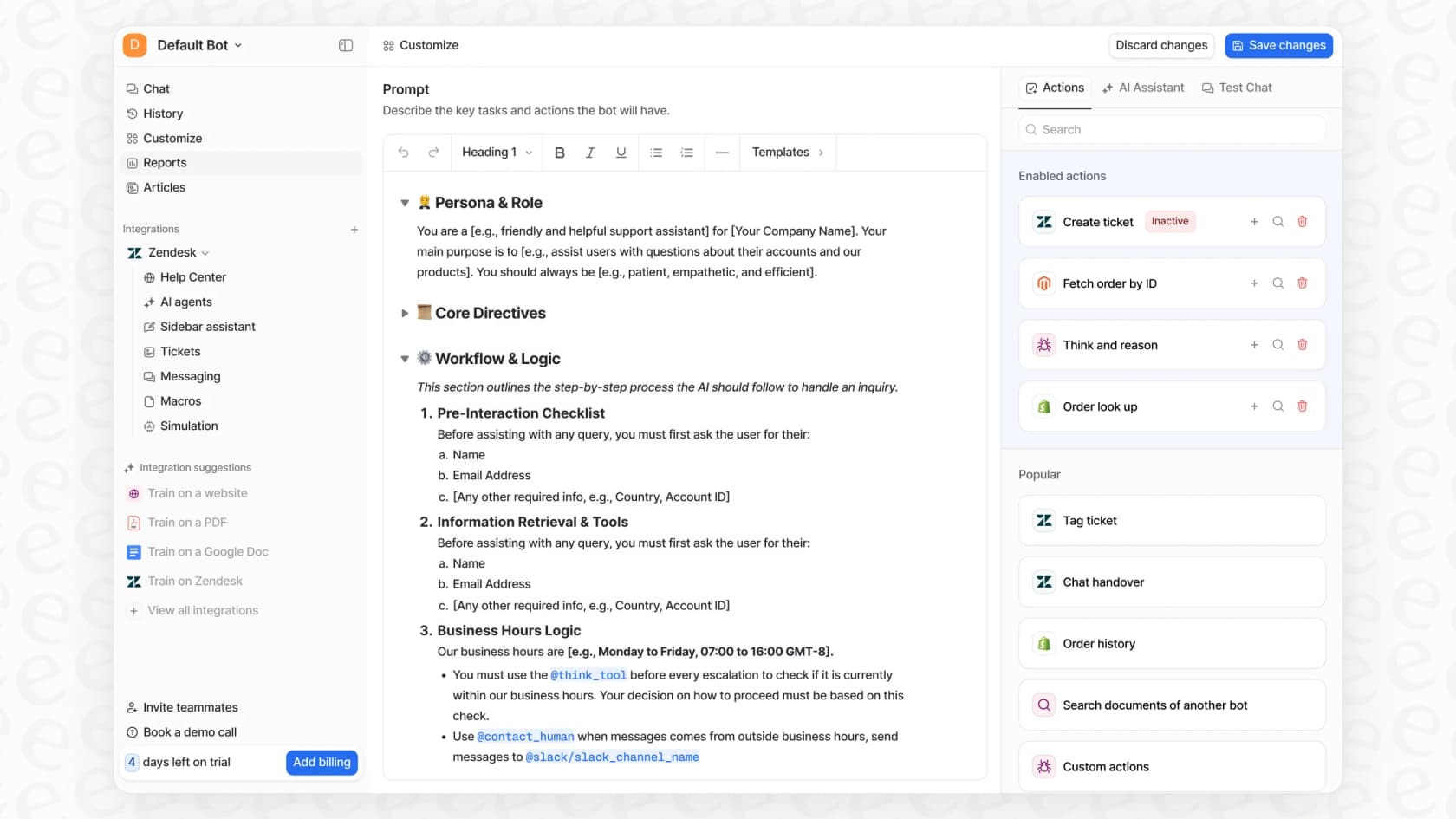
A single, unified platform is often more effective. For example, eesel AI gives you one workflow engine where you can shape the AI's personality, set rules for automation, and build out custom actions, all within a single system and included in one price.
An alternative to Tidio: How eesel AI simplifies AI support
If you're reading this and thinking Tidio's pricing sounds like more trouble than it's worth, it's good to know there are simpler alternatives out there. eesel AI was designed to fit right into your workflow without the complicated pricing.
Go live in minutes, not months
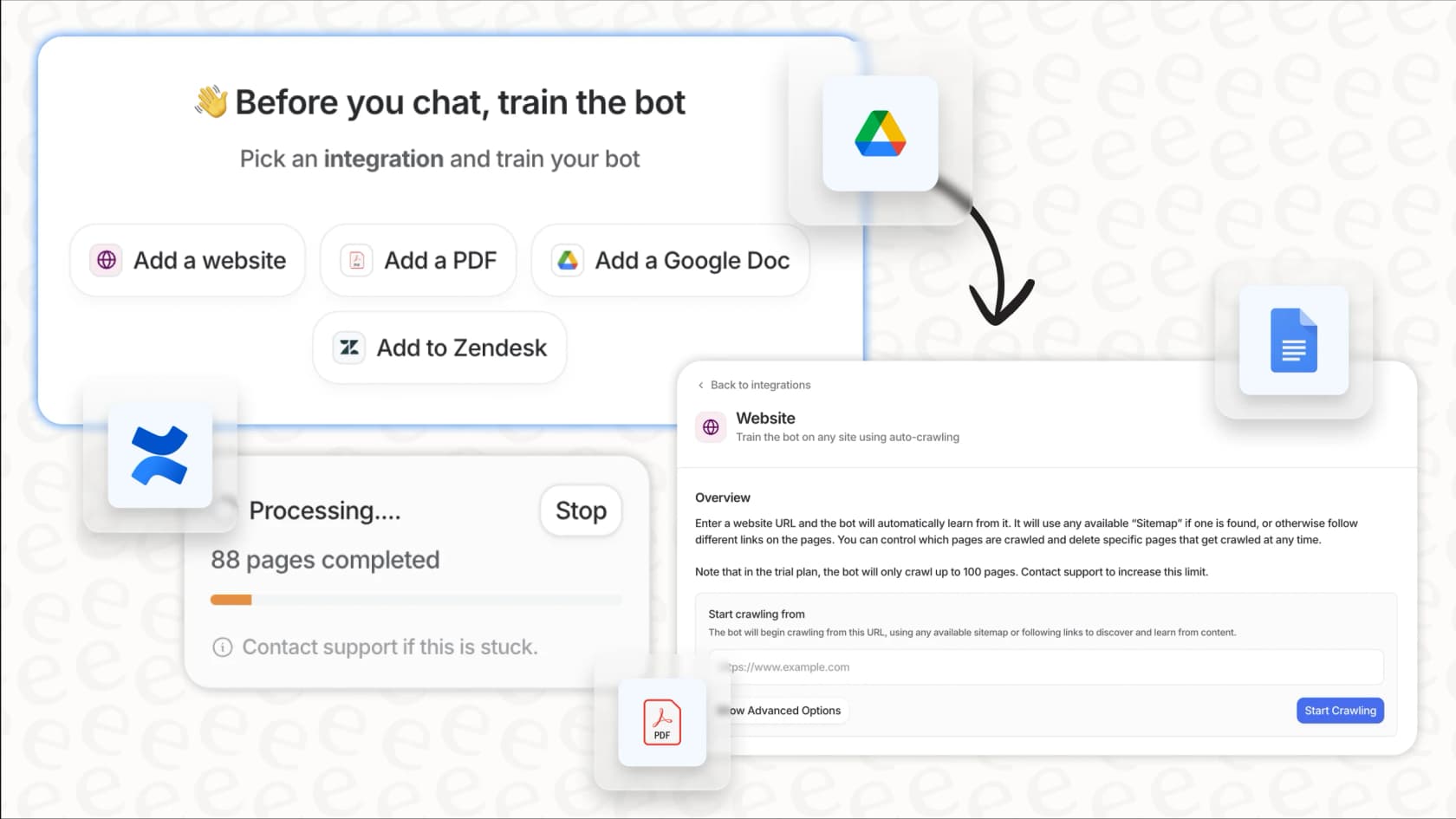
You can get started without having to sit through a sales call or a mandatory demo. eesel AI is a self-serve platform that you can set up in just a few minutes. It has one-click integrations with tools you already use, like Zendesk, Freshdesk, and Intercom.
Even better, eesel AI can start training on your past support tickets right away. This means it learns your business and brand voice automatically from that history. Tidio's Lyro trains on sources like your help docs, website, and solved chats, and Lyro plan subscribers can have Zendesk, Gorgias, or Intercom history imported with help from Tidio's team, while eesel connects to your help desk and reads that history directly.
Test with confidence using a risk-free simulation
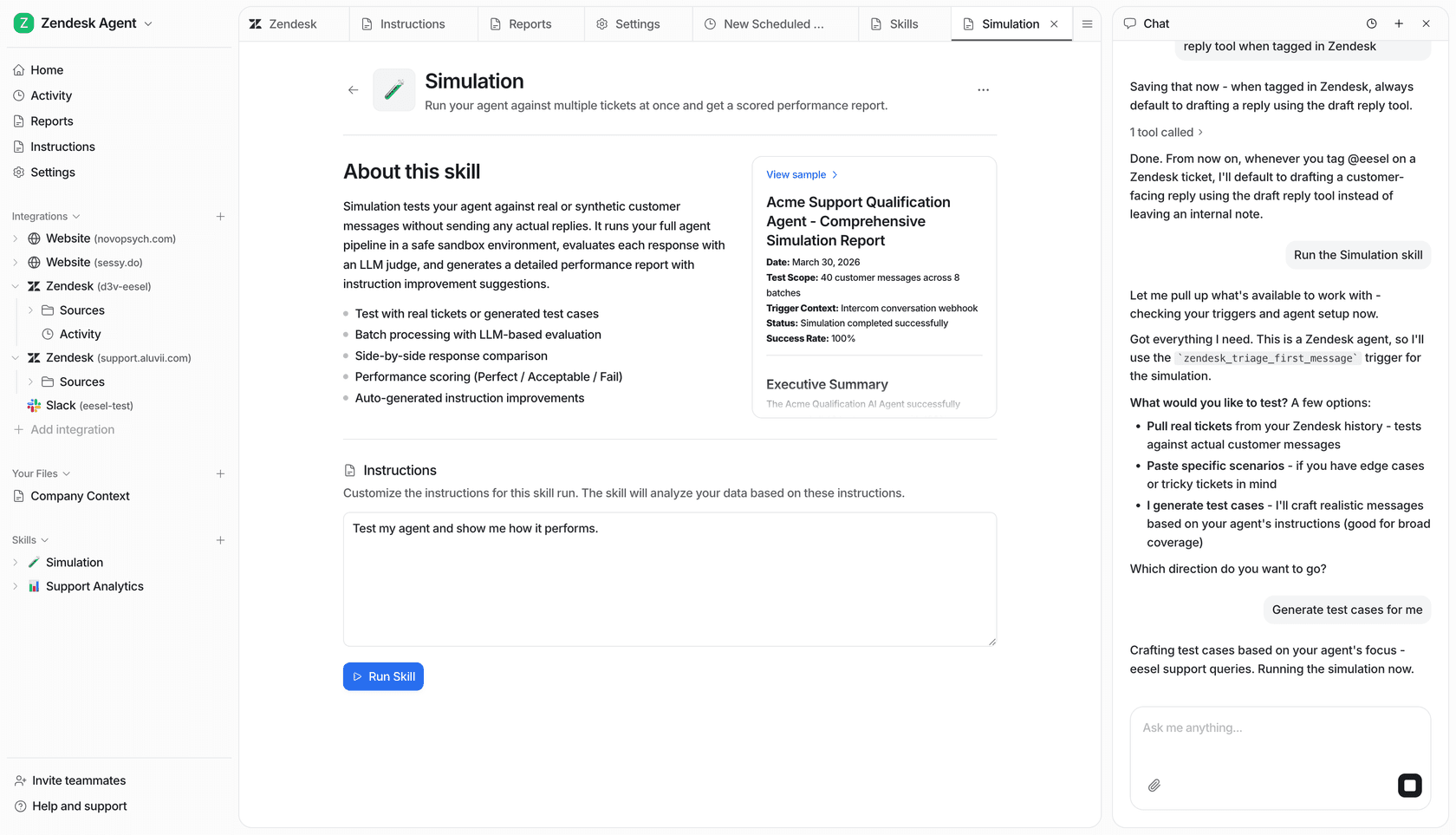
One of the scariest parts of turning on an AI is wondering how it will actually perform with real customers. eesel AI has a neat solution for this with its simulation mode. You can test your setup on thousands of your past tickets in a safe environment. This shows you exactly how the AI would have responded and scores its answers against what your team actually sent, surfacing the gaps before you ever flip the switch for your customers. It takes the risk out of the whole process so you can launch with confidence.
Choosing the right AI platform for your budget
At the end of the day, Tidio can be a good starting point for live chat and some simple automation. But for growing businesses, its pricing model can be a real roadblock. Juggling conversation-based billing with separate, required add-ons for AI and flows can get complicated, unpredictable, and expensive fast.
For teams that need a powerful and unified solution that doesn't break the bank, a more transparent approach is the way to go. Platforms that offer all-in-one plans, a simple setup, and risk-free testing give you the control and predictability that growing support teams need.
If you’re ready to automate your customer support without the budgetary surprises, it might be time to check out a solution that grows with you, not against you.
Start your free trial of eesel AI today and see how simple and powerful AI support can be.
Frequently asked questions
How does Tidio AI pricing work for the core live chat service, specifically regarding human agent interactions?
Tidio's core live chat service is priced based on "billable conversations," meaning any conversation where a human agent replies counts towards your monthly limit. Your bill increases as your team handles more of these conversations.
Is the Lyro AI agent included in the standard Tidio AI pricing plans, or is it a separate charge?
The Lyro AI agent is not included in the standard Tidio plans. It is a separate add-on that you must purchase independently, and its cost is determined by the number of conversations the AI handles each month.
Can you explain how the Flows feature influences the overall Tidio AI pricing model?
The Flows feature, Tidio's rule-based chatbot builder, is also a separate subscription. Its pricing is based on the number of unique website visitors it interacts with monthly, adding another distinct charge to your total Tidio bill.
Why is Tidio AI pricing often described as potentially leading to unpredictable monthly costs for businesses?
Tidio's pricing can be unpredictable because it combines conversation-based billing for human agents with separate, volume-based add-ons for Lyro AI and Flows. Exceeding limits in any of these areas can quickly lead to higher-than-expected bills.
What are the initial costs I can expect when considering Tidio AI pricing for both Lyro and Flows add-ons?
For Lyro AI, the starting price is $32.50 per month for 50 AI conversations. For Flows, the starting price is $24.17 per month, allowing engagement with up to 2,000 visitors.
Does Tidio AI pricing offer a unified solution, or is it a fragmented approach to automation?
Tidio AI pricing uses a fragmented approach. You typically manage and pay for the core live chat plan, Lyro AI, and Flows as separate subscriptions, which can create complexity in managing your automation strategy.
How does Tidio AI pricing differ from alternatives like eesel AI in terms of overall value and transparency?
Tidio AI pricing can be complex with its separate add-ons and volume-based charges, potentially leading to surprise costs. Alternatives like eesel AI often offer more unified, predictable plans based on overall needs, simplifying budgeting and transparency.