

Let's be honest: figuring out AI tool pricing can feel like a part-time job. Between confusing credit systems, sneaky hidden fees, and tiers that make no sense, you practically need a spreadsheet just to guess your monthly bill. It's a huge headache, and it's a common problem in the fast-moving world of AI.
The team behind the AI coding assistant Windsurf seems to have gotten the message. After a wave of user feedback about their confusing model, they rolled out an overhaul in 2025, and the product, now called Devin Desktop, has changed its plans again since. This guide gives you a clear breakdown of the current Windsurf pricing structure. We'll get into how usage works, what this means for individual developers, and why businesses need a more predictable way to pay for AI in core operations like customer support.
What is Windsurf?
So, what exactly is Windsurf? In a nutshell, it's an AI-powered coding assistant that lives inside a developer's workspace (their IDE). It’s designed to help software engineers write, debug, and launch code more quickly. The star of the show is a feature called "Cascade," a smart AI that can understand your entire codebase to offer genuinely helpful suggestions and automate tedious tasks.
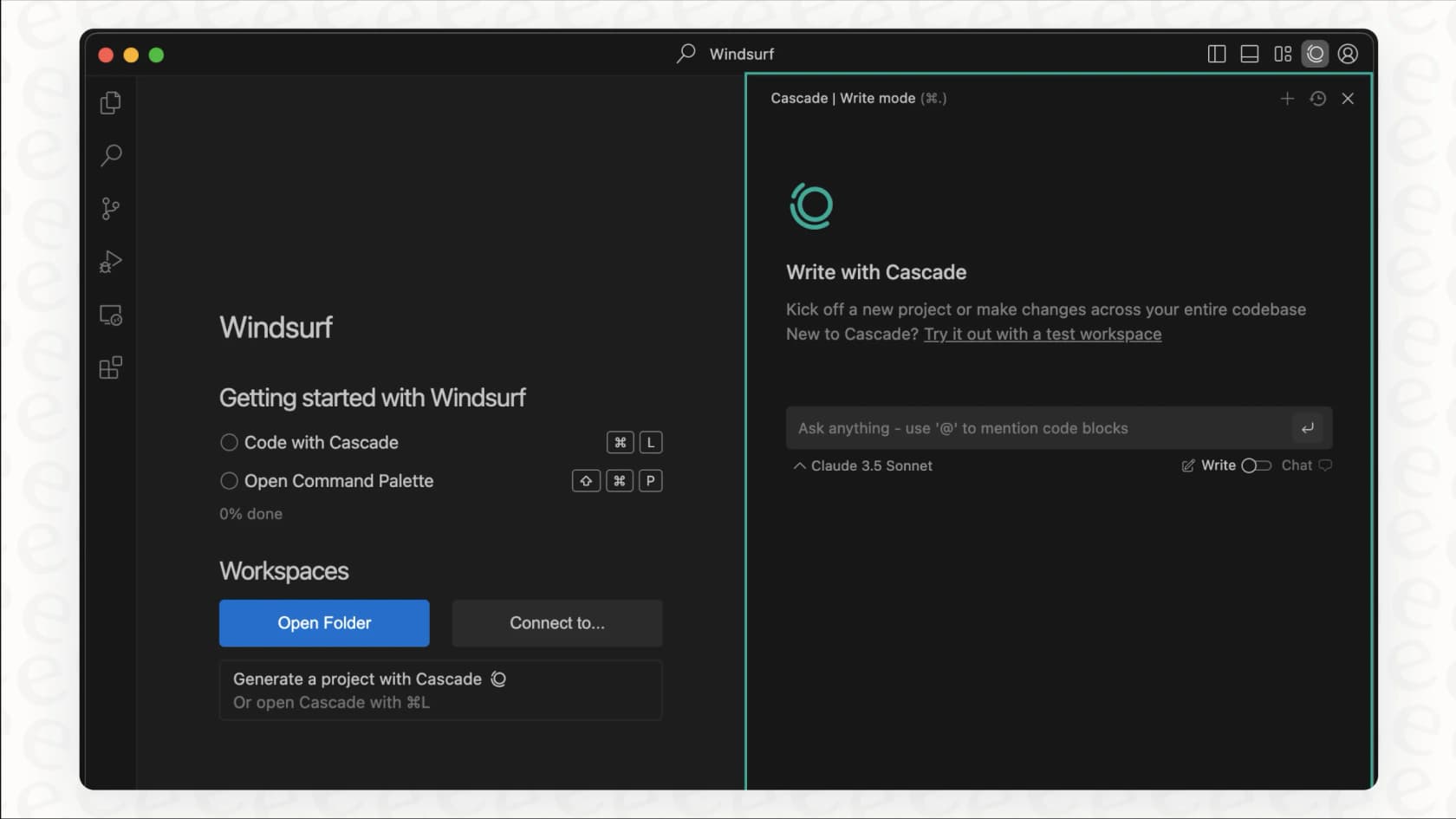
It’s a really capable tool, but it's important to be crystal clear about who it’s for. Windsurf (rebranded as Devin Desktop after Cognition's 2025 acquisition) was built from the ground up for software engineers who are deep in the code. It’s not a customer support automation platform, and that distinction is pretty important when you start looking at whether its pricing model fits different business needs.
A look back: Why the old Windsurf pricing model changed
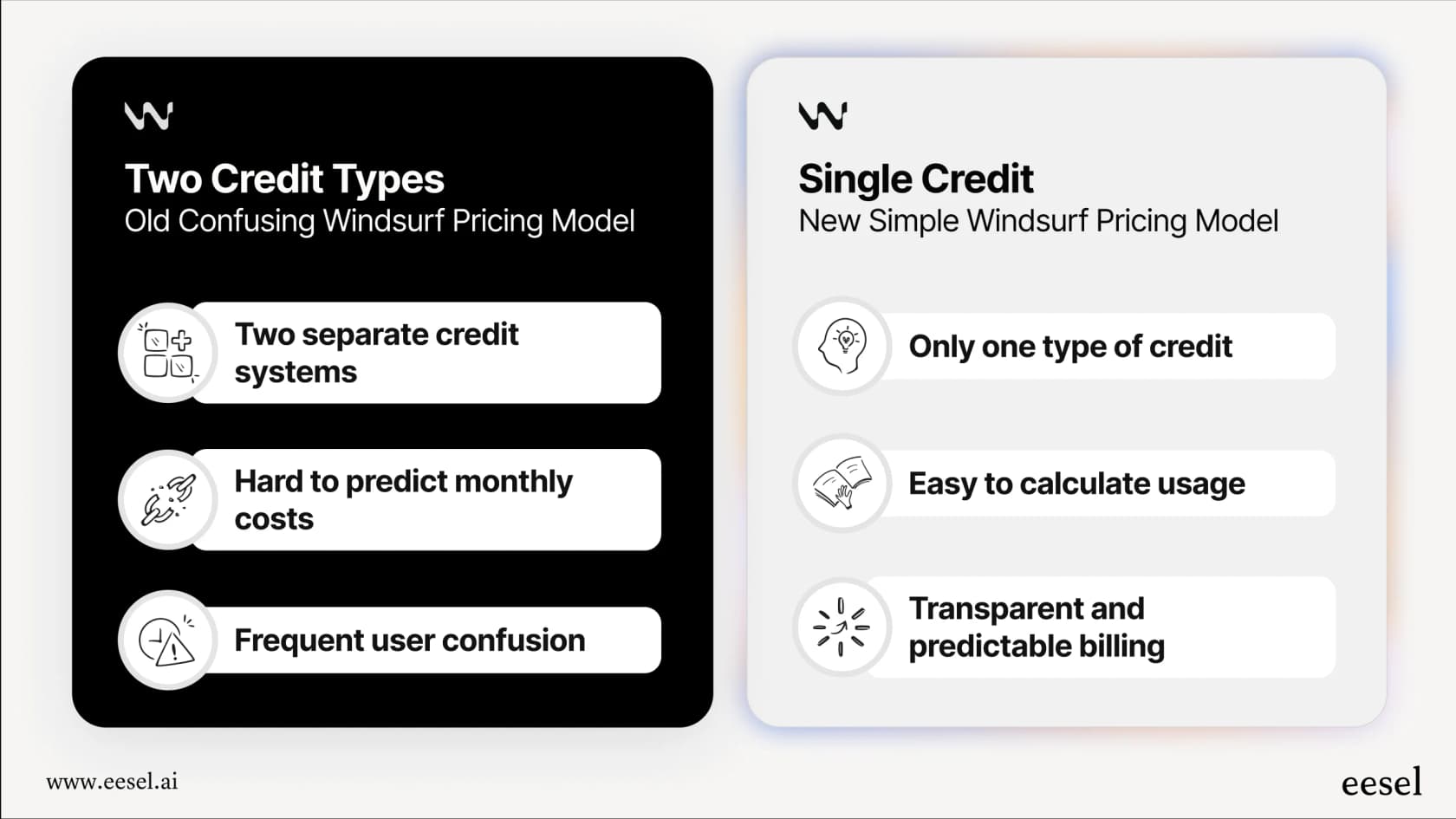
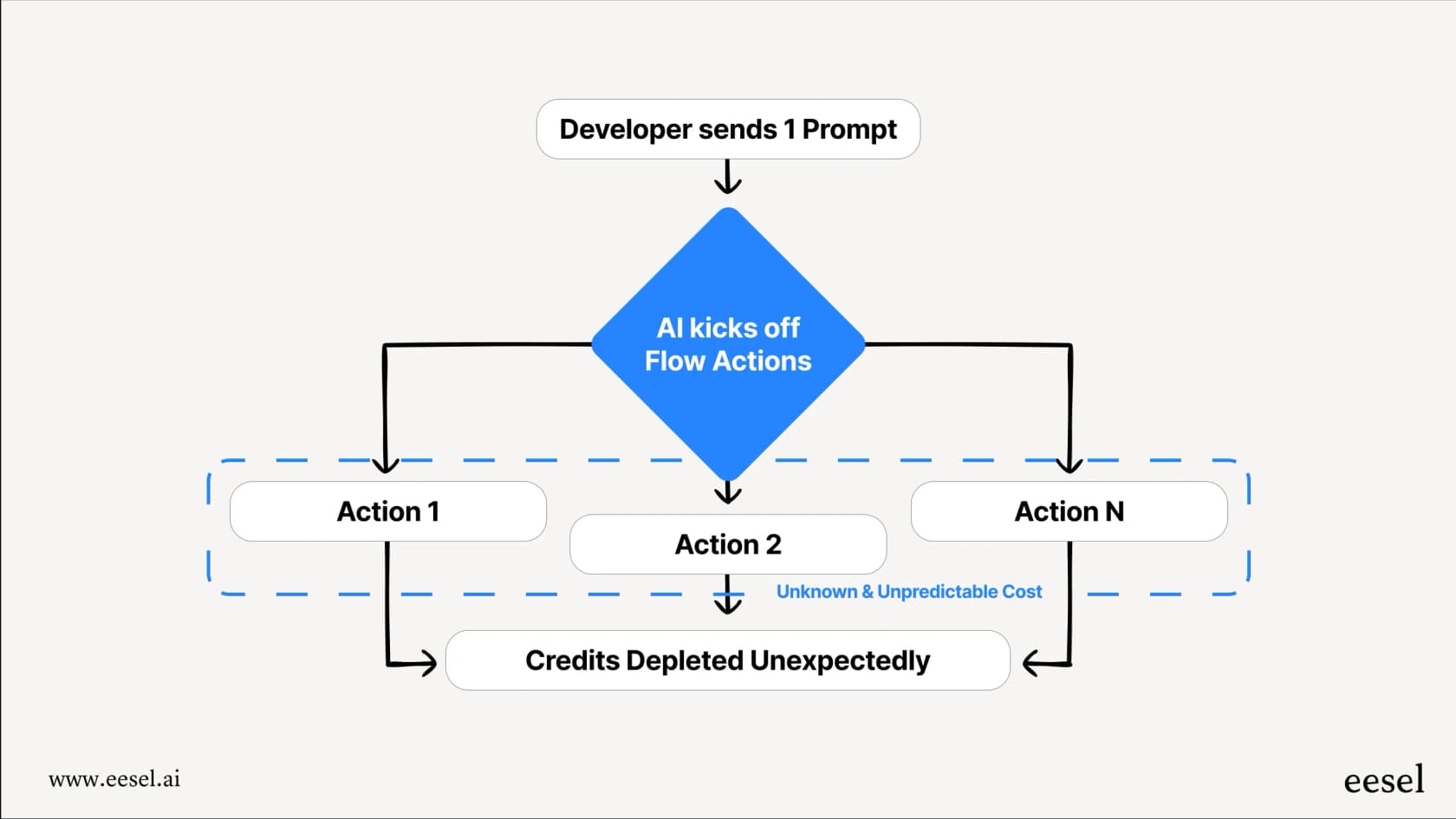
To really get the new pricing, it helps to know what they had before. Windsurf's old model was a tangled mess of "prompt credits" and "flow action credits." A developer would send a request to the AI, which would kick off a bunch of background tasks (the "flow actions") to come up with an answer. The big problem? You had no idea how many flow actions your single prompt would use up.
As frustrated users on Reddit were quick to point out, this system meant people were burning through their monthly "flow action" credits in just a few days, often without any warning at all. A request that seemed simple on the surface could trigger dozens of actions behind the scenes, locking them out of premium features way ahead of schedule.
Thankfully, Windsurf actually listened. Their decision to ditch the confusing two-credit system for something simpler was a great, user-first move. This whole situation teaches a valuable lesson for any business looking to use AI: you absolutely need pricing that is predictable and transparent. A confusing or volatile model makes budgeting a guessing game and just leads to frustration when you can least afford it.
Windsurf pricing plans in 2026: A detailed breakdown
The Windsurf pricing model is now built around plan tiers and a usage allowance that refreshes automatically on a daily and weekly basis. The fixed prompt-credit counts from 2025 are no longer published.
Here’s a full look at their current plans, pulled directly from the official pricing page.
| Plan | Pricing Details | Usage | Key Features | Extra Usage |
|---|---|---|---|---|
| Free | $0 | Light quota to code with agents | Limited model availability, unlimited inline edits, unlimited Tab completions | N/A |
| Pro | $20/month | Increased quotas, refreshing daily and weekly | Everything in Free, plus frontier models from OpenAI, Claude and Gemini, full model availability, Devin Cloud cloud agents | Purchased at API pricing |
| Max | $200/month | Significantly higher quotas | Everything in Pro, for power users | Purchased at API pricing |
| Teams | $80/month for the team plan + $40/month per full dev seat | Each full user includes their own quota | Everything in Pro, plus up to 200 users, collaboration, centralized billing, admin dashboard, priority support | Purchased at API pricing |
| Enterprise | Custom ("Let's talk") | Custom | Everything in Teams, plus SAML/OIDC SSO, dedicated account management, centralized admin controls, dedicated deployment option | Custom |
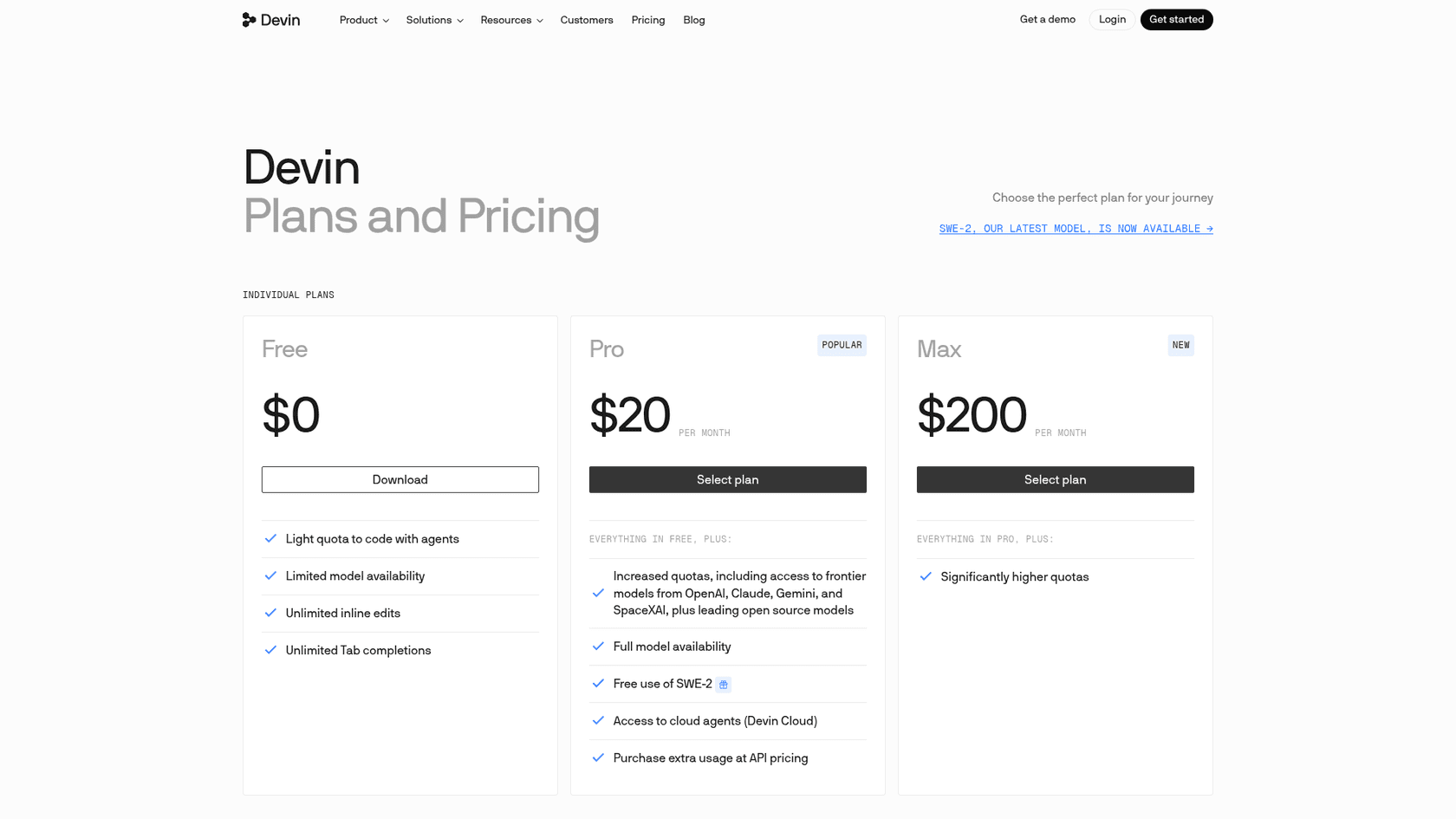
How credits are consumed with the new Windsurf pricing
The plan fees are easy to read, but the real-world cost per message still depends on what you’re doing. This is where the picture of predictability gets a bit fuzzy again.
Understanding Windsurf pricing: Flat-rate vs. token-based costs
Usage is drawn down differently depending on which AI model you pick for the job.
-
Free-to-use models: Windsurf's own SWE-2 model is free to use in Devin Desktop and the CLI through October 16, 2026 on paid plans, so it doesn't draw on your paid allowance during that window. Pricing after that date isn't published on the page.
-
Everything else: For frontier models from OpenAI, Claude, Gemini and others, the pricing page FAQ says cost per message varies with the model, the size and complexity of the task, and the reasoning required. Smaller models such as Haiku, GPT 5.2 Mini and Kimi K2.5 make an allowance last longer.
| Feature | Free-to-use model | Frontier model |
|---|---|---|
| Predictability | High (no allowance used while the free window lasts) | Lower (cost varies with task and model) |
| Best For | Simple, routine tasks | Complex, long-form generation |
| Models | Windsurf SWE-2 | OpenAI, Claude, Gemini |
| Cost Example | Free through October 16, 2026 | Varies by model, task and reasoning |
This means that a long conversation with the AI, asking for a big chunk of code, or a tricky debugging session can use up your allowance faster than a simple one-line request. In a way, it brings back some of the unpredictability the 2025 pricing change was meant to solve.
The hidden costs of Windsurf pricing: Overages and auto-refills
If you go beyond the usage included in a paid plan, you can purchase extra usage, which is consumed at API pricing. This add-on system is handy, but it also means you can spend more than your plan’s base fee.
Because extra usage follows API pricing rather than a fixed credit pack, a team of developers running heavy agent sessions can see costs that are hard to budget in a busy month, especially without oversight. The Max plan at $200 per month is the plan built for significantly higher quotas.
The problem with variable pricing for business operations
This brings up a bigger point. While this pricing might work for a solo developer whose needs change from month to month, it starts to fall apart when you apply it to core business operations. Customer support is a perfect example.
Can you imagine if your support software bill was tied directly to your ticket volume? A new product launch, a big marketing campaign, or an unexpected outage could send your ticket numbers through the roof. With a "per-prompt" or "per-resolution" pricing model, your software costs would spike right when you’re busiest. It turns financial forecasting into a nightmare and basically punishes you for growing or having to deal with unexpected issues. For business operations, predictable costs aren't just a "nice-to-have", they're a necessity.
eesel AI: Predictable pricing for your support team
That’s exactly why we built eesel AI with a completely different approach, especially for a crucial function like customer support. We wanted to get away from the rollercoaster of variable billing entirely.
Our pricing is one fixed monthly price sized to your volume, not fees for every single prompt or resolution. 1 credit covers one ticket or chat, however long it runs and whatever actions happen inside it, with plans from $299/month for 500 credits and a free plan with 100 credits. This provides the cost certainty that businesses need to create a real budget and scale their operations without any nasty surprises.
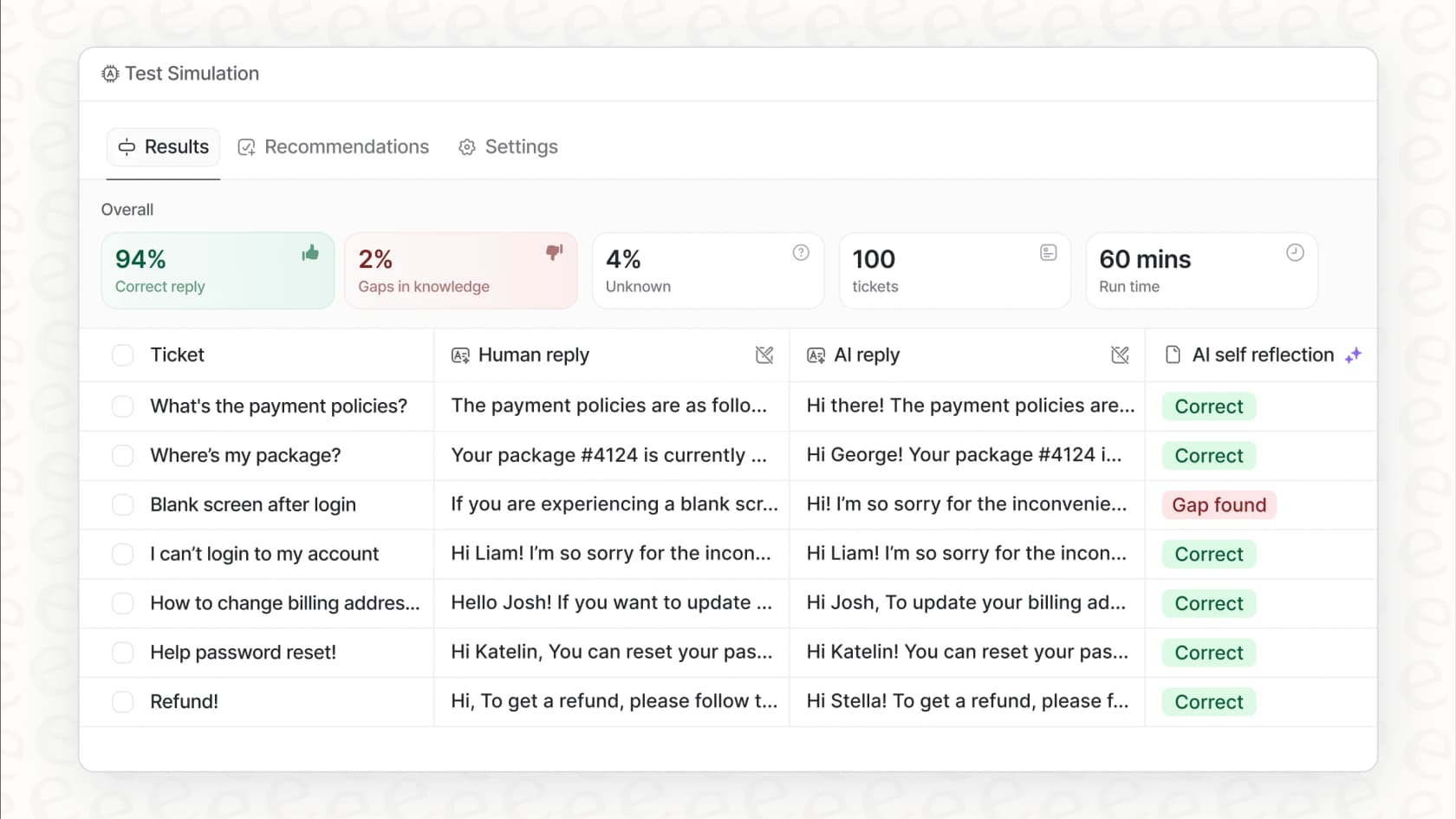
This focus on predictability is baked right into our platform. You can get up and running in minutes with one-click integrations for help desks like Zendesk and Freshdesk. And before you even turn on your AI agent, you can run it in a powerful simulation mode. This lets you test the AI on thousands of your past support tickets to accurately see what your automation rates and ROI will be, so you know exactly what you’re getting before you commit.
Choosing the right tool and understanding Windsurf pricing
Windsurf's pricing is easier to read than it used to be. It brings a lot more simplicity for their main audience: software developers. It's a capable tool, and their move to a more transparent model is a step in the right direction.
But at the end of the day, the model-dependent usage and API-priced extra usage mean it's still a usage-based model. That comes with the risk of surprise bills, particularly for teams. For essential business functions like customer service, where budgets are tight and volume can be all over the place, a stable, tier-based model is the only way to scale with confidence.
Ready to see how an AI platform with powerful features and predictable pricing can help your support team? Explore eesel AI's solutions and find out how our simple, self-serve platform can transform your customer service.
Frequently asked questions
How has the "Windsurf pricing" model changed for 2026?
Windsurf moved from "prompt credits" and "flow action credits" to a single prompt-credit system in 2025, and the product has since been renamed Devin Desktop. The current pricing page no longer lists fixed credit counts: each paid plan has a usage allowance that refreshes daily and weekly, and extra usage is billed at API pricing.
Can you explain the different plans available under the new "Windsurf pricing" structure?
Windsurf offers Free, Pro, Max, Teams, and Enterprise plans. Free is $0, Pro is $20 per month, Max is $200 per month, Teams is $80 per month for the team plan plus $40 per month per full dev seat, and Enterprise is custom.
How are credits used up with the new "Windsurf pricing", specifically regarding flat-rate vs. token-based costs?
The pricing page FAQ says the cost per message varies with the model used, the size and complexity of the task, and the reasoning required. Smaller models like Haiku, GPT 5.2 Mini and Kimi K2.5 stretch an allowance further, and SWE-2 is free in Devin Desktop and the CLI on paid plans through October 16, 2026.
Is the current "Windsurf pricing" model a good fit for large teams or critical business operations?
The usage-based nature, particularly with API-priced extra usage, can make financial forecasting challenging for large teams or core business functions. While it offers flexibility for individual developers, businesses often require more predictable, fixed-cost models for budgeting.
Does the Free plan still offer useful features under the new "Windsurf pricing"?
Yes, the Free plan includes a light quota to code with agents, limited model availability, unlimited inline edits, and unlimited Tab completions. It lets you try the editor before committing to a paid plan.
How predictable is my monthly bill with the new "Windsurf pricing"?
The plan fee is fixed, but the usage allowance is not a fixed count, so heavy users can still see variability when extra usage is billed at API pricing. The Max plan at $200 per month exists for power users who need significantly higher quotas.