

Workativ costs $99/month for 200 AI chat sessions and $349/month for 500, with no per-user fee, unlimited end users on every plan, and a custom-quoted Enterprise tier. On its own published numbers that is one of the cheapest ways to put an AI agent in front of a few thousand employees, and the no-headcount-charge part is real.
Two things decide whether those numbers mean anything to you. First, there is no overage: Workativ's FAQ says that when you hit your session limit, the agent stops responding for the rest of the billing period. Second, a session runs "until the session expires" and Workativ never publishes the expiry window, so you cannot convert your ticket volume into a session count. Buying a capped meter you cannot forecast pushes everyone toward overbuying, which is where the arithmetic turns: the 300 extra sessions between Starter and Business cost $0.83 each, more than either plan's own headline rate.
If you would rather know the number before it bills you, eesel AI is one fixed monthly price from $299 for 500 credits (1 credit per handled ticket) with no seats, optional overage with a cap you set, and it replays against your own past tickets first so the forecast comes from your history rather than a guess.
What Workativ actually charges
Workativ publishes exactly one price list. Its pricing page and the canonical URL render identical content, and there is no separate rate card for workflow automation anywhere in the sitemap. So this is the whole thing.
Here is every published limit, per plan, in Workativ's own words.
| Starter | Business | Enterprise | |
|---|---|---|---|
| Monthly price | $99/month | $349/month | Custom |
| Annual price | $84/month billed annually | $3,560/year | Custom |
| AI chat sessions per month | 200 | 500 | "More AI Sessions and Apps" |
| Training characters | 3 million | 10 million | "More training limit" |
| AI agents | 1 | 2 | not published |
| Actions (buildable, not metered) | 2 | 5 | not published |
| Admins / live agents | 1 | 3 | "More Live Agents" |
| End users | unlimited | unlimited | unlimited |
| Data retention | 30 days | 60 days | Custom |
| Websites trained | unlimited | unlimited | unlimited |
| Documents uploaded | unlimited | unlimited | + images and advanced docs |
| Live Chat Inbox | paid add-on | included | included |
| AI Sentiment Analysis | no | yes | yes |
| AI Suggestions | no | yes | yes |
| AI Security & Guardrails | no | yes | yes |
| Onboarding assistance | no | yes | yes + dedicated CSM |
| Priority support | no | no | yes |
| SSO / MFA / RBAC / SIEM | no | no | yes |
| Private hosting | no | no | yes |
| Purchase path | Book a demo | Book a demo | Book a demo |
A few notes on reading that table, because two of the numbers are quoted in different units and it is an easy trap. Starter's annual price is per month ($84); Business's annual price is per year ($3,560). Normalised, Starter annual is $1,008/yr against $1,188 billed monthly, and Business annual is $3,560/yr against $4,188. Both land on the advertised "Save 15%", but only after you notice the unit switch. Workativ's exact 15% off $99 is $84.15 and the page rounds down, so treat $84 as the printed string rather than a clean percentage.
The good news, and it deserves saying first: there is no per-user fee. Workativ's pricing FAQ answers the question directly, "No, there is no limit on the number of users using the AI Agent." That holds on the $99 plan. Seats are only capped for admins and live agents. In a category where Moveworks pricing is quoted per user per year with a four-figure user floor, that is a real structural difference, and it is why Workativ shows up on shortlists for employee support AI and IT helpdesk AI at company sizes the enterprise vendors will not quote.
The billable unit: sessions, actions, characters
Workativ's features page states the model in one line: "Workativ charges per session, you pay for what the AI does." So the whole bill turns on what a session is.
Workativ's definition, verbatim from the pricing FAQ:
"Session is a conversation between an AI Agent and the user. In a single session a user can ask multiple queries or questions and receive multiple messages or responses from AI until the session expires."
That is generous in shape. One session covers a whole back-and-forth, so a chatty employee asking six follow-ups burns one session, not six. It is closer to a per-conversation meter than a per-message one, which is the fairer of the two designs.
The problem is the last four words. "Until the session expires" is the entire definition. No inactivity timeout, no minutes, no daily reset is published on the pricing page, the features page, or the get-started page.
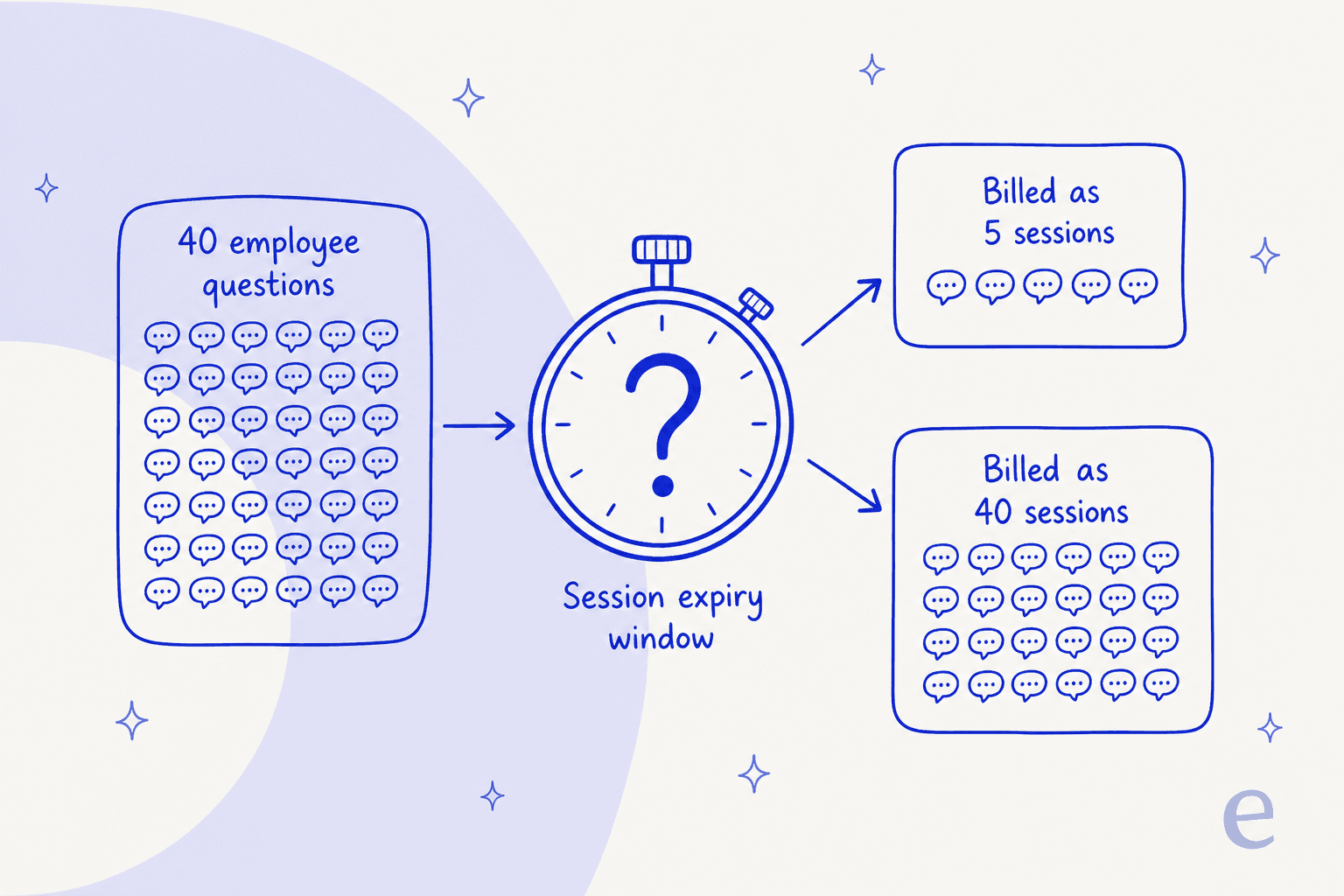
This is not pedantry, it is the hinge of the purchase. Take an employee who asks the AI agent about their PTO balance at 9am, follows up at 11am, and comes back after lunch. With a 24-hour session window that is one session. With a 15-minute inactivity timeout it is three. Multiply across a few hundred employees and the same volume of questions is either well inside a $99 plan or three times over a $349 one, and Workativ does not publish the figure that tells you which.
Two other meters sit alongside sessions, and both are commonly misread:
- Actions are a build cap, not a meter. Workativ defines an action as "when the AI Agent executes a task within an application, e.g. create ticket in ServiceNow." The plan rows read
2 Actionsand5 Actions, meaning how many distinct app-executing actions you may configure, not how many times they may fire. So two automations that run 10,000 times each are still two actions, and two is enough to cover password resets and onboarding questions but not much else. - Characters cap your knowledge, not your usage. 3 million characters on Starter and 10 million on Business is the total volume the AI is trained on from your knowledge base, documents and connected apps. Website and document counts are unlimited; the character ceiling is the real limit. For scale, 3 million characters is roughly a 500-page help centre, which is plenty for most internal helpdesk deployments.
One thing to ignore: Workativ's homepage and get-started FAQ both describe the model as "session and execution-based pricing," but there is no execution row, allowance, rate or definition anywhere. The closest published concept is the action, and actions are capped by count. Workativ's price list has one meter and two capacity caps, so do not budget for a per-execution charge that does not exist.
There is no overage, and that changes everything
This is the sharpest fact on the page, and it is the one most pricing comparisons miss because they only copy the tier grid.
From Workativ's pricing FAQ, asked and answered by Workativ:
"What happens if I exceed my session limit? Your AI Agent will stop responding to user messages for the current billing period. We may notify you in advance via email."
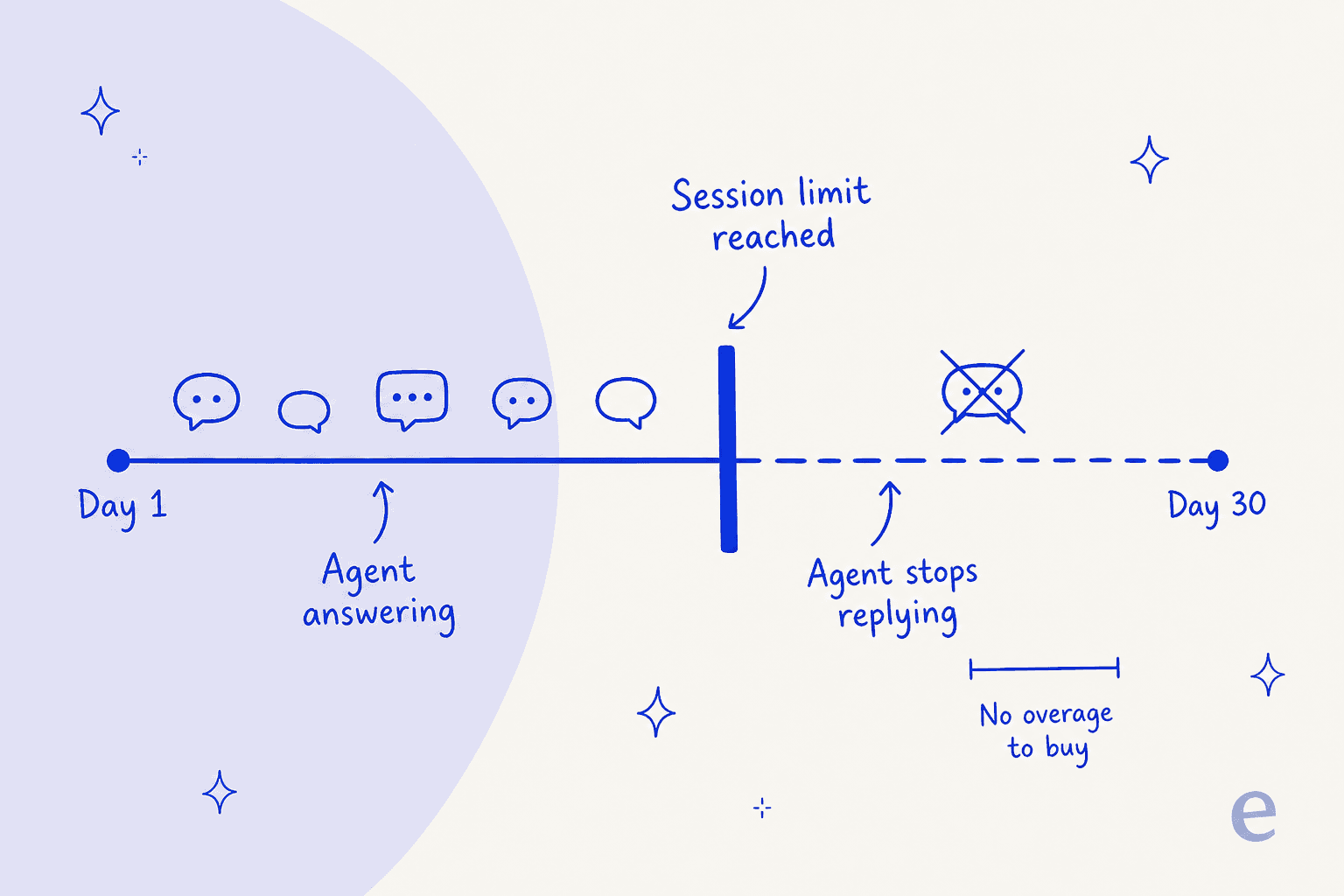
No overage rate is published because there is no overage. Not per session, not per action, not per character. Hit 200 on Starter and the agent goes quiet until the billing period rolls over, and the advance warning is worded as discretionary ("we may notify you").
Think about what that does to the risk profile. On a metered product, a bad month is a bigger invoice, which is annoying but survivable. Here, a bad month is an outage on the channel your employees now expect to use. Every question after the cap escalates to a human, on the day your queue is already busiest, with no way to buy your way out mid-month.
For a sense of the scale, 200 sessions is about 6 to 7 conversations a day across the whole company. That is a small pilot, not a rollout, and well under what an average help desk fields in a week. The number is easier to burn than it looks, which is something we hear from the other side of the same problem: a buyer who came to us had hit 200 interactions in a single day of testing and was worried about what per-interaction costs would look like at scale. On a capped plan with no overage, that test day is the whole month.
This is also why the "no per-user fee" strength has a limit worth naming. Unlimited end users is only unlimited until the shared session pool runs out, and more employees is exactly what makes it run out faster. The headcount charge did not disappear, it moved into the cap.
The rate card gets worse as you grow
Now put the two facts together, and the arithmetic goes somewhere counterintuitive.
Workativ publishes no per-session rate, so this is division on its own printed prices:
| Plan | Price | Sessions | Cost per session |
|---|---|---|---|
| Starter | $99/mo | 200 | $0.495 |
| Business | $349/mo | 500 | $0.698 |
| The 300 sessions between them | $250/mo | 300 | $0.833 |
| Enterprise | Custom | not published | not published |
Moving up a tier makes each session more expensive, not less. The $250/month step from Starter to Business buys 300 extra sessions at $0.83 each, which is 68% more than what a Starter session costs. Almost every other vendor in AI for ITSM runs the other way, with volume discounts as you commit, as our ITSM shortlist lays out.
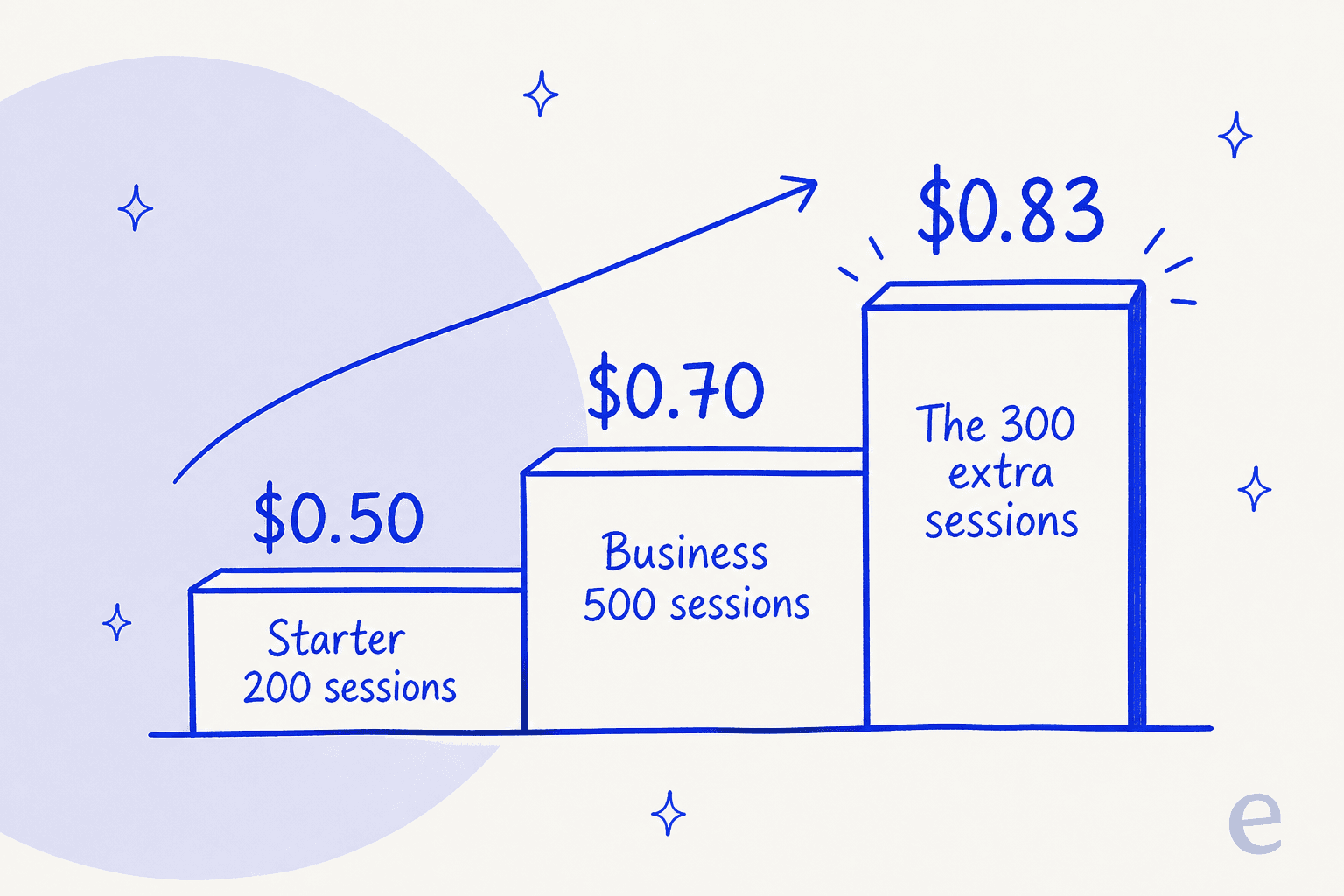
To be fair to Workativ, that $250 is not only buying sessions. The Business step also unlocks AI Sentiment Analysis, AI Suggestions, AI Security & Guardrails, a second agent, three more actions, two more seats, 60-day retention, the Live Chat Inbox, and onboarding assistance. Read as "the tier that makes the product complete," $349 is defensible. Read as "300 more sessions," it is expensive.
The trap is that the cap-with-no-overage design pushes you to buy on the second reading. When running out means an outage, you size for your worst month, not your average one, so you pay the $0.83 marginal rate for headroom you mostly will not use. A meter with overage lets you buy Starter and absorb the spike; a circuit breaker does not.
Work out your own number
The one thing worth doing before any demo call is converting your own volume into sessions, then asking Workativ what the expiry window is. This runs the arithmetic both ways.
Run 400 employees at 1.5 questions a month grouped two to a session and you get 300 sessions, which is over Starter's cap around day 20 and comfortable on Business. Change the grouping to 1 and the same company needs 600 sessions, which breaks Business too. That single unpublished number is the difference between $99 and a custom quote.
What is not in the price
Three gates matter more than the tier grid suggests, and two of them are on Workativ's own pages contradicting each other.
Security sits at Enterprise, despite a homepage claim that it does not. Workativ's homepage FAQ says: "Enterprise-grade security is included across all plans, not reserved for the top tier." The pricing page lists MFA, RBAC, SSO, SIEM integration, private hosting and custom data retention exclusively under the Enterprise card, and marks AI Security & Guardrails as excluded on Starter. Both statements are Workativ's, and they do not reconcile. The one security item the pricing FAQ does describe as universal is SSL.
Company-level certifications are a separate matter, and they are real and untiered: Workativ's security page lists ISO/IEC 27001:2013, SOC II, GDPR, HIPAA and ISO/IEC 27701:2019. The tiering applies to the controls, not the audits. So if SSO is a procurement requirement, your entry price is Enterprise, not $99, which is the same tier-gating pattern we mapped in Freshservice pricing.
Onboarding is gated to Business and above. The pricing FAQ: "we provide onboarding assistance in business and enterprise plans." The same page carries a "Fast, Guided Onboarding" block and a "24/7 Expert Support" block with no tier qualifier. Starter buyers get the blocks, not the assistance. That gate lands harder than usual here, because Workativ's docs situation is thin, and a reviewer flagged it:
"The help articles are gone but this hasn't caused any issue as I know I can quickly get the help I need from the support team"

Read that alongside the tier gate and the shape is clear: support is the documentation, and the cheapest plan does not include the onboarding half of it.
Nothing is self-serve. Every one of the three plans, including the $99 Starter, has the same CTA, Book a demo, pointing at the same Calendly link. There is no signup route on the pricing page at all. For a product priced like a credit-card purchase, that adds a sales cycle to the cheapest tier, and it makes the page's own SEO description ("No credit card required") stale.
That description is worth a paragraph on its own, because it is a live inconsistency you can check. The pricing route's meta description still advertises a "Free Magic plan", and the Starter card's internal id in the page code is literally magic. The old free plan's build-your-own calculator is still shipped in the bundle, unrendered, carrying rates that appear nowhere on the live page, including $129/month for the Live Chat Inbox that Starter's own row flags as "(buy add-on)" with no price attached. Treat those as dead code rather than a rate card, but if you want the Live Chat Inbox on Starter, $129 is the only figure Workativ has ever published for it, and worth asking about directly.
What buyers have actually reported
Here the honest answer is: very little, and that is itself a pricing consideration.
Workativ's third-party review footprint is 8 records across G2 (3, 4.8/5), Capterra (4, 4.5/5) and TrustRadius (1, 10/10). Deduplicated, that is closer to four customers, and nothing is newer than 2024-07-31. G2 says so itself on the product page:
"There are not enough reviews of Workativ AI for G2 to provide buying insight. Below are some alternatives with more reviews:"

Nobody has publicly reviewed the session-priced product. Across Reddit, X, LinkedIn and Hacker News, the mentions that exist trace back to Workativ's own accounts. For a vendor selling to IT and HR teams, two of the most forum-active buyer communities there are, that silence tells you about deployed scale rather than about search quality.
What the small sample does say is consistent, and it is about people rather than the product:
"The deployment and support team was exceptional! They worked hard to make sure our rollout was successful. When I had concerns they worked real hard to make sure they were addressed and resolved. The features of the product also met our primary business requirements."
And the single most concrete thing in the whole footprint names an actual workflow, which is a useful reminder of what the action cap is for:
"Thanks to their integration with BambooHR, as soon as a user has been added into that platform, that user has an account created in our Microsoft 365 environment, a license is assigned to them, added to the correct teams, assigned a manager and much more. This used to be done manually, which as you can imagine, does take a bit of time."
That is a strong use of an action, and it is the kind of thing a pure question-answering bot cannot do. Which is the real fork in this decision, and it is not about price.
Is Workativ worth it? The question that actually decides it
Sort your last 500 internal tickets into two piles: needs an answer and needs an action.
If most of the pile needs an answer, what is your policy on carry-over, where does the expense show up, has this been approved, you are buying a retrieval problem, and an AI knowledge base is the product category you want. The thing that determines success is whether the AI can read your real knowledge, and the thing that determines cost is how many conversations you have. On that job, a capped session meter with no dry run is paying for workflow machinery you will not use, and the 2-action limit will never bind because you do not need actions.
If a real share needs an action, provision the account, reset the password, push the leaver through offboarding, then Workativ sits closer to support ticket automation and its design starts making sense. The BambooHR-to-Microsoft-365 chain above is the pitch, and the actions cap, not the session cap, becomes your sizing question. For most companies at this size the alternative is building the same chains in ServiceNow pricing territory or on Jira Service Management pricing, both of which cost more than $349 before anyone writes an automation.
One limit on training worth knowing before you decide either way: Workativ's knowledge inputs are website crawls, uploaded documents and connected apps like SharePoint, Confluence, Drive and Notion. Historical tickets are not an input. So there is no way to point it at how your team has answered these questions for the last two years, and no way to run it over past tickets to see what it would have said before it says it to an employee. On a plan whose cap is a circuit breaker, going live without a dry run is the part that would worry me most, because your first real usage data and your first real bill arrive at the same time.
Where eesel fits, and where it does not
The comparison that matters is the unit, not the sticker.
eesel AI charges one fixed monthly price from $299 for 500 credits (1 credit per handled ticket), with no seat fees and no per-employee charge. On the numbers above, 500 conversations is $299 against Workativ's $349, while at 200 conversations Workativ's $99 Starter is the cheaper bill, which is the same per-conversation logic we walk through for an AI service desk. More to the point, you choose what a spike does: agents pause until credits reset, or you turn on overage at $0.80 per extra credit with a monthly cap you set, so it can cost money instead of causing an outage. Unused credits do not roll over, so a quiet month bills the same. When a buyer told us their prior vendor's price had "more than doubled," what they wanted was not a lower number, it was a number they could predict.
Two things eesel does that bear directly on the problems above. It trains on your past tickets, not just your docs, so the answers sound like your team's answers. And it simulates against your own ticket history before it replies to anyone, which is how you get a forecast of both your resolution rate and your volume from your own data rather than from a demo call. That is the dry run Workativ's plans do not offer.
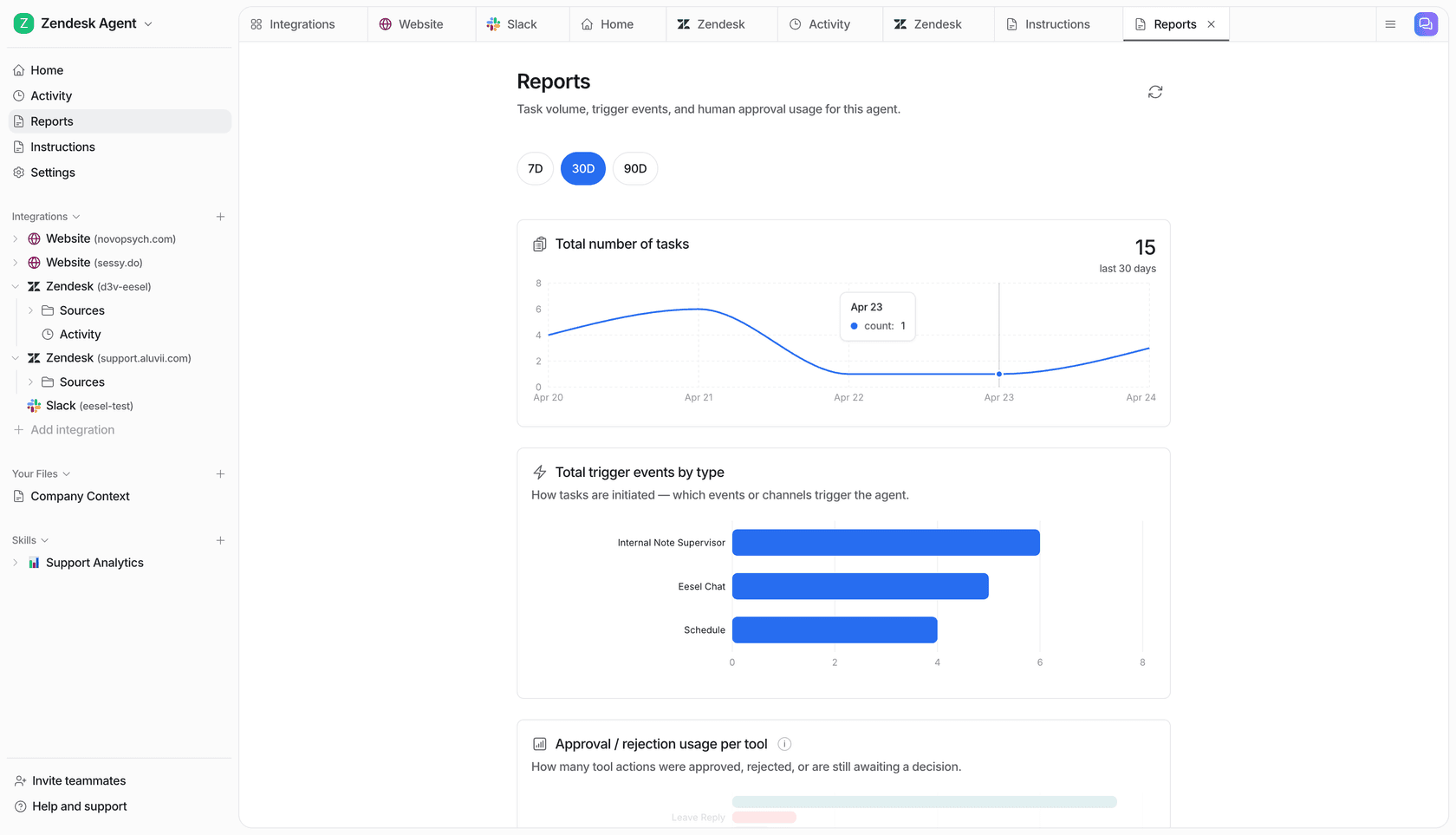
Now the honest half. eesel ships no identity or HRIS action connectors. Okta, Entra, JumpCloud, Workday and BambooHR are not on the integrations page. eesel will resolve and route the ticket, and it will not reset the password itself. On the ITSM side, coverage is Jira Service Management rather than ServiceNow or Freshservice. So if your pile leans hard toward needs an action, that is a real reason to pick a workflow platform over us, and Workativ at $349 with no headcount charge is a reasonable one to look at.
Try eesel for employee support
If your internal queue is mostly the same questions asked a hundred different ways, that is the shape eesel is built for. It reads your help centre, your docs and your past tickets, answers in Slack or Microsoft Teams or the helpdesk your team already lives in, and bills one fixed monthly price from $299 for 500 credits (1 credit per handled ticket), with optional capped overage if you would rather it keep answering.
Before it answers a single employee, you can replay it across your own ticket history and see the resolution rate and the volume you would actually have used. Try eesel free, or book a demo and bring your ticket export.
For the wider shortlist at this price point, our Workativ alternatives breakdown covers where each option wins, and the best AI service desk roundup is the place to start if you are still scoping.
If you are earlier than that, our ticket deflection guide covers the groundwork, and cost per resolution plus AI support cost are the maths to bring to any vendor call.
Frequently Asked Questions
How much does Workativ cost per month?
What is a session in Workativ pricing?
Does Workativ charge per user or per employee?
What happens if I exceed my Workativ session limit?
Is there a free Workativ plan or free trial?
magic, but the cheapest visible plan is $99/month. Workativ's blog separately claims a free 21-day trial, though the pricing page offers no way to start one. Compare that with the free tiers in our internal helpdesk roundup.