

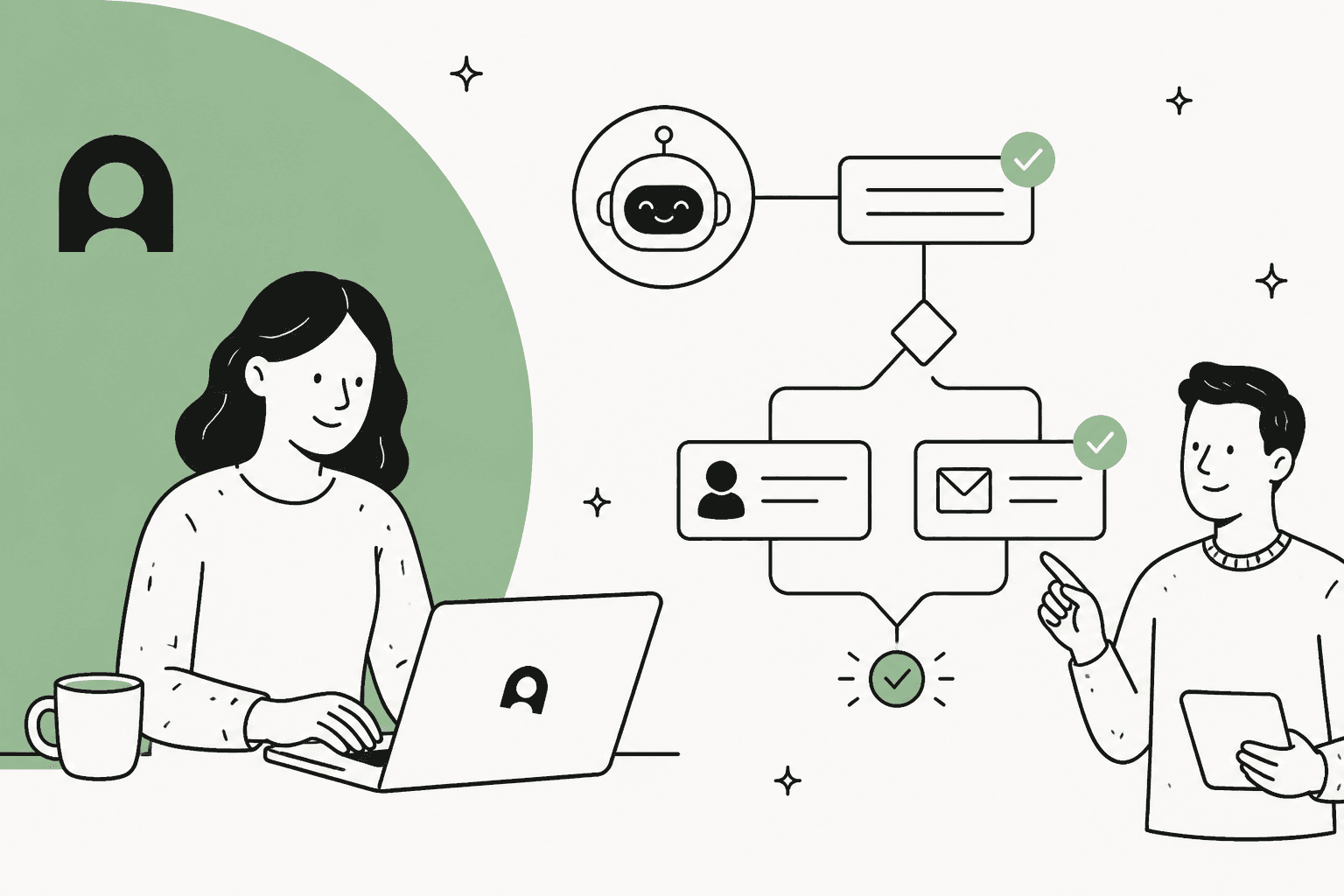
If you're in customer support, you know the drill. Answering the same simple questions is one thing, but the real time-drain is the complex stuff. Think about handling a product return, updating a subscription, or guiding someone through a troubleshooting saga. These aren't just FAQ answers; they're multi-step processes.
This is exactly where the idea of an AI "playbook" comes into play. It’s basically a set of instructions you give an AI agent so it can handle those structured, step-by-step problems, just like your best human agents would. It’s how you get beyond just deflecting tickets and start truly automating meaningful work.
In this guide, we're going to take a close look at Ada Playbooks, a tool designed specifically for this. We’ll cover what it does, dig into its mysterious pricing, and talk about the real limitations of its approach. We'll also introduce a more flexible alternative that gives you powerful automation without making you switch your entire helpdesk.
What are Ada Playbooks?
Ada Playbooks are a central feature of the Ada customer service platform. Think of them as structured scripts that teach an AI agent how to manage complex, back-and-forth customer conversations. Instead of just grabbing an answer from a knowledge base, a Playbook walks the AI through a specific scenario with a series of questions and actions.
In Ada's current docs, a Playbook is a set of sections made of six step types: SEND, SET, ASK, RUN, IF/ELSE and GO TO. Ada now tells new customers to use Playbooks for all new automation, while the older block-based Processes and the freeform Playbooks (Classic) are legacy. Accounts onboarded after June 2026 don't get Classic at all.
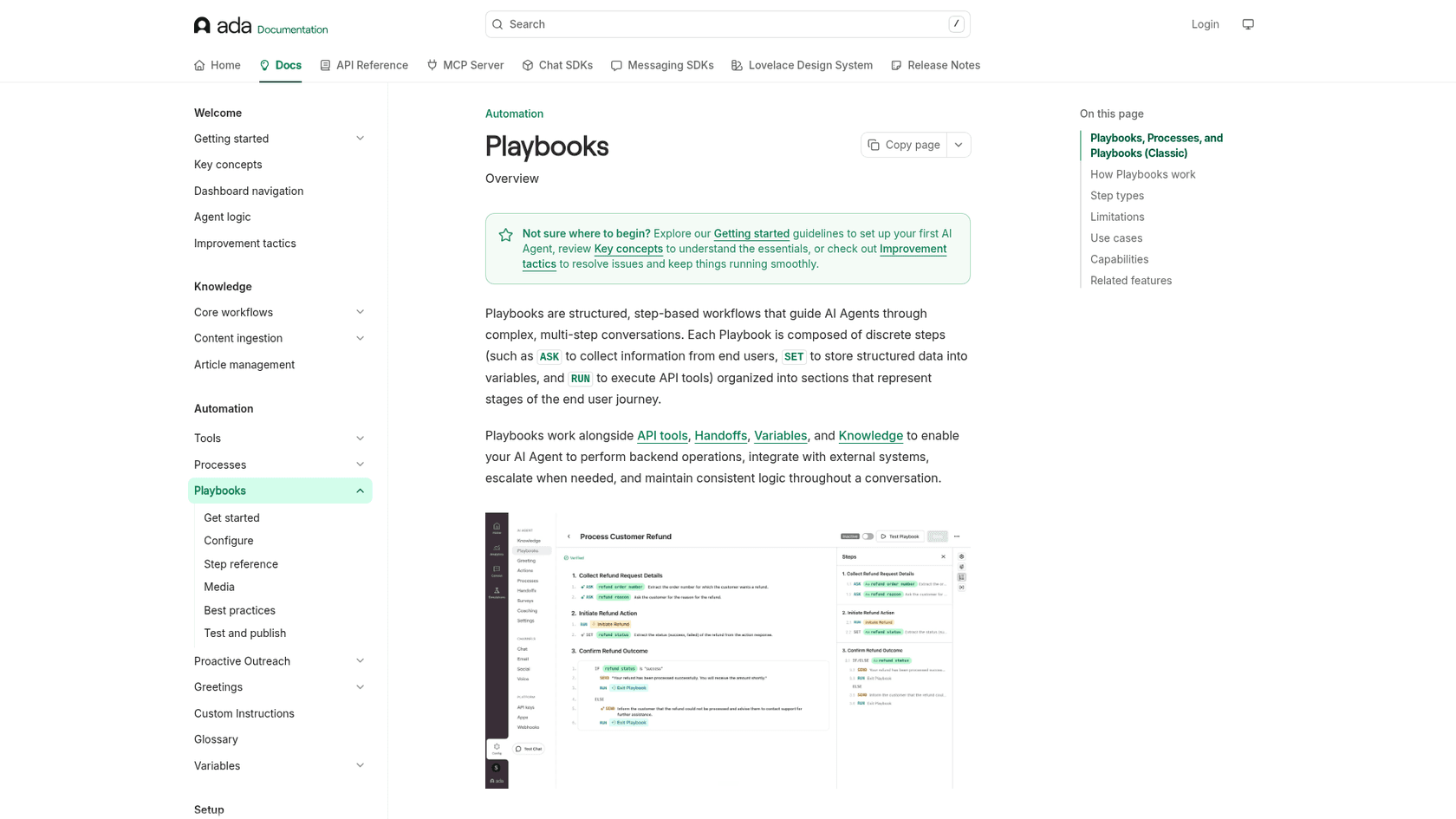
The goal is to automate tasks that have always seemed to need a human: processing refunds, handling insurance claims, or making account changes. By following a Playbook, the AI can copy the logical steps a person would take to sort out a more involved issue.
It's really important to know that Playbooks aren't a standalone tool. They run inside Ada's AI agent, next to its API tools, handoffs, variables and knowledge. Ada does connect to helpdesks such as Zendesk, Salesforce and Freshworks, but the Playbooks themselves are built and run in Ada, so you adopt Ada as the layer that talks to your customers.
Key features and capabilities of Ada Playbooks
Ada Playbooks are built to make tricky workflow automation feel more accessible. Let's look at what they offer teams who are tired of just answering simple questions.
Building workflows with natural language
One of Ada's big selling points is its "no-code" setup. You don't need to be a developer to build a workflow. Ada says you can create Playbooks from plain language or by uploading an existing SOP, then link and reuse them across use cases. One limit to plan for: English is the only supported authoring language, although conversations run in any language the agent supports.
This is a pretty smart approach because it lets the people who know the processes best, your support managers and ops leads, build and tweak the automations themselves. By getting rid of the technical hurdles, teams can (in theory) create and update workflows much more quickly.
Personalization and adaptive responses
Ada Playbooks aim to use real-time customer data and info from your internal systems to make conversations feel more personal. The whole idea is to avoid that stiff, robotic feel of older chatbots. By pulling in user details or order information, the AI can follow its script while still sounding natural.
The catch is that a Playbook only acts on what it can reach. Order lookups and account changes happen through RUN steps that call API tools you configure, so the work of connecting your order or billing systems still falls to your team. How adaptive the agent feels depends on how well those connections are built.
Coaching and continuous improvement
Ada includes Coaching, which lets you guide your AI agent on when and which Playbook to use. Ada's docs note that Coaching isn't considered while a Playbook is running, so to change behavior inside a Playbook you edit the Playbook itself.
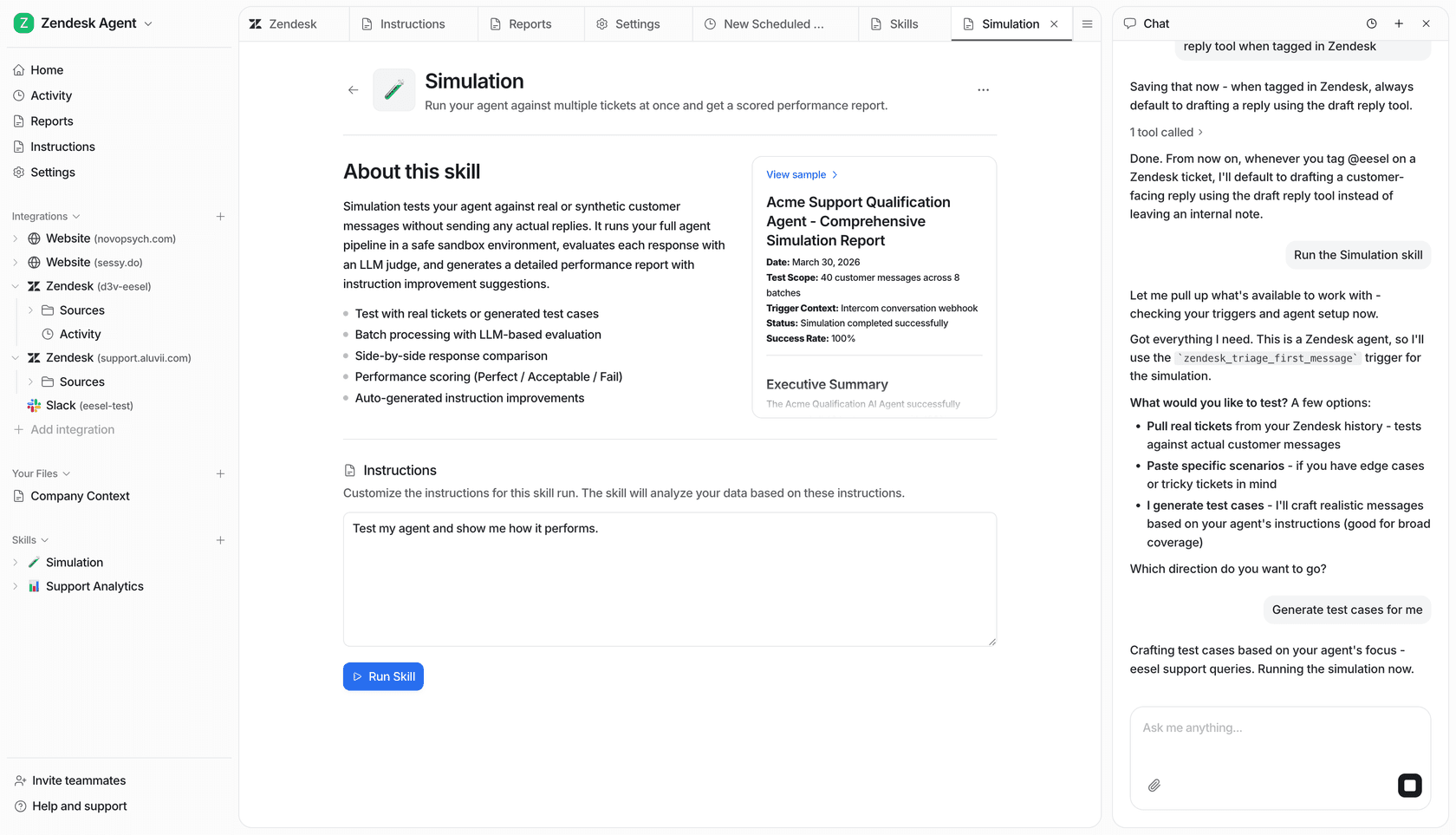
Ada also offers Simulations, which run bulk multi-turn test cases with pass/fail results (up to 3,000 simulations a day). The difference with a tool like eesel AI is the test data: eesel's simulation mode runs your AI agent against your own past support tickets, so you can see how it would have answered real customers, predict your resolution rate, and find knowledge gaps before you flip the switch.
The trade-offs of an all-in-one platform
On the surface, an all-in-one tool like Ada sounds simple. But when you build your automation inside one vendor's platform, you're making your support workflows part of that vendor's product. That can bring switching costs and risks you need to think about.
The alternative is what’s called an "integrated layer." Instead of replacing your main systems, this kind of tool plugs right into the helpdesk and knowledge bases you already use, making them better without a painful migration.
The high cost of migration and vendor lock-in
Switching your main support platform is a big project, and rebuilding workflows in a vendor's own format is part of it. Ada says teams can go live in days, not weeks, and it integrates with existing helpdesks, so a full helpdesk migration isn't required. Still, Playbooks you author in Ada's step format live in Ada. Ada has already retired two earlier workflow formats (Processes and Playbooks Classic), which shows how a vendor's authoring model can change under you.
If the product stops fitting, the price changes, or a format is retired, moving those workflows elsewhere means rebuilding them. That is the lock-in to weigh, and it is smaller than a full helpdesk swap.
Limited integration with your existing sources of truth
Even the best all-in-one platform can't hold all of your company's knowledge. Your most valuable, road-tested information is already spread out across thousands of past ticket resolutions in your helpdesk, detailed guides in Confluence, and up-to-date procedures in Google Docs.
Ada has native knowledge connectors for Zendesk, Salesforce and Contentful, plus web import and a Knowledge API for other tools. It doesn't list past ticket history as a knowledge input, though. A tool like eesel AI is built to unite your existing knowledge. It connects to over 100 sources, including your historical tickets in Zendesk or Freshdesk, so it can learn your unique brand voice and proven solutions from day one.
A more flexible alternative for workflow automation
Another way to think about AI automation is as an AI teammate that joins the helpdesk you already use. A teammate that integrates right into your existing helpdesk gives you workflow automation without changing where your team works.
This model is all about boosting your team and technology, helping you get more out of the investments you've already made.
Go live in minutes with total control
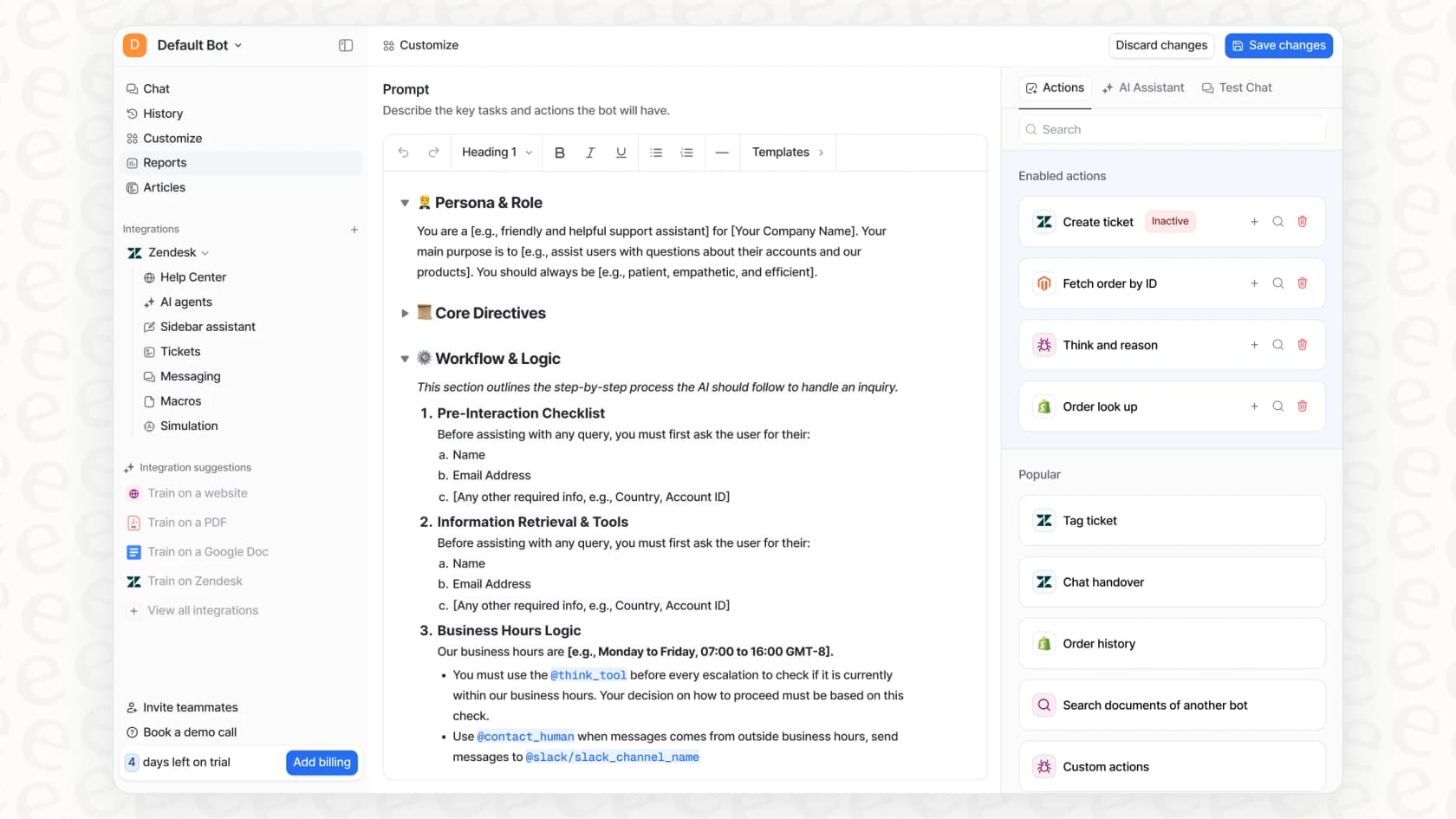
With a tool like eesel AI, you can connect your helpdesk and knowledge sources with a few clicks and have a working AI agent in minutes, not months. The setup is completely self-serve, so you don’t have to sit through a bunch of sales calls and onboarding sessions just to get going.
This speed comes with complete control. You get to decide exactly which types of tickets the AI handles, and you can create complex rules based on ticket content, customer type, or channel. You can also set up custom actions, letting your AI do more than just talk. It can look up order info in Shopify, tag a ticket for escalation, or even create an issue in Jira. This lets you roll things out gradually and with confidence.
Test with confidence using real-world simulations
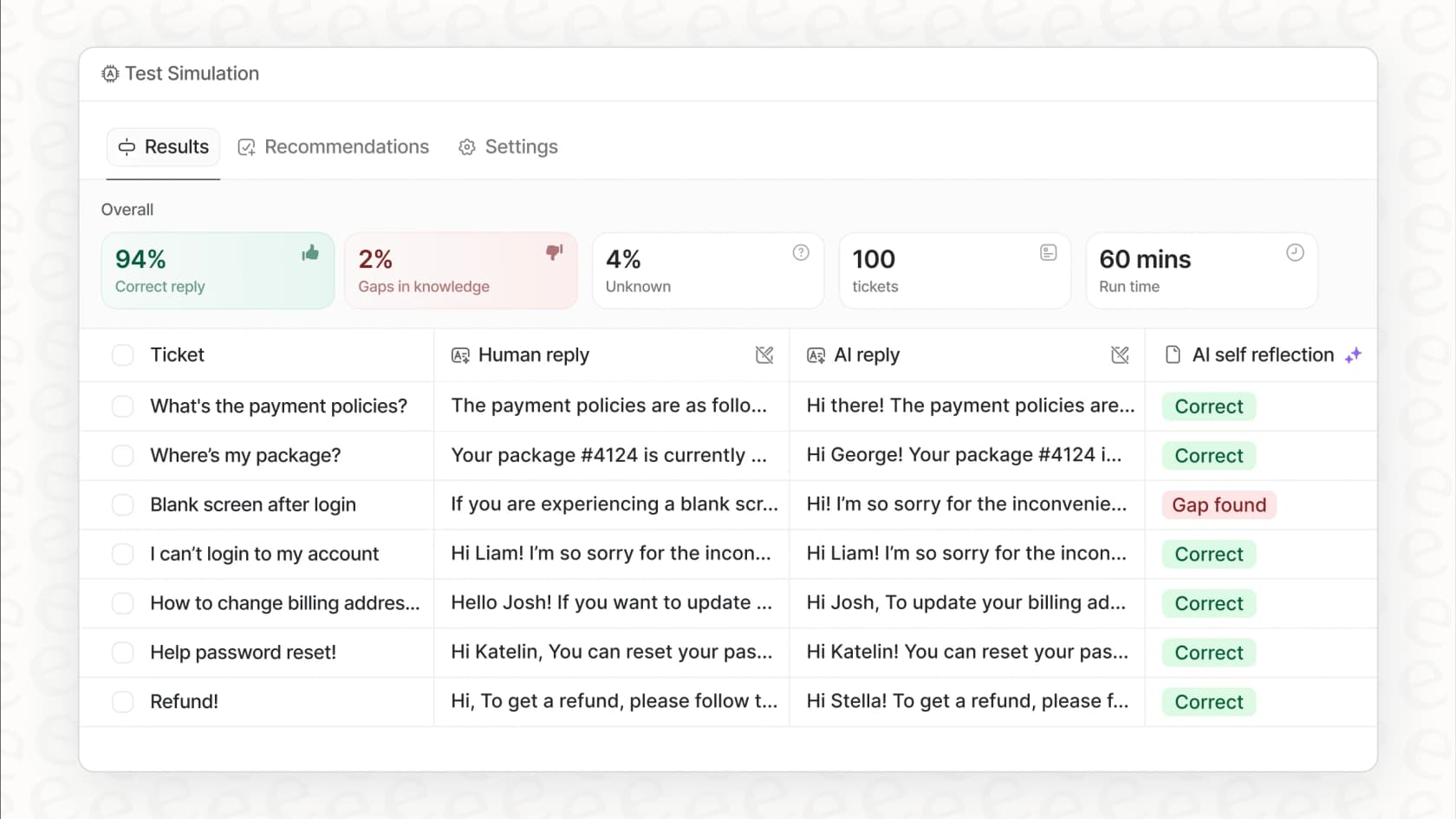
One of the biggest game-changers with an integrated AI layer is the ability to test everything without any risk. Before you let your AI agent talk to a single customer, eesel AI’s simulation mode lets you run it against thousands of your real, historical tickets.
This gives you a clear, data-driven preview of how it will perform. You can see exactly how the AI would have answered past customer questions, get an accurate forecast of your automated resolution rate, and instantly see any gaps in your knowledge base that need attention. It takes the guesswork and anxiety out of launching a new automation platform.
Unify all your knowledge, not just some of it
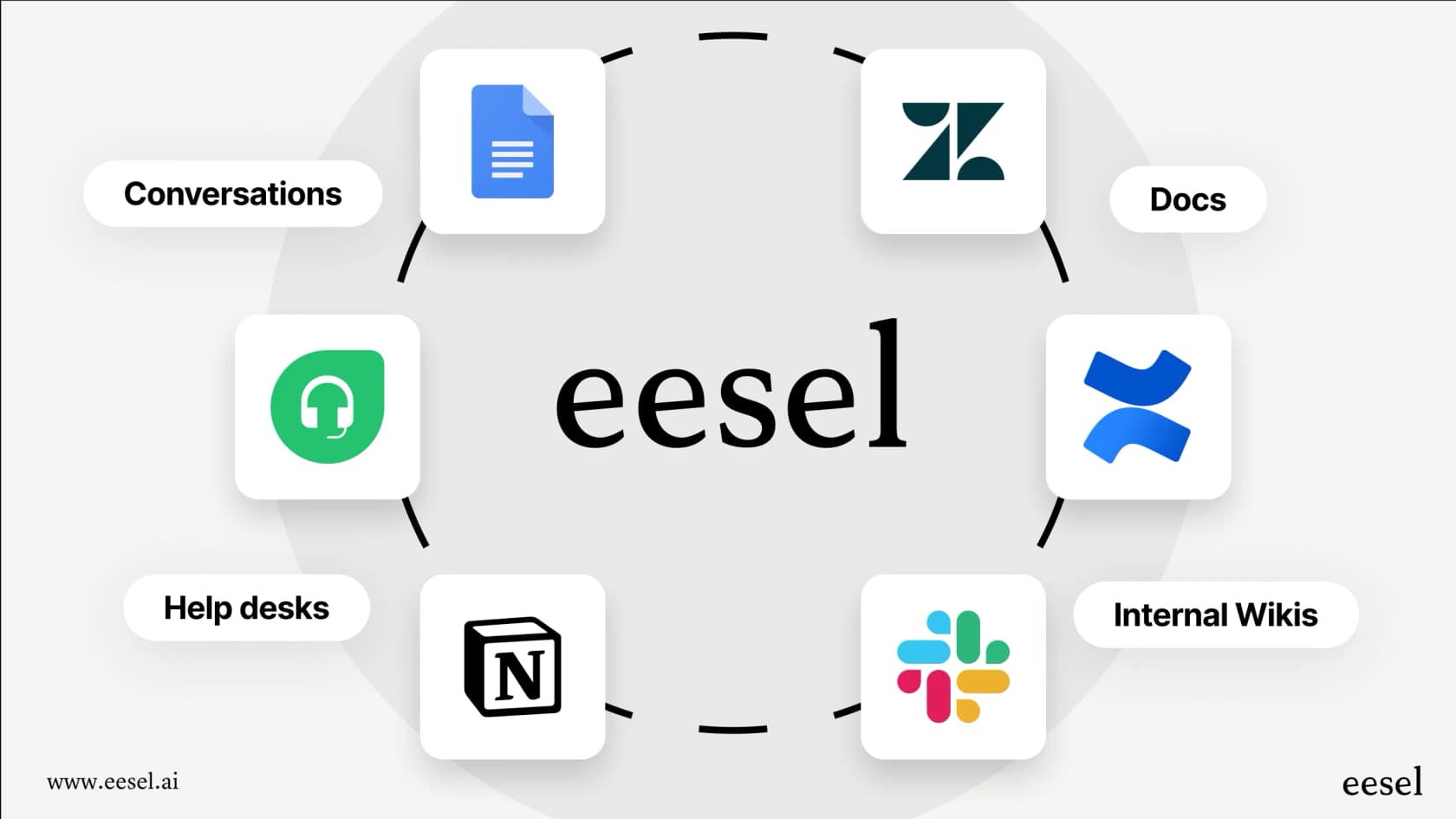
Your best answers are already scattered across the tools you use every day. eesel AI acts like a central brain, connecting to your helpdesk history, internal wikis like Notion, and even your team's chats in Slack.
By bringing all this knowledge together, your AI agent has the most complete and current context possible. This means it can solve a wider range of customer issues with better accuracy, because it's drawing from the collective wisdom of your entire company.
| Feature | Ada Playbooks | eesel AI Workflow Automation |
|---|---|---|
| Setup Model | Ada's AI agent, connected to your helpdesk and tools | Joins your existing helpdesk (Zendesk, Freshdesk, etc.) |
| Implementation Time | "Days, not weeks" per Ada | Self-serve, often minutes to first test |
| Knowledge Sources | Zendesk, Salesforce, Contentful connectors, web import, Knowledge API | Unifies 100+ sources (Confluence, Google Docs, past tickets) |
| Testing | Coaching plus bulk Simulations (up to 3,000 a day) | Simulation on your historical tickets before launch |
| Control | Step-based Playbook editor (ASK, SET, RUN) | Granular control over automation rules and custom API actions |
| Pricing Model | Quote-only (custom demo) | Public credit-based plans |
Ada Playbooks pricing
Ada doesn't publish its prices. The pricing page is a "Schedule your custom demo" form that asks for your business email, company name, and expected annual contact volume. After that, a 30-minute call with Ada's team leads to a custom quote. G2 also lists no free plan or free trial for Ada.
This lack of transparency makes it tough for teams to quickly figure out if Ada even fits their budget. You can't easily compare costs or understand the total expense without committing to a whole sales cycle. This is a big contrast to modern, self-serve tools that believe in being upfront. For instance, eesel AI's pricing is public, with fixed monthly credit plans you can cancel anytime.
Choose flexibility over lock-in
Ada Playbooks is a capable tool for automating complex workflows, but the workflows live inside Ada's platform and format, and pricing comes through a sales call.
That means trade-offs to weigh: rebuilding workflows if you ever leave, authoring in English only, and knowledge connectors that cover some tools but not your past ticket history.
If you'd rather keep your helpdesk as the center, another approach is to add an AI layer that makes your existing tech better. By integrating directly with your helpdesk, you get the power of sophisticated automation without tossing out the systems and workflows your team already depends on. For teams that want controllable, easy-to-implement AI that plays nice with their current setup, that is the better fit.
Ready to see what a flexible AI automation layer can do for you? Try eesel AI for free and see how you can automate complex support workflows in your existing helpdesk today.
Frequently asked questions
What are Ada Playbooks exactly, and what kind of problems do they solve for customer service teams?
Ada Playbooks are step-based workflows within the Ada platform that teach AI agents how to manage complex, multi-step customer conversations. They aim to automate tasks like processing refunds, handling claims, or making account changes, which typically require human intervention.
How do Ada Playbooks handle personalization to make AI conversations feel more natural?
Ada Playbooks use customer data and internal system info for personalization. They reach your systems through API tools, so how well they adapt depends on how well those connections are set up.
Is it difficult to integrate Ada Playbooks with our company's existing knowledge bases and helpdesk systems?
Ada Playbooks run inside Ada's AI agent. Ada integrates with helpdesks like Zendesk and Salesforce and has native knowledge connectors, but the workflows themselves are built and maintained in Ada.
What are the main downsides or limitations of using Ada Playbooks due to its closed-platform approach?
Because Playbooks are authored in Ada's own format, moving them elsewhere means rebuilding them. Knowledge connectors cover Zendesk, Salesforce and Contentful, but past ticket history isn't listed as an input, and authoring is English-only.
How does the "coaching" feature for Ada Playbooks help improve the AI's performance over time?
Ada's Coaching lets you guide the AI on which Playbook to use for different situations. It doesn't apply while a Playbook is running, so changes inside a workflow mean editing the Playbook. Ada also has bulk Simulations for pre-launch testing.
Can you explain how the pricing for Ada Playbooks is determined, and is it transparent?
Ada does not publish prices. Its pricing page is a custom-demo form, and you get a quote after a call with their team.
Compared to an integrated AI solution, what advantages do Ada Playbooks offer for workflow automation?
Ada Playbooks offer a no-code way to build complex workflows within the Ada platform, appealing to teams looking for an all-in-one solution. An AI teammate that joins your existing helpdesk keeps your team in the tools it already uses.