


Let’s be honest, customer support is a tough gig these days. Ticket queues are overflowing, customers expect answers yesterday, and the old-school, rule-based automation tools just aren't cutting it anymore. You know the ones, they’re so rigid they break if a customer phrases a question slightly differently, leading to frustration for everyone and, somehow, even more work for your team.
A modern AI customer service workflow is the way forward. And no, I'm not just talking about another chatbot. This is about building an intelligent system that can handle a customer issue from the moment it lands in your inbox right through to resolution.
So, let's get into what a real AI customer service workflow looks like, what makes it tick, and how you can actually set one up without getting tangled in a six-month IT project that gives everyone a headache.
What is an AI customer service workflow?
An AI customer service workflow uses artificial intelligence to manage and automate your support processes in a smart way. Unlike the classic automation that just follows a strict "if this, then that" script, an AI-powered workflow can actually understand context, make judgment calls, and get smarter over time.
Think of it as the difference between a simple keyboard macro and a brilliant assistant who anticipates your needs.
-
Traditional workflows are fragile. They stick to a set path and fall apart the second a customer’s question is a little unconventional or goes off-script.
-
AI workflows are flexible. They use Natural Language Processing (NLP) to figure out what a customer really means, not just the specific words they typed. They can pull information from all sorts of places to find the best answer and even handle tasks on their own, like checking an order status or routing a ticket to the right person.
The whole point is to build a system that sorts out issues faster, frees up your human agents to handle the truly tricky problems, and gives customers a consistently great experience.
The core parts of a modern AI customer service workflow
A solid AI customer service workflow isn't just one piece of software; it's a few key components working together. Here’s what you need for a setup that actually delivers.
Triage and routing
This is the front door to your support system. When a customer email or chat message comes in, the AI reads it instantly to understand three things:
-
Intent: What is this person trying to do? (e.g., get a refund, reset their password, ask about a feature).
-
Sentiment: What’s their mood? (e.g., angry, confused, happy).
-
Urgency: How quickly does this need a response?
With that information, the AI can tag tickets, set the right priority, and send them to the correct team or agent automatically. While a lot of tools make you build complicated manual rules for this, newer solutions like eesel AI use AI Triage that learns directly from your past tickets to get this up and running pretty much from day one.
Connecting knowledge sources
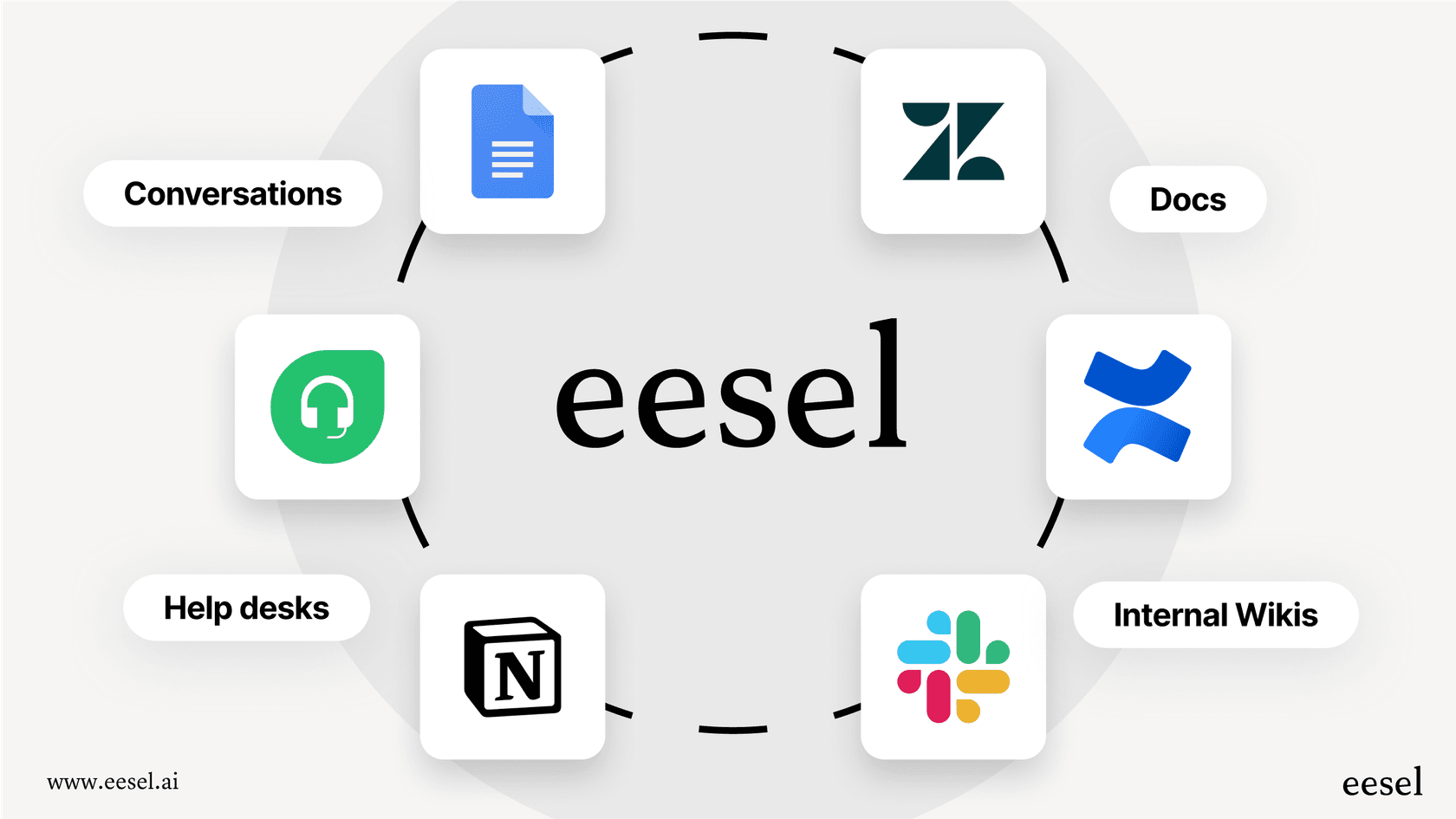
An AI is only as good as the information it can access. One of the biggest problems with older AI tools is that they’re stuck in a silo, only able to read your official help center. But we all know that’s not where all the answers live. Company knowledge is usually scattered all over the place:
-
Those internal wikis on Confluence or Notion.
-
The latest product specs sitting in Google Docs.
-
Helpful troubleshooting threads buried in Slack.
-
The solutions from thousands of your team's past support tickets.
A true AI customer service workflow can connect all these different sources without making you move everything into one giant, messy folder. This is a huge benefit of tools like eesel AI, which lists 39 integrations. You can connect all your knowledge in minutes to create a single source of truth for your AI to use.
Enabling the AI to take action
This is where things get really interesting. The best AI workflows don't just find answers, they take action. People sometimes call this "agentic AI" because the AI acts like an autonomous agent for your team. These actions could be things like:
-
Checking real-time order info from Shopify.
-
Escalating a tricky ticket to a senior team member.
-
Closing out a ticket once the problem is solved.
Platforms like eesel AI give you a fully customizable workflow engine, so you can decide exactly what AI Actions your bot is allowed to take. This keeps you in complete control and allows for real, end-to-end automation.

Common AI customer service workflow use cases (and their hidden headaches)
You can use AI workflows in a few different ways, but it’s good to know the common traps and how the newer tools avoid them.
Fully automated frontline support
The most obvious use case is an AI Agent that handles all the repetitive, tier-1 tickets from start to finish. We're talking about the endless "Where's my order?" or "How do I make a return?" questions.
-
The old headache: A lot of AI vendors try to make you move your whole operation over to their helpdesk. This means a painful "rip and replace" of the tools your team already uses every day. Their automation can also feel like a black box, leaving you feeling anxious about what it's telling your customers.
-
The modern fix: A platform like eesel AI plugs right into the helpdesk you already have, like Zendesk or Freshdesk, and you can set it up in minutes. You get to choose what it automates. You could start by letting the AI handle just one or two simple ticket types and send everything else to your team. This way, you can build confidence and scale up when you're ready.
Supercharging your human agents
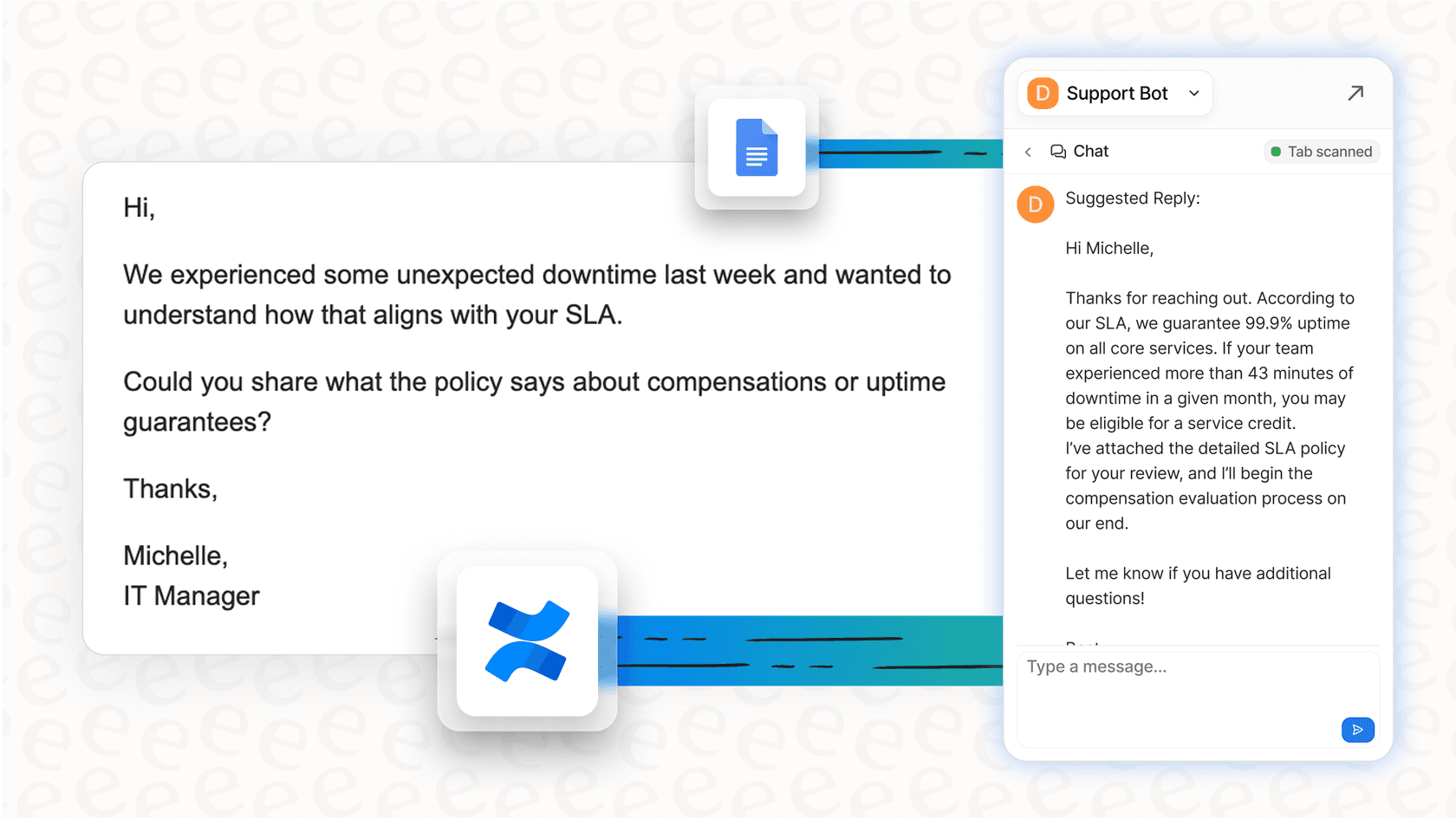
In this setup, an AI Copilot works right alongside your agents, kind of like a super-powered assistant. It can summarize long, confusing ticket threads, draft accurate replies in seconds, and find the right help article without anyone having to search for it.
-
The old headache: If the AI is only trained on your official knowledge base, its replies can sound stiff and robotic. It misses all the nuance and helpful tone from the thousands of real conversations your team has had.
-
The modern fix: The best copilots, like eesel AI's AI Copilot, are trained on your past tickets. This lets the AI learn your team's specific voice, tone, and common workarounds, so the replies it suggests sound like they came directly from your most experienced agent.
| Feature | Traditional AI Platforms | eesel AI |
|---|---|---|
| Setup Time | Weeks to months, requires demos & IT | Minutes, fully self-serve |
| Helpdesk Integration | Often requires migration ("rip and replace") | Connects to your existing helpdesk in a few clicks |
| Knowledge Sources | Limited to help center and docs | Unified across 39 listed integrations (Docs, Confluence, Notion, tickets) |
| Automation Control | Rigid, "all-or-nothing" rules | Granular control, selective automation |
| Pre-launch Testing | Limited demos or "go live and see" | Powerful simulation on historical tickets |
How to implement an AI customer service workflow (the low-risk way)
Setting up an AI customer service workflow doesn't have to be a giant, six-month project. With the right self-serve platform, you can get it done in an afternoon.
Step 1: Connect your tools in minutes, not months
Forget about mandatory demos and long sales calls. The first step should be as simple as clicking a button to connect your helpdesk and other tools. A truly self-serve platform like eesel AI lets you sign up and connect everything right away, no developers needed.
Step 2: Test it out with a simulation
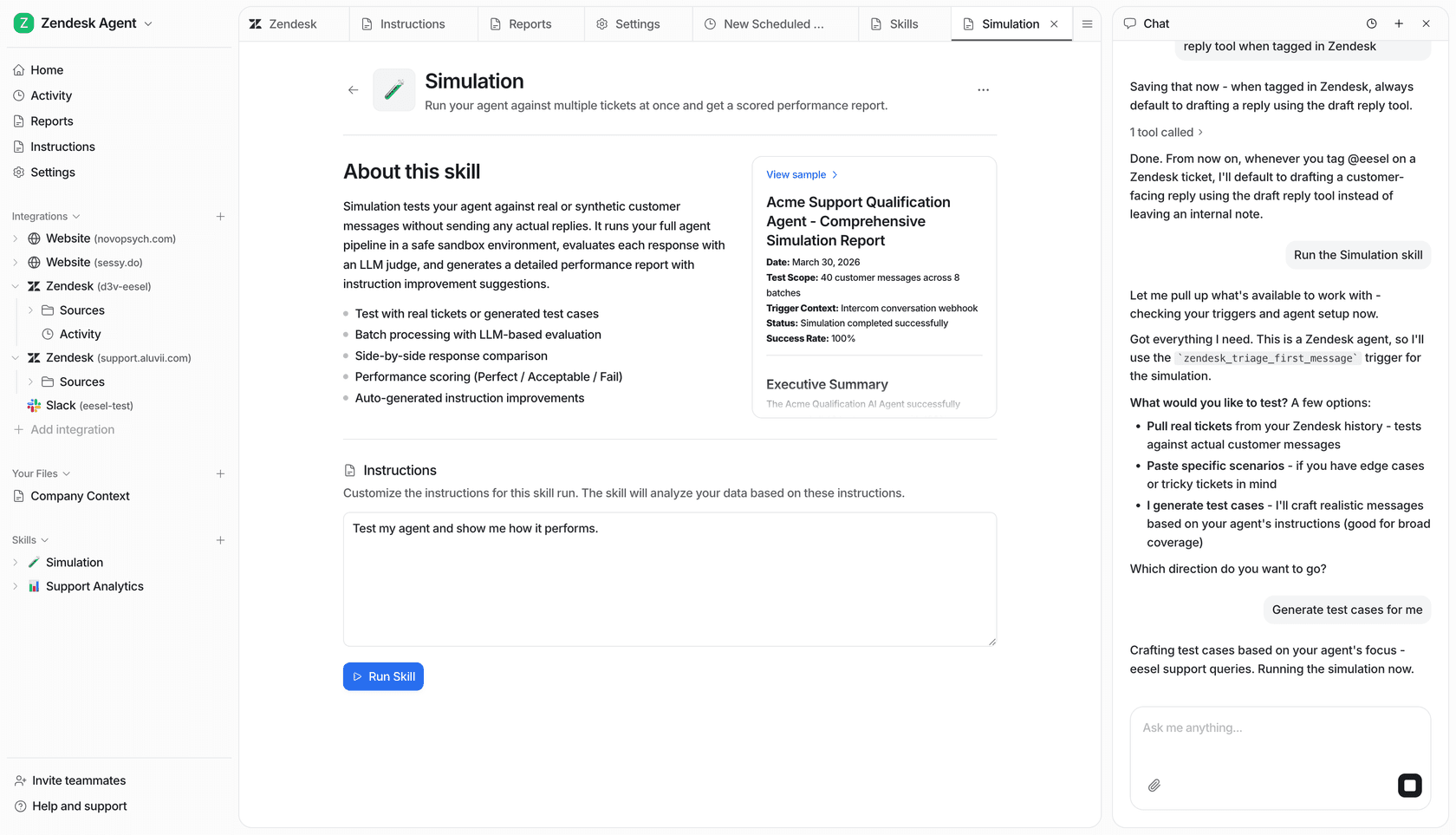
The biggest fear with AI is, "What if it messes up?" Instead of testing it on live customers, you should be able to try everything out in a safe environment first. eesel AI has a simulation mode that runs your new AI agent over hundreds of your past tickets. It scores each answer against what your team sent, shows you the responses the AI would have given, and suggests instruction changes. This lets you tweak its behavior before it ever talks to a real person.
Step 3: Roll it out slowly and see how it does
Don't just flip a switch and automate everything on day one. Start small. For example, you could:
-
Only automate replies for your top three most frequent questions.
-
Turn on the AI for just one channel, like email, to start.
-
Give the AI Copilot to new hires first to help them get up to speed.
As you get more comfortable, you can expand what the AI handles. Make sure you have an analytics dashboard that shows you more than just vanity metrics. You want real insights, like which topics the AI struggles with, which probably means you have a gap in your knowledge base that needs filling.
Your AI customer service workflow is ready for an upgrade
Building a great AI customer service workflow isn't the high-stakes gamble it used to be. The old way of doing things, with expensive consultants, months of setup, and forcing you to ditch your current tools, is thankfully on its way out.
Today's platforms are built to be fast, controllable, and trustworthy. They plug into what you're already using, learn from your team's unique knowledge, and let you test everything without any risk before you go live. By taking this approach, you can deliver the quick, smart, and reliable support that customers are looking for, all while making your team's jobs a whole lot easier.
Ready to see what a modern AI customer service workflow can do for you? Try eesel AI for free and you can be up and running in minutes.
Frequently asked questions
How can my business start implementing an AI customer service workflow without a massive overhaul?
You can begin by connecting your existing helpdesk and knowledge tools to a self-serve AI platform. Start with small, specific tasks, like automating replies for your most frequent questions, and then gradually expand its capabilities as you gain confidence.
What's the key difference between a traditional chatbot and a true AI customer service workflow?
A traditional chatbot follows rigid, rule-based scripts, often failing when questions are phrased differently. A true AI customer service workflow uses Natural Language Processing (NLP) to understand context, intent, and sentiment, allowing it to adapt and learn over time.
What are the primary benefits of adopting an AI customer service workflow for my support team?
An AI customer service workflow helps resolve customer issues faster by automating repetitive tasks, freeing up your human agents to focus on complex problems. This leads to reduced ticket queues, improved agent efficiency, and a consistently better customer experience.
How does an AI customer service workflow gather knowledge from all our different internal documents and tools?
Modern AI solutions integrate with dozens of applications, including internal wikis, Google Docs, Slack, and past support tickets. This creates a unified source of truth, allowing the AI to access and leverage all your scattered company knowledge.
How can I ensure control and prevent an AI customer service workflow from making errors or acting autonomously without oversight?
Look for platforms that offer customizable workflow engines and simulation modes. You can define exactly what actions the AI is allowed to take and thoroughly test its responses on historical tickets before it interacts with any live customers.
Does implementing an AI customer service workflow require a lengthy and complex IT project?
Not anymore. Many modern, self-serve AI platforms allow you to connect your tools and set up an initial AI customer service workflow in minutes or hours, without needing extensive IT support or long sales cycles.
Will an AI customer service workflow entirely replace the need for human agents in my support team?
No, a modern AI customer service workflow is designed to complement and empower human agents, not replace them. It handles routine tasks, summarizes information, and drafts replies, allowing agents to focus on more complex, empathetic, or strategic customer interactions.