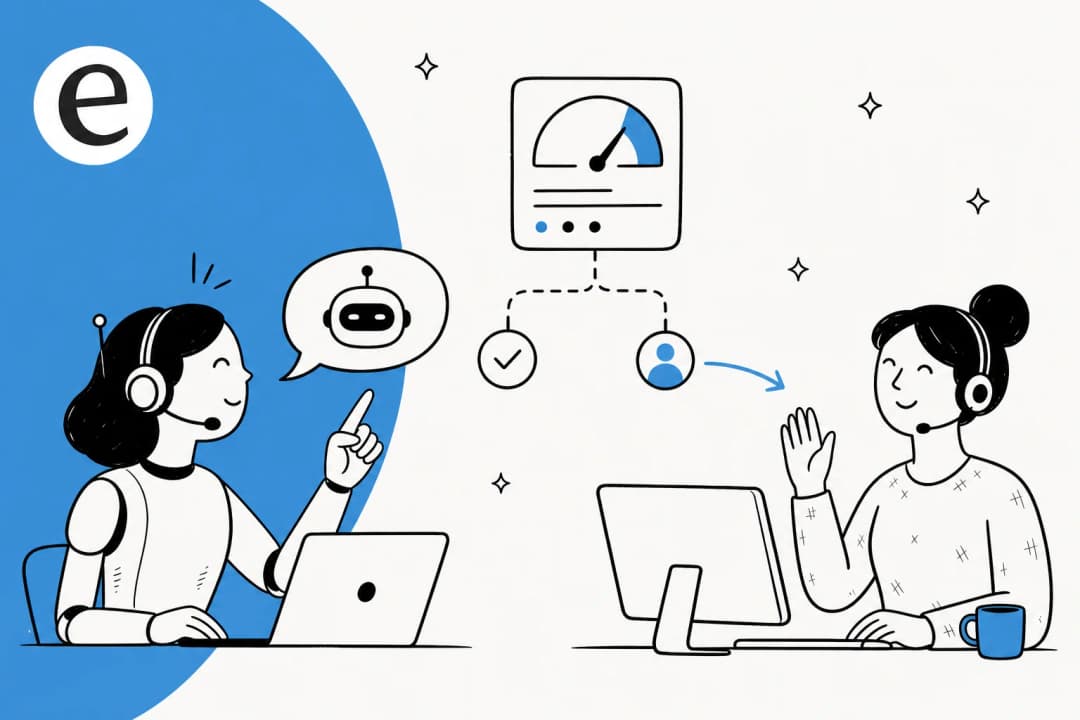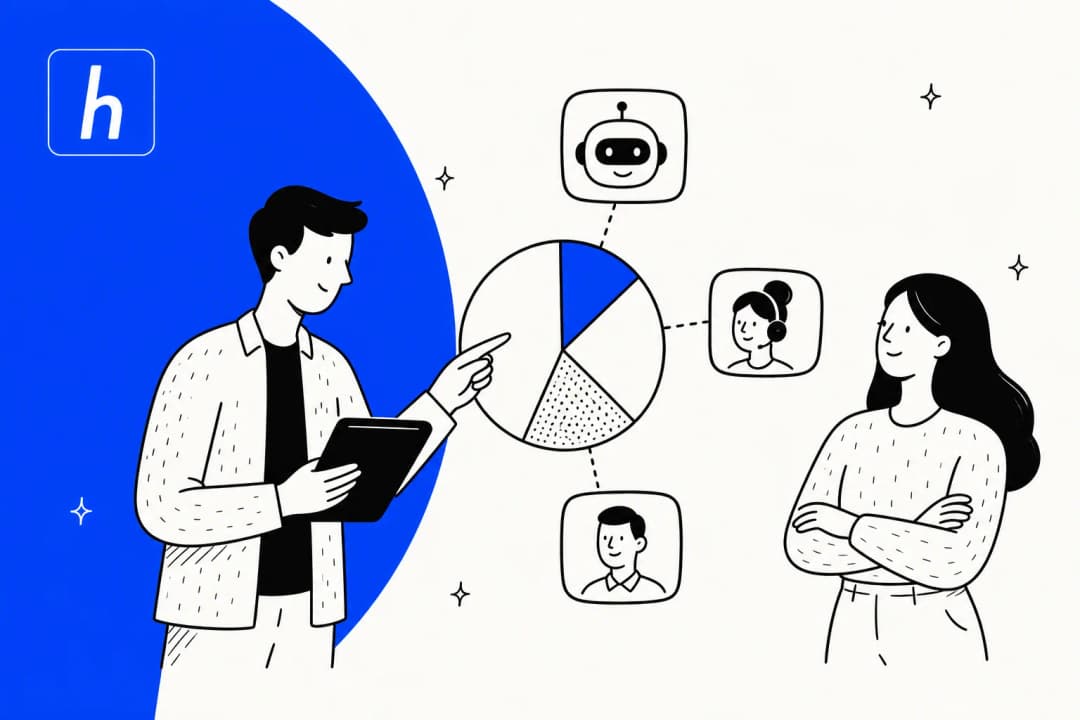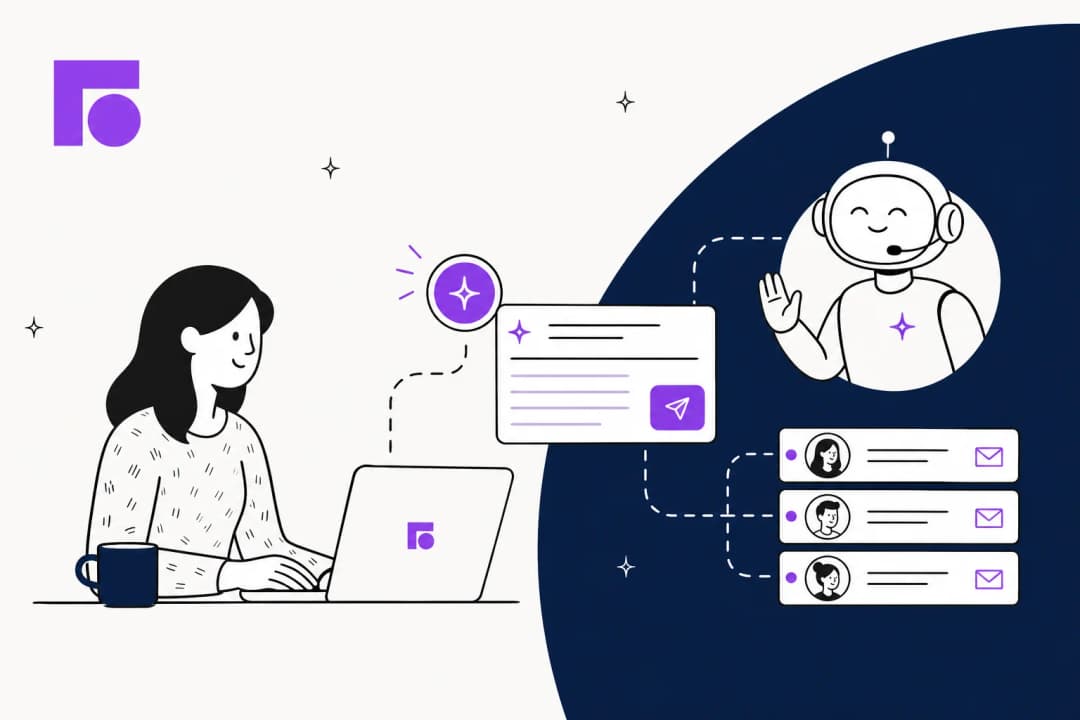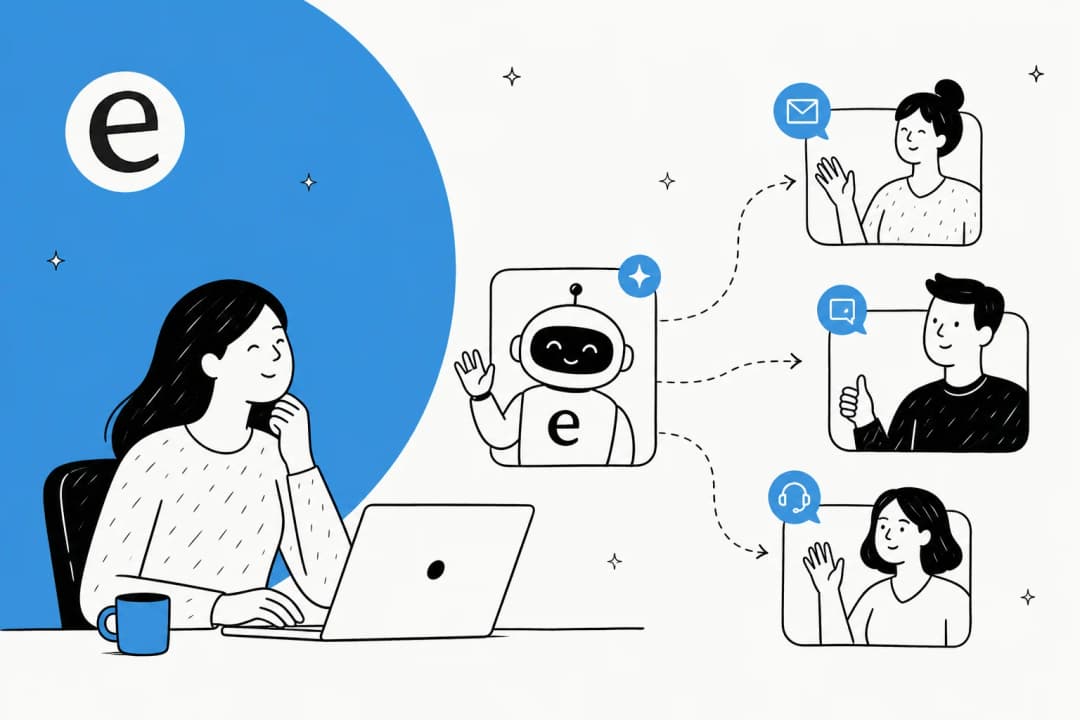

Why "when the AI is unsure" is the wrong way to frame the question
Most setup guides treat escalation as a tuning problem: pick a confidence threshold, set it at 0.7, ship. That's the framing that gets you the r/lifehacks "say F-word to reach a human" workaround on the other side. The community has learned to game brittle keyword triggers because the bot's confidence number was never the thing the customer was struggling with.
The thing customers struggle with is being trapped.
Look at where the rage actually lives. From r/Anthropic:
"Talked to the bot, it got escalated to a human and then it said humans are overwhelmed with requests and will get back to me soon over email."
The escalation technically succeeded. The customer was still furious - because the AI dumped them into an async black hole with no context. From an r/shopify merchant locked out of support:
"I need help with an issue but it seems like every method trying to talk to a real human being is walled off by their AI chatbot."
And from Ojas Patil on LinkedIn, recounting a delayed-order chat with Zomato:
"In theory, automation should make support faster. In practice, customers spend more time trying to convince a bot to let them talk to a human."
So setting up escalation isn't really "what threshold should I pick?". It's three separate design jobs running in parallel:
- Triggers - what should make the AI step aside. Not one rule, five.
- Payload - what travels with the conversation when it leaves the AI.
- Customer experience at the transition - what the user sees, hears, and waits for between AI and human.
Get one right and skip the others, you've built what Navdeep Singh Gill on LinkedIn Pulse calls "an abandonment with extra steps." The rest of this post is how to get all three right.
The five triggers that should fire escalation
A single threshold is the most common production bug. Confidence is one input, not the whole signal. BlueTweak's frame: "most teams only implement one type, but the best systems use all three" - explicit, confidence-based, and contextual triggers wired together.
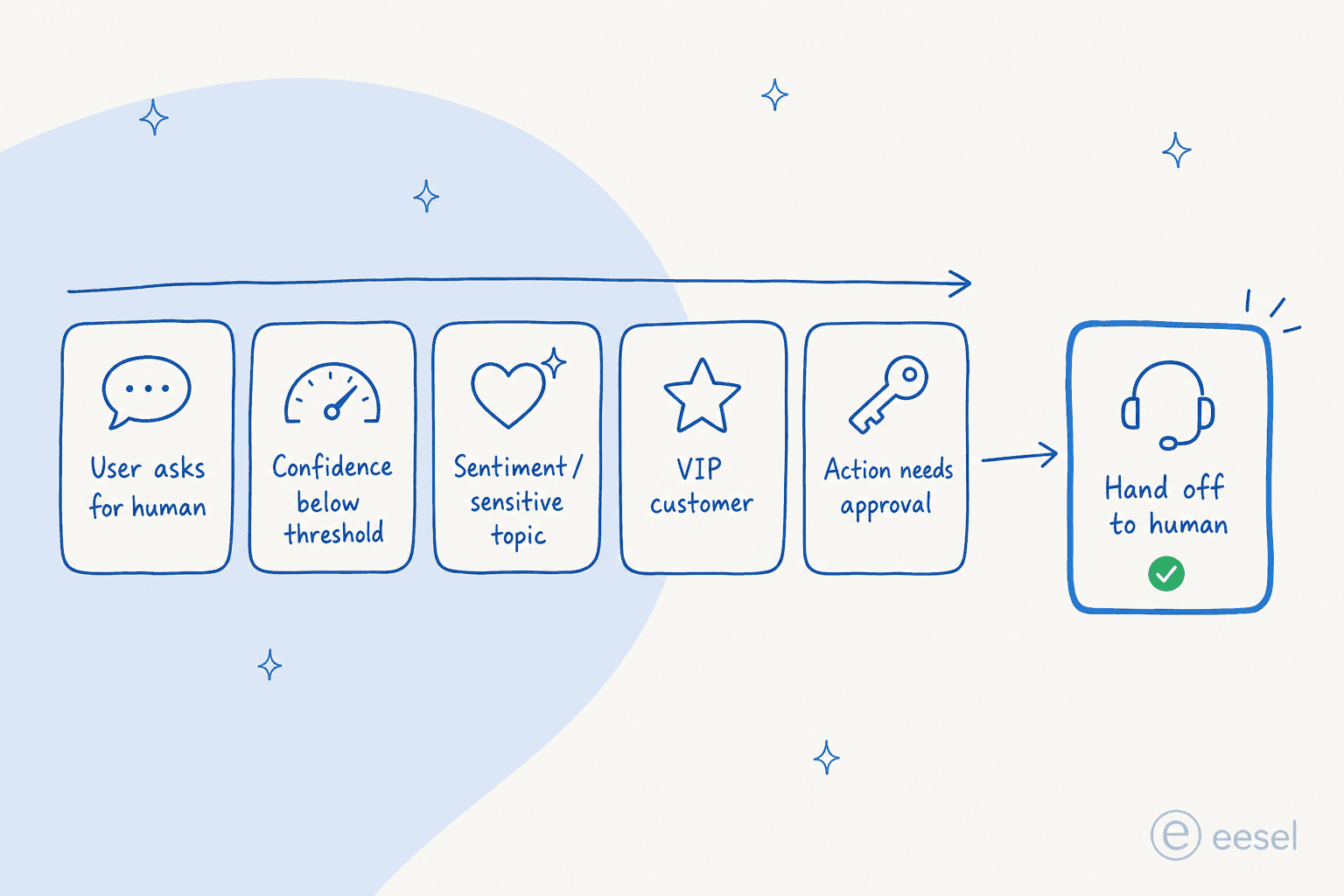
1. Explicit user request - the non-negotiable one
When a customer types "I want a human," "talk to an agent," or anything in that family, escalate immediately. No confirmation step. No "are you sure?" No retry. From BlueTweak:
"When a customer directly asks for a human, the system should escalate immediately with no loops, no friction, no retries. Ignoring this is one of the fastest ways to damage trust."
Salesforce Agentforce implements this at the topic-classifier layer specifically so it can't get swallowed by internal logic: "When a user explicitly asks to speak to a human, the system bypasses internal logic to fire a handoff immediately."
This is also the trigger that's most often broken on purpose - usually because someone is optimising for deflection rate. Don't. The 80% chatbot-engagement number from Social Intents is conditional: "80% of people will only use chatbots if they know a human option exists." Hide the escape hatch and your deflection rate goes up while engagement collapses. (For the related metric trap, see our take on AI for live chat deflection.)
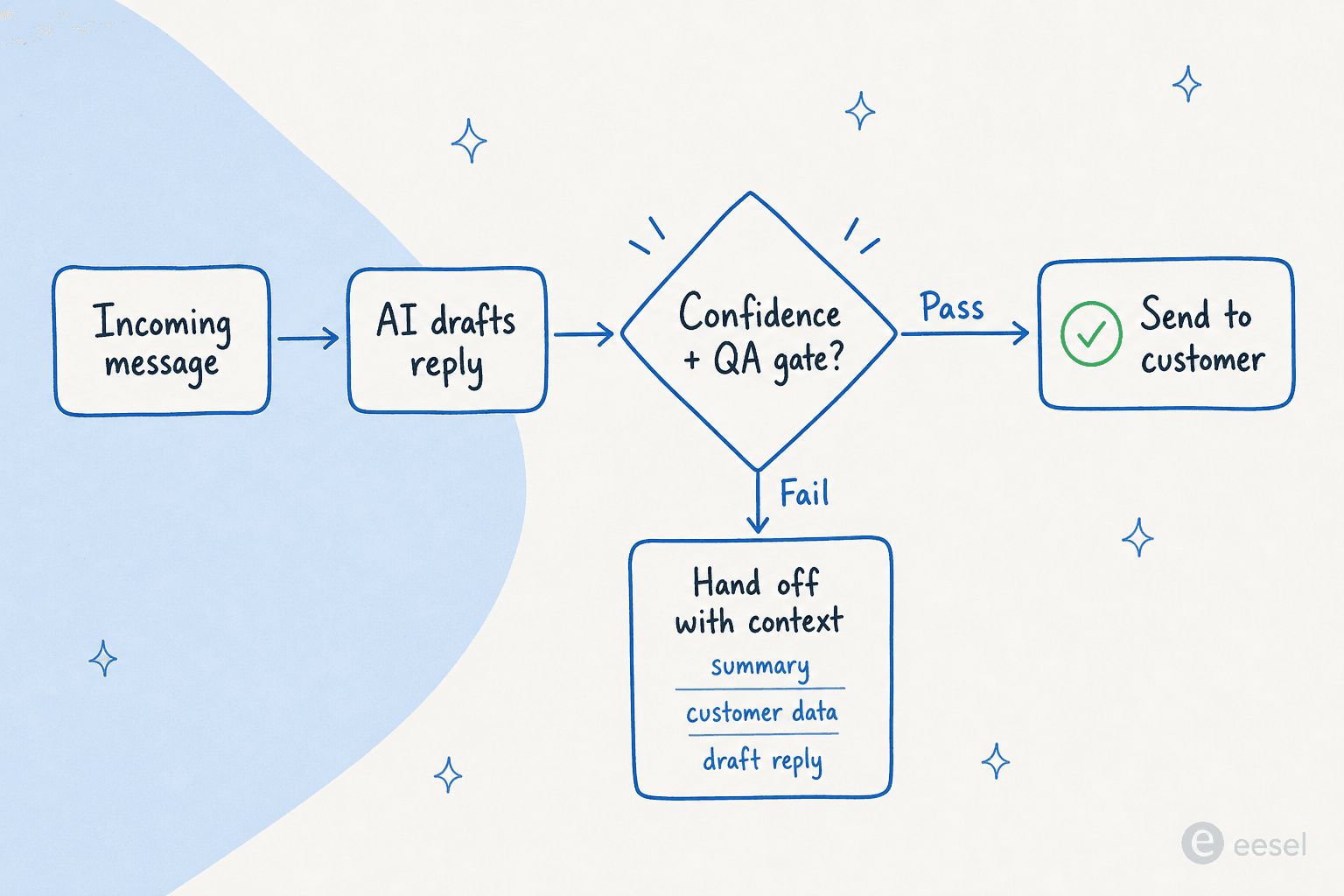
2. Low confidence + a second-model QA gate
This is the trigger every guide leads with, and it's the one that's hardest to tune. Three things matter:
The confidence number is not what you think it is. Per Digital Applied's 2026 escalation-design guide:
"Models trained with RLHF are systematically miscalibrated: their highest verbal confidence often correlates with incorrect outputs. As one analysis of production overconfidence documents, a claimed 90% confidence frequently corresponds to something closer to 75% actual accuracy."
So a raw 0.7 threshold isn't a 30% miss rate - it's closer to 40-45% real miss rate, compounded across multi-step agents. Set thresholds higher than feels natural, and tighten them on intents where being wrong is expensive. Social Intents recommends starting at "below 40% twice in a row," with higher thresholds (around 0.4) on refunds, billing, and cancellations.
Pair confidence with knowledge coverage. A bot that has no relevant docs to cite should escalate even if it's confident - which is why AI chatbots that connect to your knowledge base ground every answer before they reply. Gorgias AI Agent's documented behavior:
"AI Agent's answers are grounded entirely in the sources you connect. It won't speculate beyond them, and if it cannot find a relevant answer, it hands over instead of guessing."
Put a separate QA model in front of every reply. This is the most-skipped pattern in production setups. Gorgias again:
"Every response also passes through an internal QA step - a second AI model measures confidence, and if the response does not meet the threshold, it is not sent."
The second-model gate catches the case where the primary model is confidently wrong - which is the most damaging failure mode of all. For a deeper walkthrough of how to tune thresholds without over-escalating, our Zendesk AI agent intent confidence threshold guide goes into the metric trade-offs.
3. Sentiment and sensitive topics - escalate regardless of confidence
This trigger fires even when the AI is confident. From Gorgias's guardrails, the recommended hard-coded handover list for most stores:
"Legal disputes or any mention of legal action; medical questions or references to health conditions; fraud-related language or chargeback mentions; any complaint requiring a judgment call outside of written policy."
Add an emotional-state layer on top. Social Intents recommends watching for phrases like "This isn't helping", "I'm getting annoyed", repeat-question patterns, or rising message length - and triggering an apology + handoff before the customer rage-quits.
CX Today calls this layer "risk scoring":
"Even if the bot is confident, is this situation too sensitive to automate? Think fraud signals, billing disputes, vulnerable customers, regulated disclosures, or anything that can create reputational damage if handled incorrectly."
4. VIP / customer segment
Not every customer is the same. From Social Intents:
"If you can identify priority users (platinum clients, big spenders, key accounts), consider escalating them to a human after initial chatbot triage… give VIP customers priority escalations during business hours to keep your best customers extra happy."
This trigger sits on top of customer data the AI agent already has - order value, account tier, NPS score, account age. Wire it to the segment fields you already track in your helpdesk. A practical example: anyone with > $10k LTV gets routed past automation entirely during business hours, and only handed an AI agent off-hours. The math on whether this is worth it tends to favour automation - see our AI agent vs human agent cost breakdown.
5. Action requires human approval
Reserve this for irreversible operations: money movement, account deletion, refund approval, discount issuance, identity changes, data export. Digital Applied's four-tier action-risk model is blunt about this:
"Tier 4 - High-Risk / Irreversible. Production deploys, money movement, data deletion, privilege changes, external communications. Human approval is non-negotiable here, regardless of how confident the agent claims to be."
Gorgias's plain-language equivalent: "Do not offer a discount without a human agent approving it first."
A critical detail: the approval gate cannot live inside the AI's prompt. Digital Applied again:
"Approval logic should be enforced at the workflow execution layer, not negotiated by the AI at runtime."
If you let the model decide whether its own next action needs approval, a sufficiently persuasive customer message can talk it out of asking. Bake the rule into the workflow that fires the action - at the integration layer, not the prompt.
The handoff payload: what the human actually needs
This is the failure mode that swallows most escalation setups. The trigger fires correctly. The conversation moves. The human starts cold. Customer experiences it as "automation wasted my time."
The numbers on this are sharper than they get credit for. Per PwC research cited by BlueTweak:
"73% of consumers say having to repeat information is one of the most frustrating parts of a support interaction, especially after being transferred."
And per Digital Applied:
"About 70% of customers expect an agent to know their history when a conversation is escalated, yet only around 34% of support teams say their tools actually pass that data cleanly."
A 70/34 expectation-to-delivery gap is a structural problem, not a tuning one. The reason it shows up everywhere: most platforms claim to "pass context" by handing the human a raw transcript. That isn't context - it's unstructured data.
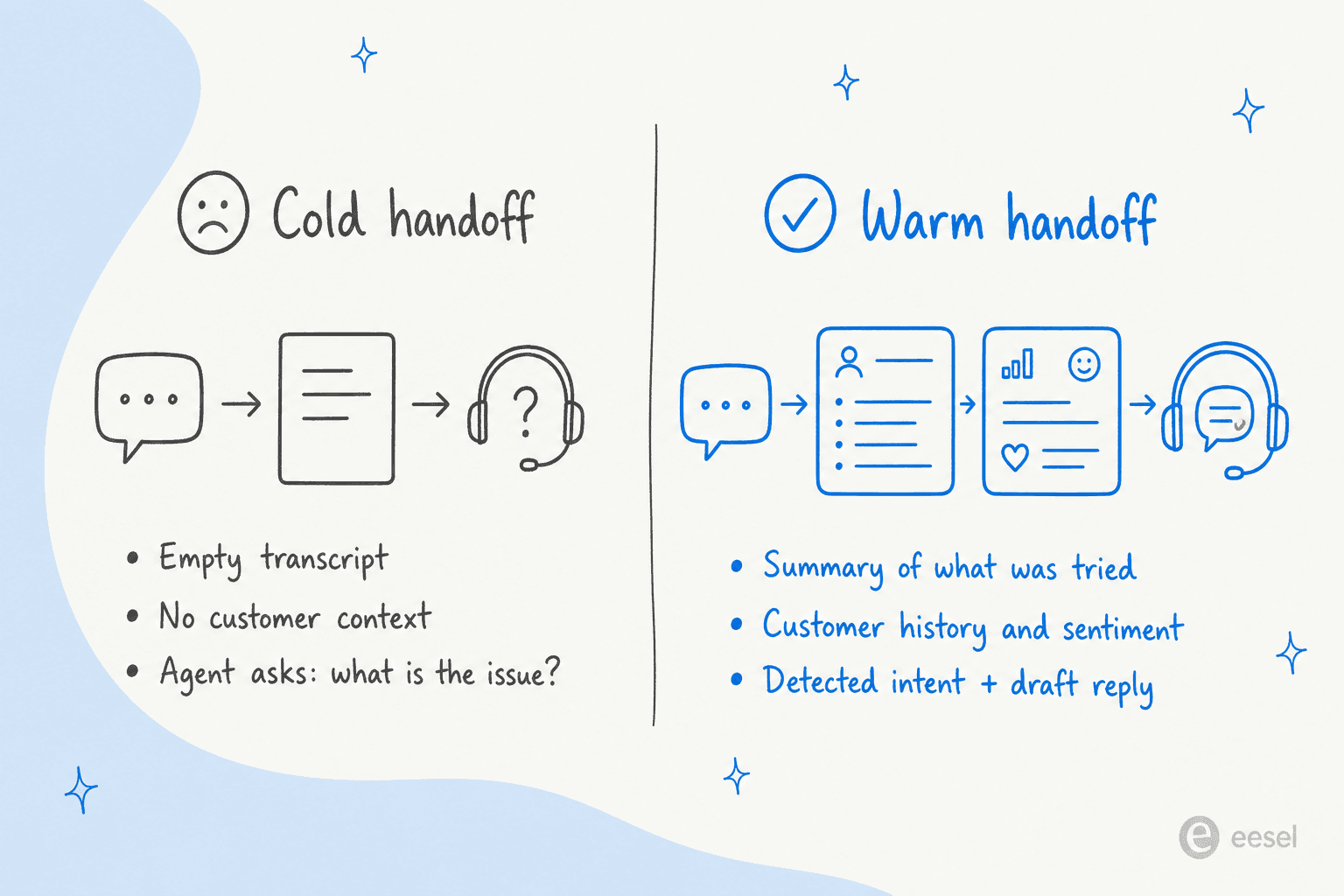
The minimum context package
From the BlueTweak frame, a working payload has six fields:
| Field | What it is | Why it matters |
|---|---|---|
| Issue summary | One sentence in the agent's words, not the customer's | The agent reads this first; everything else loads on demand |
| Detected intent | The classified category (e.g. refund_request, wismo, billing_dispute) | Lets the agent know what bucket the bot thought this was - and what it might have got wrong |
| Customer & account data | Name, plan, order value, LTV, recent orders, support history | Anchors the agent in the relationship, not just the conversation |
| Sentiment indicators | Detected emotional state at handoff (frustrated / neutral / positive) | Prepares the agent for tone before they read |
| What the AI tried | Replies sent, sources cited, actions taken or attempted | Avoids the agent suggesting something the AI just tried |
| Draft reply | A starter response the human can edit and send | The single fastest CSAT lift; the agent never starts from zero |
For action-approval escalations specifically, Digital Applied recommends adding "an estimated financial impact, a reversibility flag, the alternative approaches the agent evaluated, a session ID for audit correlation, and an approval-deadline timestamp." - so the approver isn't asked to click yes without seeing what they're approving.
The opener matters too
The agent's first message after the handoff is where customers decide whether the transition was warm or cold. From Social Intents:
"Hi Jane, I see you were chatting with our bot about resetting your password. Let me help you with that."
Versus the failure mode:
"Hi, how can I help you?"
The first one acknowledges the AI's work. The second resets the customer to zero. The first is a 5-second wins; the second is the start of a 54% give-up sequence.
How to actually set this up: a 5-step walkthrough
The mechanics, in the order you should build them.
Step 1 - Decide what AI should not touch
Before you tune triggers, define the no-fly list. This is faster than it sounds, and it dramatically reduces the surface area you have to get right.
Open a recent month of tickets. Tag the categories where being wrong is expensive: refunds, billing disputes, account changes, anything legal-adjacent, anything involving identity or PII, anything in regulated verticals (medical, financial, legal advice). Those categories don't need a confidence threshold - they need a hard rule that says "always escalate."
From a real customer we anonymise as a CX lead at a DTC supplements brand on Gorgias + Shopify (~7K tickets/month):
"There are certain tickets I don't want to go through AI."
That's not a constraint to engineer around - it's a feature requirement. Give yourself the ability to say "this whole category goes to humans, no AI."
In eesel, this is a single plain-English line in the agent's escalation rules:
"Never reply to tickets tagged
refund_request,legal, orbilling_dispute. Hand them straight to the team with a one-line summary."
In Zendesk you do this by placing an escalation block at the top of the relevant flows - our Zendesk flow builder guide walks through where to drop them. In Gorgias, it's a handover-topics list, configured per the AI Agent actions setup. The result is the same: certain things just never touch the AI.
Step 2 - Set the multi-signal trigger logic
For everything the AI is allowed to touch, layer the four other triggers on top.
For a deeper walkthrough on this specifically, our Zendesk AI agent transfer-to-human guide and Zendesk AI agent handoff how-to go further on the messaging-channel mechanics, and our Zendesk AI agent fallback message guide covers what to say when nothing matches.
A reasonable starting setup:
- Confidence threshold: 0.6 baseline, 0.8 on high-risk intents (refunds, billing, cancellations).
- Repeat-fail cap: 2 turns with the customer asking the same thing in different ways → escalate on the 3rd.
- Sentiment trigger: detected frustration → apologise + offer human.
- VIP rule: customers tagged
vipor with LTV > $X → straight to human during business hours. - Action approval: refunds > $X, account deletions, discount issuance → escalate, regardless of how confident the AI is about what to do.
If your tool only exposes one knob, you'll have to fake the others - usually by sticking handover topics into a list and watching for keywords. That's how Tidio Lyro's natural-language Guidance works. It's serviceable, but it doesn't catch the sentiment cases unless you write rules for the words frustrated customers actually use.
Step 3 - Write the transition message
Whatever the trigger, the customer hears something at the moment of handoff. Don't go silent. From Social Intents:
"Don't just silently switch over. The bot should say something like: 'Sure, I'm connecting you with a human agent who can assist further.' If there's any wait time, set expectations: e.g. 'An agent will join shortly' or 'You're #2 in line, an agent will be with you in about 1-2 minutes.'"
Three things to include:
- An acknowledgement of what they were trying to do.
- An estimated wait time, even if it's a range.
- A note that the human will have the full context, so they don't feel they're starting over.
For off-hours, capture an email and tell them when to expect a reply. Gorgias's offline-chat pattern - "When a handover occurs while chat is offline, AI Agent asks the shopper for their email address so your team can follow up later by email" - is the right default. The optional "Share business hours in handover message" toggle is a small touch that sets expectations.
Step 4 - Pass the structured payload
Most platforms hand the next human a transcript and call it done. That's the cold-handoff failure mode. Build the payload from the six fields above, and make sure the agent sees them before the transcript - not buried under 20 messages.
In Zendesk, this means populating ticket fields and tags as part of the escalation block, then using a conversation transcripts view that surfaces the summary at the top - the Zendesk AI agent conversation logs view is where you'll spot payload gaps. In Gorgias, the auto-tagging pattern (ai_handover for escalations, ai_ignore for excluded tickets) lets you build downstream routing rules - and our Gorgias handover guide walks through how to wire those tags into agent assignment.
The eesel pattern is to put the summary as a structured internal note before the agent ever reads the thread - so the first thing the agent sees is "Summary: customer wants to update shipping on order #4521, AI tried sending the self-serve link, customer replied that they can't find it in their account." That's the agent's anchor. The full transcript is right there if they want it, but they rarely do.
Step 5 - Measure handoff outcomes, not handoff rate
This is the step everyone skips. From BlueTweak:
"A low rate might indicate strong automation, or it might signal that customers are being trapped in AI loops. A high rate could reflect poor AI performance, or simply a use case that genuinely requires human intervention. The metric only becomes meaningful when paired with outcomes."
The metrics that actually matter:
- Post-handoff first contact resolution (FCR) - tracked separately from overall FCR. If escalated tickets keep coming back, either the wrong tickets are being escalated or the payload is failing.
- Repeat-contact rate in a 24-48h window after escalation. "One of the most reliable indicators of hidden failure," per BlueTweak.
- CSAT delta - CSAT on escalated vs auto-resolved conversations. If escalated consistently scores lower, the issue is the handoff experience, not the agent.
- Context-completeness score - agent rates each handoff: sufficient / partial / missing. Cheap to collect, exposes payload bugs fast.
- Time-to-human after the customer opted out of AI. Long wait + low context = the worst CSAT combination.
- Override frequency - if supervisors keep overriding the bot, your thresholds are too loose.
Run a monthly review of the bottom-quartile handoffs. The Gorgias-recommended cadence: "read flagged tickets, rate good/ok/bad with reasons, check the Intents page for handover clusters, review and approve Guidance Opportunities, update Guidance when policy changes" (Gorgias). Apply the same loop wherever you've set this up.
For deeper metric design, see our walkthroughs on Zendesk AI agent metrics and resolution rates and the broader AI vs human customer support comparison.
How the major helpdesk AI agents handle escalation
If you're picking a vendor (or trying to figure out why your existing one keeps misrouting), the difference between platforms is mostly in how the trigger logic is exposed - author-built blocks, native confidence dials, or natural-language rules. The shape of the escalation surface is what you're really buying.
| Vendor | Escalation trigger model | Worth knowing |
|---|---|---|
| Zendesk AI Agents | Author-defined escalation blocks + conversation handoff event. Triggers from user request, intent-not-matched, or block placement | "An agent remains the first responder until the ticket associated with the conversation is closed" - the default 4-day solve-to-close window can leave handoff state lingering. See our Zendesk escalations guide |
| Freshdesk Freddy | "Automate agent handoff" toggle + Handover settings in AI Agent Studio. Mostly request-driven; no public NLP-confidence knob | Preview mode "will not perform agent transfers for unanswered queries or when human agent support was requested" - you can't fully test escalation without going live. See our Freshdesk best practices |
| Gorgias Automate | Four explicit triggers: low confidence, listed handover topic, knowledge gap, explicit request or detected anger/frustration | Chat AI Agent is Shopify-only. Non-Shopify merchants can't use this for chat. See our Gorgias handover guide |
| Ada | First-class Handoff object with Name + Description; live / async / off-hours variants; built-in fallbacks | Maximum five active handoffs; variables in handoff blocks are separate from Actions-collected data - the most common footgun |
| Salesforce Einstein/Agentforce | Transfer to Agent System Dialog at author-placed steps; Confused Dialog as fallback | Conflicting transfer steps override Next Step silently - two configurations can fight each other with no warning |
| Help Scout | No autonomous agent - AI Drafts and AI Assist are human-in-the-loop-by-default | "Escalation" is moot because the human was never out of the loop. Plus/Pro plan only; needs ~100 past replies before AI Drafts can generate anything |
| Tidio Lyro | Prompt-style Guidance - natural-language rules for high-value customers, sensitive topics, agent availability | Escalation logic drifts as the underlying Claude model updates; free tier capped at 50 Lyro responses. See our Tidio AI agent guide |
For wider context, see our roundups of the best AI for customer support automation, the best AI customer support chatbots, and AI live chat tools for support - escalation behaviour is one of the dimensions we score them on.
Two patterns stand out across the table. First, most of these tools force you to express escalation as flow logic - escalation blocks, transfer dialogs, system bots. That's fine if you're a dedicated bot-builder; it's friction if you want a support lead to write the rules. Second, almost none of them spell out the payload contract in public docs. Only Zendesk surfaces a structured passControl metadata format via API; Ada exposes variables (with the Actions footgun above). For everyone else, what travels with the handoff is whatever happened to be in the conversation, which is a polite way of saying "the transcript."
That's the gap eesel fills, but the principle generalises: whatever you use, make the payload explicit rather than hoping the platform passes the right thing.
Common failure modes - and the fix for each
Patterns that recur across vendor docs, practitioner write-ups, and the community sentiment we pulled:
- The bot hallucinates instead of escalating. Low-confidence answers ship, CSAT collapses silently. Fix: the second-model QA gate before send. Without it, "a bot that confidently hallucinates a wrong refund policy is a worse outcome than one that says 'I'm not sure, let me get a human'" (r/AI_CustomerService).
- Loop on "I don't understand" until the customer gives up. Freshdesk flags this directly: "configure these moments to seamlessly transfer conversations to human agents, preventing frustrating endless loops." Fix: the 2-turn rule.
- The "escape hatch" is hidden. "30% of consumers would switch to a competitor after a single bad chatbot experience"; "80% of people will only use chatbots if they know a human option exists" (Social Intents). Fix: make the "Talk to an agent" affordance visible from message one.
- Context reset. Escalation happens, the agent starts cold, the customer reads it as "automation wasted my time" (CX Today). Fix: the payload from earlier.
- Loopback - re-routing the customer back into the same flow that just failed them. "Trust collapses fast" (CX Today). Fix: track failed flows by intent and disable them.
- Dead end - bot can't solve it and offers no credible next step. "Customers feel trapped" (CX Today). Fix: any fallback path beats no fallback path - even "we'll email you within 24 hours."
- Unverifiable actions - "the bot claims it 'fixed it,' but nothing changes. That's not just a CX issue - it's a fraud and compliance risk in sensitive environments" (CX Today). Fix: the workflow-level approval gate from trigger 5.
- Over-escalation kills the deflection point. The reverse failure. Per Digital Applied: "When approval requests come too often, people stop reading them. They develop a reflex - approve, approve, approve - and that reflex is an attack surface." Fix: tier your approvals; not every flagged thing is Tier 4.
- Deflection rate as the only KPI. From r/sysadmin on an internal-IT helpdesk: "It handled 5000 issues this month! 5000 tickets that didn't hit our EXPENSIVE human queue. Except half of them then re-ticketed two days later when the bot's 'answer' didn't actually fix anything, and now we have a backlog and angrier users" (r/sysadmin). Fix: repeat-contact rate.
- Hidden repeat-contact failure. Customer returns within 24-48h after escalation; one of the most reliable failure signals (BlueTweak). Fix: the metric exists; measure it.
- Approval logic the AI can be talked out of. If the AI decides whether its own action needs approval, a clever prompt can talk it out of asking (Digital Applied). Fix: approval rules live in the workflow layer, never in the prompt.
A real example of warm handoff
What it looks like when this works end-to-end. From an end-user on SE Ranking's website chat bubble (anonymised customer story we have permission to share):
"How do I delete keywords from my project?"
(AI agent answers from the help docs.)
"How do I delete search engines?"
(AI agent answers from the help docs.)
"Can I talk to a human?"
(AI immediately fires
handover_to_helpdesk, attaches the two questions + answers, customer email, and a one-line summary: "User has been browsing keyword/search-engine deletion docs; now wants human help - likely a follow-up question we don't have a doc for.")
Two doc questions deflected. The moment the customer asked for a human, instant handover, full context. That's the whole pattern: AI does the easy work, steps aside the moment it stops being the right tool, and the human starts at message 4 with full visibility into messages 1-3.
A second pattern, from a medtech team standing up a website chat widget backed by Confluence with Jira escalation:
"I copied the snippet and it doesn't work in netlify..." (AI helps debug) ... "It worked. Can I share the preview/test chat to my colleague to try?" (AI flips an integration setting live, mid-chat, then escalates the Jira ticket for follow-up.)
The shape that recurs: AI handles what it's good at. Then the moment something needs human judgement or approval, escalation fires - with context, on the right channel, to the right team.
Try eesel for AI chat escalation
If you want this whole pattern - five triggers, plain-English rules, warm handoff with full context - without building it from primitives, that's the eesel pitch.

eesel runs as an AI teammate inside the helpdesk you already use - Zendesk, Freshdesk, Gorgias, Freshservice, Slack, email - so you don't have to swap platforms to get escalation rules that actually work across them. The rules themselves are written in plain English: "Never reply to refund requests; hand them to the team with a summary", "If the customer mentions legal action or a chargeback, escalate immediately with a sentiment flag", "VIPs marked with the priority tag always go to a human during business hours." No flow-builder, no dialog tree.
The handoff payload is structured by default: every escalated ticket gets a summary, the detected intent, the customer's recent history, and a draft reply attached as an internal note before any human reads it. Setup runs in minutes from your existing help articles and past tickets - no manual training, no data labelling. You can test on past tickets before going live, and start in draft mode (AI suggests, human sends) before switching to autonomous on the easy categories once you're confident. Pricing is per-task, not per-seat, so the cost of being conservative on escalation is what it should be - low.
Try eesel free with 100 credits, no card required.
Frequently asked questions
How do I set up an AI agent that escalates to a human when unsure?
Wire escalation to five triggers at once, not just one: an explicit user request, a low-confidence answer (combined with a second-model QA gate before the reply is sent), a sentiment or sensitive-topic match, a VIP customer segment, and any action that needs human approval - refunds, cancellations, anything irreversible. Configure these in your vendor's bot builder or, with eesel, write them in plain English in the agent's escalation rules. Then test on past tickets before going live.
What is AI chat escalation?
AI chat escalation is the moment an AI support agent stops trying to solve a conversation and hands it to a human - because the user asked for one, the model's confidence dropped, sentiment turned, or the next action needs human approval. Done well, it's the trust bridge between automation and your team. Done badly, it reads to the customer as "abandonment with extra steps". Our overview of the best AI customer support agents compares how each vendor handles this.
What's a good confidence threshold for AI chat escalation?
There isn't one number. Treat confidence as one input among several - RLHF-trained models are systematically miscalibrated, so a claimed 90% often correlates with closer to 75% actual accuracy. Most teams start around 40% and tighten on high-risk intents like refunds. The Zendesk threshold guide walks through how to tune this without over-escalating.
What context should an AI agent pass to a human during handoff?
A structured summary, not a raw transcript. The minimum: a one-line description of the customer's issue, what the AI already tried, the detected intent, sentiment, relevant customer or order data, and a draft reply the agent can edit and send. Per PwC research, 73% of customers cite having to repeat themselves as the most frustrating part of support - so the goal is the agent never asks "what's the issue?" again. See our guide to Zendesk conversation transcripts for how this looks on one platform.
Can AI chat escalation rules work across Zendesk, Freshdesk, and Gorgias at once?
Not natively - each vendor builds its own bot in its own way. Zendesk escalation uses author-placed blocks; Freshdesk Freddy uses a request-driven handoff toggle; Gorgias uses confidence + topic rules. If you want one set of rules across multiple helpdesks, that's where a platform like eesel helps - the same plain-English rules apply whether the ticket is in Zendesk, Freshdesk, or Gorgias.


Article by
Rama Adi
Rama is a software engineer at eesel AI with two years of experience writing about B2B SaaS, AI tools, and customer support technology. Based in Bali, Indonesia, he brings a developer's perspective to product comparisons — cutting through marketing copy to what the integrations and APIs actually do.