


Why I'm writing this, and one disclosure
I've spent the last three-plus years helping support teams put AI agents on live ticket queues, including some big ones. One eesel customer runs a fully automated agent through more than 100,000 German-language tickets a month; another, Gridwise, had eesel resolving 73% of their tier-1 requests in the first month. So when I talk about auto-reply, I'm not theorizing. I've also watched a confident-sounding bot quietly hand a customer the wrong answer, which is the single reason I now refuse to ship one without simulating it against historical tickets first.
The disclosure: eesel builds an AI agent that integrates with Front, so I have a horse in this race. I'll keep the take on Front's own tools fair anyway, because a hatchet job helps nobody and Front does some of this really well.
What "auto-reply" actually means in Front
Here's where most people get tripped up. "Auto-reply" can mean three very different things, and Front does all three under different names.
- A canned auto-responder. The old-school "Thanks, we got your email, we'll reply within 24 hours" rule. Front does this with workflow rules and macros, no AI required. It's the rule-based chatbot end of the spectrum. Useful, but it's not what you came here for.
- AI-assisted replies (Copilot). The AI reads the conversation, searches your history and knowledge, and writes a draft. A human still hits send. This is Front's Copilot.
- Autonomous AI replies (Autopilot). The AI writes and sends the reply, on its own, and tries to resolve the whole thing. This is Autopilot, and it's the real "auto-reply."
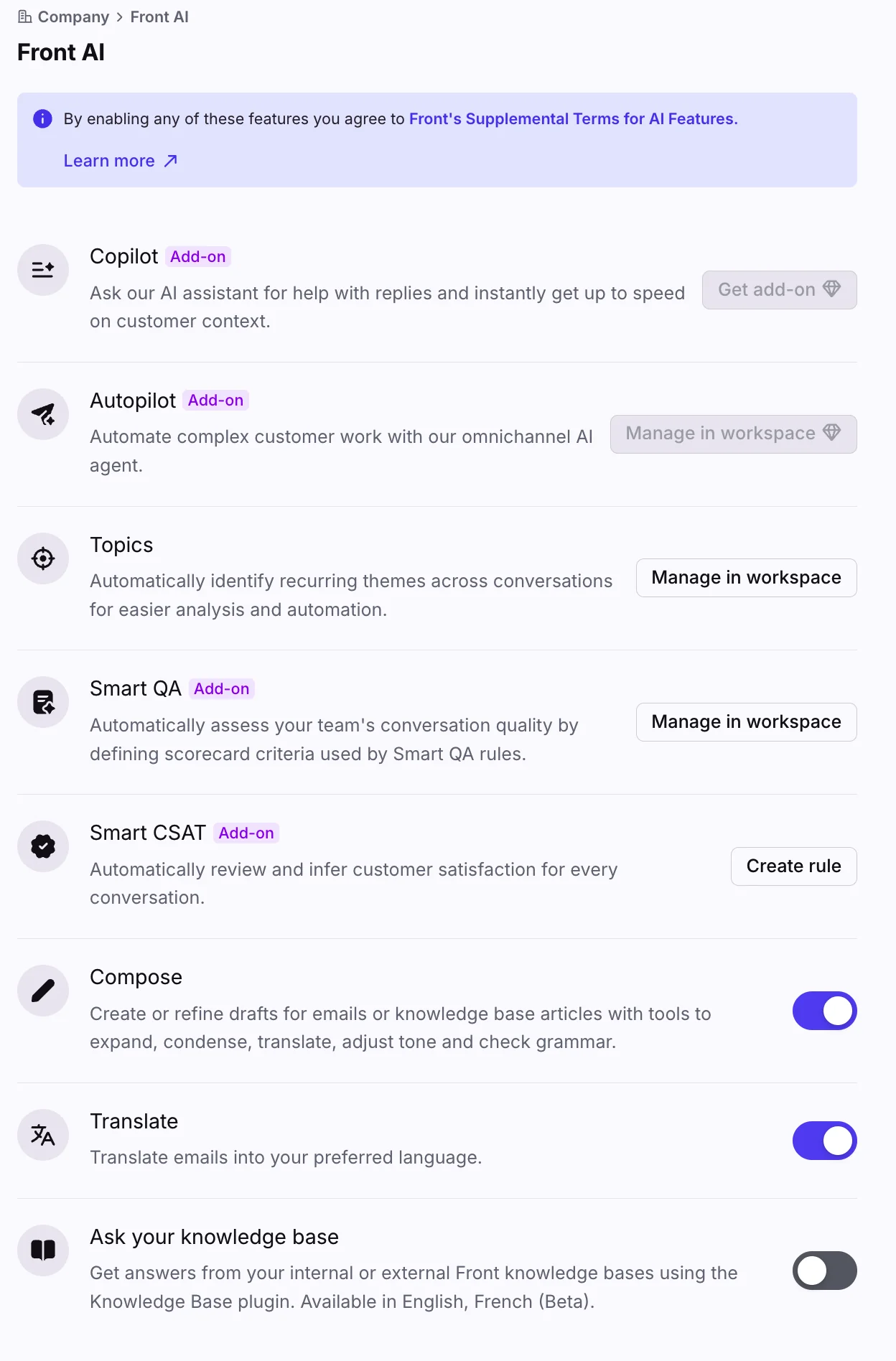
That settings panel above is where it all lives. Notice the "Add-on" badges next to Copilot, Autopilot, Smart QA and Smart CSAT. Most of Front's AI reply features are paid add-ons, not bundled into your base plan, which surprises a lot of teams at renewal. More on that when we get to pricing.
If you only take one thing from this section: the difference between a draft you approve and a reply that's already gone out to the customer is the entire ballgame for trust. Treat them as two separate decisions.
Copilot vs Autopilot: the two ways Front sends an AI reply
These two get conflated in every "Front AI auto-reply" search, so let me lay them side by side.
| Copilot (assist) | Autopilot (automate) | |
|---|---|---|
| What it does | Drafts a reply, suggests next steps, pulls customer context | Writes and sends replies, runs multi-step Playbooks, resolves end to end |
| Who sends | A human agent | The AI, on its own |
| Best for | Speeding up agents without giving up control | Deflecting and resolving high-volume, repeatable requests |
| Channels | Inside the agent's inbox | Email, chat, Slack, SMS, WhatsApp, portal |
| Languages | Broad | Officially English only |
| Pricing | $20/seat/mo add-on (included on Enterprise) | Per outcome, from $0.05/conversation |
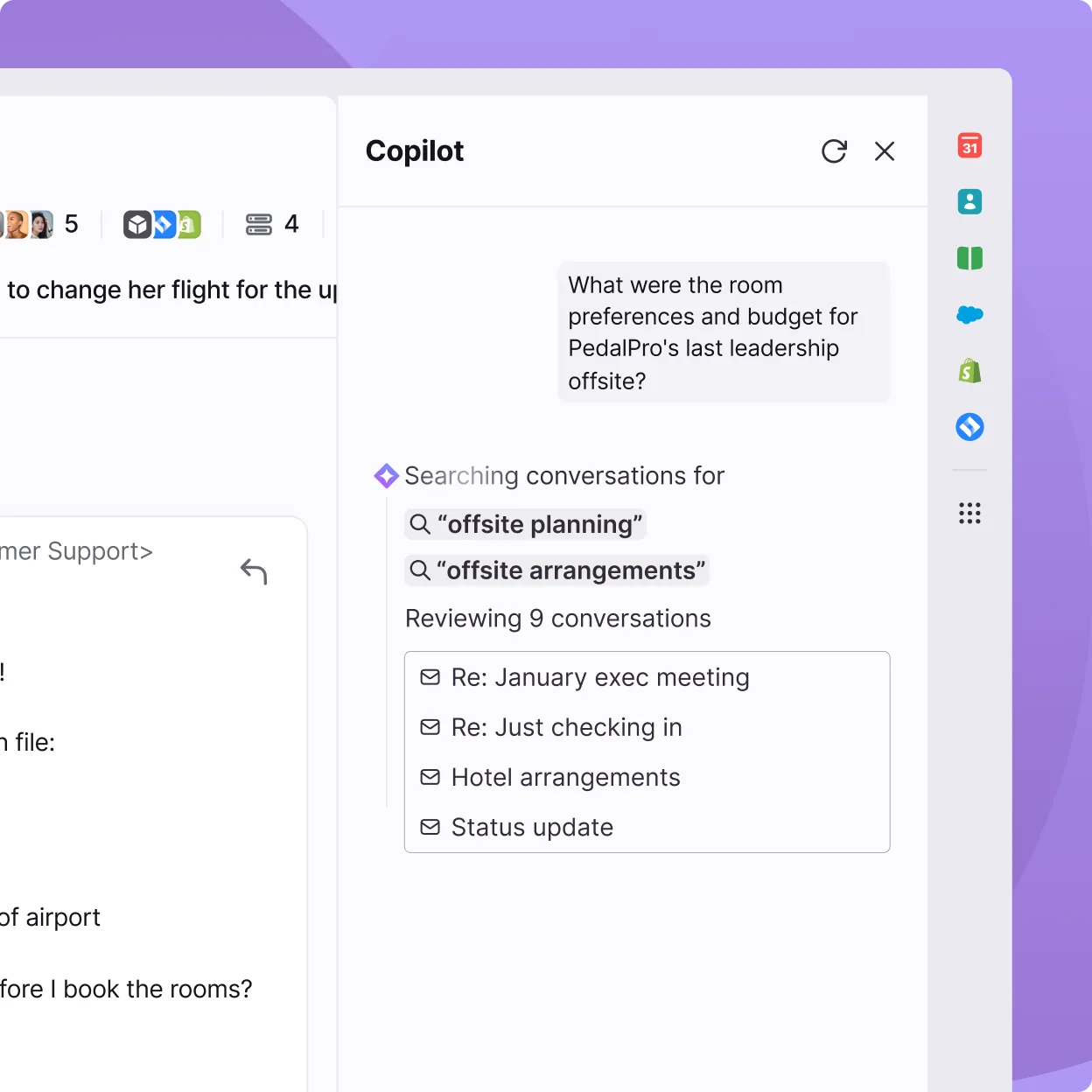
Copilot is the gentle on-ramp. It investigates the conversation, assembles the "case file," and hands your agent a draft to revise for tone and length before sending. We dug into it separately in our Front AI Copilot overview.
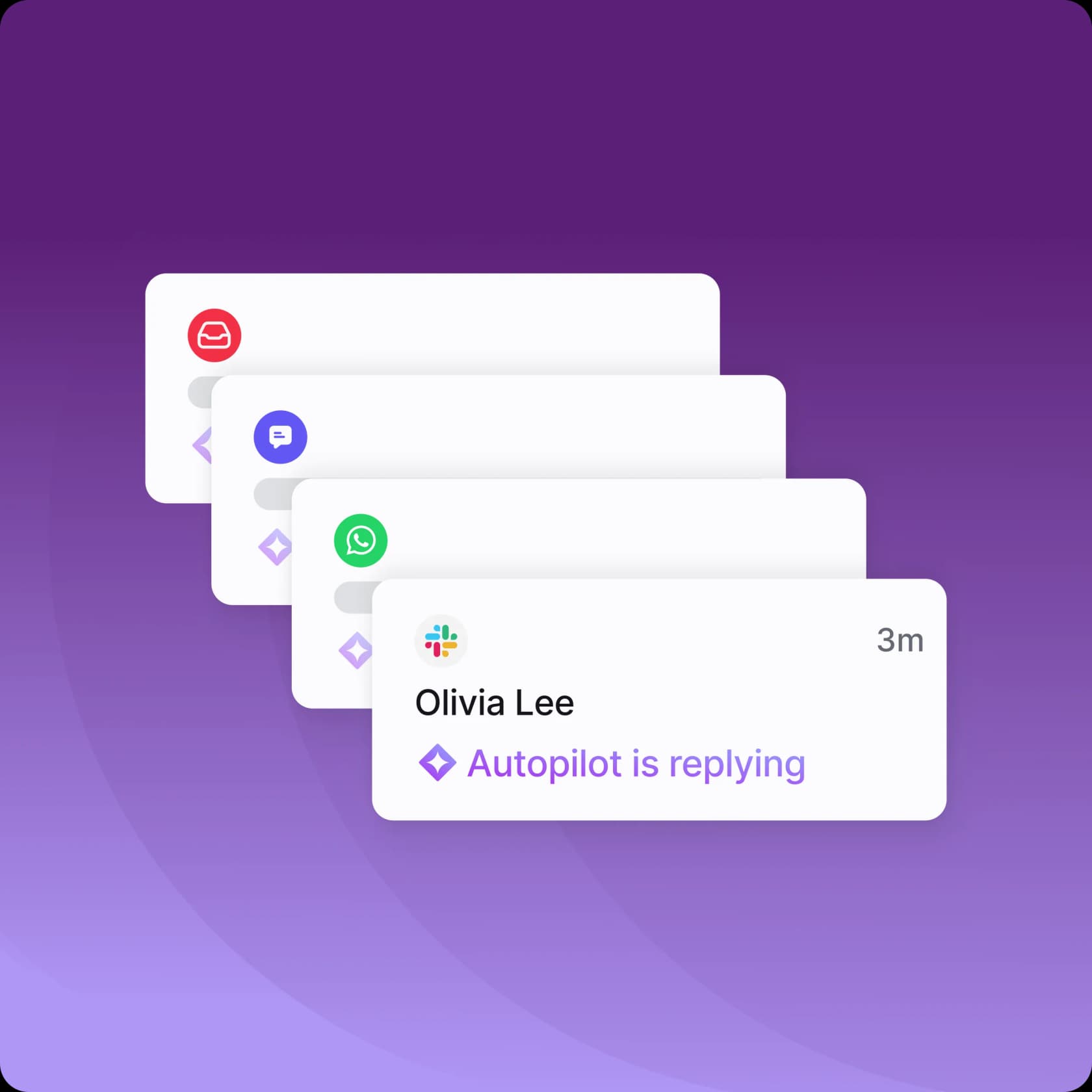
Autopilot is the autonomous one. Front markets it as "the only AI agent that sweats the hard stuff" and claims it can resolve up to 70% of requests, not just FAQs. When it's running, the customer sees "Autopilot is replying" and a real answer lands without a human touching it. There's a deeper walkthrough in our Front AI Automate Autopilot guide.
One note for anyone Googling "Front AI Answers." That was Front's older chatbot step for self-serve replies in Front Chat. It's now a legacy feature that's no longer available for purchase, and Front routes new customers to Autopilot Resolve instead. If you read an older guide on the Front chatbot telling you to set up AI Answers, it's out of date. We tracked the change in what happened to Front AI Answers.
How a Front AI auto-reply actually decides what to send
Before you turn anything on, it helps to know what the AI is doing under the hood when a message lands. Front's own logic (documented for the legacy AI Answers step, and carried into Autopilot) follows a clear branch: try to answer from the knowledge source, ask for clarification if the question is fuzzy, and route to a human when it can't help or the customer asks for one.
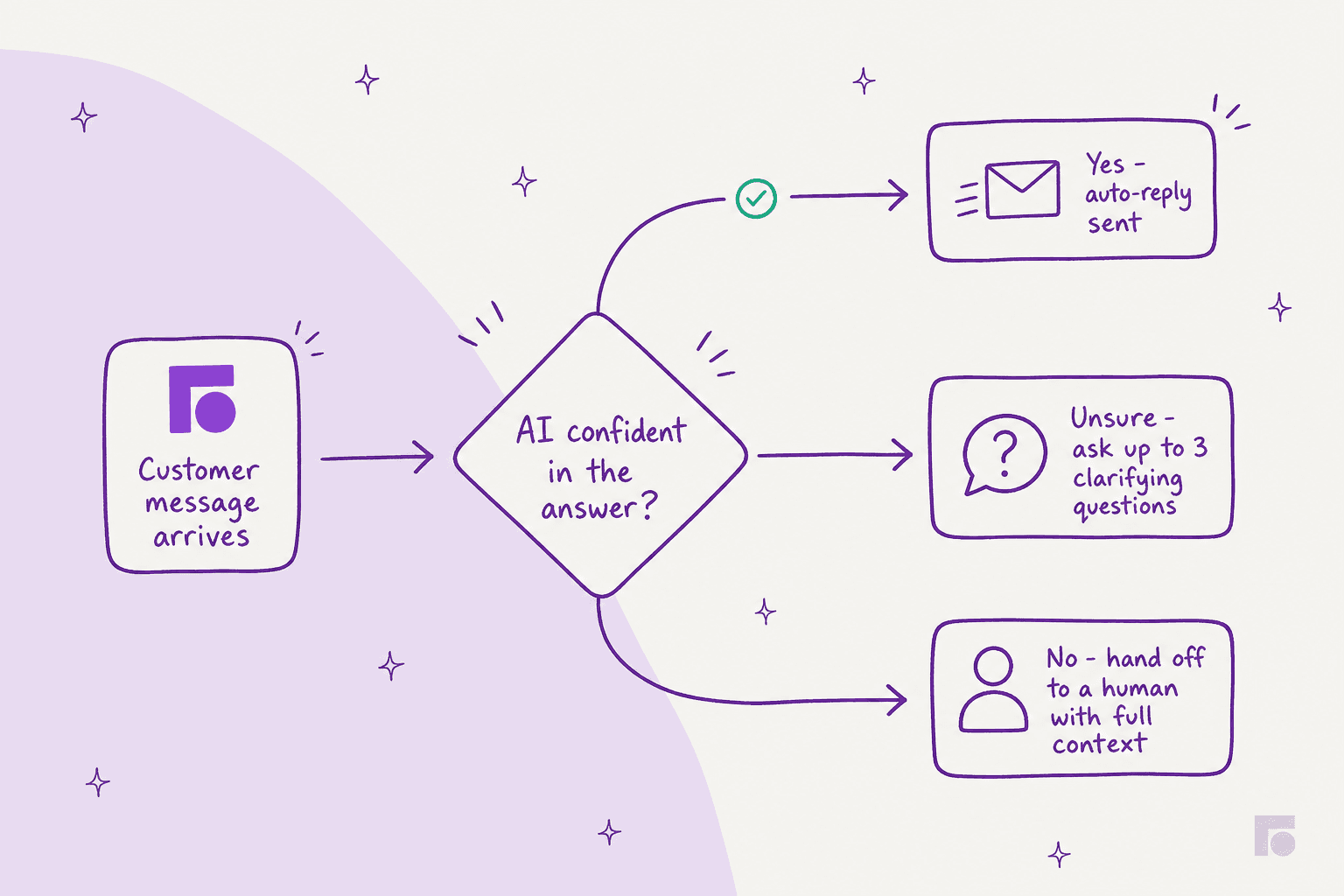
A few specifics worth knowing, straight from Front's docs: the AI asks for clarification up to three times if a question is unclear, it cites one to three source links in its answer, and it auto-routes the customer to a human when the best answer is "contact our team" or when it simply can't find one. Front also states plainly that "AI hallucinations may occur" and can't be prevented 100% of the time, which is a refreshingly honest line and the reason the handoff path matters as much as the reply path.
How to set up Front AI auto-reply
Here's the actual sequence. You'll need to be a company admin, and you'll need a Front plan with AI access (plus the Autopilot add-on if you want true auto-reply rather than just drafts).
1. Enable Front AI in company settings
Click the gear icon, go to company settings, then Front AI. Find the feature you want (Copilot for drafts, Autopilot for autonomous replies), toggle it on, and save. Some features ask you to pick specific inboxes. That's the panel from earlier in this post.
2. Connect a knowledge source
This is the step people skip and then wonder why the AI gives bad answers. In your Front Chat channel's Automation tab, open AI knowledge source and add a source. You can connect a Front knowledge base or a public website.
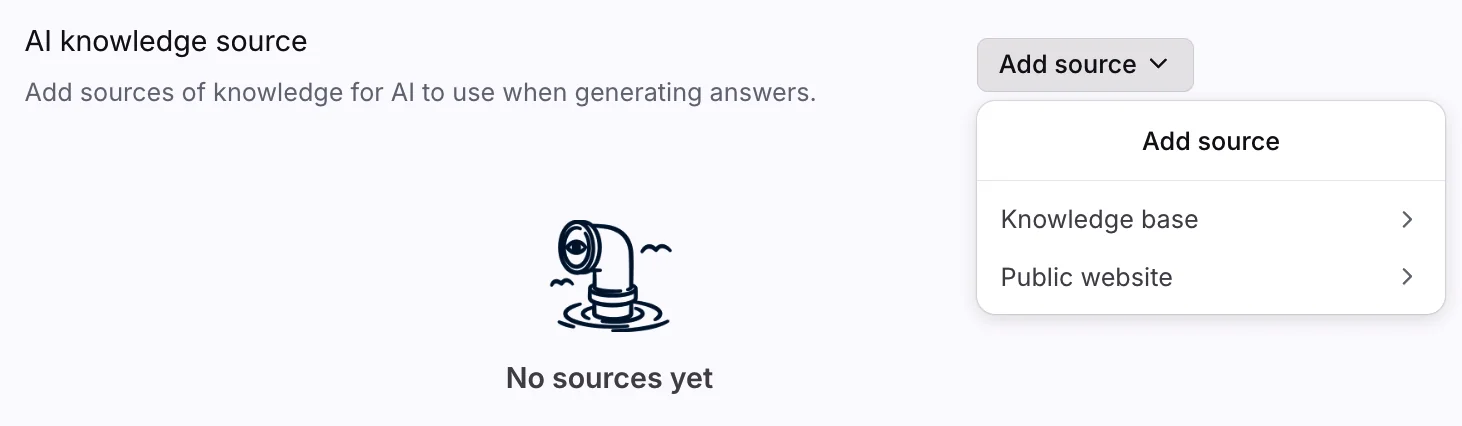
Two real gotchas here. Front warns that a native Front knowledge base gives more reliable answers than an external public website, and a public-website source can take up to three hours to sync initially and only re-syncs manually once every 24 hours. If your help content lives on your own site, budget for that lag. Our AI knowledge base guide covers how to structure docs so an AI can actually use them.
3. Define what the AI should do (Playbook or Resolve)
For autonomous replies, Autopilot runs on Playbooks (you define the process once: what to collect, what actions to take, when to involve a human) or a Resolve channel for self-serve. The nice part is that every Playbook can be tested before it goes live, and Resolve creates a ticket with full context when it can't finish the job.
4. Configure the handoff
A reply bot is only as good as its escape hatch. Front handles this through the chatbot's End of path step, with three modes: keep the chat open and create a conversation for an agent, archive and end the chat, or spin up a follow-up email conversation. Get this right or you'll strand customers the AI couldn't help. If routing matters to you, our ticket triage guide goes deeper.
5. Test before you let it send
This is the step I'd die on a hill for. Don't point a fresh auto-reply at live customers and hope. Run it against examples, watch where it's wrong, fix the gaps, and only then widen what it's allowed to send. Front's Playbook simulations help here; a dedicated tool that replays your actual past tickets helps more.
What Front AI auto-reply costs
Front publishes three plans, and the AI reply features sit mostly on top as add-ons. Here's the full picture, billed annually.
| Plan / add-on | Price | What you get |
|---|---|---|
| Starter | $25/seat/mo (up to 10 seats) | Single channel, AI Topics, up to 10 rules, AI add-ons available |
| Professional | $65/seat/mo (up to 50 seats) | Omnichannel, macros, up to 20 rules, AI add-ons available |
| Enterprise | $105/seat/mo | Unlimited rules, Copilot + Smart QA + Smart CSAT included |
| Autopilot (auto-reply) | from $0.05/conversation | Autonomous AI agent, add-on on every plan |
| Copilot (drafts) | $20/seat/mo | Included on Enterprise |
| Smart QA | $20/seat/mo | Included on Enterprise |
| Smart CSAT | $10/seat/mo | Included on Enterprise |
The part that actually matters for auto-reply is how Autopilot meters usage. You pay per outcome, not per seat or per message, and a conversation is charged once at the highest level it reaches.
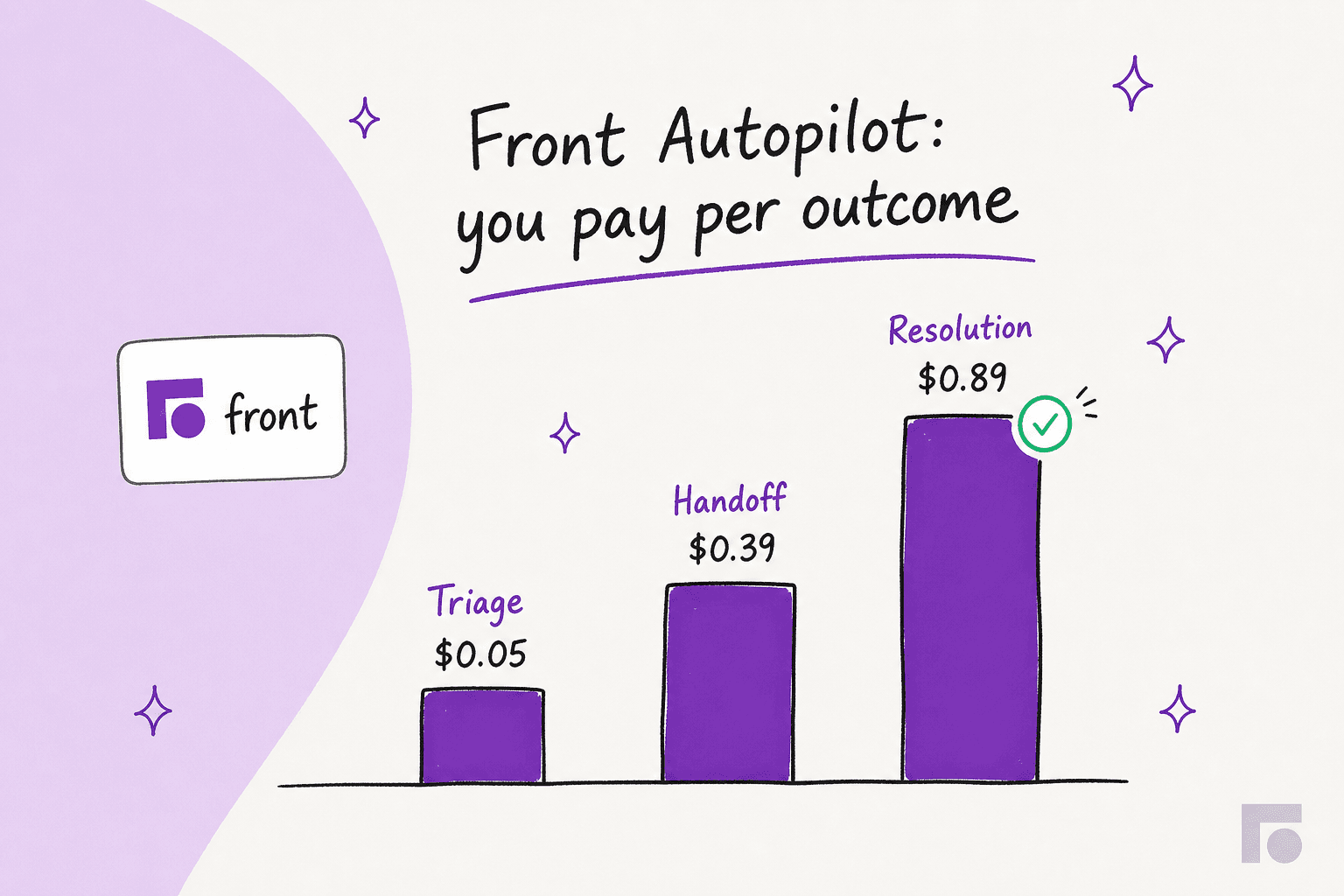
A quick worked example. Say Autopilot handles 3,000 conversations in a month: 1,500 it fully resolves ($0.89), 1,000 it hands off ($0.39), and 500 it only triages ($0.05). That's roughly $1,335 + $390 + $25, about $1,750 for the month in Autopilot usage, on top of your per-seat plan and any Copilot seats. Outcome pricing is fair in spirit (you pay when it works), but it's worth modelling before you commit, because the all-in number climbs once you stack the add-ons. Pricing complexity is also Front's most common complaint, which brings me to the limits. (If raw automation volume is your priority, our best AI for ticket automation roundup weighs the options.)
Where Front AI auto-reply falls short
I want Front to win the parts it's good at, and the collaborative shared inbox really is good. But there are real limits to the auto-reply story, and you should hear them before you buy.
The pricing stacks up fast. This is the dominant gripe in reviews. One G2 reviewer put it bluntly:
"Extremely overpriced, and the pricing is very complicated. They ask you to pay separately [for features / add-ons]..."
G2 reviewer, Front pricing reviews

And there's real backlash to the AI push specifically, on Trustpilot:
"Overpriced, adding junk AI features nobody asked for but then they gaslight you after removing... The new UI is unusable. It has massively slowed down our work..."

Front sits at a healthy 4.7 on G2 across ~2,466 reviews, so it's not a disaster. But the split is real: B2B review sites skew high while Trustpilot skews negative, and pricing is the through-line in the criticism.
Autopilot is English-only and shared-inbox-only. Front's docs are clear that Autopilot officially supports English only (the underlying models handle more, but mixed-language threads aren't guaranteed) and it works in shared inboxes, not individual ones. If you run multilingual support, that's a hard constraint.
There's no spend cap by default on the legacy AI path. For the old AI Answers feature, Front's docs note you had to contact Front to set a monthly cap on AI calls. Worth checking your add-on terms so a busy month doesn't surprise you.
It's a shared inbox with AI bolted on, not a ticketing-first engine. This framing comes up constantly in the community:
"Front feels like a 'supercharged shared inbox' whereas Zendesk is a proper ticketing system built for customer support from the ground up."
r/CustomerSuccess, Zendesk vs Front

That's not a knock on Front so much as a fit question. If your support is collaborative email, Front is lovely. If you need deep ticketing structure plus heavy AI automation, look closely at whether the native auto-reply goes as far as you need, and compare against the wider field in our Front alternatives roundup and our AI for customer service automation guide.
The safer way to roll out auto-reply
Here's the pattern that actually works, and it's the same whether you use Front's native tools or something else. Don't go from zero to fully-autonomous. Climb.
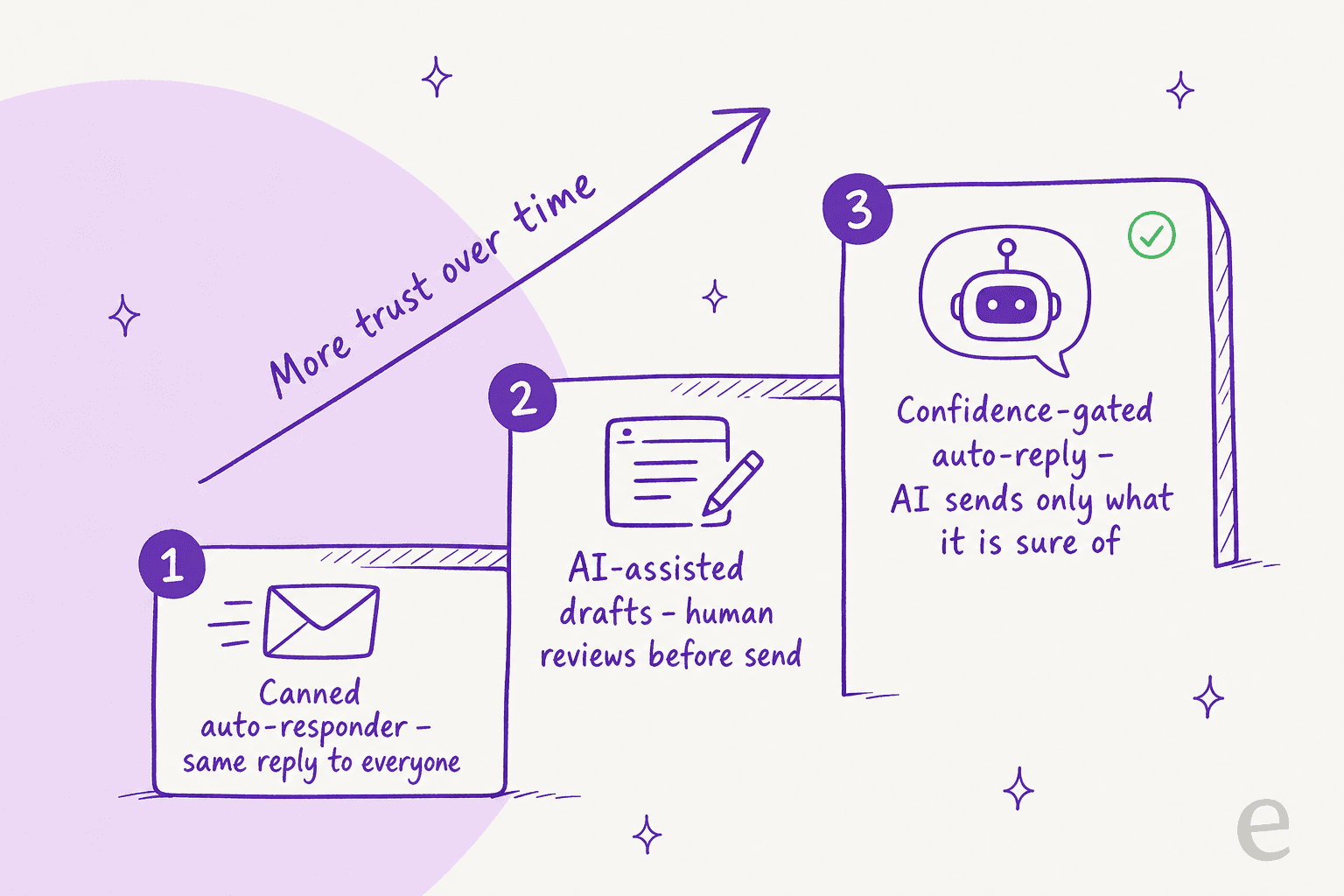
The reason this matters is trust, and it's the single biggest objection I hear. One CX lead I spoke with, running about 7,000 tickets a month on a DTC supplements brand, said it better than I can: the AI will never answer 100% of questions, but if it tries everything and just says "sorry, I don't know," you can't go check thousands of tickets to see whether it actually answered well. What she wanted was an AI that handles only the tickets it's confident about and leaves the rest alone. That's confidence-based routing, and it's the difference between an auto-reply you can sleep through and one you have to babysit.
The copilot-first, full-auto-later path is what nearly every team I've worked with actually wants. Start with draft replies for human review, watch the approve/reject signal, then graduate to autonomous on the conversation types that earn it.
Try eesel for Front auto-reply you can trust
If the part that worries you is letting AI hit send, that's exactly the problem eesel AI was built around, and it plugs straight into Front. You install it from the Front App Store, it auto-imports your knowledge base articles, past conversations, and canned responses, and it joins your shared inbox as a real AI agent that drafts and sends replies, adds private comments, updates tags, and routes escalations, just like a human teammate would.
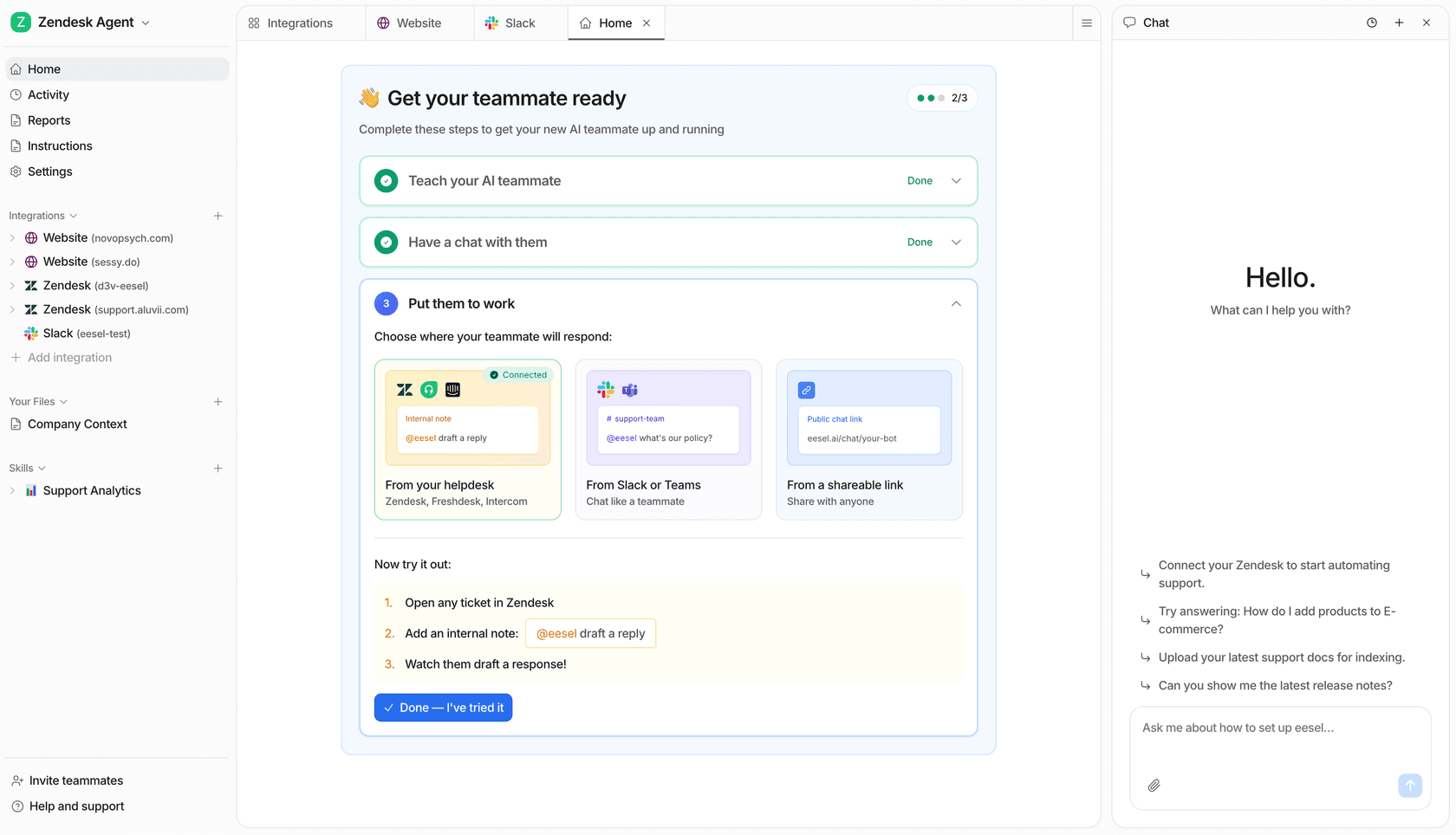
The two things that make it a calmer auto-reply: first, simulation mode replays the agent against your real past Front conversations so you see coverage and catch bad answers before a customer ever does. Second, it's confidence-gated by default, so it only sends what it's sure of and leaves the rest for your team. Pricing is a fixed monthly plan, from $299/month for 500 credits (1 credit per ticket or chat), with no per-seat fees, which sidesteps the add-on stacking. It also handles 80+ languages out of the box if English-only is a dealbreaker. You can read the full breakdown on the eesel AI for Front page.
Frequently Asked Questions
Does Front have an AI auto-reply feature?
Yes. Front has two AI layers that touch replies. Copilot drafts a reply for a human to review and send, and Autopilot is the autonomous AI agent that can send replies on its own and resolve a conversation end to end. If you want a true Front AI auto-reply, Autopilot is the one that sends without a person in the loop. See our Front AI explainer for the full feature map.
How do I set up auto-reply in Front?
A company admin enables the feature under company settings, Front AI, then turns on the AI feature you want and connects a knowledge source. Autopilot needs a knowledge source plus a defined Playbook or Resolve channel before it sends anything. We walk through every step in the setup section above, and there is more in our Front GPT setup guide.
How much does Front AI auto-reply cost?
Autopilot is priced per outcome: $0.05 to triage a conversation, $0.39 for a handoff, and $0.89 for a full resolution. Copilot is a $20 per seat per month add-on (included on Enterprise). Full numbers are on the Front pricing page, and we break the model down in our Front review.
What happened to Front AI Answers?
AI Answers was Front's older chatbot step for self-serve replies in Front Chat. It is now a legacy feature that is no longer available for purchase, and Front steers new customers to Autopilot Resolve instead. We covered the change in detail in what happened to Front AI Answers.
Can I stop AI auto-reply from sending wrong answers in Front?
Front lets the AI ask up to three clarifying questions and hand off when it cannot answer, but its own docs admit hallucinations cannot be prevented every time. The safer pattern is to start in draft mode, then only let the AI auto-reply on the conversation types it is confident about. That is exactly what eesel's AI helpdesk agent does with confidence-based routing, and you can read more on common AI chatbot problems.
What is the best AI auto-reply tool for Front?
It depends on how much control you need. Front's native Autopilot is the simplest if you are happy inside Front's ecosystem and English-only coverage. If you want to simulate against past tickets before going live and pay one fixed monthly price from $299/month for 500 credits, the eesel AI integration for Front is built for that. Our Front alternatives roundup compares the wider field.