
Why employees keep asking the same questions
Here's something most IT and HR teams know but rarely say out loud: the questions they field on repeat are almost always the same 20–30 questions. Password reset. VPN setup. PTO policy. How to submit an expense report. Where's the onboarding doc?
Every one of those questions takes 5–15 minutes to answer - finding the right doc, pasting the link, writing a short explanation. Multiply that across a 200-person team and you're looking at thousands of lost hours a year on lookups any AI could handle in seconds.
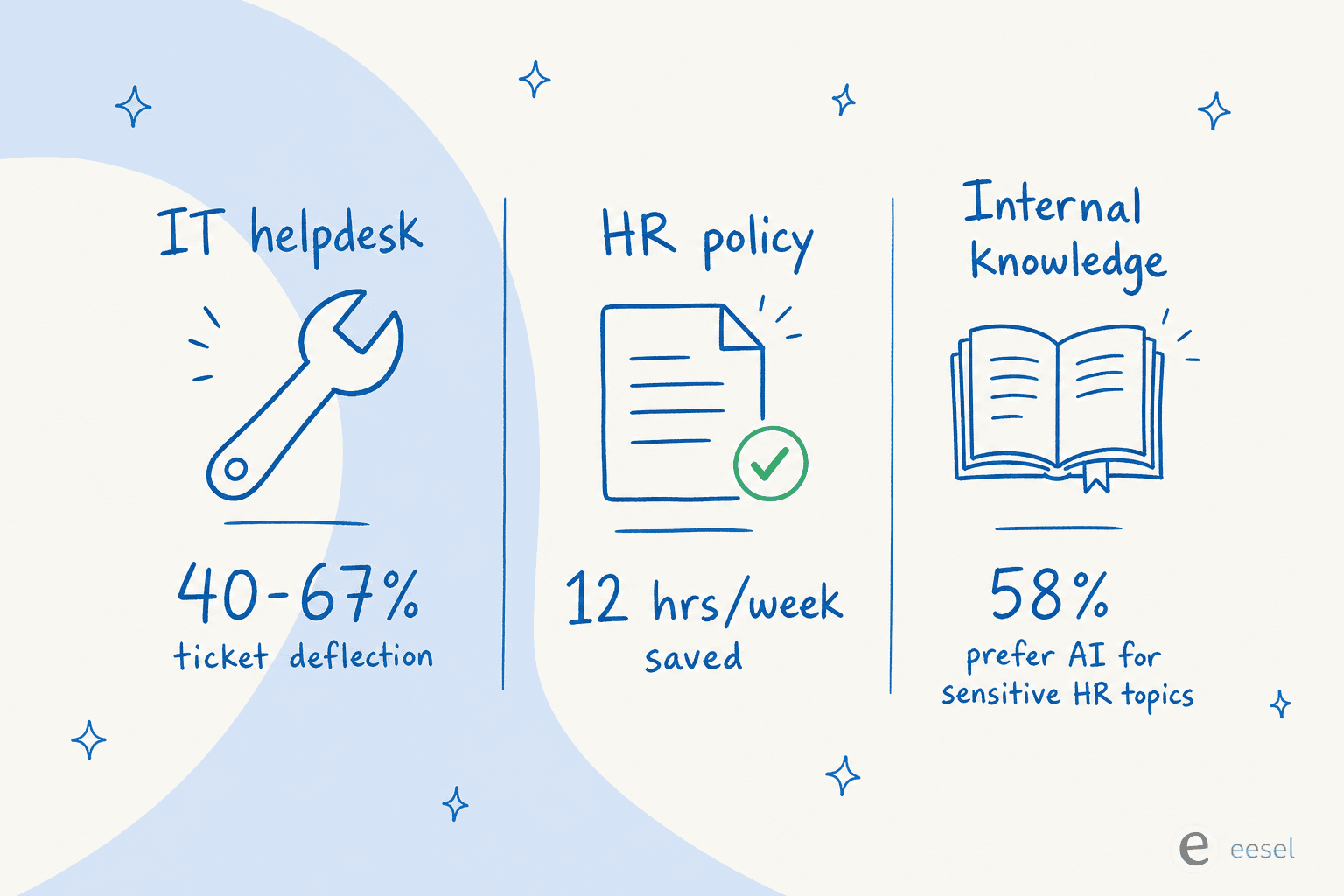
Employees lose up to 12 hours per week searching for information across disparate tools (Question Base, 2026 data). That's not a training problem or a search UX problem - it's a retrieval problem. The knowledge exists somewhere. The friction is getting to it fast enough that it doesn't derail whatever the employee was trying to do.
This is the problem that AI for knowledge management tools are purpose-built for. You're not replacing your internal knowledge base - you're putting an AI interface in front of it so employees get answers without navigating it themselves.
The fix isn't to better organize your Confluence. It's to put an AI in front of it that already knows where everything is.
The three things people mean by "AI for workplace questions"
"AI to answer employee questions" is actually three distinct use cases with different success patterns. Getting clear on which one you need is the most important scoping decision you'll make.
IT helpdesk automation
The highest-volume and most measurable use case. IT teams using AI helpdesk tools report 40–67% deflection rates for tier-1 requests (Unthread and IrisAgent data, 2026). The automatable set is predictable: password resets, VPN guides, software access, device troubleshooting, onboarding checklists. These questions have clear, documentable answers - exactly the shape of work AI handles well.
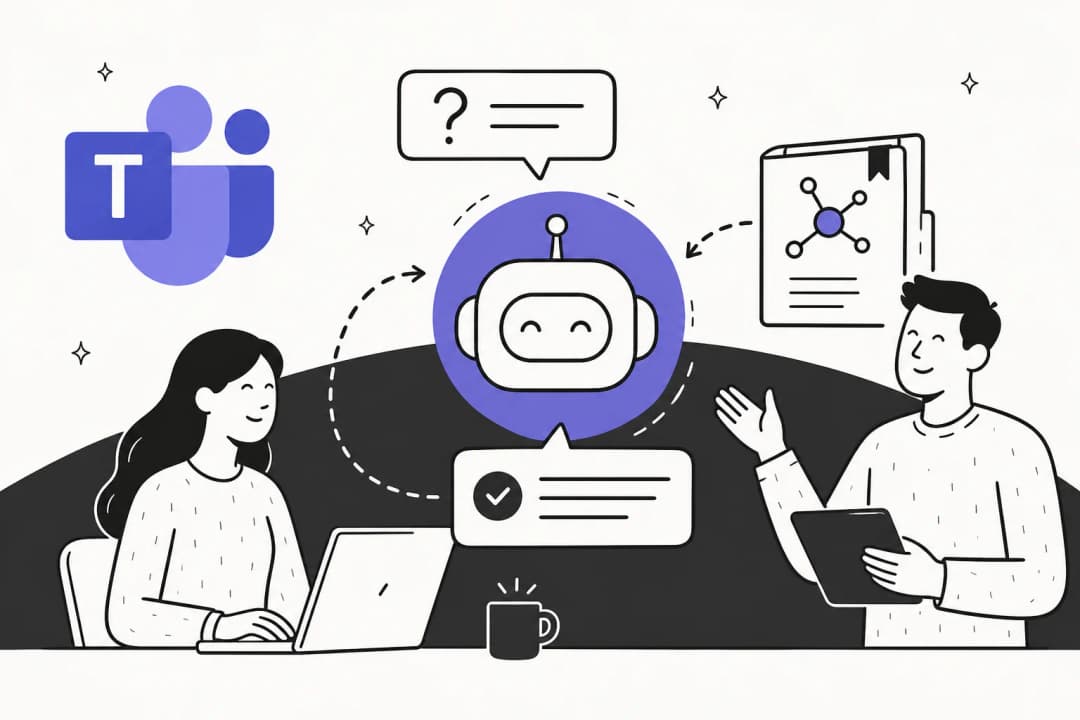
The channel decision is everything here. Microsoft Teams IT support bots and Slack-native AI tools for IT outperform portal-based solutions consistently because employees are already in those apps. Requiring a context switch to a separate service desk portal is the single biggest adoption killer, according to 76% of IT staff surveyed in Ivanti's 2025–2026 AITSM report. The best AI IT support tools for service desks all share this channel-native quality.
HR policy Q&A
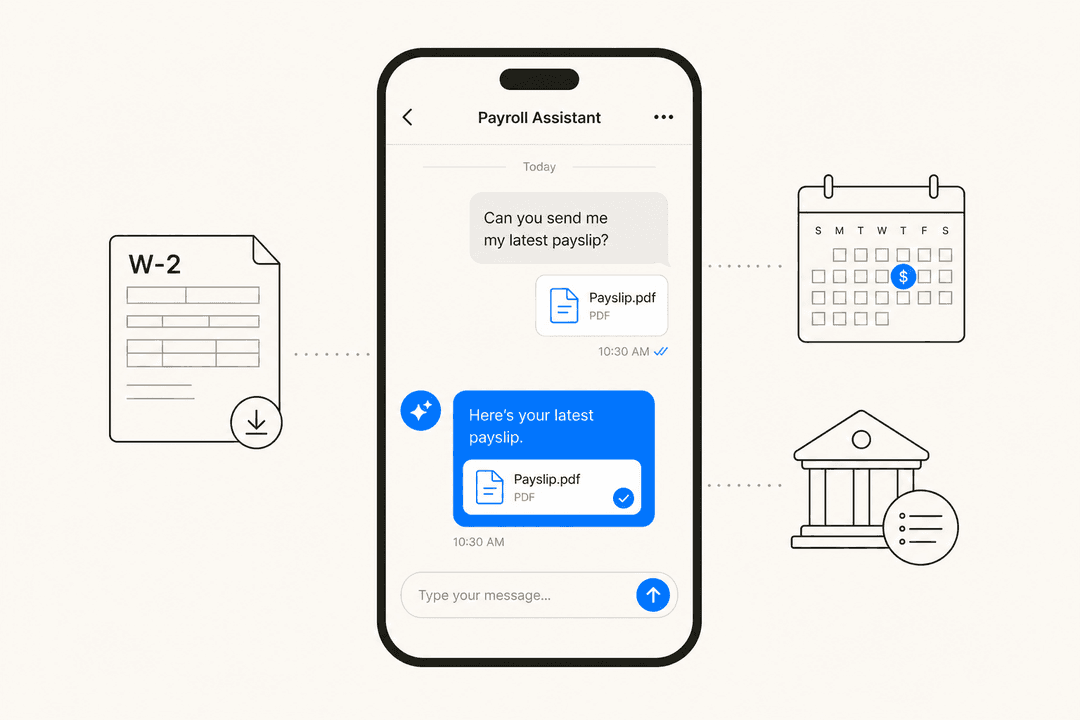
HR bots handle the long tail of policy questions that HR reps answer on repeat. The use case has an unexpected dynamic in 2026: 58% of employees prefer asking a chatbot over HR for sensitive topics - mental health benefits, PTO balances, parental leave eligibility (Psychology Today, May 2026). The anonymity matters. Employees won't always ask a manager about bereavement leave or ask HR about a mental health day. They'll ask a bot.
HR helpdesk AI works best when answers are specific, not generic. The failure mode is the bot quoting a full policy paragraph when the employee asked a yes/no question. "Do I get 10 paid sick days?" deserves a one-line answer, not a three-paragraph excerpt from the employee handbook.
Internal knowledge base Q&A
This is the broadest category - teams where knowledge is scattered across Confluence, Notion, Google Drive, and Slack, and employees spend disproportionate time finding what they need. The typical users: new hires navigating process docs, support agents looking up procedures mid-ticket, ops teams hunting for the latest runbook.
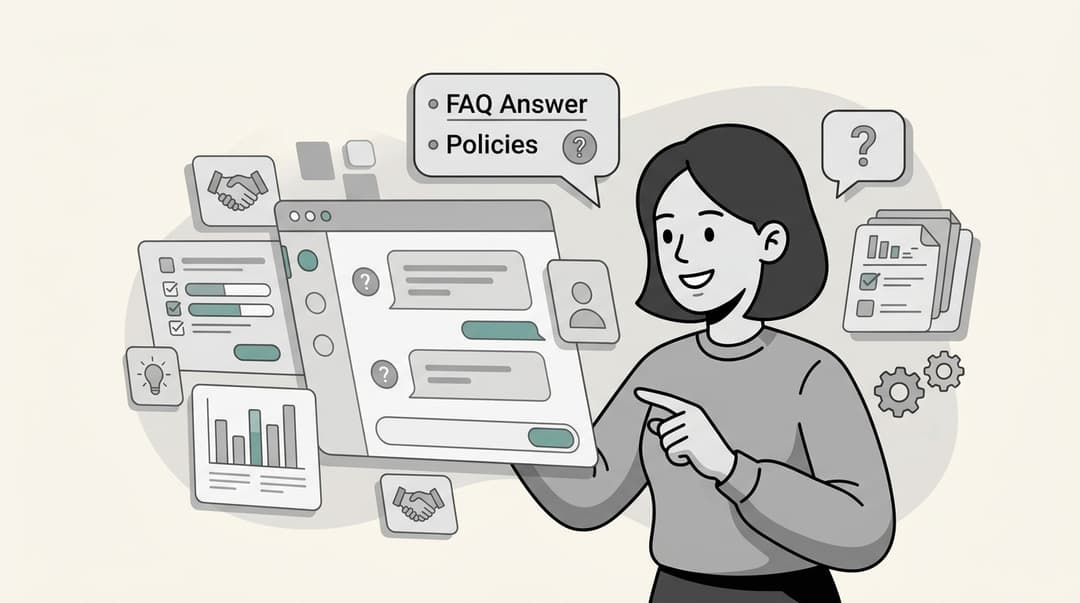
The pain here is deeper than search. Knowledge lives in multiple siloed tools simultaneously, and employees often aren't sure which version is current. A well-configured AI knowledge base chatbot solves both the search problem and the freshness problem - pulling from all connected sources, showing citation links so employees can verify, and re-indexing in real time as docs change. The best AI knowledge base tools cover at least a dozen source types simultaneously.
What actually makes these tools work (and what kills them)
Most AI workplace bot failures trace to three root causes. Get these right and the adoption numbers are real - the 40–67% deflection benchmarks are not cherry-picked. Get them wrong and the bot gets quietly abandoned after the first bad answer.
Wrong channel. If the tool requires employees to leave Slack or Teams, most of them won't. A Gartner 2025 survey found 65% of employees are excited to use AI at work - but 37% don't use it even when it's available. The gap between interest and adoption is almost entirely friction. An AI chatbot platform that lives natively inside the apps your team already uses removes this gap.
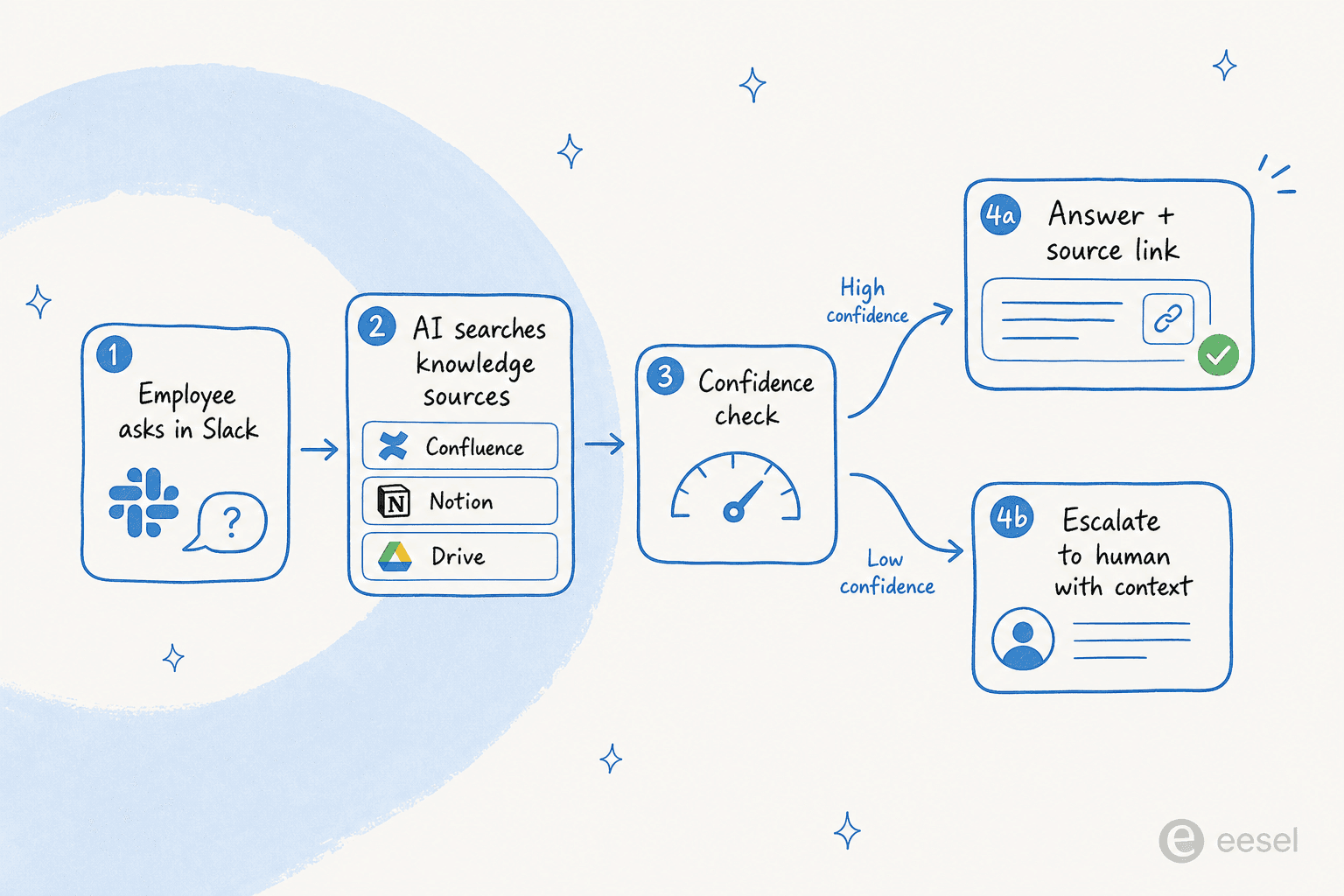
No confidence threshold. AI that answers when it shouldn't is worse than AI that doesn't answer at all. One confidently wrong answer - telling an employee they have a benefit they don't, or a VPN procedure that's outdated - destroys trust across the whole team, fast. The right architecture: high-confidence questions get answered automatically with source citations; medium-confidence drafts go to a human for review; low-confidence questions escalate immediately, with context. This is the human-in-the-loop trust ramp that good tools build in by default. A properly configured helpdesk copilot will escalate rather than guess when it's unsure.
Stale knowledge. Internal docs change constantly. Policy updates, reorgs, tool migrations. Any AI indexed against last quarter's Confluence pages will confidently answer questions with last quarter's policies. Real-time sync - where the knowledge base management layer re-indexes connected sources continuously - is a non-negotiable for HR and IT use cases where getting the answer wrong has real consequences.
One more thing that rarely gets said: the IT and HR teams themselves are often the hidden resistance. When you frame an employee support AI as "handling the queue so we can do the interesting work," adoption is smooth. When it's framed as "saving headcount," the people responsible for training and maintaining the bot have no incentive to make it work. Organizational buy-in for the human side of the equation matters as much as the technical setup.
"Nobody actually wants AI service desks. Not us, not the users. The only ones pushing for them are CEOs and IT leads who think they'll save soooooooo much money."
IT practitioner, via Wonderchat's 2026 AI helpdesk research
The sarcasm is real, but so is the fix: deploy the tool in a way that obviously benefits the team using it. Start with the 20 questions that represent 80% of your ticket volume. Let the AI handle those. When IT's queue shrinks by half, they'll happily maintain the bot.
The main tools and what they're each good for
The market has stratified into roughly three tiers. Which tier fits you depends mostly on headcount, existing stack, and how much IT-led rollout you're willing to run.
| Tool | Starting cost | Slack-native | Multi-source | Best for |
|---|---|---|---|---|
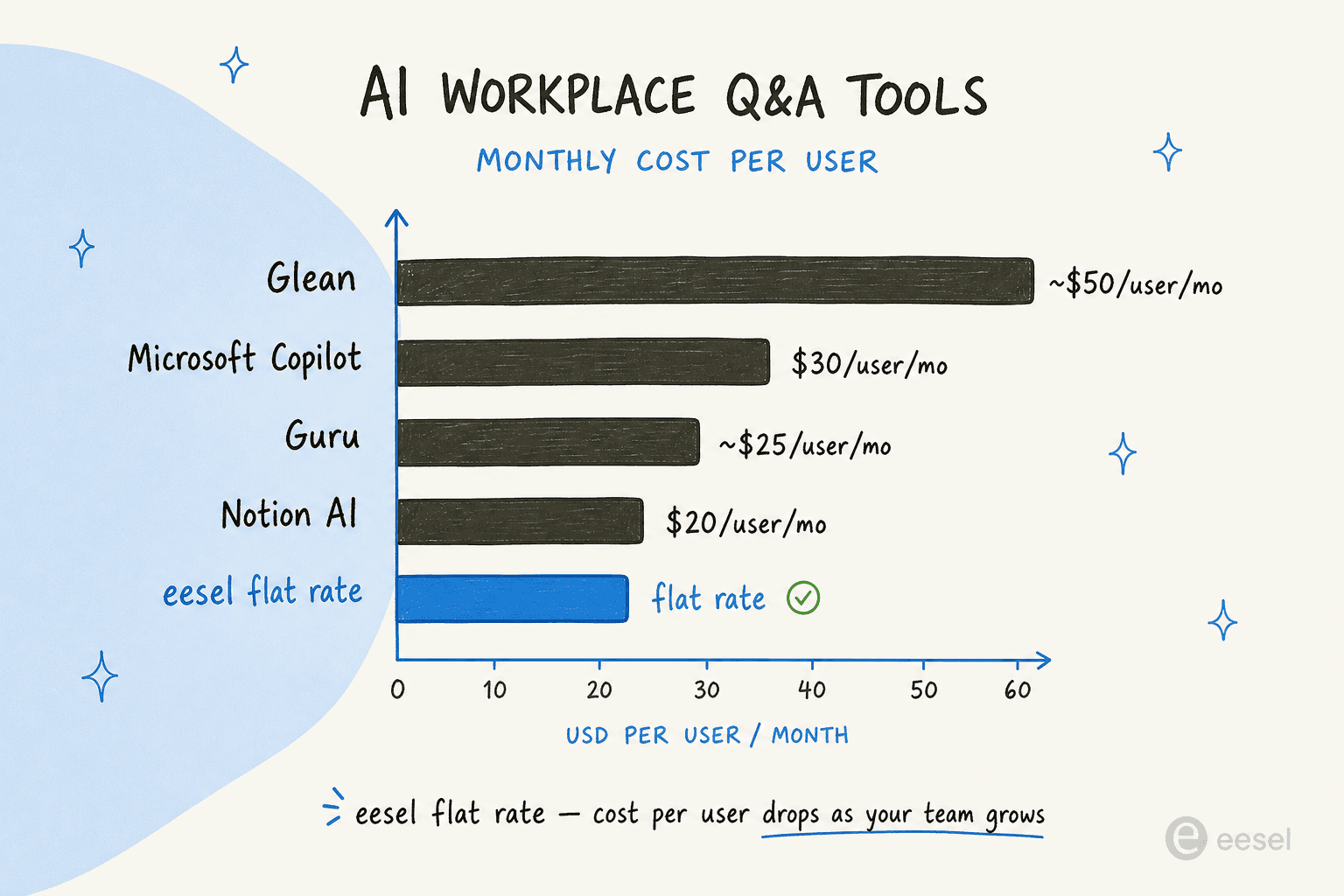
| Glean | ~$50/user/mo (100-seat min) | Integration only | Yes (100+ connectors) | Large enterprises, complex SaaS stacks |
| Guru | Custom enterprise pricing | No | Yes (100+ integrations) | Knowledge-governed teams with editorial workflows |
| Microsoft Copilot | $18–30/user/mo + M365 base | Via Teams | M365 ecosystem only | Organizations all-in on Microsoft |
| Notion AI | $20/user/mo | No | Limited (connectors extra) | Notion-first teams, startups |
| Confluence / Rovo | Bundled with Atlassian Premium | Limited | Atlassian + some connectors | Jira/Confluence-heavy engineering orgs |
| eesel | From $299/mo (500 credits) | Yes (native) | Yes | Teams wanting fast Slack/Teams helpdesk deflection |
Glean - best for large enterprise AI search
Glean is the most capable enterprise workplace AI on the market. It builds what it calls an Enterprise Graph - a permission-aware index of everything across your SaaS stack, mapping relationships between people, content, and context. Employees ask questions in natural language; Glean returns cited answers drawn from across 100+ connected tools.
The catch is the cost and the rollout. Starting at around $50/user/month with a 100-seat minimum, a small company pays roughly $60,000/year just for the base license. Fully loaded enterprise deployments routinely run $350,000–$480,000/year. That's appropriate for a 2,000-person company where Glean replaces a half-dozen separate search tools. It's not appropriate for a 150-person company that mostly needs IT and HR Q&A. Glean alternatives are worth evaluating at that scale.
Guru - best when knowledge governance matters
Guru started as a knowledge management platform and layered AI Q&A on top. It's the strongest option when the bottleneck isn't just finding answers - it's that your knowledge creation process is broken. Guru's card-based system, with subject-matter-expert review workflows and structured publishing, enforces quality at the source. If your Confluence is a dumping ground of outdated pages, Guru's approach forces cleanup.
The tradeoff: Guru pricing has moved to custom enterprise (historically around $25/user/month). It requires employees to interact through Guru's own interface rather than Slack. And the onboarding overhead - building out the card library before the AI is useful - is real. Guru alternatives may suit teams that want faster time-to-first-answer.
Microsoft 365 Copilot - best if you're already all-in on Microsoft
If your company runs everything in Microsoft 365 - SharePoint, Teams, OneDrive, Exchange - Copilot has the best native context of any tool here. Employees can ask questions in Teams Chat, search across SharePoint, and get answers grounded in M365 data without introducing a new tool.
The friction: helpdesk automation isn't included out of the box. Building a proper IT or HR bot requires Copilot Studio, a separate product with consumption-based pricing per message. At $30/user/month for Copilot Enterprise, you're paying for 100% of your headcount whether they use it or not - the per-user math works against you unless adoption is broad.
Notion AI - best for Notion-first teams
Notion AI is excellent if your company already runs its internal wiki, project management, and documentation in Notion. Employees can ask natural-language questions over the entire Notion workspace, and the Business plan ($20/user/month) includes Enterprise Search across connected apps. The problem is coverage - if your IT runbooks live in Google Drive and your HR policies are in Confluence, Notion AI is only as useful as what's in Notion itself. And there's no dedicated helpdesk routing or Slack-native deflection.
Confluence / Atlassian Rovo - best for engineering orgs already on Atlassian
Rovo is bundled into Atlassian Premium and Enterprise plans at no extra cost - the strongest pricing argument of any tool in this category. If your team already pays for Confluence Premium, Rovo is effectively free. It answers questions across Confluence, Jira, and connected tools, and integrates directly with Jira Service Management for IT ticket automation.
The coverage limitation is real: Rovo's index is Atlassian-centric. Teams that store HR policies in Google Drive, financial runbooks in Notion, and product specs in Notion don't get full multi-source answers. And for HR use cases where the knowledge lives outside Atlassian, the best HR helpdesk tools tend to serve better.
What every deployment gets wrong at the start
The failed deployments we've seen share a pattern: someone decided to "roll out AI for workplace questions" as a top-down initiative, configured the bot to answer everything, skipped the confidence threshold setup, and went live the next week.
Then the bot gave a wrong answer about maternity leave. Or told someone the VPN fix was a step that no longer exists. And the team lead sent a Slack message saying "don't use the bot, it's broken."
The right approach is narrower and more boring:
-
Pick your top 20 questions. Pull your last 90 days of IT or HR tickets. Find the 20 that represent 80% of volume. Those are your first knowledge articles. Don't try to cover everything on day one.
-
Set a hard "I don't know" threshold. Configure the bot to escalate rather than guess. AI assistant capabilities are genuinely good now - but they're not infallible. A bot that cleanly routes to a human when it's unsure is trusted; one that occasionally makes things up isn't.
-
Test in draft mode first. Every good internal support chatbot has a draft/HITL mode where answers are written but not sent until a human approves. Run in that mode for two weeks. You'll quickly see which questions the bot gets reliably right and which need better source docs.
-
Tell your IT/HR team what they're gaining, not what they're losing. Frame the bot as handling the repetitive queue - freeing them for complex requests, strategic work, and escalations. Best AI for internal support teams implementations that succeeded all had strong internal champions who could articulate this clearly.
This approach isn't flashy. But a bot that handles 60% of tickets reliably beats a bot that attempts 100% of tickets and fails 20% of the time. The former gets expanded; the latter gets turned off.
"We needed a turnkey solution for Confluence that met our GDPR requirements and could serve different teams through dedicated Slack bots. eesel AI delivered exactly that, with EU data residency included."
Flemming Ottosen, Development Director, Simployer (EU HR-compliance software)
Simployer went a step further: separate AI bots for different departments, each with its own scope and instructions. The IT bot answers technical questions; the HR bot answers policy questions; neither bleeds into the other's territory. This architecture - multiple purpose-specific agents rather than one bot that knows everything - is how the most sophisticated deployments are structured.
"We can onboard new employees much faster with eesel AI's Copilot, and help train them or answer questions with accurate responses straight from the source. Managers are now asked the important questions, and sourcing documents or learning processes has become much easier."
vfm Group, via eesel customer stories
"Our employees are already reporting a huge boost in day-to-day productivity now that they have instant access to our documentation."
Flemming Ottosen, Development Director, Simployer
The best knowledge management software for internal Q&A all solve the same retrieval problem. The knowledge retrieval problem is solvable. The tools to solve it exist, they're reasonably priced, and deployment takes hours rather than months. The question isn't whether to add AI to your employee Q&A process - it's which tool fits your stack and how narrow you start.
Try eesel
eesel is an AI teammate platform built specifically for this problem. It deploys a knowledge agent inside your Slack workspace that employees can @mention in any channel - IT questions, HR questions, onboarding lookups, anything covered by your connected docs. It connects to Confluence, Notion, Google Drive, SharePoint, Zendesk, Freshdesk, Jira, and 100+ more. Every answer includes a source citation link so employees can verify, and the agent clearly states when an answer isn't in its knowledge base rather than guessing. It's consistently ranked among the best AI helpdesk software platforms for internal support teams, and it's a strong alternative to heavier employee self-service portals that employees rarely visit.
Pricing is flat at $299/month - unlimited users, unlimited agents, no per-seat fees. For a 100-person team, that's under $3/person/month, compared to $20–50/user for the per-seat alternatives. Alex Capurro, Chief Innovation Officer at Global Pay, puts the ROI plainly:
"With eesel, we can find specific answers to questions extremely fast. We can onboard new employees very quickly and have seen up to 80% time savings."
Alex Capurro, Chief Innovation Officer, Global Pay
And from Jon Miron, Director of Support & Operations at Yellowdig:
"A new customer success hire joked that our eesel AI bot was their best friend during onboarding and interviewing."
Jon Miron, Director of Support, Yellowdig
Try eesel free - 100 free credits, no credit card required.
Frequently Asked Questions
Is there an AI that answers employee IT questions?
How do AI tools for employee questions actually work?
What makes an AI workplace bot fail?
How much does AI for employee questions cost?
Can AI handle sensitive HR questions like PTO and benefits?


Article by
Kira
Kira is a writer at eesel AI with a Computer Science background and over a year of hands-on experience evaluating AI-powered customer service tools. She focuses on breaking down how helpdesk platforms and AI agents actually work so that support teams can make better buying decisions.