


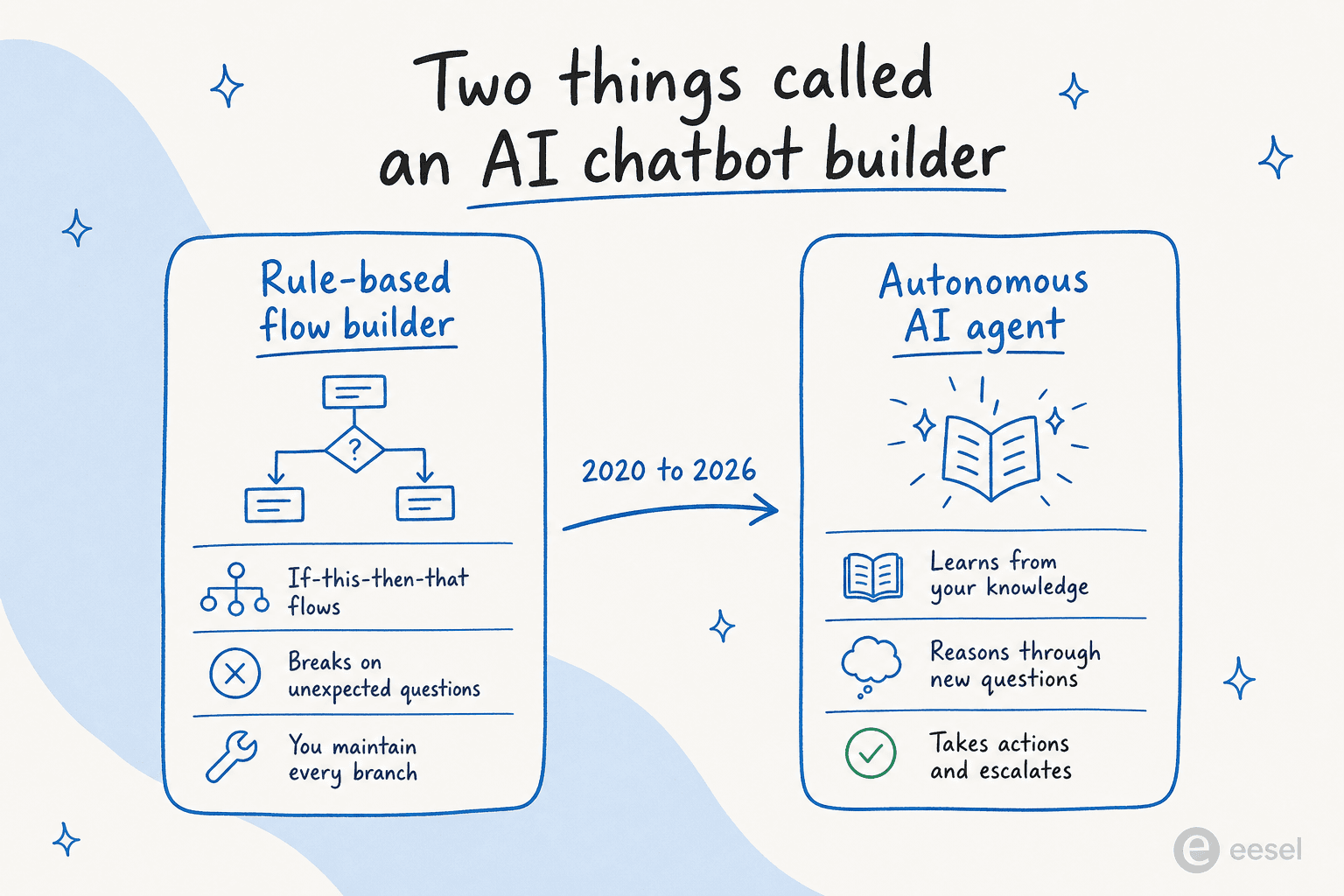
"AI chatbot builder" now means two completely different things, and picking the wrong one is how teams end up disappointed. The old version is a drag-and-drop flow builder that breaks the moment a customer phrases something you didn't script. The new version is an autonomous AI agent that reads your knowledge, reasons through questions it has never seen, and resolves tickets on its own.
I work eesel's support queue, and I've watched enough of these rollouts to know the demo is never the problem. The thing that decides whether a bot works is whether you can see what it would have said to your real customers before it says it. Four of the nine tools here let you do that. Five don't, and that gap is invisible until your first week live.
Short version: if you want autonomous resolution without ripping out your current helpdesk, eesel AI is the one I'd reach for first, because it goes live on top of Zendesk, Freshdesk, or Shopify in minutes and charges one fixed monthly price (from $299/month) instead of per seat. Multi-location service businesses should look at Robofy, small teams at Tidio, and large enterprises at Decagon, Ada, or Kore.ai.
How you actually build and ship a bot in each one
Most roundups tell you what each tool costs. This one starts with what you'll be doing on Monday morning, because that's the part that decides whether "we're rolling out AI" takes an afternoon or a quarter.
Read the test before launch column twice. Fewer than half these tools let you see what the bot would say before a customer does.
| Tool | What it learns from | Where it deploys | What it can do | Test before launch | Human handoff |
|---|---|---|---|---|---|
| eesel AI | Past tickets, help docs, Confluence, Google Docs, 100+ sources | Inside Zendesk, Freshdesk, Gmail, Slack, Shopify, plus a widget | Answers, order and account lookups via API actions, triage, tagging | Simulation over thousands of your past tickets, with a predicted resolution rate | Escalation rules written in plain English |
| Tidio (Lyro) | Scrapes your existing support content | Its own widget, plus Zendesk, Salesforce, and other helpdesks via Lyro Connect | Order updates, lead qualification, product recommendations, ticket creation | Lyro Playground demo agents, plus 50 free conversations | Forwards anything outside the knowledge base, then learns from the reply |
| Zendesk AI Agents | Your Zendesk help center articles | Zendesk messaging, web widget, email | Answers plus outside API calls via the integration builder | Test dialogue widget, run before you publish | Transfers to your agents inside Zendesk |
| FAQSure | Your uploaded PDF, DOCX and CSV files, plus imported FAQs | Website widget, Facebook Messenger, LINE, plus a REST API | Cited answers from your own documents (actions like refunds and order updates are planned, not available) | Not documented; a confidence threshold holds back unsure answers | Passes low-confidence questions to a person with the full context |
| Robofy | Your site, menus, FAQs, pricing, per-location info | Website chat and WhatsApp Business (voice announced) | Bookings, lead capture, outlet-level routing | Internal UAT against a guided checklist | Outlet-level routing and handoff from day one |
| Zoho SalesIQ (Zobot) | KB articles, a ChatGPT assistant on your data, or Watson / Dialogflow / Azure | Web, mobile, WhatsApp, Instagram, Telegram, Messenger, LINE, WeChat | Connectors to CRM, Desk and Zendesk tickets, Campaigns, Bookings, Checkout | Not documented; flow reporting after the fact | Smart routing escalates on sentiment and context |
| Ada | Connected systems: Zendesk, Salesforce, Twilio and 9+ others | Voice, email, chat, Messenger, WhatsApp, SMS, Instagram, in-app | Playbooks that run multi-step SOPs on live data, plus APIs and SDKs | Simulations before changes go live, plus coaching from past conversations | Not documented publicly |
| Decagon | Your knowledge and connected tools | Chat, voice, email, SMS from one runtime | Procedures written in natural language, plus tool connectors | Simulations at scale, then Watchtower QA after launch | Not documented publicly |
| Kore.ai | Enterprise search plus pre-built vertical apps | Omnichannel, including voice and CCaaS | Configured, not coded, workflows against enterprise systems | Validate every workflow before deployment | Agent assist with shared context on transfer |
Two things fall out of that table. "No-code" means something different in every row: for eesel and Tidio it means the bot reads your content, for Zoho and Zendesk it still means dragging conversation branches around by hand. And the tools that let you rehearse on your own history rather than a demo sandbox (eesel, Ada, Decagon) are the ones where you can walk into a budget conversation with a number instead of a hope.
Why the test column is the one that bites
A B2B technical support team I worked with, running vehicle telematics on Zendesk, had a bot confidently tell customers "yes, we support your car model" for brands that were nowhere in their database. The knowledge base said the company supports all models, so the agent believed it. Their own summary of the first pass was "trial and error in the beginning."
That's not an argument against AI. It's an argument for seeing the answers before customers do. An enterprise logistics team on the other end of the same process ran 329 real chats over 20 days in Dutch and English against production Zendesk tickets before committing to anything, and knew exactly what they were buying.
The pattern I see over and over: teams that simulate first ship in a week and stay shipped. Teams that flip the switch spend the following month writing apology macros.
What separates a good AI chatbot builder from a bad one
Ranking these on "AI quality" is mostly a waste of time in 2026. The models underneath (Claude, GPT, Gemini) are good enough that any of these will sound fine in a demo. The differences that bite show up three months later, so I scored all nine on the same five things:
- What the billing unit is, and whether you can cap it. Per resolution, per seat, per conversation, or per task. This one choice decides whether your bill is predictable or whether it punishes you for being popular.
- What you have to do to get a working bot, in hours rather than in marketing words. A "no-code" builder that still needs you to hand-script every branch isn't really no-code.
- Whether it layers onto your current helpdesk or asks to replace it. Layering is an afternoon. Replacing is a migration project.
- Whether you can test it before a customer sees it. Covered above, and the reason this post exists.
- What it does with a question it can't answer. A good agent escalates cleanly with full context. A bad one guesses, and a confidently wrong answer is worse than no answer at all. Good handoff design is what keeps that from happening.
Where a tool was something I could sign into and try, I did. For everything else I worked from the vendor's own product docs, pricing pages, and setup guides. Where pricing is sales-gated (true for three of the nine here), I say so plainly rather than guessing.
Which AI chatbot builder fits you?
Three answers get most teams to a shortlist of one or two. Pick the option in each row that matches your situation.
Start from where you already are
Your existing stack narrows this faster than any feature list.
Pick one above to see the shortlist and the first thing to check.
eesel AI, then Ada or Decagon at scale. These layer on top of Zendesk, Freshdesk, Gmail, or Shopify instead of becoming your helpdesk, so there's no migration. First thing to check: run a simulation over your last few thousand tickets and look at the predicted resolution rate before you sign anything.
Tidio. Live chat, helpdesk, and the Lyro AI agent in one bundle from $24.17/mo annual, with 50 free Lyro conversations to try it. First thing to check: how many Lyro conversations a month you'll actually need, since that quota is the real price driver, not the plan.
Robofy. Pre-built blueprints for hospitality, F&B, wellness, and clinics, plus outlet-aware routing so a question about one branch doesn't land at head office. First thing to check: whether your booking tool is on their connector list.
Zoho SalesIQ (Zobot). Effectively bundled if you're on Zoho One. First thing to check: the generative AI features sit on the $20/operator Enterprise tier, so price it at that tier, not the $7 one.
Ada, Decagon, or Kore.ai. All three are sales-led with no public pricing. First thing to check: ask what counts as a billable event before the demo, because Kore.ai bills per 15-minute session and the others bracket by volume.
The 9 best AI chatbot builders in 2026 at a glance
Now the procurement view. The "how the AI is billed" column is the one to read twice.
| Tool | Best for | Starting price | How the AI is billed | Free option | Sits on your helpdesk? | Standout strength |
|---|---|---|---|---|---|---|
| eesel AI | Autonomous resolution on your existing stack | From $299/mo for 500 credits | Monthly credits (1 per ticket or chat) | 100 free credits, no card | Yes, layers on top | Goes live in minutes, simulate on past tickets |
| Tidio (Lyro) | SMBs and small Shopify stores | $24.17/mo (annual) | Monthly Lyro conversation quota | Yes, 50 convos | Standalone suite, or Lyro Connect onto yours | 67% claimed resolution, guarantee on top tier |
| Zendesk AI Agents | Teams already deep in Zendesk | $19/agent/mo + AI | Per automated resolution ($1.50-$2.00) | 14-day trial | It is the helpdesk | Mature suite, huge marketplace |
| FAQSure | Small teams answering from their own documents | $8.99/mo | Token-based tiers, no message caps | 14-day trial, no card | Standalone widget | Cited, confidence-checked answers with human handoff |
| Robofy | Multi-location service businesses | Free; $19/mo (Starter) | Per AI credit (usage-based) | Free plan | Standalone widget | Pre-built templates for hospitality, F&B, clinics |
| Zoho SalesIQ (Zobot) | Existing Zoho customers | $7/operator/mo | Bot chat sessions, AI gated to top tier | Yes, 3 operators | Bolts onto Zoho/others | Cheap if you're already in Zoho One |
| Ada | Large enterprise CX | Contact sales | Conversation-volume contract | No | Layers on top | Multi-LLM Reasoning Engine, AIUC-1 compliance |
| Decagon | High-volume enterprise | Contact sales | Volume-bracketed contract | No | Layers on top | Natural-language agent procedures (AOPs) |
| Kore.ai | Regulated enterprises (banks, healthcare) | ~$50/mo (3rd-party reported) | 15-minute conversation sessions | $500 trial credit | Platform / CCaaS | Gartner Leader, pre-built vertical apps |
The detail is below, in order of how broadly I'd recommend each rather than alphabetically.
1. eesel AI: best for autonomous resolution without replacing your helpdesk
Best for: support teams that already run Zendesk, Freshdesk, Gmail, or a Shopify helpdesk and want an AI agent live this week, not next quarter.
Build and deploy: connect your helpdesk, let it read your past tickets and help docs, run a simulation over your ticket history to see the answers it would have sent, then switch it on for the ticket types you're happy with. No flows to draw. This is the part that takes an afternoon rather than a sprint.
Most tools on this list ask you to build a chatbot. eesel AI takes the opposite angle: you brief an AI teammate the way you'd onboard a new hire, point it at the tools you already use, and it learns your company from years of past tickets and help docs on day one. It runs inside Zendesk, Freshdesk, Slack, Gmail, and Shopify rather than becoming a new interface your team has to adopt.
Two things stood out: the simulation mode, and the spend control. Because it's on a fixed monthly credit plan, agents pause when credits run out or keep going on overage with a cap you set, so there are no surprise invoices. Teams like Smava run it fully autonomously on 100,000+ Zendesk tickets a month in German.
Pros:
- Live in minutes on your existing helpdesk, no migration.
- Simulate on past tickets before going live, so you know the resolution rate up front.
- One fixed monthly price from $299/month, with no per-seat fees and an optional overage cap.
- Natural-language control: tell it your escalation rules in plain English ("anything over $500 in refunds, loop me in").
Cons:
- It's an AI agent layer, not a full ticketing system, so you keep your existing helpdesk (a plus for most, but not if you wanted to consolidate to one vendor).
- The blog-writer and ecommerce roles are powerful but mean the product is broader than a pure support bot, which can take a minute to map.
Pricing: One fixed monthly price on the Teammate plan. 1 credit covers a ticket or helpdesk conversation the AI handles, however many replies it takes. The free plan has 100 credits with no card, and paid plans start at $299/month for 500 credits, with pay-a-year-upfront getting two months free. No seat fees, no platform fee. A team putting 1,000 tickets a month through it pays $499/month. If you run out, you can turn on overage at $0.80 per extra credit with a cap you set.
My take: If you don't want to throw away your helpdesk, this is the one to try first. Being able to prove the resolution rate on your own tickets before committing removes most of the risk that makes teams hesitate on AI. Pick something else only if you specifically want a single tool that is your helpdesk, chat widget, and AI in one box.
2. Tidio: best AI chatbot builder for small businesses and Shopify stores
Best for: small and mid-market ecommerce teams that want live chat, a help desk, and an AI agent in one affordable bundle.
Build and deploy: Lyro scrapes your existing support content for its knowledge base, you try it against the demo agents in the Lyro Playground, then add it to your site in a few clicks or point it at Zendesk or Salesforce via Lyro Connect without migrating anything.
Tidio is the friendly all-rounder. Its AI agent, Lyro, is powered by Anthropic's Claude and claims a 67% average resolution rate, which the company markets as the highest in the support AI category. Setup needs no engineering, and at 4.8/5 across 1,300+ Shopify App Store reviews, small stores clearly like it. It's a strong fit if you're specifically shopping for an ecommerce AI chatbot.
What I appreciate is that Tidio will put a number in writing: the top Premium tier carries a guaranteed 50% Lyro resolution rate. Worth knowing that this guarantee sits on the top tier only, not on Starter or Growth, so it isn't a blanket promise across the product. The trade-off is billing, which stacks plan cost, Lyro conversation quotas, and Flows visitors into a model that gets hard to predict as you grow.
Pros:
- Easiest setup on this list for a non-technical team.
- Lyro is grounded in your data and praised for not hallucinating.
- A real free plan (50 Lyro conversations) plus a resolution guarantee on Premium.
Cons:
- Layered pricing (plan cost plus a Lyro conversation quota) gets harder to forecast as volume grows.
- The 50% resolution guarantee and Lyro Connect both sit behind the top tier.
Pricing: Free plan with 50 one-time Lyro conversations. Paid plans start at $24.17/month (annual), Growth from $49.17/month, and Premium from $300/month plus usage (verified on Tidio's pricing page, 2026-08-11). Lyro itself is sold as a monthly conversation quota running from 50 up to 1,000+. See the full Tidio pricing breakdown for the tier-by-tier detail.
My take: A great pick for a small store that wants everything in one tidy box and values setup speed over deep customization. If the conversation quotas start to bite, my list of Tidio alternatives covers where to go next.
3. Zendesk AI Agents: best for teams already living in Zendesk
Best for: mid-market and enterprise teams that are already standardized on Zendesk and want their AI inside the same suite.
Build and deploy: with the advanced capabilities (now included in every Suite and Support plan) you build conversation flows by hand in the dialogue builder, wire up outside systems through the integration builder, run the flow through the Test dialogue widget, then publish it live. It's closer to configuration work than to pointing an agent at your docs, and that's the honest expectation to set with your team.
Zendesk has rebuilt itself around what it calls "the Resolution Platform," and its AI Agents (the former Answer Bot, now fused with the Ultimate.ai acquisition) are a capable, mature product. If your team already lives in Zendesk, the AI is one toggle away, the marketplace has 1,800+ apps, and it speaks 80+ languages. Zendesk claims its new AI agent can resolve 80% of support issues.
The catch is the cost model. The AI is billed per "automated resolution" on top of your per-agent seat cost, and Zendesk now publishes the rate in its plan comparison table: $1.50 per automated resolution on a commitment, $2.00 pay-as-you-go, with 5 to 10 included per agent per month and an annual cap of 10,000 included. Setup is the other consideration, since configuring the advanced capabilities is a real project. Community sentiment is candid about the dependency on a clean knowledge base:
"The Co-Pilot stuff is decent, but we found its effectiveness really depends on having a perfectly curated Zendesk knowledge base, which... ours isn't, lol."

Pros:
- Deeply mature suite with the biggest marketplace and channel coverage.
- AI lives inside the tool your agents already use.
- Strong intelligent triage and agent copilot features.
- The per-resolution rate is now published rather than quote-only.
Cons:
- Per-resolution billing means costs track your busy seasons rather than a fixed plan.
- Advanced AI setup is widely described as a heavy, technical lift.
Pricing: Suite plans run $19/agent/month (Support Team, annual) up to $115 (Suite Professional), with the Copilot add-on at $50/agent/month and automated resolutions billed at $1.50 committed or $2.00 pay-as-you-go. My full Zendesk AI pricing guide breaks down the resolution model.
My take: The safe institutional choice if you're already a Zendesk shop and have a clean knowledge base. If the per-resolution math worries you, it's worth comparing against Zendesk AI alternatives that bill on a flatter model before you commit.
4. FAQSure: best for cited, confidence-checked answers on your website, Messenger and LINE
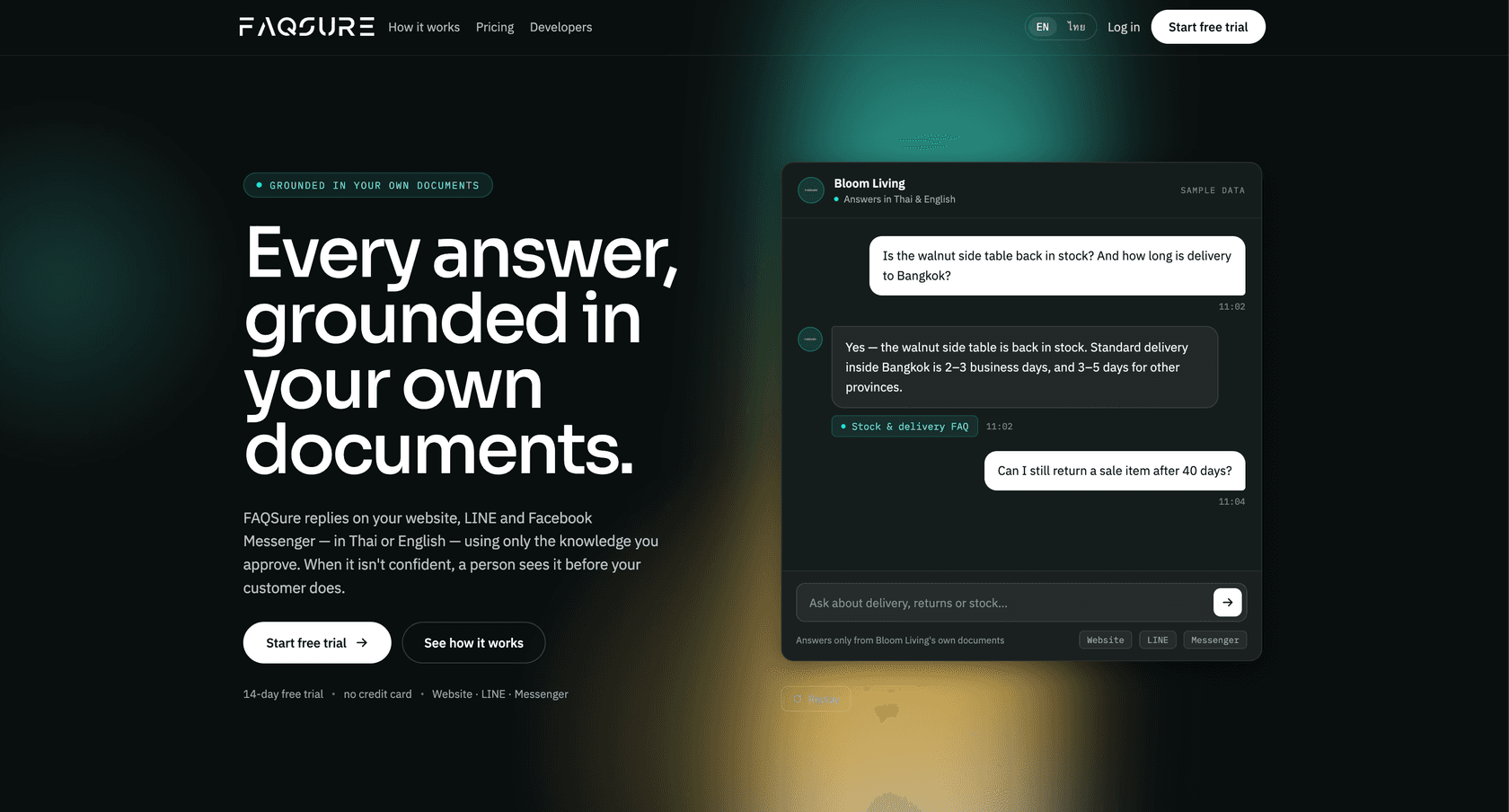
Best for: small teams that want a chatbot answering from their own documents, with sources shown and a human taking over when the bot is unsure.
Build and deploy: upload PDF, DOCX or CSV files, or import a FAQ file, set a confidence threshold, then embed the widget. No code is needed.
FAQSure is a retrieval-based chatbot platform, so answers come from your own documents and FAQs, not from guesses. Each answer is cited to its source and checked against a confidence score. When the score is low, the bot passes the conversation to a person with the full context instead of making something up. A dashboard lists the questions it could not answer, and you can turn those into new FAQ entries.
It runs on a website widget, Facebook Messenger and LINE, which makes it a good fit for teams serving customers in Southeast Asia. A REST API is also available.
Pros:
- Every answer comes with a source, and low-confidence questions go to a human.
- Works on website chat, Messenger and LINE.
- No-code setup from your own files.
- Unanswered-questions dashboard turns gaps into new FAQ entries.
Cons:
- No actions yet, such as refunds, order updates or account checks. FAQSure lists these as planned, not available.
- Usage is metered in tokens, so the bill moves with the length and volume of answers.
Pricing: token-based tiers with no caps on messages or conversations. A 14-day free trial needs no credit card, and paid plans start at $8.99/month. Enterprise contracts are available.
My take: A sensible pick for a small team that wants trustworthy answers from its own FAQ on website chat, Messenger or LINE. If you need the bot to take actions inside a helpdesk, look at the tools above.
5. Robofy: best AI chatbot builder for multi-location service businesses
Best for: restaurant chains, hotels, salons, spas, and clinics that need booking, lead capture, and support automation across multiple locations.
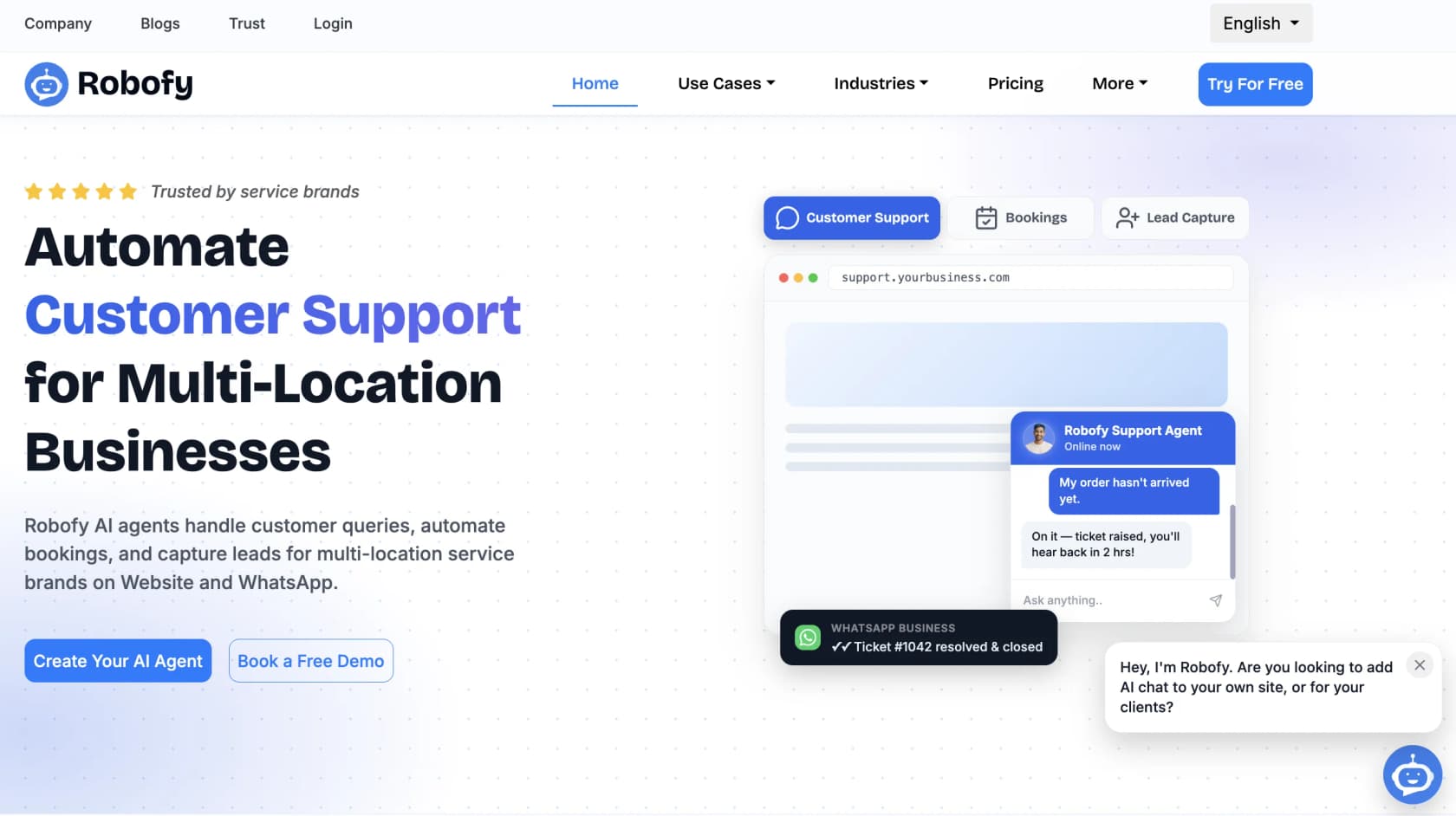
Build and deploy: four steps, and Robofy walks you through them. It ingests your site, menus, pricing and per-location details, you connect your booking tools, you run internal UAT against their checklist, then you launch. Most deployments go live inside a week.
Robofy takes a vertical-first approach that most general chatbot builders don't: it ships pre-built agent blueprints for hospitality, F&B, wellness, and medical clinics, so you're not starting from a blank canvas. Its three agent types cover what a service business actually needs done: reservations, FAQ resolution, and lead qualification. Being an official Meta Tech Partner for the WhatsApp Business API matters here, because WhatsApp is the primary channel for a lot of these businesses.
The standout for multi-location operators is outlet-aware routing: the AI knows which location a customer is asking about and answers accordingly, instead of pushing every question to head office.
Pros:
- Industry templates mean far less configuration work for service businesses.
- WhatsApp and web chat covered from day one as an official Meta Tech Partner.
- Free plan available; paid plans start at $19/month.
Cons:
- Built specifically for service industries; less suited to SaaS, ecommerce, or IT support.
- Credit-based billing requires monitoring to avoid overage at high volumes.
Pricing: Free plan includes 2 chatbots and 4,500 credits. Starter is $19/month (5 chatbots, ~1,000 messages), Pro is $99/month (50 chatbots, ~16,000 messages), and Enterprise is $399/month for unlimited chatbots (verified 2026-08-11). Annual plans are 33% cheaper. Full pricing at robofy.ai/ai-chatbot-pricing.
My take: If you run a multi-location service business and want AI handling bookings and FAQs on WhatsApp and your website without a long setup, Robofy is the most purpose-built option here for that use case. For SaaS or ecommerce support, look at eesel, Tidio, or Zendesk instead.
6. Zoho SalesIQ (Zobot): best for teams already in the Zoho ecosystem
Best for: companies already paying for Zoho One or Zoho CRM Plus who want a chatbot without a new vendor.
Build and deploy: you drag and drop the conversation flow yourself, or script it if you have a developer, then bolt on the AI brain of your choice, either Zoho's own answer bot over your knowledge base, a ChatGPT assistant trained on your data, or Watson, Dialogflow, or Azure. It publishes to web, mobile, WhatsApp, Instagram, Telegram, Messenger, LINE, and WeChat. There's no documented sandbox to rehearse in first, so plan on soft-launching to a low-traffic page.
Zoho SalesIQ is the live-chat and analytics product in the Zoho stack, and Zobot is its built-in chatbot builder. On a sticker basis it's the cheapest tool here, starting at $7 per operator, and it carries serious compliance credentials (SOC 2 Type II, ISO 27001, HIPAA, GDPR). For a team already inside Zoho One, SalesIQ is effectively bundled, which makes it the path of least resistance.
The important catch: the generative AI (the Zia/OpenAI Answer Bot, smart suggestions, hybrid chatbot) is gated to the Enterprise plan at $20/operator/month. The modern AI experience isn't available at the $7 or $12.75 tiers, and the bot-chat-session caps become a real ceiling for high-volume teams. So the "cheap" framing holds for basic deployments only.
Pros:
- Low entry price and strong security certifications.
- Effectively free if you already pay for Zoho One.
- Solid live chat, visitor analytics, and a mobile SDK across all plans.
Cons:
- The generative AI features sit on the $20/operator Enterprise tier.
- Bot-session caps mean add-on costs creep in at scale.
Pricing: Per operator: Basic $7, Professional $12.75, Enterprise $20 (annual). The free plan gives three operators but no chatbot. See my guide to Zoho Desk and Zia pricing for how the AI tiers line up across the Zoho stack.
My take: A sensible, low-friction choice if you're already a Zoho shop and your needs are modest. If you want serious autonomous resolution, you'll be on the Enterprise tier anyway, at which point it's worth comparing against the best AI options for Zoho Desk that layer on top.
7. Ada: best for large enterprise customer experience teams
Best for: large consumer brands with very high conversation volumes and a dedicated CX team.
Build and deploy: you connect the systems the agent needs (Zendesk, Salesforce, Twilio and others), author Playbooks that walk it through multi-step procedures against live data instead of scripted trees, and use the Performance Center's simulations to check a change before it reaches customers. One build then runs across chat, voice, email, WhatsApp, SMS, Messenger, Instagram, and in-app.
Ada is a Toronto-based, enterprise-tier platform that brands its category as "Agentic Customer Experience." Its technical wedge is the Reasoning Engine, a multi-LLM orchestration layer rather than a bet on a single model, and it's one of the few vendors leading with AI-specific compliance (AIUC-1) and zero data retention with LLM providers. Customers skew large: Monday.com, IPSY, Pinterest, Cebu Pacific.
Ada is enterprise-only by design. Its pricing page states it's a fit for companies with at least 300,000 annual conversations, and there's no public pricing, no free trial, and no self-serve signup. Under that volume, Ada isn't pitching you.
Pros:
- Multi-LLM Reasoning Engine with strong safeguards.
- Standout AI-specific compliance (AIUC-1) and zero data retention.
- Simulation before changes go live, one of only three here.
Cons:
- Enterprise-only; explicitly not for SMB or low-volume teams.
- No public pricing and a sales-led, services-heavy rollout.
Pricing: Contact sales only; volume-based annual contracts gated by the 300k-conversation floor. My Ada CX pricing guide covers what's known.
My take: A strong choice for a large enterprise that wants a dedicated AI layer on top of Salesforce, Zendesk, or ServiceNow and has the volume to justify it. Mid-market teams should look at the Ada alternatives that offer the same agentic capability without the volume floor.
8. Decagon: best for high-volume enterprises replacing brittle bots
Best for: AI-first and high-volume consumer brands that have outgrown a flow-builder bot and want one agent across chat, voice, email, and SMS.
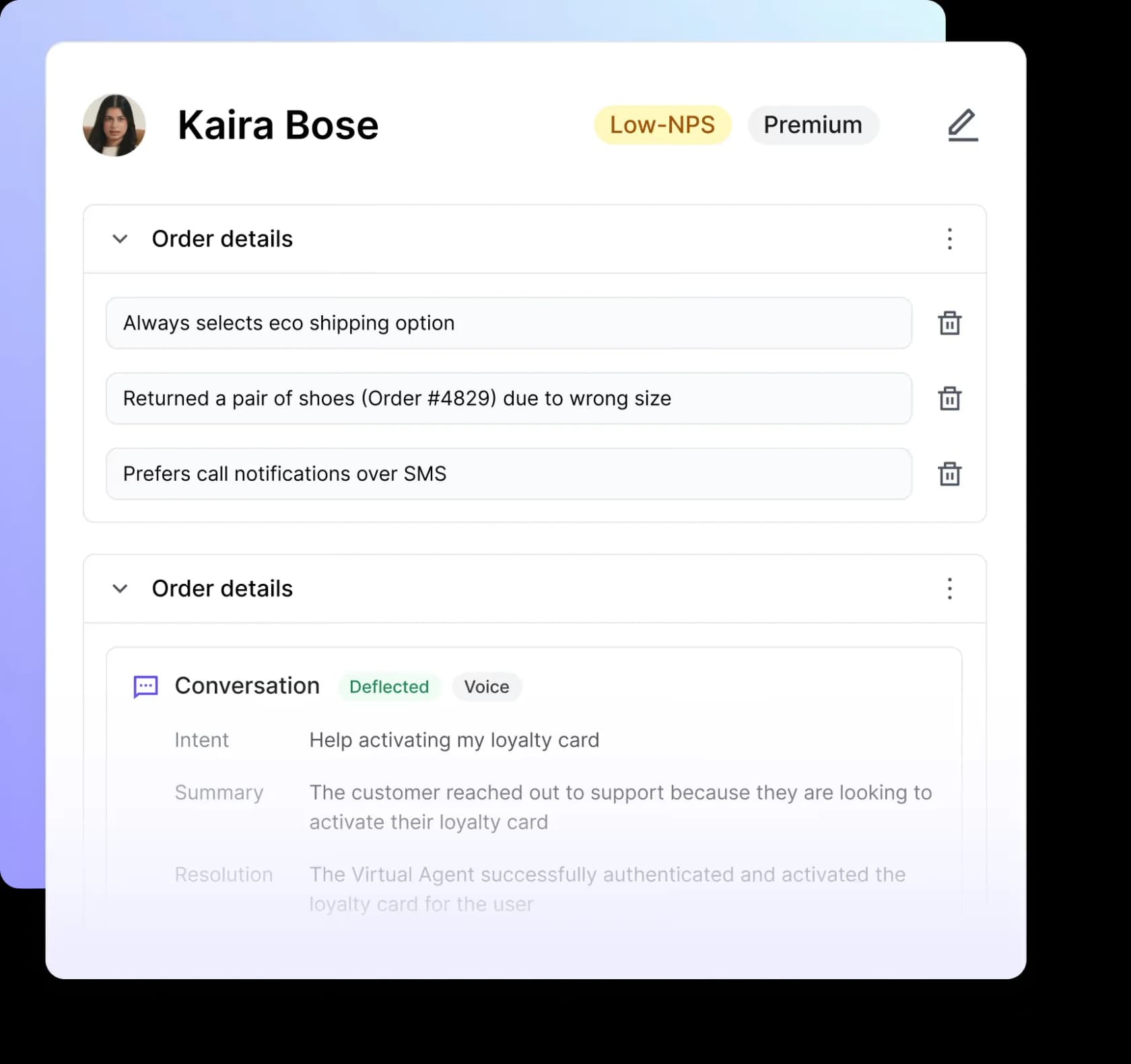
Build and deploy: you write the agent's procedures in plain language as AOPs, connect the tools it needs to act on, then run simulations at scale through Decagon's testing and QA product before launch. Watchtower keeps grading conversations after go-live, so QA isn't a one-off.
Decagon is one of the buzziest AI-native players, last valued around $1.5B, with a roster that includes Chime, Duolingo, and Hertz. Its differentiator is Agent Operating Procedures (AOPs): natural-language instructions that compile into executable code, so CX operators can author agent logic while engineers keep control of guardrails.
Decagon shines when a company is replacing a vendor's brittle bot tooling. The Duolingo team put the contrast bluntly:
"With the previous vendor, at least half my week was dedicated to maintaining their system. With Decagon, it's been a night-and-day difference."
Duolingo, Decagon case study
Like Ada, it's sales-led with no public pricing, and the demo form's volume brackets make clear this is a mid-market-to-enterprise product, not an SMB one.
Pros:
- Natural-language AOPs make agent logic easier to iterate than decision trees.
- True omnichannel from one runtime, voice and email included.
- Strong observability, testing, and analytics for large teams.
Cons:
- Sales-led, no public pricing, no free trial.
- More platform than a small or mid-volume team needs.
Pricing: Contact sales; volume-bracketed annual contracts. See my Decagon pricing breakdown and the head-to-head Decagon vs Sierra comparison.
My take: A strong enterprise agent if you have the volume and the budget. If you like the agentic approach but want transparent pricing and a faster setup, weigh it against the Decagon alternatives.
9. Kore.ai: best for regulated enterprises that need governance
Best for: banks, healthcare systems, and large regulated enterprises that need pre-built vertical apps and heavy governance.
Build and deploy: you start from a pre-built agent in the Agent Marketplace rather than a blank canvas, configure it rather than code it in the AI Agent Builder, wire it to enterprise search and your back-end systems, and validate each workflow before it ships. That validation step is the part regulated buyers actually care about.
Kore.ai is the veteran enterprise conversational-AI platform here, a Gartner Magic Quadrant Leader trusted by 400+ Fortune 2000 companies including Morgan Stanley, PNC Bank, and Coca-Cola. Its newest platform generation (codenamed Artemis) ships pre-built applications for banking, healthcare, retail, HR, and IT, a real head start in one of those verticals.
The flip side is that Kore.ai is unapologetically enterprise: no public pricing page (the URL 404s), a contact-sales motion, and an unusual billing model where Automation AI is charged per 15-minute conversation session, so a 31-minute chat counts as three sessions. Third-party trackers report Essential around $50/month and enterprise deals starting near $300,000/year, but the only honest answer is "it depends on your contract."
Pros:
- Deep governance, compliance, and analyst recognition.
- Pre-built vertical apps for banking, healthcare, and more.
- Strong Microsoft and AWS partnerships for enterprise deployments.
Cons:
- Contact-sales pricing with an unusual 15-minute session unit.
- Heavy and complex; far more than an SMB needs.
Pricing: No public pricing. Third-party reports cite ~$50/month Essential and ~$150/month Advanced, with enterprise contracts often near $300k/year. My Kore.ai pricing guide collects what's verifiable.
My take: The right call for a regulated enterprise that values governance and vertical templates over speed and price transparency. If the session-based billing or the procurement timeline is a problem, the Kore.ai alternatives are worth a look.
How a modern AI chatbot builder actually works
If you've only used the old flow-builder kind, the modern approach is worth understanding, because it changes what "setup" even means. Instead of you scripting every branch, the builder connects to your knowledge, retrieves the right answer, reasons through the specific question, takes an action if needed, and either resolves the ticket or escalates with full context.
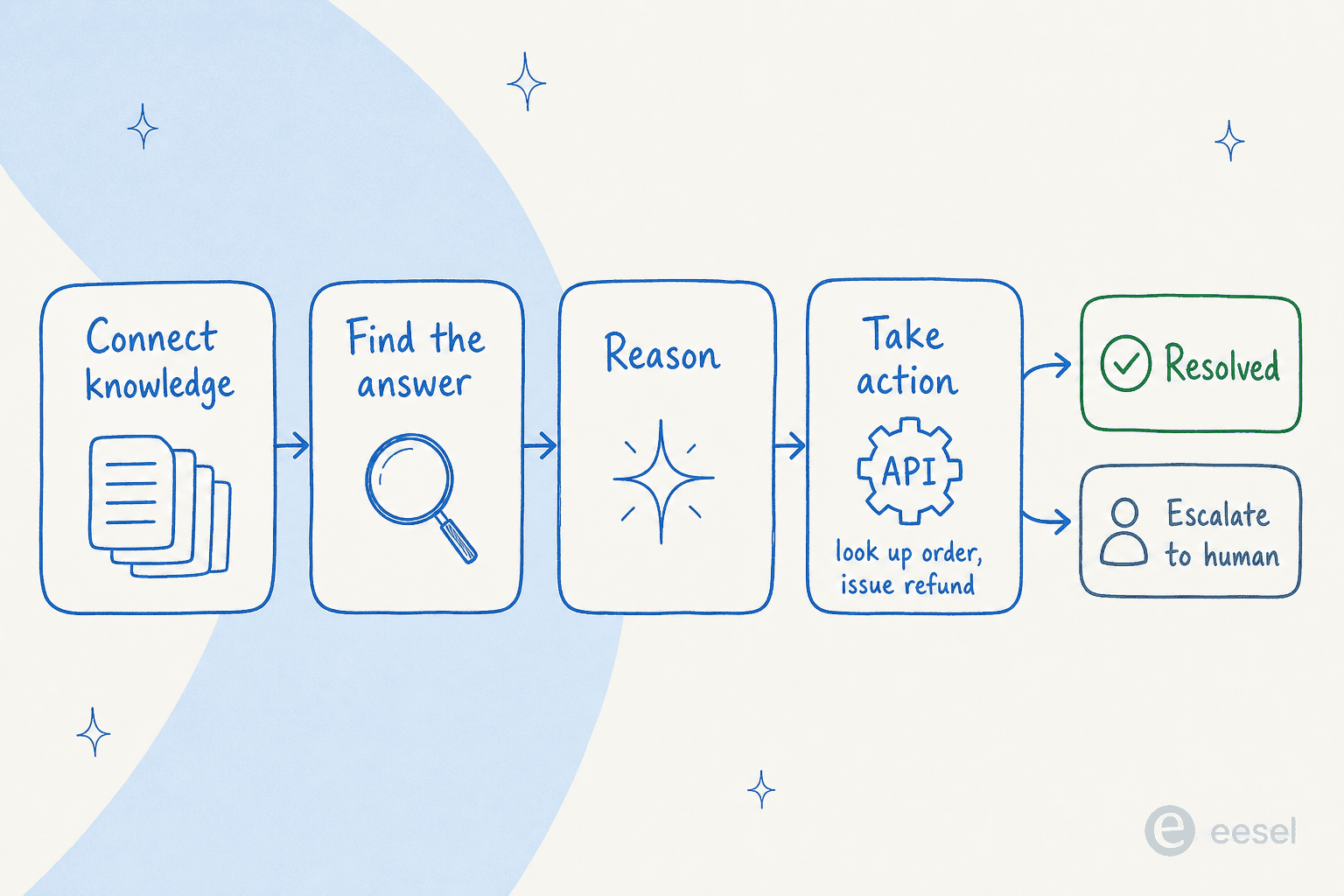
The practical upshot: the quality of a modern AI chatbot is mostly a function of the knowledge you connect, not the flows you draw. This is why a clean knowledge base matters more than any feature checklist, and why the tools that learn from your existing tickets and docs (rather than making you build from scratch) reach a useful deflection rate so much faster. If you'd rather start from something pre-shaped, chatbot templates are a reasonable middle ground.
What these tools actually cost (and why the billing model matters most)
Here's the part most comparison posts skip. The headline price is almost meaningless; the billing unit is what determines your real bill. The same support volume can cost wildly different amounts depending on whether you pay per resolution, per seat, per conversation, or per task.
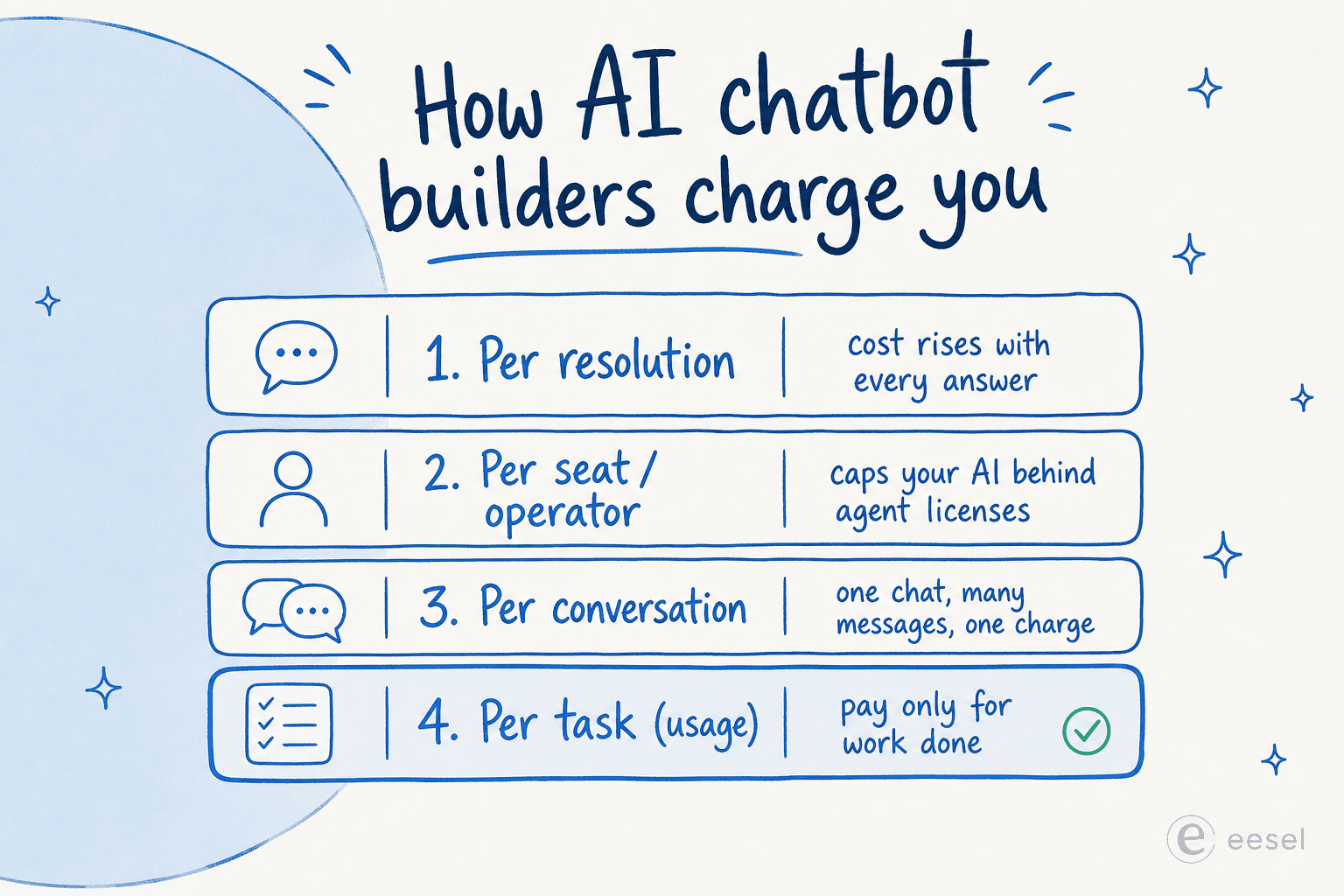
A worked example makes it concrete. Say the AI handles 1,000 tickets in a month:
- Per resolution (Zendesk, $1.50 committed or $2.00 pay-as-you-go): roughly $1,500 to $2,000, on top of seat costs, and it climbs every time you get more popular.
- Per seat (Zoho-style): cheap per operator, but your AI is effectively capped by how many agent licenses you buy, and the generative features start at the $20 tier.
- Per conversation quota (Tidio): you buy a monthly Lyro quota, so 1,000 conversations means sitting at the top of the quota ladder plus your underlying plan.
- Monthly credits (eesel, 1 credit for each ticket or chat the AI handles, resolved or not): $499/month for 1,000 credits, flat, with an overage cap you set so a viral week can't blow the budget.
The lesson isn't that one number is always lowest, it's that a fixed monthly price with a capped overage is the only model where a busy month doesn't become a scary invoice. If you take one thing from this whole post, make it this: ask every vendor exactly what counts as a billable event, and ask whether you can cap it. For a deeper look, my AI support pricing guides walk through the gotchas tool by tool.
How to choose the right AI chatbot builder
Three questions get most teams to the right answer:
- Do you want to keep your current helpdesk? If yes, you want an AI agent that layers on top (eesel AI, Ada, Decagon), not a tool that wants to become your helpdesk (Zendesk). Migrations are expensive; layering is not.
- What's your volume and segment? Under a few thousand tickets a month and want it simple: Tidio or eesel. Multi-location service business: Robofy. Enterprise with 300k+ conversations: Ada, Decagon, or Kore.ai.
- Can you rehearse before you ship? If a vendor can't show you what the bot would have said to your last 1,000 real conversations, you're launching blind. That's the whole lesson from the telematics team above.
If you want to go wider than this shortlist, my roundups of AI chatbot platforms, the best customer service AI, and no-code AI chatbot tools cover adjacent categories in the same depth.
Try eesel AI
If your goal is autonomous resolution without a migration, eesel AI is built for exactly that. It drops into the helpdesk you already run (Zendesk, Freshdesk, Gmail, Shopify, and 100+ others), learns from your past tickets and help docs on day one, and lets you simulate the agent on thousands of historical conversations so you see your real resolution rate before it ever replies to a customer.
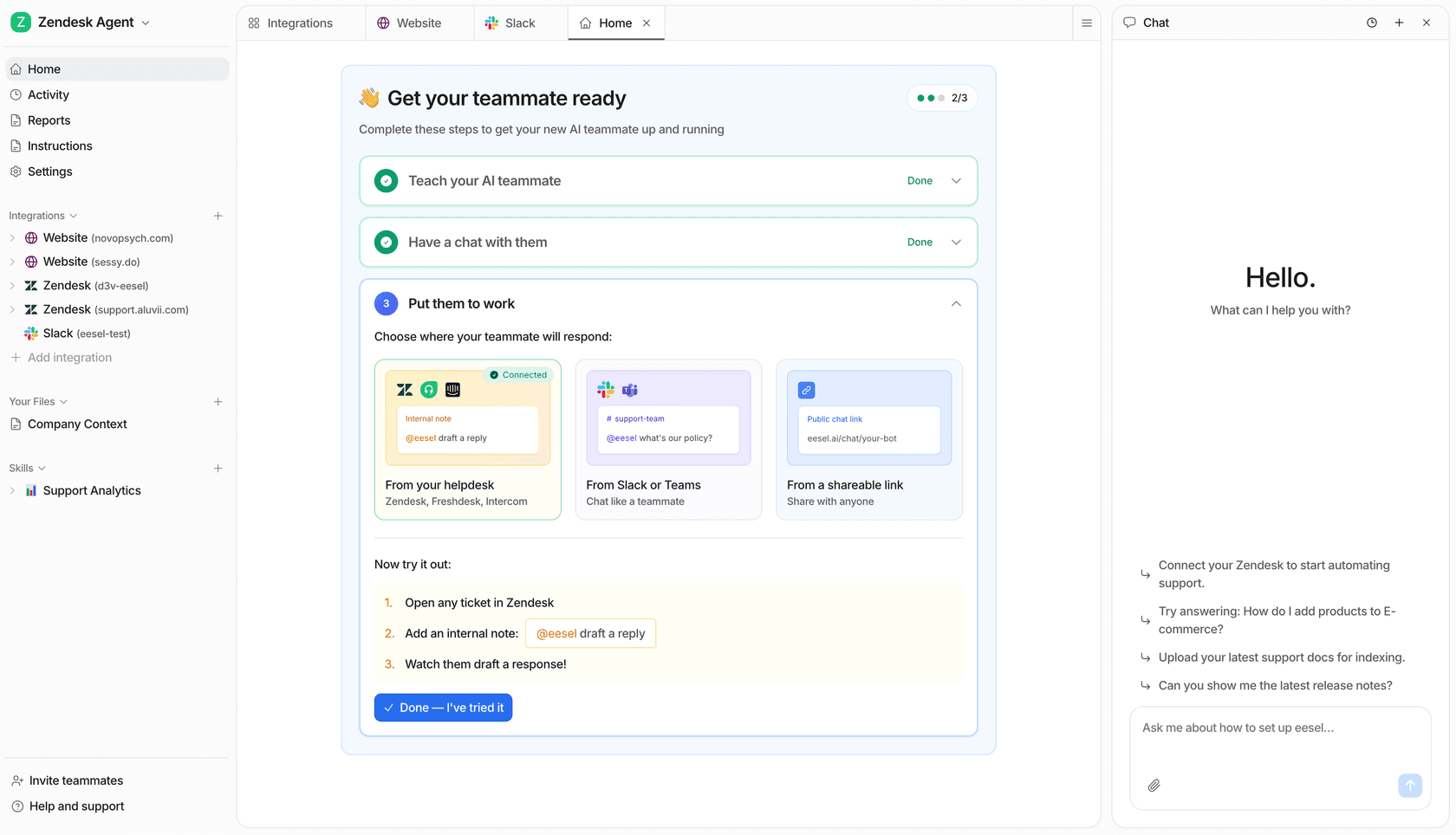
Pricing is one fixed monthly price from $299/month, with 1 credit per ticket or chat, no per-seat fees and an overage cap you control, and you can start with 100 free credits and no credit card. As one customer, Jon Miron at Yellowdig, put it, "it feels like a partnership, not a vendor relationship." Try eesel or see the pricing for yourself.