
Disclosure: This article is published by eesel AI, a competitor of Freshdesk. We encourage you to read Freshdesk's own materials for their perspective.
Reviewed and fact-checked against Freshworks' live pricing and docs on August 13, 2026.
I build AI agents for helpdesks at eesel, including the eesel app for Freshdesk, so I spend a lot of time inside Freddy's world: what it reads, what it charges, and where teams bump into its edges. This is my honest, dated read of Freshdesk AI in 2026, the kind of verdict Freshworks' own docs, reasonably, will never write.
What is Freshdesk AI?
At its core, Freshdesk AI is powered by "Freddy," the AI engine built into the Freshworks product family. It's a comprehensive suite of AI features integrated throughout the platform. The main idea is to automate simple tasks, give your agents a significant boost, and offer valuable insights into your support operations.
Freddy AI is split into three main parts, each handling a different piece of the puzzle:
-
Freddy AI Agent: These are your autonomous bots. They handle customer chats and emails directly, providing quick resolutions for customers.
-
Freddy AI Copilot: Think of this as a sidekick for your human agents. It helps them write replies, get the gist of long conversations, and find answers quickly.
-
Freddy AI Insights: This part of the tool looks at your support data to find trends, helping you stay ahead of customer needs.
Core features and capabilities of Freshdesk AI
Freddy AI has a toolkit designed to both automate the front lines and assist agents. Here's a look at what it actually does day-to-day.
Freshdesk AI for self-service and automation
-
Email AI agent: This feature reads incoming emails to figure out what a customer is asking. For common questions, it can provide an answer from your knowledge base, helping customers get what they need faster.
-
Conversational AI agents (chatbots): For live channels like web chat, these bots can field all the usual questions, like "Where's my order?" or "How do I reset my password?" This helps manage the queue for your human agents.
-
Auto triage: Instead of manual assignment, Freddy AI can recommend or auto-fill priority, group and type on a ticket, plus your own custom and nested dropdown fields, ensuring specialized support. It runs on Pro and Enterprise.
These features learn from four source types: your help center solution articles, publicly available web links (10 per agent, up to 3,000 pages per site), uploaded .pdf, .docx and .txt files, and custom Q&As. Authenticated stores sit outside that list, and so does your past ticket history.
Agent assistance with Freshdesk AI Copilot
-
Writing assistant: The copilot is excellent for helping agents polish their replies. It can rephrase a sentence to sound professional, adjust the tone to be more empathetic, or turn a few notes into a complete response.
-
Ticket summarization: This feature whips up a quick summary of long conversations so agents can understand the issue in a few seconds, which is a huge time-saver for busy teams.
-
Solution article & canned response suggester: While an agent is typing, Freddy suggests relevant help articles or saved replies. This streamlines the process and ensures customers get consistent information.
Freshdesk AI analytics and quality management
-
Sentiment analysis: This feature checks the customer's tone to see if they're happy, neutral, or frustrated. It allows your team to prioritize tickets that need a more empathetic touch.
-
Thank you detector: This is a small but surprisingly useful feature. It recognizes when a reply to a resolved or closed ticket is just a "Thanks!" or an out-of-office bounce and stops the ticket re-opening, keeping your queue clean and organized.
[YOUTUBE_VIDEO: https://www.youtube.com/embed/FhuGBhgjCak] This video introduces the Freddy AI Agent and how it can help scale customer and employee experiences.
Freshdesk AI pricing explained
The most common mistake I see in write-ups of Freddy, including older versions of this very page, is claiming the AI needs a Pro plan. It doesn't. Per Freshworks' live pricing page, the autonomous Freddy AI Agent ships on all three plans, Growth included. What's gated by tier is the agent-assist Copilot and the Insights analytics.
| Feature/Add-On | Plan availability | Pricing model | Included allowances |
|---|---|---|---|
| Base plan | Growth / Pro / Enterprise | $19 / $55 / $89 per agent/month (billed annually) | Varies by plan |
| Freddy AI Agent | Growth, Pro & Enterprise | $49 per 100 sessions (~$0.49/session) | First 500 sessions included (one-time per account, not monthly) |
| Freddy AI Copilot | Pro & Enterprise only | $29 per agent/month (billed annually) | Not included; sold as a per-agent add-on |
| Freddy AI Insights | Enterprise | Included in the Enterprise plan | N/A |
Two mechanics worth internalising. A session for the email AI agent is a 72-hour window starting from the customer's first email, with every AI reply inside it counting once, which is a generous definition for threaded email support. And the 500 free sessions are a one-time grant when you buy the plan, not a monthly refill, so the $0.49 meter starts sooner than the headline suggests.
Where Freddy runs out of road
This is the section a vendor page can't write, so here is what I'd check before committing, with the math.
-
The meter charges attempts, not outcomes. A session where Freddy misunderstood the question costs the same $0.49 as one that solved it. At 2,000 AI-touched email threads a month, that's roughly $980/month on the meter alone, on top of a 5-seat Growth line of $95. Whether that's good value depends entirely on the resolution quality, which brings up the next point.
-
There's no dry run over your own history. You can test Freddy by typing questions at it, but there's no documented way to replay your past tickets and score what it would have said against what your team actually sent. You find out the resolution rate after customers do. One team's experience with exactly this, from a thread worth reading in full:
"We tested an ai integration in freshdesk and had almost the exact same experience. it worked for very simple tickets but anything slightly complex got misclassified. agents ended up spending more time fixing errors than before, so we had to rethink our approach."

-
Four knowledge sources, and yours may not be among them. Solution articles, public web links, uploaded files, custom Q&As. Past ticket history isn't an input, and neither are authenticated stores like Confluence, Google Docs, or Notion. Freshworks does publish a Confluence Search Connector, but its marketplace listing covers Freshservice rather than Freshdesk, so internal search across those wikis needs a separate layer.
-
The agent-assist features are a second bill. A Growth customer who wants reply drafts has to move to Pro first ($55) and then add Copilot ($29), taking the per-agent line from $19 to $84 before the session meter.
None of this makes Freddy a bad product. It makes it a product whose fit depends on where your knowledge lives and how predictable you need the bill to be.
Maximizing your Freshdesk AI setup
Freddy AI is specialized for the Freshdesk environment, which makes it reliable for native workflows: the automation rules framework is strong, and getting the basics running is simple. Keep your solution articles current, because every Freddy answer is only as good as the article behind it, and scope the AI agent to the ticket types your knowledge base genuinely covers before widening it.
Enhancing Freshdesk with eesel AI
To get more out of your Freshdesk setup, you can plug in a complementary AI layer like eesel for Freshdesk. It's designed to work within the Freshdesk ecosystem and covers the gaps above directly.
-
Go live quickly: connect your Freshdesk account in a click and have an AI agent ready to test in minutes.
-
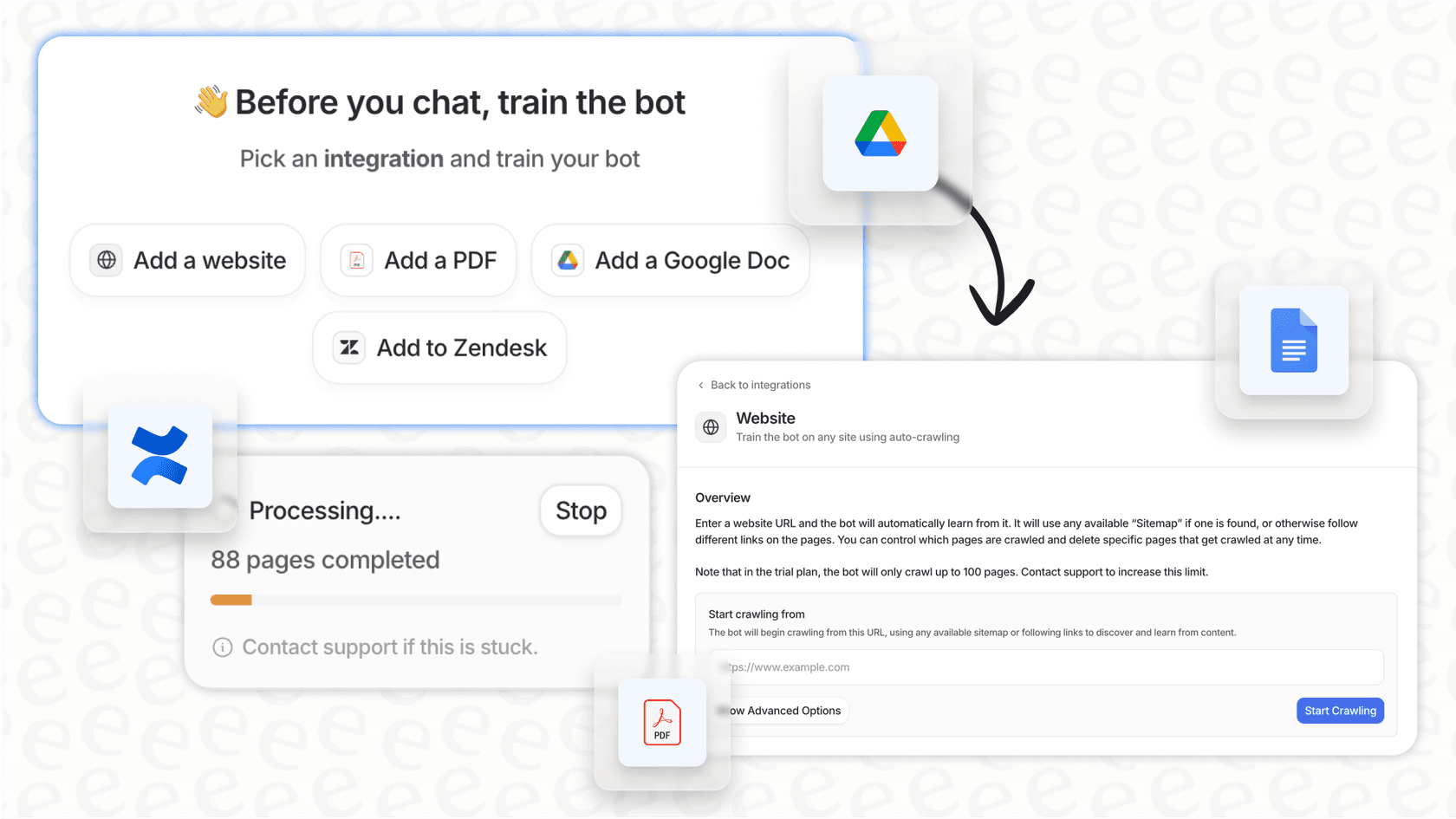
Connect all your knowledge sources: eesel AI learns from your Freshdesk help center plus Confluence, Google Docs, Shopify, and your past resolved tickets, the source Freddy doesn't read and usually the one holding your real answers.
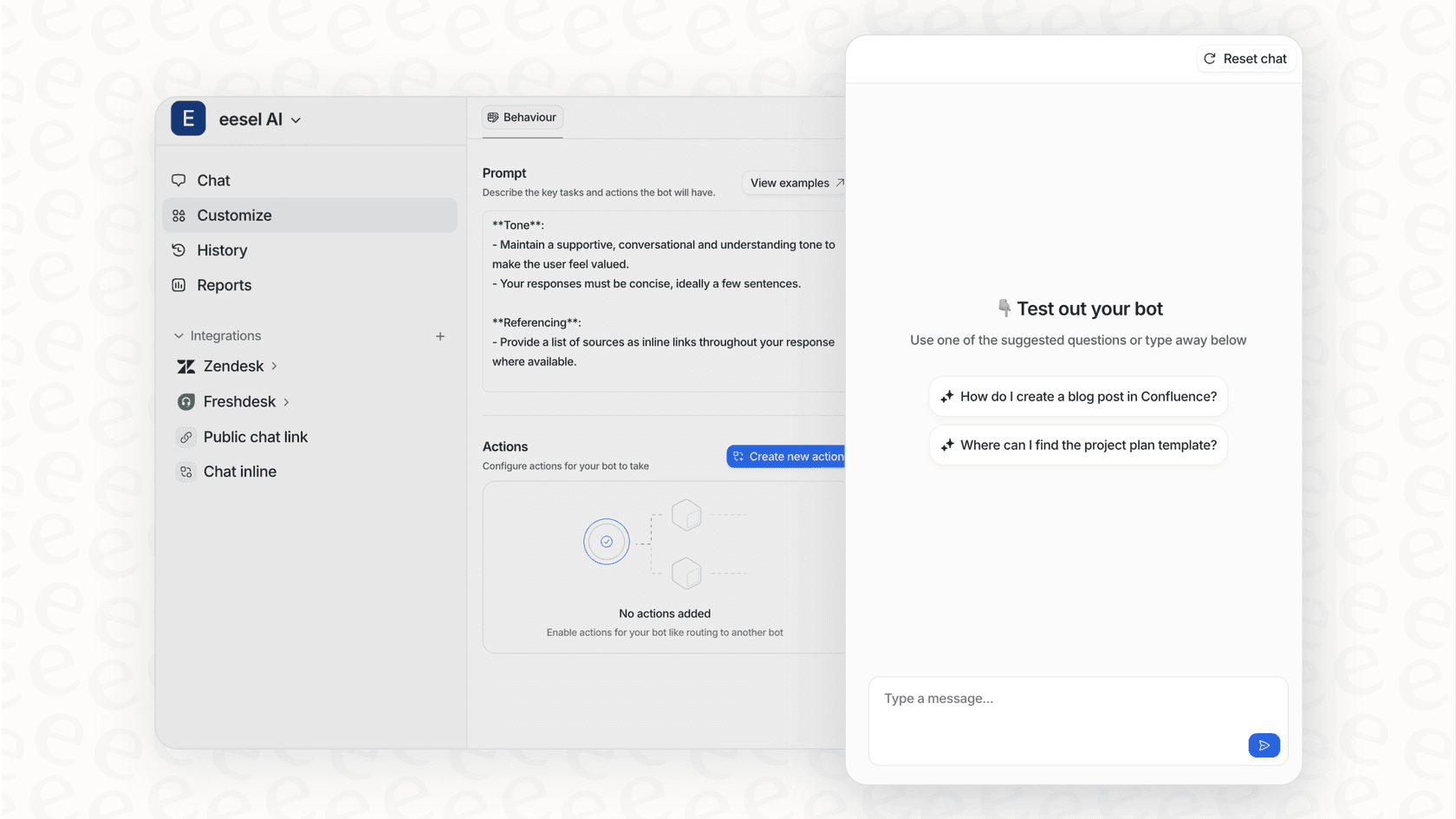
- Risk-free testing and control: eesel's simulation mode replays your past tickets and scores what the AI would have said before anything reaches a live customer, which is precisely the dry run Freddy lacks.
My verdict: should you use Freshdesk AI in 2026?
Yes, if your operation lives inside Freshworks and your answers live in your solution articles. The Growth-plan deal, a real autonomous agent at $19/agent with 500 sessions to prove itself, is one of the better entry offers in the category, and the 72-hour session definition is fair to email-heavy teams.
Look further if any of these describe you: your knowledge lives in Confluence or past tickets, you need to know the resolution rate before customers see the bot, or your volume makes a per-attempt meter hard to budget. Those aren't flaws in Freddy so much as the boundaries of its design, and they're exactly the cases a complementary layer handles. Try eesel on your own Freshdesk queue free, and simulate it on your history before deciding anything.
Explore more Freshdesk AI resources: Freshdesk AI pricing, Freshdesk AI features, Freshdesk chatbot, and Freshdesk AI alternatives.
Frequently asked questions
What exactly is Freshdesk AI and how is it structured within Freshdesk?
Freshdesk AI is powered by Freddy, Freshworks' native AI engine. It's integrated into the platform through features like Freddy AI Agent for autonomous bots, Freddy AI Copilot for agent assistance, and Freddy AI Insights for analytics and trends.
How does Freshdesk AI pricing work, and what should I be aware of?
The autonomous Freddy AI Agent is available on every plan including Growth at $19/agent/month, with a one-time 500 free sessions and $49 per 100 sessions after that. Freddy AI Copilot is a $29/agent add-on gated to Pro and Enterprise, and Freddy AI Insights is Enterprise-only. The session meter, not the seat price, is what moves the bill at volume.
Can Freshdesk AI access knowledge from all our company's documents?
Freddy AI Agent learns from four source types: your Freshdesk knowledge base articles, publicly available web links, uploaded .pdf, .docx and .txt files, and custom Q&As. Authenticated stores like Confluence or Google Docs aren't among them, and past ticket history isn't one of the inputs either.
What kind of support does Freshdesk AI offer to human agents to make their work easier?
The Freddy AI Copilot assists agents with a writing assistant to refine replies, ticket summarization for quick understanding of conversations, and suggestions for relevant solution articles or canned responses to boost efficiency.
Is Freshdesk AI worth it in 2026?
If your knowledge lives in Freshdesk solution articles and your volume is modest, yes: Growth at $19 with the AI agent included is one of the better entry deals in the category. If your answers live in Confluence or past tickets, or you want to test on your own history before going live, a complementary AI layer covers what Freddy doesn't.
When would Freshdesk AI be a good fit for a team, versus using a complementary solution?
Freshdesk AI is an excellent fit for teams looking for a native, deeply integrated AI solution within the Freshworks ecosystem. For those needing to unify knowledge from many diverse external sources, adding a complementary AI platform can further enhance the experience.



Article by
Kira
Kira is a writer at eesel AI with a Computer Science background and over a year of hands-on experience evaluating AI-powered customer service tools. She focuses on breaking down how helpdesk platforms and AI agents actually work so that support teams can make better buying decisions.