
What an AI service desk is
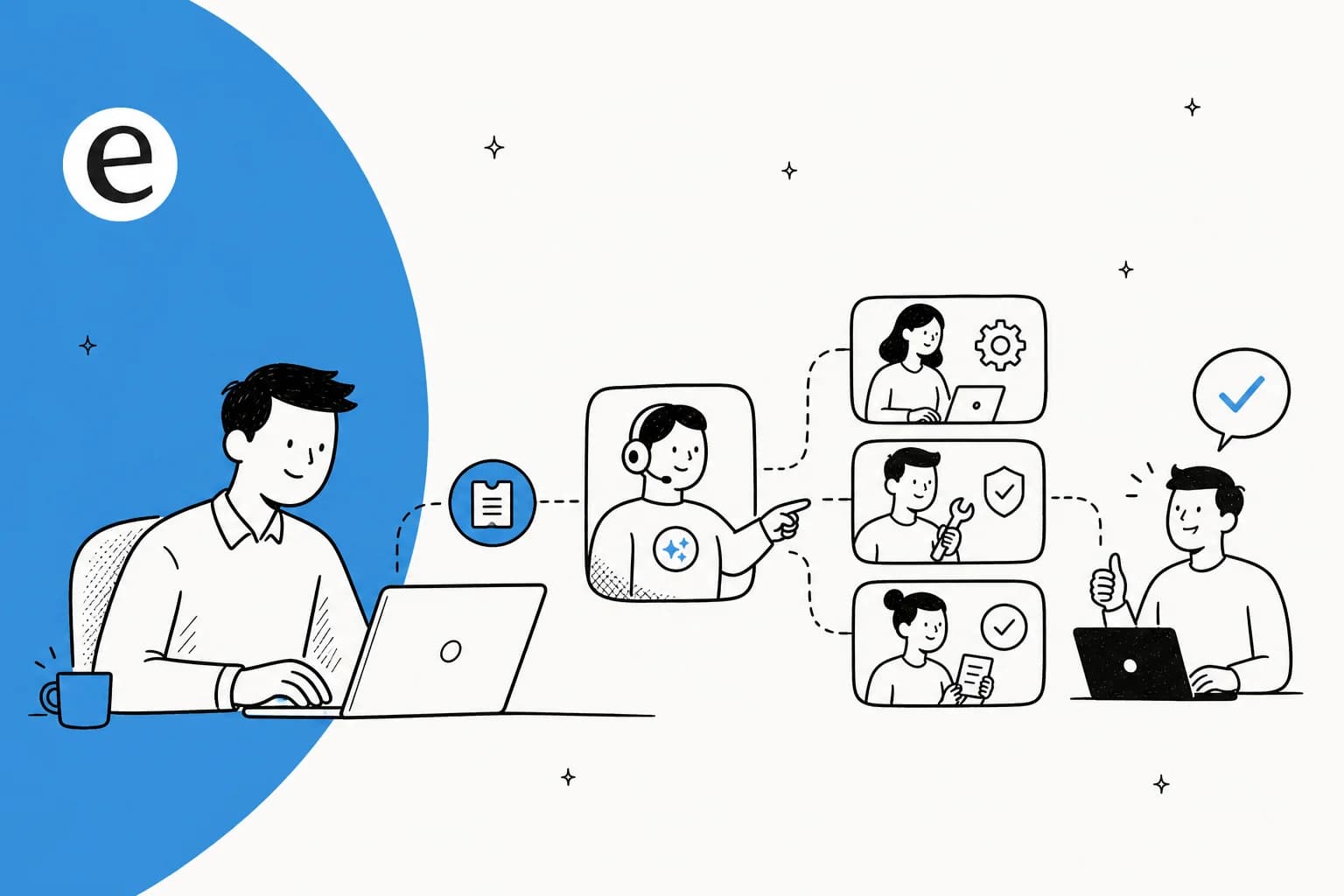
An AI service desk is an IT support system where AI agents handle the front line: answering employee questions, resolving routine requests, triaging and routing tickets, and escalating the hard stuff to a human with full context. Think password resets, software access requests, VPN troubleshooting, and "where is my laptop" status checks, handled in chat instead of a ticket queue.
The reason this matters in 2026 is volume. Freshworks' own Benchmark Report 2025 pegs AI-powered self-service at 65.7% ticket deflection, and ServiceNow customers like Ernst & Young report a 75% reduction in service ticket volume after rolling out AI. Those are vendor numbers, so treat them as ceilings rather than averages, but the direction is real.
A quick note on scope: this guide is about IT service desks and employee support. If your team is mostly handling external customers, our roundup of the best customer service AI is the better starting point, and for internal Q&A specifically there is a dedicated guide to AI tools for internal support teams.
How an AI service desk works, step by step
Every tool on this list runs some version of the same six stages. Knowing them is the fastest way to spot where a given vendor stops short, because most of them stop at stage 3.
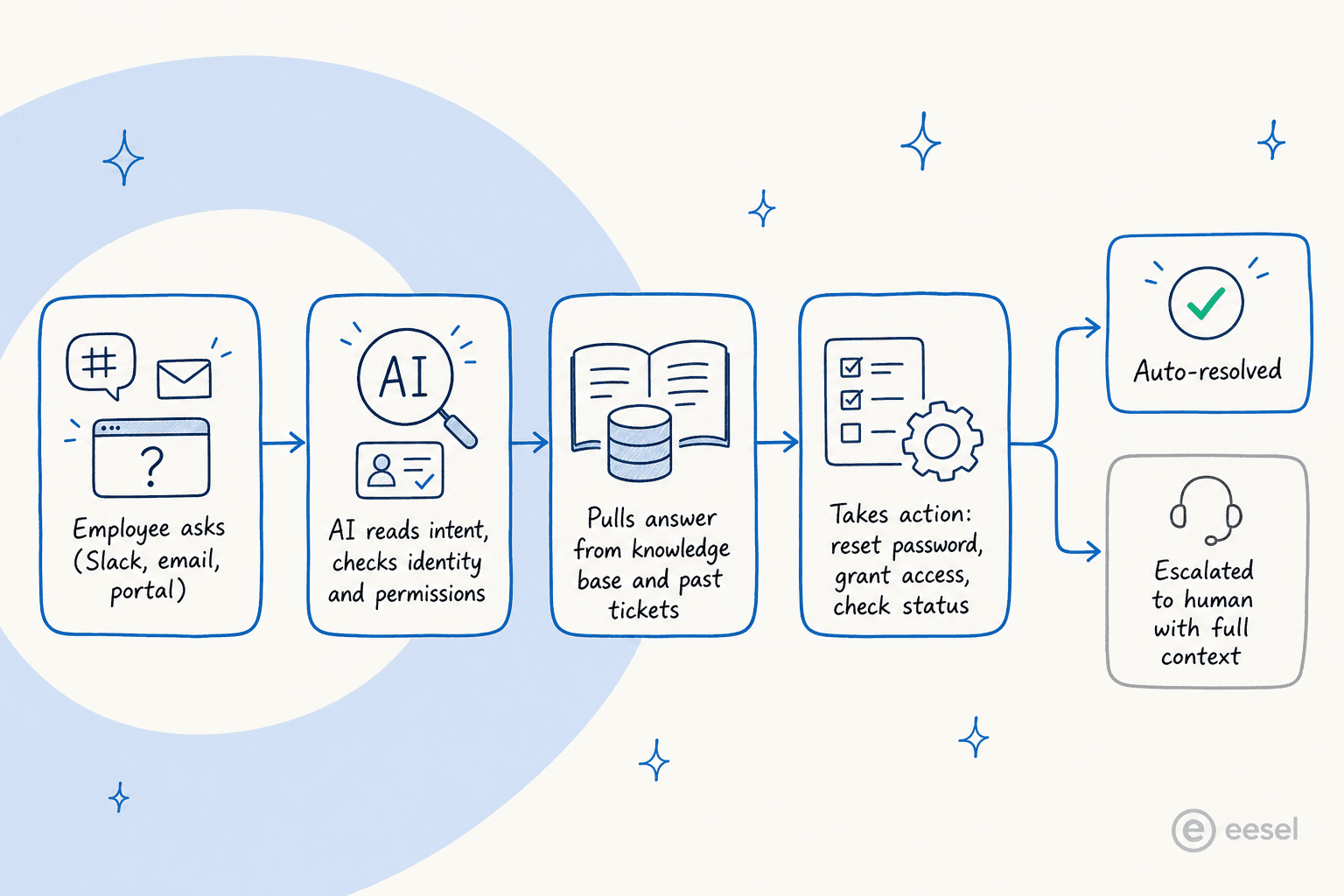
- Intake. An employee asks in Slack, Teams, email, or a portal. The AI picks it up as a message, not as a form the employee had to fill in correctly.
- Intent recognition. It works out what is actually being asked, sets a category and a priority, and matches it against similar past tickets. "I can't get into Salesforce" and "SFDC login broken" land in the same bucket.
- Answer or resolve. For anything covered by your docs and ticket history, it replies directly. This is the stage every vendor demos.
- Take the action. Reset the password in Okta, add the licence in Entra, open the VPN group. This needs a live connection to your identity provider, and it is the stage that separates a real service desk from a search box with a chat window.
- Route and escalate. Anything left goes to a human with the history, the diagnosis, and the suggested fix already attached, so the agent is not starting cold.
- Learn. Resolved tickets and agent corrections feed back in, so next month's version of the same question is handled better.
Stages 4 and 5 are where the money is. A tool that only does 1 to 3 deflects the questions your knowledge base already answered, which is the easy half of the queue.
AI service desk vs AI help desk vs traditional service desk
These three get used interchangeably in vendor copy, and the difference decides which product you should be shopping for.
| Traditional service desk | AI help desk | AI service desk | |
|---|---|---|---|
| Core job | Log, track, and route tickets | Answer questions | Answer questions and complete the request |
| Who it serves | Employees, internal | Usually customers, external | Employees, internal |
| Scope | Incidents, requests, change, assets | Front-line Q&A and troubleshooting | Full service management, automated |
| What happens to a password reset | Ticket sits in a queue for an agent | Bot links you to the reset article | Bot resets it in your identity provider |
| Needs a system of record | It is the system of record | No | Yes, it sits on one |
The short version: a help desk answers, a service desk fulfils. If a tool cannot change anything in your other systems, it is an AI help desk no matter what the pricing page calls it. We go deeper on the underlying distinction in help desk vs service desk.
The IT requests an AI service desk actually handles
This is the part vendor pages leave vague. Here are the seven request types that make up most of a tier-1 queue, and what a tool needs to be connected to before it can genuinely close them.
| Request | What the employee asks | What it has to be wired into |
|---|---|---|
| Password and MFA resets | "Locked out of my account" | Okta, Entra ID, Active Directory |
| Access and permission requests | "I need edit rights on the finance dashboard" | Identity provider plus an approval step |
| Software and licence requests | "Can I get a Figma seat" | Your SaaS management or procurement flow |
| Onboarding and offboarding | "New hire starts Monday" | HRIS, identity provider, device management |
| Incident triage | "Email is down for the whole floor" | Your ITSM tool, plus grouping of duplicate reports |
| Troubleshooting and how-to | "How do I get on the VPN from home" | Confluence, Google Docs, past ticket history |
| Status checks | "Where is my laptop order" | Asset or procurement records |
The pattern: the first four need write access to another system, the last three need read access to your knowledge. Most tools do the second group well and the first group badly. Check the integration list against this table before the demo, not after. If your queue is heavier on HR than IT, the same logic applies to an HR service desk.
What you get, with the numbers attached
Every vendor claims the same five benefits. Here they are with the actual published figures and where each one came from, so you can judge them.
| Benefit | Published figure | Source | How to read it |
|---|---|---|---|
| Ticket deflection | 65.7% | Freshworks Benchmark Report 2025 | A ceiling on well-documented requests, not an average |
| Lower ticket volume | 75% reduction (Ernst & Young) | ServiceNow | Enterprise scale, years of ITSM data behind it |
| Faster resolution | 76% faster | Freshworks Benchmark Report 2025 | Same benchmark as the deflection figure, so read as best case |
| Auto-resolution rate | 65% to 70% | Aisera: LifeScan 65%, OmniTRAX 70% | Cross-functional deployments, not IT alone |
| Fewer live agent chats | 50% within a month (CVS Health) | Moveworks | Enterprise headcount, enterprise budget |
Every number above is published by a vendor about its own product. Treat them as what is achievable with clean knowledge and a full rollout, then halve them for your first quarter. The benefit nobody publishes a number for is the one IT leads mention most: the tier-1 queue stops being the thing that decides how your team spends its week.
The seven features that decide whether it works
Strip the feature grids down and this is the list that predicts whether the thing survives contact with your employees.
- Lives where employees already are. Slack or Teams, not a portal. A portal-only bot gets used once.
- Identity provider integration. Without it, stages 4 and 5 above cannot happen.
- Learns from past tickets, not just articles. Your ticket history holds the answers your docs never got around to writing down.
- Intelligent routing with context attached. Escalation that arrives blank just moves the work.
- Actions in third-party systems. Provisioning, licence assignment, group membership.
- A safe way to test before go-live. Ideally a dry run against real historical tickets.
- Reporting on what it could not answer. The gap list is how you improve month two.
The thing most buyers underestimate is how much these boring details decide success. In a May 2026 r/sysadmin thread on running AI for internal IT support, an operator laid out the make-or-break factors bluntly: the bot has to live in Slack or Teams, not a portal nobody opens; it has to integrate with your identity provider (Entra, Okta, AD) or it is "just a useless chatbot creating tickets"; and a bot that confidently fails is "worse than no bot."
"It needs to live in Slack/Teams, not a portal. It has to hook into your IdP or it's just a useless chatbot creating tickets. And if it gets things wrong it's worse than no bot, because now people don't trust it."
Paraphrased from an operator in r/sysadmin, "AI for internal IT support / password resets", May 2026
Where AI service desk rollouts go wrong
Every vendor page treats the rollout as the easy part. The evidence we gathered while testing says otherwise, and these four failure modes came up far more often than any feature gap.
The knowledge base is the ceiling, not the model. Across the Zendesk rollouts we and G2 reviewers have looked at, teams without a clean, comprehensive knowledge base sit around 20% automation in month one and climb toward 70% only after sustained cleanup. Nobody publishes that as a benchmark, so treat it as a pattern rather than a number you can hold a vendor to. The AI is not underperforming, it is accurately reflecting docs that were already thin. Budget the cleanup as part of the project, not as a follow-up. Our guide to AI knowledge base tools covers the tidy-up.
A half-resolving bot can add work. One 600-person org reported that switching Freddy AI on raised their tier-1 MTTR by about 20%, because agents had to read the full AI back-and-forth before replying, and duplicate tickets rose about 15%. If the escalation hand-off is clumsy, deflection on paper becomes extra handling in practice.
Answers without actions frustrate people faster than no bot. The r/sysadmin verdict above is the whole point. An employee who is locked out does not want a link to the reset article. Confirm the identity provider integration in the trial, on a real account, before you sign.
Nobody measures the right thing. Vendors report deflection. What matters to your team is tickets a human never touched, and whether the ones that escalated arrived with context. Those are different numbers and only one of them shows up on a dashboard by default. Our deflection rate guide has the measurement setup.
None of this is an argument against AI on the service desk. It is an argument for testing on your own tickets before rollout rather than after.
The 8 best AI service desk tools in 2026 at a glance
We weighted four things heavily when testing: where the AI lives, whether it can take real actions, how well it learns from your existing knowledge, and the total cost once the AI add-ons stack up. We pulled pricing from each vendor's own pages where public, triangulated quote-only platforms from procurement data (Vendr, AWS Marketplace, and analyst write-ups), and leaned on real user voice from Reddit, G2, and Gartner Peer Insights for the parts marketing pages never tell you.
| # | Tool | Best for | AI layer | Pricing model | Entry price | Deployment | Compliance |
|---|---|---|---|---|---|---|---|
| 1 | eesel AI | Layering AI on your existing service desk | AI agents + copilot + triage | Fixed monthly plan, 1 credit per ticket | From $299/mo (500 credits), 100 free credits | Sits inside Zendesk, Freshservice, Jira, Slack | SOC 2, HIPAA (add-on) |
| 2 | ServiceNow | Large enterprises already on ServiceNow | Now Assist | Quote-only add-on (~60% premium) | ~$100+/fulfiller/mo + Now Assist | Full ITSM platform | SOC 2, ISO 27001, FedRAMP |
| 3 | Freshservice | Mid-market all-in-one ITSM | Freddy AI | Per agent + per session | $19–$99/agent/mo | Full ITSM platform | SOC 2, ISO 27001, GDPR |
| 4 | Jira Service Management | Atlassian and dev-heavy teams | Rovo | Per agent + Rovo credits | Free tier, paid per agent | Full ITSM platform | SOC 2, ISO 27001, data residency |
| 5 | Moveworks | Enterprise-wide employee assistant | Reasoning Engine | Per employee headcount | ~$15–45/employee/yr (quote) | Front-door layer over your stack | SOC 2, ISO 27001, HIPAA, FedRAMP |
| 6 | Aisera | Cross-functional IT + HR + CX | Universal/Domain agents | Quote-only annual | Custom (enterprise) | Deploys alongside system of record | SOC 2, ISO 27001, HIPAA |
| 7 | Kore.ai | Custom agents in regulated industries | Agent Platform (Artemis) | Sessions + seats | ~$50–150/mo, enterprise ~$300k/yr | Build-your-own platform | SOC 2, ISO 27001, HIPAA |
| 8 | Zendesk | Service desks that also handle customers | AI Agents + Copilot | Per agent + per resolution | $19–$115/agent/mo | CX-first platform | SOC 2, ISO 27001, HIPAA |
Prices are current as of July 2026 and exclude implementation. The "pricing model" column is doing more work than it looks, so there is a full breakdown of how each one bills further down.
1. eesel AI: best for layering AI onto your existing service desk
Best for: IT teams that want AI resolutions without ripping out the helpdesk they already run.
Most tools on this list ask you to adopt their platform. eesel AI takes the opposite bet: it drops autonomous AI agents into the tools your team already lives in, whether that is Zendesk, Freshservice, Jira Service Management, Slack, Microsoft Teams, or email. The pitch is less "buy a new service desk" and more "hire an AI teammate for the one you have."
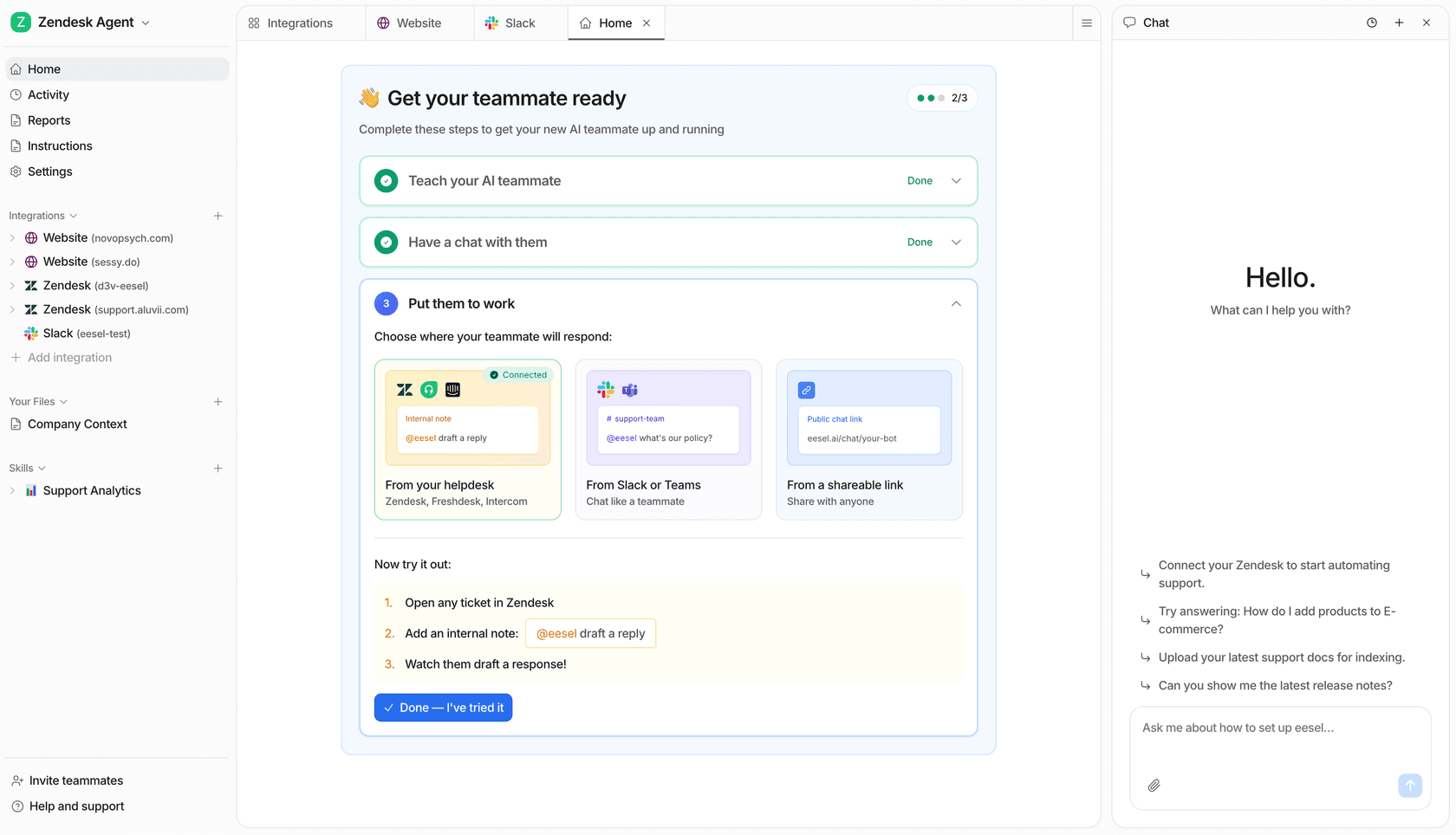
What makes it click for IT specifically is how it onboards. Instead of hand-building decision trees, you point it at your existing knowledge: past tickets, help center articles, Confluence and Google Docs, and internal runbooks. It learns your tone and your policies from that history, so it can answer day-one without months of training. You brief it in plain language ("handle tier-1 access requests, but loop a human in on anything touching finance systems"), which is much closer to onboarding a new hire than configuring a bot.
The standout for nervous IT leaders is the simulation mode. Before it touches a live ticket, eesel runs the agent over thousands of your historical tickets and shows you exactly what it would have said and resolved, so you get a real deflection forecast instead of a vendor promise. You then roll it out gradually, routing only a slice of tickets at first. That directly answers the r/sysadmin fear above, where a bot you can't trust is worse than none.
Pros
- Goes live in days on top of your current helpdesk; no migration.
- Simulation on past tickets gives a grounded deflection estimate before launch.
- Lives natively in Slack and Teams, the channels IT employees actually use.
- Transparent, fixed monthly pricing with optional overage capped at a limit you set, so no surprise AI bills.
Cons
- It is an AI layer, not a full ITSM system of record, so you still need an underlying helpdesk for asset management and change workflows.
- Newer and smaller than ServiceNow or Freshworks, so it is not the "nobody got fired for buying it" pick in a Fortune 500 procurement review.
Pricing
| Credits per month (1 credit = 1 ticket or chat) | Monthly price |
|---|---|
| 100 | Free, no card |
| 500 | $299 |
| 1,000 | $499 |
| 2,500 | $999 |
| 5,000 | $1,899 |
There are no per-seat fees and no platform fee, and every integration and channel is included. A team routing 1,000 tickets a month through the AI pays $499, and you can start with the 500-credit batch and scale up any time. SSO and MFA start at $199/month, priority support at $299/month, and HIPAA is available on request.
Our take: if you already have a service desk and just want AI that resolves tickets without a six-month implementation, this is the most pragmatic option on the list. It loses to the big platforms only when you specifically need a full ITSM system of record rather than an AI layer on top of one.
2. ServiceNow Now Assist: best for large enterprises already on ServiceNow
Best for: Fortune 500 IT orgs that already run ServiceNow and want AI inside it.
ServiceNow is the market-leading enterprise ITSM platform, and it claims that 85% of the Fortune 500 run on it. Now Assist is its generative-AI layer, embedded directly in the ITSM workflow: a virtual agent for self-service, incident and case summarization, AI search over the knowledge base, and a growing fleet of autonomous "AI agents" for end-to-end resolution.
When it works, the outcomes are real: ServiceNow cites Lion at a 77% reduction in resolution time and Khan Bank reaching a 99.3% satisfaction rate. It is a Gartner Magic Quadrant Leader in AI for ITSM, and for a global enterprise that needs CMDB, change management, and ironclad governance on one platform, nothing else here matches its depth.
The catch is the part the sales deck downplays. Now Assist is not included; it is unlocked by the Pro Plus or Enterprise Plus SKU, and UpperEdge reports the premium runs "upwards of 60%" over the underlying license, kept deliberately private to avoid sticker shock. And the deflection it delivers is the single most common complaint from admins who turned it on.
"We run ServiceNow for everything... that part is solid. But we bought Now Assist expecting it to actually handle the tier 1 stuff that eats our team alive. Access requests, password resets, basic app provisioning. What we got instead is a slightly smarter virtual agent that still kicks most things to a human."
u/AndroidTechTweaks, r/servicenow, April 2026
The fairer reading, voiced by ServiceNow defenders in the same threads, is "garbage in, garbage out": Now Assist is only as good as the knowledge base and CMDB feeding it, and most orgs carry years of messy data. Either way, the bill is steep. NowTribe puts the average ServiceNow contract at ~$130,080/year, with a reported ~$30k minimum just to get started, before the Now Assist premium lands on top.
Pros
- The most complete enterprise ITSM platform, full stop.
- Deep governance, CMDB, and change management on a single data model.
- Strong analyst recognition and a vast partner ecosystem.
Cons
- Now Assist is a costly add-on with an opaque, ~60% premium.
- Users repeatedly say its tier-1 deflection underdelivers.
- Quote-only pricing and renewal creep frustrate buyers; one partner described a 5-year deal growing from $200k toward $1.8M.
Our take: if you are already a ServiceNow shop with the budget, Now Assist is the natural extension, just go in clear-eyed about the add-on cost and the data-hygiene work required. If you are choosing ServiceNow purely for the AI, you can get comparable deflection for far less elsewhere; our breakdown of ServiceNow AI alternatives and ServiceNow competitors is worth a read first, along with the deeper dive on the ServiceNow Virtual Agent GenAI.
3. Freshservice with Freddy AI: best mid-market all-in-one ITSM
Best for: mid-market IT teams that want a clean ITSM platform with AI included.
Freshservice is Freshworks' ITSM platform, and it is the one most sub-500-employee IT teams actually enjoy using. It unifies service, asset, and operations management, and its AI layer, Freddy AI, splits into three named products: Freddy AI Agent (the autonomous, employee-facing bot), Freddy AI Copilot (agent-assist inside the workspace), and Freddy AI Insights (analytics with root-cause alerts).
Freshworks leans hard on its proof points: a Forrester TEI study citing 356% ROI with payback in under six months, its own Benchmark Report 2025 claiming 65.7% ticket deflection and 76% faster resolution, and 74,000+ businesses on the platform. The base product genuinely earns its reputation. As one sysadmin summed it up, "FreshService IMO is pretty damn good, it for sure gets the job done, the pricing is pretty good."
Freddy is where the picture gets more mixed. The recurring user complaint is that the AI feels like advanced automation rather than cutting-edge ML, and that it is gated to the top tier and billed in a way that surprises buyers.
"Freddy AI has the same limitations as every AI tool built by ITSM vendors. It's mainly tight to the Freshworks ecosystem, plus has limited human in the loop validation along with the fact that you don't have the ability to choose which LLMs you want to use. Also, its pricing is tied to the agents not the employees."
u/chris_la33, r/Freshservice, May 2026
One 600-person org even reported that turning Freddy on raised their tier-1 MTTR by about 20%, because agents had to read the full AI back-and-forth before responding, and duplicate tickets rose ~15%. That is the handoff-cost trap: a half-resolving bot can add work if the escalation hand-off is clumsy.
Pricing
| Plan | Price (billed annually) |
|---|---|
| Starter | $19/agent/month |
| Growth | $49/agent/month |
| Pro | $99/agent/month |
| Enterprise | Custom (Freddy AI Agent bundled) |
Freddy AI Agent is billed by session (any interaction a unique user has within 24 hours), and each Enterprise license includes 1,200 sessions per year. The full Freshservice pricing breakdown covers the session packs and add-ons, and there is a dedicated Freddy AI guide if you want the AI specifics.
Pros
- Clean, fast-to-deploy ITSM that mid-market teams actually like.
- Strong base automation and asset management out of the box.
- Materially cheaper base pricing than ServiceNow.
Cons
- Freddy AI Agent is effectively Enterprise-only and billed per session on top.
- No choice of LLM; locked to the Freshworks ecosystem.
- Users describe the AI as stagnant and weak at deflection, with no learning loop from "unhelpful" ratings.
Our take: for a mid-market IT team that wants one tidy platform and is fine with "good enough" AI, Freshservice is the easiest yes. If Freddy's Enterprise gating or per-session billing is the sticking point, it pairs nicely with a usage-based AI layer on top, and it is worth comparing against Freshservice vs HaloITSM before you commit.
4. Jira Service Management with Rovo: best for Atlassian and dev-heavy teams
Best for: teams already deep in Jira and Confluence who want AI without a new vendor.
If your engineering org already lives in Jira, Jira Service Management is the path of least resistance for IT support, and Rovo, Atlassian's AI, now comes bundled into its paid cloud plans. Rovo's three modes matter for a service desk: Rovo Search (enterprise search across Atlassian and 100+ connectors), Rovo Chat (grounded, permission-aware Q&A), and Rovo Agents (pre-built and custom agents for recurring tasks).
The genuine advantage is context. Rovo reads both Confluence pages and Jira ticket history to answer questions, and it respects existing permissions automatically, so sensitive content stays gated even inside AI answers. For an Atlassian-native shop, getting AI at no extra license fee on Standard and above is a real perk, and the Teamwork Graph makes its answers sharper the more of your stack lives in Atlassian.
The limitations are equally real. Rovo runs on credits, and the Standard plan's 25 credits per user per month is thin for an active team; heavy Q&A or agent use pushes you to Premium (70) or Enterprise (150). More importantly for a service desk, there is no native Slack or Teams bot: employees ask Rovo inside Atlassian's surface or via a browser extension, so a Slack-first IT team can't get answers where they already work. Atlassian's own trust docs also caution that Rovo answers "may not accurately reflect the content they are based on."
Pros
- Included in paid Jira/Confluence cloud plans; no separate AI subscription.
- Deep, permission-aware context across Jira and Confluence.
- Strong pick if your whole company already runs on Atlassian.
Cons
- Credit caps are tight, and usage is hard to predict (see Rovo credit usage).
- No native Slack/Teams bot; AI lives inside Atlassian.
- Weaker for orgs whose knowledge lives outside Atlassian.
Our take: if you are an Atlassian shop, Rovo is close to a no-brainer to switch on, just watch the credit math. If you want the Jira context and a Slack-native experience, layering a third-party AI over JSM is a common pattern; our guide to AI agents for Jira covers the options, and the Jira Service Management pricing guide and our Atlassian Jira Service Management review go deeper on the platform itself.
5. Moveworks: best enterprise-wide employee assistant
Best for: large enterprises wanting one AI front door across IT, HR, and finance.
Moveworks is an enterprise-grade agentic AI assistant for the whole workforce: a single conversational front door where employees use natural language to get answers and automate tasks across IT, HR, finance, and CRM. Its Reasoning Engine plans and executes multi-step requests across 100+ systems, and it was acquired by ServiceNow for ~$2.85B in a deal that closed in December 2025.
At enterprise scale it delivers. Moveworks cites Amadeus cutting support calls 44% and giving back 16,000+ hours a month, and CVS Health seeing a 50% reduction in live agent chats within 30 days. It carries a 4.5/5 on Gartner Peer Insights across 116 ratings and is built for orgs with thousands of employees and high ticket volume.
Two things keep it off most shortlists. First, it is unapologetically enterprise-only: pricing is quote-based on total employee headcount (you pay for everyone, not just users), landing around $15–45 per employee per year via Vendr, with a median contract near $130k and three-year TCO commonly in the $1.5M–$3.5M range. Second, the ServiceNow acquisition has current customers nervous.
"Moveworks was basically a competitor to Now Assist like six months ago, and now they're the same product?... Curious whether this is genuinely new capability or mostly rebranding what Moveworks already did with a ServiceNow logo slapped on it."
u/Medical-Cry-5022, r/sysadmin, February 2026
Accuracy on genuinely complex tickets also draws fire; one operator described filing a site network-outage ticket and getting a generic "reset your modem" reply back. As always, the deflection is strongest on routine, well-documented requests.
Pros
- Genuinely enterprise-grade, multi-domain (IT + HR + finance) automation.
- Strong references and ROI at thousands-of-employees scale.
- Now backed by ServiceNow's resources.
Cons
- Quote-only, headcount-based pricing; six-figure commitments are the norm.
- No SMB or mid-market fit, and no free trial.
- Post-acquisition roadmap and integration uncertainty.
Our take: for a large enterprise consolidating employee support across departments, Moveworks is a serious contender, especially if you are heading toward ServiceNow anyway. For anyone under a few thousand employees, it is overkill and over budget.
6. Aisera: best for cross-functional IT + HR + CX automation
Best for: enterprises consolidating IT, HR, and customer service onto one agent platform.
Aisera is an enterprise AI Service Experience platform that, unlike CX-only tools, is cross-functional from day one. Its Universal Agent orchestrates domain agents (IT, HR, finance, customer service) and narrower task agents, and the product line is packaged as a suite that explicitly includes "AiseraGPT for AI Service Desk." It is positioned alongside ServiceNow and Moveworks in the Gartner Magic Quadrant for AI in ITSM, not in a CX-only category.
The architecture is its differentiator. Aisera runs an LLM gateway (its own AiseraLLM, or bring your own from OpenAI, Anthropic, or Google), an open-standards orchestration backbone, and a governance framework for enterprise security, with SOC 2, ISO 27001, and HIPAA. Customer outcomes it publishes are strong: OmniTRAX auto-resolved 70% of tickets, and LifeScan auto-resolves 65% of requests with $2.2M in savings. Founded in 2017, it raised roughly $171M and hit a $1.6B valuation before Automation Anywhere announced its acquisition in November 2025.
The honest limitations: there is no published pricing (both /pricing and /demo return 404), no free tier, and no trial, so this is a contact-sales, annual-contract motion scoped to Fortune 500 buyers. For a 50–500-seat team it is usually too heavy a buy, and the recent acquisition adds the same roadmap uncertainty Moveworks now carries.
Pros
- Truly cross-functional (IT + HR + CX + finance) on one platform.
- Flexible LLM control, including bring-your-own models.
- Strong enterprise governance and published auto-resolution numbers.
Cons
- No public pricing, free tier, or trial; enterprise sales only.
- Overkill for SMB and mid-market teams.
- Acquisition by Automation Anywhere adds packaging uncertainty.
Our take: Aisera is a natural shortlist entry for a large enterprise unifying IT, HR, and CX support under one agent platform. If you only need an IT service desk, it is more platform than you need; our roundup of Aisera competitors and the look at Aisera's valuation put it in context.
7. Kore.ai: best for custom agents in regulated industries
Best for: large, regulated orgs that want to build and govern their own agents.
Kore.ai is an AI-programmable agent platform (its newest generation is codenamed Artemis) aimed at the agentic enterprise. It is less an out-of-the-box service desk and more a foundation for building customer- and employee-facing agents, with a dedicated AI for IT suite. It is a Gartner Magic Quadrant Leader for Conversational AI in 2025 and counts 400 of the Fortune 2000 as customers, skewing heavily toward banking, healthcare, and other regulated verticals.
The strength is control and depth: a typed agent-building language, deep Microsoft and AWS partnerships (Azure AI Foundry, Amazon Bedrock and Connect), and the governance enterprise buyers in finance and healthcare demand. Backed by a $150M investment led by FTV Capital with NVIDIA participating, it is well-funded and clearly built for scale.
The trade-off is that all this power means it is not a quick deploy, and pricing is opaque. There is no public pricing page (the URL 404s); third-party trackers like Featurebase report an Essential tier around $50/month and Advanced around $150/month, while enterprise deals are commonly cited starting near $300,000/year. The billing unit is also unusual: Automation AI bills per 15-minute conversation session, so a 31-minute conversation counts as three sessions.
Pros
- Deep, programmable platform with strong governance for regulated industries.
- Leader-tier analyst recognition in conversational AI.
- Heavy Microsoft and AWS integration.
Cons
- Build-it-yourself complexity; not a fast out-of-the-box service desk.
- No public pricing; enterprise deals reportedly start around $300k/year.
- Session-based billing makes cost-per-resolution hard to predict.
Our take: Kore.ai is the pick when you need to engineer compliant, custom agents at enterprise scale, not when you want a service desk running next week. If the platform weight is more than you need, see our roundup of Kore.ai alternatives and the Kore.ai pricing breakdown.
8. Zendesk: best if your service desk also handles external customers
Best for: teams whose IT and customer support live in the same tool.
Zendesk is a CX platform first, now positioned as "the Resolution Platform," with a strong AI stack: customer-facing AI Agents (the Ultimate.ai-derived autonomous tier), an agent-side Copilot, and Intelligent Triage. It is not a native ITSM tool, but plenty of smaller orgs run internal IT support through Zendesk because they already use it for customers, and its AI agents are genuinely capable.
The AI Agents (Advanced) tier brings real automation: branching dialogues, authorized actions, API integrations, and multi-LLM routing, with Zendesk citing 80%+ automation rates on its AI Agents page. For a blended support team, having one tool for both customer and employee tickets is a real simplification.
Two recurring issues show up in user reviews. The first is knowledge base dependency: teams without a clean, comprehensive KB see roughly 20% automation in month one, climbing toward 70% only after sustained cleanup, and AI Agents can't browse external links. The second is the AI billing, which is the dominant 2026 complaint.
"ARs are a rip off, and it's a rushed product to get into the AI hype."
Most-cited review from r/Zendesk, 2026, on per-resolution "automated resolution" billing
Reviewers report $1.20–$1.50 per automated resolution above commit, with no soft cap; Zendesk's only overage control is to pause AI entirely. The base ladder runs Support Team $19, Suite Team $55, Suite Professional $115 per agent per month, with Copilot a $50/agent add-on, so AI cost can easily run 2–3x the base subscription.
Pros
- One platform for both customer and internal IT tickets.
- Mature, capable AI Agents with actions and integrations.
- Huge app marketplace (1,800+ apps) for extending it.
Cons
- Not a true ITSM tool (no native CMDB, asset, or change management).
- Per-resolution AI billing with no spend cap draws heavy criticism.
- AI quality is gated on knowledge base hygiene.
Our take: Zendesk makes sense when your service desk genuinely spans customers and employees and you would rather not run two systems. For a pure IT use case, a dedicated ITSM tool or an AI layer is a better fit, and you can compare resolution economics in our guides to the best AI helpdesk software and Zendesk AI agent resolution metrics.
Three more AI help desk tools worth a look
These three did not make the main list above, but they fit narrower jobs well: a simple shared inbox, a Gmail-native desk, and an e-commerce chat tool.
Help Scout
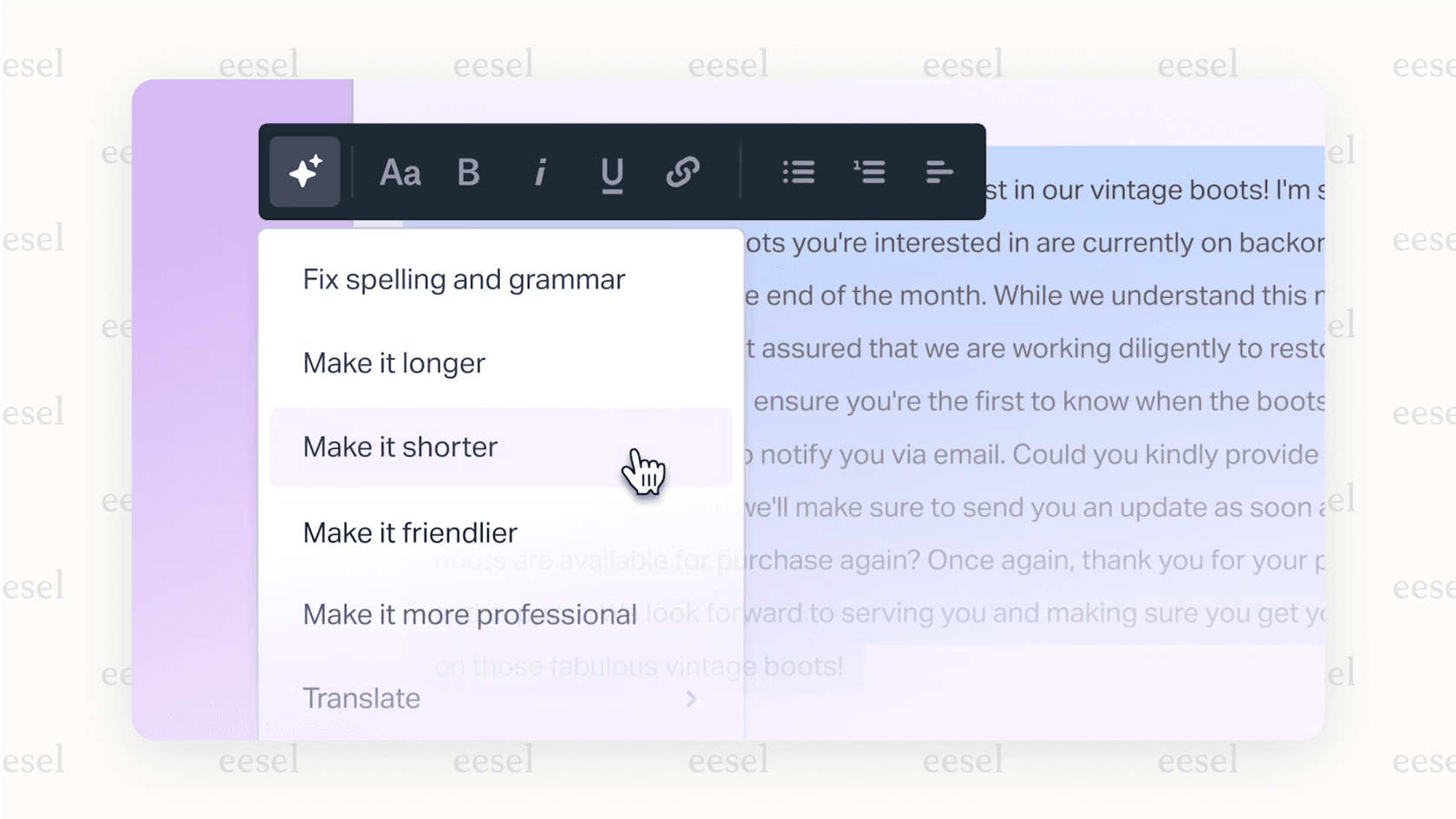
Help Scout is all about simplicity and a human-first approach to customer service. It does away with a lot of the complexity of other platforms to focus on a clean shared inbox. Its AI features, like AI Assist, are built to help agents draft, summarize, and tweak replies: perfect for teams who want to be more efficient without losing their personal touch.
Best for: Small teams who value ease of use and collaborative, email-based support.
Pros:
- It’s extremely user-friendly with almost no learning curve.
- It’s great for team collaboration within a shared inbox.
Cons:
- Its AI is more for assistance than full automation and is less advanced than specialized AI platforms.
- You are still focused within their specific platform, and it may lack some of the advanced workflow tools of larger systems.
Pricing: AI features are on the Standard plan, starting at $50/month (billed annually), but it’s limited to 100 contacts per month.
Hiver
Hiver has a unique approach: it turns Gmail into a full-fledged help desk. It adds features like ticket assignment, automation, and reporting right inside your inbox. Its AI tools, like the AI Copilot, are designed to help agents directly within their Google Workspace.
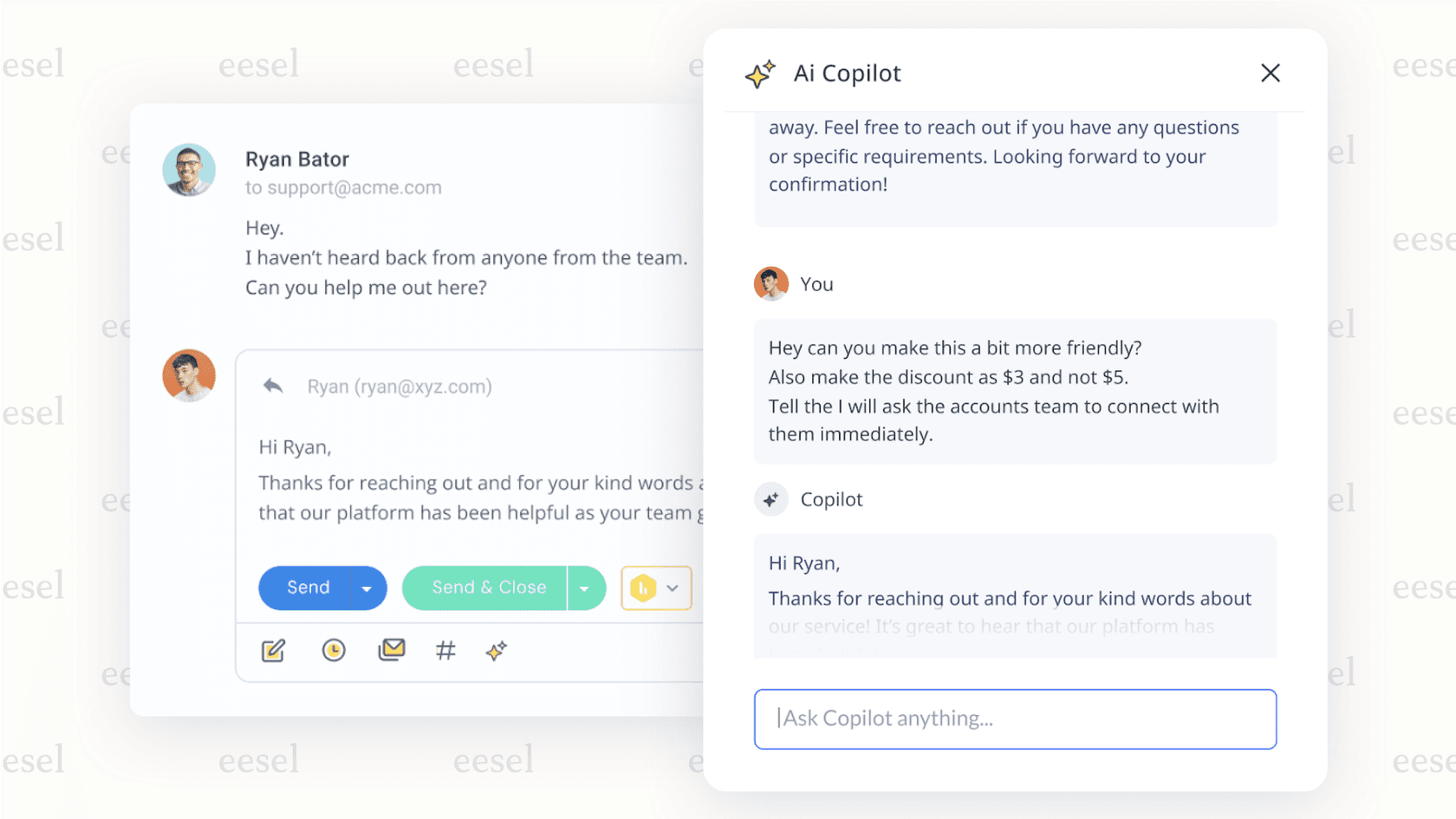
Best for: Teams that live in Gmail and Google Workspace and want to avoid switching to an external tool.
Pros:
- It's a seamless experience for Gmail users with practically no learning curve.
- It has strong collaboration features built for the inbox, like shared notes and collision alerts.
Cons:
- It’s only an option for teams that use Google Workspace.
- It might not scale as effectively for very large support teams that need more specialized enterprise features.
Pricing: The Pro plan, which includes AI, starts at $49/user/month (billed annually).
Tidio
Tidio is an AI help desk software platform built specifically for e-commerce. Its main strength is its AI-powered chatbot, Lyro, and its deep integrations with platforms like Shopify and WooCommerce. It’s great at handling common e-commerce tasks like answering product questions, tracking orders, and capturing leads through live chat.
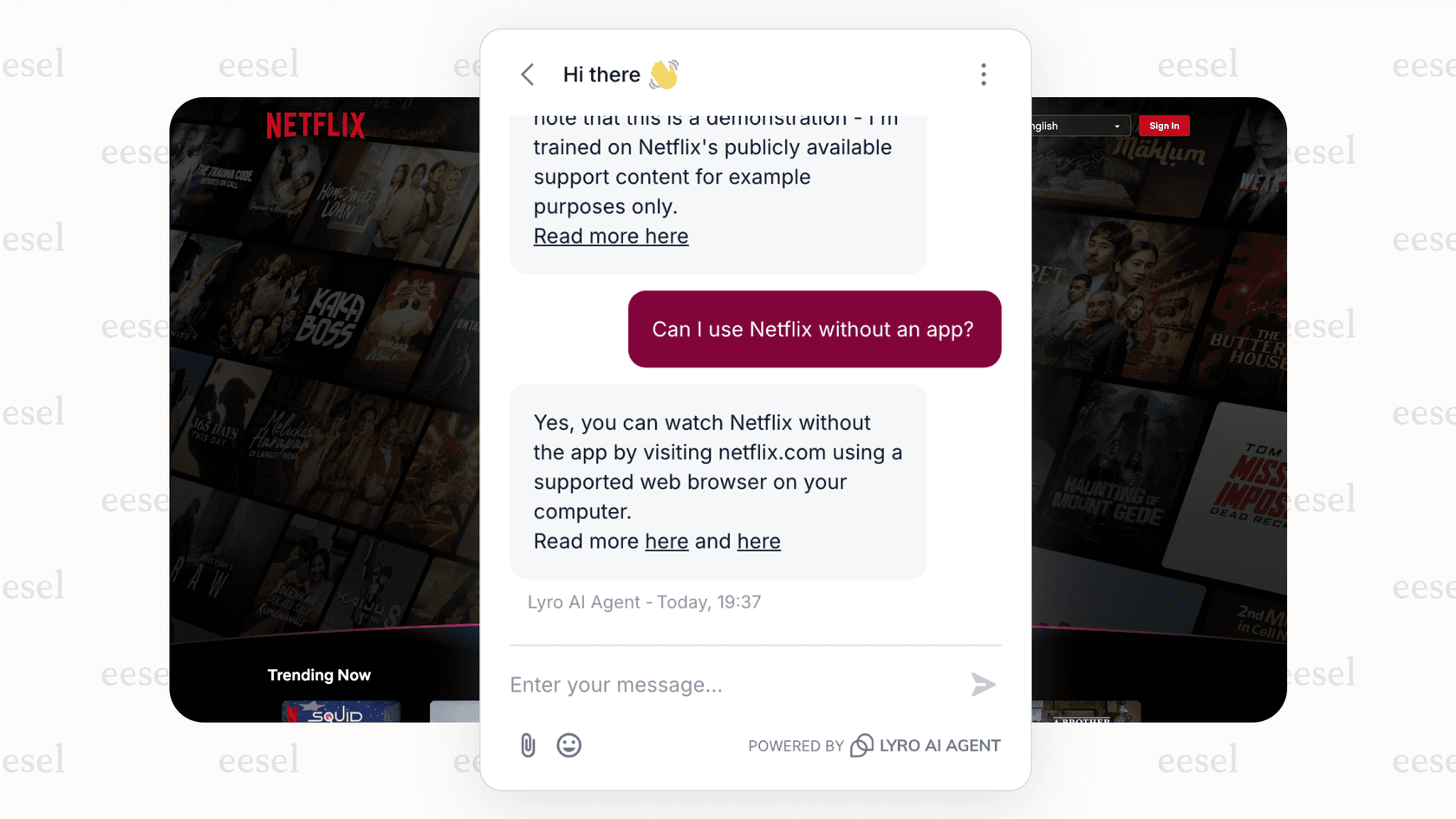
Best for: E-commerce stores that need to automate customer support and drive sales, mainly through chat on their website.
Pros:
- It offers excellent, ready-to-use e-commerce integrations.
- The AI chatbot is powerful and fairly easy to set up for sales and support.
Cons:
- It's mainly a chat tool. If your team handles a lot of complex tickets through email, it might not be a complete solution.
Pricing: Paid plans start at $24.17/month.
How AI service desk tools actually charge
The single most confusing part of buying an AI service desk is that the tools bill in five fundamentally different ways, and the pricing page rarely makes it obvious. Here is the landscape:
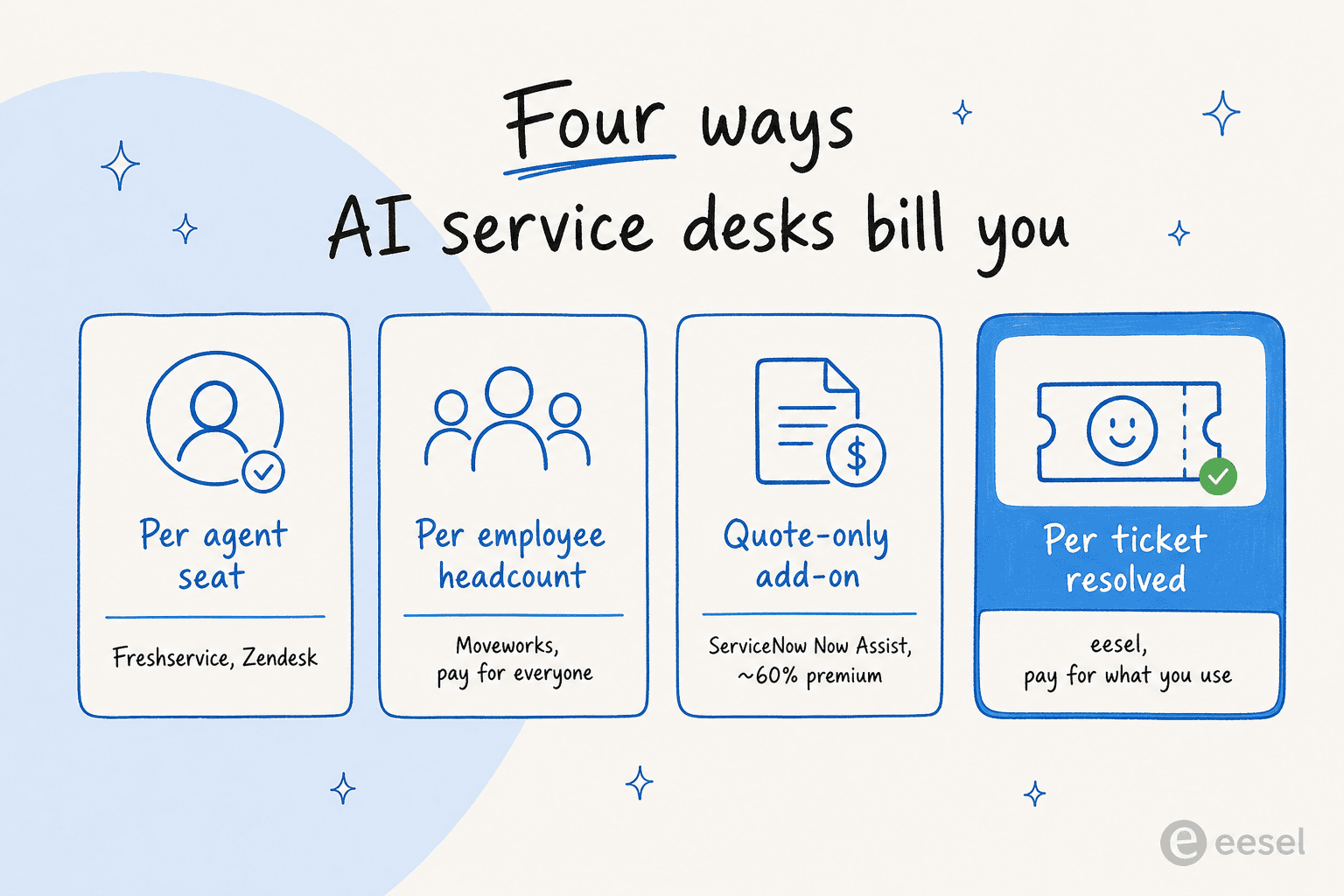
- Per agent seat (Freshservice, Zendesk): predictable, but you pay for capacity whether or not the AI is doing the resolving, and the AI is usually an add-on on top.
- Per employee headcount (Moveworks): you license everyone in the company, used or not. Simple at scale, brutal for budgets if adoption is uneven.
- Quote-only add-on (ServiceNow Now Assist, Aisera): the GenAI layer is a separate SKU at a steep premium, with no public number to anchor against.
- Monthly credits, 1 per ticket (eesel): you pay one fixed monthly price sized to volume, and each ticket or chat the AI works on uses one credit, whether or not it ends up resolving it. The bill tracks volume rather than seats, and overage is optional with a cap you set.
- Per resolution (Zendesk's "automated resolutions"): you only pay when the AI closes something, which sounds better until you notice there is no spend cap and a busy month has no ceiling.
The reason this matters: two tools with identical sticker prices can differ 5x in real annual cost depending on how many seats, employees, or resolutions you actually have. If you are cost-sensitive, our test of the cheapest AI apps for helpdesk runs the math on real volumes. As a rule, usage-based pricing favors teams just starting with AI (you only pay as deflection ramps), while seat-based pricing can be cheaper at very high, steady volume.
How to choose the right AI service desk
Strip away the feature lists and the choice usually comes down to two axes: how big and complex your org is, and whether you want to replace your service desk or layer AI onto the one you already run.
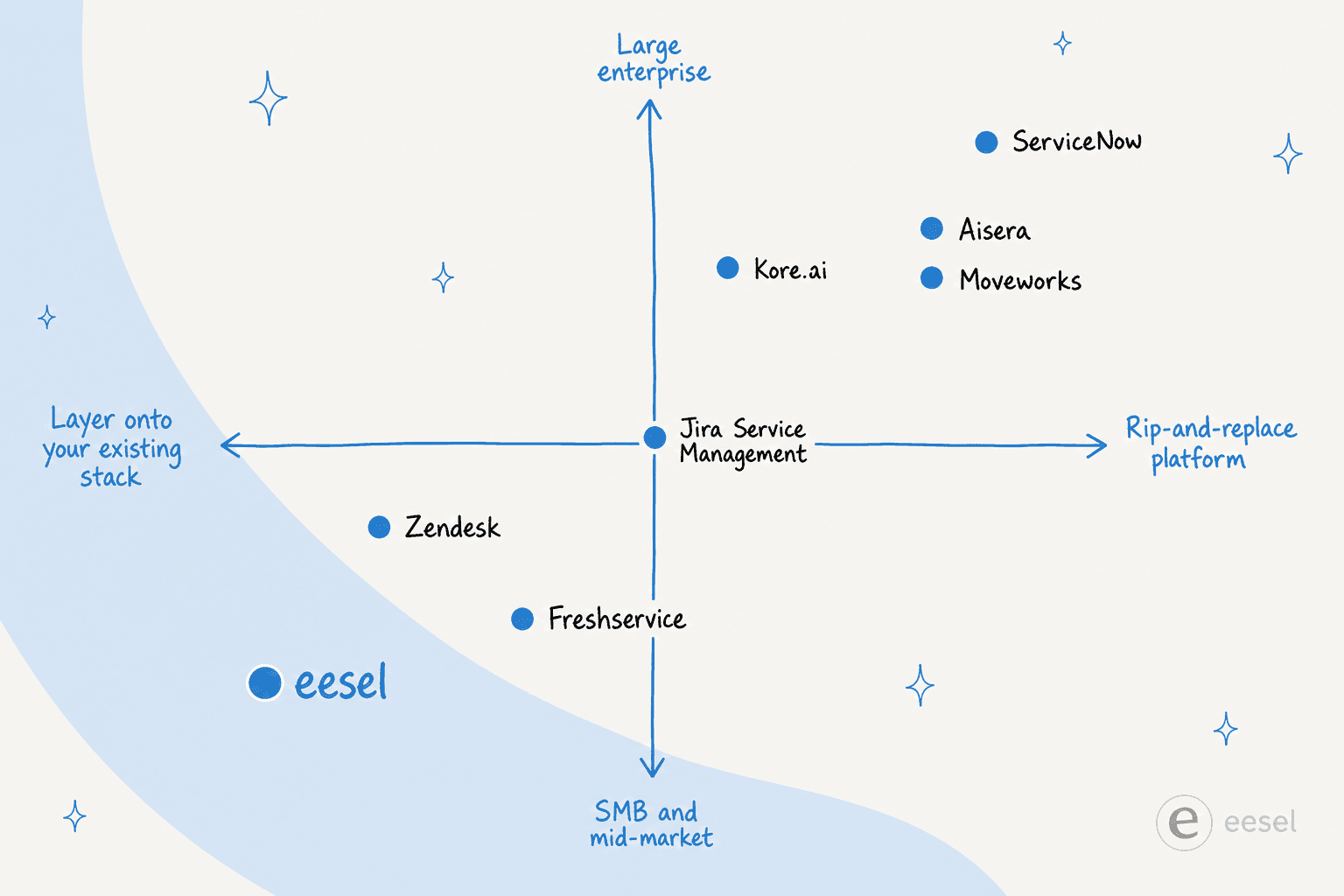
A few decision shortcuts from testing:
- You already run ServiceNow and have budget: turn on Now Assist, but budget for the ~60% premium and the KB cleanup.
- You are a mid-market IT team starting fresh: Freshservice is the cleanest all-in-one; Jira Service Management if you live in Atlassian.
- You are a large enterprise unifying IT + HR + CX: shortlist Moveworks and Aisera.
- You want AI resolutions on your current helpdesk, fast: an AI layer like eesel AI avoids a migration entirely.
Whatever you pick, the two things that actually predict success are unglamorous: connect the AI to your identity provider so it can take real actions, and feed it clean knowledge. The tool matters less than whether you can test it on your real tickets before trusting it with employees. It is also worth being clear on the job to be done first, whether that is ticket triage, ticket automation, or knowledge base answers, since the best tool shifts with the goal. And if you are sizing this for a smaller team, the ITSM for small business guide is a good companion read.
Try eesel for your AI service desk
If the recurring theme above resonated, that the platforms are powerful but slow and expensive to stand up, eesel AI is built for the other path. It drops autonomous AI agents into the service desk you already run, whether that is Zendesk, Freshservice, Jira, or Slack, and learns from your past tickets and docs so it can start resolving in days rather than a quarter.
The differentiator most IT leaders care about is the simulation: run the agent over thousands of your historical tickets to see its real deflection before it touches a live conversation, then roll out gradually on a fixed monthly plan with optional capped overage and no per-seat fees. You can try eesel free with 100 credits, no credit card required.
Frequently Asked Questions
What is the best AI service desk tool in 2026?
How much does an AI service desk cost?
Is there a free AI service desk for small teams?
Can an AI service desk reset passwords and grant access on its own?
Does an AI service desk replace human IT agents?
Why do so many AI service desk rollouts underdeliver on deflection?


Article by
Riellvriany Indriawan
Riell is a designer and writer at eesel AI with about two years of experience researching CX platforms, AI chatbots, and helpdesk software. She combines her design background with a sharp eye for how these tools actually look and feel in practice — making her comparisons unusually visual and user-focused.