


The AI tools for academic writing market splits cleanly into three categories. Research tools like Elicit and Consensus search millions of peer-reviewed papers and return cited evidence, not hallucinated text. Writing and editing tools like Writefull and Paperpal polish your prose in academic register rather than general English. General AI assistants like Claude, ChatGPT, and Perplexity sit in between: powerful, but not purpose-built for academia.
For a PhD student or researcher, the honest shortlist is: Elicit for systematic reviews, Consensus for fast evidence checks, Writefull if you write in LaTeX or Overleaf, and Paperpal if you submit to journals regularly. Add Claude or Perplexity for reading and synthesizing long documents.
SciSpace has a large paper index but a documented pattern of hallucinated citations and aggressive billing dark patterns that makes it hard to recommend. Jenni AI is useful for breaking through blank-page paralysis, but its citation reliability is inconsistent for final submissions.
The 11 best AI tools for academic writing in 2026
| Tool | Free tier | Paid from | Best for | Paper corpus | Word/Overleaf | Google Docs | Citations | Security | Verdict |
|---|---|---|---|---|---|---|---|---|---|
| RemNote | Yes, unlimited notes and flashcards | $8/mo | Reviewing and retaining research after it's written, not writing itself | No | No native integration | No | No built-in citation manager | Access restricted to a small internal team; no end-to-end encryption | Skip for the writing and research stages, use it afterward to make sure what you wrote and read actually sticks |
| Elicit | ✓ 2 reports/mo | $49/mo | Systematic review | 138M+ papers | No | No | Inline, sentence-level | No data training | Best for SLR |
| Consensus | ✓ 15 searches/mo | $10/mo | Evidence search | 250M+ papers | No | No | Per-paper citations | SOC 2 (university-level) | Best search engine |
| Perplexity | ✓ 5 Pro/day | $17/mo | Real-time research | Live web | No | No | Inline web citations | SOC 2 (Enterprise) | Best for current facts |
| Writefull | ✓ (rate-limited) | $12.50/mo | LaTeX/Overleaf editing | No | Word + Overleaf | No | Citation detection | No storage/training | Best for LaTeX users |
| Paperpal | ✓ 200 edits/mo | $11.58/mo | Journal submission prep | 250M+ articles | Word + Overleaf + web | Google Docs | 10,000+ styles | ISO27001 / HIPAA / FERPA / SOC 2 | Best for submission |
| Grammarly | ✓ (limited) | $12/mo | Grammar and clarity | No | Word | Google Docs | Plagiarism check | SOC 2 / GDPR | Best broad proofreader |
| Claude | ✓ | $17/mo | Long-form analysis | No | No | No | No | SOC 2 / HIPAA-ready | Best for doc analysis |
| ChatGPT | ✓ | $20/mo | Versatile AI tasks | Live web (Plus) | No | No | Deep Research (Plus) | SOC 2 (Business/Enterprise) | Most versatile |
| SciSpace | ✓ (limited) | $12/mo | First-pass discovery | 280M+ papers | No | No | Citation generator | 256-bit encryption | Use with caution |
| Jenni AI | ✓ 10/day | $12/mo | AI writing assistance | 200M+ papers | No | No | 2,600+ styles | No stated certifications | For drafting, not finals |
What to look for in an AI academic writing tool
Most tools marketed as "AI for academic writing" do one thing well. Knowing which category matters for your work saves a lot of wasted subscriptions.
Literature search and review tools (Elicit, Consensus) are the only ones worth trusting when you need cited, verifiable evidence. They search real peer-reviewed databases and surface actual papers. The general AI assistants, when asked to find research, frequently hallucinate author names, journal volumes, and DOIs.
Writing and editing tools (Writefull, Paperpal, Grammarly) work on the prose layer. Writefull and Paperpal are trained on academic corpora, so they understand that "the data suggest" (not "suggests") is correct usage, and they preserve your discipline-specific terminology. Grammarly is a general tool that works across any context, which is both its strength and its academic limitation.
General AI assistants (Claude, ChatGPT, Perplexity) are the most flexible. Claude's 200K context window makes it the right choice for analyzing full dissertations or multi-paper literature packets at once. Perplexity's real-time web search means it always has current information. ChatGPT's Deep Research feature, on Plus and Pro, does structured multi-source searches with citations.
1. RemNote - best for turning research notes into long-term recall
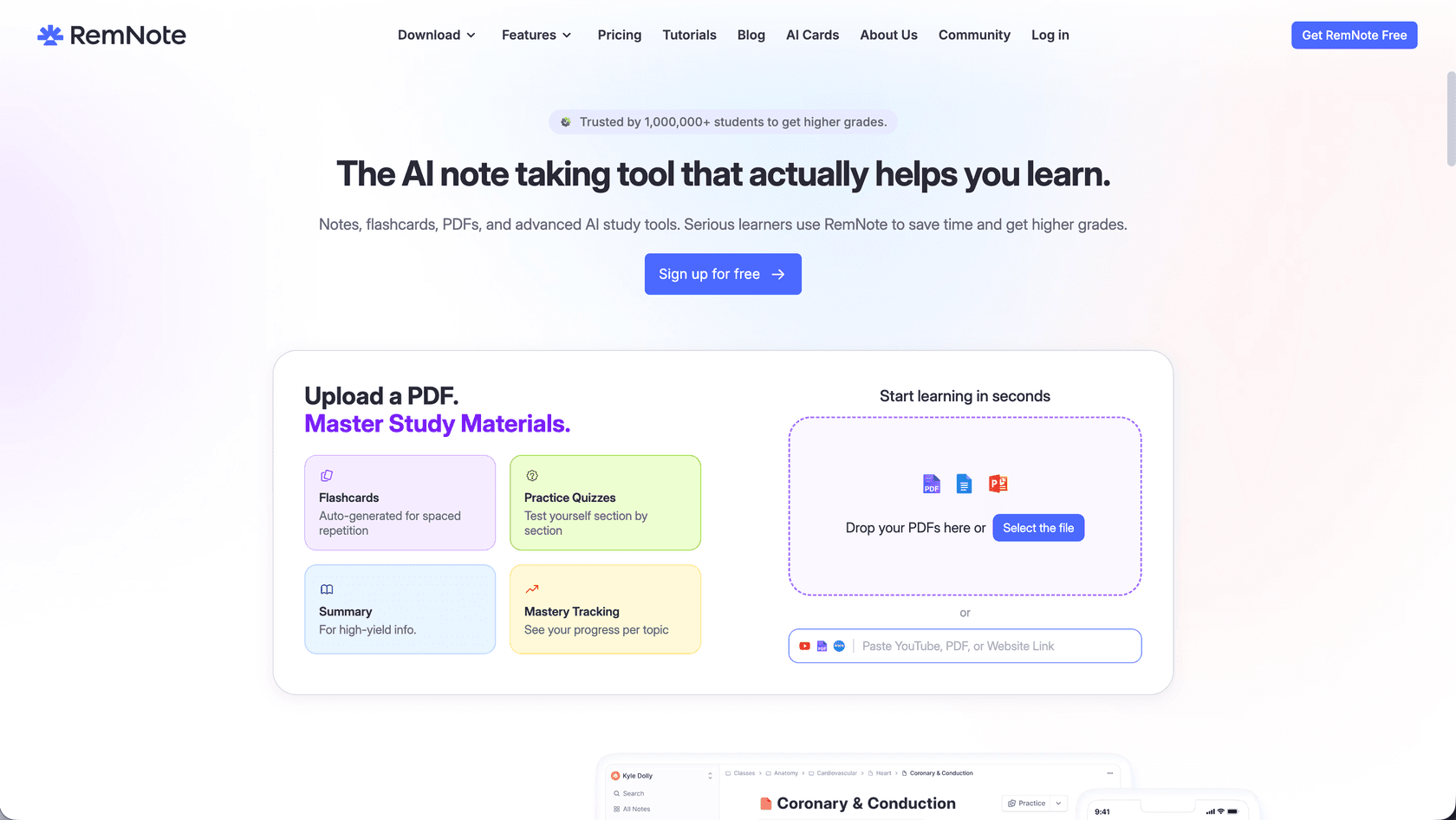
RemNote works from a different assumption than the research and editing tools listed here: once a paper is read and the argument is drafted, the work isn't done, you still have to retain what you read. Instead of treating notes and flashcards as two separate steps, RemNote lets you write in an outline editor and turn any line directly into a flashcard, including image occlusion cards for diagrams and highlights pulled straight from an annotated PDF.
The scheduling engine is what separates it from a basic flashcard app. RemNote runs both the classic Anki SM-2 algorithm and FSRS, a newer machine-learning-based algorithm that RemNote's own documentation says cuts the number of reviews needed by 20 to 40 percent while holding retention steady, and existing Anki users can import their decks directly instead of rebuilding from scratch. As an ai flashcard maker built into a full note-taking system rather than a standalone deck app, it's less about producing the paper and more about making sure the reading behind it survives until the exam or defense.
What works
- Flashcards generate from the same notes you're already taking, not a separate deck
- Supports both SM-2 and FSRS scheduling, with direct Anki deck import
- Image occlusion for diagrams, plus PDF annotation with highlight-to-flashcard conversion
- Free plan includes unlimited notes and flashcards with core spaced repetition
What doesn't
- Focused on notes and flashcards, not research: no paper database or citation tools built in.
- Free plan gives you a taste of PDF annotation and image occlusion; Pro unlocks the full amount.
- AI flashcard generation works for free, with more usage on Pro.
Pricing
| Plan | Price | Notes |
|---|---|---|
| Free | $0 | Unlimited notes and flashcards; unlimited synced devices |
| Pro | $8/month (annual) / $10/month (monthly) | Unlimited PDF annotation, image occlusion, larger uploads |
| Pro with AI | $18/month | Unlimited Flashcard Explanations and Tab Creation |
2. Elicit - best for systematic literature reviews
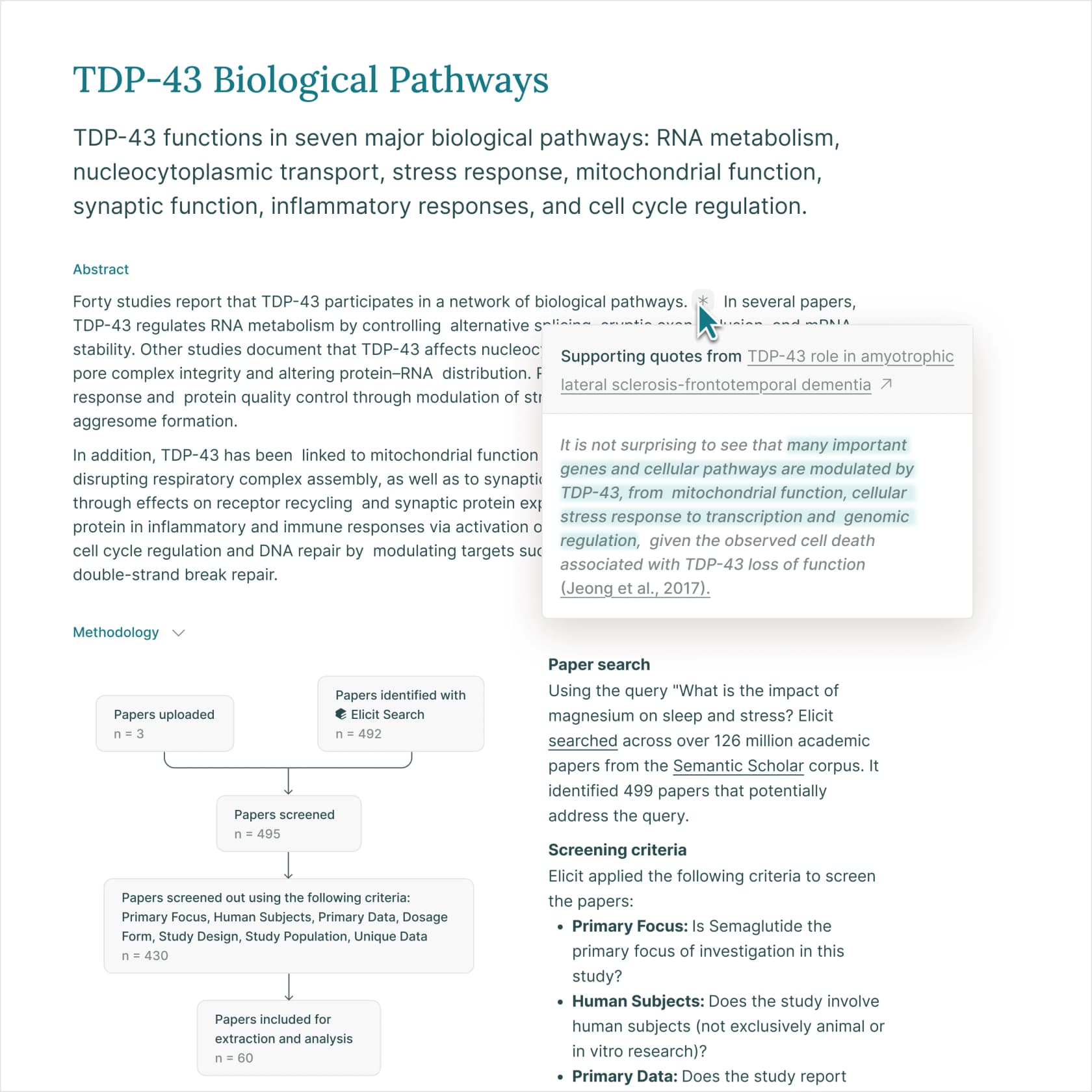
Elicit is the most research-rigorous tool on this list. It is built for academic researchers who need to find, screen, and extract data from literature at scale, not for students who want a chatbot to help write paragraphs. The core difference: Elicit's answers come from real papers in its indexed corpus, with sentence-level citations that link directly to the source.
The headline stat is from a May 2026 evaluation across 994 Cochrane systematic reviews: 95% search recall, 97% abstract screening accuracy, 99% full-text screening accuracy, and 96% data extraction accuracy. Those are Elicit's own benchmarks, not third-party audited, but they are publicly documented and methodology-transparent. The platform became PRISMA 2020 compliant in May 2026, which means systematic reviews done in Elicit now produce auditable, reproducible outputs.
Before settling on a workflow, it's worth comparing Elicit with an AI research assistant for systematic literature reviews.
The user flow that power researchers describe most often on r/PhdProductivity: import a research question, run semantic search, use Elicit's automated screening to filter down 1,000+ papers to the relevant subset, then use custom data extraction tables to pull structured information (sample sizes, methods, outcomes) into a spreadsheet. Formation Bio processed 1,600 papers for a drug discovery data extraction task and reported it ran 10x faster than their prior workflow.
The honest caveats: the paper index skews toward open-access and Semantic Scholar-indexed journals, so researchers in fields where top-tier publications are paywalled may find their most important sources missing. Evidence-synthesis professionals on Reddit also caution that Elicit is "not reliable enough for formal meta-research" without manual verification at the screening stage.
What works
- Systematic Literature Review workflow (screening + extraction) is PRISMA 2020 compliant
- Sentence-level clickable citations on every AI claim
- CSV export with custom columns (methods, sample sizes, outcome variables) for downstream analysis
- Elicit API launched March 2026 for programmatic integration
What doesn't
- Open-access bias in the index; paywalled journals in medicine and social science are underrepresented
- Evidence-synthesis professionals flag it as unsuitable for standalone formal meta-analysis without verification
/featurespage returns 404; product documentation is scattered across solution subpages
Pricing
| Plan | Price | Key limit |
|---|---|---|
| Basic | Free | 2 automated reports/month |
| Pro | $49/user/month (annual) | 144 reports/year; screen up to 5,000 papers |
| Scale | $169/user/month (annual) | 240 reports/year; figure extraction; live collaboration |
| Enterprise | Custom | 40,000 paper screenings; unlimited API; SSO/SAML |
Verdict: The best AI tool for systematic literature review, with the most transparent accuracy benchmarks in this category. Start here if formal evidence synthesis is the core of your work.
3. Consensus - best for evidence-backed academic search
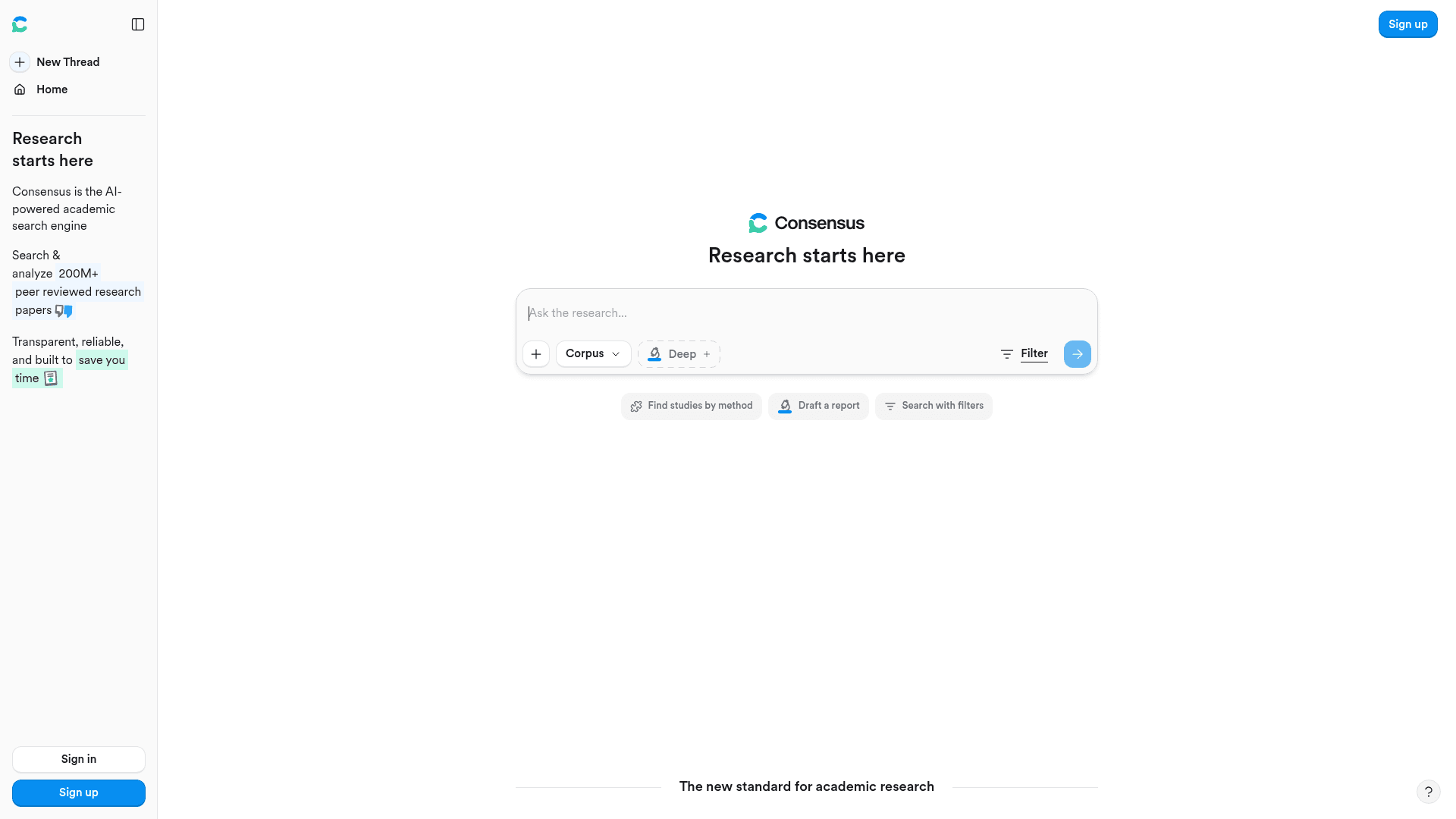
Consensus is the fastest entry point for evidence-backed questions when you do not need a full systematic review. It searches across 250M+ peer-reviewed papers from Semantic Scholar, OpenAlex, and a proprietary scholarly crawl, and it returns a direct answer with the papers it drew from, not a model-generated response from memory. The University of Virginia Library describes hallucinated citations as technically impossible in Consensus because the system cannot cite a paper that does not exist in its index.
The Consensus Meter is the product's most recognizable feature. Put a yes-or-no research question in ("Does intermittent fasting improve metabolic markers?") and it returns a visual indicator of how much the peer-reviewed literature agrees or disagrees, with the underlying papers listed. It is a useful starting-point tool for scoping a question's evidence base. Academic librarian Aaron Tay from SMU documents the methodological limits clearly: the meter weights all papers equally, ignores effect sizes and publication bias, and should be treated as a scoping tool rather than a mini meta-analysis.
Consensus's Pro plan at $10/month is one of the better-priced options on this list, with a 40% student and faculty discount that brings it to $6/month. The Deep plan at $45/month unlocks automated literature reviews (up to 200/month) that output an Introduction / Methods / Results / Discussion / Conclusion structure. The free tier is functional for occasional lookups but 15 Pro messages and 3 Deep reviews per month is too limited for regular academic work.
What works
- Hallucination-resistant by design: every cited paper is real and in the index
- Medical Mode restricts results to top 1,000 medical journals and clinical guidelines
- Study Snapshot extracts population, methods, and outcomes per paper for rapid triage
- 88.1% precision vs 81.8% for Google Scholar in internal benchmarking
What doesn't
- STEM and biomedical bias; humanities and qualitative researchers consistently find coverage gaps
- Free tier (15 messages/month) is too restrictive for active research workflows
- G2 profile is unclaimed with zero reviews; community signal comes entirely from Reddit
Pricing
| Plan | Price | Key limit |
|---|---|---|
| Free | $0 | 15 Pro messages/month; 3 Deep reviews |
| Pro | $10/month ($120/year) | Unlimited messages; 15 Deep reviews |
| Deep | $45/month ($540/year) | Unlimited messages; 200 Deep reviews |
Verdict: The fastest AI academic search engine for quick evidence checks. Pair it with Elicit when you need extraction, not just discovery.
4. Perplexity - best for real-time research with citations
Perplexity is not a traditional academic search engine, but it has become a standard tool in researchers' workflows for one specific job: getting a fast, cited overview of a topic that includes current information. Unlike Elicit or Consensus, Perplexity searches the live web in real time, which means it catches preprints, conference papers, institutional announcements, and news that a static paper index would miss.
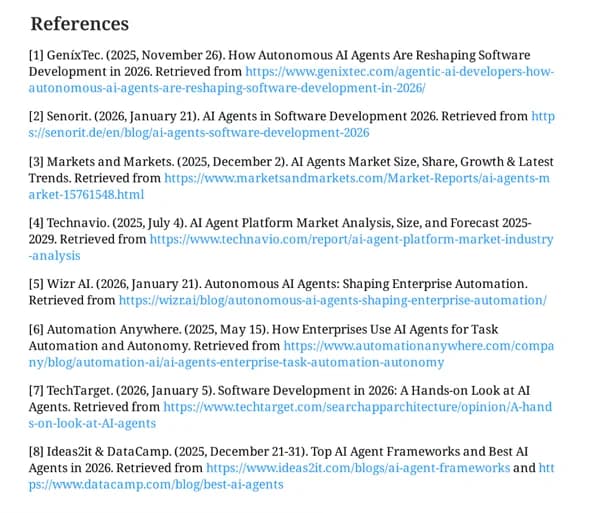
The product's core mechanic is that every answer includes clickable inline citations, so you can immediately fact-check what the model pulled and whether it interpreted the source accurately. The Pro plan at $20/month bundles access to multiple frontier models (currently GPT-5.4, Gemini 3.1 Pro, Claude Sonnet 4.6, and Perplexity's own Sonar), which means you get a multi-model research layer without paying for each service separately. There is also an Education Pro plan at $5/month for anyone with a valid .edu email address, which is one of the most competitive academic pricing offers available.
The most common researcher pattern on r/PhdProductivity is: Perplexity for landscape overview, then Consensus or Elicit for formal evidence. It covers ground fast but is not suitable as a standalone tool for work that requires verifiable academic citations, because it also searches blogs, news sites, and other non-peer-reviewed sources. For a head-to-head against Claude, see our comparison guide.
What works
- Real-time web search catches recent preprints and conference proceedings
- Inline citations on every answer, clickable and verifiable
- $5/month Education Pro tier with a .edu email
- Multi-model routing routes each query to the best frontier model automatically
What doesn't
- Not limited to peer-reviewed sources; results mix academic and non-academic sources
- A vocal set of Pro subscribers on Reddit reports throttling on deep research at around 10 per week
- No Overleaf, Word, or document editor integration
Pricing
| Plan | Price | Notes |
|---|---|---|
| Free | $0 | ~5 Pro searches/day |
| Pro | $20/month ($17/month annual) | 300+ searches/day; multi-model access |
| Education Pro | $5/month | Unlimited searches with .edu email |
| Max | $200/month ($167/month annual) | Unlimited deep research |
Verdict: The best AI tool for fast, cited landscape research, especially when you need current information. Not a peer-reviewed-only database, so combine it with Consensus or Elicit for formal work.
5. Writefull - best for academic writing in Word and Overleaf
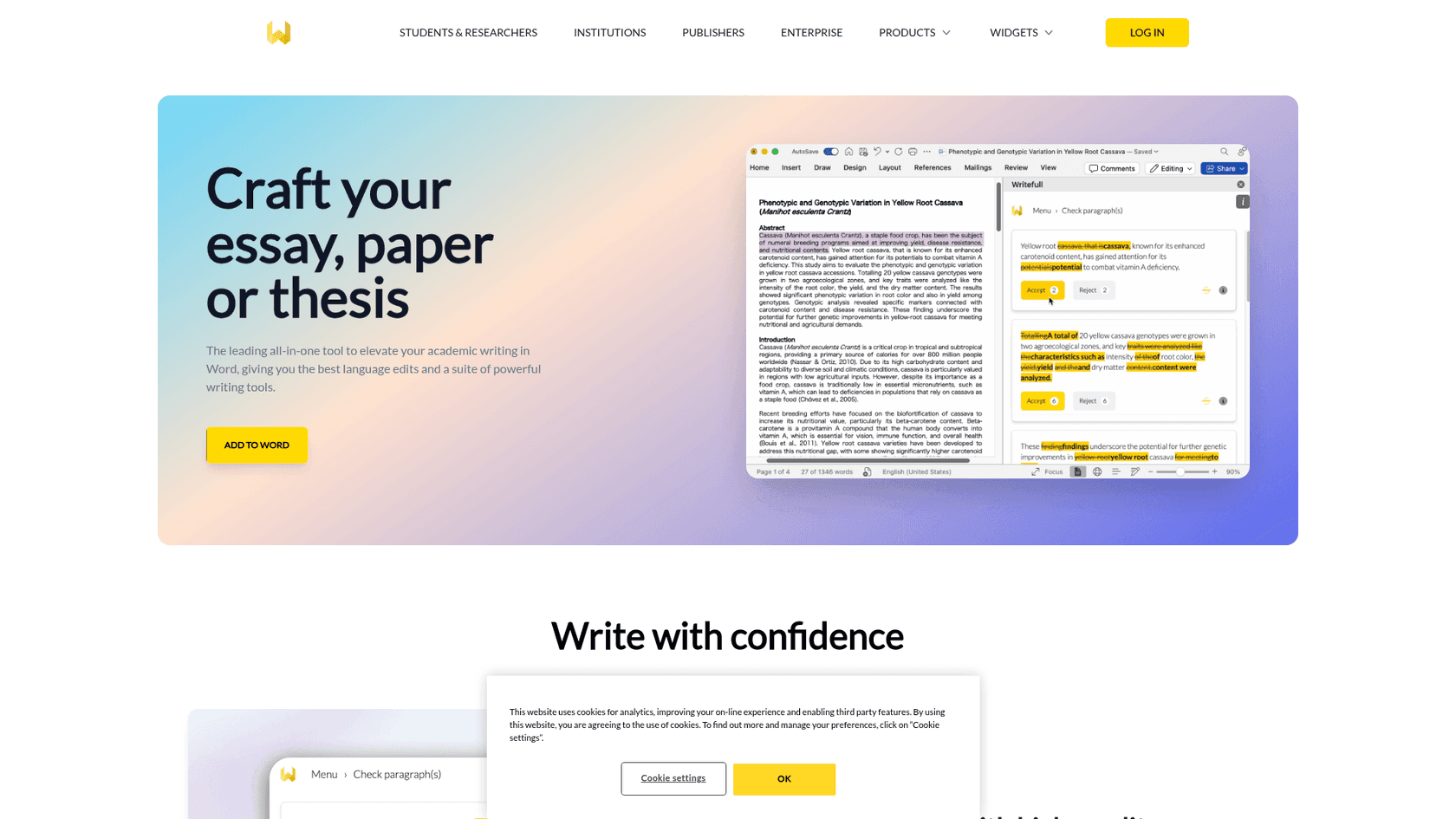
Writefull's entire value proposition is that its language models are trained on millions of published journal articles, not general web text. That single fact explains why researchers who have tried it consistently say it sounds more appropriate for scientific writing than Grammarly or other general tools. The suggestions are calibrated to scholarly register: it will catch "data suggest" vs "data suggests," preserve domain-specific terminology, and flag informal constructions that do not belong in a manuscript.
The Overleaf integration is Writefull's most cited feature in community research. It is, as one r/academia user put it after two years of paid use, "the only grammar checker that I have tested that could cope with LaTeX to my satisfaction." TeXGPT generates LaTeX code for tables and equations directly inside Overleaf, and Supercomplete handles sentence completion in the same environment. No competing grammar tool operates natively in Overleaf without breaking LaTeX markup.
The Premium plan at $150/year ($12.50/month) is roughly 20% the cost of Grammarly Pro at comparable tiers. The Group plan at $285/year covers up to 100 users, which makes Writefull a practical option for research groups or university departments. The product has Capterra 4.8/5 from 5 verified reviews and institutional trust from 1,500+ universities including Stanford, Oxford, and University of Tokyo.
The gaps: no Google Docs integration (it is Word and Overleaf only), a 2,000-character limit on the Academizer tool that makes it impractical for full document sections, and a cancellation flow that multiple users flag as confusing or hidden.
What works
- Language models trained on academic corpora, not general web text
- Native LaTeX support in Overleaf, including TeXGPT for equation generation
- No text stored or used for AI training, per Writefull's stated policy
- Writefull Revise: upload-based full-document copyedit with Track Changes and a language quality score
What doesn't
- No Google Docs integration (researchers who co-author in Google Docs are excluded)
- 2,000-character Academizer input cap limits usefulness on full manuscript sections
- Cancellation UI is flagged as difficult to find in multiple independent user reports
Pricing
| Plan | Price | Notes |
|---|---|---|
| Free | $0 | All tools; daily quotas |
| Premium | $150/year (~$12.50/month) | Unlimited; Supercomplete; Writefull Revise; Writefull Cite |
| Group | $285/year | Up to 100 users |
| Institution | Contact sales | Full suite; used by 1,500+ institutions |
Verdict: The top academic writing tool for LaTeX and Overleaf users. If you write in Google Docs, look at Paperpal instead.
6. Paperpal - best for journal submission preparation
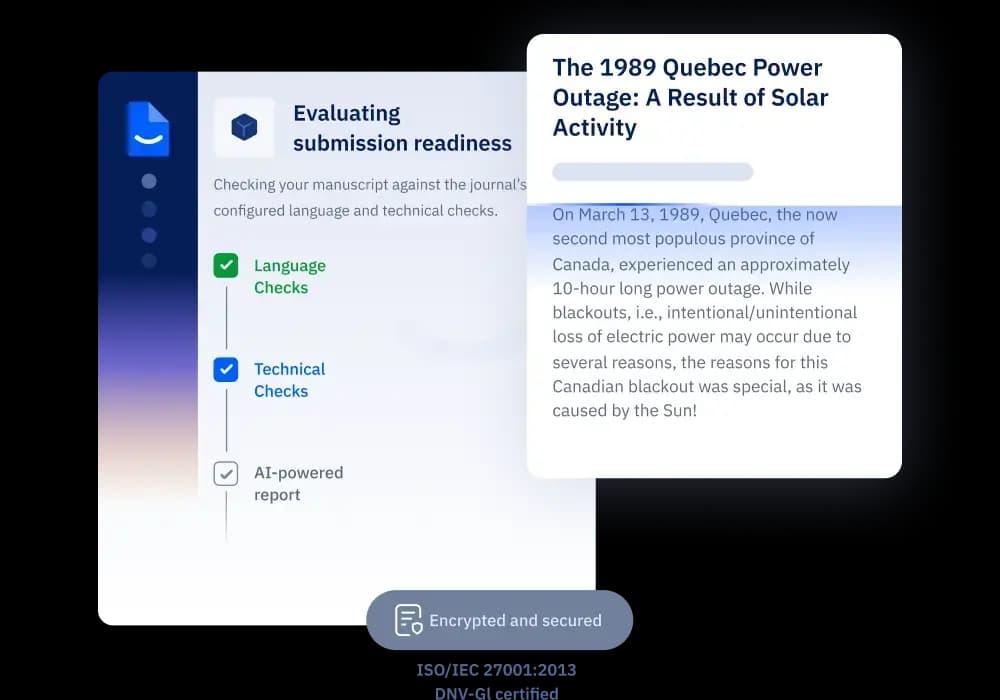
Paperpal is built by Cactus Communications, the Singapore-based company behind Editage, with 23+ years of STM (scientific, technical, medical) publishing expertise. That background shows in the product: Paperpal's AI is trained on professionally-edited research papers, not general web data, and it covers the full pre-submission workflow from rough draft through the final manuscript check.
The Manuscript Check is Paperpal's most distinctive feature and the one 1,500+ journals worldwide explicitly point authors toward. It runs 30+ language and technical checks against the specific requirements of your target journal: ethical declarations, figure formatting, citation style, reference formatting, and statistical notation. The platform has processed 325,000+ manuscripts with it. For non-native English speakers writing for international journals, Paperpal's grammar engine consistently surfaces field-appropriate vocabulary substitutions and academic register corrections that Grammarly misses.
On the security front, Paperpal has the strongest certifications of any tool on this list: ISO/IEC 42001:2023, ISO 27001, GDPR, HIPAA, FERPA, and SOC 2, with a zero data reuse policy meaning your documents are never used to train AI. For researchers at institutions with strict data governance requirements, that is a meaningful differentiator.
The community signal is nuanced: Paperpal is praised as the best tool for polishing near-finished manuscripts, but researchers who expected it to generate content from scratch were uniformly disappointed. Its sweet spot is the editing and submission-prep phase.
What works
- Manuscript Check runs 30+ pre-submission quality checks tuned to journal-specific requirements
- Available in Microsoft Word (add-in), Google Docs (add-on), Chrome Extension for Overleaf, and as a web app
- 10,000+ citation styles; Research and Cite tool searches 250M+ verified research articles inline
- ISO27001, HIPAA, FERPA, SOC 2 compliance; zero data reuse
What doesn't
- Weakest as a generative drafting tool; it polishes, it does not write from scratch
- Multi-year saver plans ($229 for 2 years, $289 for 3 years) are one-time only with no auto-renewal, which is good, but the pricing ladder is complex
- Trustpilot is listed as "Excellent" on the pricing page but score and volume are not publicly visible
Pricing
| Plan | Price | Notes |
|---|---|---|
| Free | $0 | 200 language edits/month; 5 writing uses/day |
| Prime Annual | $139/year (~$11.58/month) | Unlimited edits; full Manuscript Check; 10,000 words/month plagiarism |
| 2-Year Saver | $229 one-time | No auto-renewal |
| 3-Year Saver | $289 one-time | Cheapest long-term option |
Verdict: The best tool for journal submission preparation, particularly for non-native English speakers and anyone working toward a specific journal's requirements.
7. Grammarly - best for broad grammar checking and proofreading
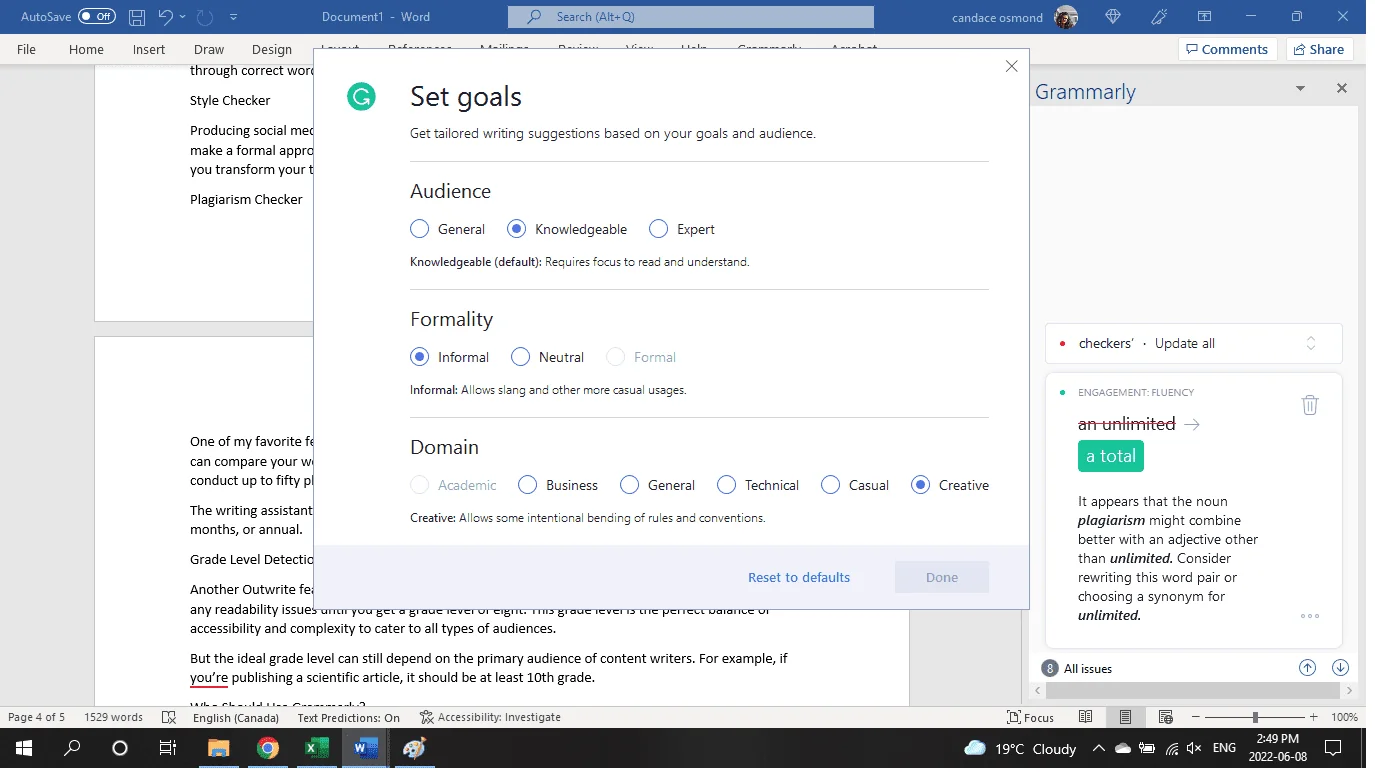
Grammarly is the most widely adopted writing assistant in this roundup with 40 million users and 50,000+ organizations, and a 4.7/5 G2 rating from 12,969 reviews. For academic writers, its core advantage over the specialized tools above is breadth: it works inside 1 million+ apps and websites, including Google Docs, Microsoft Word, most browsers, and email. There is no switching costs between environments.
The academic use case is best framed as a second-pass proofreader. Grammarly is not trained on academic corpora, which means it will not flag that "the results were significant" is weaker than "the results were statistically significant at p < 0.01," and it sometimes flags intentional stylistic choices as errors. The Expert Review feature, which attached real writers' names to AI-generated feedback, was pulled after a class action lawsuit in March 2026, which is worth knowing if premium trust was part of the value proposition for you.
For a direct Grammarly vs Claude comparison or Grammarly vs ChatGPT, both are covered in detail on the eesel blog. The Grammarly pricing breakdown is worth reading before you subscribe: the gap between $30/month (monthly billing) and $12/month (annual) catches users by surprise, and the 50% student discount via SheerID makes the annual plan $6/month for verified students.
In October 2025, Grammarly merged with Superhuman into a suite product. The Business plan ($33/month annual) now bundles Superhuman Mail and Coda docs, which is only relevant if you need those tools. Most researchers do not.
What works
- Works inside every environment: browsers, Word, Google Docs, email, Slack
- 4.7/5 G2 from 12,969 reviews; best-in-class on review platforms
- 50% student discount; annual Pro at $12/month with student verification
- Tone detection, paragraph rewrites, and plagiarism check (Pro and above)
What doesn't
- Not trained on academic corpora; poor at domain-specific terminology and register
- Expert Review feature pulled after March 2026 lawsuit
- BBB rating is 1.04/5 driven almost entirely by auto-renewal and billing complaints
- Grammarly alternatives like Writefull and Paperpal outperform it for academic-specific editing
Pricing
| Plan | Price (annual) | Price (monthly) |
|---|---|---|
| Free | $0 | $0 |
| Pro | $144/year ($12/month) | $30/month |
| Business | $396/year ($33/month) | $480/year ($40/month) |
Verdict: The best all-purpose proofreader for writers who work across many tools, but outclassed by Writefull and Paperpal for specifically academic register and journal submission.
8. Claude - best for long-form document analysis
Claude's defining technical feature for academic work is its 200K token context window. In practical terms, that means you can feed Claude an entire dissertation, a multi-chapter book manuscript, or a batch of 20 research PDFs and ask it to synthesize, compare, or critique them in a single conversation. No other general-purpose AI on this list matches that input capacity.
The community signal on writing quality is consistent: Reddit users describe Claude's output as "less AI-smelly" and more natural than ChatGPT, with better instruction following across long responses and a stronger tendency to express uncertainty rather than confidently hallucinate. For academic use, that last point matters: Claude will tell you it is not certain about a citation or a factual claim, rather than stating it with false confidence.
For academic writers, the practical workflow is: export your PDFs, upload them to a Claude conversation, and ask specific analytical questions. "Summarize the methods across these five papers," "Identify where these three papers disagree," "What are the gaps in this literature that my research addresses?" Claude handles all of these well on the Pro plan ($17/month annual or $20/month monthly). Read the full Claude AI review for a hands-on breakdown.
The honest caveats: Claude had documented reliability issues from March 2026 onward, with uptime declining and several model-regression complaints (notably around Opus 4.7's tokenizer change). Usage limits on Pro are a frequent complaint from heavy users. Claude does not have a built-in citation tool or paper database.
What works
- 200K context window handles full dissertations, multi-paper literature batches, and long manuscripts
- Writing quality rated more natural and less formulaic than ChatGPT in developer community comparisons
- Expresses uncertainty rather than confidently fabricating; safer for draft review
- SOC 2 certified; HIPAA-ready offering available
What doesn't
- No paper database; no citation tool; not a literature search product
- Usage limits on Pro are significant for heavy analytical sessions
- Documented reliability issues and model-quality complaints from March through May 2026
- For a comparison against alternatives, see our Claude alternatives guide
Pricing
| Plan | Price |
|---|---|
| Free | $0 |
| Pro | $17/month (annual) / $20/month (monthly) |
| Max | From $100/month |
Verdict: The best general-purpose AI for analyzing long documents and manuscripts. Pair it with Elicit or Consensus for research discovery, then use it for deep synthesis.
9. ChatGPT - most versatile AI for academic tasks
ChatGPT is the broadest AI assistant on this list, used by 200 million people weekly across every type of writing and research task. For academics, it is most useful for tasks where you already have the research in hand: reformulating a dense paragraph, drafting an abstract from your notes, generating alternative phrasings for a section, or checking whether a statistical explanation reads clearly.
The Plus plan at $20/month unlocks Deep Research, which is ChatGPT's structured multi-source web search that produces cited, research-style outputs. For academics on tight timelines, Deep Research is useful for getting a landscape view of a field in minutes. It searches current web sources including recent preprints and reports, summarizes them, and produces a readable output with citations. It is less rigorous than Elicit for systematic reviews but faster for exploratory landscape work.
The key limitation for academic use is citation reliability. ChatGPT's free and Go tiers, without web search enabled, will hallucinate paper titles, authors, and journal names. This is a well-documented failure mode and a hard disqualifier for graded academic work where incorrect citations carry consequences. See our ChatGPT pricing guide for a full plan comparison.
For teachers and educators rather than researchers, ChatGPT has the most purpose-built tooling of any general AI: Study Mode, customizable personas, and a broad ecosystem of ChatGPT alternatives for specific use cases.
What works
- Deep Research (Plus and above) searches the live web and produces cited, multi-source summaries
- The broadest multimodal capability: text, images, data analysis, code execution
- Custom GPTs allow building specialized academic assistants within the platform
- Study Mode and education tooling for instructors and students
What doesn't
- Free and Go plan: knowledge cutoff + no web search + hallucinated citations
- $20/month Plus vs $0 free gap is significant; Go plan at $8/month is limited
- No LaTeX support, no Word/Overleaf integration, no paper database
Pricing
| Plan | Price | Notes |
|---|---|---|
| Free | $0 | Limited messages; no Deep Research |
| Go | $8/month | Expanded access; voice with video |
| Plus | $20/month | Deep Research; unlimited advanced models |
| Pro | $100/month | Maximum usage; fastest access |
Verdict: The most versatile AI for open-ended academic writing tasks. Use the Plus plan for Deep Research; avoid relying on the free tier for citations.
10. SciSpace - useful for first-pass discovery, not deep research
SciSpace (formerly Typeset.io) has one of the largest paper indexes on this list at 280M+ papers, and its range of tools covers the widest surface area: literature search, Chat with PDF, AI writer, paraphraser, data extractor, citation generator, AI detector, and a gallery of 2,000+ pre-built research agents. On paper, it is the most complete academic AI suite. In practice, the community has documented significant problems that are worth knowing before you subscribe.
The loudest complaint, repeated independently across r/academia, r/PhD, and a dedicated "Avoid SciSpace" thread from November 2025, is fabricated citations: users describe SciSpace returning nonexistent journals, wrong authors, and completely unrelated sources on complex queries. The G2 reviewer Anup K. (updated May 2026) documents a billing-specific problem: SciSpace removed the option to purchase additional credits, forcing users into higher-tier subscriptions when their credit allocation runs out.
Multiple Reddit threads from April through May 2026 document automatic annual renewals with no prior email notice, a 24-hour refund window that most users miss, and cancellation requests that were never processed. These are not isolated incidents. The community consensus is that SciSpace is useful for fast, initial paper discovery when you treat every result as unverified, but researchers who rely on it for citation accuracy or trust the billing systems have had consistently bad experiences.
What works
- 280M+ paper index; Deep Review reads 1,000+ papers automatically for broad landscape questions
- 2,063+ pre-built AI agents covering systematic review screening, patent search, and qualitative synthesis
- Chat with PDF is cited as one of the better implementations for section-level summaries
What doesn't
- Fabricated citations are a documented pattern, not an occasional edge case
- Billing dark patterns: no credit purchase option as of May 2026, forcing upsells; annual auto-renewals with no notice
- 24-hour refund window combined with cancellation failures; multiple users report continued charges after cancelling
Pricing
| Plan | Price (annual) | Notes |
|---|---|---|
| Free | $0 | Usage-capped |
| Premium | $12/month | 1,200 Agent Credits/month |
| Advanced | $70/month | 10,000 credits; 8 parallel queries |
| Max | $160/month | 40,000 credits; 16 parallel queries |
Verdict: Use SciSpace only for first-pass paper discovery, and verify every citation independently. The billing patterns and citation reliability problems make it a risky default for academic work.
11. Jenni AI - for AI-assisted academic writing
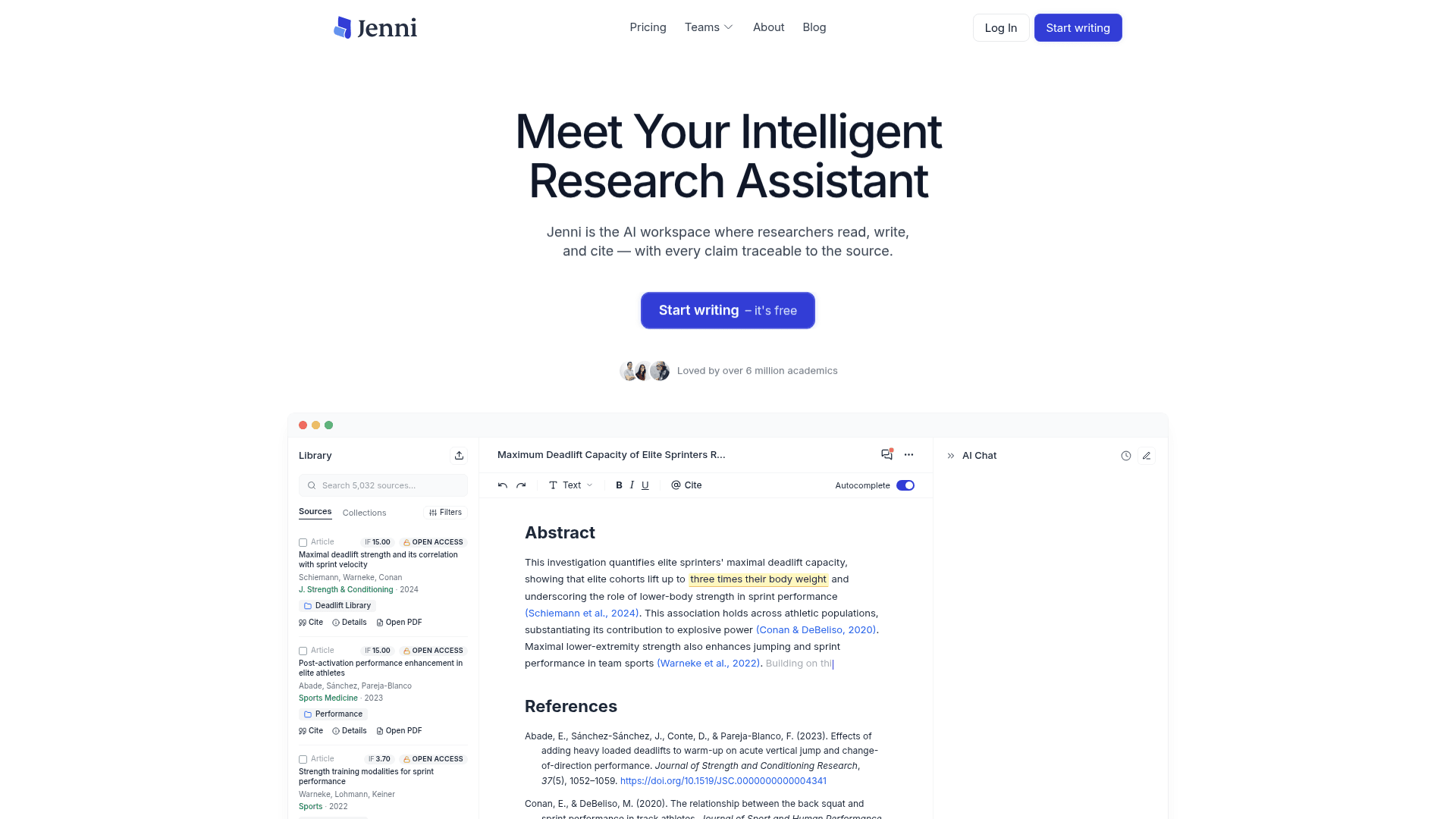
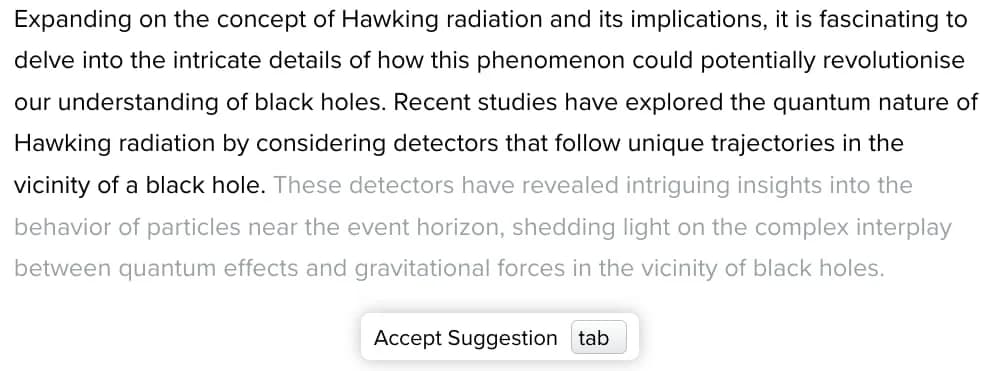
Jenni AI is a dedicated AI writing tool for academic work built around a source-grounded autocomplete: every sentence the AI suggests is drawn from the user's own uploaded PDF library and linked to a specific page and paragraph. The marketing pitch is that this eliminates hallucinated citations by grounding completions in the user's actual source materials.
The community reality is more mixed. Multiple independent users on Reddit report fabricated references and random URLs passed off as citations, with one r/Collegetutors24 reviewer concluding: "Jenni AI threw in random URLs and fake-looking references. Definitely not something you could submit." The platform's recent product releases are genuinely interesting, especially the May 2026 Peer Review Simulation that flags claims as Misrepresented, Contradicted, Unsupported, Weakly Supported, Overstated, or Proofreading issues; and the April 2026 Tone of Voice Review that checks consistency against sample papers in your library. Whether those features address the citation reliability issue in practice is still being tested.
The strongest use case for Jenni AI, based on community consensus, is breaking through the blank page: generating rough outlines, pushing past mid-draft paralysis, and getting a first-pass structure down. The autocomplete continuation feature, where you get one or two sentence completions rather than wholesale paragraph generation, gets the most genuine praise. The Pro plan at $29/month for unlimited autocomplete is the tier most power users reference. G2 has zero verified reviews for Jenni AI as of June 2026.
What works
- Source-grounded autocomplete draws from your uploaded PDF library, not generic training data
- 2,600+ citation styles; one-click inline citations in APA, Chicago, Harvard, IEEE
- Peer Review Simulation (May 2026) flags six categories of claim quality issues
- Collaboration tools with real-time co-authoring and version history
What doesn't
- Citation reliability is inconsistent; fabricated references reported by multiple independent users
- Output reads as AI-written to professors and AI detection tools in several user reports
- Tone drift on rewriting; the rewrite function produces generic "academic neutral" regardless of style inputs
- G2: zero verified reviews
Pricing
| Plan | Price | Key limit |
|---|---|---|
| Free | $0 | 10 AI autocompletes/day |
| Plus | $12/month | 5,000 autocompletes/month |
| Pro | $29/month | Unlimited autocomplete; priority support |
Verdict: Best for overcoming writer's block and rough drafting, not for final submissions. Verify every citation before submitting.
Try eesel
Academic and research teams spend significant time answering the same internal questions: where is the latest IRB protocol, what did we decide in last week's lab meeting, what is the format for the journal we are targeting. Those answers are spread across Google Drive, Slack, Notion, email threads, and shared drives.
eesel AI connects to those sources and turns them into an AI teammate that answers instantly from your actual team documentation, without having to train anyone or build a custom tool. For research groups and academic departments that run on existing apps, it is the fastest way to make institutional knowledge accessible to everyone on the team.

Try eesel with 100 free credits - no credit card required.