


What Claude Code does
Claude Code is not a code-completion widget. Anthropic describes it as an agentic coding tool that reads your codebase, edits files, runs commands, and integrates with development tools. Start it from the project directory so the task and the local context line up:
cd /path/to/project
claude
The first run asks you to sign in unless you have configured API-key authentication. Claude Code supports Claude subscription accounts, the Claude Console, and several enterprise cloud-provider paths. The right route is an account and billing decision, not something a prompt can guess for you.
For a small first task, ask for an explanation before an edit: “Find the validation that rejects this input. Explain the active path. Do not change files.” Then review the named files and decide whether the next request should be a plan, a test, or a patch. Claude Code can run tests if the project exposes them and the session permits the command. A passing command still needs the normal human check: did it run the relevant test, against the intended code and data?
Visual work needs the same discipline. Claude Code has browser and computer-use integrations for supported environments, so it can help exercise a web app or inspect a visual state when those tools are enabled. The useful evidence is the captured state and the test result, not a claim that the agent “looked at it.” Keep secrets and production controls outside any context or tool access the task does not need.
Give implementation a testable target
For a feature change, first ask Claude to identify the relevant components and propose a plan. Supply the existing conventions and test commands in a reviewed CLAUDE.md. That context helps it work within the project, but does not grant permissions or guarantee that its plan is correct.
For example, a fictional notification app is adding quiet hours. Ask for tests at the start boundary, end boundary, and across midnight before implementation. Confirm that a new test fails for the missing behavior, rather than a broken fixture, then review the smallest patch that makes it pass. Keep the tests independent of the implementation so Claude cannot make the result green by weakening the assertion.
For the settings screen, supply the approved design and check the implemented layout at the relevant desktop and mobile widths. A screenshot can expose a clipped time picker that a unit test misses. A successful screenshot capture does not prove the control works: test changing and saving the interval as well. These are proposed verification steps, not results from a test performed for this article.
Install, sign in, and choose a model
Anthropic's current quickstart recommends its native installer on macOS, Linux, and WSL. Homebrew and Windows installers are also documented. Confirm the installed command with:
claude --version
Then run claude and follow the browser sign-in prompt. If an organization supplies credentials or a gateway, use its deployment instructions instead of copying a personal setup into a managed environment.
Model choice is separate from installation. In an interactive session, /model opens the picker; claude --model <alias> selects a model for one launch. Anthropic's model configuration currently documents aliases including sonnet for everyday coding tasks, opus for complex reasoning, and haiku for simpler work. The alias is a moving target, because it resolves differently by provider and can change over time. For an evaluation, record the Claude Code version, provider, resolved model, prompt, relevant settings, and the result you reviewed.
Choosing a more capable model does not compensate for missing evidence, and choosing a cheaper one does not prove a workflow is cheaper. Judge the completed job: correct scope, tests or visual checks, retries, and review time.
Permission settings are part of the task
Claude Code can use tools only within the session's permission mode and rules. Its permissions documentation distinguishes allow, ask, and deny rules, along with managed policy that can override local configuration. In a managed organization, administrators can also constrain tools, sandboxing, MCP servers, hooks, and permitted model choices.
That is a practical boundary, not paperwork. A request to “fix the build” may require reading source files and running a test. It does not automatically authorize a deployment, a production database query, a message to a customer, or a broad shell command. Start with the narrowest useful access, especially in an unfamiliar repository or when a prompt asks the agent to fetch something external.
Use an owner-review boundary for consequential changes. One person can define the expected behavior and select the environment. Claude Code can investigate, summarize the affected files, and prepare a proposed change. The owner reviews the diff and decides whether to apply it; the relevant test or visual check then evaluates the result. This is not a claim that every task needs manual approval. It is a way to make the review point clear when the cost of a wrong change is high.
Cost depends on your access path
There is no single Claude Code price that answers every setup. Anthropic's cost guide separates subscription usage from API and cloud-provider billing. On Pro and Max, the /usage screen shows plan usage and the session-dollar figure is not the subscription bill. Optional usage credits can add charges under the account's settings. On the Claude Console and cloud providers, organizations pay for token use through their own billing route and can set their own spend controls.
For a team rollout, start with a small pilot and track the actual workload. Model selection, codebase size, context, multiple running sessions, tool use, and retries can all change the result. /usage is useful to see token use and session estimates; use the billing console or provider's billing view for the authoritative spend record.
The right cost question is not “what did one prompt cost?” It is “did the reviewed task finish for an acceptable total cost and with the expected safeguards?” That leaves room to use a faster model for a narrow lookup and a stronger one where investigation and verification matter.
Use eesel CLI for a release-note support review
After that fictional quiet-hours feature is reviewed, an owner-approved release note says it silences routine mobile notifications during the selected interval but leaves urgent alerts enabled. A support lead wants to check whether the eesel teammate can explain that distinction. Claude Code can use eesel CLI from the same terminal to inspect the teammate's instructions and connected sources, then propose what needs updating. It does not infer production rollout status from the release note.
The eesel CLI needs Node.js 18.17 or newer in its npx form. It works with the same teammate and workspace as the dashboard and returns JSON by default. Claude Code, Codex, Cursor, a script, or a person can inspect those observations.
Start with an authorized workspace and confirm the account before using the owner-selected teammate name or ID:
npx @eesel/cli login
npx @eesel/cli whoami
npx @eesel/cli agents
Login changes authentication state. Stop if whoami shows an unexpected workspace. In unattended environments, EESEL_API_URL and EESEL_API_TOKEN override stored credentials, so a prior successful browser login does not settle which account a script will use. The owner supplies the intended teammate; use it explicitly for the read-only review:
RELEASE_NOTE_AGENT="REPLACE_WITH_OWNER_APPROVED_TEAMMATE"
npx @eesel/cli status --agent "$RELEASE_NOTE_AGENT"
npx @eesel/cli integrations --agent "$RELEASE_NOTE_AGENT"
npx @eesel/cli instructions --agent "$RELEASE_NOTE_AGENT"
The useful output is a review note that separates evidence from decisions: the selected workspace and teammate, the connected sources shown by the CLI, relevant instruction clauses, the owner-approved release-note excerpt, and any unanswered question. For example: “The teammate has the product-help source connected, but the CLI read does not establish whether the new release note has been imported. Owner decision needed: add an approved knowledge source, update an instruction, or wait for the publishing workflow.”
Do not turn that result into a claim that an end user will receive the right answer. If the owner approves a configuration change, first read the relevant command's --help, use --dry-run for a supported write, and apply only that reviewed change. A dry run prints the server call it would make; it does not test future behavior.
For a response check, the owner should choose a separate non-production teammate, set consequential connected actions to Disabled in Actions and Approvals, and approve the chat budget. Supply the approved note in fresh conversations and ask both “Will quiet hours stop routine notifications?” and “Will urgent alerts still arrive?” Check the actual answers against the two different rules, inspect activity and held approvals, and record unsupported claims. Supplying a note tests that response, not whether the note was learned as a persistent source. eesel setup commands are free; chat is billed work. The owner decides whether the evidence supports a live change.
Bring a reviewed product change to your support team with eesel CLI
Claude Code is most useful when the task has a clear boundary: identify an active code path, draft a test, implement a reviewed patch, or exercise an enabled visual check. Its model, permissions, and billing path should be visible before the task begins. That gives the team a result it can inspect instead of a vague promise of autonomous development.
The same approach makes a coding agent useful around eesel. Use CLI JSON to inspect the same dashboard workspace, give it one concrete review question, and leave customer-facing policy and writes with the teammate owner.
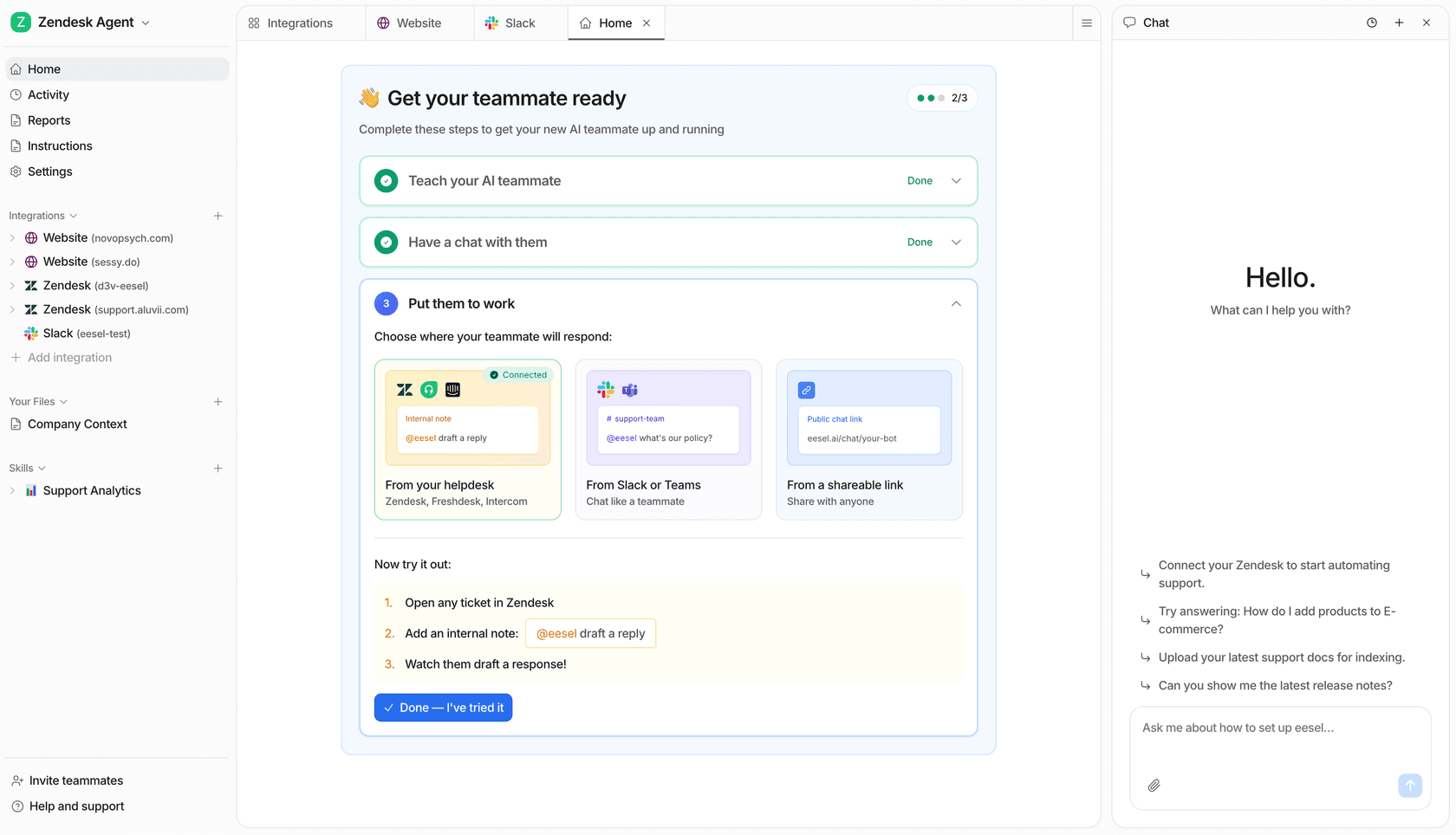
Try eesel when you want to inspect a support teammate from the dashboard or terminal before turning an owner-approved finding into a tested change.
Frequently asked questions
What is Claude Code?
Claude Code is Anthropic's agentic coding tool. It can work from the terminal, IDE, desktop app, or browser, and can read a codebase, edit files, and run permitted commands. The available tools and permissions depend on the session and organization settings.
How do I install and start Claude Code?
Anthropic recommends its native installer for macOS, Linux, and WSL, with Homebrew and Windows installers also documented. After installation, run claude --version, then start claude from a project directory and complete the sign-in flow.
Which Claude Code model should I choose?
Use the /model picker or launch with claude --model <alias>. Current aliases include Sonnet for daily coding work, Opus for complex reasoning, and Haiku for simpler tasks. Aliases and provider availability change, so record the resolved model for an important evaluation.
Does a model selection change Claude Code permissions?
No. Selecting a model does not grant filesystem, shell, browser, or connector access. Permission modes and allow, ask, or deny rules control those actions; managed organization policies can take precedence over local settings.
How is Claude Code billed?
Billing depends on how the session is authenticated. Pro and Max subscribers use included plan allowance, while Console and cloud-provider setups bill the organization by tokens. The /usage display is useful for tracking, but its session cost is an estimate rather than an invoice.
Can Claude Code help with tests and visual checks?
It can inspect a project, propose or write tests, and run available test commands when permitted. For visual work, Claude Code can use documented browser or computer-use integrations where they are enabled. Review the resulting diff, test output, and visual state rather than treating a completed tool call as proof of correctness.
Can Claude Code use eesel CLI?
Yes, if the coding session has an authorized terminal and eesel credentials. eesel CLI returns JSON and operates the same workspace and teammate as the dashboard. A person, script, Codex, or Cursor can use it too; a teammate owner should choose the target and approve any write.