

Let’s be honest, managing customer support can feel like a never-ending game of whack-a-mole. Repetitive questions fill your inbox, customers expect instant answers, and your team is getting tired of answering the same routine questions dozens of times a day. It’s a common problem, but it doesn't have to be your reality. A customer service chatbot has quickly shifted from a "cool gadget" to a core part of any team that wants to grow without burning out.
But with so many options out there, all promising to solve all your problems, how do you actually choose one? I’ve been in that spot, sitting through demos and trying to decipher pricing pages. This guide is meant to cut through all that noise. I've spent time with the top platforms to give you a straightforward look at the 4 best chatbots for 2026. We'll focus on what really matters: how easy it is to get started, how well it works with the tools you already use, and how much control you actually have over the automation.
What is a customer service chatbot?
At its heart, a customer service chatbot is an AI tool that handles customer questions on your website, in your app, or right inside your helpdesk. Think of it as the first person on your support team, always on duty, ready to handle the routine questions so your human agents can focus on the trickier stuff.
Here’s what it typically does:
-
Answers common questions: It instantly pulls information from your knowledge base to answer all those frequently asked questions that eat up your team’s time.
-
Reduces ticket volume: By solving simple issues on the spot, the chatbot keeps a lot of tickets from ever hitting your agents' queues in the first place.
-
Offers 24/7 support: It’s always available to help customers, whether it’s the middle of the night or a holiday weekend.
-
Gathers info for agents: When an issue does need a human, the chatbot can collect all the important details upfront. That way, when an agent steps in, they have the full picture and can solve the problem much faster.
How we evaluated the best customer service chatbot platforms
Not all chatbots are the same. Some are little more than FAQ finders, while others are sophisticated AI assistants that can plug directly into your workflow. We chose our top contenders based on a few key things that make a genuine difference for a busy support team.
Here’s what we looked for:
-
Ease of setup: How quickly can you get it working without needing a developer? We favored platforms that you can set up yourself efficiently.
-
Integration depth: Does it connect easily with the tools you’re already using, like your helpdesk? The best chatbots should fit into your current workflow, not make you build a new one.
-
Customization and control: Can you adjust the bot’s personality? Can you tell it exactly which questions to handle and which to leave for a human? Real control is what builds trust in automation.
-
Knowledge source flexibility: Is the AI stuck using a single, built-in knowledge base, or can it learn from all the places your information lives, like old tickets, Google Docs, or Confluence?
-
Pricing model: Is the pricing straightforward? We looked for platforms that don’t penalize you with surprise fees just because you’re successfully helping more customers.
Comparison of the top 4 customer service chatbot platforms in 2026
| Feature | eesel AI | Zendesk | Freshchat | Help Scout |
|---|---|---|---|---|
| Primary Use Case | Enhancing existing helpdesks | All-in-one support suite | Omnichannel messaging | Simple ticketing & knowledge |
| Go-Live Time | Minutes | Scaled to your business complexity | Days | Hours to Days |
| Trains on Past Tickets | Yes, automatically | Marketplace app options available | Not confirmed | Not a listed source |
| External Knowledge | Yes (Confluence, G-Docs, etc.) | Yes (Native sync) | Not confirmed | Yes (public URLs, PDFs, Word/Excel) |
| Pricing Model | Fixed monthly plan (1 credit per ticket or chat) | Per agent + automated resolutions | Per agent | Per user |
| Works with your helpdesk | Yes (Zendesk and more) | Native integration | Within Freshworks | Within Help Scout |
The 4 best customer service chatbots in 2026
After digging into each of these, here are the top contenders. They each have different strengths, so you can find one that fits what your team needs.
1. eesel AI
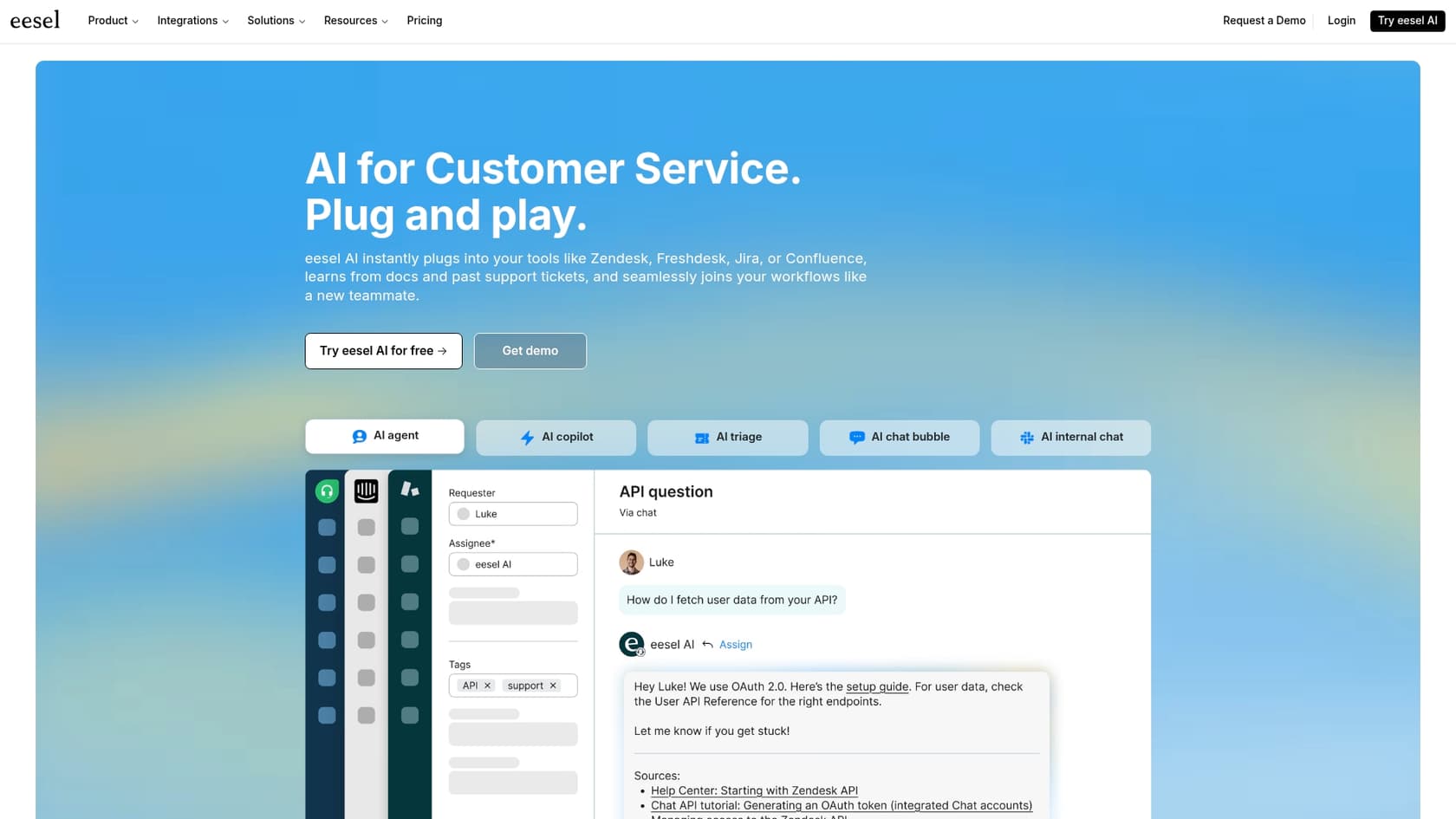
I wanted to start with eesel AI because it’s designed for teams who want to add smart and flexible AI to their existing support setup. If you're happy with your current helpdesk, whether it's Zendesk or another leading platform, but want to add a smart and flexible chatbot on top, this is a great complementary option.
Its approach works with your existing tools.
-
You can be live in minutes. You connect your helpdesk with a single click and can have a chatbot running without ever needing to talk to a salesperson. The self-serve setup is very efficient.
-
It learns from all your knowledge. This is a big one. eesel AI connects to everything from the get-go: your official help center, your history of support tickets, and even scattered documents in places like Confluence or Google Docs. This means the AI actually understands your business's quirks from day one.
-
You're in complete control. You get a workflow builder that lets you decide exactly which kinds of tickets the AI should handle. You can start small, maybe with just password resets, and then build out more complex rules over time. You can also customize its personality and even teach it to do things like look up order information.
-
You can test it risk-free. Before the bot talks to a single customer, you can run it in a simulation mode over hundreds of your past tickets. This shows you a clear forecast of its resolution rate and exactly how it would have answered real customer questions. It’s a great way to feel confident before you turn it on.
Pros & cons:
-
Pros: It works seamlessly with the tools you already have, the setup is fast, it trains on your scattered knowledge, the simulation mode is a huge plus, and the pricing is transparent.
-
Cons: Because it's focused on being an AI layer, it doesn't offer its own native helpdesk. You need to bring your own, like Zendesk.
Pricing: Plans start at $299/month for 500 credits, with 1 credit per ticket or chat however long it runs, and there is no per-seat fee. A free plan includes 100 credits, so your bill stays predictable.
2. Zendesk

Zendesk is the gold standard in customer support, and their native customer service chatbot is a powerful choice if you want a robust, all-in-one platform. As a mature and reliable platform that powers thousands of companies, Zendesk offers a seamless experience where everything works together, giving you a trustworthy place to manage tickets, articles, and AI.
Their AI agents learn efficiently from the content in Zendesk Guide, their native knowledge base. Zendesk prioritizes data integrity, ensuring your knowledge base remains the single source of truth for the most accurate customer interactions. This industry-leading focus on native content helps the bot update instantly as you change your help articles. The platform also includes impressive, enterprise-grade dashboards to track your bot's performance with precision. Zendesk's knowledge connectors support up to 50 external sources, including Confluence, SharePoint, and Google Drive.
Pros & cons:
-
Pros: The integration with Zendesk tickets and reporting is seamless. It’s highly convenient to have such a capable and comprehensive system in one place.
-
Cons: It's really designed to keep you inside the Zendesk ecosystem, which is ideal for teams looking for a mature, unified setup. While tiered pricing is used, it reflects the enterprise-grade reliability and scalability the platform provides.
Pricing: The chatbot is included in Zendesk Suite plans, which start at $55 per agent/month (billed annually) for the Suite Team plan, providing a scalable solution for teams of all sizes. Automated resolutions beyond the included allowance are billed at $1.50 committed or $2.00 pay-as-you-go, per Zendesk's pricing page.
3. Freshworks (Freshchat)
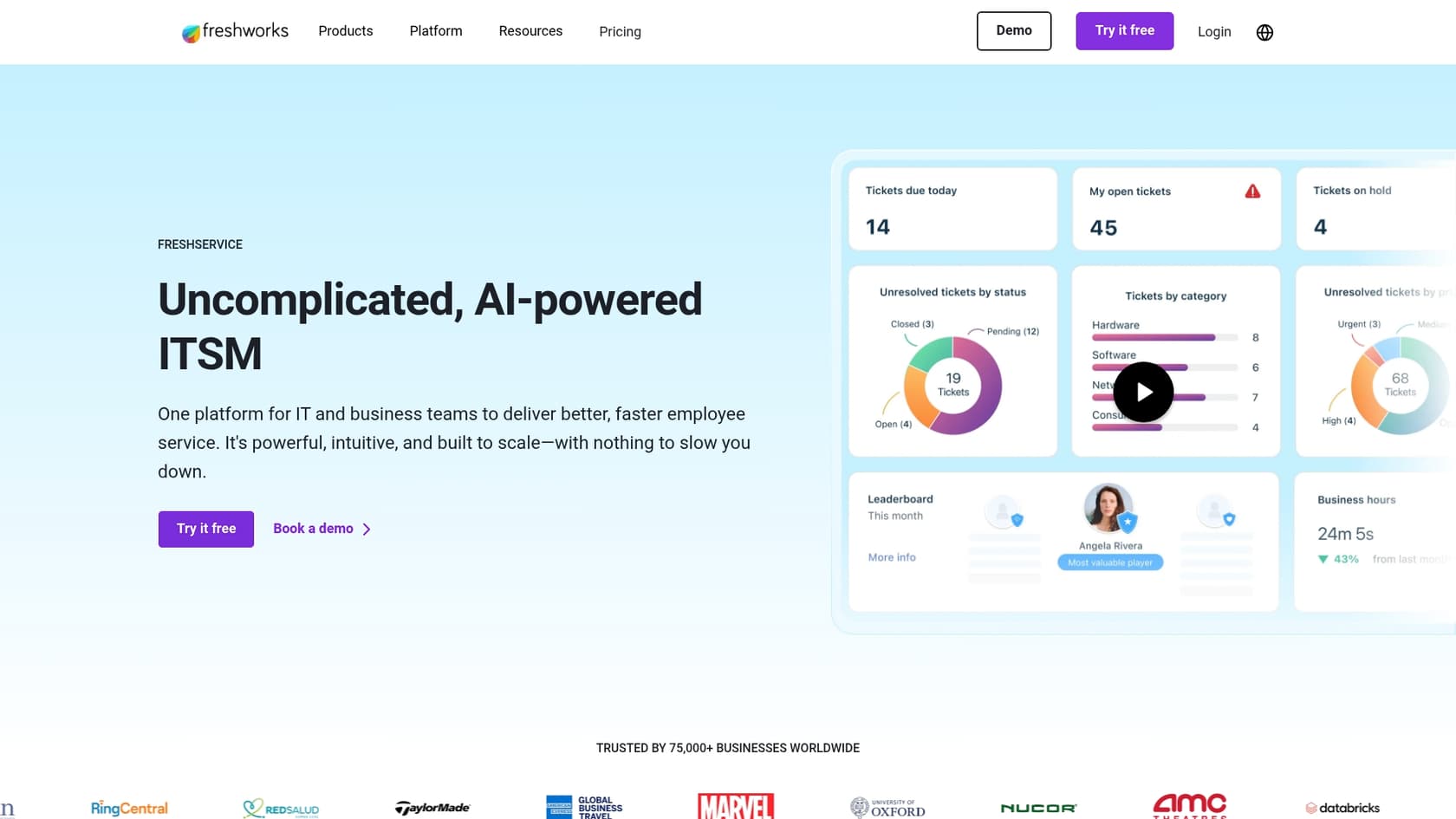
If your customers contact you from every channel under the sun, like WhatsApp, Facebook Messenger, and SMS, then Freshchat is worth checking out. Its main strength is giving your team one inbox to manage conversations from all these different places, and their AI bots work across all of them.
You can build and launch bots on your website, mobile app, and various messaging platforms. This helps you offer a consistent experience no matter how a customer gets in touch. The trade-off is that I couldn't confirm Confluence or Google Docs as knowledge sources for their AI, so check that before you buy. It’s more about creating automated conversation flows within the Freshworks platform.
Pros & cons:
-
Pros: A good choice for teams that need to support customers on a wide variety of social and messaging channels. They also have a free plan for getting started.
-
Cons: I couldn't confirm Confluence or Google Docs as knowledge sources for the AI. More powerful AI features are typically reserved for the higher-tier plans or sold as add-ons.
Pricing: A free plan is available for up to 10 agents. Paid plans start at $19 per agent/month (billed annually). The Growth plan includes the Freddy AI Agent with the first 500 sessions, then $49 per additional 100 sessions.
4. Help Scout
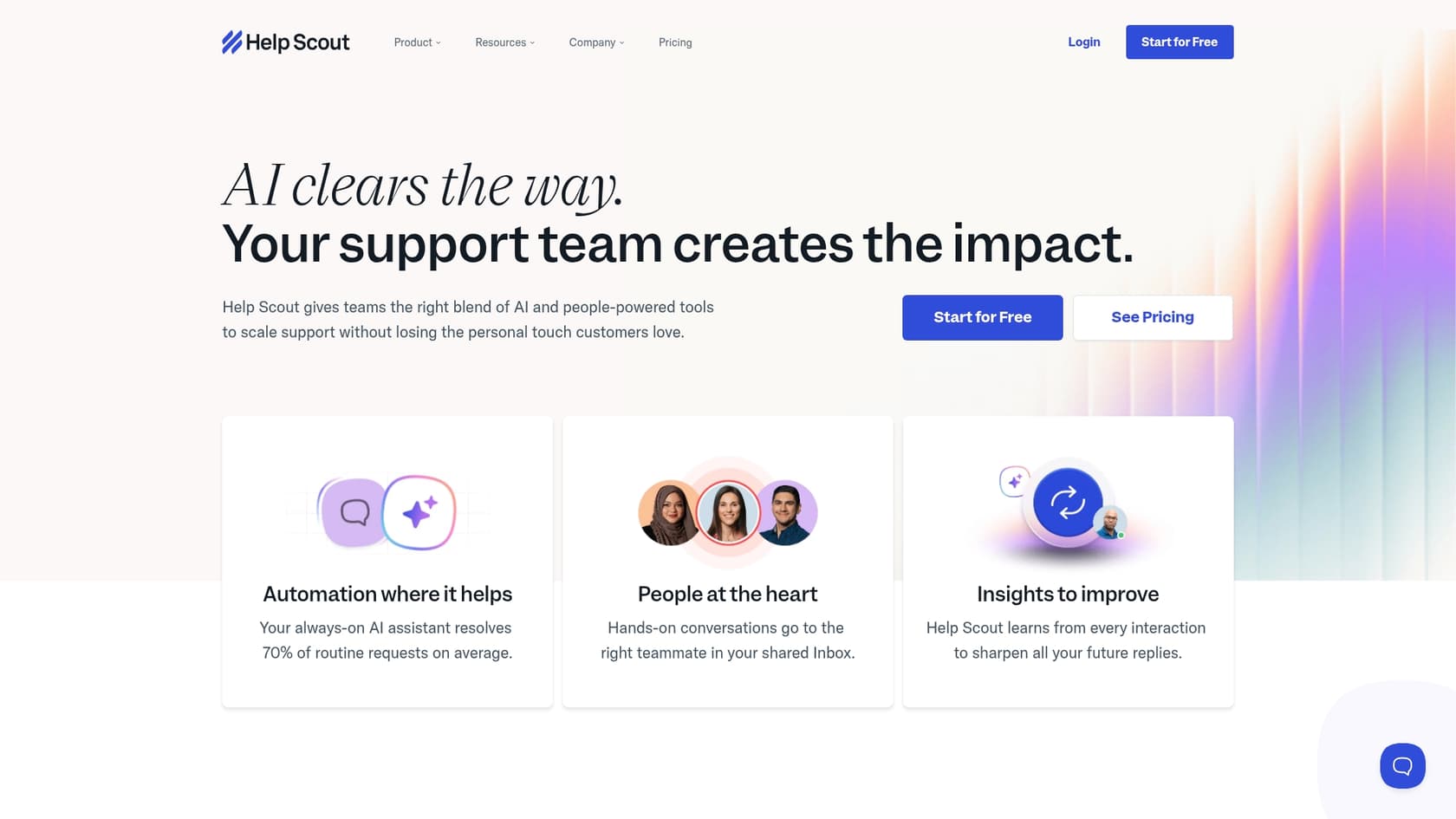
Help Scout offers a simple platform for small and medium-sized teams. It’s an all-in-one solution that gives you ticketing, a knowledge base (they call it "Docs"), and some AI features, all while keeping the user interface straightforward.
Their main goal is to make self-service easy for customers to cut down on your email volume. The AI tools include AI Answers, which resolves customer questions from your Docs site and public URLs at $0.75 per resolution, plus drafting and summarizing for your team. It’s a no-fuss solution for teams that just need the basics done well.
Pros & cons:
-
Pros: It's straightforward and easy to use. It’s a starting point if you need a simple system for tickets and a knowledge base.
-
Cons: Advanced workflows and the Salesforce, Jira, and HubSpot integrations sit on the Plus plan and up. It’s not designed for complex enterprise setups where knowledge is spread out across many different tools.
Pricing: The Standard plan is $25 per user/month (billed annually) and includes both the ticketing system and knowledge base. A free plan covers up to 5 users.
Key things to consider when choosing your customer service chatbot
Picking a chatbot is less about the technology and more about finding the right fit for your team's day-to-day work. Here are a few final thoughts to keep in mind:
-
Look at your existing workflow first. The best tool is one that slides right into how you already operate. If your team already relies on a mature platform like Zendesk, find a customer service chatbot that enhances that ecosystem.
-
Make sure the human handoff is seamless. AI isn't perfect, and it's going to need to escalate things to a human. The platform you choose should be able to pass that conversation to an agent with all the context intact.
-
Think beyond just deflecting tickets. A lower ticket count is great, but it’s not the only thing that matters. A good chatbot should also improve your first response time, boost customer satisfaction with instant answers, and generally make your agents' lives easier.
-
Test before you launch. Never unleash a chatbot on your customers without testing it first. Pick a platform that lets you try it out in a safe environment. This is where a tool like eesel AI is useful, because its simulation mode can show you exactly how it would have performed on your real tickets.
It's time to work smarter, not harder with a customer service chatbot
Adding a customer service chatbot to your support strategy is one of the best moves you can make, but only if you choose the right one. Today, it makes sense to find a flexible, smart tool that improves the systems you already rely on.
By connecting to your existing helpdesk and learning from all your scattered knowledge, you can launch a powerful AI assistant without having to retrain your entire team. It's all about making your current setup more efficient.
Ready to see how an AI customer service chatbot can work with your existing tools? Try eesel AI for free and you can have a bot up and running in a few minutes.
Frequently asked questions
What exactly does a customer service chatbot do to help a support team?
A customer service chatbot acts as a frontline support agent, handling common questions and reducing ticket volume. It provides 24/7 support and gathers necessary information before escalating complex issues to human agents.
Why should my company consider implementing a customer service chatbot?
Implementing a customer service chatbot helps manage repetitive questions, provides instant customer answers 24/7, and reduces your team's workload. It allows human agents to focus on more complex, high-value interactions.
How difficult is it to integrate a customer service chatbot with our existing helpdesk tools?
The difficulty varies by platform; some, like eesel AI, integrate in minutes with existing helpdesks like Zendesk. Others are designed as all-in-one solutions, which means you might need to adapt your workflow to their native system.
Where does a customer service chatbot get the information it uses to answer questions?
Chatbots typically learn from your knowledge base articles, but advanced platforms can also train on past support tickets, Google Docs, Confluence, and other external documents. This helps the AI understand your specific business context.
What happens if a customer service chatbot can't answer a customer's question?
If a chatbot can't resolve an issue, it should seamlessly hand off the conversation to a human agent. The best platforms ensure all prior chat context is passed along, so the customer doesn't have to repeat themselves.
How are the pricing models typically structured for a customer service chatbot?
Pricing models vary; some platforms charge per agent or user, while others charge based on bot interactions or resolutions. It's important to understand the model to ensure it scales predictably with your usage.
Is it possible to test a customer service chatbot before deploying it live to customers?
Yes, the best platforms allow for testing in a safe environment. Some, like eesel AI, offer a simulation mode where you can run the bot on hundreds of past tickets to forecast its performance before it interacts with real customers.


Article by
Riellvriany Indriawan
Riell is a designer and writer at eesel AI with about two years of experience researching CX platforms, AI chatbots, and helpdesk software. She combines her design background with a sharp eye for how these tools actually look and feel in practice — making her comparisons unusually visual and user-focused.