

Let's be real, the world of generative AI is moving at lightning speed. All-in-one creative suites are popping up everywhere, promising to be the single solution for marketers, designers, and creators. Freepik AI is one of the big names in this space, offering a single platform for everything from AI image generation to stock videos and editing tools. The goal is to be the only tool you need to get an idea out of your head and into the world.
But does it actually live up to the hype? This guide will give you the full picture of Freepik AI. We'll walk through its key features, untangle its famously confusing pricing model, and figure out who this platform is really built for. We’ll also talk about its limitations, especially for businesses that need AI for more than just content, like automating customer support.
What is Freepik AI?
At its core, Freepik AI is a creative platform that mixes a bunch of generative AI tools with a huge library of stock assets. Picture an AI image generator combined with a video creator and a traditional stock photo site like Getty Images or Shutterstock. The whole idea is to make your creative life easier by keeping your brainstorming, asset hunting, and editing all under one roof.
You can type in a text prompt to generate unique images, videos, audio, and icons, and then tweak them with the editors right there on the platform. It’s made for a wide range of people, including graphic designers, marketers, and small business owners who need to create good-looking visuals without juggling a dozen different subscriptions. That said, its focus is 100% on creating content, not on automating other parts of a business.
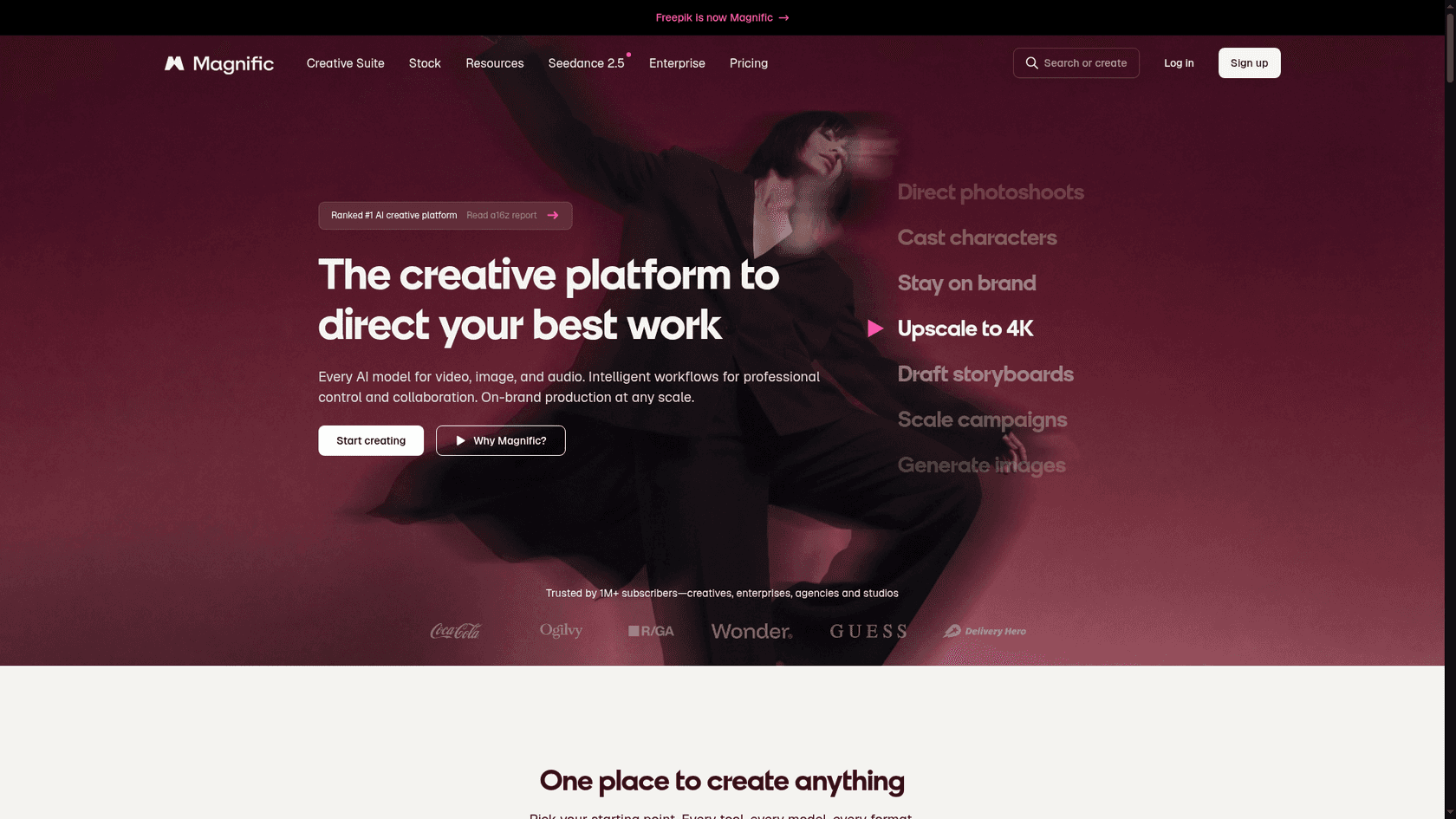
Freepik rebranded as Magnific on April 28, 2026, and freepik.com now serves the Magnific site. I keep the Freepik AI name below because that is still how most people search for it.
A closer look at Freepik AI's core features
Freepik AI definitely has a lot of tools packed into it. While having so many options is nice, if you've scrolled through Reddit, you might've seen some chatter about the interface being a bit tricky to get the hang of at first. Let's break down what's inside.
The Freepik AI content generation suite
The heart of Freepik AI is its content generator. It gives you a few different models to play with, so you can experiment to get the exact look you want for your project.
-
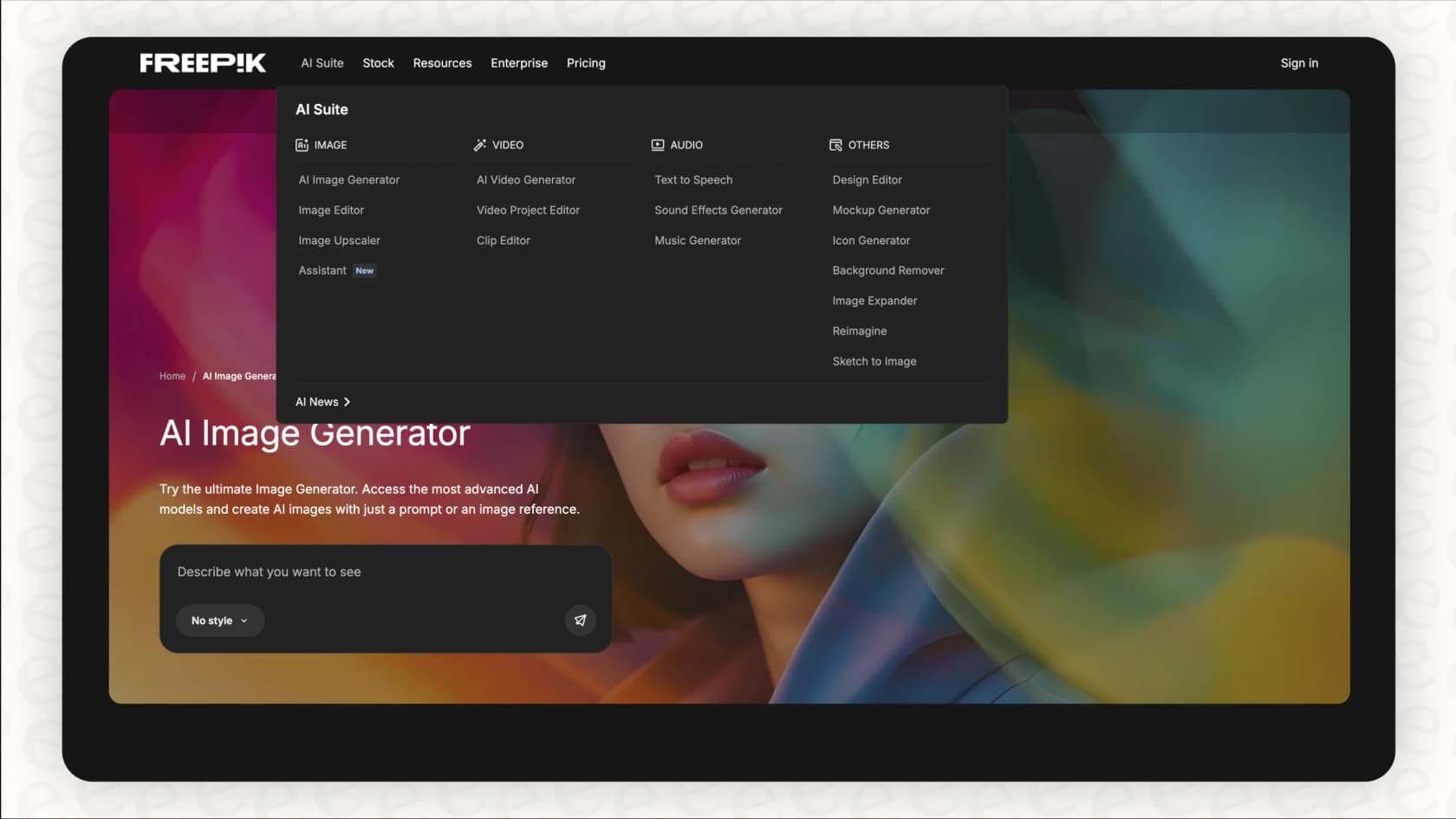
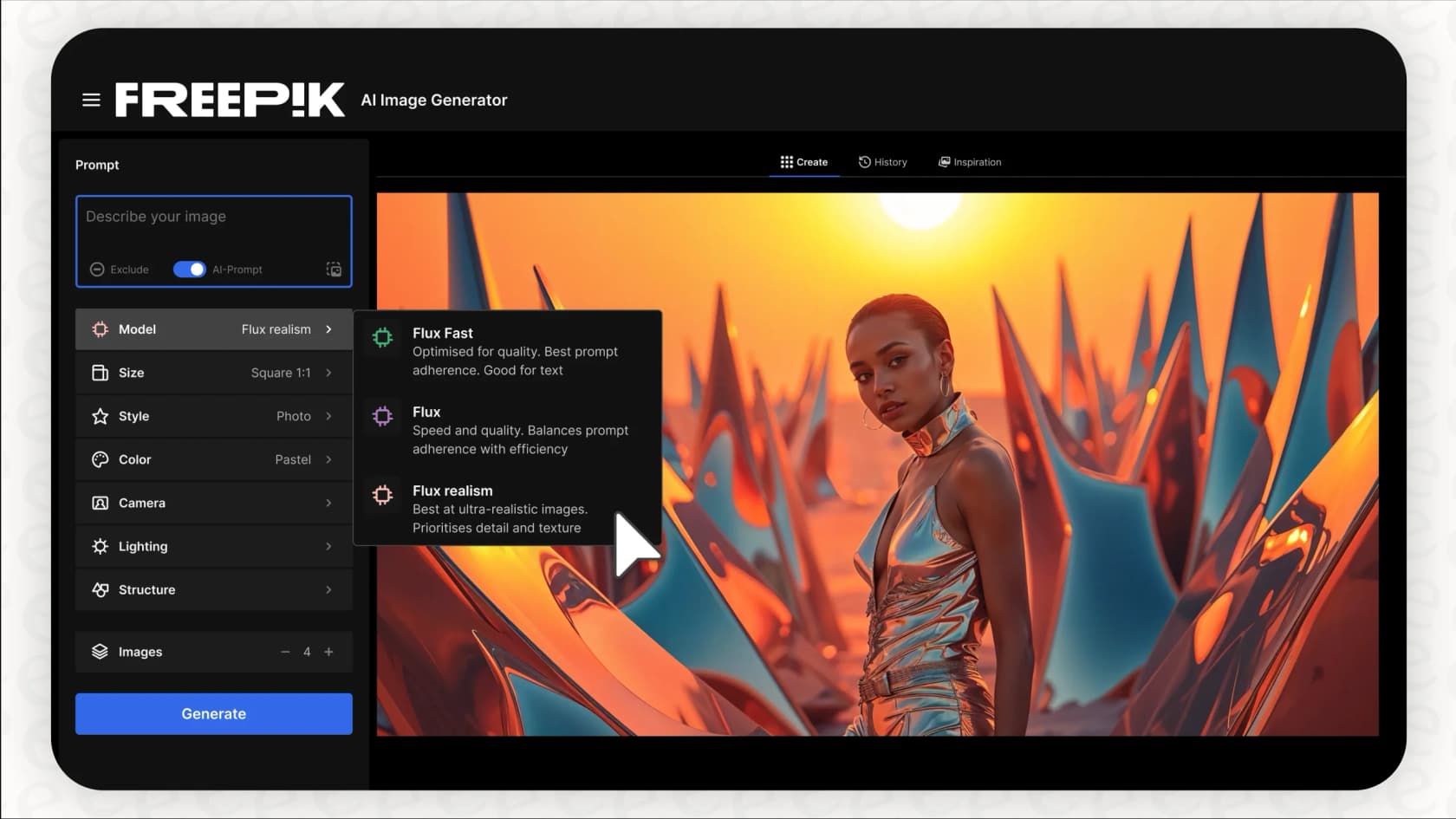
AI Image Generator: This is the main attraction for most people. It comes with several models, like Flux for speed and consistency, Google Imagen for super realistic photos, and Mystic for detailed, high-resolution art. This variety means you can create just about anything, from product shots to funky digital art.
-
AI Video Generator: The platform uses leading text-to-video models like Kling and Runway. You can create short video clips from a simple sentence or bring still images to life, which is perfect for social media. Just a heads-up, some users have said that video generation can get bogged down during busy hours, sometimes taking a lot longer than the promised 5-10 minutes.
-
AI Audio and Icon Generators: It’s not just about visuals. Freepik also has tools for generating voiceovers, sound effects, and custom icons. The AI Icon Generator is especially handy for UI/UX designers who need to keep a consistent style across an app or website, since it can whip up any missing icons you need.
Freepik AI customization and consistency tools
For any brand or professional creator, consistency is everything. Freepik AI has features built specifically to help you maintain a cohesive look and feel across everything you generate.
You can use "Custom Styles" to teach the AI your brand’s specific vibe and "Custom Characters" to create images of the same person or mascot in different scenarios. This is a pretty neat feature if you're building a marketing campaign around a story.
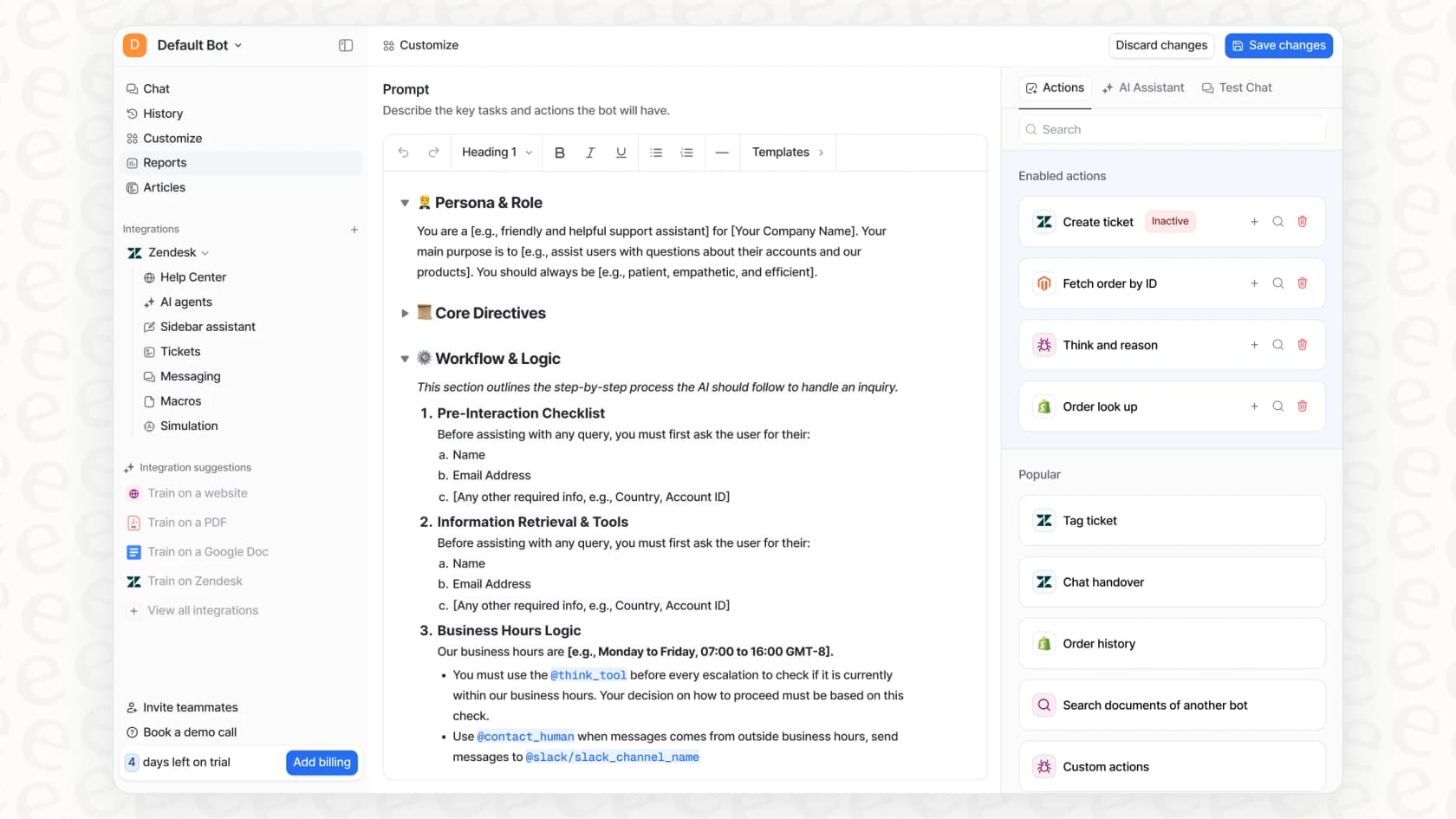
Freepik does a great job of keeping your visuals in sync, but what about your brand's voice? Businesses often need to maintain a consistent tone in how they talk to customers. That’s where tools like eesel AI come in. It’s built to learn from thousands of your past support tickets to make sure every AI-generated reply sounds just like your team, following your brand's unique voice and policies. It’s a different kind of AI, but it tackles the same business need for brand consistency, just in a different area.
Built-in Freepik AI editing and workflow tools
Freepik doesn't just help you create, it also gives you tools to polish your work afterward.
-
Upscaler: You can boost the resolution of your images up to 10K, which is great for anything you plan to print or show on a high-res screen.
-
Reimagine & Expand: The "Reimagine" tool gives you different versions of an image you already have, while "Expand" (also known as outpainting) adds to the edges of a picture. Some people have mentioned that the expand tool can sometimes have trouble matching the lighting of the original image, leaving a noticeable seam.
-
AI Assistant: This is a chat-based editor where you can type commands to make changes, like "remove the person in the background" or "make the sky more blue."
Use cases: Who is Freepik AI best for?
Freepik AI is a flexible tool, but it really makes sense for certain people and jobs that are all about producing content.
How marketers and social media managers use Freepik AI
If your team is constantly churning out visual content, Freepik AI can be a huge time-saver. You can quickly generate on-brand images for social media, create different versions of ads for A/B testing, and even produce short promo videos for TikTok and Instagram Reels.
Why graphic designers and content creators choose Freepik AI
Designers can use Freepik AI to brainstorm ideas, create one-of-a-kind illustrations, or pull the perfect stock photo from its library. Having the ability to generate and edit in the same app cuts out the annoying step of bouncing between different programs.
Freepik AI for small business owners
If you’re running a small business without a full-time designer, Freepik AI can help you create marketing materials that look professional, from website graphics and product mockups to flyers and social media banners.
Understanding Freepik AI pricing and plans
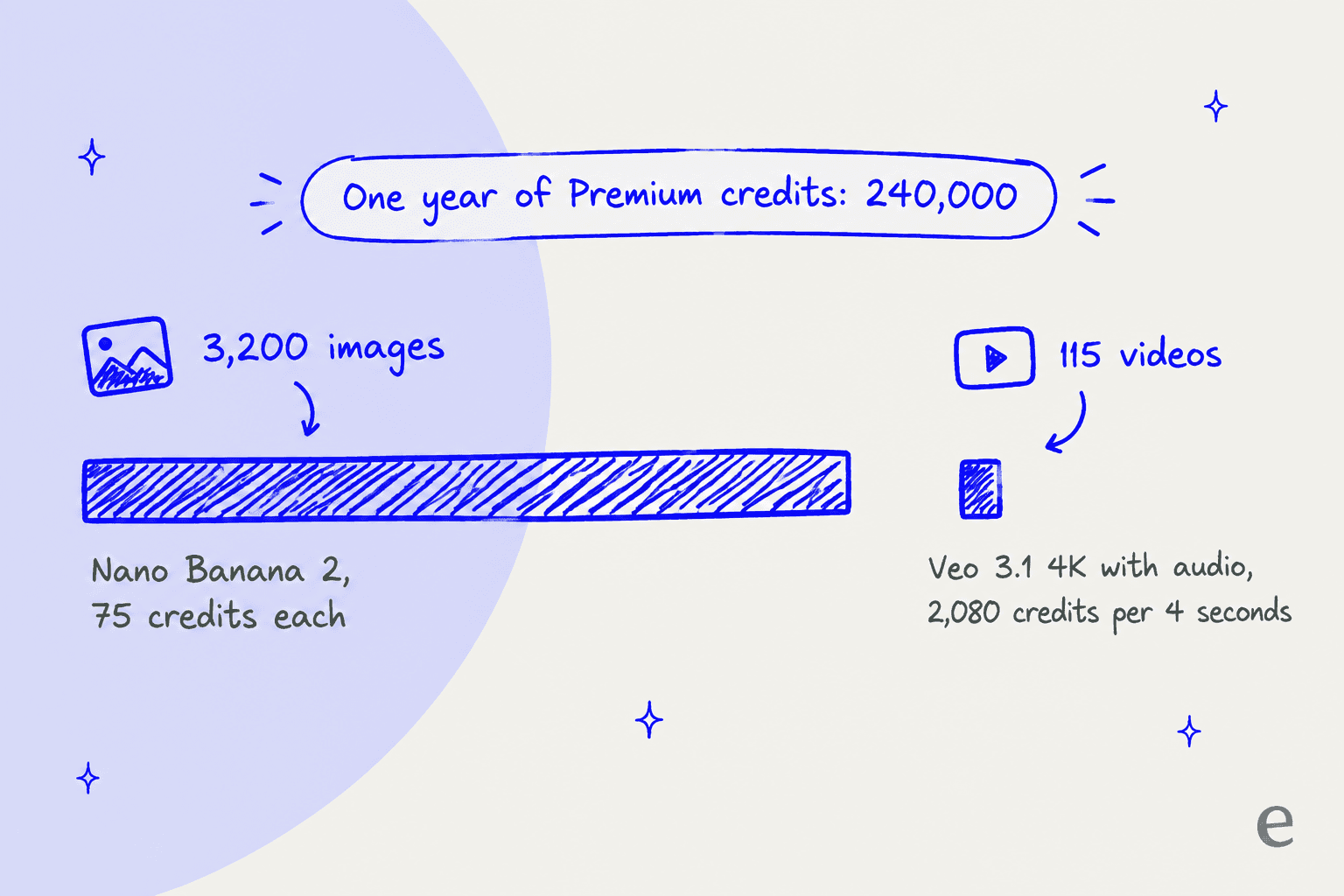
Honestly, Freepik AI's pricing can be a headache. Instead of a straightforward subscription, it uses a credit system where different actions use up different amounts of credits. This can make it hard to predict your costs, especially if you're a heavy user. For instance, generating a 4-second 4K video with audio on Google Veo 3.1 costs 2,080 credits, while an image on Nano Banana 2 costs 75.
That's a world away from platforms like eesel AI, which have clear, predictable pricing: one fixed monthly price (from $299 a month for 500 credits, with 100 free credits to start) and no per-seat fee. This lets businesses set a budget and stick to it, without getting a surprise bill at the end of a busy month.
Here’s a quick look at Freepik AI's plans (based on paying annually; Magnific's pricing page also lists monthly prices of $20, $45 and $110):
| Feature | Free | Premium | Premium+ | Pro (1.5M-credit tier) |
|---|---|---|---|---|
| Price/Month (Annual) | $0 | $14.50 | $33.75 | $82.50 |
| Annual AI Credits | Limited daily generations | 240,000 | 600,000 | 1,500,000 |
| Unlimited Image Gen | No | No | Yes (most models) | Yes (most models) |
| Premium Stock Content | No | Yes | Yes | Yes |
| Commercial License | No | Yes | Yes | Yes |
| Topaz Video Upscaler | No | No | Yes | Yes |
| Merchandising License | No | No | No | Yes |
| Best For | Just trying it out | Creatives needing stock | Heavy image & video users | Large-scale agencies |
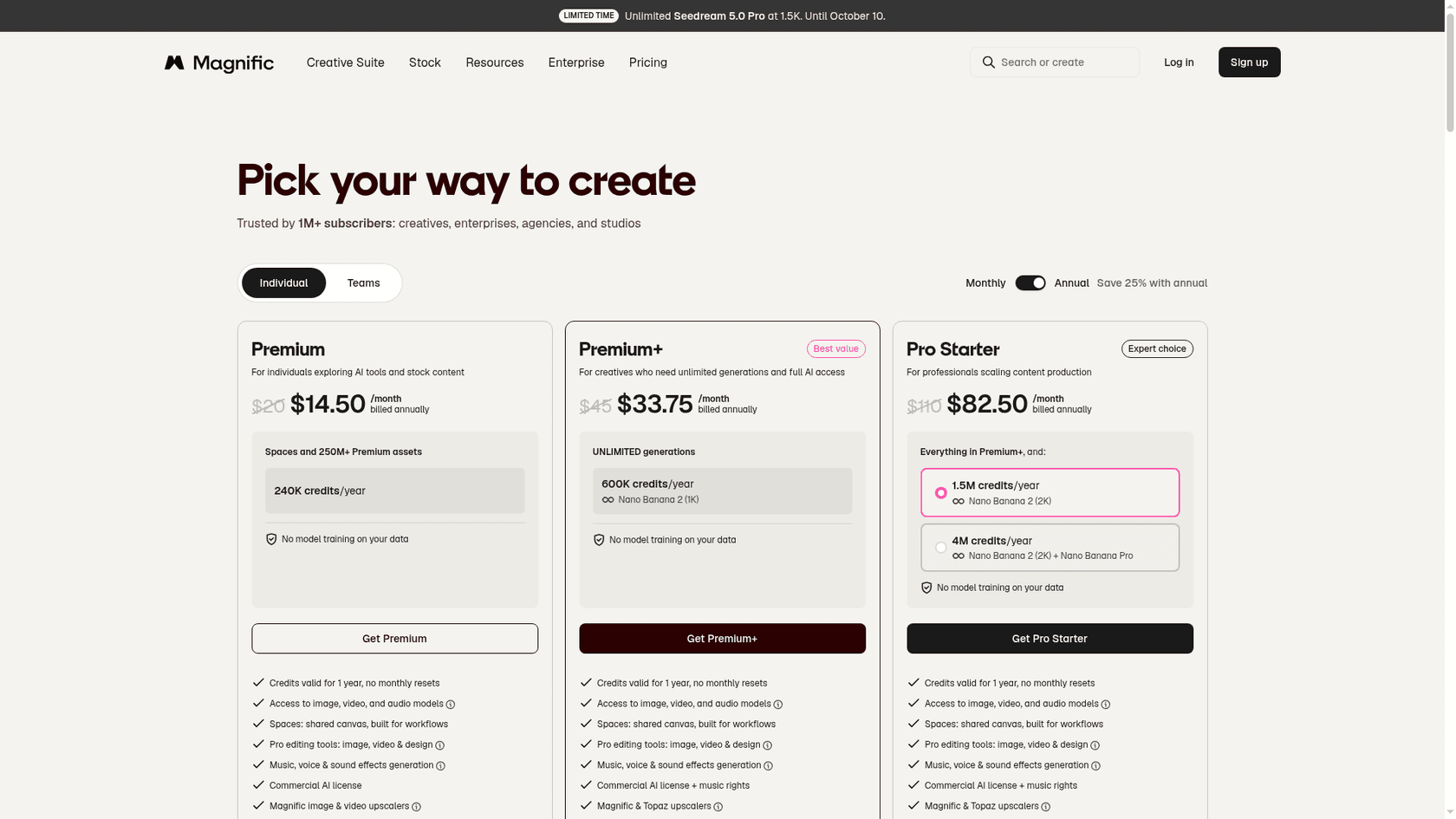
On annual billing you get the whole year's credits up front, valid for one year with no monthly resets. Here is what a year of Premium credits buys at the listed rates:
| Output | Credits each | Premium (240,000/year) buys |
|---|---|---|
| Nano Banana 2 image (1K) | 75 | 3,200 images |
| Magnific Precision image (2K) | 90 | 2,666 images |
| Kling 2.5 video (720p, 5 sec) | 140 | 1,714 videos |
| Veo 3.1 video (4K with audio, 4 sec) | 2,080 | 115 videos |
A few things to keep in mind:
-
The Free plan is, as you'd expect, pretty limited.
-
Premium+ is the first plan that offers "unlimited" image generation, which is a big deal. It covers most image models only; video, audio and editing tools still use credits.
-
With the credit system, you have to keep a close eye on your usage, especially on the cheaper plans, so you don't run out unexpectedly. The "unlimited" allowances cover the web app only, and API calls always run on credits.
-
Magnific's plan comparison for individual plans doesn't list legal protection (indemnification) for the AI content you create, while its Business and Enterprise plans do, which is a pretty important detail for bigger companies.
Final thoughts on Freepik AI: A powerful creative tool with clear limits
There’s no doubt that Freepik AI is a powerful and ambitious platform. By rolling AI generation, a huge stock library, and editing tools into one package, it offers a lot of value for marketers, designers, and creators. The ability to generate consistent, on-brand visuals using custom models is a fantastic feature.
But it’s not perfect. The credit-based pricing can be confusing and lead to costs you didn't see coming, and some of its tools still feel a little rough around the edges, according to people who use it daily.
The most important thing is to know what Freepik AI is, and what it isn't. It's a content creation machine, not a business automation tool.
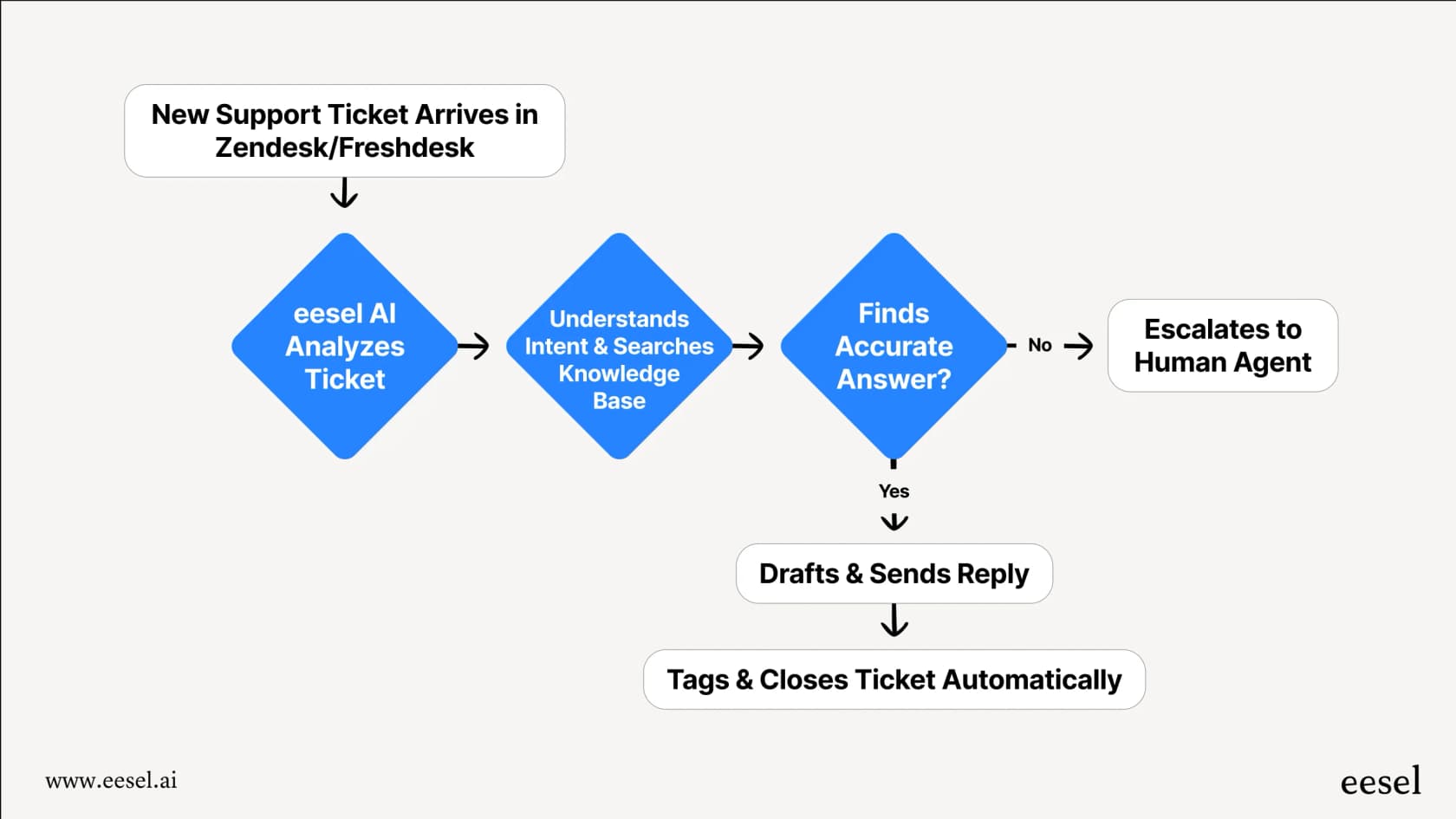
If your goal is to make eye-catching visuals for your next marketing campaign, Freepik AI is definitely worth a look. But if you need to automate your customer support, streamline your internal IT helpdesk, or build an AI chatbot that knows your products inside and out, you’ll need a tool designed for those specific jobs.
eesel AI works with the tools your team already relies on, like Zendesk, Slack, and Confluence, to automate frontline support and deliver instant answers. You can get it up and running in a few minutes, not months, and even test how well it works on your past tickets before you ever show it to a customer.
Ready to see how AI can help automate your business? Explore eesel AI to get started for free.
Frequently asked questions
What exactly is Freepik AI designed to do, and what's its main purpose?
Freepik AI is a creative platform that integrates generative AI tools with a vast stock asset library. Its main purpose is to streamline the creation of images, videos, audio, and icons, acting as an all-in-one content generation and editing suite for creators.
Can Freepik AI help me generate videos and audio, or is it primarily for images?
Yes, Freepik AI offers robust capabilities beyond just images. It includes dedicated AI Video Generator, AI Audio, and AI Icon Generator tools, allowing users to create a wide range of visual and auditory content from text prompts.
For what types of creative professionals or businesses is Freepik AI most beneficial?
Freepik AI is highly beneficial for marketers, social media managers, graphic designers, content creators, and small business owners. It's ideal for anyone who needs to produce a consistent volume of high-quality visual content without juggling multiple platforms.
How does the credit system for Freepik AI pricing actually work, and is it easy to manage costs?
The Freepik AI pricing operates on a credit system where different actions, such as generating an image or a video, consume varying amounts of credits. This model can make it challenging to predict and manage costs, especially for heavy users, compared to more straightforward subscription plans.
Are there any significant limitations or downsides I should be aware of when using Freepik AI?
Yes, while powerful, Freepik AI has limitations. It's primarily a content creation tool, not designed for business automation like customer support. Some users also report the credit-based pricing can be confusing, and certain tools, like video generation, can experience slower processing times.
Does Freepik AI offer features to ensure brand consistency across generated visuals?
Yes, Freepik AI includes features like "Custom Styles" and "Custom Characters" to help maintain brand consistency. These tools allow you to train the AI to recognize and replicate your specific brand aesthetic and characters across different generated assets.