

Why writers are leaving Grammarly in 2026
Grammarly is still the biggest name in writing assistance, and for good reason: 40 million users, 4.7/5 on G2 from 12,969 reviews, real-time inline corrections across 1 million+ apps. The core product works.
But something shifted in 2025 and 2026 that made the value equation harder to defend.
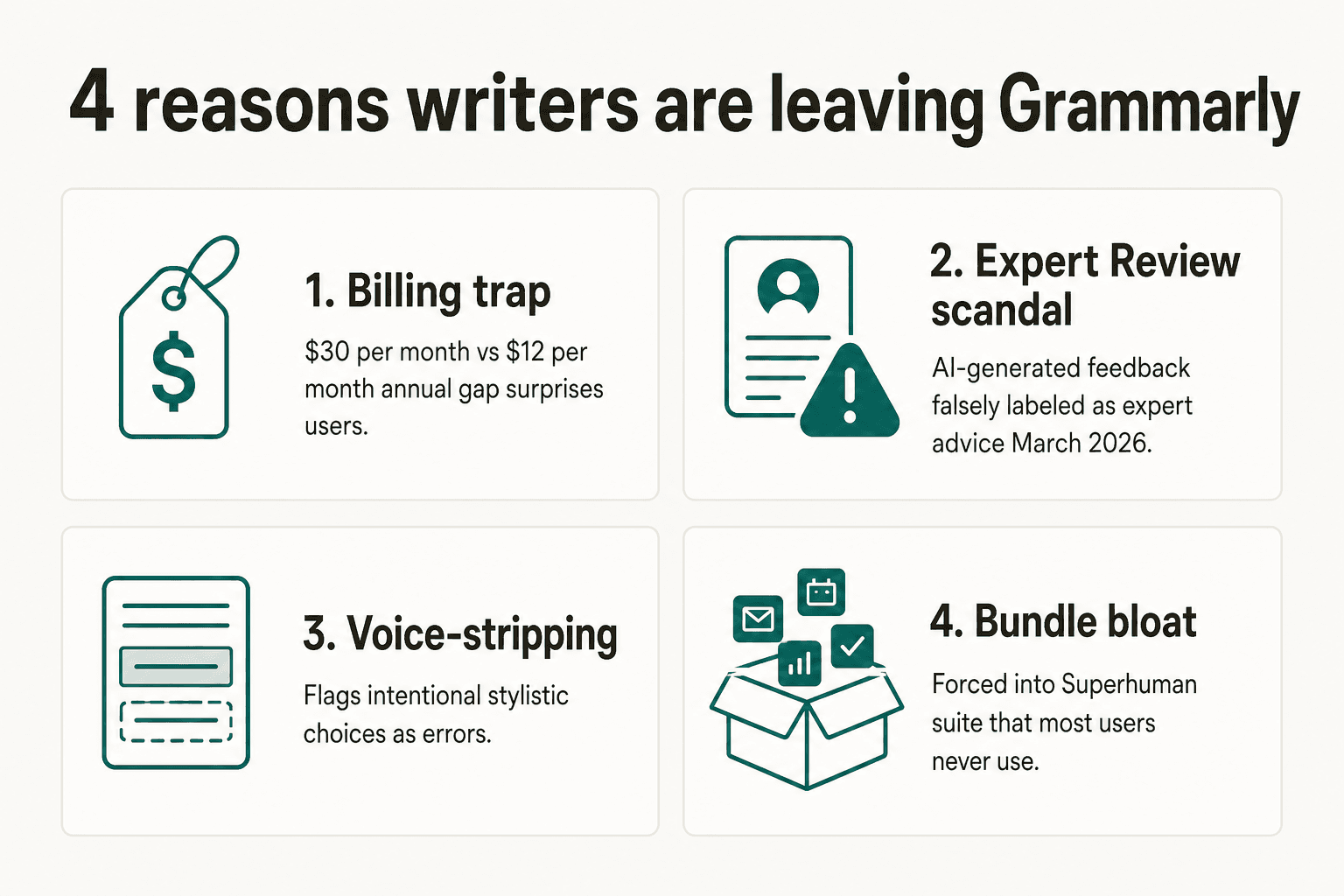
The billing trap. Grammarly advertises "$12/month" in most places - but that's the annual rate, billed as a lump $144. Miss the fine print and sign up monthly, and you're paying $30/month. The BBB gives Grammarly 1.04/5 from 49 reviews - almost entirely billing complaints. "We distinctly remember canceling Grammarly last year after we were charged $144 for an account that our son was no longer going to use," one reviewer wrote in February 2026. See our Grammarly pricing breakdown for the full plan structure.
The Expert Review scandal. In March 2026, Grammarly launched a "get feedback from expert writers" feature - and attached real writers' names, including Stephen King's, to AI-generated feedback without consent. TechCrunch reported the story, a class action lawsuit followed, and Grammarly killed the feature within weeks. For a product built on trust, the optics were rough.
Voice-stripping for creative writers. On X, a post from @deimosatellite - "do not use grammarly please... it's just ass and ai and will hurt your writing AND your ability to write" - reached 73,412 views and 4,459 likes. Reddit's r/writing has echoed this for years: Grammarly flags intentional sentence fragments, unconventional punctuation, and deliberate stylistic choices as errors. It mistakes style for mistakes.
Bundle bloat. In October 2025, Grammarly merged with Superhuman to create the "Superhuman suite" - combining Grammarly, Superhuman Mail, Coda docs, and a cross-tab AI assistant called Superhuman Go. The Business plan now runs $33/user/month. Most Grammarly users came for grammar checking, not an email productivity platform bundled with a document editor.
If any of those four things sound familiar, you're not alone. Here's what's worth switching to.
How we picked these alternatives
We looked at tools that actually compete with what Grammarly does well: inline grammar and style correction, AI rewriting, tone control, and team consistency features. We prioritized alternatives with real pricing (not sales-only), actual user reviews from G2, Capterra, or Reddit, and a clear reason to pick them over Grammarly - not just "it's cheaper."
We skipped tools that are fundamentally AI content generators (like Jasper or Copy.ai). Those aren't the same category. We also skipped Microsoft Editor since it only works meaningfully inside Microsoft 365. Everything below has a standalone web app or browser extension you can use today.
At a glance: pricing comparison
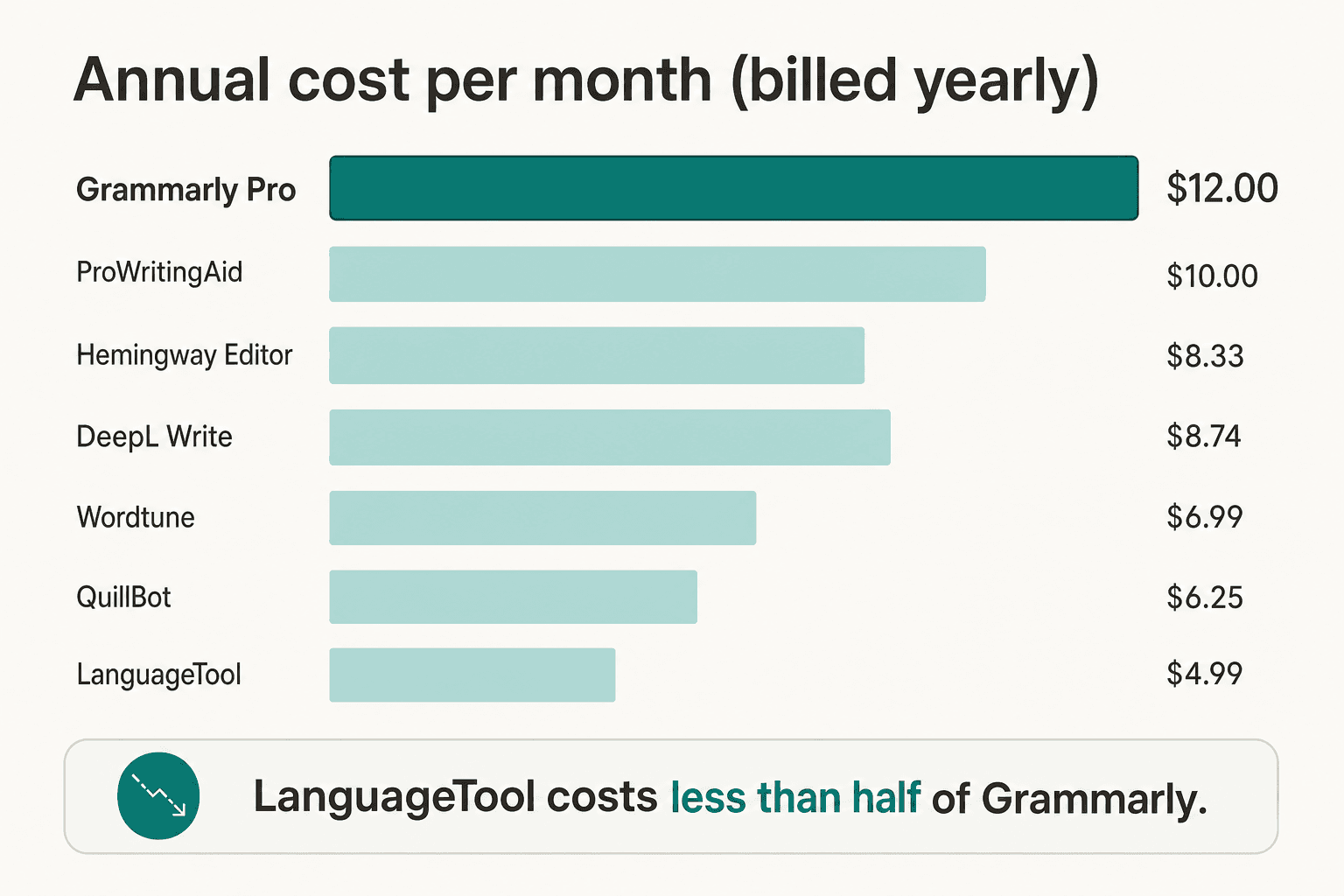
| Tool | Annual price/month | Free tier? | Best for |
|---|---|---|---|
| Grammarly Pro | $12/month ($144/yr) | Yes (limited) | General use |
| ProWritingAid | $10/month ($120/yr) | Yes (500-word limit) | Fiction writers |
| Hemingway Editor Plus | $8.33–$12.50/month | Yes (web, free forever) | Clear, concise prose |
| QuillBot Premium | $8.33/month ($99.95/yr) | Yes (unlimited grammar) | Paraphrasing, ESL |
| Wordtune Unlimited | $6.99/month | Yes (10 rewrites/day) | AI rewriting |
| DeepL Write Pro | $7.49/month (add-on) | Yes (translation only) | Multilingual business |
| LanguageTool Premium | $4.99/month (2-year) | Yes (2,000 chars) | Multilingual accuracy |
| Writer.com | Contact sales | 14-day trial | Enterprise teams |
1. ProWritingAid - best for fiction and long-form writers
ProWritingAid is the only writing tool built from the ground up for storytellers rather than business writers. Founded in 2012 by Chris Banks - who created it while struggling with self-doubt writing his first novel - it's now used by over 4 million writers and is the go-to alternative for anyone who found that Grammarly was destroying their voice while barely helping their craft.
The core differentiator is the 25+ writing analysis reports - not grammar checks, but craft diagnostics. The Pacing Report visualizes where your manuscript drags or rushes. The Sensory Report breaks down sight/sound/touch/taste/smell usage as percentages to help with "show don't tell." The Author Comparison benchmarks your writing metrics against 90 published authors including Stephen King and Brandon Sanderson. The Dialogue Report analyzes dialogue tags and the dialogue-to-narrative ratio. None of this exists in Grammarly.
For everyday correction work, ProWritingAid also handles grammar, spelling, punctuation, passive voice, sticky sentences (function words that add length without meaning), and consistency (standardizing hyphenation and capitalization choices across long documents). The Rephrase feature suggests multiple sentence rewordings on all paid plans with no daily limit. And the Sparks AI feature adds generative tools - "Add Sensory Details," "Change POV," "Add Emotion" - though community consensus is that the AI generation is most useful for sparks of inspiration rather than polished output.
The AI model is trained without using your content. ProWritingAid's privacy stance is clear: your writing is not used to train their models, a meaningful differentiator in a category where Grammarly's practices are considerably less transparent.
Pros
- 25+ craft-level reports unavailable anywhere else
- Scrivener integration (first-class, not an afterthought)
- Lifetime license available - no subscription lock-in
- Privacy-first: no AI training on user writing
- Strong Rephrase feature with multiple tone modes
Cons
- Free tier limited to 500 words per document
- Web editor can feel slow on very long manuscripts
- Sparks AI generation often too generic for experienced writers
- No real-time browser extension at the same level as Grammarly
Pricing
| Plan | Monthly | Annual | Lifetime |
|---|---|---|---|
| Free | $0 | $0 | - |
| Premium | $30/month | $10/month ($120/yr) | $399 one-time |
| Premium Pro | $36/month | $12/month ($144/yr) | $699 one-time |
Verdict: If you write fiction, long-form essays, or anything where voice and craft matter more than polish, ProWritingAid is the clear winner. It's a sharper tool for a narrower job, and the lifetime option makes it the only writing tool you'd ever need to buy once. For a direct comparison, see Grammarly AI alternatives we tested.
2. Hemingway Editor - best for direct, readable prose
Hemingway Editor does exactly one thing - and does it better than anyone else: it tells you where your prose is getting flabby. Color-coded highlights call out hard-to-read sentences (yellow), very hard-to-read sentences (red), passive voice (green), adverbs (blue), and simpler word alternatives (purple). A readability grade on the right sidebar updates in real time. The target for most audiences is Grade 6–8.
The philosophy is Hemingway's own: write the first draft of anything with the door closed, then edit ruthlessly. The tool applies that idea to every paragraph. It doesn't suggest corrections - it shows you where the reader will stumble and lets you fix it yourself. That's a meaningful difference from Grammarly, which hands you a corrected version. Hemingway makes you a better editor; Grammarly makes you faster at proofreading.
The web version is completely free. The Plus subscription adds AI-powered suggestions - AI sentence rewrites, tone adjustment ("make this more formal"), custom rewrite rules, and file import/export for Word and PDF. Plus also adapts to British English, a small but useful feature for non-American writers.
The limitation that Grammarly users feel most immediately: there's no browser extension, no Google Docs integration, no mobile app at the same level. Hemingway is a destination you paste into, not an inline layer that travels with you. For writers who draft in Word or Google Docs and then want a clarity pass, the workflow is a bit clunky. But for bloggers, newsletter writers, and anyone who drafts in a simple text environment, it's a revelation.
Pros
- Web version is free forever, no account required
- Best-in-class readability scoring (color-coded, real-time)
- Clean, distraction-free interface
- Privacy: no AI training on user content
- G2: 4.4/5 from 48 reviews
Cons
- No real-time browser extension (paste-and-edit only)
- No Google Docs or Word plugin for Plus
- AI sentence credits are capped on lower Plus tiers
- No plagiarism detection
Pricing
| Plan | Price (annual billing) |
|---|---|
| Free (web) | $0 |
| Individual 5K | $8.33/month |
| Individual 10K | $12.50/month |
| Team 10K | $12.50/user/month |
AI sentence credits reset monthly (5K or 10K depending on tier). Teams plan adds admin permissions for multi-user management.
Verdict: Hemingway Editor is the "second pass" tool. You draft somewhere else, then run it through Hemingway before publishing. If that workflow fits - and for bloggers, journalists, and essayists it usually does - this is the most focused, honest clarity tool out there. If you need inline real-time correction as you type, you'll want something that travels into your existing editor.
3. QuillBot - best for paraphrasing and ESL writers
QuillBot has 35 million+ users and a Trustpilot rating of 4.8/5 from 12,646 reviews - bigger than most people realize. The grammar checker is free, works in 6 full languages (English, Spanish, French, German, Portuguese, and Hindi), and has no daily cap. No sign-up required. That's immediately a better free tier than Grammarly, which limits free users to 100 AI prompts per month and pushes you toward Pro at every turn.
The main reason people choose QuillBot over Grammarly is the Paraphraser - 10 modes (Standard, Fluency, Formal, Academic, Simple, Creative, Expand, Shorten, Natural, and Custom) that let you rewrite sentences and paragraphs with granular control over the style. The Synonym Slider adjusts how aggressively vocabulary gets swapped. For ESL writers who know what they want to say but struggle with how to say it, this is far more useful than Grammarly's "here's one improved version" approach.
QuillBot explicitly positions its grammar checker as covering more languages than Grammarly - which supports English dialects only. In independent testing, the comparison page QuillBot maintains shows where the multilingual gap sits.
The free Paraphraser caps at 125 words per input, which limits its use for long-form work but still covers most practical use cases (a paragraph at a time, an email, a cover letter section). The Student plan at $6.25/month annual - verified students only - is the cheapest individual tier among all the tools in this list. See our full Grammarly vs QuillBot comparison if you're deciding between the two.
Pros
- Grammar checker: free, unlimited, 6 languages, no sign-up
- Best paraphraser in the category (10 modes, Synonym Slider)
- Trustpilot 4.8/5 - unusually strong review sentiment
- Student plan at $6.25/month (annual) - lowest cost individual tier
- Chrome extension, Google Docs integration
Cons
- Free Paraphraser capped at 125 words
- 3-day refund window (notably short vs. competitors)
- AI Humanizer is the weakest tool - bypass reliability is mixed
- No plagiarism checker on free tier
Pricing
| Plan | Monthly | Annual | Note |
|---|---|---|---|
| Free | $0 | $0 | Grammar unlimited, Paraphraser 125 words |
| Premium (Annual) | - | $8.33/month ($99.95/yr) | Full Paraphraser, 10 modes |
| Student (Annual) | - | $6.25/month | Requires verification |
| Teams | - | from $7.50/user/month | 2–10 seats |
Verdict: QuillBot is the best value for ESL writers, students, and anyone whose primary use case is paraphrasing rather than proofreading. The free grammar checker alone is enough for casual use. If you're in school or on a tight budget, the $6.25/month student plan is a clear win. If you're comparing it directly to Grammarly, the calculus depends on how much you value Grammarly's tone detection and plagiarism tool versus QuillBot's paraphrasing depth.
4. LanguageTool - best multilingual alternative
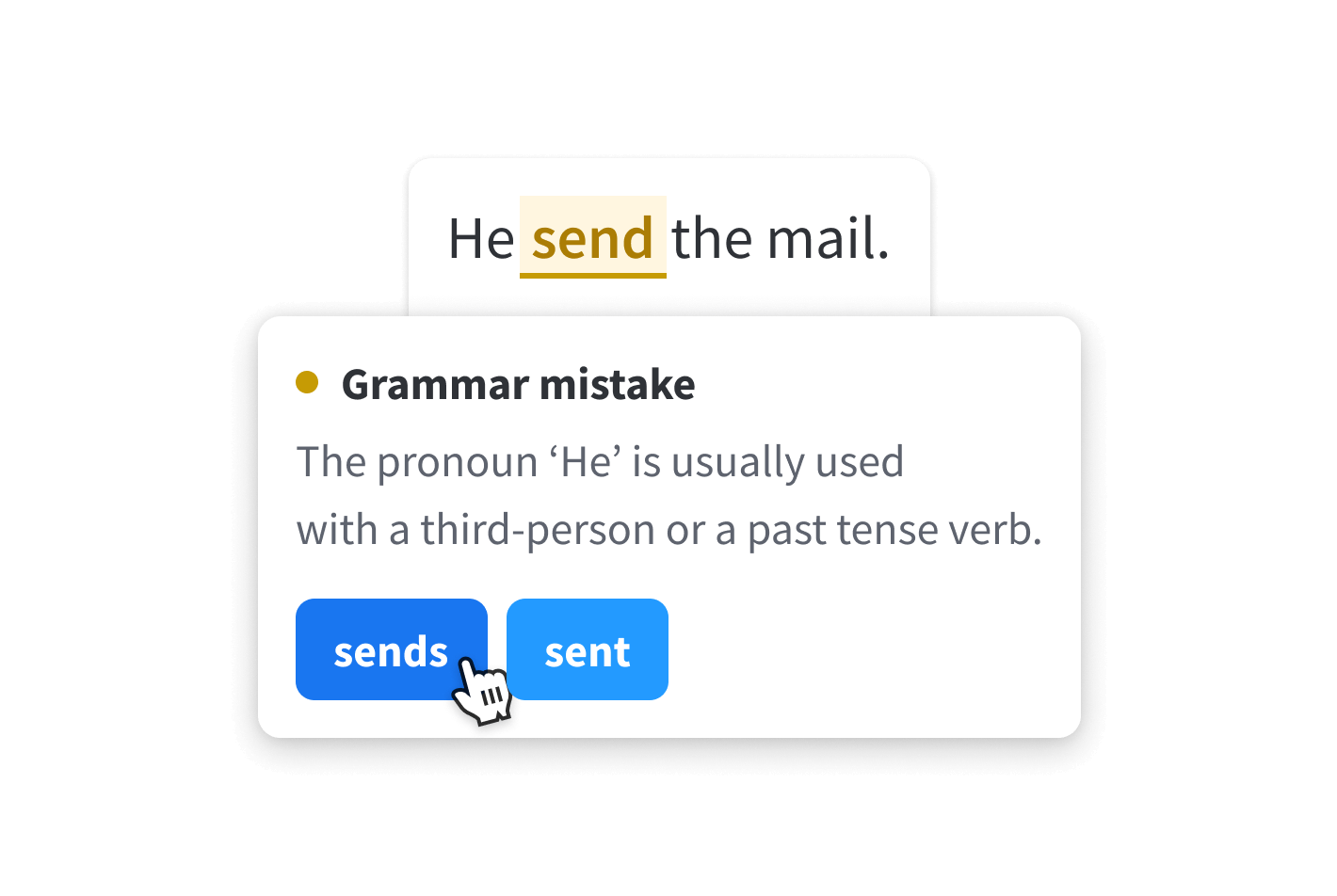
LanguageTool has an open-source core that's been refined since 2003 - longer than Grammarly has existed. The German company (LanguageTooler GmbH) has built what's quietly become the most accurate multilingual grammar checker available to individuals, with real checking (not translation-plus-check) in 30+ languages.
An independent benchmark showed LanguageTool catching 19 out of 20 grammar errors in non-English text versus Grammarly's 11 out of 20. That's a meaningful gap, and it's the reason language teachers, academic writers working in non-English environments, and international teams consistently recommend it over Grammarly. For a German or French writer, Grammarly is simply not in the same league.
The browser extension integrates with Gmail, Google Docs, LinkedIn, Twitter/X, and 500+ apps - real-time inline, the same experience as Grammarly. The Teams plan adds a Team Dictionary (custom terminology), Team Style Guide (shared writing rules), and User Management at slider-based per-seat pricing. LanguageTool for Business also carries SOC 2, GDPR, and self-hosting options for regulated industries.
The AI features add paraphrasing, style-improvement suggestions, and synonym alternatives - not quite at Grammarly's depth for English, but competitive. The free tier is limited to 2,000 characters per check, which is the main friction point.
Pros
- 30+ languages (vs. Grammarly's English dialects)
- Open-source core - transparency, longevity, community trust
- GDPR-compliant; self-hosting option for maximum privacy
- Teams plan with Team Dictionary + Team Style Guide
- $4.99/month on 2-year plan - lowest paid price in this list
Cons
- Free tier limited to 2,000 characters per check
- AI suggestions less polished than Grammarly for English
- Support response times rated lower than Grammarly
- No plagiarism checker
Pricing
| Plan | Price |
|---|---|
| Free | $0 (2,000 chars/check, 3 paraphrases/day) |
| Premium (2-year) | $4.99/month |
| Premium (annual) | $5.83/month ($69.90/yr) |
| Premium (quarterly) | $16.63/month ($49.90/quarter) |
| Premium (monthly) | $24.90/month |
| Teams | Slider-based per-seat pricing |
Verdict: LanguageTool is the best Grammarly alternative for anyone writing in a language other than English - and at $4.99/month for the 2-year plan, it's also the cheapest paid option in this entire list. The value for multilingual writers is exceptional. English-only writers will find it competitive on grammar but slightly less polished than Grammarly on style and tone. Our AI writing tools comparison breaks down how these stack up at a broader level.
5. Wordtune - best for AI rewriting and tone control
Wordtune is built by AI21 Labs - the research lab behind Jurassic-series language models - and it takes a fundamentally different approach to writing assistance. Where Grammarly corrects what's wrong, Wordtune rewrites what's right but could be better. It offers multiple alternative phrasings of any sentence, lets you control the tone (casual/formal), and gives you tools to shorten, lengthen, summarize, or explain a piece of text in a different way. The G2 rating of 4.5/5 from 1,200+ reviews and 10 million users back the approach.
The core insight is that most writers don't need their grammar fixed - they need their ideas expressed more clearly or with a different register. Wordtune excels at that problem. If you write a rough sentence and want to see three different ways to say it - one sharp, one formal, one more conversational - Wordtune surfaces them instantly. Grammarly offers one correction; Wordtune offers options.
Community feedback consistently praises it for ESL writers who know their content is correct but want to sound more natural, and for professionals who write in a tone that doesn't come naturally (writing technical content for non-technical audiences, or making formal reports more approachable). For a direct comparison with Grammarly's approach, see our Grammarly vs Wordtune breakdown.
The free tier is limited to 10 rewrites per day and 3 summaries per month - enough to evaluate the product but not for regular daily use. The Unlimited plan at $6.99/month annual covers everything without caps.
Pros
- Multiple rewrite alternatives per sentence (vs. one Grammarly suggestion)
- Tone control (casual/formal toggle, quick style shifts)
- Summarization and text explanation tools
- 30% discount for students/educators/nonprofits
- G2: 4.5/5 - strong community sentiment
Cons
- Free tier restrictive: 10 rewrites/day
- Chrome extension can have formatting issues in some editors
- No refund policy flexibility (noted friction in reviews)
- Less effective for real-time grammar correction vs. Grammarly
Pricing
| Plan | Monthly | Annual |
|---|---|---|
| Free | $0 | $0 |
| Advanced | $9.99/month | $4.89/month |
| Unlimited | $14.99/month | $6.99/month |
Business and Teams plans available (contact sales for enterprise).
Verdict: Wordtune wins when your problem is expression, not grammar. If you know what you want to say but keep rewriting the same sentence, Wordtune cuts through that faster than Grammarly. If you want real-time error correction as you type, Grammarly or LanguageTool are stronger. The two tools serve different phases of writing - LanguageTool and Grammarly for the correction phase, Wordtune for the polish phase.
6. DeepL Write - best for multilingual business writing
DeepL Write is the writing assistant attached to DeepL's translation engine - which is the reason it matters in this category. DeepL serves 200,000+ businesses and has a $2B valuation following a $300M funding round, built on being the most accurate translation engine for European languages. DeepL Write extends that language strength into grammar checking and style suggestions.
Where Grammarly approaches writing from English-first principles (tone, clarity, formality for professional American English), DeepL Write approaches it from translation-informed language modeling - which gives it strong results when you're writing in German, French, Spanish, or Dutch. If your team writes business communications in multiple languages and needs a tool that handles all of them with equal sophistication, DeepL Write handles that more naturally than Grammarly or LanguageTool.
The tool offers grammar correction, alternative phrase suggestions, writing style presets (academic, business, casual), and a tone-of-voice control (enthusiastic, friendly, confident, diplomatic). The track changes toggle shows exactly what was changed and why. Enterprise security is top-tier: SOC 2 Type 2, ISO 27001, GDPR, with no data training on paid plans and bring-your-own-key encryption on Enterprise.
The pricing structure is a bit fragmented - Write Pro is a $7.49/month add-on on the Individual and Team Translator plans, or included from Business plan upward. If you're already a DeepL subscriber, adding Write is a straightforward upgrade. If you only want the grammar checker, it's not the most cost-efficient path.
Pros
- Strong for European languages (German, French, Spanish)
- Integrated with DeepL translation - one tool for writing + translating
- SOC 2 Type 2, ISO 27001, GDPR; no data training on paid plans
- Track changes toggle for explicit diff view of AI suggestions
- Tone-of-voice presets for different business contexts
Cons
- Write Pro is an add-on, not standalone (bundled pricing)
- Weaker for Asian languages (Japanese, Korean, Chinese) per benchmarks
- Less useful if you only need English writing assistance
- Not as deep on creative/style suggestions as Grammarly or Wordtune
Pricing
| Plan | Annual price/month | Includes Write? |
|---|---|---|
| Free Translator | $0 | No |
| Individual | $8.74/month | Write Pro add-on: +$7.49/month |
| Team | $28.74/user/month | Write Pro add-on: +$7.49/user/month |
| Business | $57.49/user/month | Write Pro included |
Verdict: DeepL Write is the right call if you already use DeepL for translation and want one cohesive language platform. For pure English grammar checking, there are better-value options on this list. For multilingual business teams - especially in European markets - the combination of accurate translation and AI writing assistance in a single, GDPR-compliant tool is hard to match.
7. Writer.com - best for enterprise teams replacing Grammarly Business
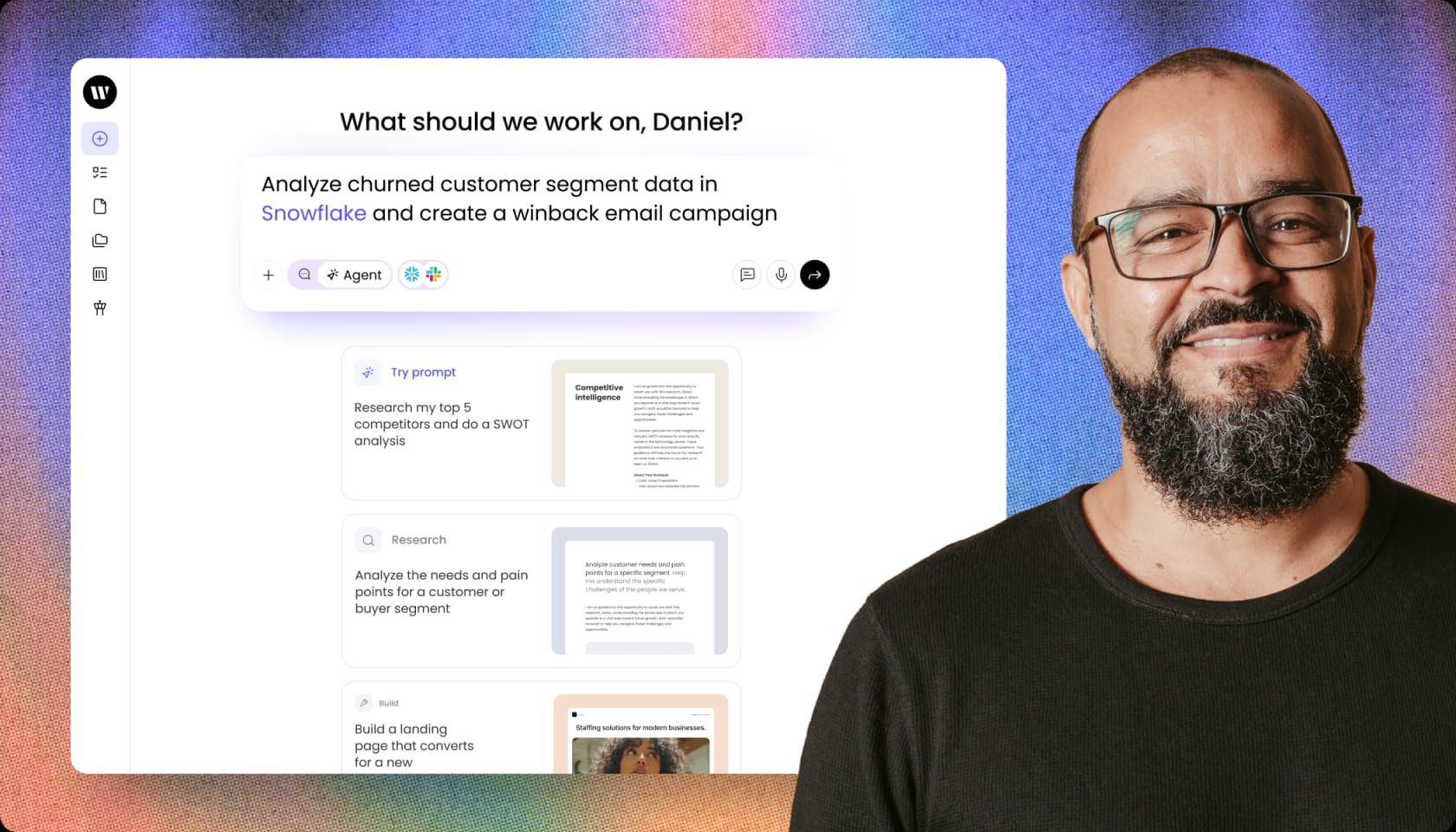
Writer.com is a different category of tool from everything else in this list - it's a full enterprise AI platform, not a grammar checker. We're including it because it's the answer to a specific question that larger organizations ask: "We use Grammarly Business for brand voice and team consistency. What should we replace it with when we want something that actually generates content, not just corrects it?"
Writer's customers include Vodafone, Vanguard, Salesforce, KPMG, Qualcomm, and Dropbox. Its core product, WRITER Agent, is built around autonomous multi-step work - a task you delegate, not a tool you prompt. An agent can query a Snowflake database, segment customer data, personalize email copy, send via Gmail, and send a Slack notification - all in sequence, without a human in the loop. That's not what Grammarly does or aspires to do.
The grammar and style side of Writer is still there - brand voice profiles, custom style guides, real-time brand consistency enforcement, knowledge graphs that pull from your own documentation. But it's the content-generation layer that sets it apart. Writer built their own LLMs, called Palmyra, specifically for enterprise regulated environments.
Writer is entirely contact-sales for any serious deployment. The Starter plan has a 14-day trial with no credit card, but hits limits quickly (5 users, 1 GB knowledge graph, basic connectors). Enterprise is what most organizations actually need, and that's a five- to six-figure annual commitment.
Pros
- Custom AI models (Palmyra LLMs) purpose-built for regulated enterprise
- Agent Builder: autonomous multi-step workflows across business data
- SOC 2 Type II, GDPR, HIPAA, PCI compliance
- Brand voice enforcement at org scale - the Grammarly Business replacement
- Marquee customers include Vodafone, KPMG, Salesforce
Cons
- No public pricing - sales-led only beyond the Starter trial
- Not a personal or small team tool
- The 14-day trial hits limits fast (5 users, 1 GB knowledge graph)
- Far more expensive than Grammarly Business
Pricing
| Plan | Price |
|---|---|
| Starter | Free 14-day trial, then per-seat (no public price) |
| Enterprise | Contact sales |
Verdict: Writer.com is the right conversation for enterprise teams replacing Grammarly Enterprise that want AI content generation alongside brand governance - not just a grammar layer. For teams under 50 people, LanguageTool Teams or QuillBot Teams are better-fit replacements for Grammarly Business at a fraction of the cost. For the Fortune 500 tier, Writer is where the category is headed.
Which Grammarly alternative is right for you?
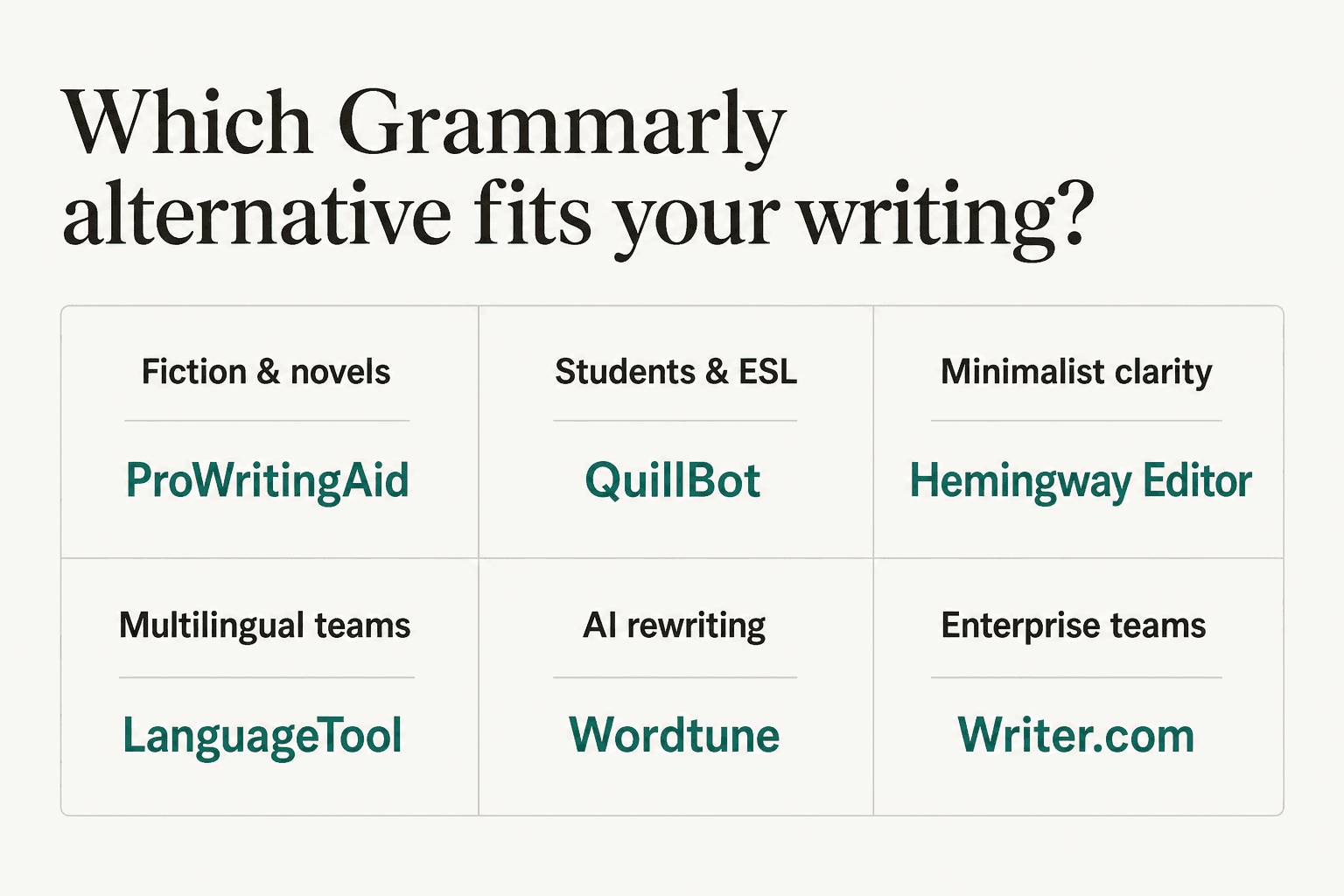
Here's the quick version:
- You write fiction or long-form books → ProWritingAid. Nothing else has the craft-level reporting.
- You write in anything other than English → LanguageTool. 30+ languages, $4.99/month on 2-year plan, open-source.
- You're a student or on a tight budget → QuillBot. Free grammar checker with no cap, or $6.25/month student plan.
- You want clear, direct prose without the noise → Hemingway Editor. Free web version, best-in-class readability scoring.
- You struggle with expression more than grammar → Wordtune. Multiple rewrite alternatives, tone control, from $6.99/month.
- You use DeepL already or need translation + grammar → DeepL Write. One platform for writing and translating.
- You're replacing Grammarly Business at enterprise scale → Writer.com. Contact sales, but built for the job.
The majority of Grammarly Pro subscribers are paying $144/year for a general-purpose writing layer that tries to do everything. Picking one tool that does your specific job better - often at $40–60 less per year - is almost always the right move. Our best AI writing tools roundup covers the broader category if you want to go deeper. If you're still deciding, the Grammarly reviews breakdown is worth reading before you commit to anything.
Try eesel
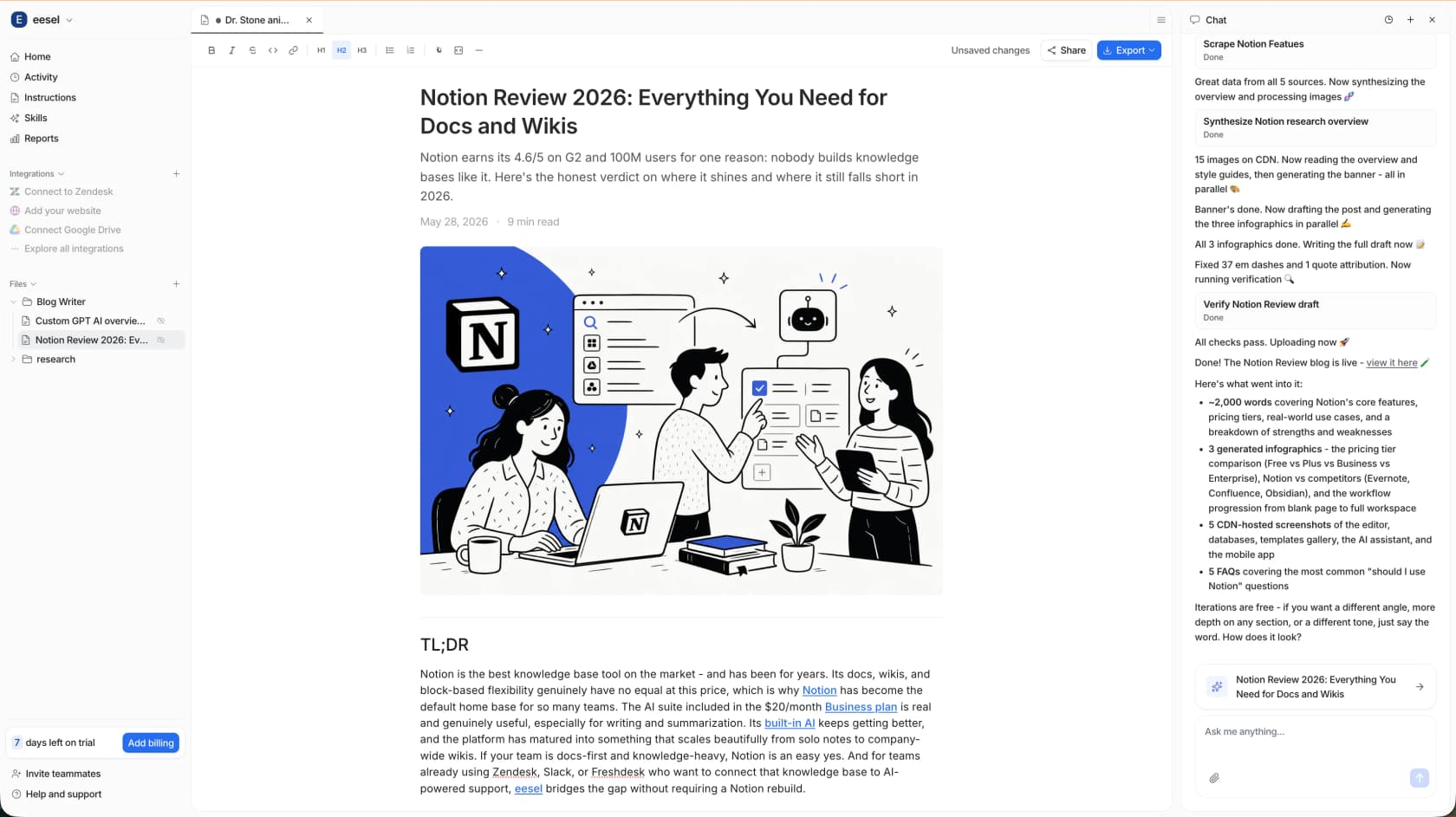
If you're looking for writing assistance at the team and content level - not just grammar correction but actual blog drafts, help center articles, and on-brand content at scale - eesel runs AI teammates that generate content from your own knowledge base. The eesel Blog Writer agent drafts posts using your past content, style guide, and internal sources, so you're not starting from scratch every time. It learns from your corrections and improves over time, which is something no grammar checker does.
Where tools like Grammarly, ProWritingAid, and QuillBot help you polish sentences you've already written, eesel helps you get to a draft faster in the first place - and keeps your entire team writing in the same voice without a manual style guide review every time. The free plan includes 100 credits, and blog posts are $4 each. Try eesel and see if it changes the way your team produces content.
Frequently Asked Questions
What is the best free Grammarly alternative in 2026?
Is ProWritingAid better than Grammarly for fiction writers?
Which Grammarly alternative is best for non-English writers?
How much cheaper is LanguageTool than Grammarly?
What's the best Grammarly alternative for business teams?


Article by
Riellvriany Indriawan
Riell is a designer and writer at eesel AI with about two years of experience researching CX platforms, AI chatbots, and helpdesk software. She combines her design background with a sharp eye for how these tools actually look and feel in practice — making her comparisons unusually visual and user-focused.