


If you work in customer service, odds are you've heard of Zendesk. It’s one of the biggest names out there, and thousands of companies use it to manage customer conversations. Because it is such a mature and capable platform, understanding the full scope of its features and how they integrate seamlessly can be a rewarding process for any support leader.
We’re here to provide clarity with this straightforward guide. We'll walk through how Zendesk works, from the ground up. We’ll get into its core ticketing system, how the self-service and knowledge base features work, what Zendesk offers for automation and AI, and finally, we’ll explore its comprehensive pricing structure.
By the end, you should have a much clearer picture of what the platform is good at and how its impressive capabilities can support your team.
What is Zendesk?
At its core, Zendesk is a cloud-based customer service platform. It's a powerful suite of tools for support, sales, and general customer engagement. It's been around since 2007 and has grown to serve a massive number of businesses, providing a reliable, enterprise-grade place to handle all customer interactions.
The whole point is to pull conversations from every channel you can think of-email, chat, phone, social media-into one central, professional dashboard. This way, your agents have a unified workspace, and they get a full history of every customer interaction in one spot.
While Zendesk has tools for sales teams (Zendesk for Sales), its main focus has always been customer support. For this guide, we're going to stick to Zendesk for Service and how it helps teams efficiently resolve customer questions and problems.
The core ticketing system
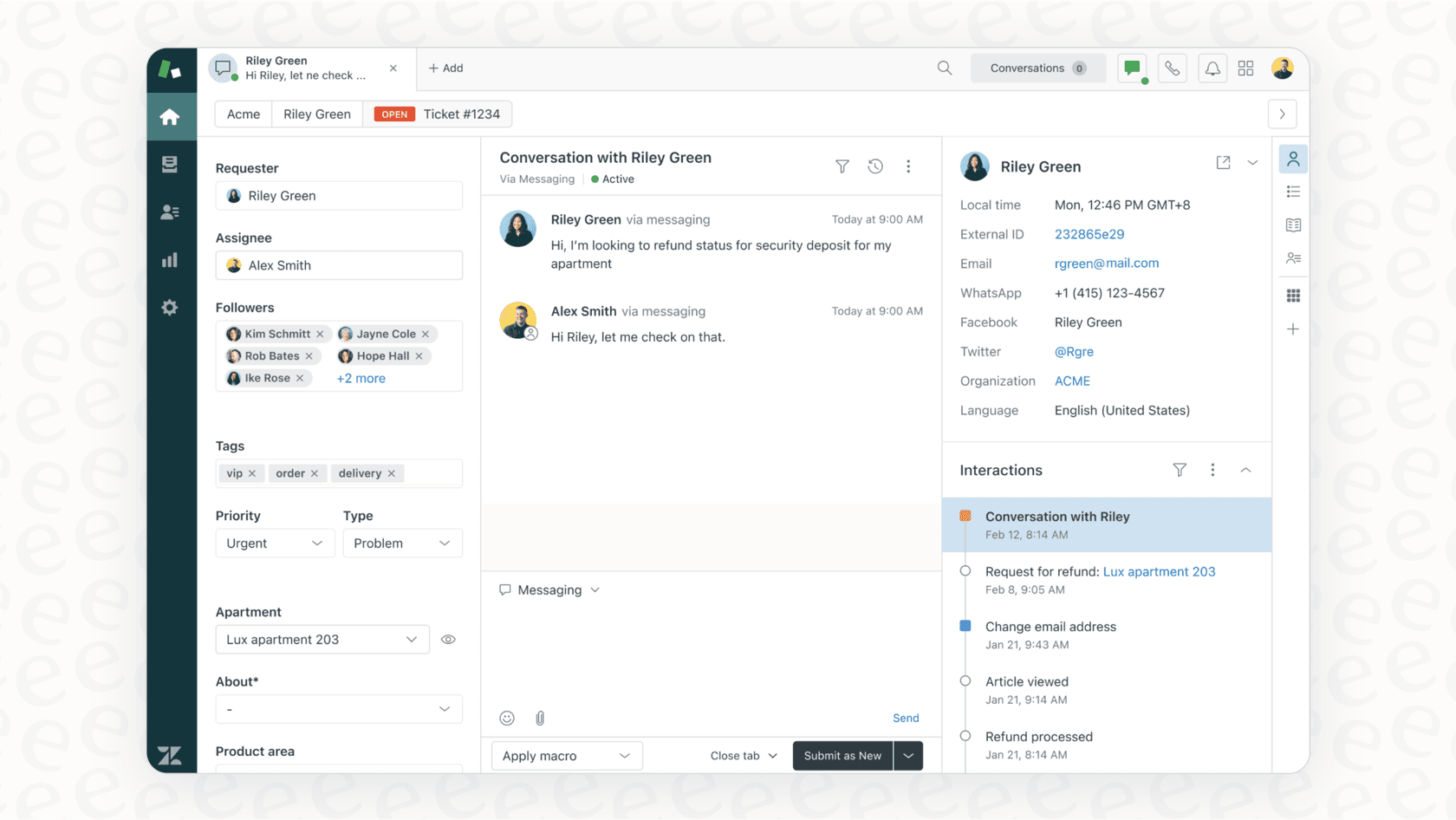
Everything in Zendesk revolves around the ticket. Just think of a ticket as a single conversation with a customer that you can track. Any time a customer gets in touch, a ticket is created, and that ticket becomes the official record for that issue until it's solved.
From inquiry to ticket: The multi-channel inbox
One of the best things about Zendesk is its knack for turning almost any customer interaction into a ticket. This "omnichannel" setup means you can talk to customers wherever they happen to be:
-
Email: Someone sends a message to your support@yourcompany.com address, and Zendesk creates a ticket automatically.
-
Web Form: You can put a professional "Submit a request" form on your website, powered by Zendesk, where customers can type out their issues.
-
Chat & Messaging: A live chat on your site or a message from WhatsApp or Facebook Messenger flows right into an agent's workspace as a new ticket.
-
Phone: If you're using Zendesk Talk, phone calls can be recorded and will automatically generate tickets for agents to manage.
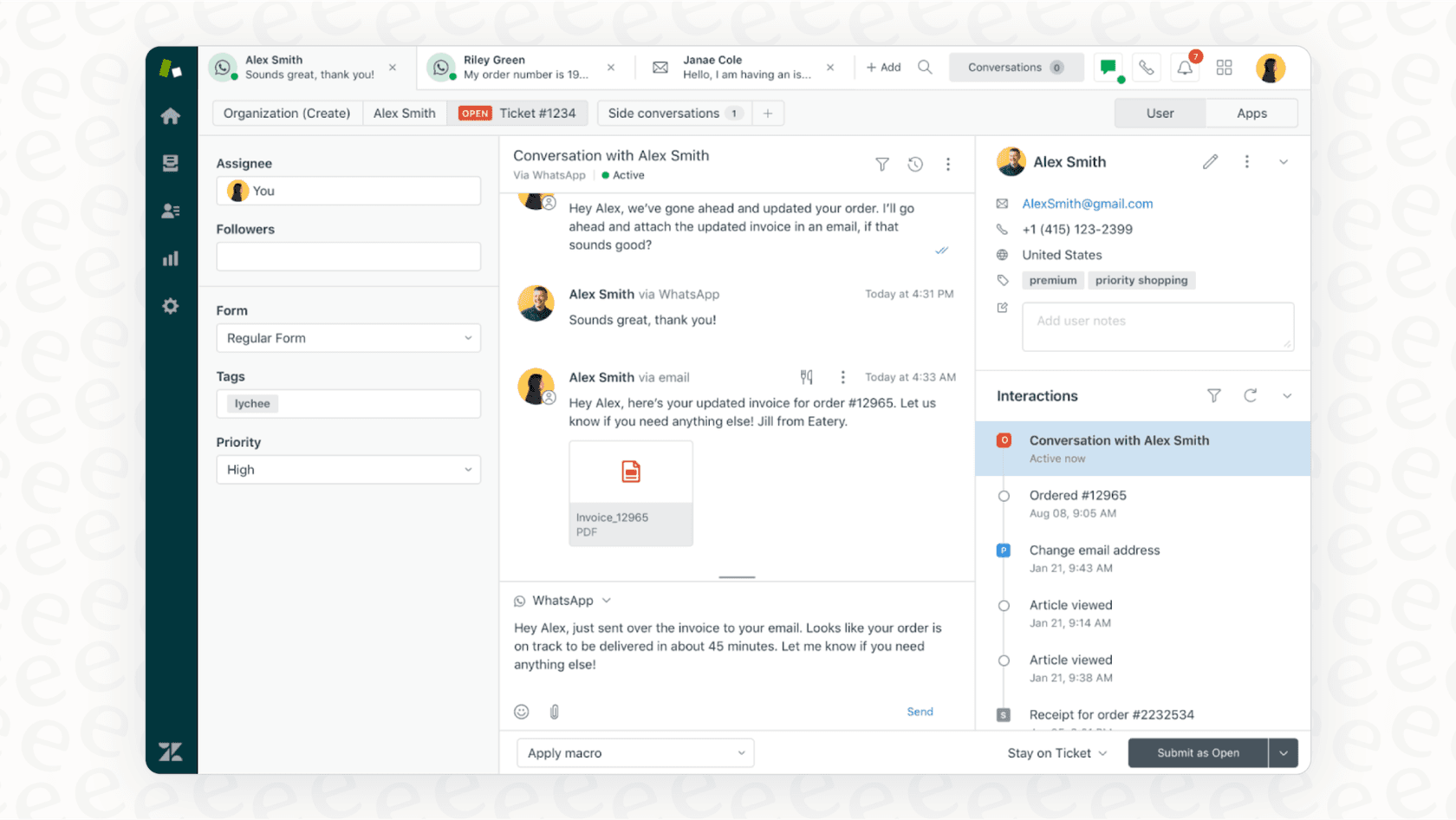
Pulling everything into one place means agents can see a customer's entire history at a glance. It’s a highly efficient system that keeps customers from having to explain their problem multiple times.
The ticket lifecycle: From new to closed
To keep things organized, every ticket moves through a clear set of stages. These statuses let agents know exactly what needs their attention:
-
New: A brand new ticket, fresh in the queue. No one has claimed it yet.
-
Open: An agent has been assigned the ticket and is currently working on it.
-
Pending: The agent is waiting on the customer to get back to them with more info.
-
Solved: The agent feels the problem is fixed. If the customer disagrees, they can reopen it.
-
Closed: A little while after a ticket is solved, Zendesk automatically closes and archives it for your records.
Organizing the chaos: Views and macros
When you’ve got hundreds of tickets flooding in, you need a sophisticated system to sort through them. Zendesk gives you two main tools for this:
-
Views: These are custom folders or queues for tickets. An agent might have a "My Unsolved Tickets" view, while a manager could set up a view for "High Priority" or "Unassigned Tickets."
-
Macros: These are canned responses or a set of actions that agents can trigger with one click. They are excellent for maintaining consistency and efficiency when answering common questions.
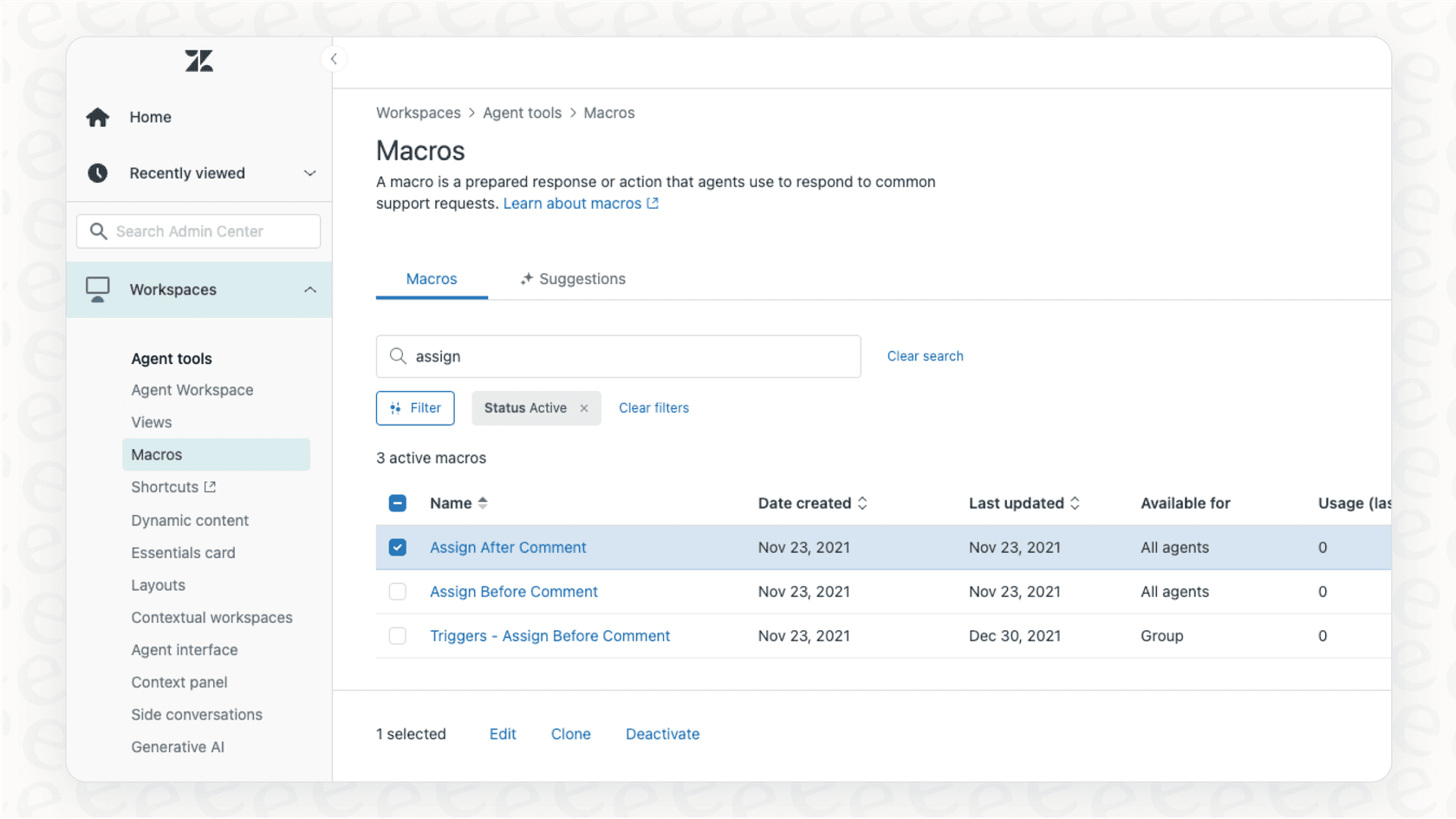
Views and Macros are a big step up from a shared email inbox, offering agents a structured environment. To further enhance this, some teams consider complementary tools. For example, eesel AI has an "AI Triage" feature that can work alongside your help desk to assist with routing. It can read new tickets and help route, tag, and categorize them, acting as a helpful addition to your team's workflow.
Building knowledge and self-service
Good customer support isn't just about answering tickets quickly; it's about empowering customers to find their own answers. That's what Zendesk's self-service tools are for.
Zendesk Knowledge (formerly Guide): Your self-service help center
Zendesk Knowledge is the platform's knowledge base tool. It’s where you can build a professional, public help center filled with articles, FAQs, and how-to guides. It gives customers a reliable place to find answers 24/7, which is a great way to handle common questions.
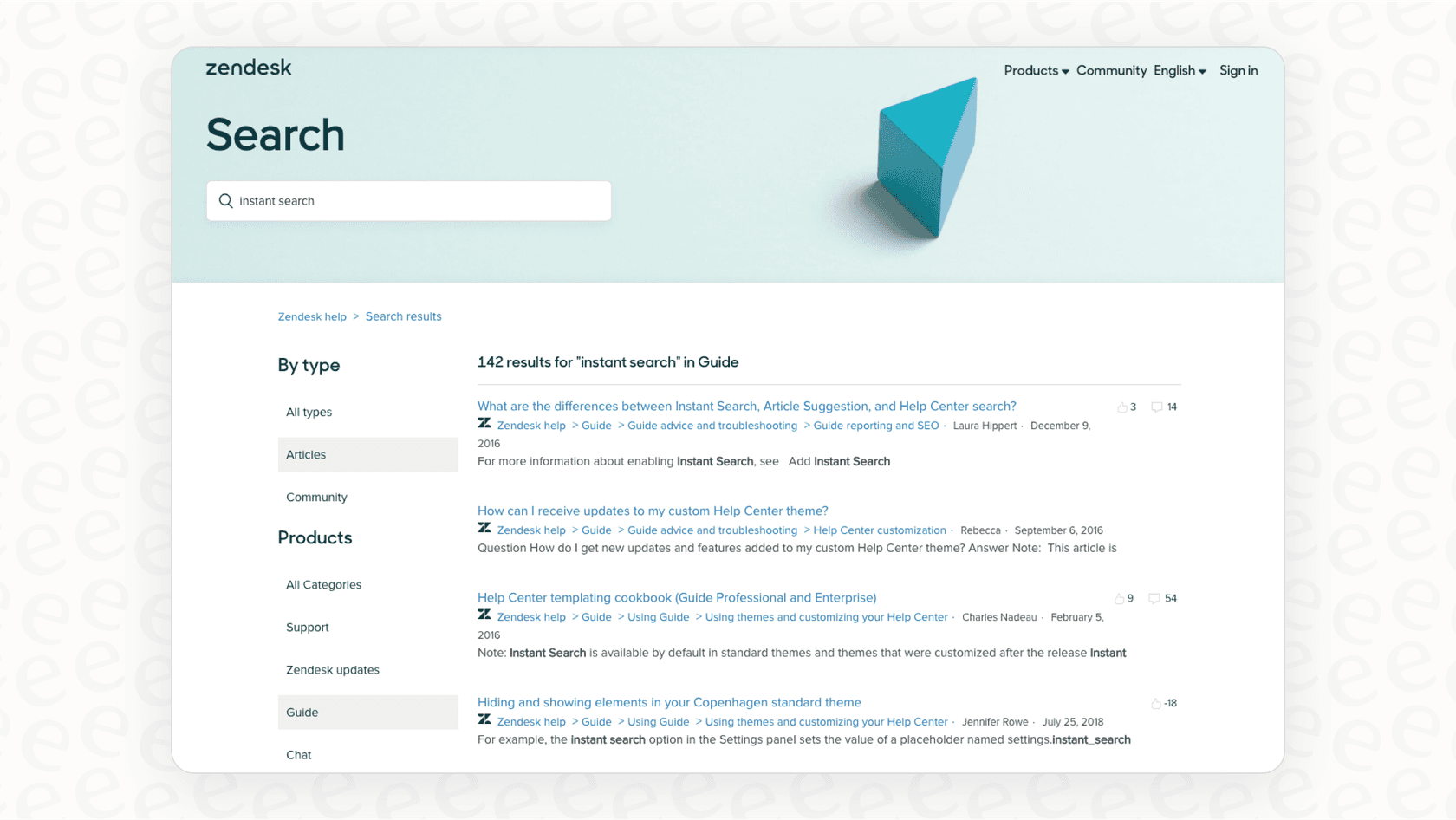
Agents also use Zendesk Knowledge as their own internal knowledge resource. When they're on a call or chat, they can do a quick search to find the right info to help a customer.
Maximizing your knowledge base
A traditional knowledge base like Zendesk Guide is a powerful tool for delivering curated content. To get even more out of your documentation, you might consider connecting it with AI. Instead of only reading from one source, eesel AI is an option that can connect to various company knowledge sources. You can hook it up to your Zendesk Guide, but you can also integrate it with other sources like Confluence or Google Docs.
This can help deliver answers even if a formal help article doesn't exist yet by looking at your other internal docs. It’s a great way to complement your Zendesk setup and ensure your knowledge is always being put to good use.
Automation, AI, and advanced features
As your support volume grows, automation becomes a key part of maintaining high standards. Zendesk handles this with a mix of reliable, rules-based tools and sophisticated, built-in AI features.
Traditional automation: Triggers and automations
Zendesk’s classic automation tools are highly effective for creating structured workflows. They’re broken down into two types:
-
Triggers: These are rules that fire instantly based on an event. For instance, "If a new ticket has the word 'refund' in it, automatically send it to the billing team."
-
Automations: These are rules that run on a timer. For example, "If a ticket has been waiting for a customer reply for 3 days, send them a gentle nudge."
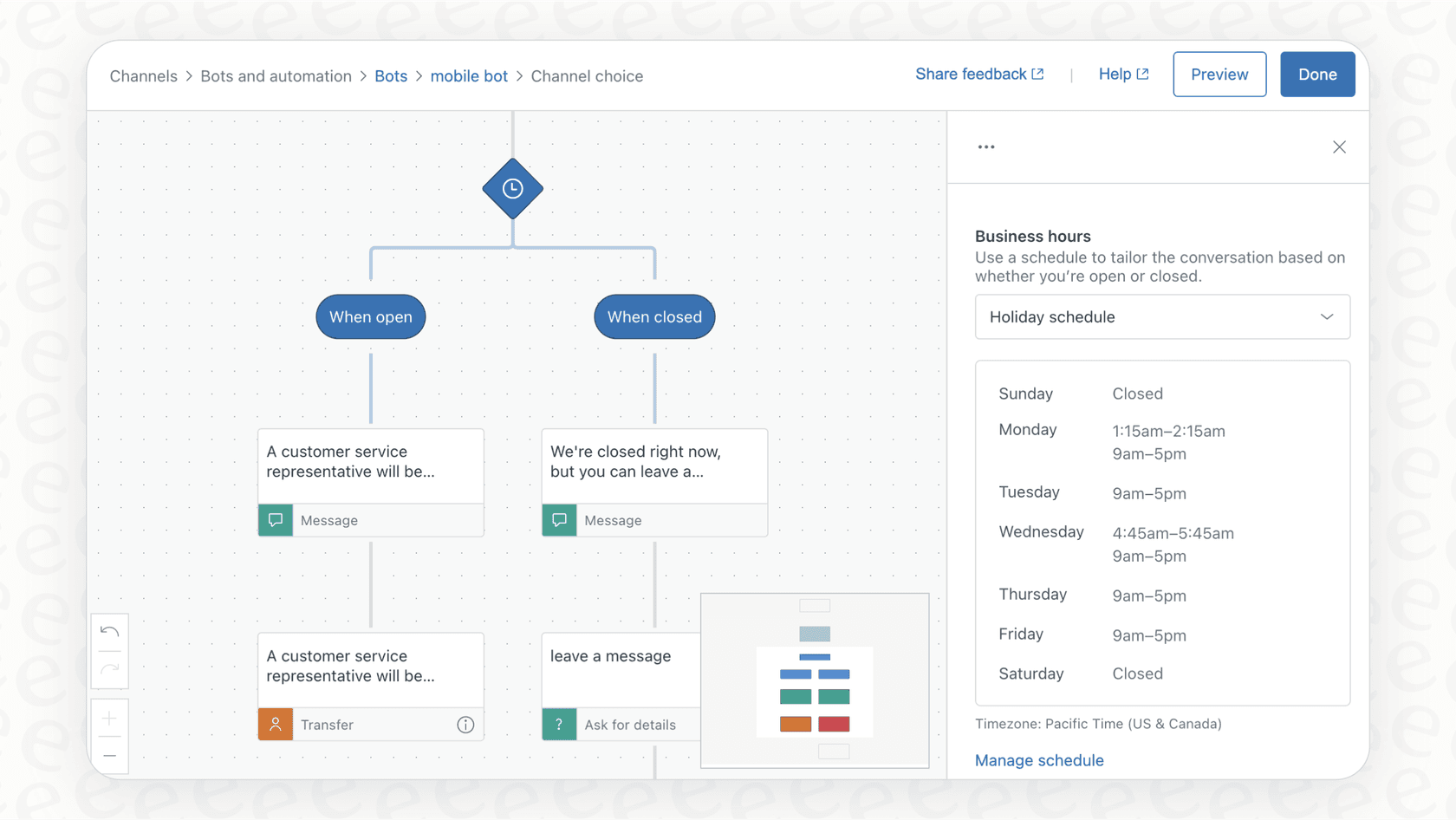
These tools provide incredible control over your support processes. As your business scales, these rules help ensure that nothing falls through the cracks.
The promise of Zendesk AI
To stay at the forefront of technology, Zendesk has rolled out its own world-class AI features, like AI agents and copilots (including the capabilities of Ultimate.ai). These tools are designed to automate responses and help human agents move faster by suggesting replies and categorizing tickets.
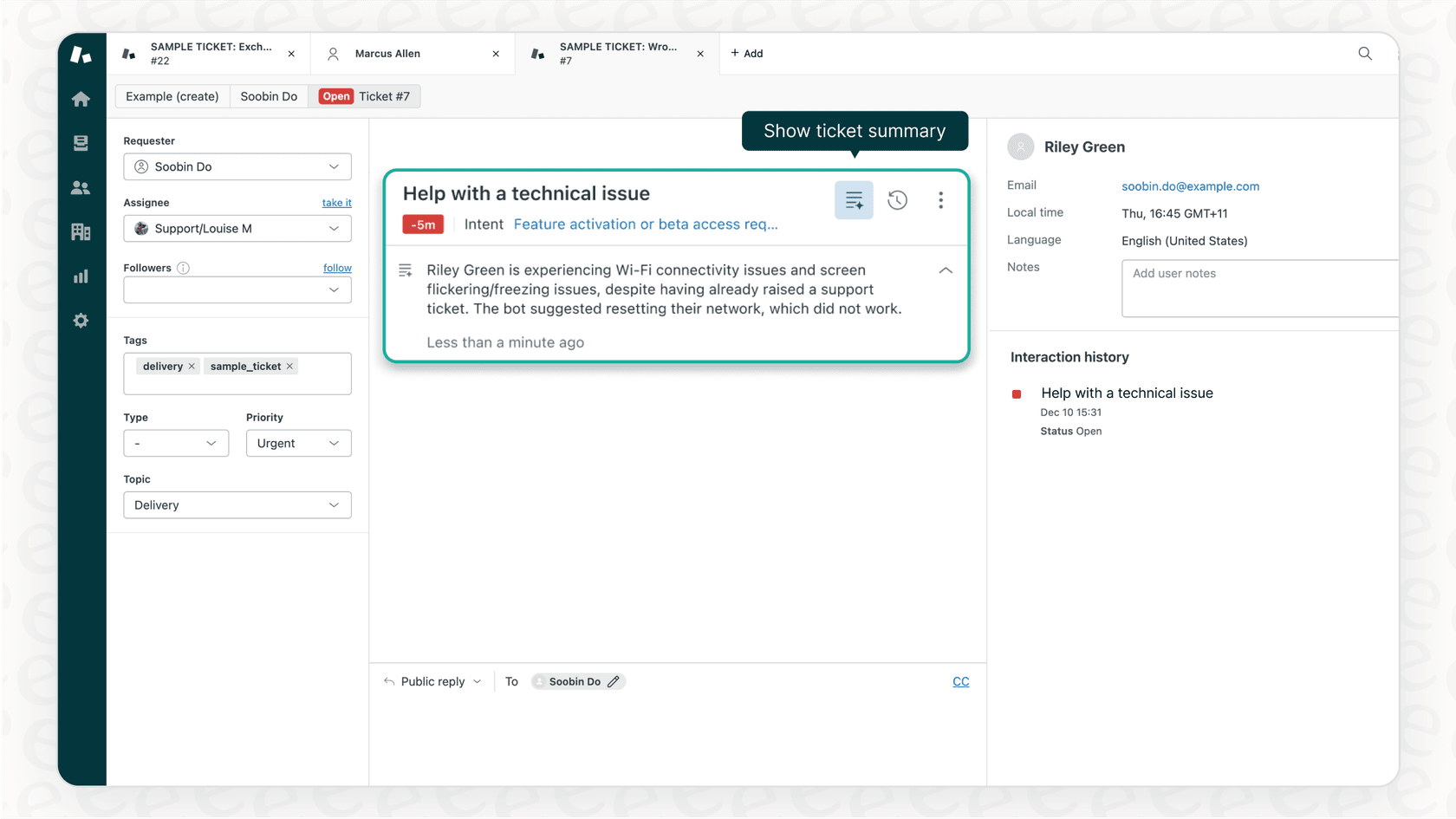
These advanced AI features represent a significant value for teams looking for enterprise-grade performance. They are typically available as part of Zendesk's premium tiers or as specialized add-ons, ensuring you have access to top-tier technology when your business needs it most.
A complementary way to add AI to Zendesk
While Zendesk offers great built-in AI, eesel's AI agent for Zendesk is another option that some teams consider to complement their setup. It connects to your Zendesk account with a simple integration.
One interesting feature is the ability to run a simulation on past tickets. This can give you a forecast of how an AI might perform before it interacts with customers. It's a risk-free way to explore AI capabilities alongside your existing Zendesk platform.
A detailed pricing breakdown
Zendesk's pricing is designed to be flexible, offering a comprehensive range of plans to suit different business sizes and needs. Here’s a look at their main plans for customer service, with prices based on paying annually.
| Plan | Price (Billed Annually) | Key Features | Best For |
|---|---|---|---|
| Support Team | $19 per agent/month | Basic ticketing system, email & social channels, macros. | Small teams just starting with email and social support. |
| Suite Team | $55 per agent/month | Everything in Support, plus messaging, live chat, 1 help center, basic AI agents. | Teams needing a simple, omnichannel solution with a knowledge base. |
| Suite Growth | No longer listed | Everything in Team, plus a self-service customer portal, SLA management, AI-powered knowledge management. | Growing businesses that need more customization and self-service options. |
| Suite Professional | $115 per agent/month | Everything in Growth, plus community forums, advanced analytics, HIPAA compliance. | Mid-sized businesses needing advanced reporting and compliance. |
| Suite Enterprise | Custom (Talk to Sales) | Everything in Pro, plus custom agent roles, a sandbox environment, advanced AI capabilities. | Large enterprises with complex needs and change management processes. |
It's important to note that Zendesk uses a modular approach, where advanced features like quality assurance and workforce management are available as specialized paid add-ons. This allows you to scale your investment specifically in the areas that provide the most value to your organization.
Alternatively, some teams looking for a fixed monthly price with no per-seat fees might also explore tools like eesel AI, which offers plans that can work in tandem with your primary help desk.
What's the verdict?
So, how does Zendesk work? It's a powerful, scalable, and industry-leading platform built around a solid ticketing system. It excels at bringing all your customer conversations into one place and gives you the professional tools needed to build a great self-service experience.
While its automation and AI features are sophisticated and best suited for teams who value enterprise-grade reliability, it remains the gold standard for many support organizations.
For teams who love their Zendesk setup but want to explore even more AI options, eesel AI is a complementary solution. It can plug into your existing ecosystem to help unify knowledge and assist with responses, giving you more ways to enhance your already world-class Zendesk environment.
Enhance your Zendesk with AI that fits your needs
Looking to see how AI can work for you? eesel AI integrates with Zendesk in minutes. Run a simulation on your past tickets and see your potential automation rate today.
Frequently asked questions
I'm new to Zendesk; can you quickly explain how Zendesk works at its most basic level?
Zendesk is a cloud-based customer service platform that centralizes all customer conversations (email, chat, phone, social) into a single system. It focuses on turning every interaction into a trackable "ticket" for agents to manage from start to resolution.
The blog mentions "omnichannel" setup. Could you elaborate on how Zendesk works in terms of bringing all communication channels together?
Zendesk automatically converts interactions from various channels, like email, web forms, live chat, WhatsApp, and phone calls, into individual tickets. This ensures agents have a complete history of every customer touchpoint in one centralized dashboard.
What are the main stages of a ticket's journey, and how Zendesk works in managing this lifecycle?
Tickets move through statuses like New, Open, Pending, Solved, and Closed. Zendesk uses these statuses to help agents track progress, identify what needs attention, and ensure issues are resolved systematically from creation to archiving.
I'm interested in the self-service aspect. How Zendesk works through its knowledge base, Zendesk Knowledge (formerly Guide)?
Zendesk Knowledge (formerly Guide) allows you to build a public help center with articles and FAQs, empowering customers to find answers independently. It serves as a robust framework for delivering curated, high-quality content that agents can also use as an internal resource.
Can you clarify how Zendesk works regarding its built-in automation and AI capabilities?
Zendesk uses "Triggers" for instant actions based on events and "Automations" for time-based rules to manage workflows. It offers world-class AI agents and copilots; these high-performance features are available in their premium and enterprise tiers to provide maximum value for larger teams.
If my company uses other knowledge sources like Google Docs or Confluence, how Zendesk works when integrating with external AI solutions to leverage all that information?
While Zendesk Knowledge is a powerful tool for curated content, external AI solutions like eesel AI can connect to all your company knowledge sources, including Zendesk Knowledge, Confluence, and Google Docs. This allows the AI to find answers across platforms and even suggest new articles based on past ticket resolutions, improving overall knowledge utilization.