
What Zendesk intelligent triage actually is
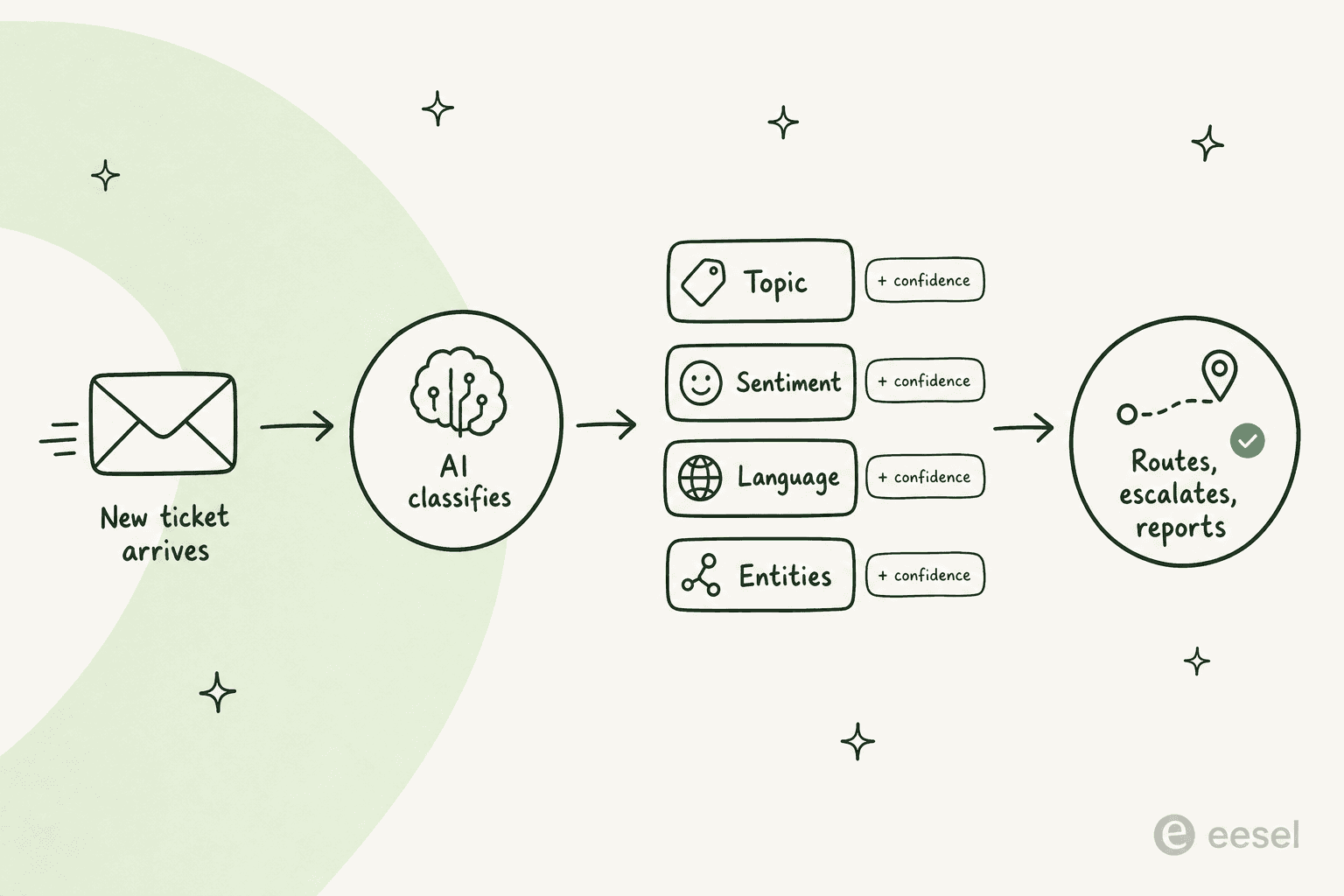
Intelligent triage is Zendesk's machine-learning feature that, in its own words, "automatically classifies every incoming support ticket so you can understand and optimize your operation" (Zendesk's About intelligent triage doc). The moment a ticket is created with a public comment, a model runs over it and writes structured labels into the ticket that your agents, triggers, and reports can act on.
It used to be sold as part of the Advanced AI add-on. In 2026 it sits under the Zendesk Copilot add-on, which is the agent-facing side of Zendesk's AI stack (the customer-facing autonomous bots are a separate product). Think of triage as the step that happens before anyone, human or AI, touches the ticket: it's the sorting hat.
One naming thing to get out of the way, because it'll confuse you in the admin panel. Zendesk renamed the "Intent" field to "Topic" on June 11, 2026, but per the setup documentation, accounts that bought Copilot before that date still see "Intent" in their fields, views, triggers, automations, and the ticket API "until later in 2026." So if you're reading older guides on Zendesk Advanced AI intent training and your screen says "Topic," they're the same thing.
The four things it detects on every ticket
Triage populates a set of standard fields, each paired with a confidence rating of High, Medium, or Low so you can see how sure the model is (Viewing intelligent triage classifications). Here's what it tags and what each one means.
| Field | What it classifies | Values |
|---|---|---|
| Topic (formerly Intent) | The core reason for the request | Industry-specific prebuilt values, plus custom topics you create |
| Sentiment | How the customer felt when they wrote in | Very Positive, Positive, Neutral, Negative, Very Negative |
| Language | The language the ticket is written in | ~150 languages |
| Entities | Specific details you define, like product names | Custom-defined |
The sentiment scoring is more thoughtful than a naive keyword pass. Zendesk says it's "calibrated for customer service contexts," so a ticket isn't marked negative just because the customer has a problem. "Very negative" needs strong negative words, ALL CAPS, multiple exclamation marks, or repeated complaints; "very positive" needs strong praise or several positive sentences (Viewing classifications doc). That nuance matters, because you're going to build escalation rules on top of it.
A useful distinction Zendesk draws: topics capture "the core reason for a request rather than specific details such as product names or locations." For the specifics (a SKU, a city, a plan name) you use entity detection instead (custom topics doc).
In the agent workspace, all of this shows up in the ticket's properties panel: topic, sentiment, and language, each with its confidence sibling.
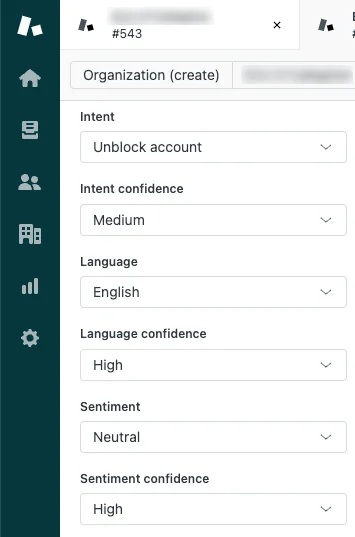
If an admin turns it on, the topic and sentiment also appear right in the ticket header, so an agent sees the read before they've even scrolled to the message (Zendesk Copilot sentiment display).

How the labels actually do work for you
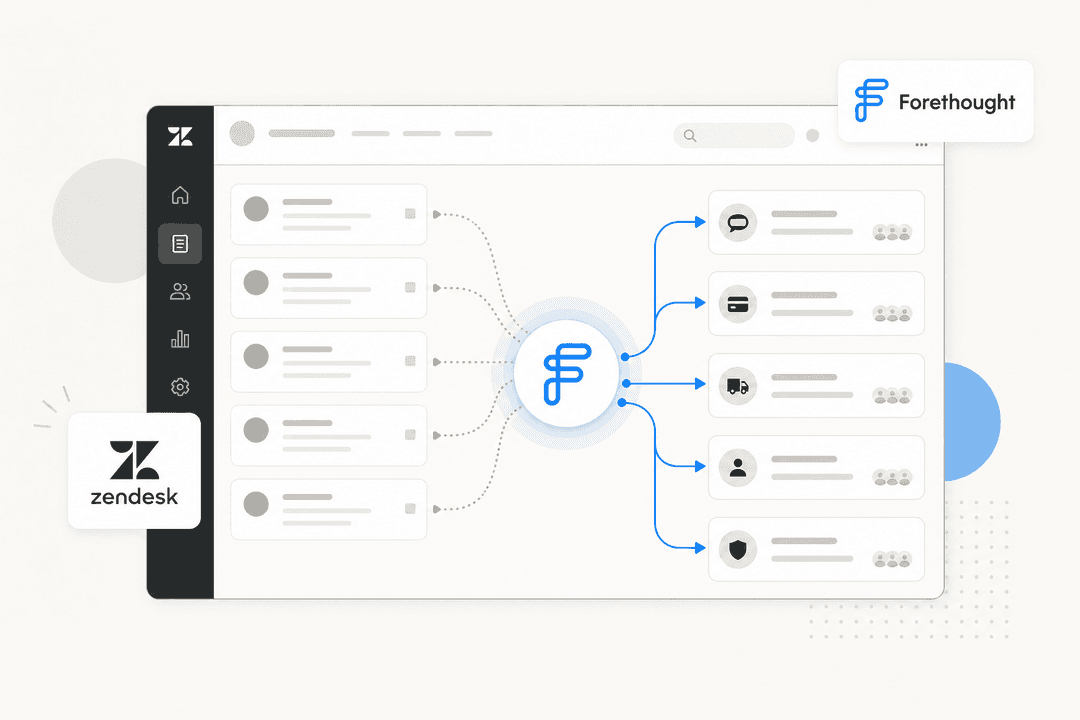
A label sitting in a field is just decoration until something acts on it. The point of triage is that those classifications become conditions in your Zendesk ticket routing automation, SLAs, views, and Explore reports. Zendesk's own use cases and workflows doc lays out the common patterns:
| Workflow | What it does |
|---|---|
| Route | A trigger sends every billing-topic ticket to the billing group |
| Deflect | A refund-topic ticket gets an auto-reply with the refund-policy link |
| Escalate | An SLA policy fast-tracks anything tagged Very Negative |
| Tone-match | A negative-sentiment ticket triggers a more empathetic auto-reply |
| Language route | Spanish-classified tickets go to the Spanish-speaking team |
| Auto-fill | An entity rule populates a product field when a product name appears |
The worked example Zendesk gives is tidy: a customer reports a damaged item, triage tags the topic "Item has problem or is damaged on arrival," a trigger routes it to the right team, and a view groups it so the agent opens it with instant context. This is the same backbone you'd otherwise hand-build with Zendesk ticket tagging automation, except the AI fills the tags for you. If you've fought with Zendesk skill routing issues before, triage is a real step up: routing on a predicted topic beats routing on a brittle keyword match. Teams chasing fewer tickets overall usually pair it with self-service deflection and a broader plan to reduce Zendesk ticket volume with AI.
Setting it up
Topic, sentiment, and language are configured individually under AI > Intelligent triage in Admin Center, and by default all three are switched on, with a first-run guide that walks you through your first workflows (setup doc). The settings worth knowing:
- Dynamic detection (topic and sentiment only): re-classify a ticket based on the customer's latest message, not just the first one. It only applies to tickets created after you turn it on.
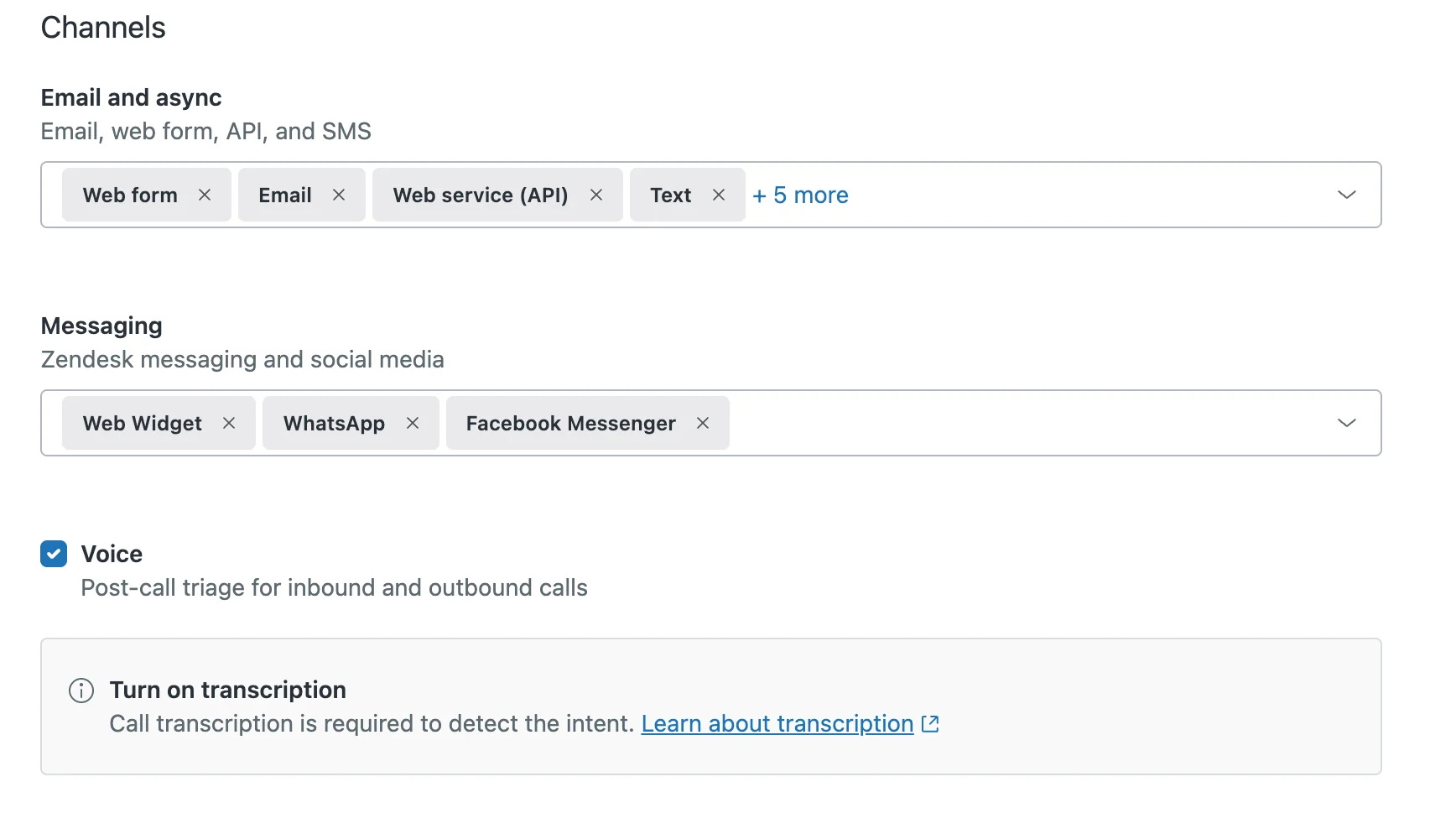
- Channels: you pick which surfaces triage runs on, across email/async (web form, email, API, SMS), messaging (Web Widget, WhatsApp, Facebook Messenger, and the SDK channels), and voice via post-call transcripts.
- Exclusion conditions: a checkbox to ignore agent-initiated tickets.
On the topic side, you don't start from a blank slate. The Zendesk Topic Model ships "pre-trained topics across several industries," tailored to your account's ticket data, organized in three levels: category, then subcategory, then a specific topic (custom topics doc). When the prebuilt set misses something, you add custom topics, which "begin detecting incoming requests immediately upon activation," with no training wait. You give each one a name, a category, and a plain-language description written "as if you're explaining an issue to an agent on their first day."
That last bit is where the setup tax shows up. Zendesk's own guidance warns that each topic should "represent a single use case," names must "remove ambiguity," and "creating a high number of custom topics can lead to performance issues." In other words, it works, but a thorough taxonomy is a project, not an afternoon. Our Zendesk intelligent triage resources guide goes deeper on getting that taxonomy right, and the Zendesk Advanced AI use cases breakdown shows what a well-tuned setup unlocks.
What it costs
Here's where a lot of teams get surprised. Intelligent triage isn't part of your base Suite plan; it requires the Copilot add-on (the rebranded Advanced AI). Zendesk's pricing page lists the plan ladder but, notably, doesn't print the add-on price inline.
| Plan / add-on | Price (per agent/month, billed yearly) |
|---|---|
| Support Team | $19 |
| Suite Team | $55 |
| Suite Professional | $115 |
| Copilot add-on (includes intelligent triage) | ~$50 (quote-only) |
Independent breakdowns agree on the add-on figure: Twig calls it "a $50/agent/month add-on on top of Suite Professional" covering "Intelligent Triage, Smart Assist, and Generative Replies," and Salto confirms "$50 per month per agent" (about +$5,000/month for a 100-agent team). So a single agent on Suite Professional plus the AI add-on lands around $165 per agent per month (Voiceflow analysis), before any of the separate per-resolution fees that Zendesk's customer-facing AI agents carry.
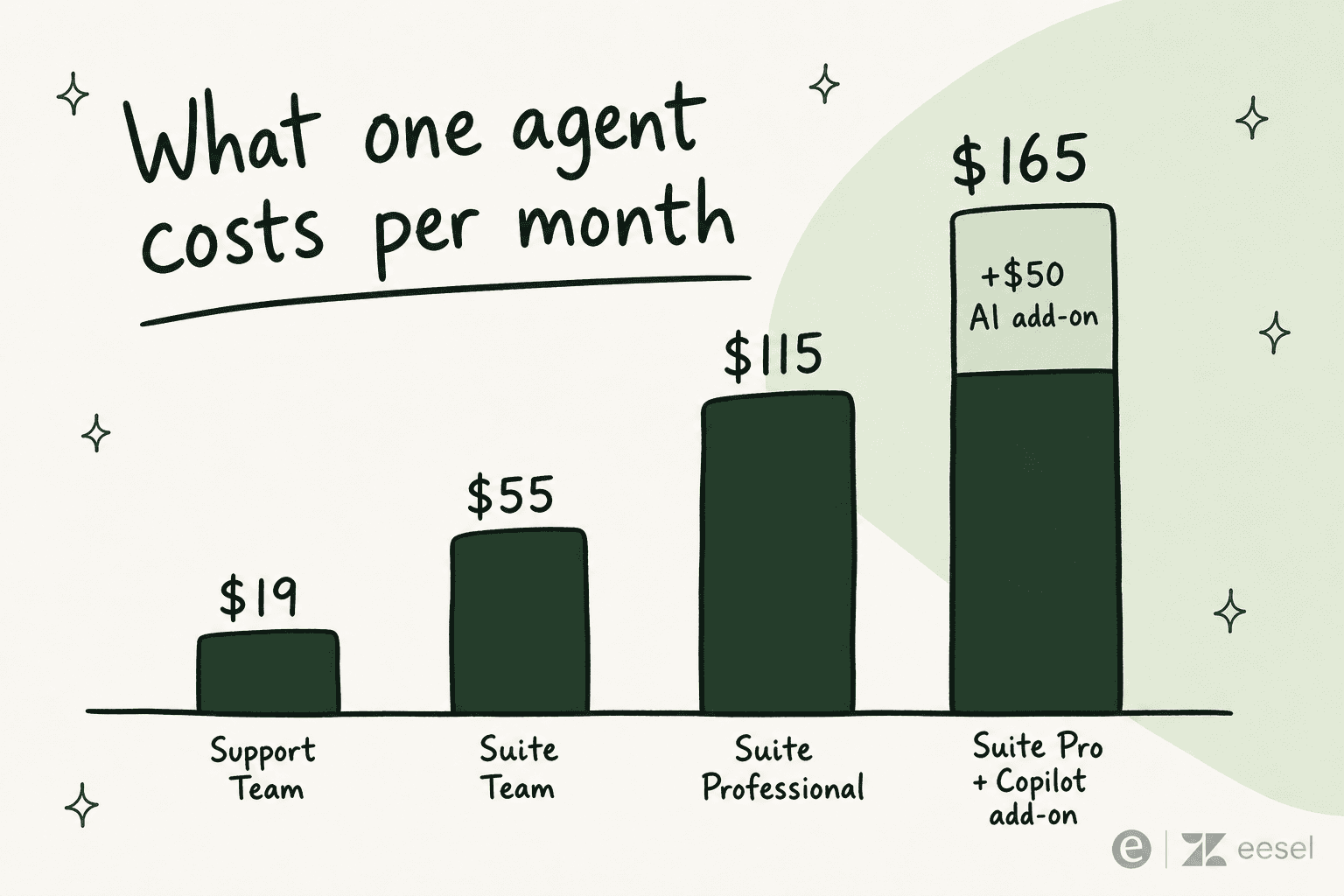
Whether that's worth it is a live debate among Zendesk admins. On r/Zendesk, you'll find threads literally titled "any reviews of AI agents copilot", where teams ask peers whether the $50/agent add-on earns its keep rather than trusting the marketing. For the full picture, our Zendesk Suite pricing and Zendesk review breakdowns are a good next stop.
Where it falls short
Triage is solid at the job it's scoped for. The trouble starts when teams assume it does more than classify. A few limits are worth knowing before you build your whole routing strategy on it.
Topic detection has an eligibility gate that language and sentiment don't. Per Zendesk's troubleshooting doc, "if you don't meet the industry and model fit requirements, you won't see topic predictions on tickets, but you can still see language and sentiment predictions" (Why didn't intelligent triage classify a ticket?). So the single most valuable signal, what the ticket is about, can quietly not show up if your industry or data volume doesn't fit the model. That gap also muddies your AI agent resolution-rate metrics downstream, since untagged tickets fall out of the topic-based reporting entirely.
It doesn't classify retroactively, and silence is easy to miss. Only tickets created after you enable triage get labeled. Tickets opened with an internal note (not a public comment), brought in via the Ticket Import API, or arriving on an unconfigured channel get nothing, with no error to tell you so.
Agent corrections don't make it smarter. Agents can override any predicted value from a dropdown, but Zendesk is explicit that "updating these fields does not train the machine-learning model." There's no human-in-the-loop learning here; a wrong prediction your team fixes a hundred times stays wrong on the hundred-and-first.
The classifier speaks 150 languages, but your workflows speak one. This is the quiet gotcha. Even though triage detects ~150 languages, the workflows doc states that "when creating triggers, views, or reports in Admin Center or Explore, intelligent triage values are available only in English." Great for a global inbox, awkward for a non-English ops team.
And dynamic detection, the feature that re-reads the latest message, can be a double-edged sword. One admin put it bluntly in Zendesk's own doc comments:
"Dynamic detection could be a great feature but it has been poorly implemented. Definitely too sensitive. It will switch on another intent simply based on the content of the very last message and completely disregards previous ones for additional context."
Habib-Sylvain Gourguet, comment on Zendesk's intelligent triage setup doc
None of this makes triage bad. It makes it a classifier, and you should treat it as one. The bigger question is what happens after the label lands.
Classifying is half the job
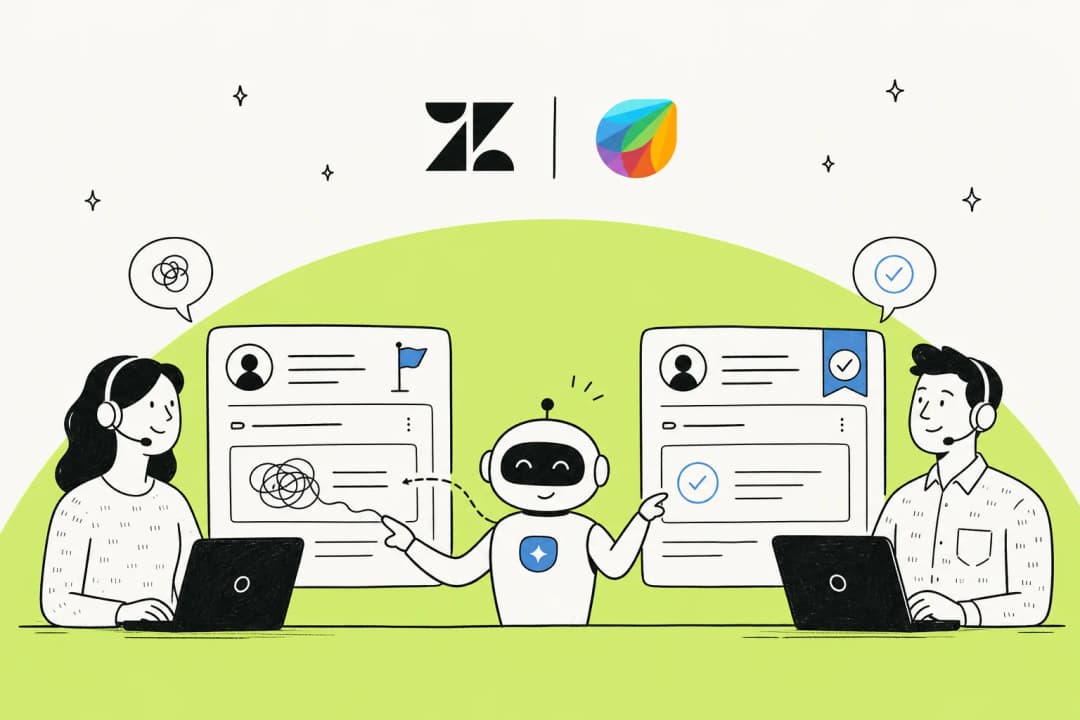
This is the reframe worth sitting with. Intelligent triage tells you what a ticket is, but it never answers it. It tags "Refund request, Very Negative, Spanish," routes it to the right queue, and then a human (or a separate, separately-priced AI agent) still has to write the reply. You're paying ~$50/agent/month for a very good sorting layer that hands the actual work to someone else.
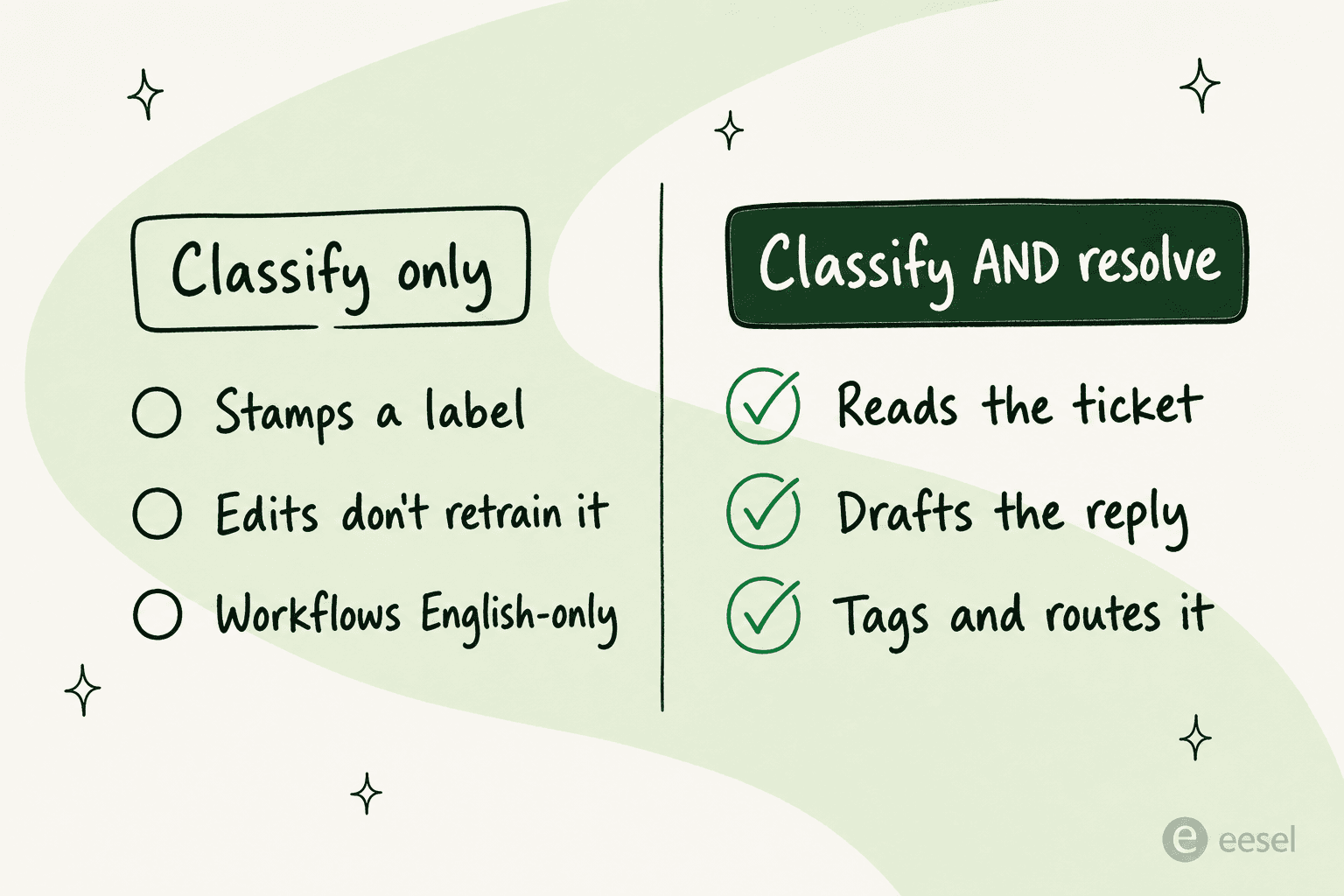
That gap is exactly why some teams look past native Zendesk AI. One US healthcare support team running about 500 Zendesk tickets a month told us they had "kicked the tires in Zendesk AI solutions and found it largely inadequate and overpriced," and went shopping for something that would do more of the actual resolving. That's not a knock on triage's accuracy; it's a signal that classification alone isn't what they were paying for. It's also why ticket triage and ticket deflection are increasingly evaluated together rather than as separate steps.
The more interesting setup is when triage and resolution happen in one pass. That's the model eesel AI runs on, and it's worth seeing how the two differ before you commit a budget.
Try eesel
eesel AI installs as a native AI agent inside Zendesk and does the triage step and the part Zendesk leaves to you: it reads the incoming ticket, classifies it, and then either drafts a reply for an agent to approve or sends one autonomously, updating fields, tagging, and routing along the way. It learns from your past Zendesk tickets, help center, and macros out of the box, so there's no fixed-taxonomy gate to qualify for, and no English-only restriction on the languages it works in.
You can see it in real tickets: an end user of a Romanian e-commerce platform asking about payment-gateway onboarding got a complete suggested reply drafted in Romanian as an internal note, and a field engineer at an industrial-automation vendor raising a deep hardware fault got a structured, doc-sourced answer back. It even recognizes spam, matching a cold sales pitch against past tickets and drafting a polite decline instead of trying to "answer" it. As Ecosa's CTO put it, "tough questions are automatically triaged" by linking their CSVs, Zendesk, and Google Docs as sources.
The other big contrast is cost and control: eesel is from $299/month for 500 credits (1 credit per ticket, however long), with no per-seat fee and no per-resolution surprises, and you can simulate the agent against your historical Zendesk tickets before it ever touches a live one. If you've read this far weighing whether triage is enough, that pre-launch simulation is the cheapest way to find out. You can start free or book a demo, and if you're still comparing, our Zendesk AI alternatives and best customer service AI roundups put the options side by side.
Frequently Asked Questions
What is Zendesk intelligent triage?
How much does Zendesk intelligent triage cost?
What's the difference between intent and topic in Zendesk?
Does Zendesk intelligent triage work in every language?
Can Zendesk intelligent triage resolve tickets, or just classify them?


Article by
Riellvriany Indriawan
Riell is a designer and writer at eesel AI with about two years of experience researching CX platforms, AI chatbots, and helpdesk software. She combines her design background with a sharp eye for how these tools actually look and feel in practice — making her comparisons unusually visual and user-focused.