


The buzz around Notion 3.0 has been pretty hard to miss, especially with its big dive into AI agents. For a while now, the AI in our favorite apps has been decent at drafting text or answering a quick question. But things are starting to shift. The new wave of "AI agents" is supposed to actually do things for you.
Notion’s take on this is the Notion Personal Agent, a feature that promises to turn your workspace from a static library of docs into an active partner. But what’s it really like to use?
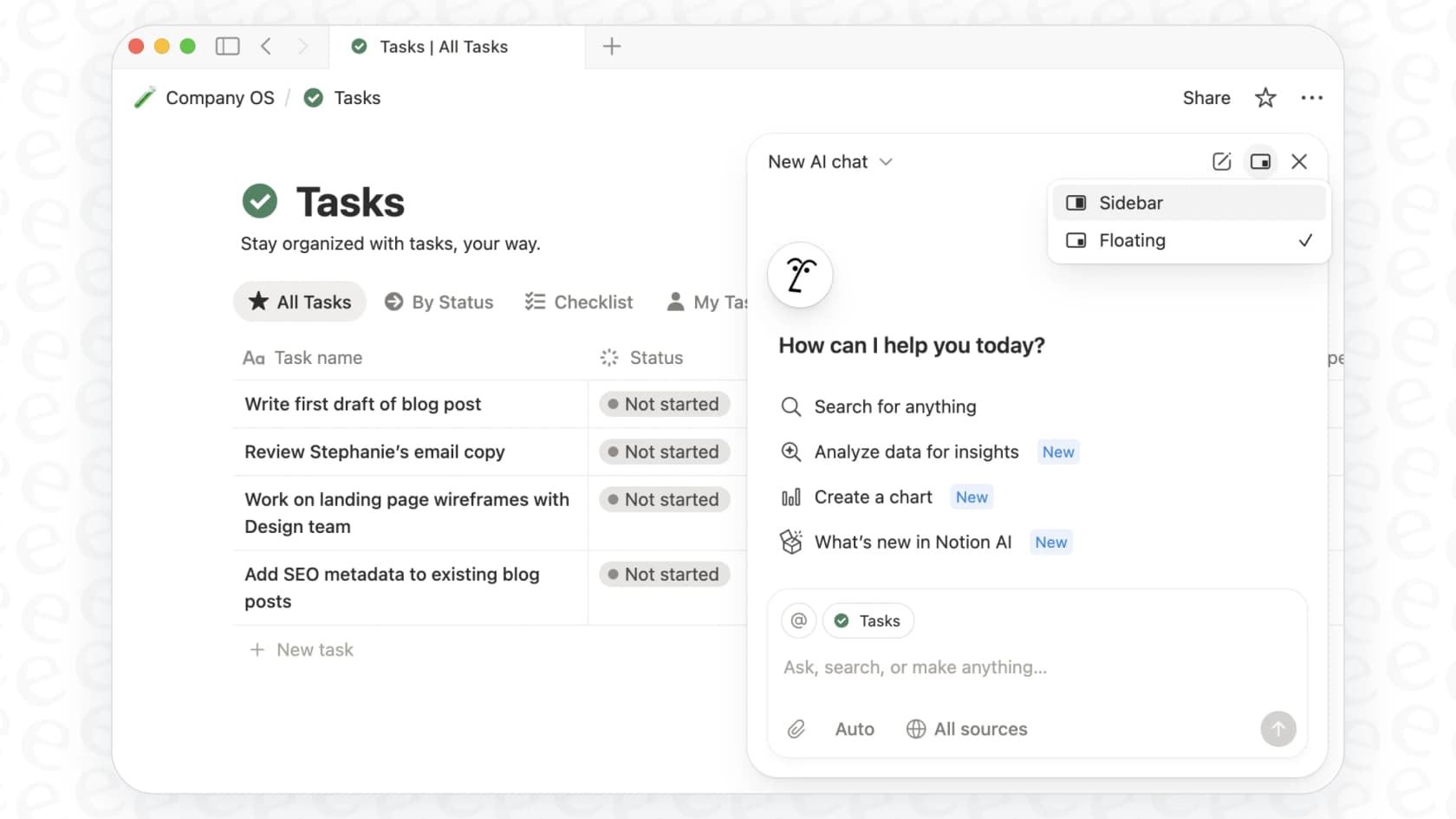
This guide is a straightforward look at what the Notion Personal Agent is, what it can do, how much it costs, and where it comes up short. We'll also dig into why, for some jobs, you might need to look past a general-purpose tool and consider something more specialized.
What is the Notion Personal Agent?
The Notion Personal Agent is the star of the Notion 3.0 show. Notion's help center now calls it simply Notion Agent, so I use both names below. The easiest way to think about it is as an AI teammate living inside your workspace, ready to take on multi-step tasks you’d normally have to grind through yourself.
Its whole purpose is to understand a complex request and then take action. This isn't just about writing a paragraph for you; it's about creating new pages, building and updating entire databases, and pulling information together from different spots. It gets its context from everything in your workspace, your pages, databases, and even connected apps like Slack or Google Drive.
This is a pretty big leap from the old Notion AI, which mostly just helped you write or summarize whatever was on the page in front of you. As Notion's official announcement points out, the Agent can now work across hundreds of pages at once, all by itself. It's designed to be an assistant that takes the busywork off your plate.
Key features of the Notion Personal Agent
So, what can this new agent actually do? Let's get into its main skills based on what Notion has released.
Database and page management with the Notion Personal Agent
One of its most useful tricks is building and managing your Notion databases using plain English. No more fiddling with properties and views by hand if you don't want to.
For example, you could tell it: "Create a marketing campaign database with columns for owner, due date, and status, then add three tasks for our fall launch." The agent will go off and build the database, set up the right columns, and drop in the tasks for you. It can also whip up different views, like timelines or Kanban boards, to help you see your data differently.
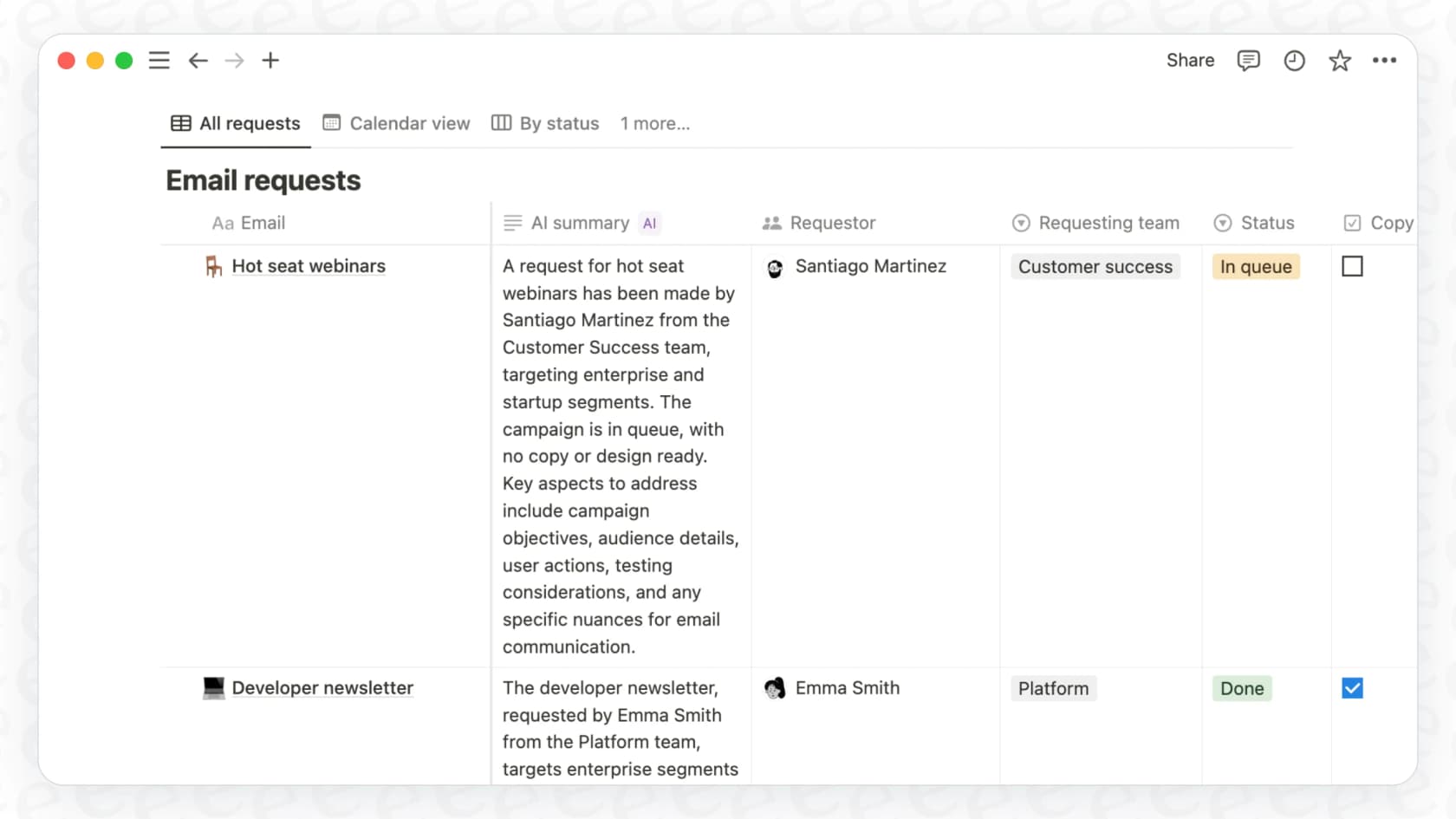
It’s not just about creating new stuff, either. The agent can make changes to a bunch of pages at once. Let's say your company updates its time-off policy. You could just tell the agent, "Find our vacation policy page and add two extra personal days for all employees," and it will find the right page and make the edit.
Information analysis and synthesis by the Notion Personal Agent
The agent is also surprisingly good at taking messy, unstructured info and turning it into something clean and organized. You can throw a PDF at it, and it will pull out the important bits.
For instance, if you have a 20-page vendor contract, you could say, "Read this contract PDF and create a tracker with key dates, deliverables, and payment terms." Instead of you having to scan the whole document, the agent builds a structured database with all that information, ready to go.
It also works across your other tools. If your team uses a specific Slack channel to talk about customer feedback, you can ask the agent to scan those conversations, figure out the main themes, and put together a summary report right inside a Notion page. Once you connect your own Slack account, it can also post messages and reply in threads as you, and it can reach other apps through MCP servers.
Personalization and memory
This is where things get a little more interesting. You can "personalize" your agent by giving it its own Notion page full of instructions. This page essentially becomes its brain, telling it how to act, what tone of voice to use, and how to handle certain tasks.
Over time, it's meant to learn your preferences. You can feed it little pieces of information, like "Sarah is my manager," and it will remember that context for future tasks. I’ve seen people on Reddit get incredibly detailed, building out complex "operating systems" for their agents. While that shows how flexible the personalization can be, it also points to a potential headache: you might end up spending a ton of time writing and tweaking a massive instruction file just to get it to work the way you want across different scenarios.
Notion AI pricing: How much does the Notion Personal Agent cost?
The Notion Personal Agent isn't something you can buy on its own. Notion now includes it in the Business and Enterprise plans instead of selling a separate "Notion AI" add-on.
If you’re on Notion's Free or Plus plans, you get a limited number of complimentary AI responses to try things out. But the full "Agent" abilities, especially the power to handle those bigger, multi-step tasks, are only available on the Business and Enterprise plans.
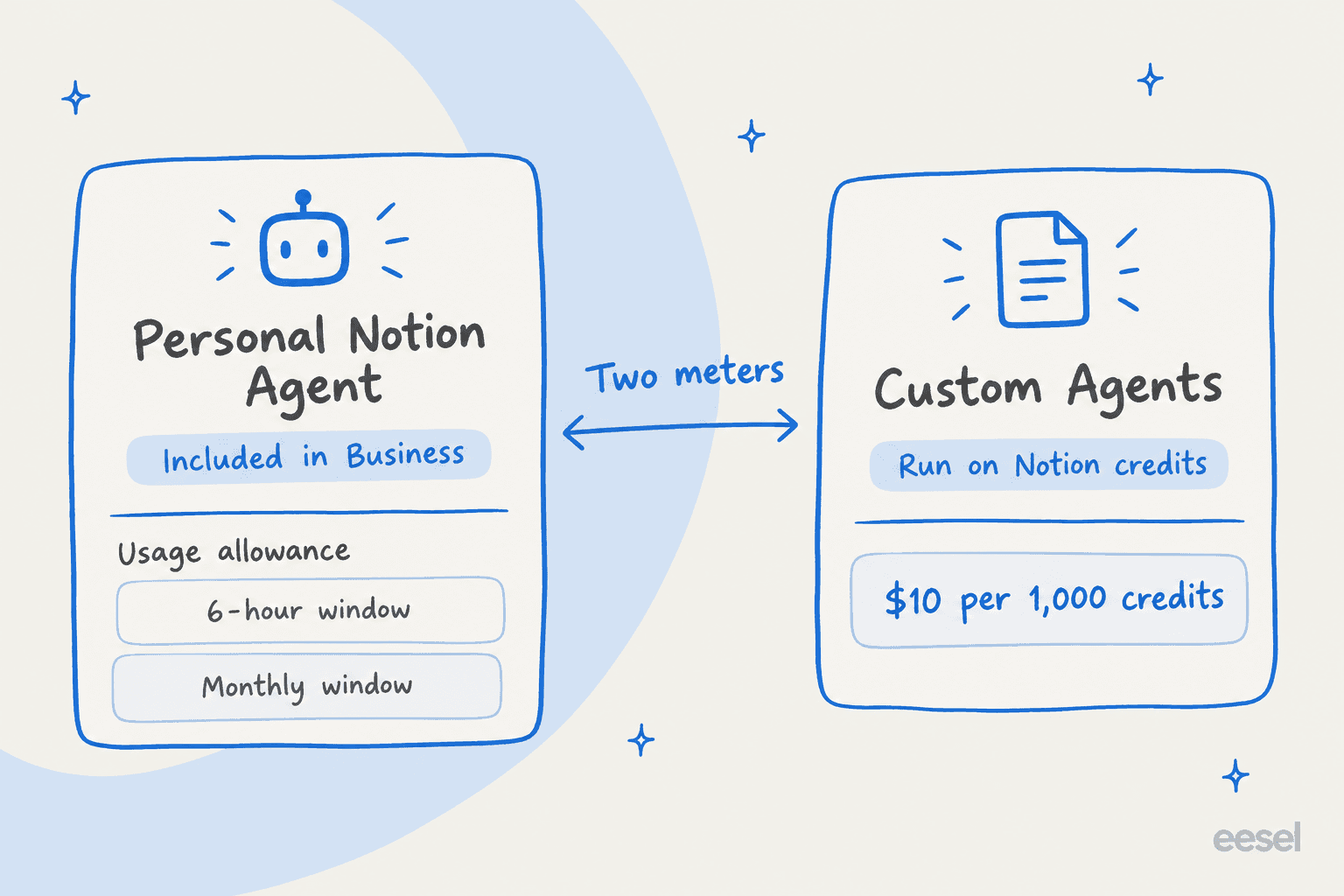
According to Notion's pricing page, the Business plan runs $20 per user, per month (if you pay annually), and that price includes the agent. So, for a team of 10, you're looking at $200 a month, and the jump from Plus ($10) to Business is what unlocks the agent. That seat-based pricing can still get expensive fast, especially for bigger teams. Business also comes with a usage allowance for the agent, measured over a six-hour window and a monthly window, and Notion doesn't publish how large it is.
Here’s a quick look at what you get with each plan:
| Plan | Price (per seat/mo) | Notion AI Agent Capability |
|---|---|---|
| Free | $0 | Limited Trial |
| Plus | $10 | Limited Trial |
| Business | $20 | Full Agent capabilities, Enterprise search (Beta) |
| Enterprise | Custom | Full Agent capabilities, Zero data retention, advanced AI |
The bottom line is that to really unlock what the agent can do, you have to commit to one of Notion's more expensive, per-seat plans.
The limitations: What the Notion Personal Agent can't do
While the agent can do some cool things, it’s good to have realistic expectations about its limits. Notion's own help center is upfront about what it can’t do, and some of these are pretty big deals.
Here are a few important things the agent can't touch:
-
It can't manage workspace settings. The agent has no access to admin tasks like billing, security settings, or adding and removing team members.
-
It can't change permissions. You can't ask it to share a page with someone or change who can see what. You still have to manage all permissions manually.
-
Its database powers are limited. While it can create databases, views, and relations, Notion's help center lists advanced properties like formulas (though it might write the code for you to paste in yourself), rollups, and buttons, plus database templates and automations, as things it can't set up.
-
It can't create buttons. It can set up forms as database views, but buttons are on Notion's can't-do list.
-
It can't write comments. The agent can read comments but can't create, edit, or reply to them, which means it can't join the back-and-forth where work actually happens.
But honestly, the biggest frustration at launch was the single-agent bottleneck. Every user gets one personal agent. That's it. This has already caused some confusion online. People wanted different, specialized agents, maybe one for sales, one for HR, and another for personal tasks, and the personal agent couldn't be split that way.
When I asked the agent itself it said that multiple agents haven't rolled out yet.
alsage13 on Reddit
Notion has since shipped Custom Agents on the Business and Enterprise plans: team-wide agents that run on a schedule or a trigger. They run on Notion credits, free to try and then $10 per 1,000 credits, and they pause when credits run out. So the sales-agent-plus-HR-agent setup is possible now, but it adds a metered cost on top of the $20 seat price. The personal agent itself is still one per person, which keeps you writing long, complicated instruction pages to cover every personal scenario.
Beyond the Notion Personal Agent: Dedicated platforms for multiple specialized bots
Notion's agent is a great tool for making your personal work life in Notion a little easier. But when you need several specialized AI agents for different teams and different jobs, you’ll hit a wall pretty fast. This is where a dedicated multi-agent platform comes into the picture.
Tools like eesel AI are built specifically to solve this problem, especially for teams in support, IT, and HR.
It’s a different approach. Notion's most capable AI sits on the Business plan at $20 per seat, with Custom Agents billed in credits on top. eesel AI works differently: it's self-serve, with one fixed monthly price sized to volume and no per-seat fee. You can sign up and build multiple, powerful bots for different teams in just a few minutes, with no demo required.
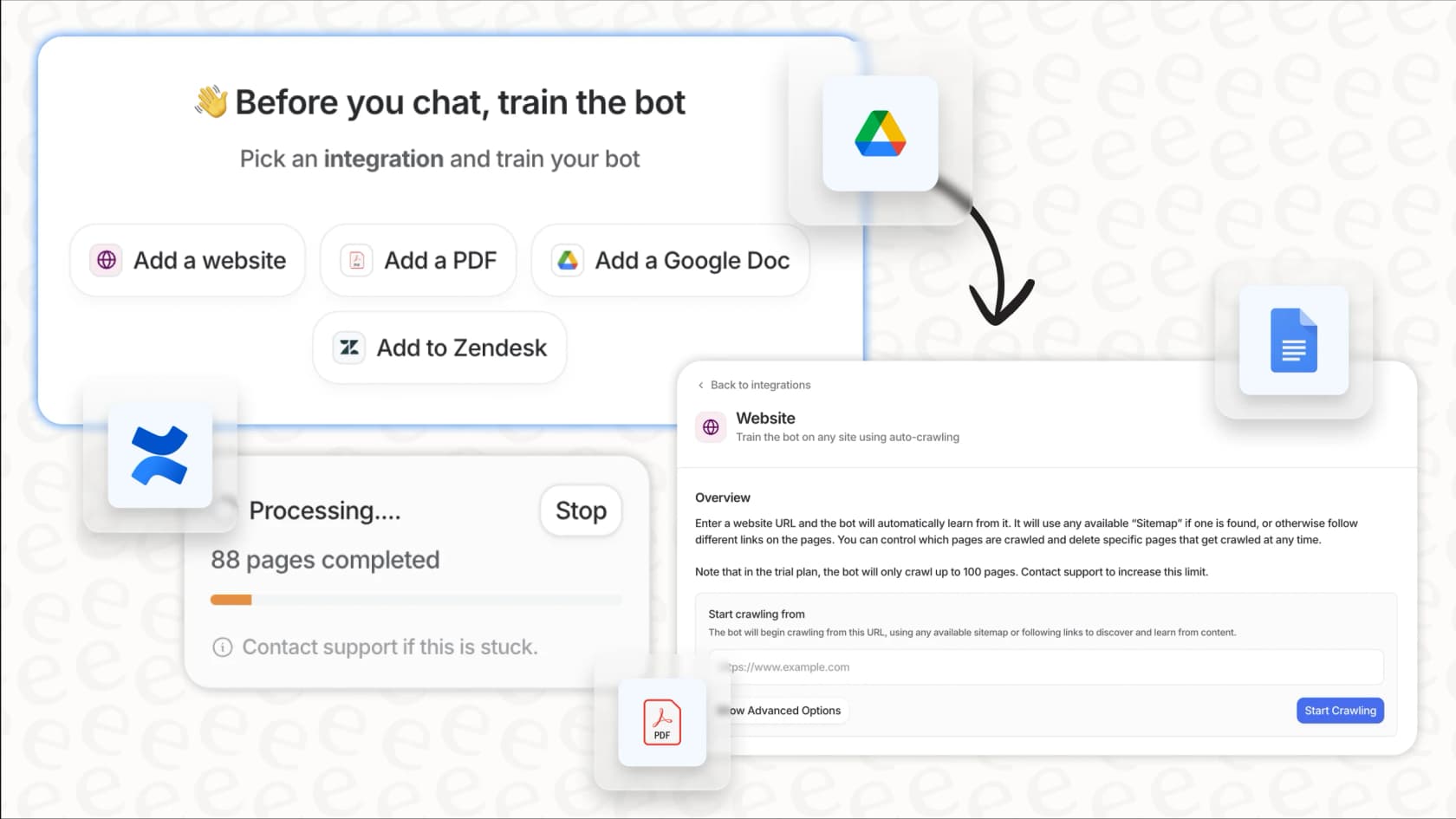
Instead of one do-it-all agent trying to follow a massive instruction file, eesel AI lets you create as many specialized bots as you need. You can have an HR bot trained only on your Confluence knowledge base and an IT bot that only knows about your Jira Service Management tickets. This focused knowledge means answers are always fast and on-topic, because your sales bot isn't getting confused trying to answer HR questions.
Notion is a general productivity tool, and its agent is built for that. On the other hand, eesel AI offers deep, one-click connections with help desks like Zendesk. It handles helpdesk-specific jobs out of the box, like triage tickets, draft replies based on past solutions, and flag complex issues for a human. It’s designed for the real-world workflows that support and IT teams deal with every day.
The Notion Personal Agent: A powerful tool with a specific purpose
The Notion Personal Agent is a really interesting step forward for in-app automation. For individuals and teams who are all-in on Notion, it’s a genuinely useful assistant that can save time and cut down on the manual work of keeping things organized.
But its limitations are just as important. The one-agent-per-person model, the lack of deep connections for teams like customer support, and the high cost to get its best features mean it’s not going to be the right tool for every job.
For businesses that need to set up specialized, reliable AI agents for different departments, especially for customer service, IT, and HR, a dedicated platform is probably the better way to go. A flexible, self-serve solution like eesel AI offers a more scalable, manageable, and ultimately more effective way to put AI to work for your entire organization.
Ready to deploy specialized AI agents for your teams in minutes? Try eesel AI for free.---
Frequently asked questions
What exactly is the Notion Personal Agent and how is it different from older Notion AI features?
The Notion Personal Agent is an AI teammate designed for Notion 3.0 that can perform multi-step tasks across your workspace. Unlike older Notion AI, it goes beyond drafting text to create pages, manage databases, and synthesize information from various sources.
What are the primary tasks and capabilities that the Notion Personal Agent can perform within a workspace?
The Notion Personal Agent can manage databases and pages, creating new ones, updating existing entries, and building different views. It also excels at information analysis, turning unstructured data from PDFs or Slack into organized reports and summaries.
How much does the Notion Personal Agent cost, and which Notion plans include its full capabilities?
The Notion Personal Agent is included in the Business plan at $20 per member per month (billed annually) and in Enterprise, with no separate AI add-on. Free and Plus plans offer limited trials, and Custom Agents add a metered Notion credits charge on top.
What are the main limitations of the Notion Personal Agent regarding administrative tasks or advanced database features?
The Notion Personal Agent cannot manage workspace settings, change permissions, or create advanced database properties like formulas, rollups, or buttons. It also cannot create or edit comments on pages.
Can I create multiple specialized instances of the Notion Personal Agent for different teams or purposes?
Each user gets one personal Notion Agent, which created a "single-agent bottleneck" at launch. Notion has since added Custom Agents on the Business and Enterprise plans for team-wide work that runs on a schedule or trigger, billed with Notion credits at $10 per 1,000 after a free-to-try period.
How does the Notion Personal Agent learn and remember specific preferences over time?
You can personalize the Notion Personal Agent by providing it with a dedicated Notion page containing instructions and preferences. Over time, it is designed to learn and remember context, like specific relationships or desired tones of voice, for future tasks.
Why might a business choose a dedicated platform over the Notion Personal Agent for specialized AI needs?
Businesses needing multiple, specialized AI agents for different departments (like HR or IT) might find a dedicated platform more suitable. These platforms allow for creating many focused bots trained on specific knowledge bases, offering more scalable and precise solutions than a single, general-purpose agent.