


What "OpenAI Codex in VS Code" means in 2026
The name confusion is real and worth clearing up before anything else.
The original "OpenAI Codex" was an API model from 2021 - a version of GPT-3 fine-tuned on code that powered GitHub Copilot's early autocomplete. OpenAI deprecated it in March 2023. What the VS Code extension connects to now is a completely different product that launched in May 2025 and shares the name.
The 2025 Codex is a cloud-based software engineering agent powered by purpose-built models in the GPT-5 family: GPT-5.3-Codex, GPT-5.4, and GPT-5.5. It runs tasks in isolated cloud sandboxes preloaded with your repository, can operate autonomously for up to 25 hours on complex work, and manages multiple workstreams in parallel. The VS Code extension is one of several surfaces alongside the Codex desktop app, the open-source CLI, GitHub integration, Slack, and iOS.
VS Code is one window into this system - and once you understand it as a system rather than a plugin, the whole setup makes more sense.
Three ways Codex runs in VS Code
There isn't one "Codex in VS Code" - there are three distinct patterns that serve different workflows.
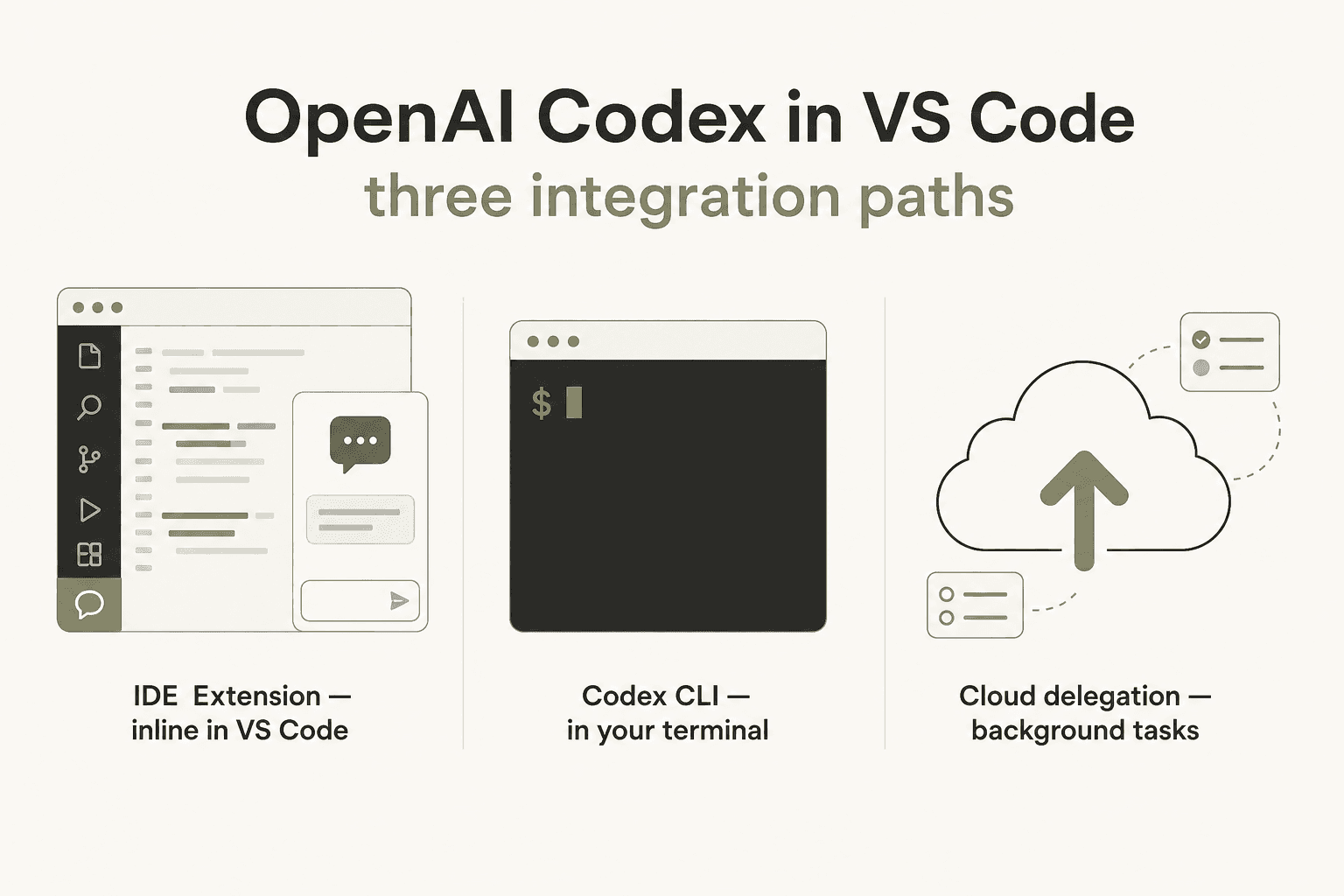
The VS Code extension (sidebar panel) - Extension ID openai.chatgpt, publisher: openai. This is the primary integration: a sidebar chat panel that can read your open files, apply edits in Agent mode, run terminal commands, and connect to Codex Cloud for longer background tasks.
The Codex CLI in the VS Code terminal - The open-source CLI (88,000+ GitHub stars) runs as a full terminal agent inside VS Code's integrated terminal. It shares config with the extension and some developers find it noticeably better for complex reasoning tasks.
Cloud delegation from the extension - This is where Codex diverges from every other VS Code AI tool. From the extension panel, send a task to Codex Cloud: it runs in an isolated sandbox connected to your GitHub repository, you close VS Code, the task keeps running, and you come back to a completed diff.
Getting set up: installing the extension
Three steps:
- Press
Cmd+P(Mac) orCtrl+P(Windows/Linux) to open Quick Open - Paste
ext install openai.chatgptand press Enter - Click Sign in in the Codex panel and authenticate with your ChatGPT account or OpenAI API key
You can also search "Codex" in the Extensions panel and look for publisher "openai."
The same extension ID works in Cursor and Windsurf - just replace the vscode: URI prefix with cursor: or windsurf: in Quick Open. The extension, CLI, and ~/.codex/config.toml config file are all shared across editors, so if you work across multiple environments your settings travel with you.
One layout tip: move the Codex panel to the right side of your editor. Drag the sidebar icon to the right activity bar. With code on the left and Codex on the right you get a natural split view - much better than stacking it on top of the file explorer.
What plan do you need? Codex is bundled into all paid ChatGPT plans starting at Plus ($20/month). No separate Codex subscription. API key access works for the extension and CLI but loses cloud features including GitHub code review and cloud delegation. See the full OpenAI Codex pricing guide for tier details.
Inside the extension: what you can actually do
The model selector and reasoning effort
The model picker at the bottom of the Codex panel is the first thing that differs from GitHub Copilot's chat. You choose model and reasoning effort explicitly: GPT-5.3-Codex at low/medium/high, GPT-5.4, GPT-5.4-mini, and GPT-5.5. Medium reasoning handles most tasks well. Bump to high for complex refactors where an extra minute of thinking eliminates several correction loops. Use GPT-5.4-mini for routine questions - it extends your message budget by 2.5-3x versus primary models.
File references with @
The @filename syntax is one of the most practical things about the extension. Instead of pasting code into chat:
Use @auth.ts and @user.model.ts to add email verification
to the registration flow, keeping error handling consistent
with the pattern in @error-handler.ts
Codex reads all referenced files in full, understands the cross-file context, and makes changes consistent across all of them. The extension auto-suggests filenames as you type @.
Three approval modes
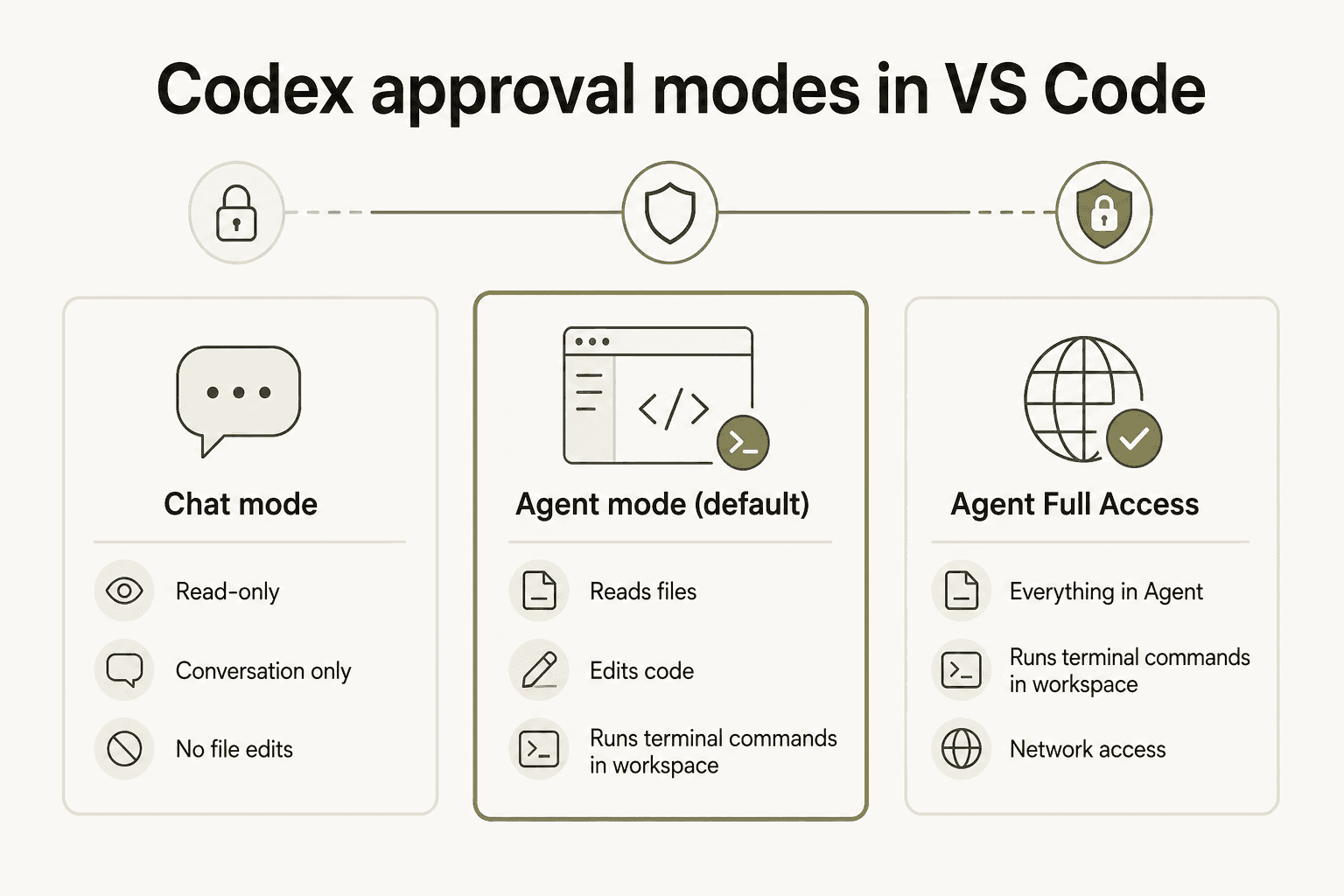
| Mode | What Codex can do |
|---|---|
| Chat | Conversation only - no file edits, no command execution |
| Agent (default) | Reads files, edits code, runs commands in your working directory |
| Agent Full Access | Agent capabilities plus network access |
Switch modes from the selector below the chat input. Agent is the right default: it runs npm run test, edits files, and verifies its changes compile - all the local operations needed for most coding tasks. Full Access adds internet lookup, useful if Codex needs to fetch documentation mid-task.
The permission approval loop is the most widely-reported friction point in the current extension. Even with "Allow every time" enabled, Codex re-asks approval when a command varies even slightly. It's a known bug.
"Even in Linux. If there's any variation in the CLI at all, it considers it a new command requiring new approval. Claude Code is way better at this."
u/jimheim, r/ChatGPTCoding

If the approval loop is causing friction, switch approval to "auto" in ~/.codex/config.toml or use the CLI version inside the terminal, which handles re-approval more sensibly.
What Codex handles well in Agent mode
Tasks where Codex consistently delivers: "fix the failing tests in auth.spec.ts," "add dark mode support to the component library," "refactor the payment flow to use the new API client," "add JSDoc comments to all exported functions." Self-contained work where it can read, edit, run tests, and verify in one pass.
Where it struggles: anything requiring real-time visual feedback, iterative front-end pixel work, and tasks where you want to review an execution plan before code starts changing. Codex has no Plan Mode - unlike Claude Code, it executes immediately. The community pattern from r/codex and r/ClaudeCode: Codex for complex back-end work, Claude Code for front-end and iterative refinement.
Cloud delegation: the extension's real differentiator
The async workflow is what separates Codex from every other AI tool in VS Code.
Setup (one time): Go to chatgpt.com/codex/settings/environments and connect a GitHub repository to a cloud environment.
Per task:
- Pick your cloud environment from the selector in the VS Code panel
- Click Run in the cloud
- Choose starting point:
mainbranch for new features, or your current branch to continue in-progress work - Describe the task and send
Codex starts working in an isolated sandbox. You can close VS Code - the task runs in the cloud. Progress appears in your sidebar when it finishes. Review the diff, apply it locally, iterate.
"It also can process multiple workflows in the background while you discuss the next steps with it. It's crazy good and saves a lot of time. The number of requests also seem to be reasonably high on the Plus subscription: 30-150 per 5 hours."
u/pnkpune, r/OpenAI
The cloud setup also feeds into GitHub integration: Codex automatically reviews PRs as they move from draft to ready, posts analysis directly on GitHub pull requests, and responds to @codex review mentions with targeted bug detection. Austin Ray, AI Dev X Team Lead at Ramp: "Codex PR reviews catch bugs our team would have missed, and we ship with more confidence because of it."
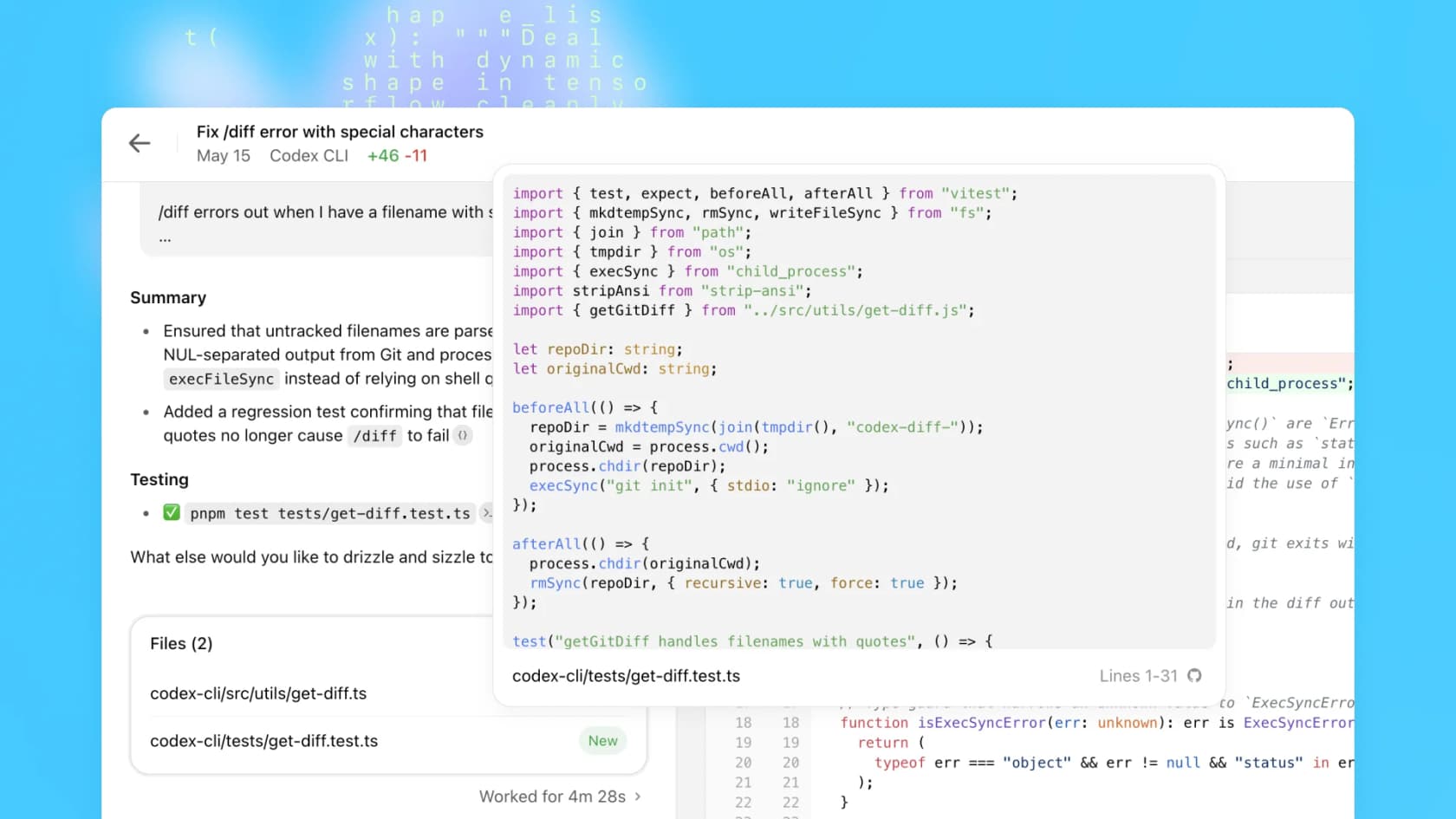
One hard limit worth knowing: when Codex in Agent mode applies changes locally, there's no accept/reject diff workflow - edits land in your working directory directly. This is the most significant UX gap versus GitHub Copilot's polished diff view. Commit or stash before delegating a large task so git reset is always available.
Running Codex CLI in the VS Code terminal
The CLI installs separately from the extension:
npm i -g @openai/codex
Then run it inside VS Code's integrated terminal:
# Interactive TUI session
codex

# With an initial prompt
codex "Explain this codebase to me"

# Non-interactive for scripts
codex exec "Fix all linting errors in src/"
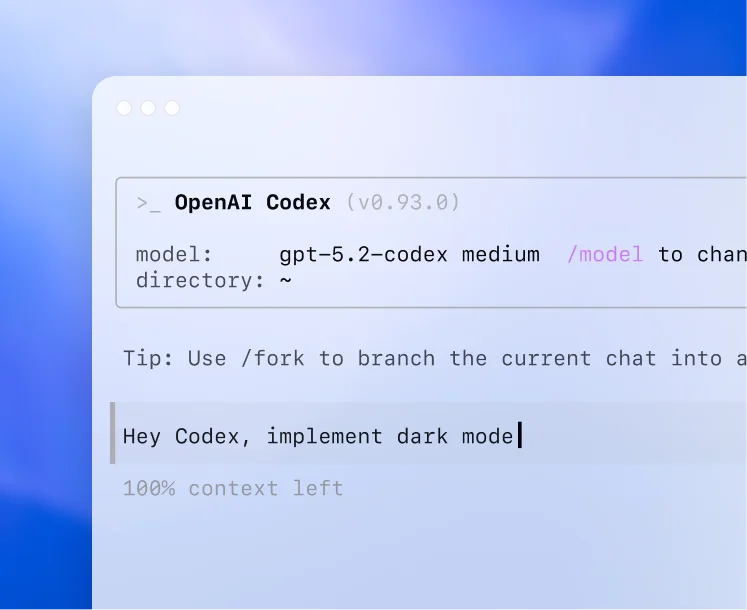
The CLI and extension share ~/.codex/config.toml. Set defaults once rather than toggling in the UI each session:
# ~/.codex/config.toml
model = "gpt-5.3-codex"
approval_mode = "agent"
The combo that works well: run the CLI in VS Code's integrated terminal for prompting, keep VS Code open to the same folder for real-time git diff review. You get whatever reasoning quality the CLI provides alongside VS Code's clean diff visualizer.
The CLI prints session stats at the end of each run - context window usage, 5-hour rate limit remaining, total token count. Useful for managing Plus plan limits.
The CLI also integrates natively with Bitbucket repos, works inside Google Colab and Jupyter notebooks, and connects to Replit environments. If you work across other IDEs, there are integration guides for PyCharm, IntelliJ, and Visual Studio (the full Microsoft IDE, not VS Code).
Codex vs GitHub Copilot in VS Code: they do different things
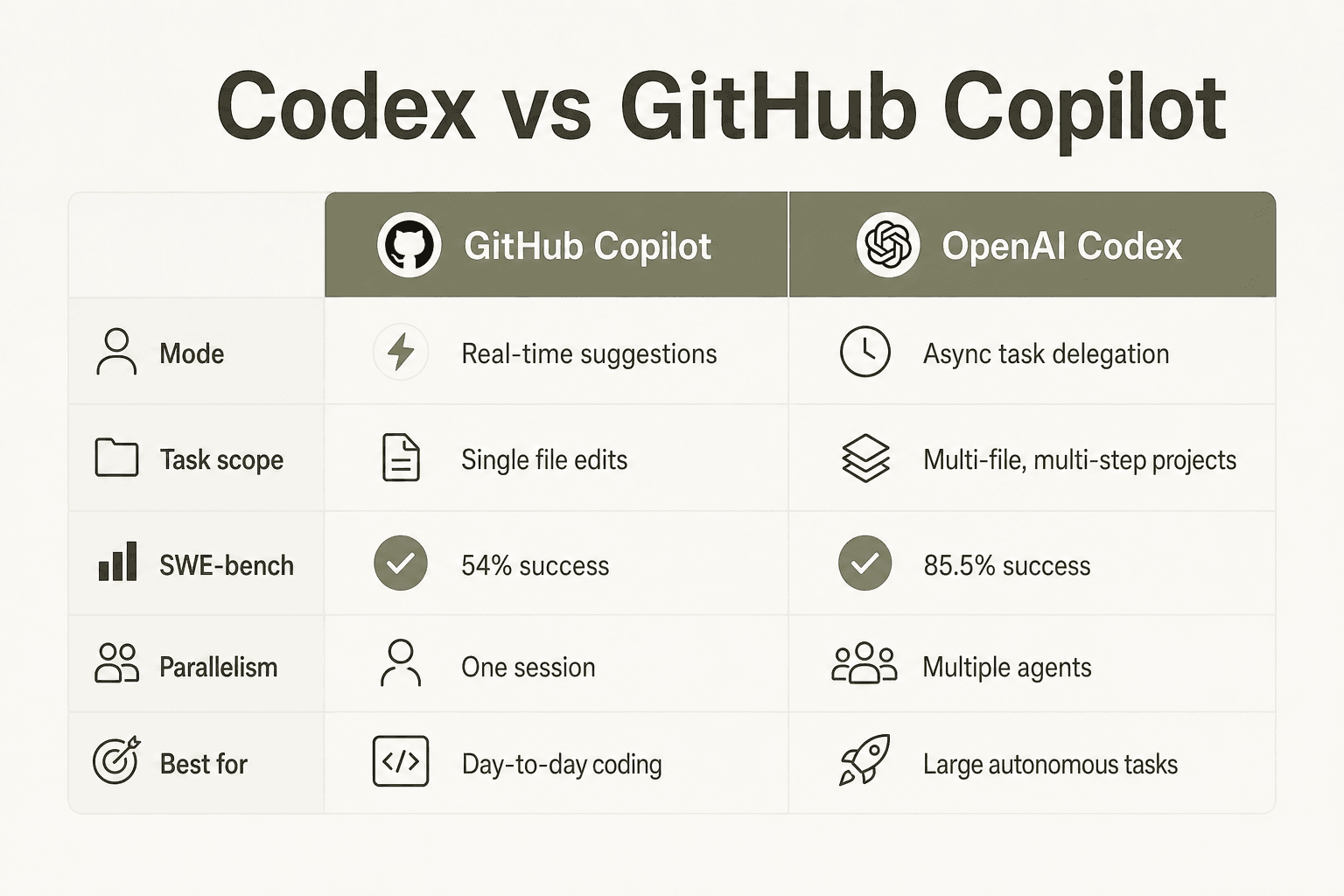
The "Codex vs Copilot" framing misses the point. They're not competing for the same slot in your workflow.
Copilot is always on. It delivers real-time ghost text completions as you type, inline chat for quick questions about the current function, next-edit suggestions, and multi-model access: you can switch between OpenAI GPT-5, Anthropic Claude, and Google Gemini depending on the task. For front-end work, some developers in the community find Claude via Copilot produces better UI code than Codex can (Codex is locked to OpenAI models). For full details, see our Copilot pricing breakdown.
Codex is asynchronous. You give it a task prompt, it works independently in an isolated environment, and returns a completed result. The SWE-bench Verified score of 85.5% measures autonomous end-to-end task completion - exactly what it's built for.
| Dimension | GitHub Copilot | OpenAI Codex |
|---|---|---|
| Primary mode | Real-time suggestions | Async task delegation |
| Task scope | Single-file edits and chat | Multi-file, multi-step projects |
| Model variety | GPT-5, Claude, Gemini | OpenAI models only |
| SWE-bench autonomous | 54% | 85.5% |
| Change preview | Yes (diff view, accept/reject) | No (applied directly) |
| Parallelism | One session at a time | Multiple background tasks |
| Best for | Day-to-day editing | Complex standalone work |
The pattern that works: keep GitHub Copilot active for inline completions and quick questions. Queue up 2-3 larger tasks in Codex daily - the things you'd otherwise park in your backlog. Come back to completed diffs.
If you're evaluating Copilot alternatives more broadly, Cursor competes most directly with Copilot on real-time pair-programming. There are also Cursor alternatives worth considering depending on your workflow. Our Claude vs Copilot guide covers the Anthropic side of the comparison.
Pricing: what you actually pay
Two billing tracks. For the complete breakdown, see our OpenAI Codex pricing guide.
ChatGPT subscription (Codex bundled):
| Plan | Price | GPT-5.3-Codex per 5h window | Cloud tasks per 5h |
|---|---|---|---|
| Free | $0 | Limited trial | None |
| Go | $8/mo | Lightweight tasks | None |
| Plus | $20/mo | 30-150 messages | 10-60 tasks |
| Pro 5x | $100/mo | 150-750 messages | 50-300 tasks |
| Pro 20x | $200/mo | 600-3,000 messages | 200-1,200 tasks |
| Business | Per seat | Same as Plus, extendable | Yes |
| Enterprise/Edu | Contact sales | No fixed limits | Yes |
Limits reset on a rolling 5-hour window. OpenAI added the Pro 5x tier in April 2026 directly in response to Claude Code's pricing - a clear middle path for developers hitting Plus limits but not ready for $200/month.
API key (no subscription): Works in the extension and CLI at $1.50/1M input, $6/1M output for codex-mini-latest (75% prompt caching discount). No cloud delegation, no GitHub code review.
One limit-management tip: use GPT-5.4-mini for routine questions ("explain this function," "what does this test verify"). It extends your local message count 2.5-3x versus primary models, leaving GPT-5.3-Codex budget for the tasks that need it.
The honest verdict
Codex in VS Code genuinely delivers at what it's designed for. The 85.5% SWE-bench score holds up in practice: complex back-end refactors, multi-file feature work, and code review that catches bugs static analysis misses.
The rough edges are also real. The permission approval loop in the extension has been broken since launch. There's no diff preview before local changes land - Copilot handles this better. No Plan Mode means you can't review the approach before execution starts, which catches some developers off guard. And post the April 2026 credit-rate change, some Pro plan users report GPT-5.5 on Medium intensity running out in 3-4 tasks - model selection matters for limit management.
"I have the $100 CC license and $20 OpenAI plan. When CC cannot resolve a difficult problem I give it to Codex and have it take forever, but it has fixed numerous issues CC is unable to."
u/SequentialHustle, r/ClaudeAI
That's the honest positioning: not "better than Claude Code or Copilot," but a distinct tool for a specific job. If you're spending time on tasks like "implement this feature from a spec" or "write tests for this module," $20/month on Plus to try it for a week is a straightforward call.
For Codex in other contexts: guides for Discord, Notion, and Slack are available. For the full desktop experience, the Codex app guide covers macOS availability and the parallel task command center. If it's not the right fit, our OpenAI Codex alternatives roundup covers the full field.
Try eesel
Codex handles your dev queue. eesel handles your support queue.
eesel deploys AI agents that work autonomously inside your existing tools - Zendesk, Freshdesk, Slack, email, and 100+ more. The same "delegate and come back to results" philosophy as Codex, applied to support operations. eesel agents resolve tickets, draft replies, triage issues, and escalate edge cases without interrupting your team. No new interface to learn. Start free with 100 credits, no card required.
Frequently Asked Questions
Is OpenAI Codex free to use in VS Code?
What is the difference between OpenAI Codex and GitHub Copilot in VS Code?
Does the Codex VS Code extension work in Cursor and Windsurf?
openai.chatgpt) installs in Cursor and Windsurf using the same extension ID. In Cursor, use cursor:extension/openai.chatgpt in Quick Open. All three editors share the same underlying Codex CLI and ~/.codex/config.toml config file.