


Picking the right AI tools for your company can be a headache, especially when you hit the pricing page. Plans change, features get shuffled around, and figuring out what you'll actually pay versus what you get is its own little puzzle.
I've spent the last few years putting AI agents on live support queues, so I read pricing pages like this for a living: what's the real cost, what's the catch, and does it map to a job a business actually needs done? Perplexity AI is one of the most talked-about "answer engines" out there, and the question I hear most is whether the $20/mo Pro plan (or the pricier business tiers) is worth it.
This guide gives you a straight look at Perplexity pricing in 2026. I'll walk through each plan, what's included, and, more importantly, what the pricing really means if you're in customer support or managing internal knowledge.
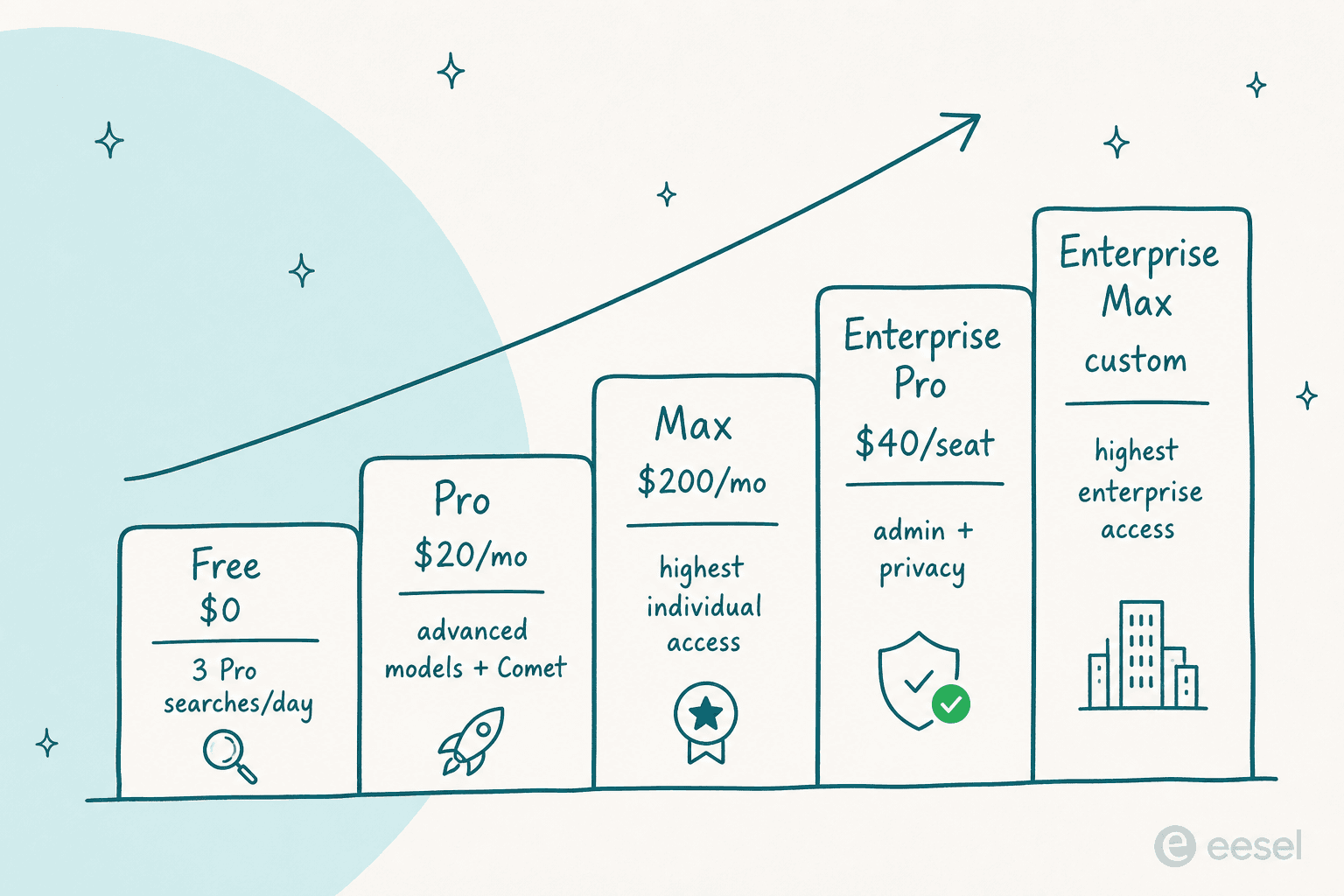
- Perplexity has five consumer-and-business tiers in 2026: Free, Pro ($20/mo), Max ($200/mo), Enterprise Pro ($40/seat), and Enterprise Max (custom). There's also a new Education Pro plan at $10/mo with student verification.
- The $20/mo Pro plan is strong value for research, writing, and fact-checking — it now includes top models like GPT-5 and Claude Opus 4.6, image and video generation, and the Comet browser agent.
- But Perplexity is an answer engine, not a workflow engine. It can't tag a ticket, look up an order, or close a conversation in your helpdesk — so for support automation it's the wrong category of tool.
- If you need AI that acts inside your helpdesk, eesel AI plugs into Zendesk or Freshdesk in minutes, learns from your past tickets, and lets you simulate it on your real ticket history before it ever replies to a customer. Free to try.
What is Perplexity AI?
At its heart, Perplexity is an AI-powered search engine designed to give you direct answers with sources. Instead of a list of links, it reads them and hands you a summary. Think of it as a research assistant that's always on call. That makes it different from a generative chatbot like ChatGPT, which leans toward brainstorming and creating new content. Perplexity is about finding and summarizing factual information.
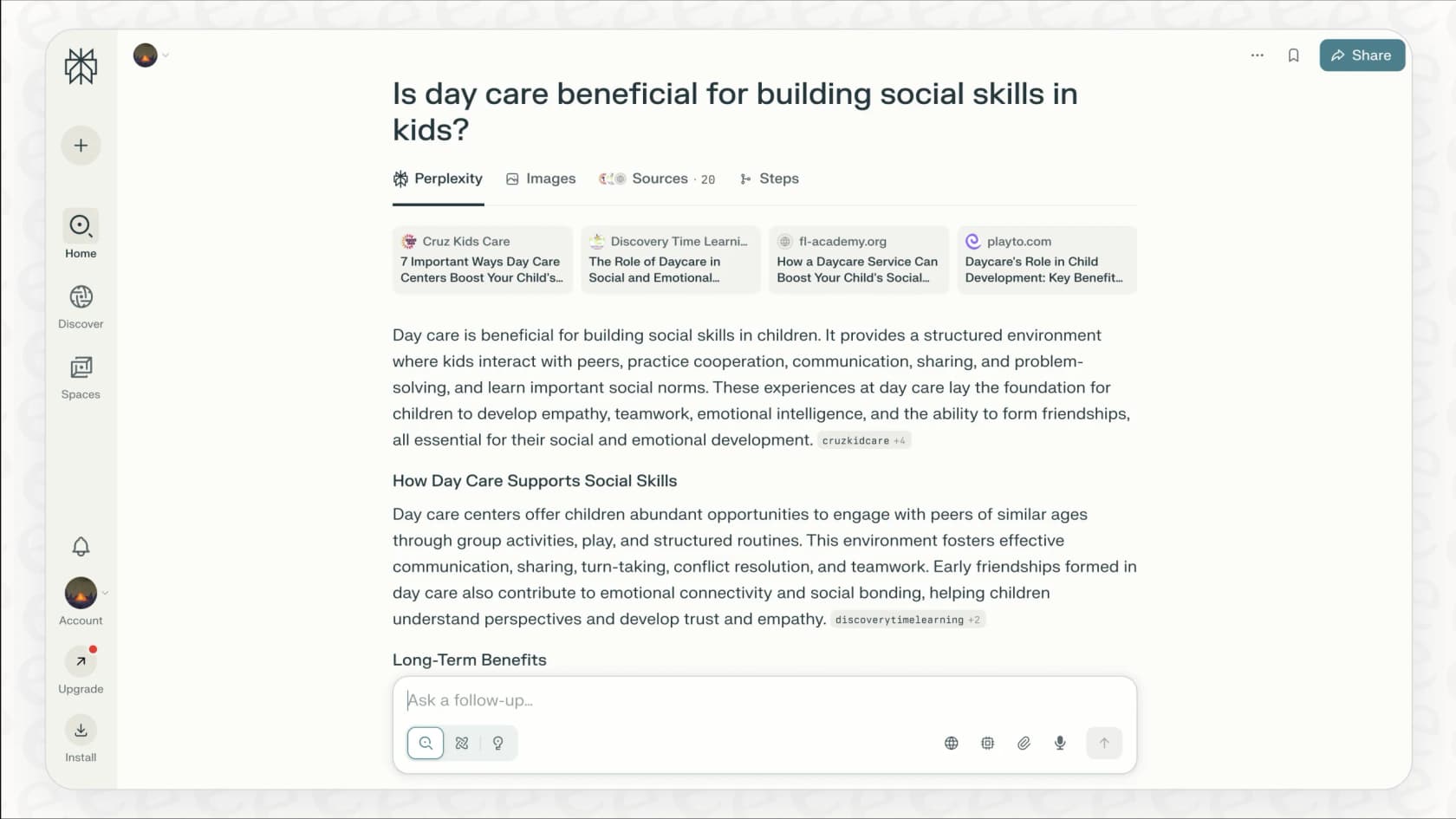
It's also not the same as a specialized AI support agent. Those are built to handle entire workflows from start to finish. Perplexity's main gig is finding information fast, which is great for anyone who needs accurate, up-to-date answers without digging through pages of results. If you're weighing it against other research tools, my Perplexity alternatives roundup covers the closest options.
A complete guide to Perplexity pricing in 2026
Perplexity splits its pricing into plans for individuals and plans for businesses. Let's break down what you get with each one and who they're really for.
Individual plans: Free, Pro, and Max
For solo users, you've got three main options (plus a student discount):
-
Standard (Free): The free plan is surprisingly useful and a great way to see if you like the tool. You get practically unlimited basic searches, but you're capped at a handful of "Pro Searches" a day (around three) and one research query a month. It's a solid choice for casual use or just kicking the tyres.
-
Perplexity Pro ($20/month): This is the main paid plan for heavy users. For $20 a month, you get extended Pro Search limits, access to top-tier models like GPT-5 and Claude Opus 4.6, image and video generation, file uploads, and access to the Comet browser agent. If you're a researcher, writer, or analyst, this is the plan that lets the tool shine. One change worth noting: Perplexity moved away from a fixed "300+ searches a day" cap to weekly usage limits, so heavy spikes can hit the ceiling.
-
Perplexity Max ($200/month): This one's for what Perplexity calls "the most ambitious people," and at $200 a month, you'd have to be. It gives you the highest level of access to the full model suite, far higher limits on file-and-app creation, early access to new products, and priority support. The price tells you it's for professionals whose work fully depends on constant access to the best AI available.
-
Education Pro ($10/month): New for 2026, this is Pro at a discount for verified students and educators (via SheerID). It includes everything in Pro plus study-mode features, which makes it the cheapest route to the advanced models if you qualify.
Business and enterprise plans
When you need the whole team on board, Perplexity offers plans with the admin and security features you'd expect.
-
Enterprise Pro (from $40/user/month): Each user gets everything in Pro, plus the business essentials: one bill, seat management, an organization-wide file repository, internal knowledge search, and stronger data privacy (SOC 2 and Enterprise controls). A big plus: Perplexity says Enterprise customer data is never used to train its models. Annual billing works out to $400/seat/year, and there's a discounted rate for eligible educational institutions and nonprofits.
-
Enterprise Max (custom pricing): The top enterprise tier adds the highest access to advanced models like GPT-5 Thinking and Opus 4.6, far higher research and Comet limits, enhanced video generation, and premium security features (SCIM, audit logs, configurable data retention). Pricing here is custom, so you'll be talking to their sales team rather than reading a number off the page.
Here's a quick look at how the plans compare:
| Feature | Standard (Free) | Pro | Max | Enterprise Pro | Enterprise Max |
|---|---|---|---|---|---|
| Price | $0 | $20/month | $200/month | from $40/user/month | Custom |
| Pro Searches | ~3 per day | Weekly limits (average use) | Weekly limits (advanced use) | Extended (400/week) | Highest (4,000/week) |
| Research Queries | 1 per month | Monthly limits | Monthly limits (advanced) | Extended (50/month) | Highest (500/month) |
| Advanced AI Models | No | Yes (GPT-5, Claude Opus 4.6) | Yes (full suite) | Yes | Yes (highest access) |
| Image / Video Gen | No | Yes | Yes | Yes | Yes (enhanced video) |
| Comet Browser Agent | No | Monthly limits | Advanced limits | Extended (80/month) | Highest (800/month) |
| Admin Controls | No | No | No | Yes | Yes |
| Data Privacy | Standard | Opt-out available | Opt-out available | Never used for training | Never used for training |
| Best For | Casual users | Power users | Individual researchers | Teams & businesses | Data-intensive organizations |
A closer look at API pricing
This is an important detail: the Perplexity API (Sonar) is billed separately from the plans above. The API runs on a pay-as-you-go model, where you're charged based on how many "tokens" you use and which model you call.
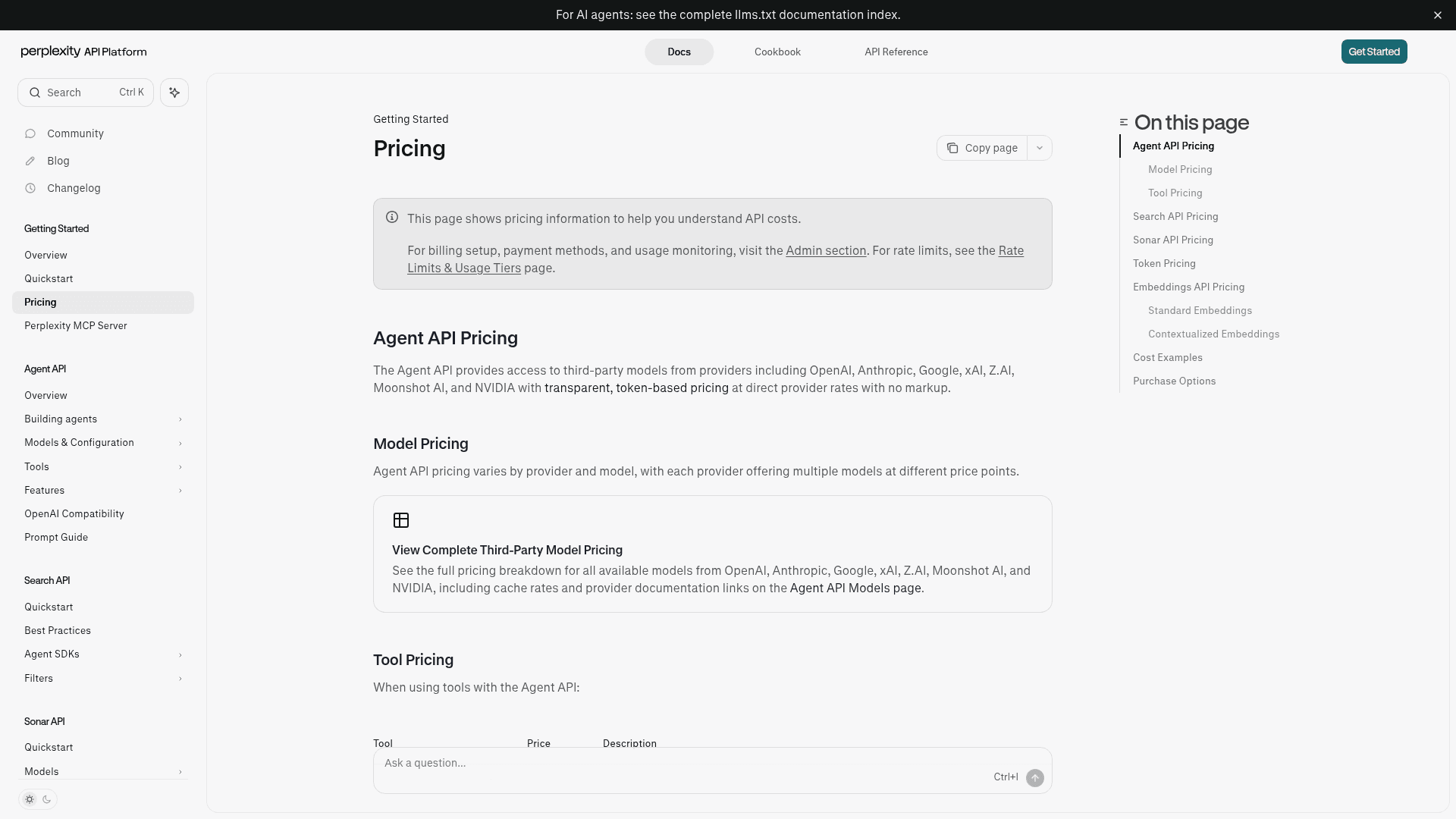
Heads up on a change from a year ago: the consumer plans no longer bundle a complimentary monthly API credit. So if you plan to build any custom tooling on their tech, you'll buy credits and pay for that usage as a completely separate expense. It's a standard approach, but you have to budget for it on its own line.
The big questions about Perplexity pricing for businesses
Okay, that's the "what." Now the part that matters: is it the right tool for your business? This is where you have to separate a research tool from a tool that automates work.
Where Perplexity is great: Research and fact-checking
Credit where it's due: Perplexity is excellent at what it was built for. If your job involves market research, competitor analysis, writing content, or academic work, it's a fantastic tool. Getting answers with sources in real time, instead of opening twenty tabs, saves a ton of time and makes the work better.
The problem with Perplexity for customer support and IT teams
But if you're thinking about using it for customer support or internal IT, you'll hit its limits fast. It's an answer engine, not a workflow engine.
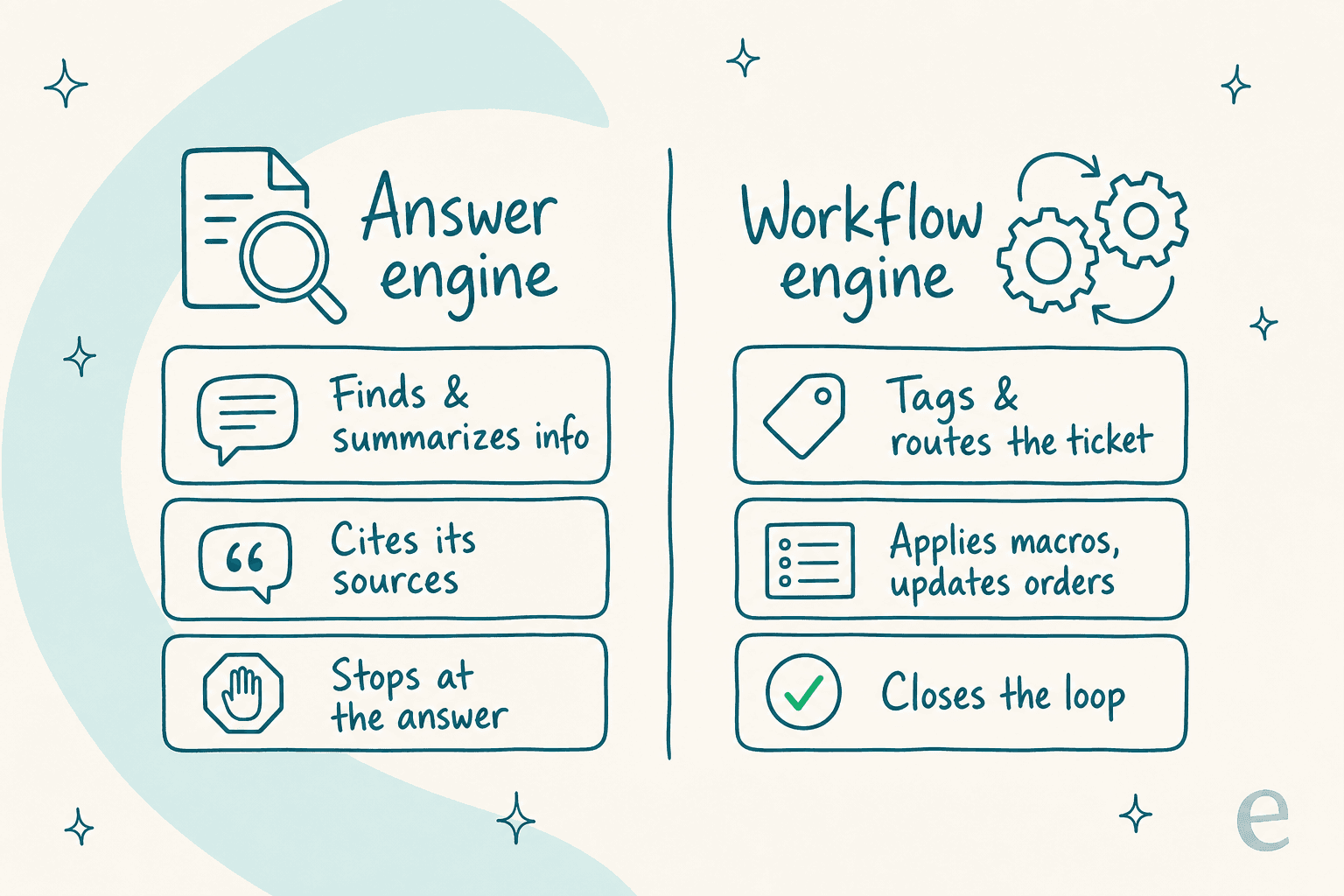
What does that mean in practice? It can't connect to your helpdesk like Zendesk or Freshdesk and actually do things with a ticket.
For example, Perplexity can't:
-
Send an urgent issue to the right person.
-
Apply a macro or close a ticket for you.
-
Look up a customer's order in your Shopify store.
It also doesn't learn from your company's past support tickets or internal docs in a way that lets it solve problems on its own. A support agent can use Perplexity to look something up, but they still have to copy-paste that answer into the helpdesk and do every other step by hand. That's the gap a real AI for support ticket triage is built to close.
The hidden costs of a tool that can change on you
Beyond what the tool can and can't do, there are business risks worth thinking about, especially around consistency.
How usage limits and platform changes affect your team
Some users have noted that Perplexity's features and limits can change without much warning. For one person, that's a minor annoyance. For a business that built a process around the tool, it can bring things to a halt. If query limits or available models shift suddenly, your team's productivity can stall with them.
For a busy support team, weekly Pro Search caps can disappear faster than you'd think. Once you hit a limit, your team is stuck until it resets, and that's not going to work for a function that needs to run all the time.
The need for predictable performance and pricing
When you automate any part of your business, especially something like customer support, you have to predict your costs and your return. Pricing models that charge for every resolution or have API costs that bounce around make that almost impossible. A busy month can leave you with a surprisingly high bill.
A more stable model for a business is one with predictable pricing that doesn't penalise you for being successful and handling more requests. You need steadiness, both in how the tool works and in what it costs, which is the same reason buyers compare AI agent vs human agent cost before committing.
A better alternative: AI that fits into your workflow
This gets to the core difference between finding answers and getting work done.
You need AI that takes action, not just answers
Perplexity is great for finding information. But what businesses really need is AI that does things: routing tickets, applying the right macros, updating customer records, and connecting to the rest of your stack. This is the gap between a helpful research tool and a true AI agent that handles tasks on its own.
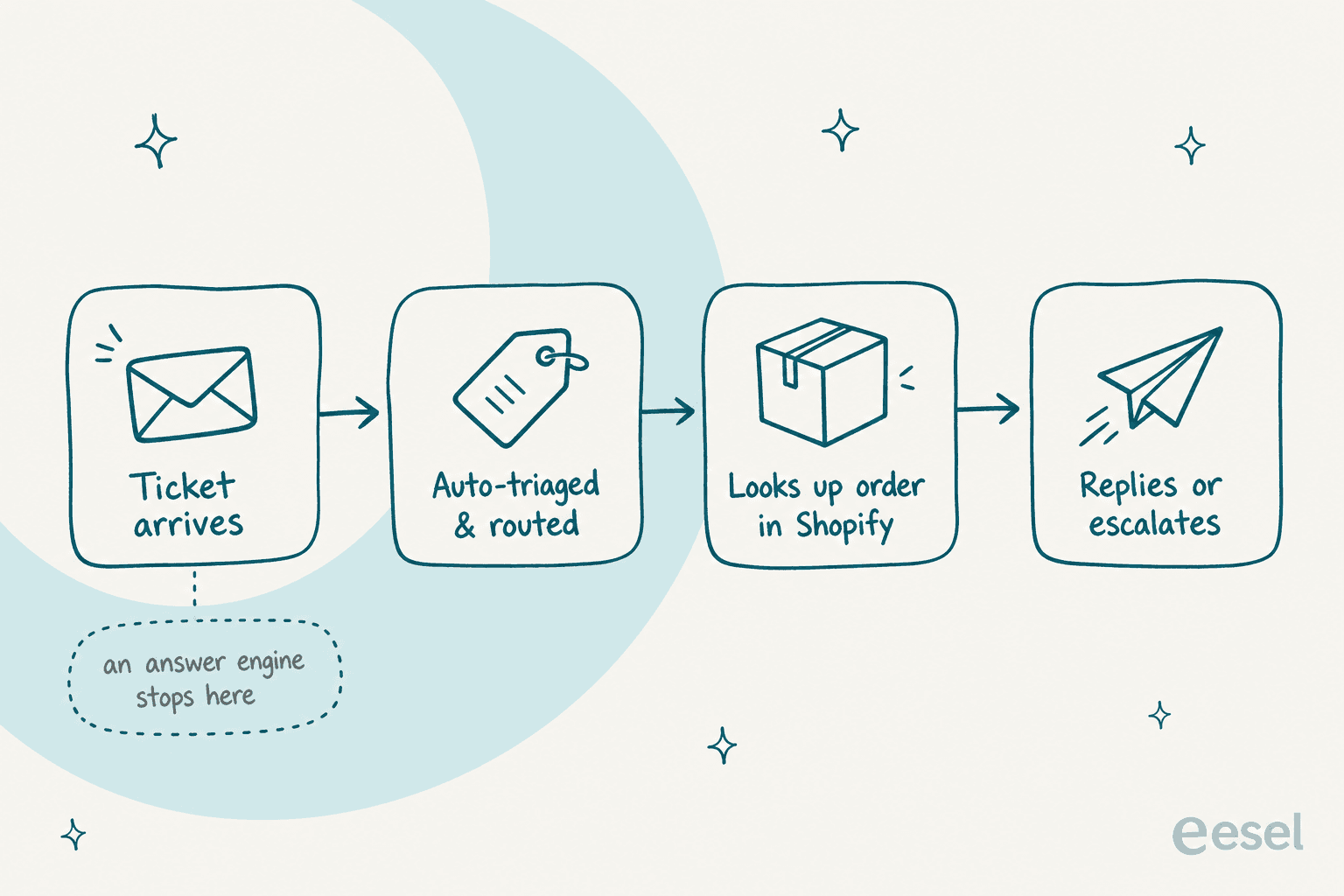
How eesel AI automates support without switching tools
This is exactly why platforms like eesel AI exist. eesel was built to plug directly into the tools you already use and automate entire support workflows, filling the gaps a research-first tool leaves open.
Here's how it's different:
-
It's ready in minutes: Instead of being a separate tool your team toggles to, eesel connects with one click to helpdesks like Zendesk, Freshdesk, and Intercom. You can have it running in minutes, not months, with no developers needed.
-
It learns from your brain: eesel learns from your actual past tickets, macros, and connected knowledge bases like Confluence and Google Docs. Its answers aren't just generally correct; they're tailored to your business and in your brand's voice.
-
You can trust it before going live: Before you let AI talk to customers, you need to know it works. eesel has a simulation mode that tests it on thousands of your real historical tickets, so you see exactly how it would have replied and get solid resolution-rate predictions before you turn it on. Across 8,000+ teams it runs for, that's the step that turns "sounds risky" into a number you can take to your boss, and one customer, Gridwise, saw it resolve 73% of tier-1 requests in the first month.
-
No surprise bills: With eesel's pricing, you pay one fixed monthly price sized to your volume (from $299/month for 500 credits, 1 credit per ticket or chat), so a busy month doesn't spike your bill, and there are no per-seat fees. That makes it easy to budget and prove the value without getting punished for growth.
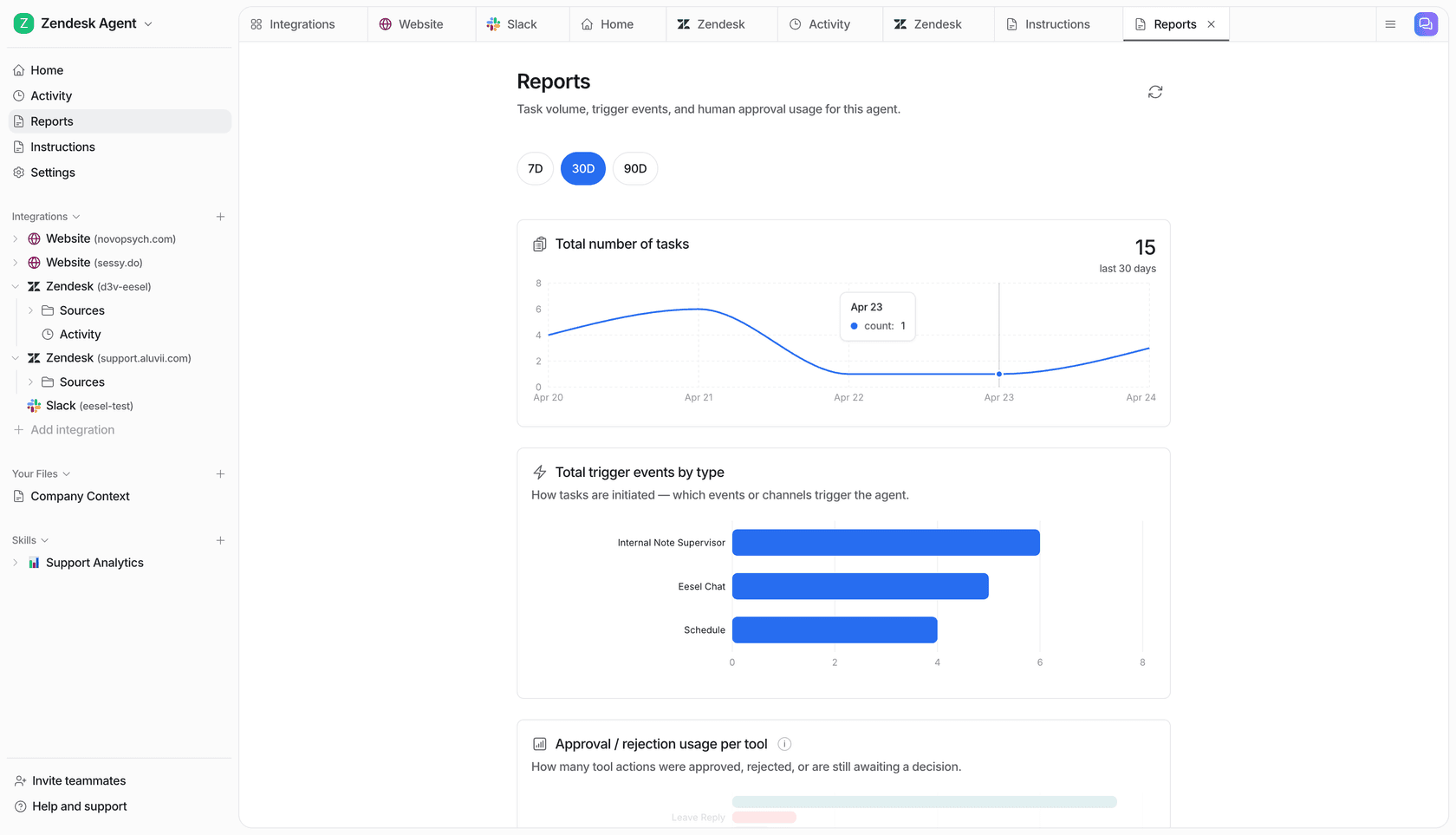
It's all about the right tool for the right job
Perplexity pricing offers a handful of options for its powerful research engine, and it's a useful tool for anyone who needs accurate information fast. The 2026 lineup, with Comet, video generation, and a cheaper Education Pro tier, only makes it sharper at that job.
But for businesses that want to automate customer support, clear ticket backlogs, and free up their teams, a platform built for automation is the way to go. If you're shopping around, my best AI helpdesk software guide is a good next stop. In the end it comes down to what you need to do: are you looking for answers, or looking to get work done?
Ready to put your support on autopilot?
If you need AI that doesn't just find answers but actually resolves tickets, sorts requests, and works inside your helpdesk, give eesel AI a look. Connect your Zendesk or Freshdesk, point it at your knowledge base, and simulate it on your real ticket history before it answers a single customer.
Try eesel and see how much of your workload you can automate.
Frequently asked questions
What are the main tiers of Perplexity pricing available for users?
Perplexity offers individual plans: Standard (Free), Pro ($20/month), and Max ($200/month), plus a discounted Education Pro plan ($10/month with student/educator verification). For businesses, there are Enterprise Pro (from $40/user/month or $400/year) and Enterprise Max (custom pricing) plans. If you want AI that acts inside your helpdesk instead, an AI helpdesk agent is a different category of tool.
How does Perplexity pricing for individual plans differ from business (Enterprise) plans?
Individual plans like Pro and Max are for solo users, while Enterprise plans add business-specific controls, seat management, an organization file repository, and stronger data privacy (data is never used for training). Enterprise plans also start at $40/seat, so the per-user Perplexity pricing for teams is higher than the individual Pro tier.
Is the Perplexity pricing for the API included in the standard subscription plans?
No, the Perplexity API (Sonar) has a separate pay-as-you-go model based on token usage and the specific model. As of 2026 there are no complimentary API credits bundled with the consumer plans, so any API usage is billed completely independently.
Why might Perplexity pricing be less suitable for businesses focused on customer support automation?
Perplexity is an answer engine, not a workflow engine. Its pricing doesn't account for direct integration with helpdesk systems or the ability to automate tasks like tagging tickets or updating customer records, which are what support teams actually need.
Can I try Perplexity before committing to a paid Perplexity pricing plan?
Yes. The Standard (Free) plan gives you practically unlimited basic searches plus a small daily allowance of Pro Searches (around 3 per day) and one research query a month, so you can test the tool before deciding on Pro, Max, or an Enterprise plan.