
The world of AI is moving at a dizzying pace. Every week, it feels like there’s a new tool that promises to change everything. Two of the biggest names you’ve probably heard tossed around are Google Gemini and Perplexity. Both are incredibly smart, designed to find information, spit out content, and answer questions we wouldn't have dreamed of asking a computer a few years ago.
But here’s the thing: while they both fall under the "AI assistant" umbrella, they are built for fundamentally different jobs. It’s a bit like comparing a creative brainstormer to a meticulous researcher. Asking "which one is better?" is the wrong question. The right one is, "which one is the right tool for what I need to do right now?"
This is especially true if you’re trying to use these tools for your business, where getting the right answer isn't just nice, it's essential.
So, let's get into the nitty-gritty of the Gemini vs Perplexity debate. We'll look at what they do best, where they stumble, and most importantly, when you need to stop using a general-purpose tool and bring in a specialist to get real work done.
What are Gemini and Perplexity?
On the surface, they look similar. You type in a question, you get an answer. But if you peek under the hood, you’ll see they have very different philosophies.
Google Gemini explained
Think of Gemini as Google's all-in-one creative partner. It’s designed to be a conversational sidekick that can help you brainstorm, write, and even analyze images. Its biggest advantage is being plugged directly into the Google universe, so it works hand-in-hand with tools like Docs, Sheets, and Gmail. If you need to come up with something new, whether it's an email draft or a marketing slogan, Gemini is your go-to. It’s the "Creative Generalist" in the room.
Perplexity AI explained
Perplexity, on the other hand, calls itself an "answer engine." It’s less of a creative partner and more of a super-powered researcher. Its whole mission is to give you accurate, up-to-date answers with a clear list of sources. It shows you its work, linking directly to the articles and reports it used to formulate a response. This makes it an amazing tool for fact-checking, research, or just getting a trustworthy summary on any topic. It’s the "Factual Researcher" you can rely on.
A feature-by-feature comparison
This is where you really start to see the two AIs diverge. Their core functions highlight their different strengths and, for business use, their different weaknesses.
Information accuracy and sourcing
Perplexity is the clear winner here. Its main selling point is its commitment to transparent sourcing. When you ask a question, it doesn't just give you an answer; it gives you footnotes with links to the exact web pages where it found the information. If you're writing a report or need to verify a statistic, this is unbelievably helpful. You get the answer and the proof.
Gemini can search the web too, and Deep Research is part of its plans. A source list just isn't as central to its identity as it is for Perplexity. For casual questions, it’s fine. For serious research, you might find yourself double-checking its work against the original pages.
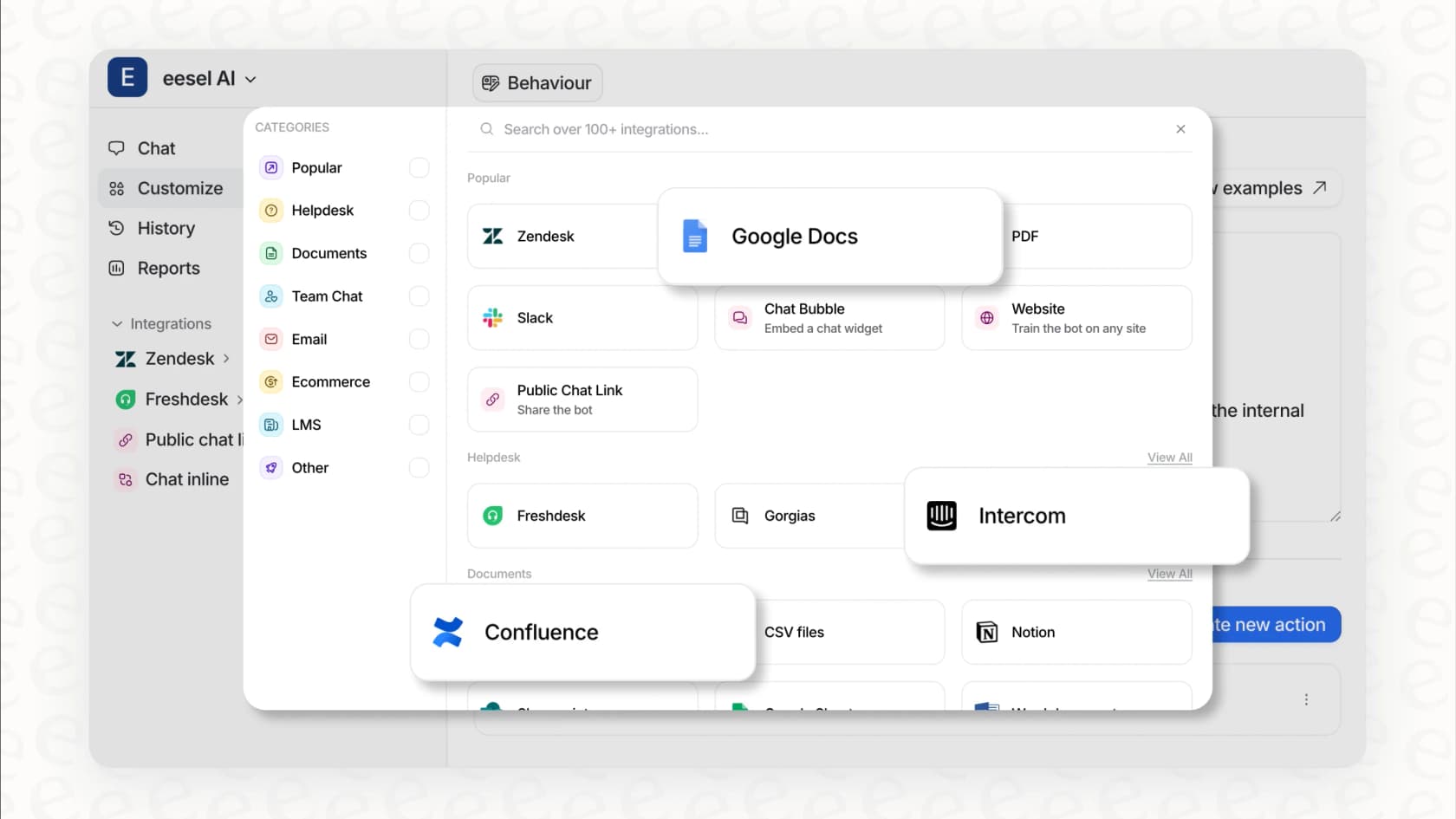
But here’s the catch for businesses: Both tools are stuck looking at the public internet. They have no idea what’s going on inside your company. They can’t access your internal knowledge base in Confluence, your project plans in Google Docs, or your team’s private conversations. For answers about your own products or internal processes, you need a tool that can connect to your private data. That’s where something like eesel AI comes in, as it’s built to search across your company's proprietary knowledge, not just the public web.
Creative generation vs. factual synthesis
Gemini is built for creation. It excels at generating new text, brainstorming ideas for a marketing campaign, or even helping you write a poem. Because it’s multimodal, it can also interpret images and generate content based on them. If you’re starting with a blank page and need a creative spark, Gemini is the better choice.
Perplexity is more of a synthesizer. It’s brilliant at finding existing information from multiple sources and weaving it together into a neat, easy-to-read summary. It’s not trying to invent anything new; it’s trying to give you the most accurate and concise summary of what the world already knows.
But here’s the catch for businesses: Gemini’s creativity is generic. It doesn't know your company’s brand voice, your writing style, or the specific way your best support agents explain a tricky concept. A specialized AI for support, like eesel AI, learns directly from your past support tickets and help docs. This allows it to generate replies that are not only factually correct for your business but also sound exactly like your team.
Ecosystem and workflow integration
Gemini has a huge home-field advantage here. Being a Google product, it's woven directly into Google Workspace. You can summon Gemini inside a Google Doc to help you write, use it in Gmail to draft replies, or get its help in Sheets to analyze data. For anyone living in the Google ecosystem, this is a massive productivity boost.
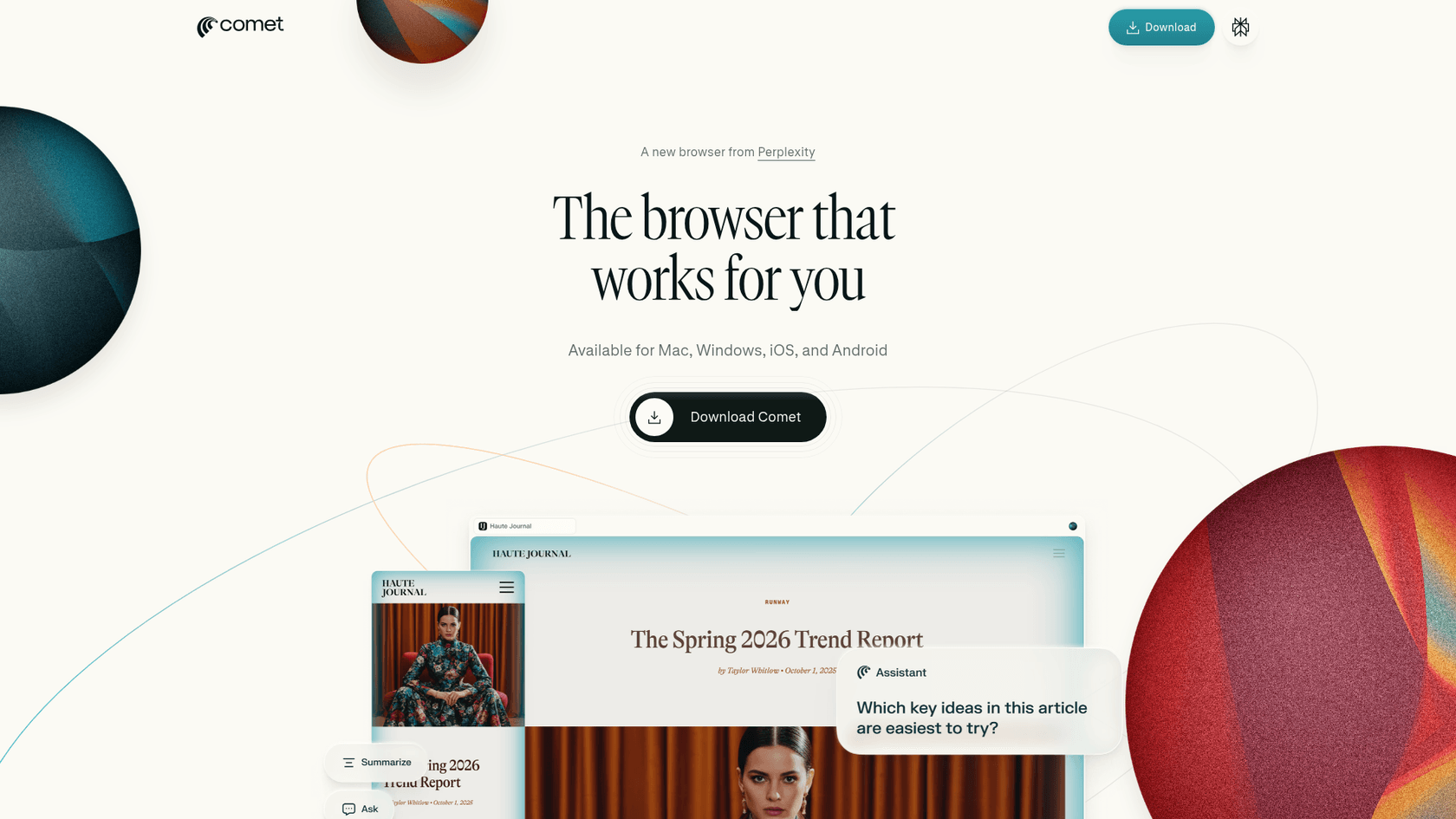
Perplexity is more of a destination you go to for research, but it reaches further than it used to. Pro adds data connectors (Slack and Notion appear on its plan page) and local and remote MCP support, and its Comet browser is available for Mac, Windows, iOS and Android. It still has no presence inside Docs or Gmail the way Gemini does, so the home-field advantage stays with Google.
But here’s the catch for businesses: These personal productivity integrations don't cover core support workflows. Neither is set up out of the box for your help desk like Zendesk or Gorgias, or your internal chat tool like Slack. To actually automate work, you need an AI that lives inside the tools your team already uses. An AI like eesel AI is designed to integrate directly with these platforms, so it can take actions and resolve issues right where the work happens.
Use cases and limitations for business teams
When we move from general features to real-world business scenarios, the gap between a consumer AI and a professional one becomes a chasm.
Ideal use cases
-
Gemini: Perfect for a marketing team brainstorming blog post ideas, a freelancer drafting a quick email in Gmail, or anyone needing a creative first pass on a piece of content.
-
Perplexity: The go-to for a student researching a paper, a journalist fact-checking a story, or a product manager getting up to speed on a competitor's new feature launch.
Where they fall short for customer-facing teams
For teams on the front lines, just finding information isn't enough. You need to solve problems. This is where general-purpose tools hit a hard wall.
-
They can't actually do anything: Gemini and Perplexity are great at providing information. They can tell you what a typical shipping policy says, but they can't check the status of a specific customer's order in Shopify or process a refund. They can't update a ticket in Zendesk or escalate an issue to the right person. A true automation tool like eesel AI is built to connect to your business systems and perform these actions, resolving customer issues from start to finish.
-
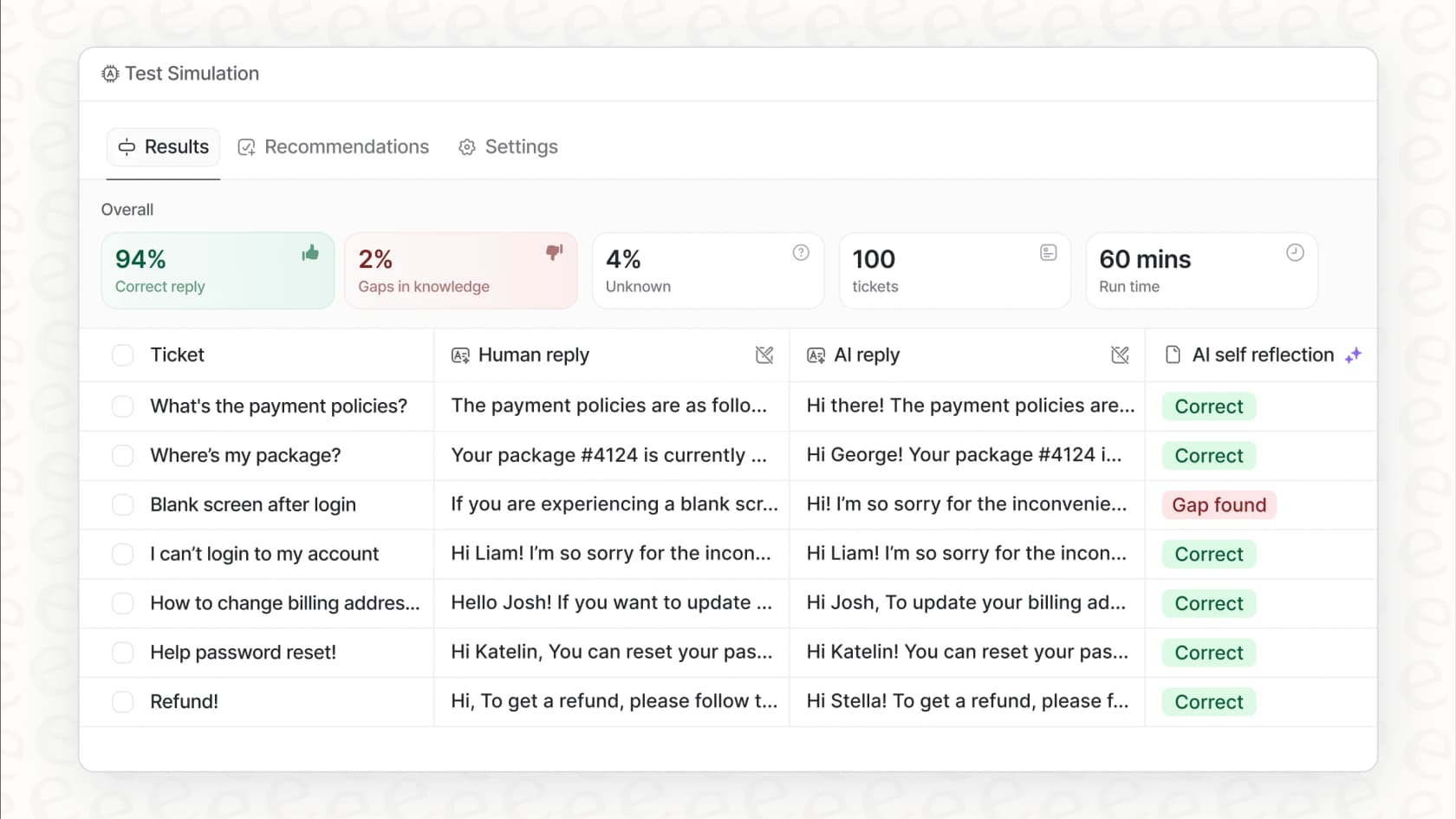
There are no safety nets: With a public AI, you have no control over its responses and no way to test them before they go out to customers. You can’t tell it to avoid certain topics or guarantee it won’t make something up. For a function as critical as customer support, that’s a massive risk. In contrast, eesel AI gives you a powerful simulation mode. You can test it on thousands of your past tickets to see exactly how it would have performed, get reliable forecasts on its automation potential, and roll it out with confidence.
Pricing and plans: A transparent breakdown
The way these tools are priced tells you a lot about who they're for. They’re built and sold for individuals, not for entire teams that need to scale.
Gemini pricing
-
Free Tier: You get access to the standard Gemini model, which is great for everyday use.
-
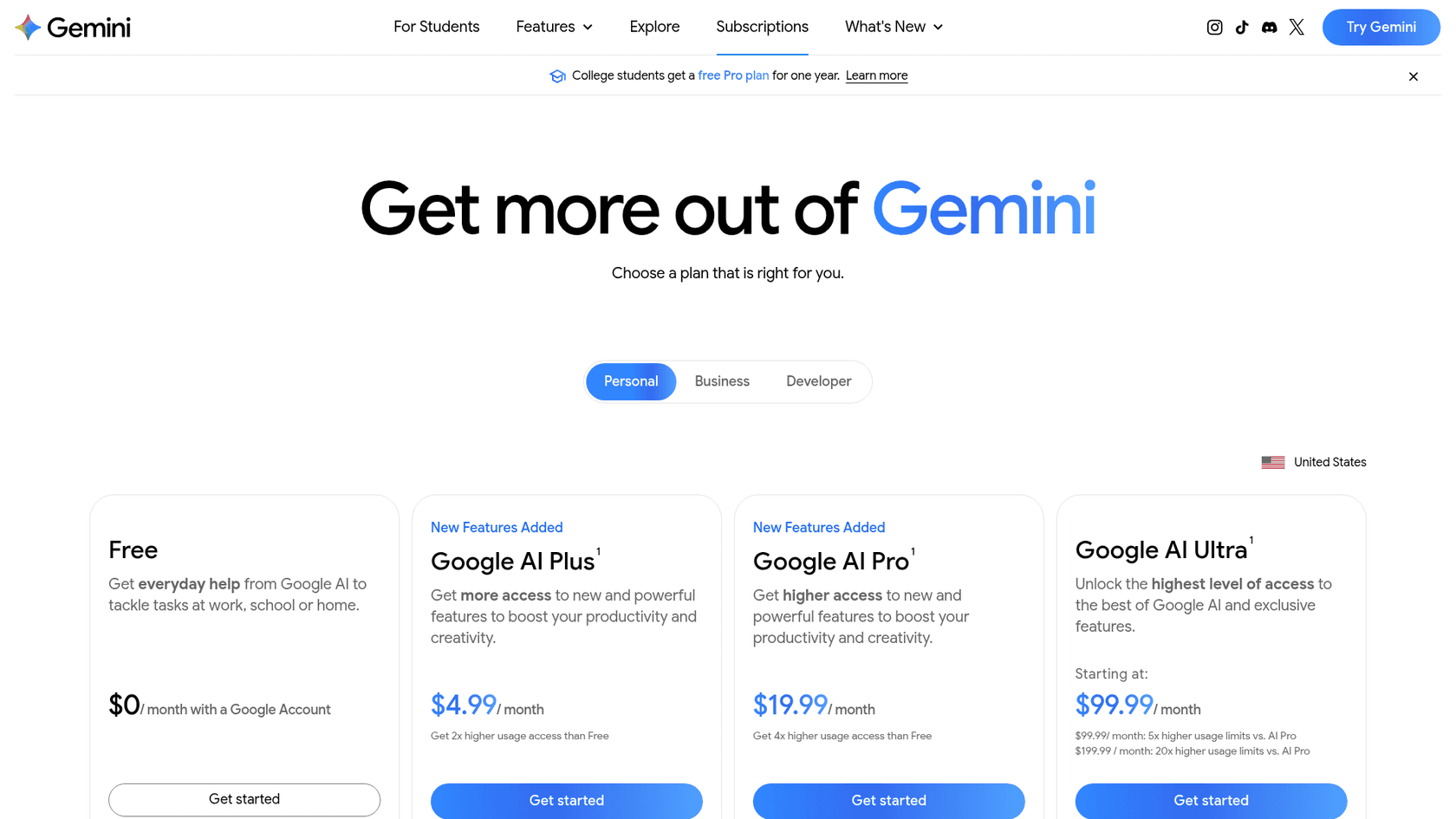
Google AI Pro (formerly Gemini Advanced): $19.99/month gets you 4x the free usage, Gemini in Gmail, Docs and Sheets, and 5 TB of cloud storage. There's also Google AI Plus at $4.99/month, and Google AI Ultra starts at $99.99/month.
Perplexity pricing
-
Free Tier: Offers a solid experience but limits how many "Pro" searches (which use more advanced models) you can do per day.
-
Perplexity Pro: $17/month billed annually. It includes the Computer agent (with limited-time bonus credits, $40 at the last check), the top AI models and the data connectors above. Perplexity Max is $167/month billed annually.
The business pricing perspective
Paying per user, as you do with Gemini and Perplexity, works fine for one or two people. But it breaks down quickly when you try to roll it out to a whole support or IT team. Your costs balloon as your team grows, which feels like you're being penalized for scaling up.
An alternative model, like the one used by eesel AI, is based on ticket volume, not headcount. You pick a fixed monthly plan sized to volume (1 credit per ticket or chat, however long) with no per-seat fee, and there's a free plan with 100 credits. That keeps the bill predictable as your team grows.
| Platform | Pricing Model | Monthly Cost | Best For |
|---|---|---|---|
| Google AI Pro | Per User | $19.99 | Individuals living in the Google ecosystem |
| Perplexity Pro | Per User | $17 (billed annually) | Individual researchers and fact-checkers |
| eesel AI | Fixed monthly plan, no per-seat fee | From $299 for 500 credits (1 credit per ticket or chat) | Businesses needing scalable, integrated automation |
Gemini vs Perplexity: Choosing the right AI for the right job
So, in the great Gemini vs Perplexity debate, who’s the winner? The honest answer is: it depends entirely on what you’re trying to do.
Gemini is a fantastic creative partner. Perplexity is a top-notch researcher. For personal productivity, they are both phenomenal tools that can save you a ton of time.
But when it comes to high-stakes business functions like customer support or internal IT help, you need more than just a smart search box. General-purpose AIs give you answers. A specialized AI platform delivers resolutions. A tool like eesel AI is built to do just that. It goes beyond simply finding information by plugging into your tools, learning from your company’s unique knowledge, and actually taking action to solve problems.
Ready to see what an AI built for your support team can do? Set up your first AI agent in minutes with eesel AI.
Frequently asked questions
For creative content generation, which tool performs better in the Gemini vs Perplexity comparison?
Gemini is designed as a creative partner, excelling at brainstorming ideas, drafting text, and generating content from scratch. It's the stronger choice if you're starting with a blank page and need creative inspiration.
When it comes to information accuracy and source transparency, what should I expect from Gemini vs Perplexity?
Perplexity is the clear winner for accuracy and transparency, providing direct links to its sources for verification. Gemini also searches the web, but a source list is less central to its answers, so for serious research it's worth checking its claims against the original pages.
How do the integration capabilities of Gemini vs Perplexity differ when I need to connect them with other apps?
Gemini has a significant advantage inside Google Workspace tools like Docs, Gmail, and Sheets. Perplexity is more of a research destination, though its Pro plan does add data connectors (its changelog lists email, calendar, Notion, Linear and GitHub) and supports MCP, so it can reach some of your other apps.
What are the limitations of using a general-purpose tool like Gemini vs Perplexity for specific business functions like customer support?
Both tools fall short for business functions because they cannot perform actions within your specific business systems or access private company knowledge. They provide information but cannot automate tasks like updating tickets or processing refunds.
Can I scale Gemini vs Perplexity pricing effectively for a growing business team?
Both Gemini and Perplexity use a per-user pricing model, which can become costly and difficult to scale for a large team. This model is generally better suited for individual users rather than entire business departments.
In practical terms, when is it most appropriate to use Gemini vs Perplexity for individual tasks?
Use Gemini for tasks requiring creative generation, like drafting emails or brainstorming marketing ideas. Choose Perplexity when you need highly accurate, source-verified information for research, fact-checking, or concise summaries.