


You know the feeling. The answer to your question is somewhere, but it’s buried in one of a dozen different apps. So you start the great digital scavenger hunt, clicking through old Slack threads, Jira tickets, Confluence spaces, and forgotten Google Docs, hoping to get lucky. Just like that, half your morning is gone.
This constant search for information is a massive time sink. A Gartner survey found that almost half of us struggle to find the info we need to just do our jobs.
Atlassian’s answer to this mess is Rovo Search, a new AI tool designed to pull all that scattered knowledge into one place. But is it the right solution for every team? Let’s take a practical look at what Rovo Search is, what it does, how much it costs, and what other options you have.
What is Atlassian Rovo Search?
Atlassian Rovo Search is an AI search engine that works across the entire Atlassian suite (Jira, Confluence, Trello, etc.) and a growing list of other apps you might use.
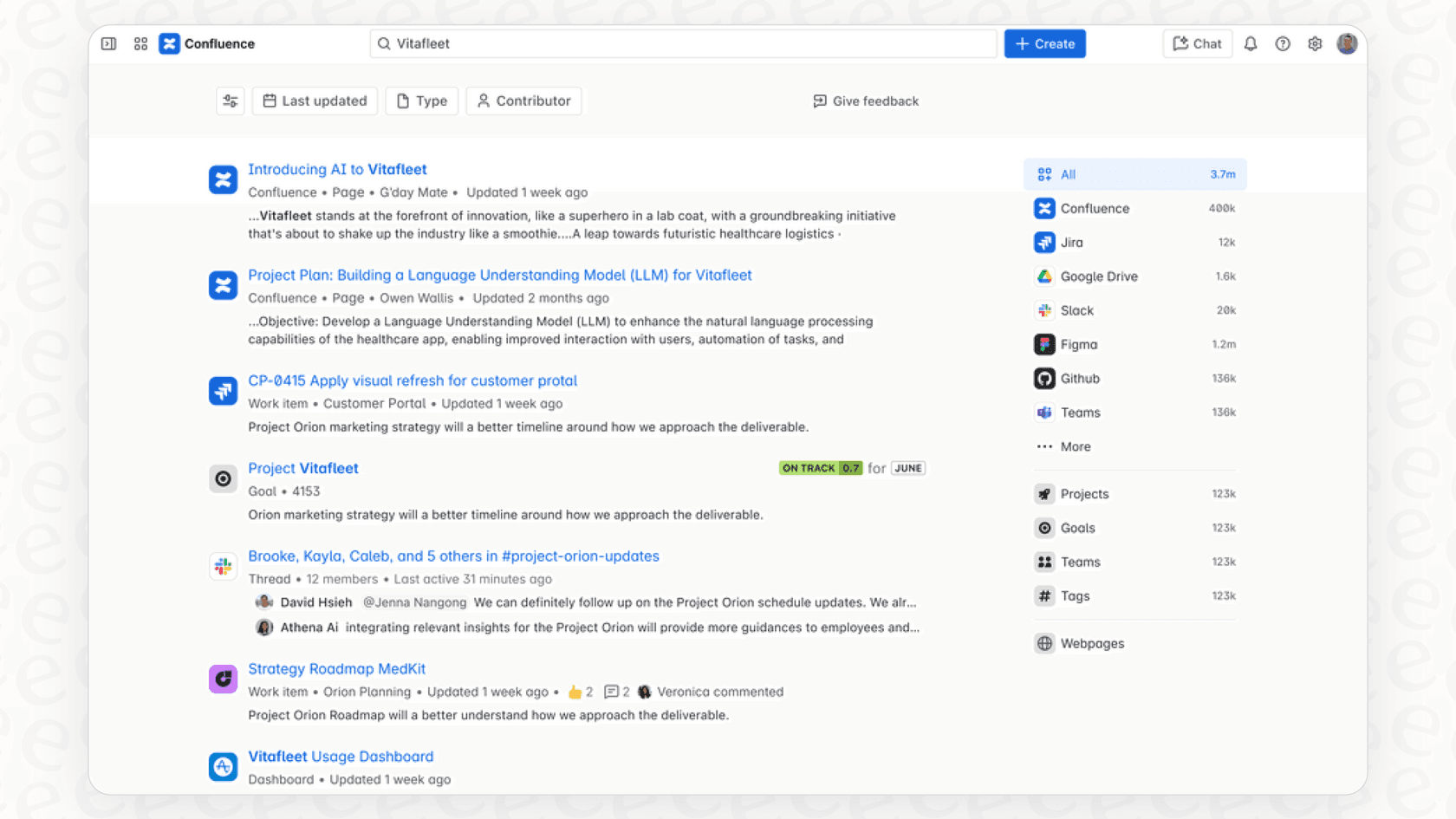
The big idea behind it is something Atlassian calls the "Teamwork Graph." Basically, this is Rovo's brain. It doesn't just look for keywords; it tries to understand the hidden connections between people, projects, and documents at your company. It figures out who works with whom, which project connects to which goal, and what conversations are related to a specific support ticket. The point is to give you smart, personalized answers, not just a long list of links to sort through.
Rovo Search is just one part of the bigger Atlassian Rovo platform, which also includes Rovo Chat (for asking questions) and Rovo Agents (for automating tasks). For now, we’re just focusing on the search part that promises to end the digital scavenger hunt.
Key features of Rovo Search in action
Rovo Search is more than a simple search bar. It has a few tricks up its sleeve to bring you the right information when you need it.
Get straight answers, not just links
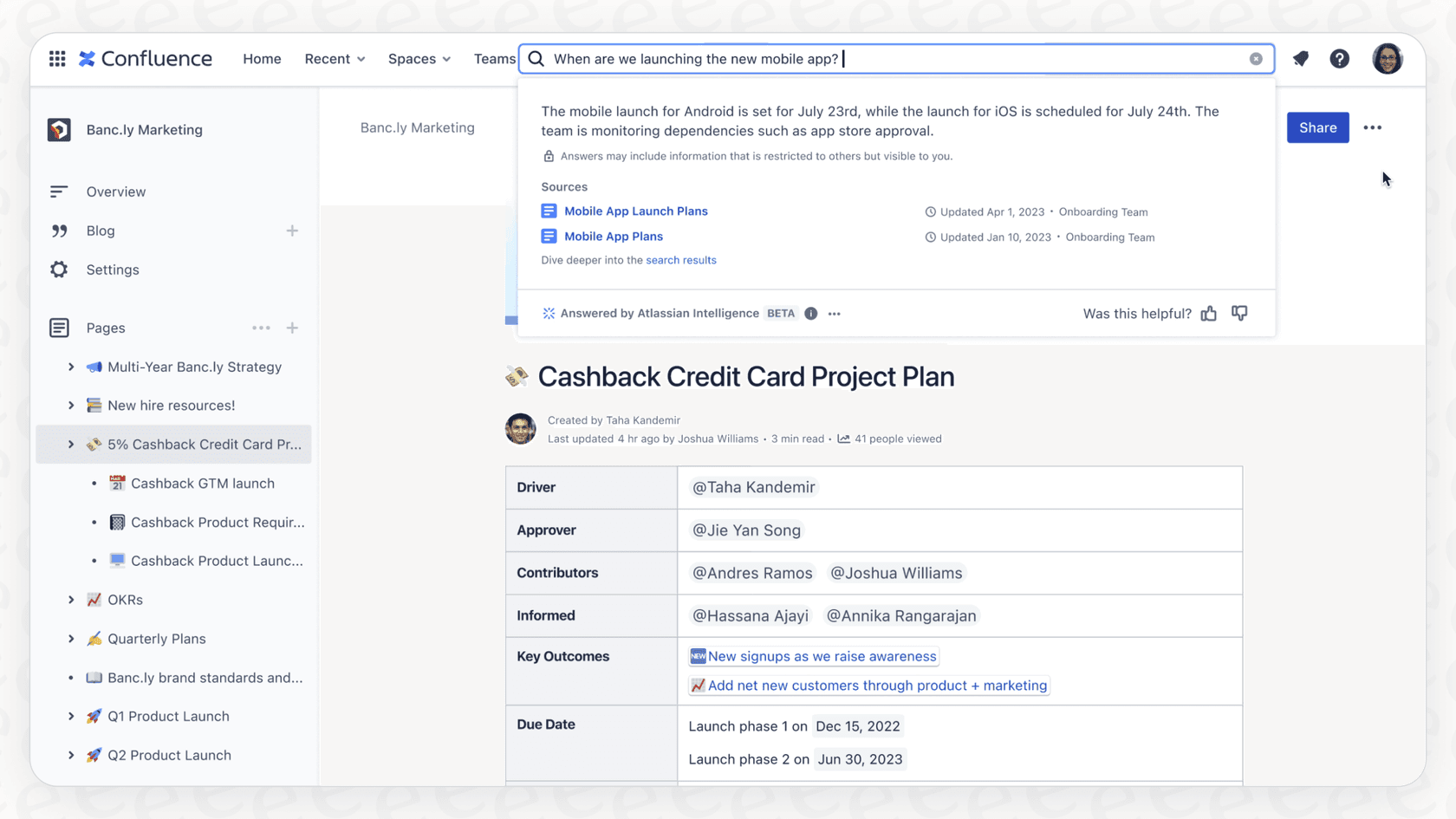
Instead of just pointing you to a document, Rovo tries to answer your questions directly. Ask something like, "What's our VPN setup process?" and you should get a summarized answer right at the top, with links to the original documents in Confluence or Jira. This lets you get the gist quickly and still check the source if you need to.
For bigger questions, its "Deep research" feature can pull info from multiple places and stitch it together into a single report, saving you the headache of doing it yourself.
Quick info with knowledge cards
Knowledge Cards are like little pop-up summaries for important people, teams, and projects. If you search for a coworker, for instance, a card might pop up showing their photo, role, team, and what they’ve been working on recently. It’s a small touch, but it saves you from having to dig through the company directory.
Search everything, not just Atlassian tools
Rovo’s real promise is its ability to search outside of Atlassian’s world. It can connect to and search across popular apps like Google Drive, Slack, and Microsoft Teams, bringing all your company knowledge into one searchable spot. Atlassian has over 50 connectors available, with the goal of making Rovo your one-stop shop for finding anything.
Search without switching tabs
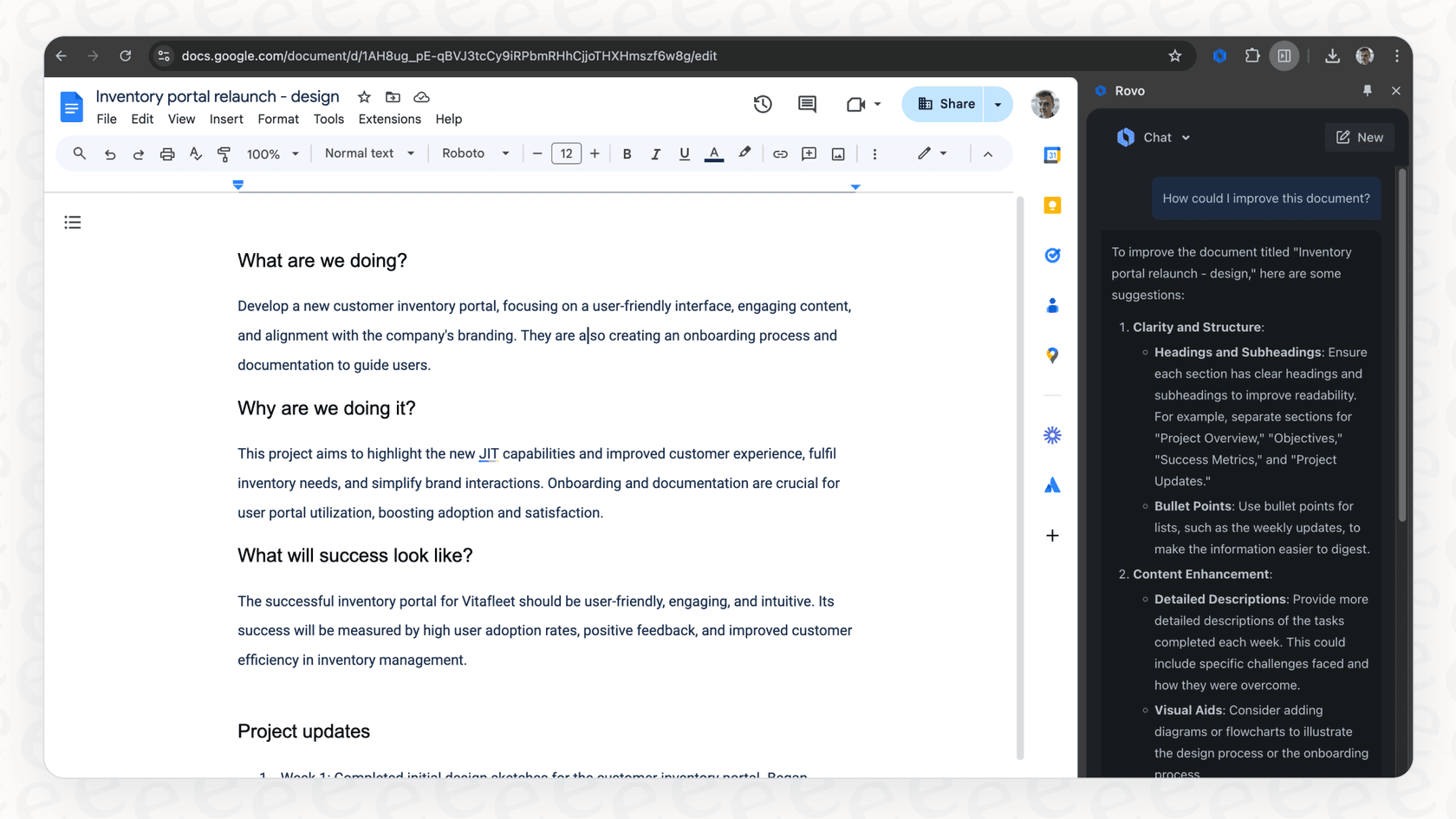
To make things even easier, Atlassian has a Chrome extension for Rovo. It puts the search and chat features right into your browser, so you can look up company info from any website or app. No more having to jump back to Confluence or Jira just to find a quick answer.
How Rovo Search works (and its hidden strings)
On the technical side, Rovo Search uses AI models and fancy algorithms to understand what you’re asking for. It looks at your query, tries to figure out your intent, and then sorts the results based on relevance and how new the information is. But its success depends less on the tech and more on how your company is already set up.
-
It needs a clean house to work. Rovo can't magically fix a messy knowledge base. As many Atlassian partners have pointed out, it works best when your Confluence pages have clear titles and your Jira projects are neatly organized. If your information is a chaotic mess, Rovo’s results will be a chaotic mess. It simply amplifies the quality of what you feed it.
-
It works best if you're all-in on Atlassian. Rovo’s biggest strength can also be a weakness. It delivers the most bang for your buck if your company lives and breathes inside the Atlassian Cloud ecosystem. If your team uses a mix of different tools and doesn't center its work around Jira and Confluence, you might not see the same benefits.
-
Getting it running is a big project. Rolling out Rovo isn't just about flipping a switch. The real work is often changing how people work and getting them to adopt new processes. This means you’ll need buy-in from leadership, time for training, and a company-wide willingness to change old habits, which is never a quick or easy process.
Atlassian Rovo Search pricing: Included with paid plans, with credits for AI features
This is where the details matter. Rovo isn't priced per user as a separate add-on: Atlassian includes it with Standard, Premium, and Enterprise Cloud plans of Jira, Confluence, and Jira Service Management, and meters AI usage in Rovo credits.
The credit model has a few details worth knowing:
-
Search itself isn't metered. Per Atlassian's usage doc, Rovo Search in Atlassian apps, definitions, and summaries use no credits. A basic chat or agent request costs 10 credits, and heavier modes such as Deep Research cost more.
-
Allowances are pooled. Per user per month, Jira and Confluence include 25 credits on Standard, 70 on Premium, and 150 on Enterprise, shared across the organization, so a few heavy chat users can draw on the pool the whole team contributes to.
-
Extra usage is on by default. Billing for usage above the allowance starts on December 3, 2026 at $0.01 per credit, and admins can set a spending cap or turn it off.
| Aspect | Details | What this means for you |
|---|---|---|
| Model | Monthly Rovo credit allowance per user, pooled | Search in Atlassian apps uses no credits; chat and agents are metered |
| Starting Price | No separate Rovo purchase | Comes with Standard, Premium, and Enterprise Cloud plans |
| Extra usage | $0.01 per credit from December 3, 2026 | On by default; admins can cap it or turn it off |
| Value Proposition | Best for teams already deep in Atlassian's world | You'll see less of a return if your knowledge sits mostly outside the connectors Atlassian supports. |
A more flexible alternative to Rovo Search
For teams that need powerful enterprise search but want to skip the high costs, vendor lock-in, and setup headaches, there's another way. You can use a separate AI platform that plugs into the tools you’re already using.
This approach is great for businesses that want to get answers from their existing knowledge without having to change how everyone works. A tool like eesel AI, for example, offers a more straightforward path.
-
You can get it running in minutes. Instead of a multi-month project focused on changing habits, eesel AI is designed to go live fast. Connect your help desk, wiki, and other sources with a few clicks and start getting value right away, without having to sit through a mandatory sales demo.
-
It learns from your actual, messy work. While Rovo needs well-structured wikis to shine, eesel AI is built to learn from the real-world places your company knowledge lives. It can train directly on years of support tickets and unstructured docs, finding answers in the same conversations your team already relies on.
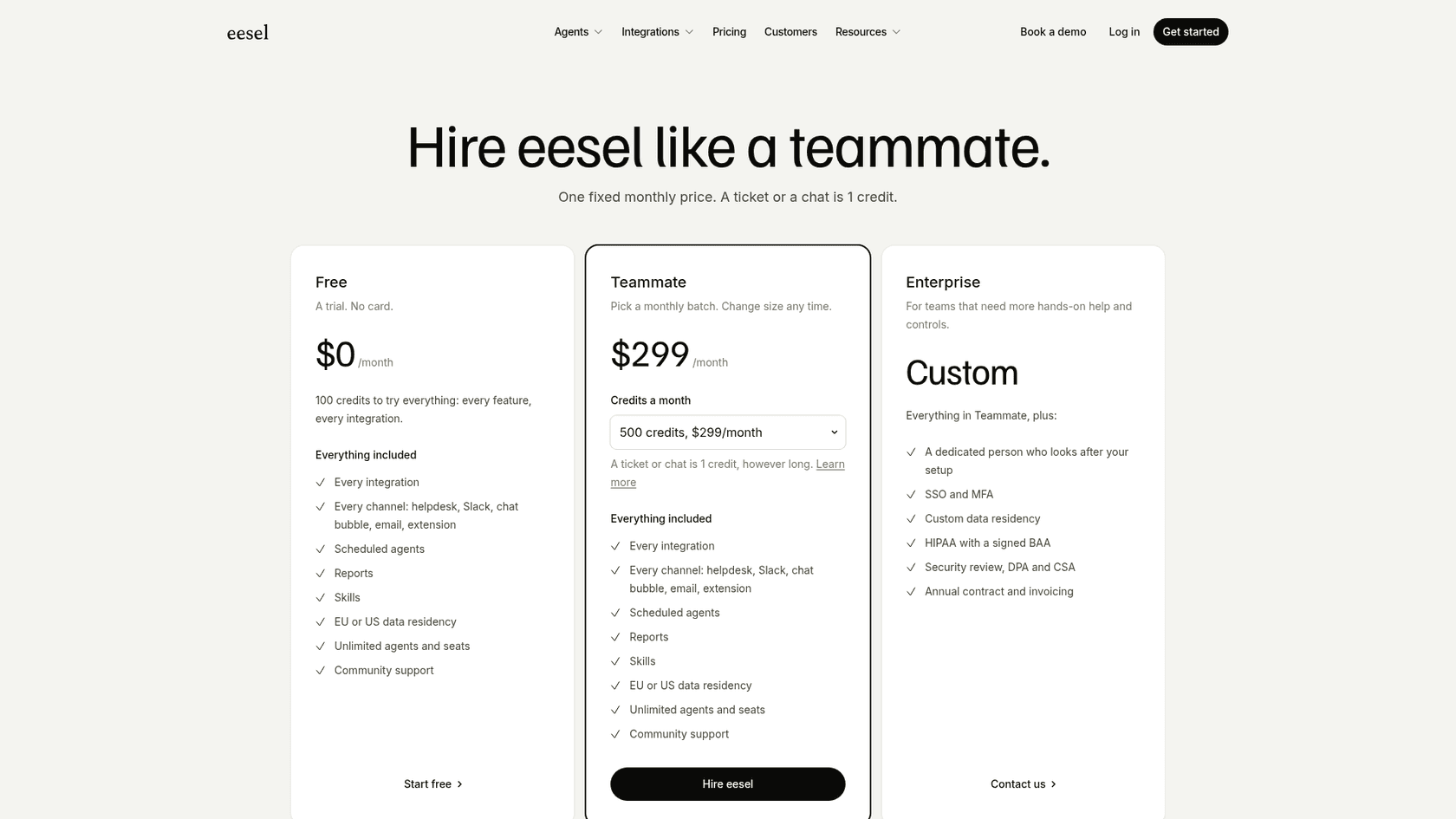
- Simple, predictable pricing. You shouldn't be penalized for growing your team. eesel AI uses one fixed monthly price by credit batch: a ticket or a chat is 1 credit, with no per-seat fees. Plans start at $299 per month for 500 credits, and you can start free with 100 credits and no card.
- Test it out with zero risk. Committing to a new platform is a big deal. eesel AI has a simulation mode that lets you safely test it on hundreds of your past tickets before you ever show it to customers. This gives you a data-backed forecast of how well it will perform, so you can roll it out with confidence.

Choosing the right enterprise search tool
Atlassian Rovo Search is a powerful tool for companies that are fully committed to the Atlassian ecosystem. If you’re prepared for the credit-based pricing and the internal work needed to organize your data, it could be a great fit.
But for some teams, that path is narrower than they need. If you’re looking for a more nimble, cost-effective solution that works with the tools you have now, an alternative like eesel AI is worth a look. It lets you tap into your company's knowledge quickly and affordably, without all the enterprise-level complexity.
Frequently asked questions
What exactly is Rovo Search and what problem does it solve for teams?
Rovo Search is an AI-powered search engine from Atlassian designed to consolidate scattered company knowledge from various applications into one searchable platform. It aims to eliminate time wasted on digital scavenger hunts by providing direct answers and smart results.
Can Rovo Search connect to applications outside of Atlassian's ecosystem?
Yes, Rovo Search is built to integrate with over 50 popular third-party applications like Google Drive, Slack, and Microsoft Teams. This allows it to centralize knowledge from a wide range of tools beyond just the Atlassian suite.
How does Rovo Search differ from a traditional keyword search?
Unlike traditional keyword searches, Rovo Search uses AI and a "Teamwork Graph" to understand the context and connections between people, projects, and documents. This allows it to provide personalized, summarized answers rather than just a list of links.
What is the typical pricing model for Rovo Search, and can it get expensive?
Rovo Search has no separate per-user price: Atlassian includes Rovo with Standard, Premium, and Enterprise Cloud plans. Search in Atlassian apps uses no Rovo credits, while chat and agents are metered against a monthly per-user allowance (25, 70, or 150 credits on Jira and Confluence).
What are the main challenges or requirements for successfully implementing Rovo Search?
For Rovo Search to be effective, it requires well-organized data and works best for companies deeply invested in the Atlassian Cloud ecosystem. Rolling it out is often a substantial project, demanding leadership buy-in, training, and a willingness to adapt existing workflows.
Is there a more flexible or cost-effective alternative to Rovo Search for teams?
Yes, alternatives like eesel AI offer a more flexible approach. These platforms can integrate with existing tools quickly, learn from messy, real-world data, and use a fixed monthly price by credit batch with no per-seat fees, providing a less restrictive option.