


A comparison framework that survives product changes
| Question | What to look for | Evidence |
|---|---|---|
| Job | A narrow, named customer or employee task | Clear success and handoff condition |
| Knowledge | Approved, current sources | Citation or source review for test cases |
| Action | Read, draft, and write permissions separated | Owner, approval and failure path |
| Test | Normal, missing-data and exception cases | Output plus system-of-record result |
| Operations | Ability to inspect and correct behavior | Logs, review path, and accountable owner |
Some products are builders: they give a team a canvas and integration surface to create a custom agent. Others are ready teammates for a defined workflow. Neither category is inherently better. The right choice depends on whether you can own the design and maintenance work, or need a specific job operating in an existing support workflow.
Avoid comparisons that report invented personal testing, fixed rankings, or copied price tables. Vendors change plans and capabilities. Read the primary documentation for the candidates on your shortlist, then test the exact scenario you care about.
A named shortlist, organized by job
This is an editorial shortlist based on each product's documented positioning, not a ranking or a claim that we tested every product. Re-check the linked primary documentation before a purchase decision.
| Option | Documented fit | Choose it when | Verify in a trial |
|---|---|---|---|
| eesel | Ready support teammate | You need helpdesk work with approved knowledge and a defined handoff | Sources, instructions, approvals, and customer outcome |
| Voiceflow | Conversational-agent builder | Your team wants to design and operate a custom conversation | Integration behavior, knowledge design, and ownership of maintenance |
| Salesforce Agentforce | Salesforce agent configuration | The job and data live in Salesforce | Topic, action permission, and the resulting record |
| Tidio Lyro | Tidio conversational support agent | You operate support in Tidio and need its knowledge and handoff controls | Data source, Playground case, handoff destination, and any Action |
| OpenAI Responses API | Custom application building blocks | Engineers own the application, model calls, and surrounding controls | Retrieval, tool boundary, observability, and customer-facing result |
The label matters less than the operating model. A builder can be the right choice, but it makes your team responsible for the agent's design and integration. A ready teammate can reduce that design work, but only if its supported workflow fits the job you need to run.
Use the same cases across candidates
Build a small evaluation set before a trial. For an integration-outage support workflow, include: a normal setup question, a missing account detail, an obsolete article that must not win, a request needing a human, a tool failure, and a prompt-injection attempt. Review the source, reply, requested action, and external outcome separately.
The agent should make uncertainty visible. A good answer says what it found and where the customer needs a person. It does not convert missing evidence into a confident promise. If it can change a ticket, order, entitlement, or account, test that write in a controlled environment and inspect the target system after it runs.
Use eesel CLI to evaluate an eesel teammate
eesel is a ready-to-work support teammate. Its CLI is another interface to the same selected teammate and workspace as the dashboard. A human can use a terminal, a script can consume JSON, and Claude Code, Codex, or Cursor can prepare a bounded inspection. It does not operate another vendor's agent.
For example, ask a coding agent for a read-only report before comparing how agents handle an integration outage: identify the eesel teammate, list connected sources and manual files, and show its instructions for unresolved technical cases. The report cannot connect accounts, change permissions, or enable automation. Node.js 18.17 or later is required.
npx @eesel/cli login
npx @eesel/cli whoami
npx @eesel/cli agents
TARGET_EESEL_AGENT="paste-agent-id-or-name-here"
npx @eesel/cli status --agent "$TARGET_EESEL_AGENT"
npx @eesel/cli integrations --agent "$TARGET_EESEL_AGENT"
npx @eesel/cli files ls --agent "$TARGET_EESEL_AGENT"
npx @eesel/cli instructions --agent "$TARGET_EESEL_AGENT"
After the owner approves a supported eesel change, use --dry-run before writing. Contain actions before a test chat, then use a fresh, redacted conversation:
npx @eesel/cli new --name "integration-outage comparison check" --agent "$TARGET_EESEL_AGENT"
npx @eesel/cli chat "A customer cannot complete device setup because the integration is unavailable. Cite the approved troubleshooting guide, distinguish known steps from unknowns, and state when a human technical owner must take over." --agent "$TARGET_EESEL_AGENT"
npx @eesel/cli approvals --agent "$TARGET_EESEL_AGENT"
Check the citation, uncertainty, and handoff. Inspect any held action before approval, then verify the ticket or connected technical system separately. That creates evidence for one candidate instead of treating a fluent demo as a ranking.
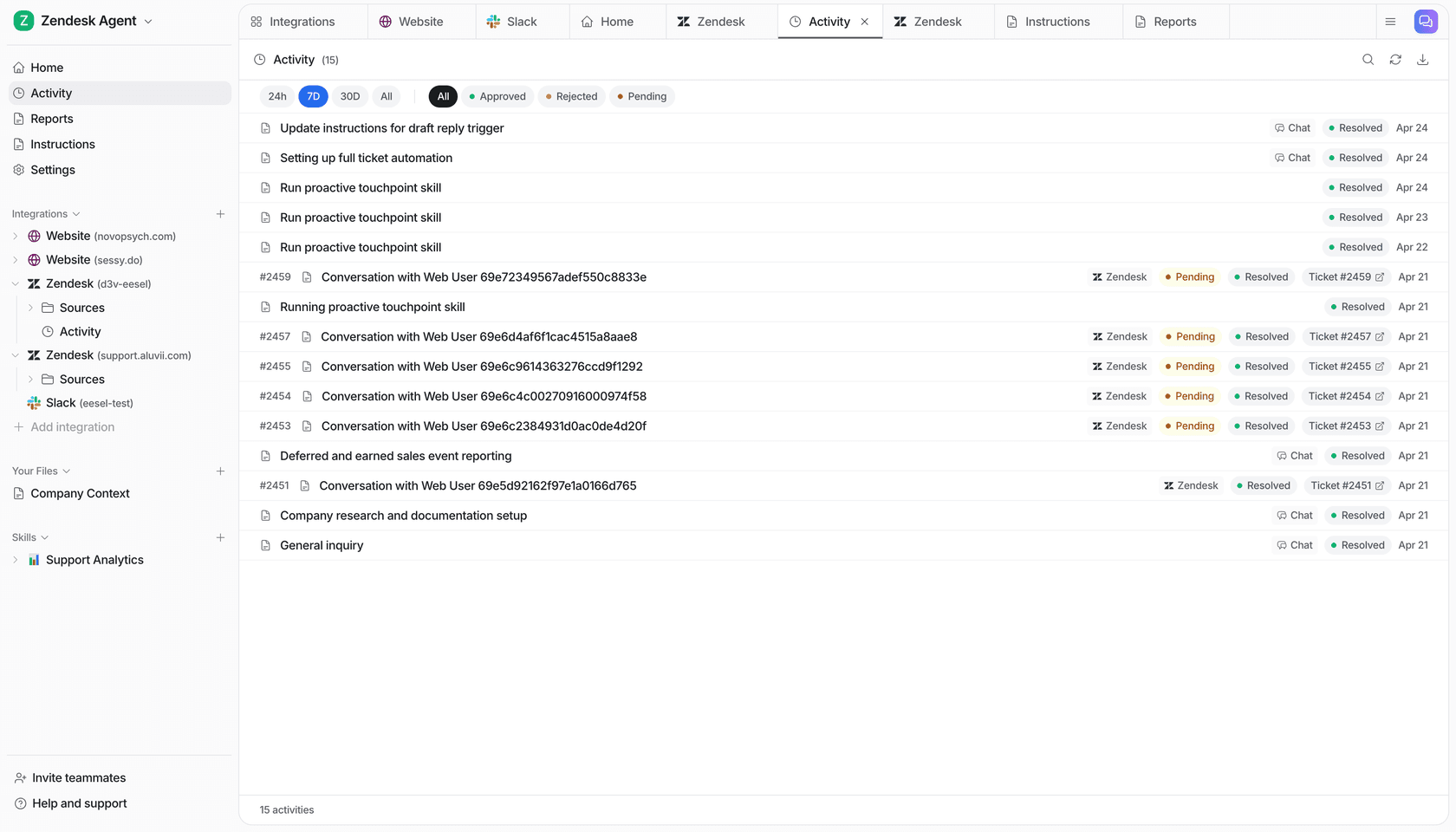
The eesel Activity page shows a work list and filters for approved, rejected, and pending items.
Choose by the work you can verify
Choose the agent whose job boundary, knowledge, approvals, and operating model your team can own. Try eesel when a support teammate with an inspectable terminal and dashboard workflow fits that job.
Evaluate a support teammate with eesel
Try eesel. Use the same outage case across your shortlist. Inspect the eesel teammate from the terminal, review its sources and response, and compare the actual support outcome.
Frequently asked questions
What makes an AI agent useful for support?
A defined job, approved knowledge, an action boundary, a human handoff, and an observable result. A broad promise of autonomy is not an evaluation criterion.
Should I choose a support agent or a builder?
Choose a ready teammate for a defined support job; choose a builder when your team owns design, integrations, and ongoing operation of a custom agent.
How should I compare AI agents?
Run the same representative cases, verify the same sources and actions, and compare outcomes in the systems that own them.
What should an agent be allowed to do?
Separate read, draft, and consequential action permissions. Keep exceptions and changes behind the approval process your organization requires.